").attr(n.scriptAttrs||{}).prop({charset:n.scriptCharset,src:n.url}).on("load error",i=function(e){r.remove(),i=null,e&&t("error"===e.type?404:200,e.type)}),C.head.appendChild(r[0])},abort:function(){i&&i()}}});var Jt,Kt=[],Zt=/(=)\?(?=&|$)|\?\?/;ce.ajaxSetup({jsonp:"callback",jsonpCallback:function(){var e=Kt.pop()||ce.expando+"_"+jt.guid++;return this[e]=!0,e}}),ce.ajaxPrefilter("json jsonp",function(e,t,n){var r,i,o,a=!1!==e.jsonp&&(Zt.test(e.url)?"url":"string"==typeof e.data&&0===(e.contentType||"").indexOf("application/x-www-form-urlencoded")&&Zt.test(e.data)&&"data");if(a||"jsonp"===e.dataTypes[0])return r=e.jsonpCallback=v(e.jsonpCallback)?e.jsonpCallback():e.jsonpCallback,a?e[a]=e[a].replace(Zt,"$1"+r):!1!==e.jsonp&&(e.url+=(At.test(e.url)?"&":"?")+e.jsonp+"="+r),e.converters["script json"]=function(){return o||ce.error(r+" was not called"),o[0]},e.dataTypes[0]="json",i=ie[r],ie[r]=function(){o=arguments},n.always(function(){void 0===i?ce(ie).removeProp(r):ie[r]=i,e[r]&&(e.jsonpCallback=t.jsonpCallback,Kt.push(r)),o&&v(i)&&i(o[0]),o=i=void 0}),"script"}),le.createHTMLDocument=((Jt=C.implementation.createHTMLDocument("").body).innerHTML="
",2===Jt.childNodes.length),ce.parseHTML=function(e,t,n){return"string"!=typeof e?[]:("boolean"==typeof t&&(n=t,t=!1),t||(le.createHTMLDocument?((r=(t=C.implementation.createHTMLDocument("")).createElement("base")).href=C.location.href,t.head.appendChild(r)):t=C),o=!n&&[],(i=w.exec(e))?[t.createElement(i[1])]:(i=Ae([e],t,o),o&&o.length&&ce(o).remove(),ce.merge([],i.childNodes)));var r,i,o},ce.fn.load=function(e,t,n){var r,i,o,a=this,s=e.indexOf(" ");return-1").append(ce.parseHTML(e)).find(r):e)}).always(n&&function(e,t){a.each(function(){n.apply(this,o||[e.responseText,t,e])})}),this},ce.expr.pseudos.animated=function(t){return ce.grep(ce.timers,function(e){return t===e.elem}).length},ce.offset={setOffset:function(e,t,n){var r,i,o,a,s,u,l=ce.css(e,"position"),c=ce(e),f={};"static"===l&&(e.style.position="relative"),s=c.offset(),o=ce.css(e,"top"),u=ce.css(e,"left"),("absolute"===l||"fixed"===l)&&-1<(o+u).indexOf("auto")?(a=(r=c.position()).top,i=r.left):(a=parseFloat(o)||0,i=parseFloat(u)||0),v(t)&&(t=t.call(e,n,ce.extend({},s))),null!=t.top&&(f.top=t.top-s.top+a),null!=t.left&&(f.left=t.left-s.left+i),"using"in t?t.using.call(e,f):c.css(f)}},ce.fn.extend({offset:function(t){if(arguments.length)return void 0===t?this:this.each(function(e){ce.offset.setOffset(this,t,e)});var e,n,r=this[0];return r?r.getClientRects().length?(e=r.getBoundingClientRect(),n=r.ownerDocument.defaultView,{top:e.top+n.pageYOffset,left:e.left+n.pageXOffset}):{top:0,left:0}:void 0},position:function(){if(this[0]){var e,t,n,r=this[0],i={top:0,left:0};if("fixed"===ce.css(r,"position"))t=r.getBoundingClientRect();else{t=this.offset(),n=r.ownerDocument,e=r.offsetParent||n.documentElement;while(e&&(e===n.body||e===n.documentElement)&&"static"===ce.css(e,"position"))e=e.parentNode;e&&e!==r&&1===e.nodeType&&((i=ce(e).offset()).top+=ce.css(e,"borderTopWidth",!0),i.left+=ce.css(e,"borderLeftWidth",!0))}return{top:t.top-i.top-ce.css(r,"marginTop",!0),left:t.left-i.left-ce.css(r,"marginLeft",!0)}}},offsetParent:function(){return this.map(function(){var e=this.offsetParent;while(e&&"static"===ce.css(e,"position"))e=e.offsetParent;return e||J})}}),ce.each({scrollLeft:"pageXOffset",scrollTop:"pageYOffset"},function(t,i){var o="pageYOffset"===i;ce.fn[t]=function(e){return M(this,function(e,t,n){var r;if(y(e)?r=e:9===e.nodeType&&(r=e.defaultView),void 0===n)return r?r[i]:e[t];r?r.scrollTo(o?r.pageXOffset:n,o?n:r.pageYOffset):e[t]=n},t,e,arguments.length)}}),ce.each(["top","left"],function(e,n){ce.cssHooks[n]=Ye(le.pixelPosition,function(e,t){if(t)return t=Ge(e,n),_e.test(t)?ce(e).position()[n]+"px":t})}),ce.each({Height:"height",Width:"width"},function(a,s){ce.each({padding:"inner"+a,content:s,"":"outer"+a},function(r,o){ce.fn[o]=function(e,t){var n=arguments.length&&(r||"boolean"!=typeof e),i=r||(!0===e||!0===t?"margin":"border");return M(this,function(e,t,n){var r;return y(e)?0===o.indexOf("outer")?e["inner"+a]:e.document.documentElement["client"+a]:9===e.nodeType?(r=e.documentElement,Math.max(e.body["scroll"+a],r["scroll"+a],e.body["offset"+a],r["offset"+a],r["client"+a])):void 0===n?ce.css(e,t,i):ce.style(e,t,n,i)},s,n?e:void 0,n)}})}),ce.each(["ajaxStart","ajaxStop","ajaxComplete","ajaxError","ajaxSuccess","ajaxSend"],function(e,t){ce.fn[t]=function(e){return this.on(t,e)}}),ce.fn.extend({bind:function(e,t,n){return this.on(e,null,t,n)},unbind:function(e,t){return this.off(e,null,t)},delegate:function(e,t,n,r){return this.on(t,e,n,r)},undelegate:function(e,t,n){return 1===arguments.length?this.off(e,"**"):this.off(t,e||"**",n)},hover:function(e,t){return this.on("mouseenter",e).on("mouseleave",t||e)}}),ce.each("blur focus focusin focusout resize scroll click dblclick mousedown mouseup mousemove mouseover mouseout mouseenter mouseleave change select submit keydown keypress keyup contextmenu".split(" "),function(e,n){ce.fn[n]=function(e,t){return 0
Win Subst 1.14
ディスクそのほか
説明機能仕様ダウンロード画像使い方
任意のフォルダにドライブ文字を割り当てることができる仮想ドライブ作成ツール
ローカルフォルダをドライブに置き換える(フォルダにドライブ文字を割り当てる)ことができる、無料の Windows アプリケーション。複数の仮想ドライブを作成することができます。
Win Subst の概要
Win Subst は、古い DOS の subst コマンドと同様に、ドライブ文字を同じコンピュータのローカルフォルダに置き換えるための Windows 用の無料ツールです。
Win Subst の機能
Win Subst の主な機能です。
| 機能 |
概要 |
| メイン機能 |
コンピューターのローカルフォルダをドライブに置き換える |
| 機能詳細 |
・コンピューターのローカルフォルダにドライブ文字を割り当てる
・複数の仮想ドライブを作成可能
・システムトレイに最小化 |
フォルダにドライブ文字を割り当てることができます
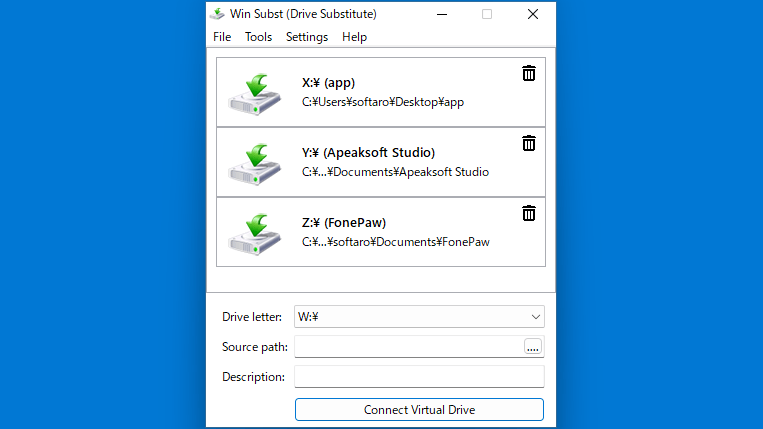
Win Subst は、古い DOS の「subst」コマンドと同じように、ローカルフォルダを同じコンピュータのドライブ文字に置き換えることができる Windows 用の無料ツールです。
たとえば、Win Subst を使用すると、C:\Users\[your name]\Google Drive に保存されている Google Drive フォルダを S:\ のようなドライブ文字にマップできます。
ポータブルアプリケーションです
Win Subst を使用して作成されたドライブには Windows エクスプローラやそのほかのアプリで通常と同じようにアクセスでき、保存されているすべてのファイルとフォルダは表示または変更できます。
Win Subst の使い方はかんたんで、ドライブ文字とソースを指定してボタンをクリックするだけです。アプリを終了したときに仮想ドライブを接続したままにするか、非接続にするかを設定で指定できます。
任意のフォルダをドライブとして使用することができます
Win Subst は、Windows 上のフォルダにドライブ文字を割り当てて、ドライブをエミュレートすることができる便利なアプリケーションです。アプリケーションにはバグがあり、フォルダのパスに日本語文字が含まれている場合はエラーが出てしまうので注意して使用してください。
機能
- コンピューターのローカルフォルダーにドライブ文字を割り当てる
- 複数の仮想ドライブを作成可能
- システムトレイに最小化
価格:無料
動作環境:Windows 7|8|8.1|10|11
使用言語:英語
最終更新日:
3年前 (2022/10/27)
ダウンロード数:529
画像

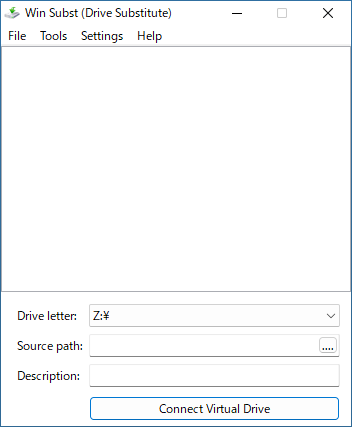
ユーザーインターフェース

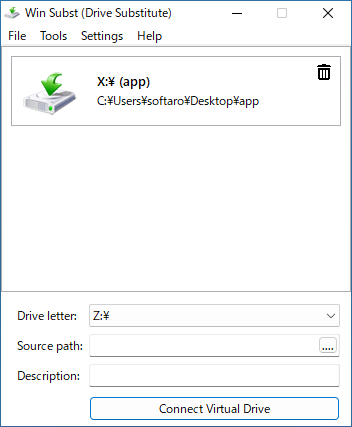
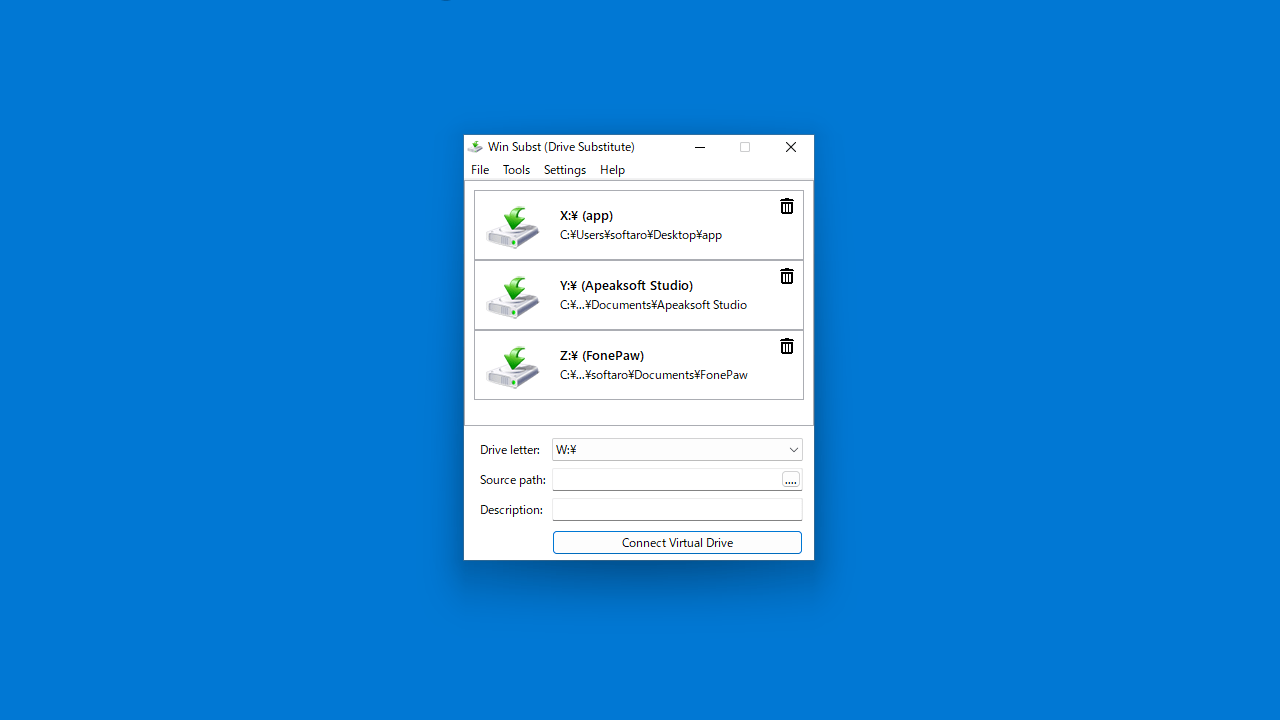
ドライブ文字の割り当て完了

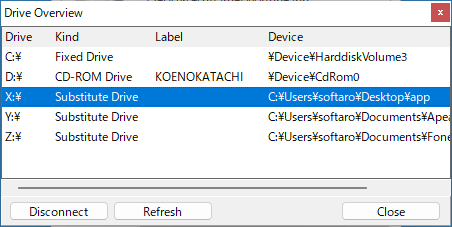
Drive Overview
トレイアイコン
使い方
インストール
1.インストール方法
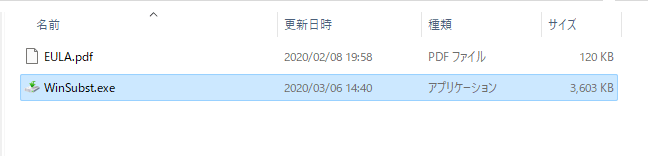
Win Subst は、インストール不要で使用できます。
- ダウンロードした ZIP ファイルを解凍し、「WinSubst.exe」ファイルを実行するとアプリケーションを起動できます。
基本的な使い方
1. 基本的な使い方
- 「Drive letter」で、割り当てるドライブ文字を選択します。
- 「Source path」で、ディレクトリ(パス)を選択します。
- 必要な場合、「Description」に説明文を入力します。
- [Connect Virtual Drive]ボタンをクリックすると、仮想ドライブの作成が完了します。
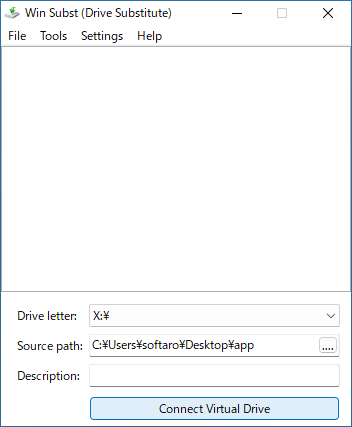
・パスに日本語文字が含まれている場合はドライブを作成できません。

2.そのほか
- 「Tools」>「Drive Overview」を選択すると、すべてのドライブの概要を確認できます。

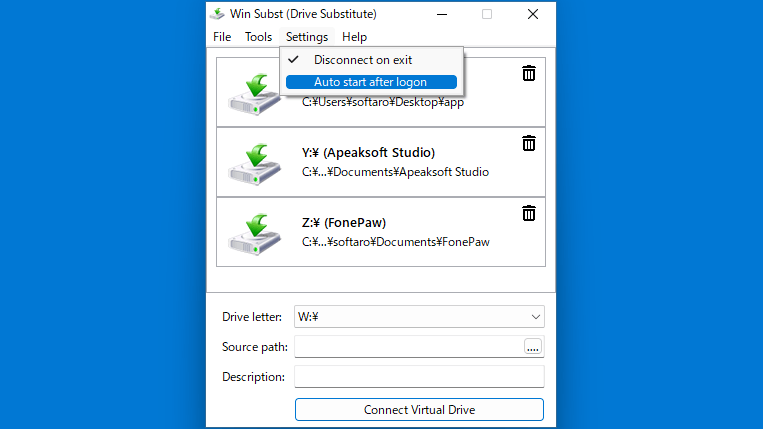
- 「Settings」メニューでは、アプリの設定ができます。

・Disconnect on Exit:アプリ終了時にすべてのドライブを非接続にする
・Auto Start after logon:Windows ログオン時にアプリを起動する
よくある質問と回答
ライセンスについて。
Win Subst は、どなたでも無料で使用できます。