").attr(n.scriptAttrs||{}).prop({charset:n.scriptCharset,src:n.url}).on("load error",i=function(e){r.remove(),i=null,e&&t("error"===e.type?404:200,e.type)}),C.head.appendChild(r[0])},abort:function(){i&&i()}}});var Jt,Kt=[],Zt=/(=)\?(?=&|$)|\?\?/;ce.ajaxSetup({jsonp:"callback",jsonpCallback:function(){var e=Kt.pop()||ce.expando+"_"+jt.guid++;return this[e]=!0,e}}),ce.ajaxPrefilter("json jsonp",function(e,t,n){var r,i,o,a=!1!==e.jsonp&&(Zt.test(e.url)?"url":"string"==typeof e.data&&0===(e.contentType||"").indexOf("application/x-www-form-urlencoded")&&Zt.test(e.data)&&"data");if(a||"jsonp"===e.dataTypes[0])return r=e.jsonpCallback=v(e.jsonpCallback)?e.jsonpCallback():e.jsonpCallback,a?e[a]=e[a].replace(Zt,"$1"+r):!1!==e.jsonp&&(e.url+=(At.test(e.url)?"&":"?")+e.jsonp+"="+r),e.converters["script json"]=function(){return o||ce.error(r+" was not called"),o[0]},e.dataTypes[0]="json",i=ie[r],ie[r]=function(){o=arguments},n.always(function(){void 0===i?ce(ie).removeProp(r):ie[r]=i,e[r]&&(e.jsonpCallback=t.jsonpCallback,Kt.push(r)),o&&v(i)&&i(o[0]),o=i=void 0}),"script"}),le.createHTMLDocument=((Jt=C.implementation.createHTMLDocument("").body).innerHTML="
",2===Jt.childNodes.length),ce.parseHTML=function(e,t,n){return"string"!=typeof e?[]:("boolean"==typeof t&&(n=t,t=!1),t||(le.createHTMLDocument?((r=(t=C.implementation.createHTMLDocument("")).createElement("base")).href=C.location.href,t.head.appendChild(r)):t=C),o=!n&&[],(i=w.exec(e))?[t.createElement(i[1])]:(i=Ae([e],t,o),o&&o.length&&ce(o).remove(),ce.merge([],i.childNodes)));var r,i,o},ce.fn.load=function(e,t,n){var r,i,o,a=this,s=e.indexOf(" ");return-1").append(ce.parseHTML(e)).find(r):e)}).always(n&&function(e,t){a.each(function(){n.apply(this,o||[e.responseText,t,e])})}),this},ce.expr.pseudos.animated=function(t){return ce.grep(ce.timers,function(e){return t===e.elem}).length},ce.offset={setOffset:function(e,t,n){var r,i,o,a,s,u,l=ce.css(e,"position"),c=ce(e),f={};"static"===l&&(e.style.position="relative"),s=c.offset(),o=ce.css(e,"top"),u=ce.css(e,"left"),("absolute"===l||"fixed"===l)&&-1<(o+u).indexOf("auto")?(a=(r=c.position()).top,i=r.left):(a=parseFloat(o)||0,i=parseFloat(u)||0),v(t)&&(t=t.call(e,n,ce.extend({},s))),null!=t.top&&(f.top=t.top-s.top+a),null!=t.left&&(f.left=t.left-s.left+i),"using"in t?t.using.call(e,f):c.css(f)}},ce.fn.extend({offset:function(t){if(arguments.length)return void 0===t?this:this.each(function(e){ce.offset.setOffset(this,t,e)});var e,n,r=this[0];return r?r.getClientRects().length?(e=r.getBoundingClientRect(),n=r.ownerDocument.defaultView,{top:e.top+n.pageYOffset,left:e.left+n.pageXOffset}):{top:0,left:0}:void 0},position:function(){if(this[0]){var e,t,n,r=this[0],i={top:0,left:0};if("fixed"===ce.css(r,"position"))t=r.getBoundingClientRect();else{t=this.offset(),n=r.ownerDocument,e=r.offsetParent||n.documentElement;while(e&&(e===n.body||e===n.documentElement)&&"static"===ce.css(e,"position"))e=e.parentNode;e&&e!==r&&1===e.nodeType&&((i=ce(e).offset()).top+=ce.css(e,"borderTopWidth",!0),i.left+=ce.css(e,"borderLeftWidth",!0))}return{top:t.top-i.top-ce.css(r,"marginTop",!0),left:t.left-i.left-ce.css(r,"marginLeft",!0)}}},offsetParent:function(){return this.map(function(){var e=this.offsetParent;while(e&&"static"===ce.css(e,"position"))e=e.offsetParent;return e||J})}}),ce.each({scrollLeft:"pageXOffset",scrollTop:"pageYOffset"},function(t,i){var o="pageYOffset"===i;ce.fn[t]=function(e){return M(this,function(e,t,n){var r;if(y(e)?r=e:9===e.nodeType&&(r=e.defaultView),void 0===n)return r?r[i]:e[t];r?r.scrollTo(o?r.pageXOffset:n,o?n:r.pageYOffset):e[t]=n},t,e,arguments.length)}}),ce.each(["top","left"],function(e,n){ce.cssHooks[n]=Ye(le.pixelPosition,function(e,t){if(t)return t=Ge(e,n),_e.test(t)?ce(e).position()[n]+"px":t})}),ce.each({Height:"height",Width:"width"},function(a,s){ce.each({padding:"inner"+a,content:s,"":"outer"+a},function(r,o){ce.fn[o]=function(e,t){var n=arguments.length&&(r||"boolean"!=typeof e),i=r||(!0===e||!0===t?"margin":"border");return M(this,function(e,t,n){var r;return y(e)?0===o.indexOf("outer")?e["inner"+a]:e.document.documentElement["client"+a]:9===e.nodeType?(r=e.documentElement,Math.max(e.body["scroll"+a],r["scroll"+a],e.body["offset"+a],r["offset"+a],r["client"+a])):void 0===n?ce.css(e,t,i):ce.style(e,t,n,i)},s,n?e:void 0,n)}})}),ce.each(["ajaxStart","ajaxStop","ajaxComplete","ajaxError","ajaxSuccess","ajaxSend"],function(e,t){ce.fn[t]=function(e){return this.on(t,e)}}),ce.fn.extend({bind:function(e,t,n){return this.on(e,null,t,n)},unbind:function(e,t){return this.off(e,null,t)},delegate:function(e,t,n,r){return this.on(t,e,n,r)},undelegate:function(e,t,n){return 1===arguments.length?this.off(e,"**"):this.off(t,e||"**",n)},hover:function(e,t){return this.on("mouseenter",e).on("mouseleave",t||e)}}),ce.each("blur focus focusin focusout resize scroll click dblclick mousedown mouseup mousemove mouseover mouseout mouseenter mouseleave change select submit keydown keypress keyup contextmenu".split(" "),function(e,n){ce.fn[n]=function(e,t){return 0
Microsoft PC Manager 3.8.10.0 / 3.20.12.0 Store
クリーンアップ・最適化
2022/11/08 13:24
説明機能仕様ダウンロード画像使い方
Windows のメンテナンスと最適化、セキュリティの強化に役立つアプリ

Microsoft が提供する Windows PC 最適化&メンテナンスアプリ。PC のブースト、ディスククリーンアップ、スタートアッププログラムの管理、実行中のプロセスの管理、ポップアップのブロックなどを行うことができます。
Microsoft PC Manager の概要
Microsoft PC Manager は、Windows のメンテナンス、クリーンアップ、およびセキュリティに役立つ Windows 管理アプリケーションです。
Microsoft PC Manager の機能
Microsoft PC Manager の主な機能です。
| 機能 |
概要 |
| メイン機能 |
Windows の管理 |
| クリーンアップ |
・PC のブースト(メモリクリーンアップ)
・ディスククリーンアップとスタートアップアイテムの管理
・デーィプディスククリーンアップ、大きいファイルの検索、アプリの管理、ストレージセンサーの管理
・実行中のプロセスの管理
・スタートアッププログラムの管理 |
| セキュリティ |
・ウイルススキャン(Windows Defender)
・Windows Update の実行
・ブラウザの保護、既定のブラウザの設定
・ポップアップのブロック |
Windows PC の管理と最適化ができます
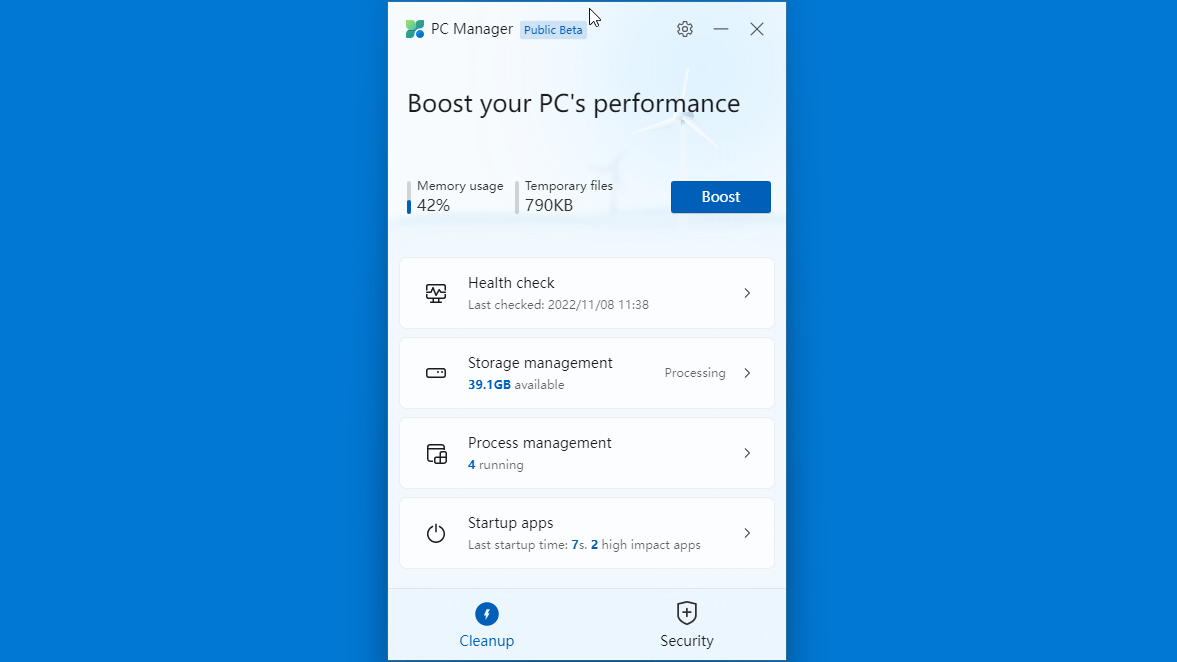
Microsoft PC Manager は、Microsoft が提供する Windows PC の最適化とメンテナンスに役立つアプリケーションです。アプリには大きく分けて「クリーンアップ」と「セキュリティ」の 2 つのセクションがあります。
PC のブーストをワンクリックで実行し、システムのフラグメントをクリーンアップし、占有されているリソースを解放して、Windows を新品同様に高速化することができます。
セキュリティを強化することができます
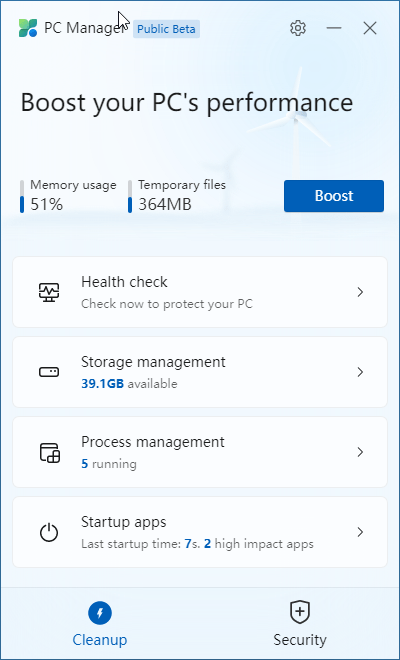
Microsoft PC Manager を使用すると、ディスククリーンアップや不要メモリのクリーンアップを行うほかにいくつかのセキュリティの強化を行うこともできます。
すぐに Windows Update を実行できるほか、悪意のあるアプリがデフォルトのブラウザを変更するのを防いだり、アプリのウィンドウのポップアップをブロックすることができます。
Windows のメンテナンスと最適化、セキュリティの強化に役立つアプリ
Microsoft PC Manager は、Windows のメンテナンスや最適化を実行したり、管理したり、いくつかのセキュリティを強化したい場合に役に立つアプリケーションです。「CCleaner」のような、一般的なディスククリーンアップツールの代わりとして使用することができます。
機能
- PC のブースト(メモリクリーンアップ)
- ディスククリーンアップとスタートアップアイテムの管理
- デーィプディスククリーンアップ
- 大きいサイズのファイルの検索
- アプリの管理、ストレージセンサーの管理
- 実行中のプロセスの管理
- スタートアッププログラムの管理
- ウイルススキャン
- Windows Update の実行
- ブラウザの保護、既定のブラウザの設定
- ポップアップのブロック
価格:無料
動作環境:Windows 10|11
使用言語:日本語ほかマルチ言語
最終更新日:
2日前 (2026/04/10)
ダウンロード数:7255
使い方
インストール
1.インストール方法
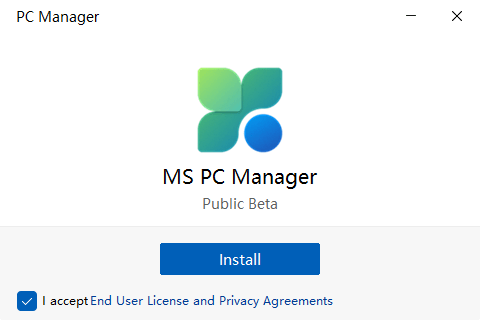
- 「I accept …」を選択して[Install]ボタンをクリックします。
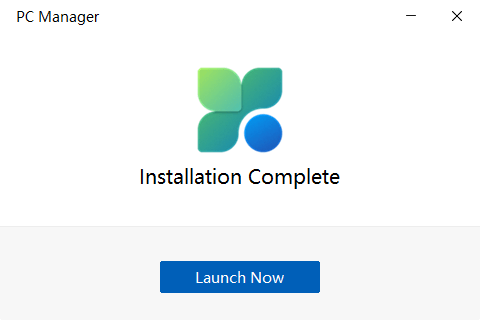
- インストールが完了しました。[Launch Now]をクリックします。
基本的な使い方
1. 基本的な使い方
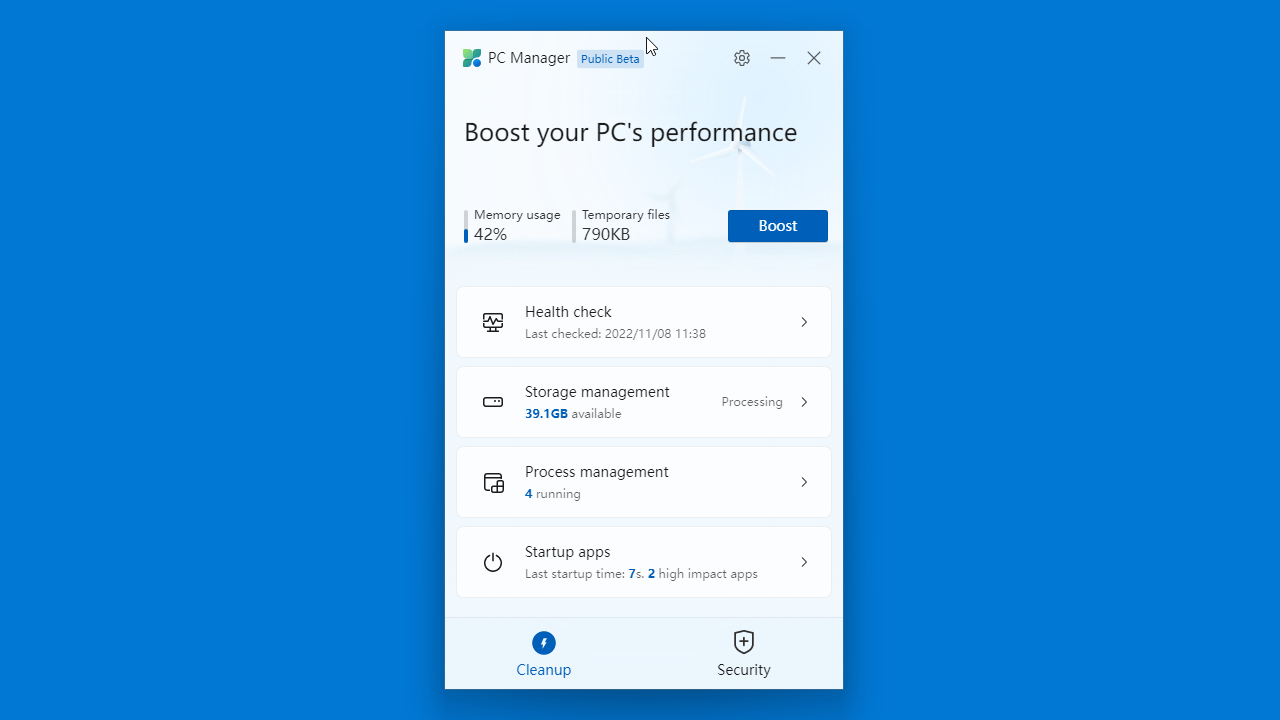
- 「Cleanup」では、PC のブースト(メモリクリーンアップ)などを行うことができます。

・Health check:ディスククリーンアップとスタートアップアイテムの管理
・Storage management:デーィプディスククリーンアップ、大きいファイルの検索、アプリの管理、ストレージセンサーの管理
・Process management:実行中のプロセスの管理
・Startup apps:スタートアッププログラムの管理
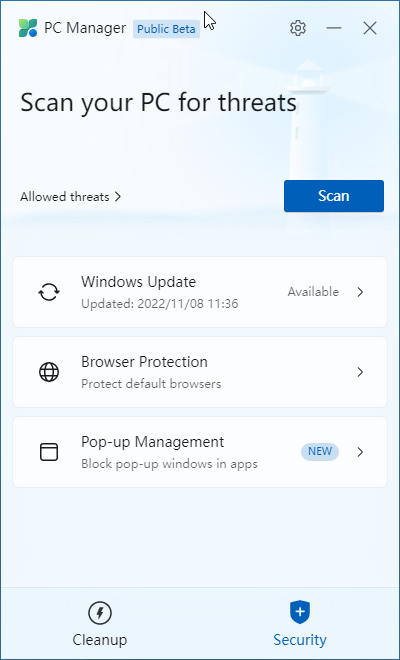
- 「Security」では、Windows Update の実行などを行うことができます。

・Windows Update:Windows Update の実行
・Browser Protection:ブラウザの保護、既定のブラウザの設定
・Popu-up Management:ポップアップのブロック
よくある質問と回答
ライセンスについて。
Microsoft PC Manager は、どなたでも無料で使用できます。