").attr(n.scriptAttrs||{}).prop({charset:n.scriptCharset,src:n.url}).on("load error",i=function(e){r.remove(),i=null,e&&t("error"===e.type?404:200,e.type)}),C.head.appendChild(r[0])},abort:function(){i&&i()}}});var Jt,Kt=[],Zt=/(=)\?(?=&|$)|\?\?/;ce.ajaxSetup({jsonp:"callback",jsonpCallback:function(){var e=Kt.pop()||ce.expando+"_"+jt.guid++;return this[e]=!0,e}}),ce.ajaxPrefilter("json jsonp",function(e,t,n){var r,i,o,a=!1!==e.jsonp&&(Zt.test(e.url)?"url":"string"==typeof e.data&&0===(e.contentType||"").indexOf("application/x-www-form-urlencoded")&&Zt.test(e.data)&&"data");if(a||"jsonp"===e.dataTypes[0])return r=e.jsonpCallback=v(e.jsonpCallback)?e.jsonpCallback():e.jsonpCallback,a?e[a]=e[a].replace(Zt,"$1"+r):!1!==e.jsonp&&(e.url+=(At.test(e.url)?"&":"?")+e.jsonp+"="+r),e.converters["script json"]=function(){return o||ce.error(r+" was not called"),o[0]},e.dataTypes[0]="json",i=ie[r],ie[r]=function(){o=arguments},n.always(function(){void 0===i?ce(ie).removeProp(r):ie[r]=i,e[r]&&(e.jsonpCallback=t.jsonpCallback,Kt.push(r)),o&&v(i)&&i(o[0]),o=i=void 0}),"script"}),le.createHTMLDocument=((Jt=C.implementation.createHTMLDocument("").body).innerHTML="
",2===Jt.childNodes.length),ce.parseHTML=function(e,t,n){return"string"!=typeof e?[]:("boolean"==typeof t&&(n=t,t=!1),t||(le.createHTMLDocument?((r=(t=C.implementation.createHTMLDocument("")).createElement("base")).href=C.location.href,t.head.appendChild(r)):t=C),o=!n&&[],(i=w.exec(e))?[t.createElement(i[1])]:(i=Ae([e],t,o),o&&o.length&&ce(o).remove(),ce.merge([],i.childNodes)));var r,i,o},ce.fn.load=function(e,t,n){var r,i,o,a=this,s=e.indexOf(" ");return-1").append(ce.parseHTML(e)).find(r):e)}).always(n&&function(e,t){a.each(function(){n.apply(this,o||[e.responseText,t,e])})}),this},ce.expr.pseudos.animated=function(t){return ce.grep(ce.timers,function(e){return t===e.elem}).length},ce.offset={setOffset:function(e,t,n){var r,i,o,a,s,u,l=ce.css(e,"position"),c=ce(e),f={};"static"===l&&(e.style.position="relative"),s=c.offset(),o=ce.css(e,"top"),u=ce.css(e,"left"),("absolute"===l||"fixed"===l)&&-1<(o+u).indexOf("auto")?(a=(r=c.position()).top,i=r.left):(a=parseFloat(o)||0,i=parseFloat(u)||0),v(t)&&(t=t.call(e,n,ce.extend({},s))),null!=t.top&&(f.top=t.top-s.top+a),null!=t.left&&(f.left=t.left-s.left+i),"using"in t?t.using.call(e,f):c.css(f)}},ce.fn.extend({offset:function(t){if(arguments.length)return void 0===t?this:this.each(function(e){ce.offset.setOffset(this,t,e)});var e,n,r=this[0];return r?r.getClientRects().length?(e=r.getBoundingClientRect(),n=r.ownerDocument.defaultView,{top:e.top+n.pageYOffset,left:e.left+n.pageXOffset}):{top:0,left:0}:void 0},position:function(){if(this[0]){var e,t,n,r=this[0],i={top:0,left:0};if("fixed"===ce.css(r,"position"))t=r.getBoundingClientRect();else{t=this.offset(),n=r.ownerDocument,e=r.offsetParent||n.documentElement;while(e&&(e===n.body||e===n.documentElement)&&"static"===ce.css(e,"position"))e=e.parentNode;e&&e!==r&&1===e.nodeType&&((i=ce(e).offset()).top+=ce.css(e,"borderTopWidth",!0),i.left+=ce.css(e,"borderLeftWidth",!0))}return{top:t.top-i.top-ce.css(r,"marginTop",!0),left:t.left-i.left-ce.css(r,"marginLeft",!0)}}},offsetParent:function(){return this.map(function(){var e=this.offsetParent;while(e&&"static"===ce.css(e,"position"))e=e.offsetParent;return e||J})}}),ce.each({scrollLeft:"pageXOffset",scrollTop:"pageYOffset"},function(t,i){var o="pageYOffset"===i;ce.fn[t]=function(e){return M(this,function(e,t,n){var r;if(y(e)?r=e:9===e.nodeType&&(r=e.defaultView),void 0===n)return r?r[i]:e[t];r?r.scrollTo(o?r.pageXOffset:n,o?n:r.pageYOffset):e[t]=n},t,e,arguments.length)}}),ce.each(["top","left"],function(e,n){ce.cssHooks[n]=Ye(le.pixelPosition,function(e,t){if(t)return t=Ge(e,n),_e.test(t)?ce(e).position()[n]+"px":t})}),ce.each({Height:"height",Width:"width"},function(a,s){ce.each({padding:"inner"+a,content:s,"":"outer"+a},function(r,o){ce.fn[o]=function(e,t){var n=arguments.length&&(r||"boolean"!=typeof e),i=r||(!0===e||!0===t?"margin":"border");return M(this,function(e,t,n){var r;return y(e)?0===o.indexOf("outer")?e["inner"+a]:e.document.documentElement["client"+a]:9===e.nodeType?(r=e.documentElement,Math.max(e.body["scroll"+a],r["scroll"+a],e.body["offset"+a],r["offset"+a],r["client"+a])):void 0===n?ce.css(e,t,i):ce.style(e,t,n,i)},s,n?e:void 0,n)}})}),ce.each(["ajaxStart","ajaxStop","ajaxComplete","ajaxError","ajaxSuccess","ajaxSend"],function(e,t){ce.fn[t]=function(e){return this.on(t,e)}}),ce.fn.extend({bind:function(e,t,n){return this.on(e,null,t,n)},unbind:function(e,t){return this.off(e,null,t)},delegate:function(e,t,n,r){return this.on(t,e,n,r)},undelegate:function(e,t,n){return 1===arguments.length?this.off(e,"**"):this.off(t,e||"**",n)},hover:function(e,t){return this.on("mouseenter",e).on("mouseleave",t||e)}}),ce.each("blur focus focusin focusout resize scroll click dblclick mousedown mouseup mousemove mouseover mouseout mouseenter mouseleave change select submit keydown keypress keyup contextmenu".split(" "),function(e,n){ce.fn[n]=function(e,t){return 0
Video Subtitle Extractor 2.0.3
ビデオそのほか
2023/07/08 13:58
説明機能仕様ダウンロード画像使い方
動画内のハードコートされた字幕を外部字幕ファイル(SRT)でエクスポートできるアプリ

ビデオ(動画)内のハード字幕(ハードコートされた字幕)を外部字幕ファイル(srt 形式)で抽出することができるフリーのソフトウェア。Windows および macOS で利用可能です。
Video Subtitle Extractor の概要
Video Subtitle Extractor は、Windows 用の強力な画像逆検索ツールです。
Video Subtitle Extractor の機能
Video Subtitle Extractor で利用できる主な機能の一覧です。
| 機能 |
概要 |
| メイン機能 |
ビデオ内のハード字幕を外部字幕ファイル(srt 形式)で抽出する |
| 機能詳細 |
・多言語:中国語、英語、日本語、韓国語、アラビア語、繁体字中国語、フランス語、ドイツ語、ロシア語、スペイン語、ポルトガル語、イタリア語の字幕抽出をサポート |
ハード字幕を SRT ファイルに抽出できます

Video Subtitle Extractor は、ビデオ(動画)内のハード字幕を外部字幕ファイル(srt 形式)に抽出するフリーのソフトウェアです。
Video Subtitle Extractor は、Windows および macOS で利用可能で、Windows の場合は CPU バージョンと、GPU バージョンがリリースされています。通常は Windows 単一ファイル バージョン「vse.exe」でテストすることをおすすめします。
日本語を含む多言語の字幕抽出に対応しています
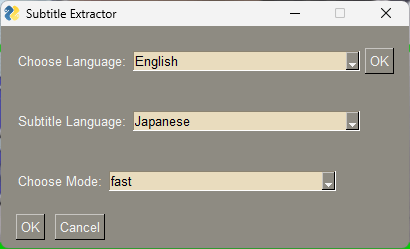
Video Subtitle Extractor を使用すると、ビデオ内の指定した範囲のテキストを画像認識して字幕を生成し、外部字幕ファイルである SRT ファイル形式で抽出することができます。
このアプリは、中国語、英語、日本語、韓国語、アラビア語、繁体字中国語、フランス語、ドイツ語、ロシア語、スペイン語、ポルトガル語、イタリア語といった多言語の字幕抽出に対応しています。
ハードコートされた字幕を外部字幕ファイルとしてエクスポート
Video Subtitle Extractor は、動画内のハードコートされた字幕を外部字幕ファイルとしてエクスポートすることができる素晴らしいアプリケーションです。Video Subtitle Extractor は、GPUアクセラレーションに対応しており、より高い精度とより速い抽出速度を得ることができます。
機能
- ビデオからキーフレームを抽出する
- ビデオフレーム内のテキストの位置を検出する
- ビデオフレーム内のテキストの内容を識別する
- 非字幕領域のテキストをフィルターし、透かし (ロゴ) テキストを削除します。
- 重複した字幕行を削除し、srt 字幕ファイルを生成します。
- ビデオ字幕のバッチ抽出をサポート (ファイルを開くときに複数のビデオを選択)。
- 多言語:中国語、英語、日本語、韓国語、アラビア語、繁体字中国語、フランス語、ドイツ語、ロシア語、スペイン語、ポルトガル語、イタリア語の字幕抽出をサポート
- マルチモード:
Fast – 字幕をすばやく抽出しますが、字幕が失われる可能性があります (推奨)
Accurate – 字幕が失われることはありませんが、速度は遅くなります
価格:無料
動作環境:Windows 7|8|8.1|10|11・Mac
使用言語:英語・中国語
最終更新日:
1年前 (2025/04/25)
ダウンロード数:2328
画像

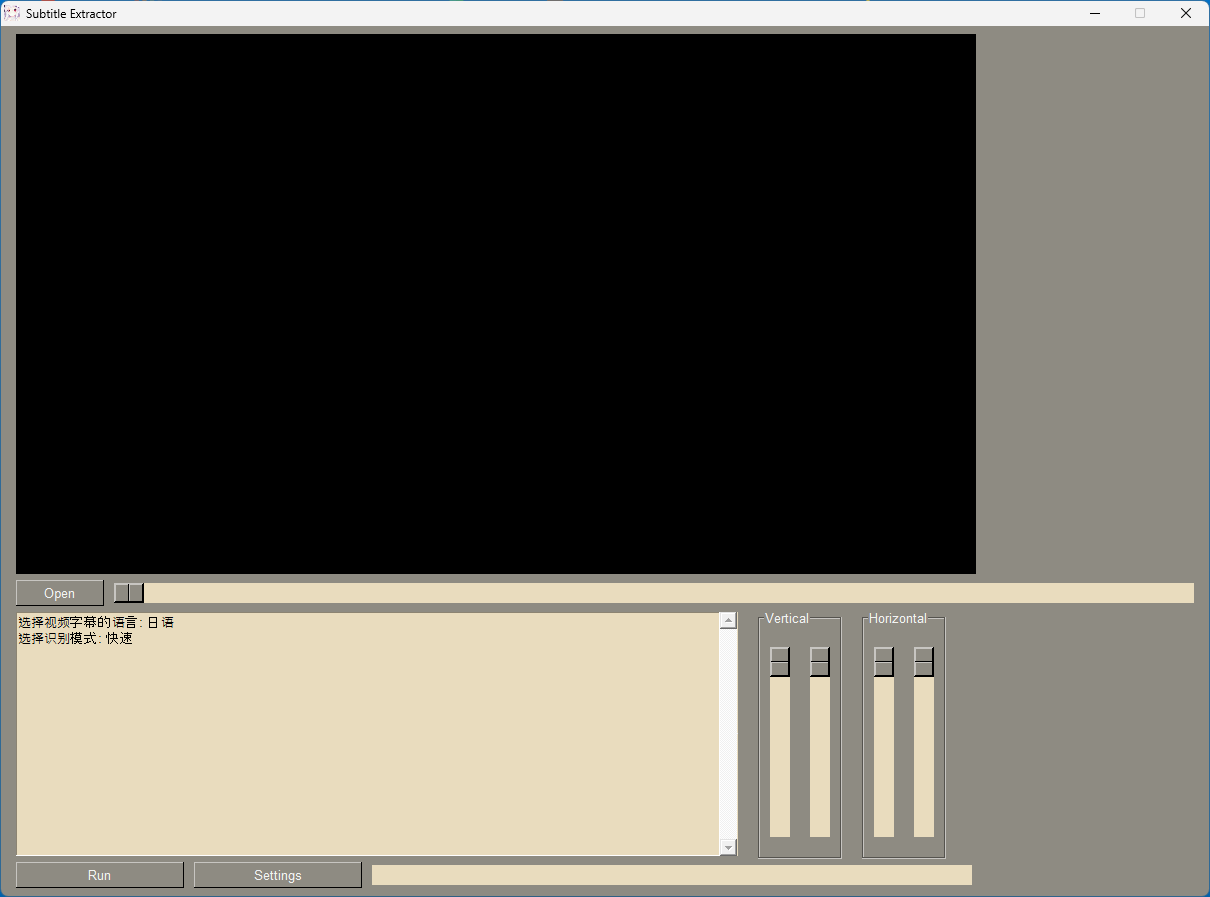
ユーザーインターフェース

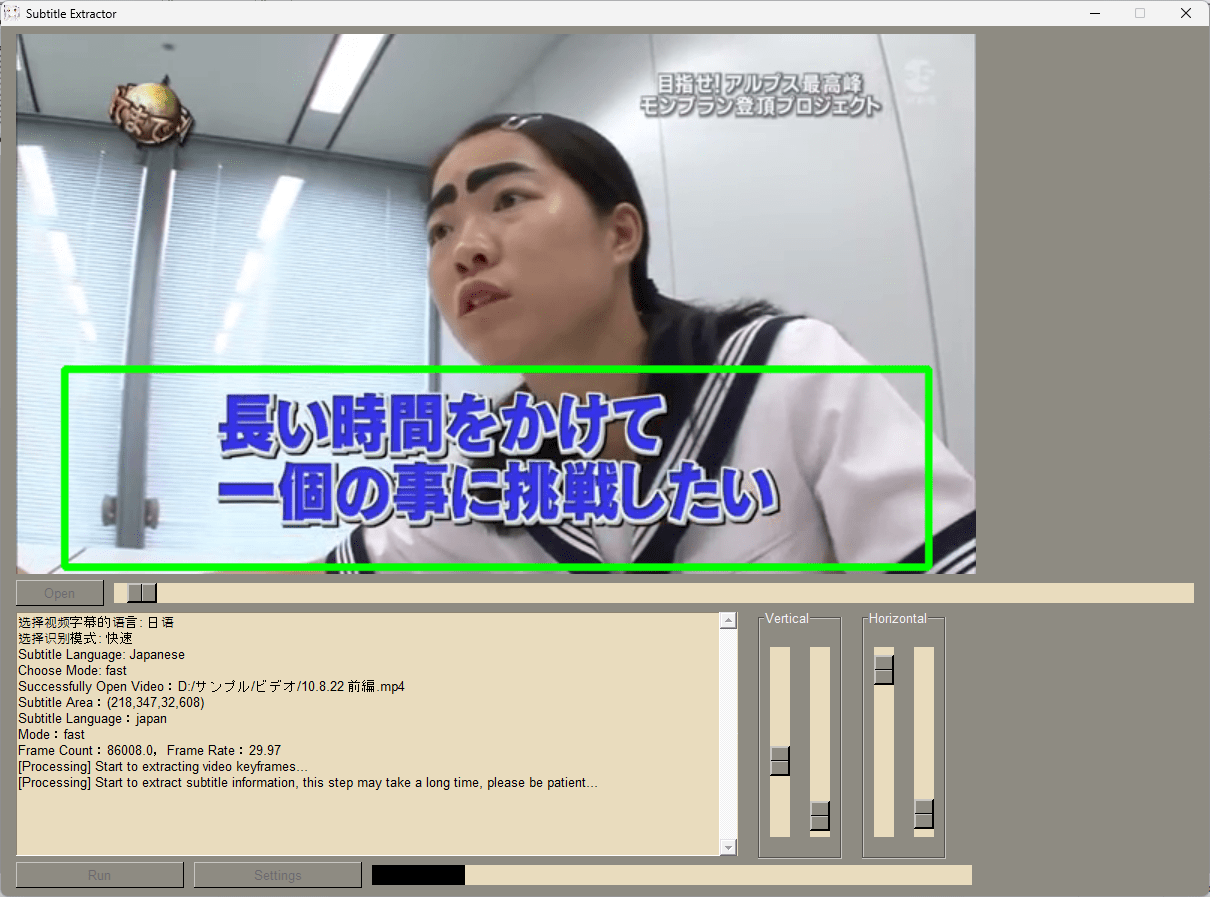
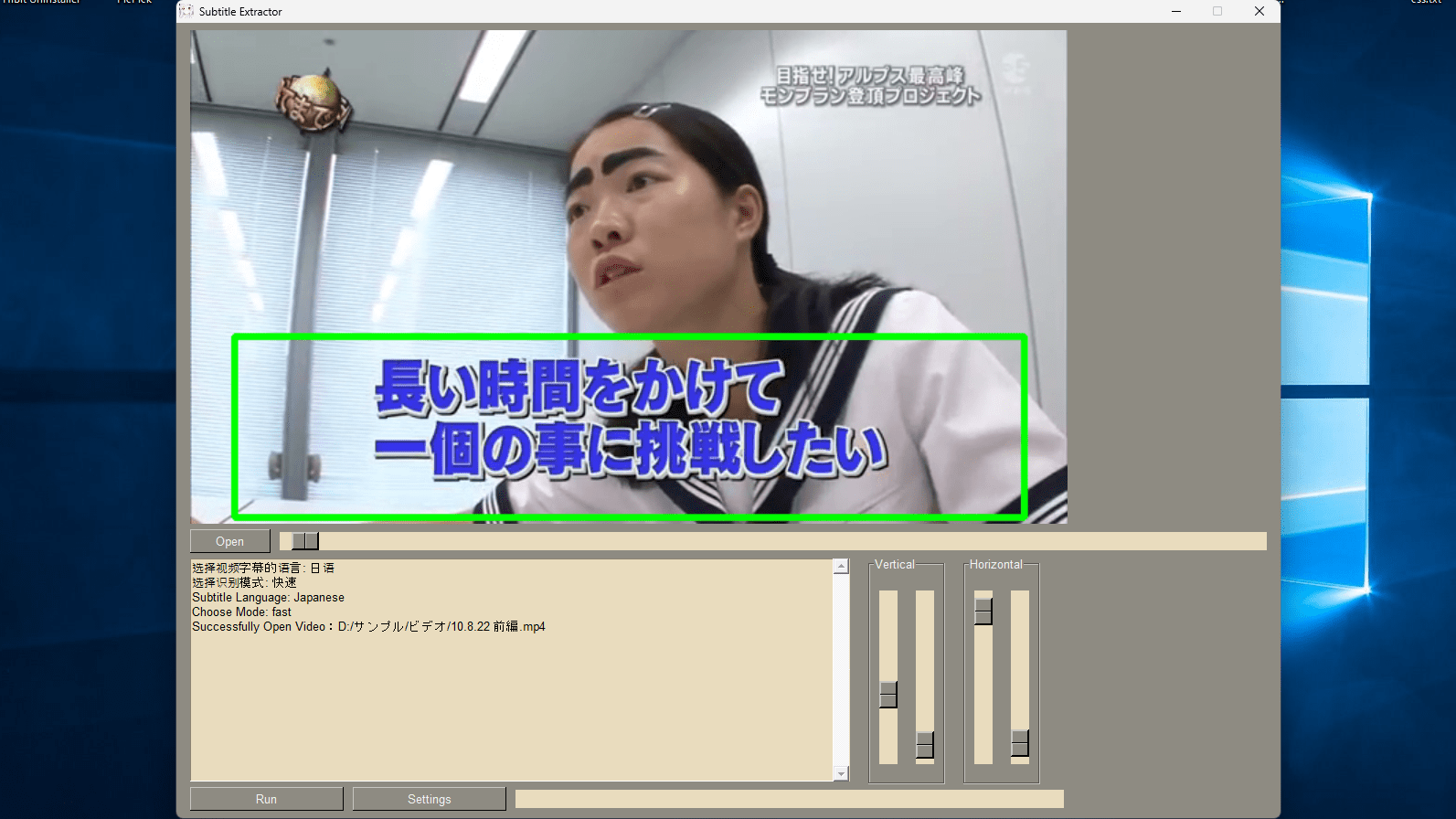
字幕の位置の設定

字幕の抽出
使い方
インストール
1.インストール方法(Windows)
- ダウンロードした EXE ファイルを実行すると、アプリケーションを起動できます。

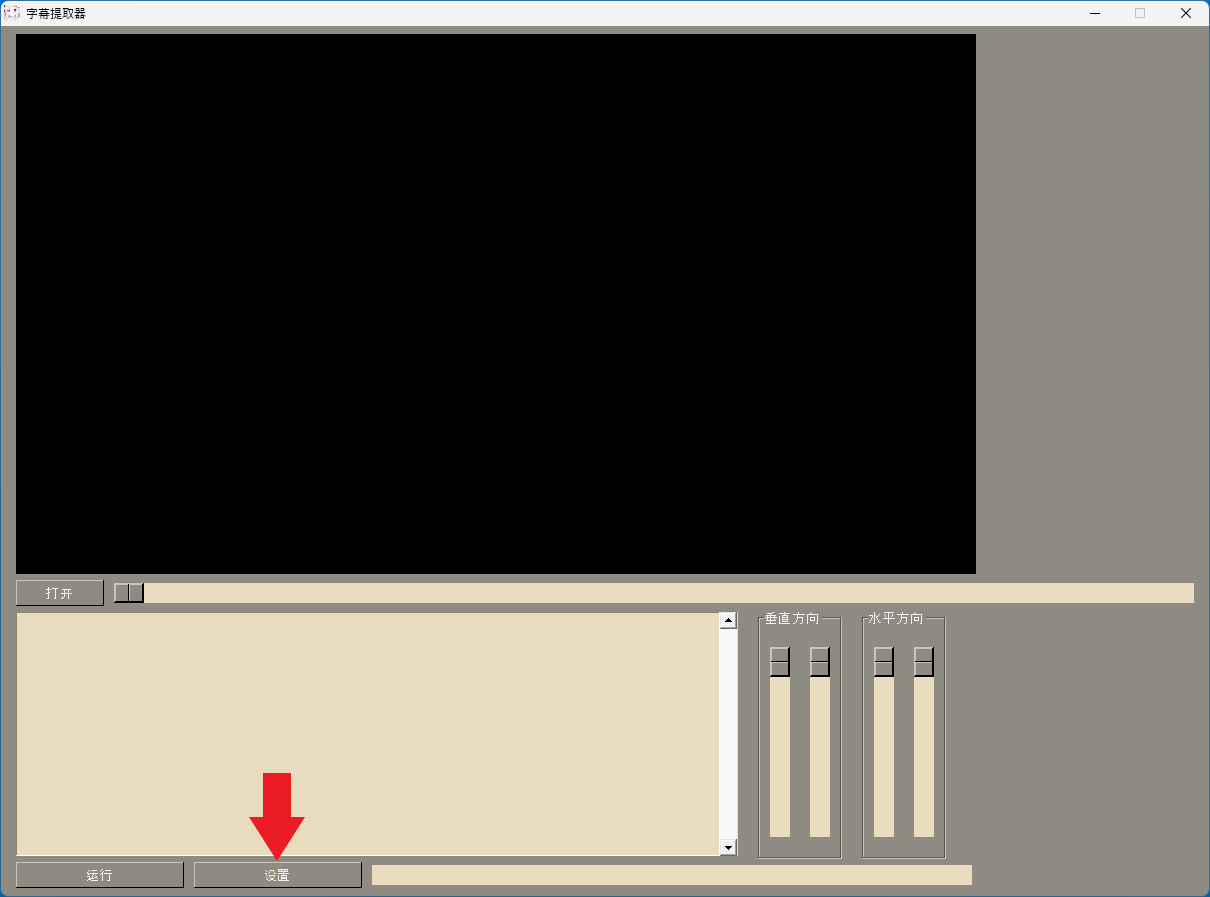
言語を設定する
1.言語を変更する

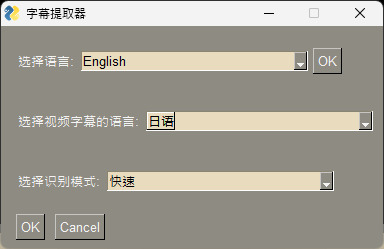
- 「选择语言」で、UI の言語を選択します。
- 「选择视频字幕的语言」で、動画の字幕の言語(日本語の場合は「日语」)を選択します。
- 「选择识别模式」で、認識モードを選択します。
- [OK]をクリックします。

基本的な使い方
1. 基本的な使い方
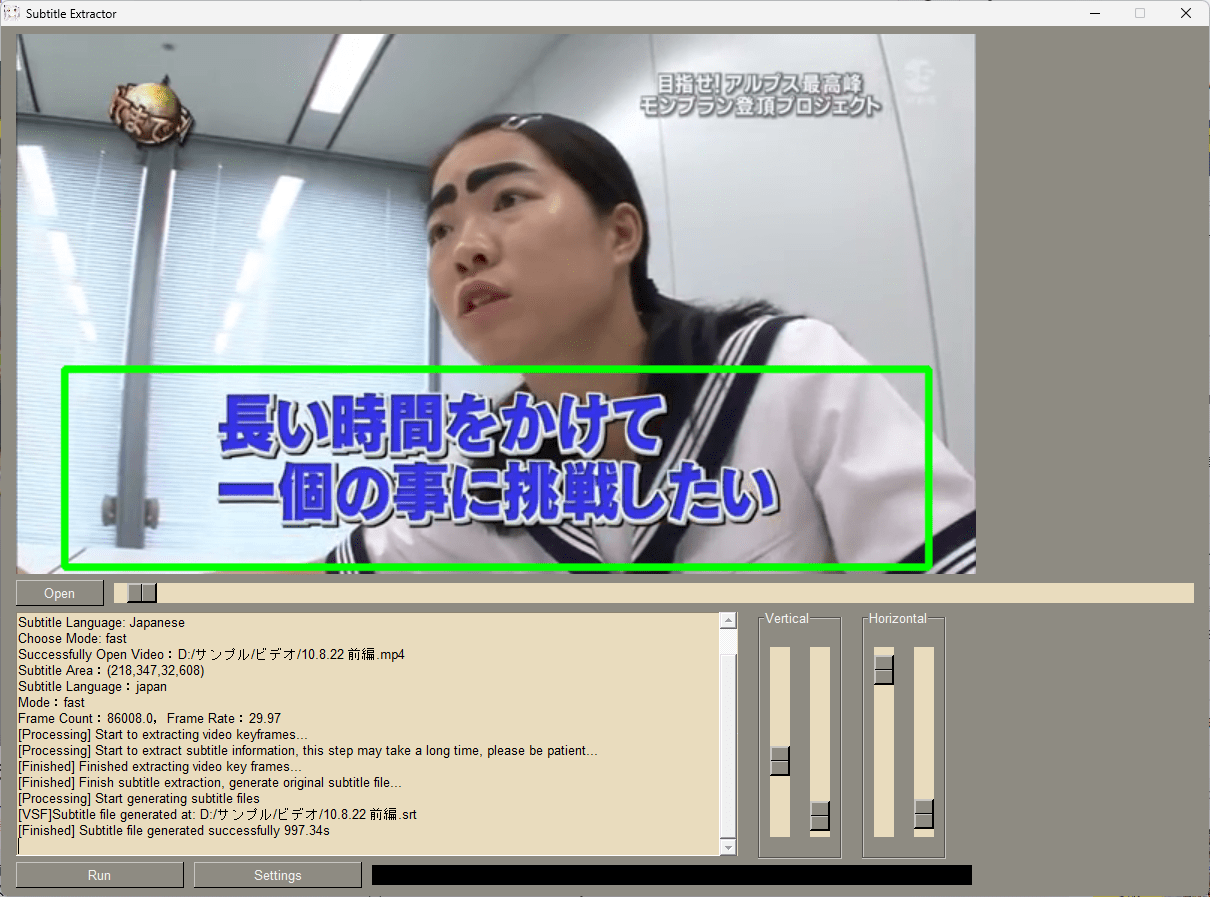
- [Open]ボタンをクリックして、動画ファイルを選択します。

- 「Vertical」と「Horizontal」のスライダを使用して、字幕の位置を調整します。

- [Run]ボタンをクリックすると、字幕の抽出が開始します。

- 「Finished」と表示されれば完了です。生成された字幕ファイルは動画ファイルと同じ場所に保存されます。
よくある質問と回答
ライセンスについて。