").attr(n.scriptAttrs||{}).prop({charset:n.scriptCharset,src:n.url}).on("load error",i=function(e){r.remove(),i=null,e&&t("error"===e.type?404:200,e.type)}),C.head.appendChild(r[0])},abort:function(){i&&i()}}});var Jt,Kt=[],Zt=/(=)\?(?=&|$)|\?\?/;ce.ajaxSetup({jsonp:"callback",jsonpCallback:function(){var e=Kt.pop()||ce.expando+"_"+jt.guid++;return this[e]=!0,e}}),ce.ajaxPrefilter("json jsonp",function(e,t,n){var r,i,o,a=!1!==e.jsonp&&(Zt.test(e.url)?"url":"string"==typeof e.data&&0===(e.contentType||"").indexOf("application/x-www-form-urlencoded")&&Zt.test(e.data)&&"data");if(a||"jsonp"===e.dataTypes[0])return r=e.jsonpCallback=v(e.jsonpCallback)?e.jsonpCallback():e.jsonpCallback,a?e[a]=e[a].replace(Zt,"$1"+r):!1!==e.jsonp&&(e.url+=(At.test(e.url)?"&":"?")+e.jsonp+"="+r),e.converters["script json"]=function(){return o||ce.error(r+" was not called"),o[0]},e.dataTypes[0]="json",i=ie[r],ie[r]=function(){o=arguments},n.always(function(){void 0===i?ce(ie).removeProp(r):ie[r]=i,e[r]&&(e.jsonpCallback=t.jsonpCallback,Kt.push(r)),o&&v(i)&&i(o[0]),o=i=void 0}),"script"}),le.createHTMLDocument=((Jt=C.implementation.createHTMLDocument("").body).innerHTML="
",2===Jt.childNodes.length),ce.parseHTML=function(e,t,n){return"string"!=typeof e?[]:("boolean"==typeof t&&(n=t,t=!1),t||(le.createHTMLDocument?((r=(t=C.implementation.createHTMLDocument("")).createElement("base")).href=C.location.href,t.head.appendChild(r)):t=C),o=!n&&[],(i=w.exec(e))?[t.createElement(i[1])]:(i=Ae([e],t,o),o&&o.length&&ce(o).remove(),ce.merge([],i.childNodes)));var r,i,o},ce.fn.load=function(e,t,n){var r,i,o,a=this,s=e.indexOf(" ");return-1").append(ce.parseHTML(e)).find(r):e)}).always(n&&function(e,t){a.each(function(){n.apply(this,o||[e.responseText,t,e])})}),this},ce.expr.pseudos.animated=function(t){return ce.grep(ce.timers,function(e){return t===e.elem}).length},ce.offset={setOffset:function(e,t,n){var r,i,o,a,s,u,l=ce.css(e,"position"),c=ce(e),f={};"static"===l&&(e.style.position="relative"),s=c.offset(),o=ce.css(e,"top"),u=ce.css(e,"left"),("absolute"===l||"fixed"===l)&&-1<(o+u).indexOf("auto")?(a=(r=c.position()).top,i=r.left):(a=parseFloat(o)||0,i=parseFloat(u)||0),v(t)&&(t=t.call(e,n,ce.extend({},s))),null!=t.top&&(f.top=t.top-s.top+a),null!=t.left&&(f.left=t.left-s.left+i),"using"in t?t.using.call(e,f):c.css(f)}},ce.fn.extend({offset:function(t){if(arguments.length)return void 0===t?this:this.each(function(e){ce.offset.setOffset(this,t,e)});var e,n,r=this[0];return r?r.getClientRects().length?(e=r.getBoundingClientRect(),n=r.ownerDocument.defaultView,{top:e.top+n.pageYOffset,left:e.left+n.pageXOffset}):{top:0,left:0}:void 0},position:function(){if(this[0]){var e,t,n,r=this[0],i={top:0,left:0};if("fixed"===ce.css(r,"position"))t=r.getBoundingClientRect();else{t=this.offset(),n=r.ownerDocument,e=r.offsetParent||n.documentElement;while(e&&(e===n.body||e===n.documentElement)&&"static"===ce.css(e,"position"))e=e.parentNode;e&&e!==r&&1===e.nodeType&&((i=ce(e).offset()).top+=ce.css(e,"borderTopWidth",!0),i.left+=ce.css(e,"borderLeftWidth",!0))}return{top:t.top-i.top-ce.css(r,"marginTop",!0),left:t.left-i.left-ce.css(r,"marginLeft",!0)}}},offsetParent:function(){return this.map(function(){var e=this.offsetParent;while(e&&"static"===ce.css(e,"position"))e=e.offsetParent;return e||J})}}),ce.each({scrollLeft:"pageXOffset",scrollTop:"pageYOffset"},function(t,i){var o="pageYOffset"===i;ce.fn[t]=function(e){return M(this,function(e,t,n){var r;if(y(e)?r=e:9===e.nodeType&&(r=e.defaultView),void 0===n)return r?r[i]:e[t];r?r.scrollTo(o?r.pageXOffset:n,o?n:r.pageYOffset):e[t]=n},t,e,arguments.length)}}),ce.each(["top","left"],function(e,n){ce.cssHooks[n]=Ye(le.pixelPosition,function(e,t){if(t)return t=Ge(e,n),_e.test(t)?ce(e).position()[n]+"px":t})}),ce.each({Height:"height",Width:"width"},function(a,s){ce.each({padding:"inner"+a,content:s,"":"outer"+a},function(r,o){ce.fn[o]=function(e,t){var n=arguments.length&&(r||"boolean"!=typeof e),i=r||(!0===e||!0===t?"margin":"border");return M(this,function(e,t,n){var r;return y(e)?0===o.indexOf("outer")?e["inner"+a]:e.document.documentElement["client"+a]:9===e.nodeType?(r=e.documentElement,Math.max(e.body["scroll"+a],r["scroll"+a],e.body["offset"+a],r["offset"+a],r["client"+a])):void 0===n?ce.css(e,t,i):ce.style(e,t,n,i)},s,n?e:void 0,n)}})}),ce.each(["ajaxStart","ajaxStop","ajaxComplete","ajaxError","ajaxSuccess","ajaxSend"],function(e,t){ce.fn[t]=function(e){return this.on(t,e)}}),ce.fn.extend({bind:function(e,t,n){return this.on(e,null,t,n)},unbind:function(e,t){return this.off(e,null,t)},delegate:function(e,t,n,r){return this.on(t,e,n,r)},undelegate:function(e,t,n){return 1===arguments.length?this.off(e,"**"):this.off(t,e||"**",n)},hover:function(e,t){return this.on("mouseenter",e).on("mouseleave",t||e)}}),ce.each("blur focus focusin focusout resize scroll click dblclick mousedown mouseup mousemove mouseover mouseout mouseenter mouseleave change select submit keydown keypress keyup contextmenu".split(" "),function(e,n){ce.fn[n]=function(e,t){return 0
RepairKit 1.4.0
Windows そのほか
2024/05/11 10:54
説明機能仕様ダウンロード画像使い方
Windows の修復やチューニングを実行できるメンテナンスツールキット

Windows で無料で利用できる、Java ベースの Windows 修復およびメンテナンスツールキット。不要なブロートウェアやシステムポリシーを削除したり、レジストリ、サービス、設定のチューニングを実行することができます。
RepairKit の概要
RepairKit は、オールインワンの Java ベースの Windows 修復およびメンテナンスツールキットです。
RepairKit の機能
RepairKit の主な機能です。
| 機能 |
概要 |
| メイン機能 |
Windows メンテナンス、修復ツール |
| 機能詳細 |
・システムのクリーンアップと修復を自動的に実行する。
・システムメンテナンスに必要な便利なソフトウェアにアクセスする。
・重要な Windows の設定や機能にすばやくアクセスする。 |
Windows を自動的に修復/チューニングします
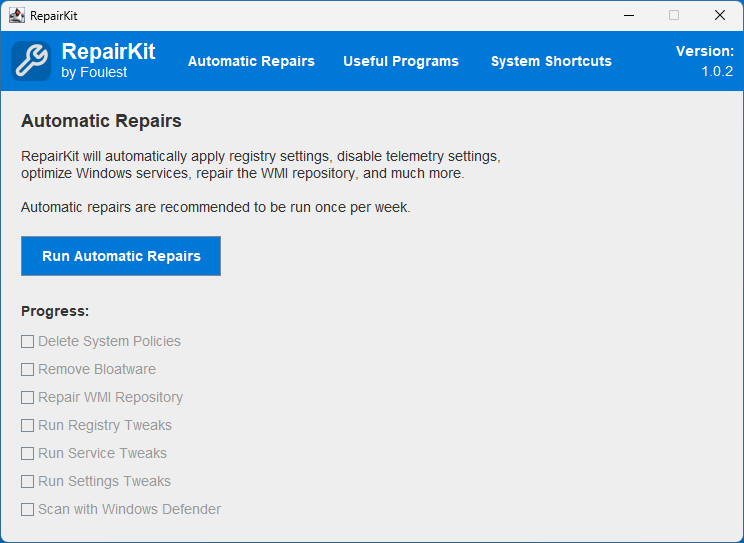
RepairKit は、Java ベースの Windows 修復およびメンテナンスツールキットです。
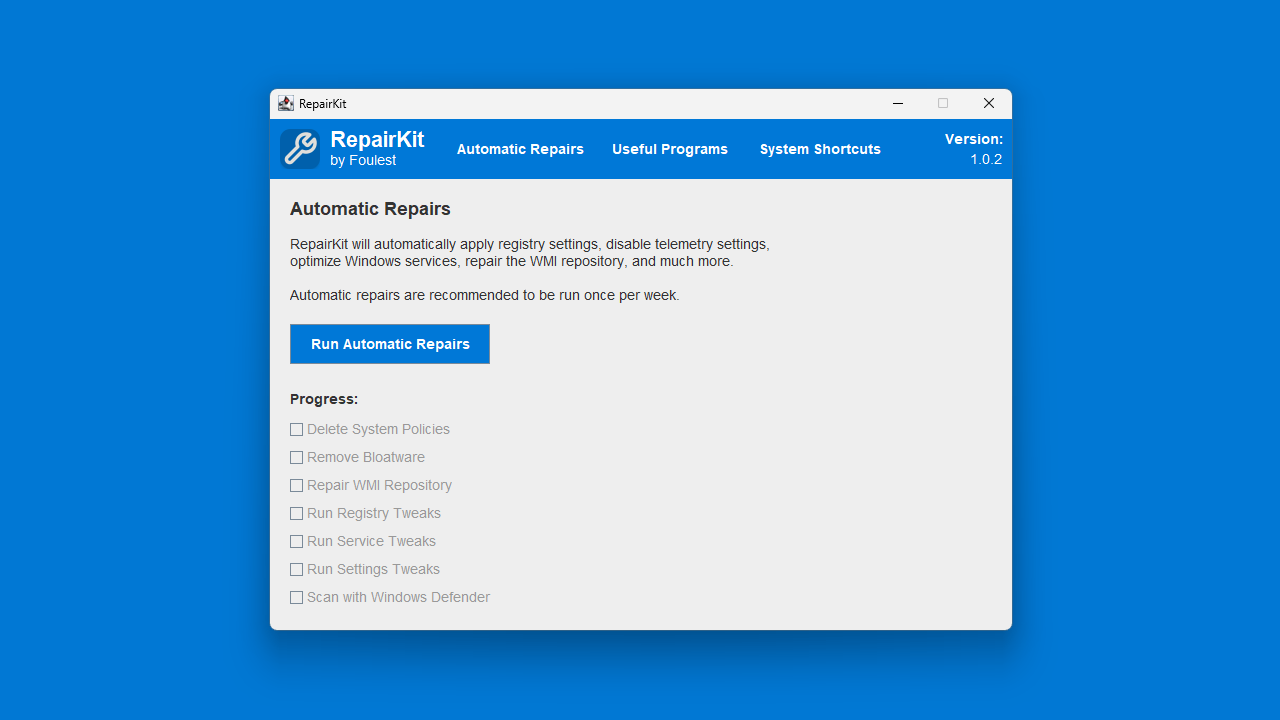
RepairKit は、主に 3 つのセクションに分かれており、「Automatic Reapir」では、制限的なシステムポリシーの削除、プリインストールされたブロートウェアの削除、WMI リポジトリの修復、レジストリ、サービス、設定のチューニング、Windows Defender によるマルウェアのスキャンを実行できます。
便利なソフトウェアが含まれています
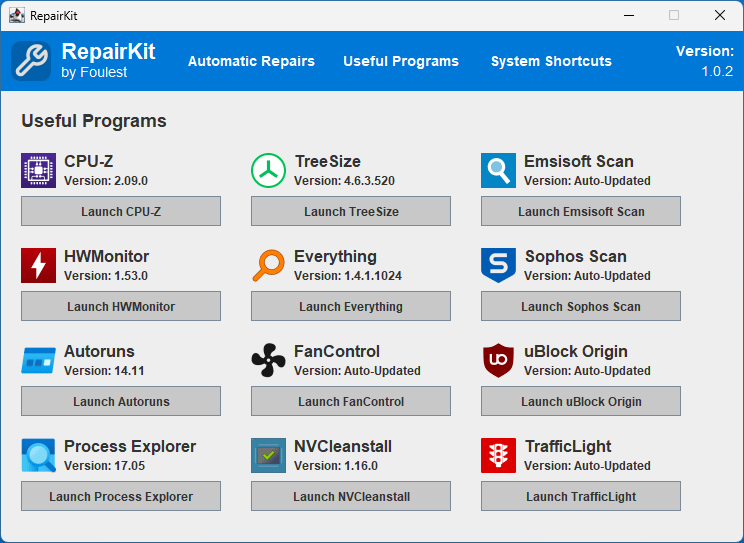
RepairKit の「Useful Programs」を使用すると、「CPU-Z」や「TreeSize」「Emsisoft Scan」「HWMonitor」などの、システムメンテナンスに役に立つ便利なソフトウェアを起動して使用することができます。
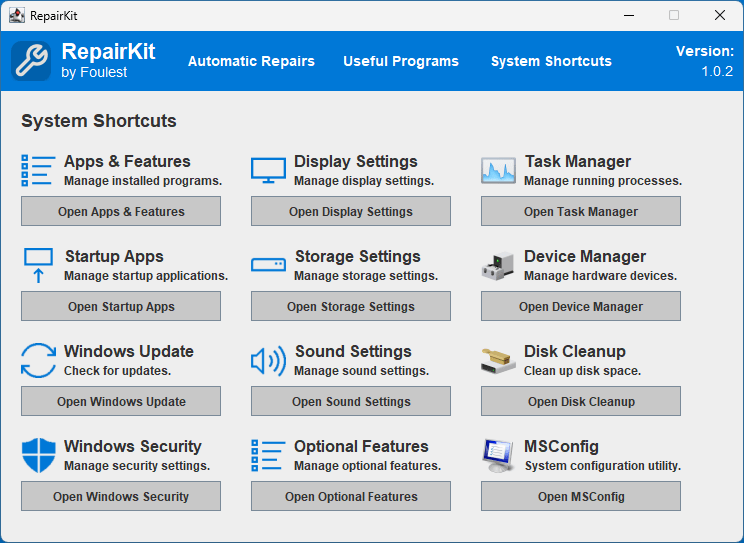
また、RepairKit の「System Shortcuts」を使用すると、重要な Windows の設定や、よく使用する機能にアクセスすることができます。
システムのメンテナンスに役立つアプリケーション
RepairKit は、システムをスムーズに実行し続けたいユーザーやシステム管理者向けのオールインワンソリューションです。高度な機能と便利なツールを備えており、複数のツールやアプリケーションを必要とせずにシステムを最高の状態に維持できます。「Automatic Reapir」を実行する前には、システムの復元ポイントを作成しておくことをおすすめします。
機能
- 制限的なシステムポリシーの削除
- プリインストールされたブロートウェアの削除
- WMI リポジトリの修復
- レジストリ、サービス、設定のチューニングを実行する
- Windows Defender によるマルウェアのスキャン
- システムメンテナンスに必要な便利なソフトウェアにアクセスする
- 重要な Windows の設定や機能にすばやくアクセスする
含まれているアプリ:
- CPU-Z : システムハードウェアの詳細を特定します。
- HWMonitor : ハードウェアの温度と仕様を監視します。
- Autoruns : Windows スタートアップ マネージャーの代替手段。
- Process Explorer : Windows タスク マネージャーの代替手段。
- TreeSize : ディスクの内容を分析および管理します。
- Everything : 超高速ファイル検索エンジン。
- FanControl : システムのファンとその速度を構成します。
- NVCleanstall : 軽量の NVIDIA グラフィックス カード ドライバー アップデーター。
- Emsisoft Scan : Emsisoft Emergency Kit を使用してマルウェアをスキャンします。
- Sophos Scan : Sophos Scan & Clean を使用してマルウェアをスキャンします。
- uBlock Origin : 強力な広告ブロッカー ブラウザ拡張機能へのリンク。
- TrafficLight : Bitdefender の TrafficLight ブラウザ拡張機能へのリンク。
価格:無料
動作環境:Windows 10|11
使用言語:英語
最終更新日:
4週間前 (2026/03/17)
ダウンロード数:548
画像

オートマチックリペア

便利なプログラム

システムショートカット
使い方
インストール
1.インストール方法
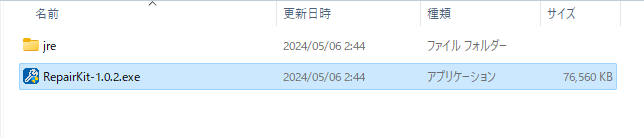
RepairKit は、インストール不要で使用できるアプリケーションです。
- ダウンロードした Zip ファイルを解凍し、EXE ファイルを実行するとアプリケーションを起動できます。
基本的な使い方
1. 基本的な使い方
- 「Automatic Reapir」では、制限的なシステムポリシーの削除、プリインストールされたブロートウェアの削除
WMI リポジトリの修復、レジストリ、サービス、設定のチューニング、Windows Defender によるマルウェアのスキャンを実行できます。

- 「Useful Programs」では、システムメンテナンスに必要なソフトウェアにアクセスできます。

- 「System Shortcuts」では、重要な Windows の設定や機能にすばやくアクセスできます。

よくある質問と回答
ライセンスについて。
RepairKit は、どなたでも無料で使用できます。