").attr(n.scriptAttrs||{}).prop({charset:n.scriptCharset,src:n.url}).on("load error",i=function(e){r.remove(),i=null,e&&t("error"===e.type?404:200,e.type)}),C.head.appendChild(r[0])},abort:function(){i&&i()}}});var Jt,Kt=[],Zt=/(=)\?(?=&|$)|\?\?/;ce.ajaxSetup({jsonp:"callback",jsonpCallback:function(){var e=Kt.pop()||ce.expando+"_"+jt.guid++;return this[e]=!0,e}}),ce.ajaxPrefilter("json jsonp",function(e,t,n){var r,i,o,a=!1!==e.jsonp&&(Zt.test(e.url)?"url":"string"==typeof e.data&&0===(e.contentType||"").indexOf("application/x-www-form-urlencoded")&&Zt.test(e.data)&&"data");if(a||"jsonp"===e.dataTypes[0])return r=e.jsonpCallback=v(e.jsonpCallback)?e.jsonpCallback():e.jsonpCallback,a?e[a]=e[a].replace(Zt,"$1"+r):!1!==e.jsonp&&(e.url+=(At.test(e.url)?"&":"?")+e.jsonp+"="+r),e.converters["script json"]=function(){return o||ce.error(r+" was not called"),o[0]},e.dataTypes[0]="json",i=ie[r],ie[r]=function(){o=arguments},n.always(function(){void 0===i?ce(ie).removeProp(r):ie[r]=i,e[r]&&(e.jsonpCallback=t.jsonpCallback,Kt.push(r)),o&&v(i)&&i(o[0]),o=i=void 0}),"script"}),le.createHTMLDocument=((Jt=C.implementation.createHTMLDocument("").body).innerHTML="
",2===Jt.childNodes.length),ce.parseHTML=function(e,t,n){return"string"!=typeof e?[]:("boolean"==typeof t&&(n=t,t=!1),t||(le.createHTMLDocument?((r=(t=C.implementation.createHTMLDocument("")).createElement("base")).href=C.location.href,t.head.appendChild(r)):t=C),o=!n&&[],(i=w.exec(e))?[t.createElement(i[1])]:(i=Ae([e],t,o),o&&o.length&&ce(o).remove(),ce.merge([],i.childNodes)));var r,i,o},ce.fn.load=function(e,t,n){var r,i,o,a=this,s=e.indexOf(" ");return-1").append(ce.parseHTML(e)).find(r):e)}).always(n&&function(e,t){a.each(function(){n.apply(this,o||[e.responseText,t,e])})}),this},ce.expr.pseudos.animated=function(t){return ce.grep(ce.timers,function(e){return t===e.elem}).length},ce.offset={setOffset:function(e,t,n){var r,i,o,a,s,u,l=ce.css(e,"position"),c=ce(e),f={};"static"===l&&(e.style.position="relative"),s=c.offset(),o=ce.css(e,"top"),u=ce.css(e,"left"),("absolute"===l||"fixed"===l)&&-1<(o+u).indexOf("auto")?(a=(r=c.position()).top,i=r.left):(a=parseFloat(o)||0,i=parseFloat(u)||0),v(t)&&(t=t.call(e,n,ce.extend({},s))),null!=t.top&&(f.top=t.top-s.top+a),null!=t.left&&(f.left=t.left-s.left+i),"using"in t?t.using.call(e,f):c.css(f)}},ce.fn.extend({offset:function(t){if(arguments.length)return void 0===t?this:this.each(function(e){ce.offset.setOffset(this,t,e)});var e,n,r=this[0];return r?r.getClientRects().length?(e=r.getBoundingClientRect(),n=r.ownerDocument.defaultView,{top:e.top+n.pageYOffset,left:e.left+n.pageXOffset}):{top:0,left:0}:void 0},position:function(){if(this[0]){var e,t,n,r=this[0],i={top:0,left:0};if("fixed"===ce.css(r,"position"))t=r.getBoundingClientRect();else{t=this.offset(),n=r.ownerDocument,e=r.offsetParent||n.documentElement;while(e&&(e===n.body||e===n.documentElement)&&"static"===ce.css(e,"position"))e=e.parentNode;e&&e!==r&&1===e.nodeType&&((i=ce(e).offset()).top+=ce.css(e,"borderTopWidth",!0),i.left+=ce.css(e,"borderLeftWidth",!0))}return{top:t.top-i.top-ce.css(r,"marginTop",!0),left:t.left-i.left-ce.css(r,"marginLeft",!0)}}},offsetParent:function(){return this.map(function(){var e=this.offsetParent;while(e&&"static"===ce.css(e,"position"))e=e.offsetParent;return e||J})}}),ce.each({scrollLeft:"pageXOffset",scrollTop:"pageYOffset"},function(t,i){var o="pageYOffset"===i;ce.fn[t]=function(e){return M(this,function(e,t,n){var r;if(y(e)?r=e:9===e.nodeType&&(r=e.defaultView),void 0===n)return r?r[i]:e[t];r?r.scrollTo(o?r.pageXOffset:n,o?n:r.pageYOffset):e[t]=n},t,e,arguments.length)}}),ce.each(["top","left"],function(e,n){ce.cssHooks[n]=Ye(le.pixelPosition,function(e,t){if(t)return t=Ge(e,n),_e.test(t)?ce(e).position()[n]+"px":t})}),ce.each({Height:"height",Width:"width"},function(a,s){ce.each({padding:"inner"+a,content:s,"":"outer"+a},function(r,o){ce.fn[o]=function(e,t){var n=arguments.length&&(r||"boolean"!=typeof e),i=r||(!0===e||!0===t?"margin":"border");return M(this,function(e,t,n){var r;return y(e)?0===o.indexOf("outer")?e["inner"+a]:e.document.documentElement["client"+a]:9===e.nodeType?(r=e.documentElement,Math.max(e.body["scroll"+a],r["scroll"+a],e.body["offset"+a],r["offset"+a],r["client"+a])):void 0===n?ce.css(e,t,i):ce.style(e,t,n,i)},s,n?e:void 0,n)}})}),ce.each(["ajaxStart","ajaxStop","ajaxComplete","ajaxError","ajaxSuccess","ajaxSend"],function(e,t){ce.fn[t]=function(e){return this.on(t,e)}}),ce.fn.extend({bind:function(e,t,n){return this.on(e,null,t,n)},unbind:function(e,t){return this.off(e,null,t)},delegate:function(e,t,n,r){return this.on(t,e,n,r)},undelegate:function(e,t,n){return 1===arguments.length?this.off(e,"**"):this.off(t,e||"**",n)},hover:function(e,t){return this.on("mouseenter",e).on("mouseleave",t||e)}}),ce.each("blur focus focusin focusout resize scroll click dblclick mousedown mouseup mousemove mouseover mouseout mouseenter mouseleave change select submit keydown keypress keyup contextmenu".split(" "),function(e,n){ce.fn[n]=function(e,t){return 0
Video to Audio Converter 3.5.0
オーディオエンコード
説明機能仕様ダウンロード画像使い方
ビデオファイルを MP3 / WAV オーディオに変換するアプリ

AVI、MKV、MPEG、WMV、MOV などのビデオファイルを MP3 および WAV オーディオに変換することができる、Windows 向けの無料のビデオ to オーディオ変換ソフト。
Video to Audio Converter の概要
Video to Audio Converter は、ビデオファイルからオーディオを抽出するために特別に設計された、無料で使用できるツールです。
Video to Audio Converter の機能
Video to Audio Converter の主な機能です。
| 機能 |
概要 |
| メイン機能 |
ビデオをオーディオに変換する |
| 機能詳細 |
・ビデオを MP3 および WAV オーディオに変換する
・ビデオのプレビュー
・オーディオエンコード設定 |
| 対応フォーマット |
AVI、DivX (.div, .divx)、MPEG (.mpg, .mpeg, .m4v)、Windows Media Video (.wmv, .asf)、Matroska Files (.mkv)、VideoCD (.dat)、QuickTime Files (.mov) |
ビデオを MP3 または WAV オーディオに変換できます
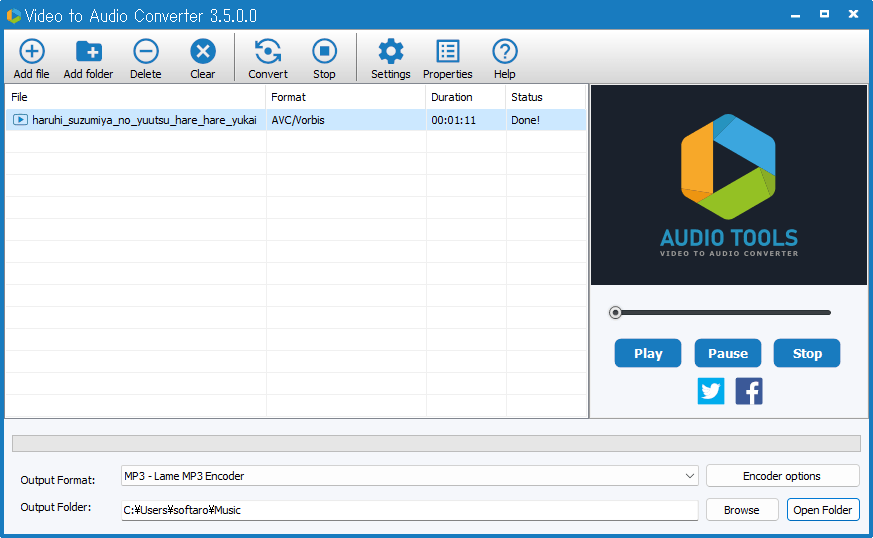
Video to Audio Converter は、ビデオファイルからオーディオを抽出するために設計された、フリーの Windows 向けアプリです。
ポピュラーなオーディオおよびビデオ入力フォーマットをサポートしているため、高品質の変換を問題なく実行できます。シンプルでクリーンなインターフェイスにより、MKV を MP3 に、AVI を MP3 に、MPEG を WAV ファイルに変換するコツをすばやく習得できます。
使い方はかんたんです
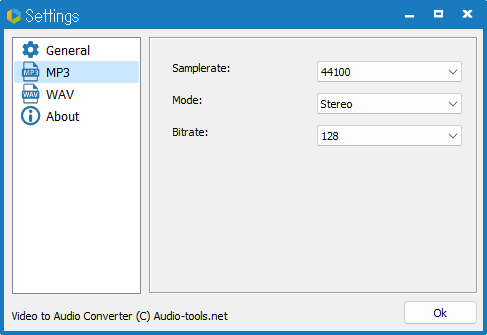
Video to Audio Converter の使い方はかんたんで、変換したいビデオファイルをドラッグ&ドロップで追加し、変換したいオーディオ形式を選んだら、変換(Convert)ボタンをクリックするだけです。
オプションで出力オーディオのエンコード設定を行うことが可能で、好みのサンプルレートやビットレート、チャンネルを設定することができます。
ビデオファイルからオーディオのみを抽出できます
Video to Audio Converter は、ビデオファイルからオーディオのみを抽出したい場合や、ビデオをオーディオに変換したい場合に役に立つ便利なアプリケーションです。
機能
- ビデオを MP3 および WAV オーディオに変換する
- ビデオのプレビュー
- オーディオエンコード設定
- 対応フォーマット:AVI、DivX (.div, .divx)、MPEG (.mpg, .mpeg, .m4v)、Windows Media Video (.wmv, .asf)、Matroska Files (.mkv)、VideoCD (.dat)、QuickTime Files (.mov)
価格:無料
動作環境:Windows 7|8|8.1|10|11
使用言語:英語
最終更新日:
4年前 (2022/08/31)
ダウンロード数:397
画像

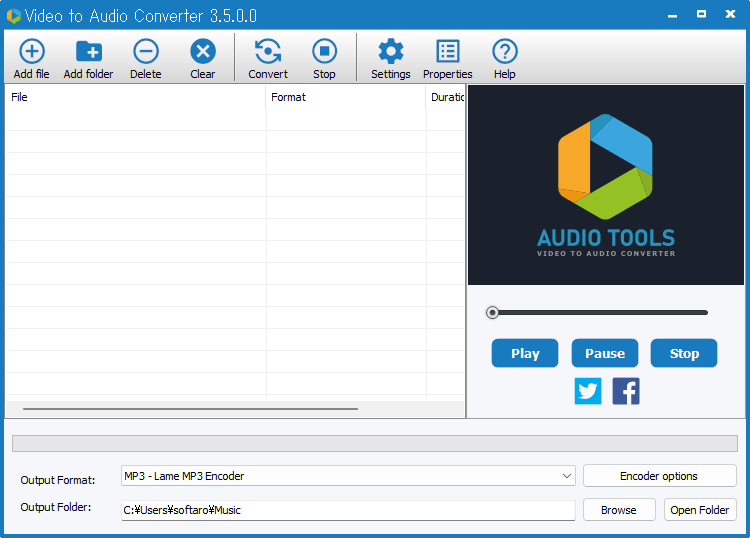
ユーザーインターフェース

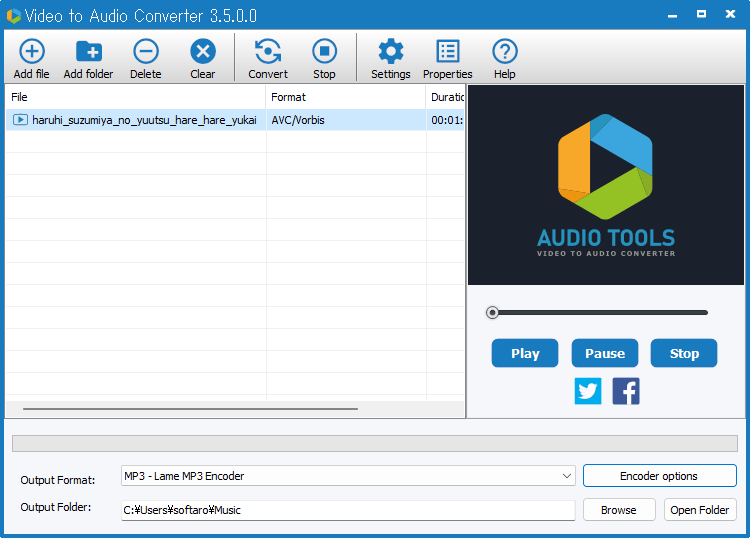
ビデオの追加

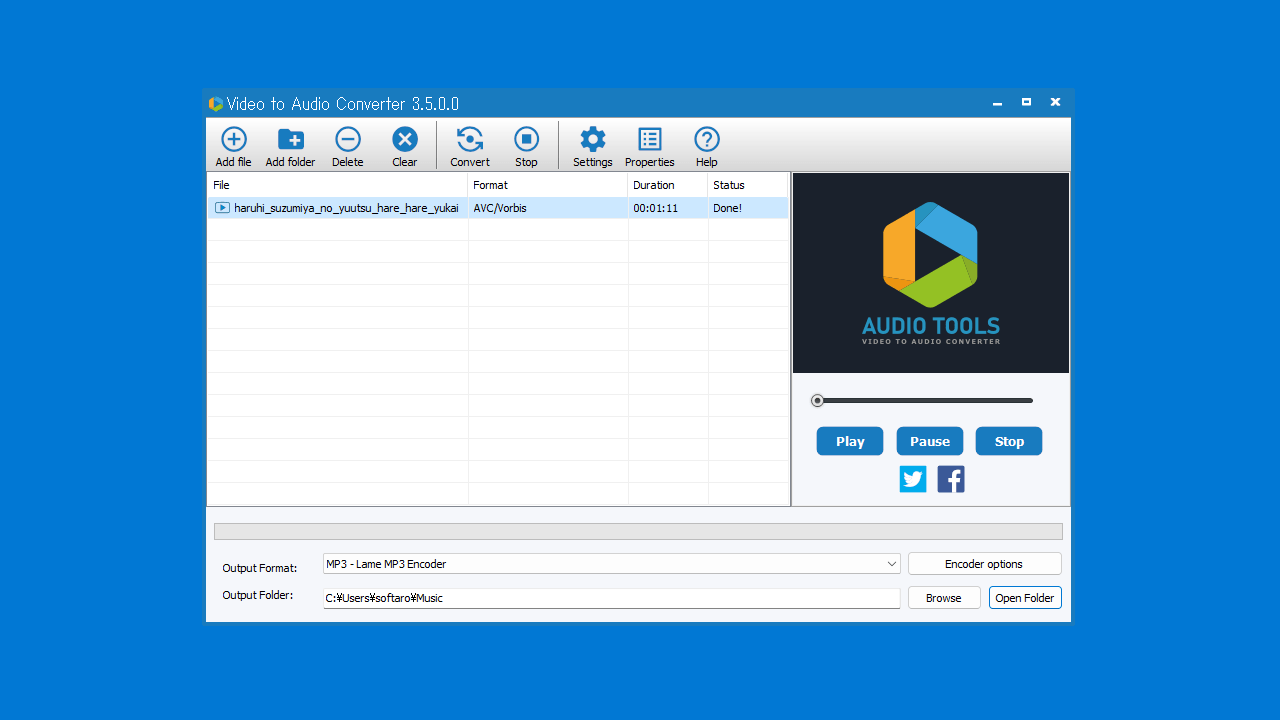
エンコードオプション
使い方
インストール
1.インストール方法
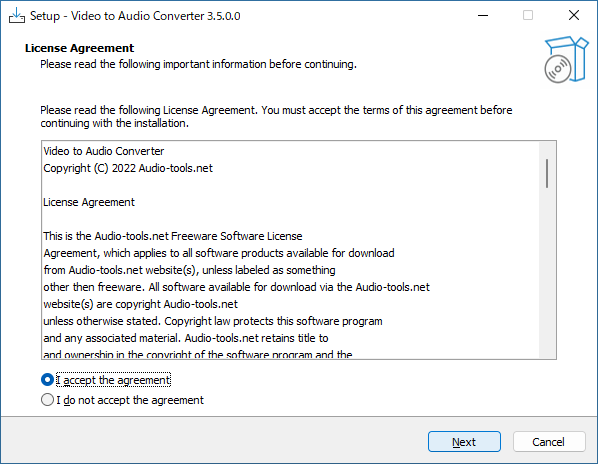
- ライセンスが表示されます。「I accept the agreement」を選択して[Next]をクリックします。
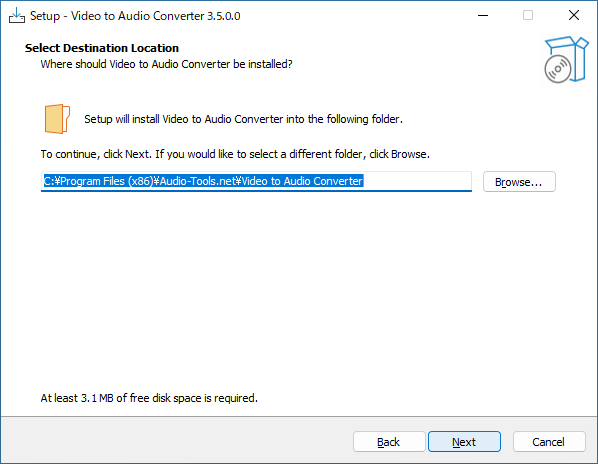
- インストール先を確認して[Next]をクリックします。
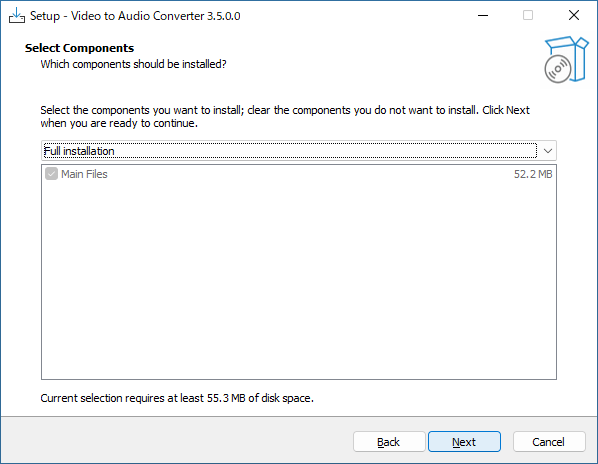
- インストールするコンポーネントを確認して[Next]をクリックします。
- スタートメニューに作成するショートカットの設定を確認して[Next]をクリックします。
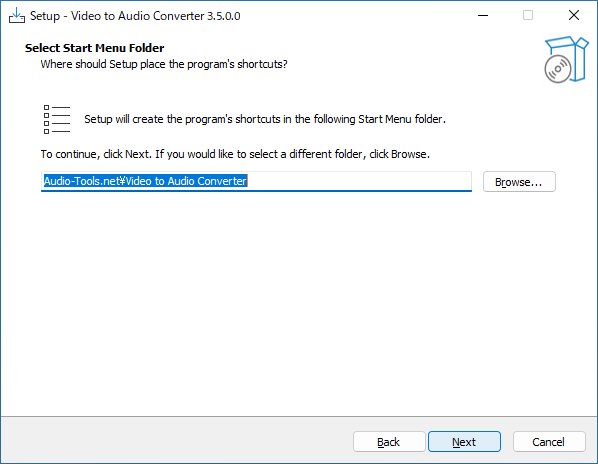
- 追加のタスクを設定して[Next]をクリックします。
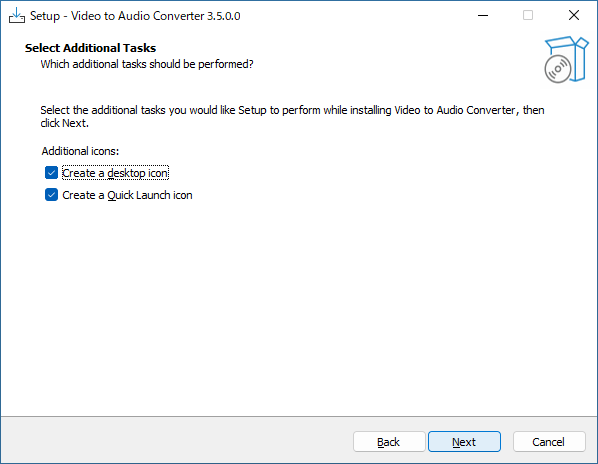
- インストールの準備ができました。[Install]をクリックしてインストールを開始します。
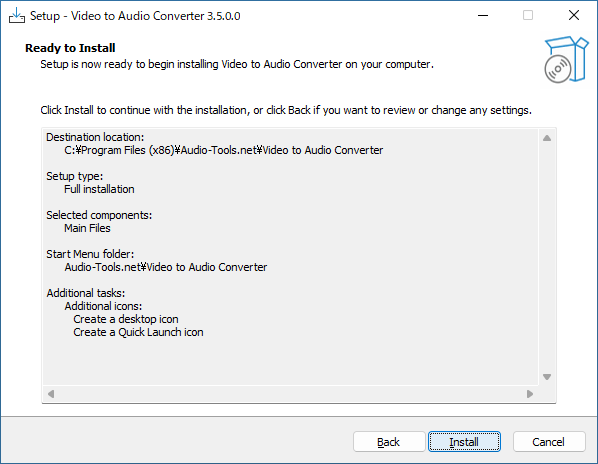
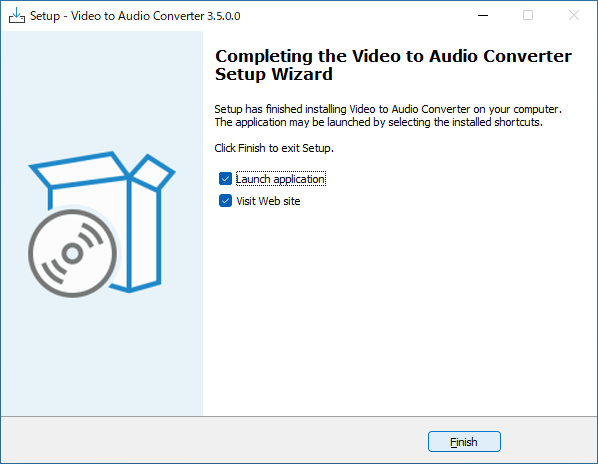
- インストールが完了しました。[Finish]をクリックしてセットアップウィザードを閉じます。
基本的な使い方
1. 基本的な使い方
- ツールバーの「Add file」をクリックして変換するファイルを選択します。ドラッグ&ドロップでファイルを追加することもできます。
- 「Output Format」で、出力オーディオ形式を選択します。
- [Encoder Options]をクリックすると、出力オーディオの設定を変更できます。
- 「Output Folder」で、出力先のフォルダーを指定します。
- ツールバーの[Convert]をクリックすると変換が開始します。

よくある質問と回答
ライセンスについて。
Video to Audio Converter は、どなたでも無料で使用できます。