").attr(n.scriptAttrs||{}).prop({charset:n.scriptCharset,src:n.url}).on("load error",i=function(e){r.remove(),i=null,e&&t("error"===e.type?404:200,e.type)}),C.head.appendChild(r[0])},abort:function(){i&&i()}}});var Jt,Kt=[],Zt=/(=)\?(?=&|$)|\?\?/;ce.ajaxSetup({jsonp:"callback",jsonpCallback:function(){var e=Kt.pop()||ce.expando+"_"+jt.guid++;return this[e]=!0,e}}),ce.ajaxPrefilter("json jsonp",function(e,t,n){var r,i,o,a=!1!==e.jsonp&&(Zt.test(e.url)?"url":"string"==typeof e.data&&0===(e.contentType||"").indexOf("application/x-www-form-urlencoded")&&Zt.test(e.data)&&"data");if(a||"jsonp"===e.dataTypes[0])return r=e.jsonpCallback=v(e.jsonpCallback)?e.jsonpCallback():e.jsonpCallback,a?e[a]=e[a].replace(Zt,"$1"+r):!1!==e.jsonp&&(e.url+=(At.test(e.url)?"&":"?")+e.jsonp+"="+r),e.converters["script json"]=function(){return o||ce.error(r+" was not called"),o[0]},e.dataTypes[0]="json",i=ie[r],ie[r]=function(){o=arguments},n.always(function(){void 0===i?ce(ie).removeProp(r):ie[r]=i,e[r]&&(e.jsonpCallback=t.jsonpCallback,Kt.push(r)),o&&v(i)&&i(o[0]),o=i=void 0}),"script"}),le.createHTMLDocument=((Jt=C.implementation.createHTMLDocument("").body).innerHTML="
",2===Jt.childNodes.length),ce.parseHTML=function(e,t,n){return"string"!=typeof e?[]:("boolean"==typeof t&&(n=t,t=!1),t||(le.createHTMLDocument?((r=(t=C.implementation.createHTMLDocument("")).createElement("base")).href=C.location.href,t.head.appendChild(r)):t=C),o=!n&&[],(i=w.exec(e))?[t.createElement(i[1])]:(i=Ae([e],t,o),o&&o.length&&ce(o).remove(),ce.merge([],i.childNodes)));var r,i,o},ce.fn.load=function(e,t,n){var r,i,o,a=this,s=e.indexOf(" ");return-1").append(ce.parseHTML(e)).find(r):e)}).always(n&&function(e,t){a.each(function(){n.apply(this,o||[e.responseText,t,e])})}),this},ce.expr.pseudos.animated=function(t){return ce.grep(ce.timers,function(e){return t===e.elem}).length},ce.offset={setOffset:function(e,t,n){var r,i,o,a,s,u,l=ce.css(e,"position"),c=ce(e),f={};"static"===l&&(e.style.position="relative"),s=c.offset(),o=ce.css(e,"top"),u=ce.css(e,"left"),("absolute"===l||"fixed"===l)&&-1<(o+u).indexOf("auto")?(a=(r=c.position()).top,i=r.left):(a=parseFloat(o)||0,i=parseFloat(u)||0),v(t)&&(t=t.call(e,n,ce.extend({},s))),null!=t.top&&(f.top=t.top-s.top+a),null!=t.left&&(f.left=t.left-s.left+i),"using"in t?t.using.call(e,f):c.css(f)}},ce.fn.extend({offset:function(t){if(arguments.length)return void 0===t?this:this.each(function(e){ce.offset.setOffset(this,t,e)});var e,n,r=this[0];return r?r.getClientRects().length?(e=r.getBoundingClientRect(),n=r.ownerDocument.defaultView,{top:e.top+n.pageYOffset,left:e.left+n.pageXOffset}):{top:0,left:0}:void 0},position:function(){if(this[0]){var e,t,n,r=this[0],i={top:0,left:0};if("fixed"===ce.css(r,"position"))t=r.getBoundingClientRect();else{t=this.offset(),n=r.ownerDocument,e=r.offsetParent||n.documentElement;while(e&&(e===n.body||e===n.documentElement)&&"static"===ce.css(e,"position"))e=e.parentNode;e&&e!==r&&1===e.nodeType&&((i=ce(e).offset()).top+=ce.css(e,"borderTopWidth",!0),i.left+=ce.css(e,"borderLeftWidth",!0))}return{top:t.top-i.top-ce.css(r,"marginTop",!0),left:t.left-i.left-ce.css(r,"marginLeft",!0)}}},offsetParent:function(){return this.map(function(){var e=this.offsetParent;while(e&&"static"===ce.css(e,"position"))e=e.offsetParent;return e||J})}}),ce.each({scrollLeft:"pageXOffset",scrollTop:"pageYOffset"},function(t,i){var o="pageYOffset"===i;ce.fn[t]=function(e){return M(this,function(e,t,n){var r;if(y(e)?r=e:9===e.nodeType&&(r=e.defaultView),void 0===n)return r?r[i]:e[t];r?r.scrollTo(o?r.pageXOffset:n,o?n:r.pageYOffset):e[t]=n},t,e,arguments.length)}}),ce.each(["top","left"],function(e,n){ce.cssHooks[n]=Ye(le.pixelPosition,function(e,t){if(t)return t=Ge(e,n),_e.test(t)?ce(e).position()[n]+"px":t})}),ce.each({Height:"height",Width:"width"},function(a,s){ce.each({padding:"inner"+a,content:s,"":"outer"+a},function(r,o){ce.fn[o]=function(e,t){var n=arguments.length&&(r||"boolean"!=typeof e),i=r||(!0===e||!0===t?"margin":"border");return M(this,function(e,t,n){var r;return y(e)?0===o.indexOf("outer")?e["inner"+a]:e.document.documentElement["client"+a]:9===e.nodeType?(r=e.documentElement,Math.max(e.body["scroll"+a],r["scroll"+a],e.body["offset"+a],r["offset"+a],r["client"+a])):void 0===n?ce.css(e,t,i):ce.style(e,t,n,i)},s,n?e:void 0,n)}})}),ce.each(["ajaxStart","ajaxStop","ajaxComplete","ajaxError","ajaxSuccess","ajaxSend"],function(e,t){ce.fn[t]=function(e){return this.on(t,e)}}),ce.fn.extend({bind:function(e,t,n){return this.on(e,null,t,n)},unbind:function(e,t){return this.off(e,null,t)},delegate:function(e,t,n,r){return this.on(t,e,n,r)},undelegate:function(e,t,n){return 1===arguments.length?this.off(e,"**"):this.off(t,e||"**",n)},hover:function(e,t){return this.on("mouseenter",e).on("mouseleave",t||e)}}),ce.each("blur focus focusin focusout resize scroll click dblclick mousedown mouseup mousemove mouseover mouseout mouseenter mouseleave change select submit keydown keypress keyup contextmenu".split(" "),function(e,n){ce.fn[n]=function(e,t){return 0
USB Disk Ejector 1.3.0.6
USB ドライブ
2024/02/10 13:47
説明 機能 仕様 ダウンロード 画像 使い方
Windows の「ハードウェアの安全な取り外し」の代替アプリケーション
USB メモリ、Firewire ディスク、メモリカードなどのリムーバブルドライブをすばやく取り外すことができる、Windows の「ハードウェアの安全な取り外し」ダイアログの代替アプリケーション。

USB Disk Ejector の概要
USB Disk Ejector は、Windows でドライブをすばやく削除できるプログラムです。
USB Disk Ejector の機能
USB Disk Ejector の主な機能です。
機能
概要
メイン機能
ドライブを安全に取り外す
機能詳細
・リムーバブルドライブを安全に取り外すことができます。
・ダブルクリックまたはホットキーでドライブを取り外すことができます。
・コマンドラインプログラムとして実行できます。
ドライブをすばやく安全に取り外すことができます
USB Disk Ejector は、USB メモリ、Firewire ディスク、メモリカードなどのリムーバブルドライブをすばやく取り外すことができる、Windows の「ハードウェアの安全な取り外し」ダイアログの代替アプリケーションです。
Windows の「ハードウェアの安全な取り外し」ダイアログをクリックする必要なく、ドライブまたはカードメディアをすばやく安全に取り外すことができます。
ドライブを取り外すためのショートカットキーを作成できます
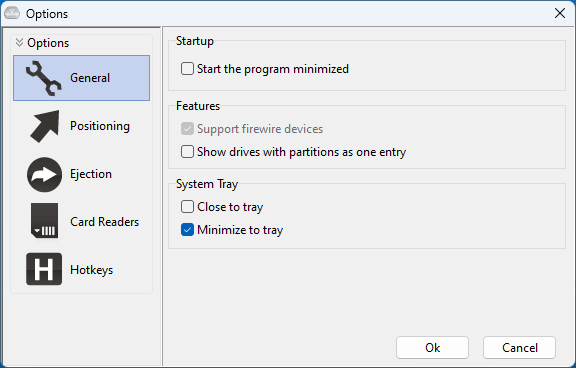
USB Disk Ejector を使用すると、ドライブをダブルクリックするだけでドライブを取り外しできます。また、オプションにアクセスして、ドライブを取り外すためのショートカット/ホットキーを作成することもできます。
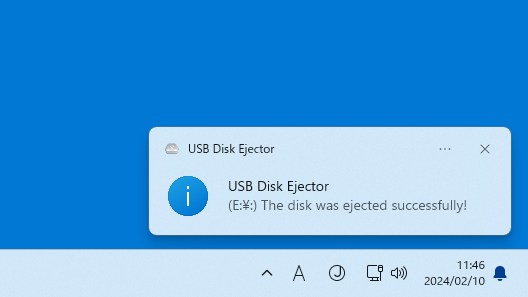
ほかには、アプリケーションの表示位置、通知の種類、取り出し後のアクションなど、カスタマイズできる機能が多数あります。
シンプルで便利なアプリケーション
USB Disk Ejector は、PC に接続されている USB ドライブをかんたんにすばやく取り外すことができる便利なアプリケーションです。このアプリは、ディスクを取り出す前に、ディスクから実行されているアプリケーションを検出し、自動的に終了させるので、Windows がディスクを取り外せない場合でも、ディスクを取り外すことができます。
機能
リムーバブルドライブを安全に取り外すことができます。
ダブルクリックまたはホットキーでドライブを取り外すことができます。
コマンドラインプログラムとして実行できます。
価格: 無料
動作環境: Windows XP|Vista|7|8|8.1|10|11
使用言語: 英語
最終更新日:
2年前 (2024/02/10)
ダウンロード数: 430
画像
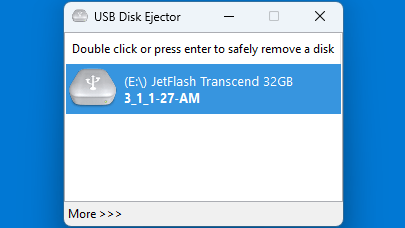
ユーザーインターフェース
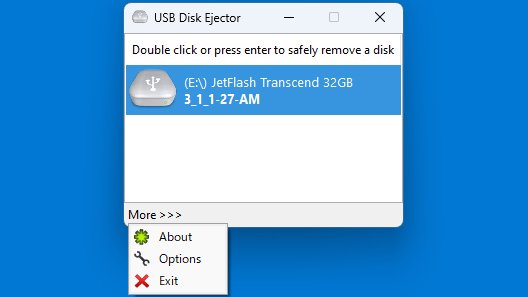
メニュー
オプション
通知
使い方
インストール
1.インストール方法
USB Disk Ejector は、インストール不要で使用できるアプリケーションです。
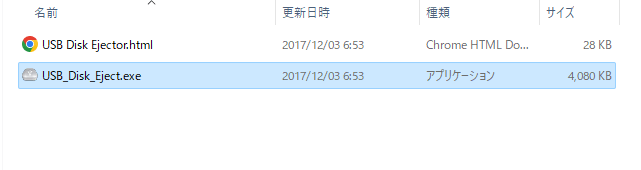
ダウンロードした ZIP ファイルを解凍し、「USB_Disk_Eject.exe」を実行します。
基本的な使い方
1. 基本的な使い方
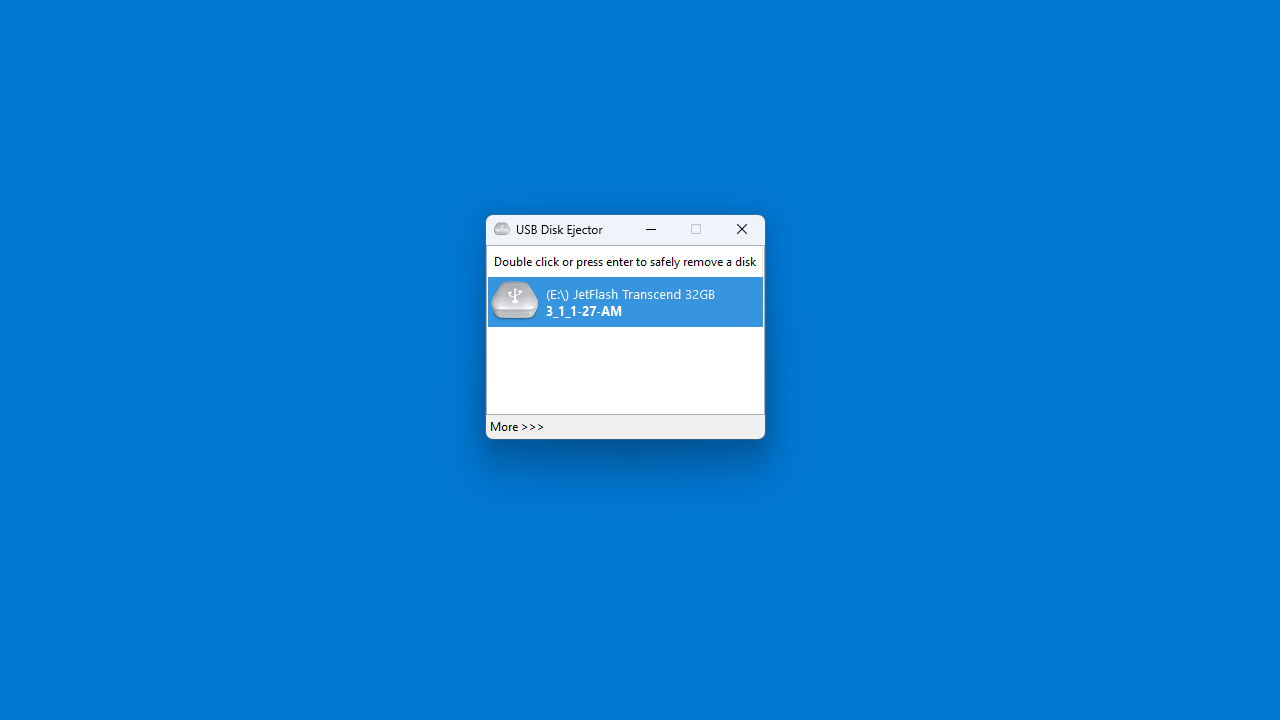
USB Disk Ejector を起動すると、接続されているドライブが表示されます。
ドライブをダブルクリックすると、ドライブを取り外すことができます。
左下の「More 」をクリックすると、メニューからオプションなどにアクセスできます。
「Options 」を開くと、アプリの設定を行うことができます。
よくある質問と回答
ライセンスについて。
ユーザーレビュー
レビューはまだありません、 最初のレビューを投稿してください。コメントは任意です。
USB Disk Ejector は、どなたでも無料で使用できます。