").attr(n.scriptAttrs||{}).prop({charset:n.scriptCharset,src:n.url}).on("load error",i=function(e){r.remove(),i=null,e&&t("error"===e.type?404:200,e.type)}),C.head.appendChild(r[0])},abort:function(){i&&i()}}});var Jt,Kt=[],Zt=/(=)\?(?=&|$)|\?\?/;ce.ajaxSetup({jsonp:"callback",jsonpCallback:function(){var e=Kt.pop()||ce.expando+"_"+jt.guid++;return this[e]=!0,e}}),ce.ajaxPrefilter("json jsonp",function(e,t,n){var r,i,o,a=!1!==e.jsonp&&(Zt.test(e.url)?"url":"string"==typeof e.data&&0===(e.contentType||"").indexOf("application/x-www-form-urlencoded")&&Zt.test(e.data)&&"data");if(a||"jsonp"===e.dataTypes[0])return r=e.jsonpCallback=v(e.jsonpCallback)?e.jsonpCallback():e.jsonpCallback,a?e[a]=e[a].replace(Zt,"$1"+r):!1!==e.jsonp&&(e.url+=(At.test(e.url)?"&":"?")+e.jsonp+"="+r),e.converters["script json"]=function(){return o||ce.error(r+" was not called"),o[0]},e.dataTypes[0]="json",i=ie[r],ie[r]=function(){o=arguments},n.always(function(){void 0===i?ce(ie).removeProp(r):ie[r]=i,e[r]&&(e.jsonpCallback=t.jsonpCallback,Kt.push(r)),o&&v(i)&&i(o[0]),o=i=void 0}),"script"}),le.createHTMLDocument=((Jt=C.implementation.createHTMLDocument("").body).innerHTML="
",2===Jt.childNodes.length),ce.parseHTML=function(e,t,n){return"string"!=typeof e?[]:("boolean"==typeof t&&(n=t,t=!1),t||(le.createHTMLDocument?((r=(t=C.implementation.createHTMLDocument("")).createElement("base")).href=C.location.href,t.head.appendChild(r)):t=C),o=!n&&[],(i=w.exec(e))?[t.createElement(i[1])]:(i=Ae([e],t,o),o&&o.length&&ce(o).remove(),ce.merge([],i.childNodes)));var r,i,o},ce.fn.load=function(e,t,n){var r,i,o,a=this,s=e.indexOf(" ");return-1").append(ce.parseHTML(e)).find(r):e)}).always(n&&function(e,t){a.each(function(){n.apply(this,o||[e.responseText,t,e])})}),this},ce.expr.pseudos.animated=function(t){return ce.grep(ce.timers,function(e){return t===e.elem}).length},ce.offset={setOffset:function(e,t,n){var r,i,o,a,s,u,l=ce.css(e,"position"),c=ce(e),f={};"static"===l&&(e.style.position="relative"),s=c.offset(),o=ce.css(e,"top"),u=ce.css(e,"left"),("absolute"===l||"fixed"===l)&&-1<(o+u).indexOf("auto")?(a=(r=c.position()).top,i=r.left):(a=parseFloat(o)||0,i=parseFloat(u)||0),v(t)&&(t=t.call(e,n,ce.extend({},s))),null!=t.top&&(f.top=t.top-s.top+a),null!=t.left&&(f.left=t.left-s.left+i),"using"in t?t.using.call(e,f):c.css(f)}},ce.fn.extend({offset:function(t){if(arguments.length)return void 0===t?this:this.each(function(e){ce.offset.setOffset(this,t,e)});var e,n,r=this[0];return r?r.getClientRects().length?(e=r.getBoundingClientRect(),n=r.ownerDocument.defaultView,{top:e.top+n.pageYOffset,left:e.left+n.pageXOffset}):{top:0,left:0}:void 0},position:function(){if(this[0]){var e,t,n,r=this[0],i={top:0,left:0};if("fixed"===ce.css(r,"position"))t=r.getBoundingClientRect();else{t=this.offset(),n=r.ownerDocument,e=r.offsetParent||n.documentElement;while(e&&(e===n.body||e===n.documentElement)&&"static"===ce.css(e,"position"))e=e.parentNode;e&&e!==r&&1===e.nodeType&&((i=ce(e).offset()).top+=ce.css(e,"borderTopWidth",!0),i.left+=ce.css(e,"borderLeftWidth",!0))}return{top:t.top-i.top-ce.css(r,"marginTop",!0),left:t.left-i.left-ce.css(r,"marginLeft",!0)}}},offsetParent:function(){return this.map(function(){var e=this.offsetParent;while(e&&"static"===ce.css(e,"position"))e=e.offsetParent;return e||J})}}),ce.each({scrollLeft:"pageXOffset",scrollTop:"pageYOffset"},function(t,i){var o="pageYOffset"===i;ce.fn[t]=function(e){return M(this,function(e,t,n){var r;if(y(e)?r=e:9===e.nodeType&&(r=e.defaultView),void 0===n)return r?r[i]:e[t];r?r.scrollTo(o?r.pageXOffset:n,o?n:r.pageYOffset):e[t]=n},t,e,arguments.length)}}),ce.each(["top","left"],function(e,n){ce.cssHooks[n]=Ye(le.pixelPosition,function(e,t){if(t)return t=Ge(e,n),_e.test(t)?ce(e).position()[n]+"px":t})}),ce.each({Height:"height",Width:"width"},function(a,s){ce.each({padding:"inner"+a,content:s,"":"outer"+a},function(r,o){ce.fn[o]=function(e,t){var n=arguments.length&&(r||"boolean"!=typeof e),i=r||(!0===e||!0===t?"margin":"border");return M(this,function(e,t,n){var r;return y(e)?0===o.indexOf("outer")?e["inner"+a]:e.document.documentElement["client"+a]:9===e.nodeType?(r=e.documentElement,Math.max(e.body["scroll"+a],r["scroll"+a],e.body["offset"+a],r["offset"+a],r["client"+a])):void 0===n?ce.css(e,t,i):ce.style(e,t,n,i)},s,n?e:void 0,n)}})}),ce.each(["ajaxStart","ajaxStop","ajaxComplete","ajaxError","ajaxSuccess","ajaxSend"],function(e,t){ce.fn[t]=function(e){return this.on(t,e)}}),ce.fn.extend({bind:function(e,t,n){return this.on(e,null,t,n)},unbind:function(e,t){return this.off(e,null,t)},delegate:function(e,t,n,r){return this.on(t,e,n,r)},undelegate:function(e,t,n){return 1===arguments.length?this.off(e,"**"):this.off(t,e||"**",n)},hover:function(e,t){return this.on("mouseenter",e).on("mouseleave",t||e)}}),ce.each("blur focus focusin focusout resize scroll click dblclick mousedown mouseup mousemove mouseover mouseout mouseenter mouseleave change select submit keydown keypress keyup contextmenu".split(" "),function(e,n){ce.fn[n]=function(e,t){return 0
Thor Free 5.2.2
システムそのほか
2021/11/04 13:10
説明機能仕様ダウンロード画像使い方
インストールされているソフトウェアを自動更新するアプリ

システムにインストールされているサードパーティソフトウェアを自動で最新バージョンに更新してくれる、Windows 向けのセキュリティアプリケーション。
Thor Free の概要
Thor Free は、システムにインストールされているサードパーティソフトウェアの更新を自動化して、セキュリティを向上させることができるアプリケーションです。
Thor Free の機能
Thor Free の主な機能です。
| 機能 |
概要 |
| メイン機能 |
インストール済みのソフトウェアを自動更新 |
| 機能詳細 |
・7-zip, Adobe Acrobat Reader DC, Adobe Air, Adobe Flash Player, CCleaner, Chrome, FileZilla, Firefox, Foxit Reader, Gimp, Google Drive, iTunes, Jitsi, Libre Office, Microsoft Silverlight, Notepad++, Pidgin, Skype, Thunderbird, VLC, WinRAR, Classic Shell, Java,
TeamViewer などの 120 以上のアプリケーションに対応 |
インストールされているアプリを自動的に更新します
Thor Free は、PC にインストールされているポピュラーなサードパーティソフトウェアを自動的に更新してくれるアプリケーションです。
古いアプリケーションには、サイバー犯罪者が攻撃で悪用する多くのセキュリティホールが含まれているので、脆弱なアプリケーションを監視して自動的に最新の状態に保つことができるこのアプリを使用すると、サイバー攻撃で使用される脆弱性を PC から排除できます。
アプリを新規インストールすることもできます
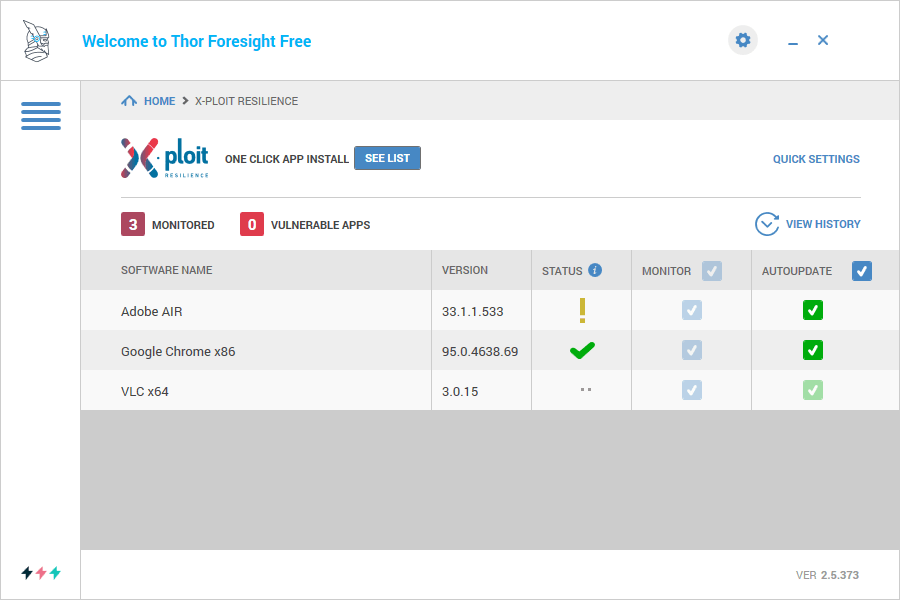
Thor Free を使用すると、ワンクリックで新しいソフトウェアをインストールすることもできます。最もよく使用される Windows アプリケーションのリストから選択し、安全、かんたん、迅速にインストール可能です。
Thor Free は、PC の起動時に自動的に実行されするので、常にアプリを監視し、最新の状態に保ちます。
サードパーティソフトウェアを自動更新
Thor Free は、システムのインストールされているアプリケーションを自動更新し、アプリの脆弱性を悪用するゼロデイ攻撃からシステムを保護することができる便利なアプリケーションです。
機能
- PC にインストールされているサードパーティ製のソフトウェアをチェックし、最新バージョンに自動
更新
- サードパーティソフトウェアの新規インストール
- 120 以上のアプリケーションに対応
価格:無料
動作環境:Windows 7|8|8.1|10|11・Mac
使用言語:英語ほか
最終更新日:
2か月前 (2026/03/09)
ダウンロード数:1024
画像

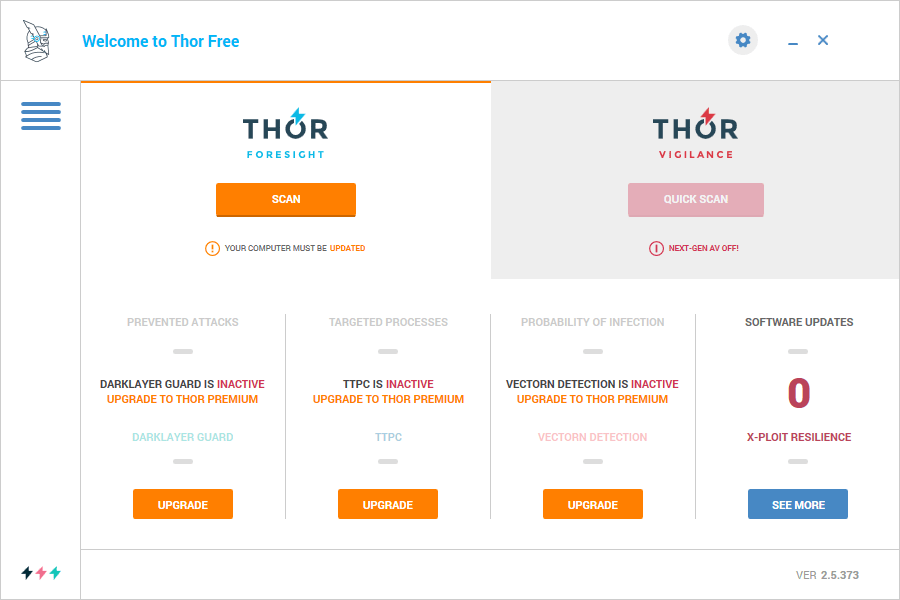
ユーザーインターフェース

ソフトウェアの設定

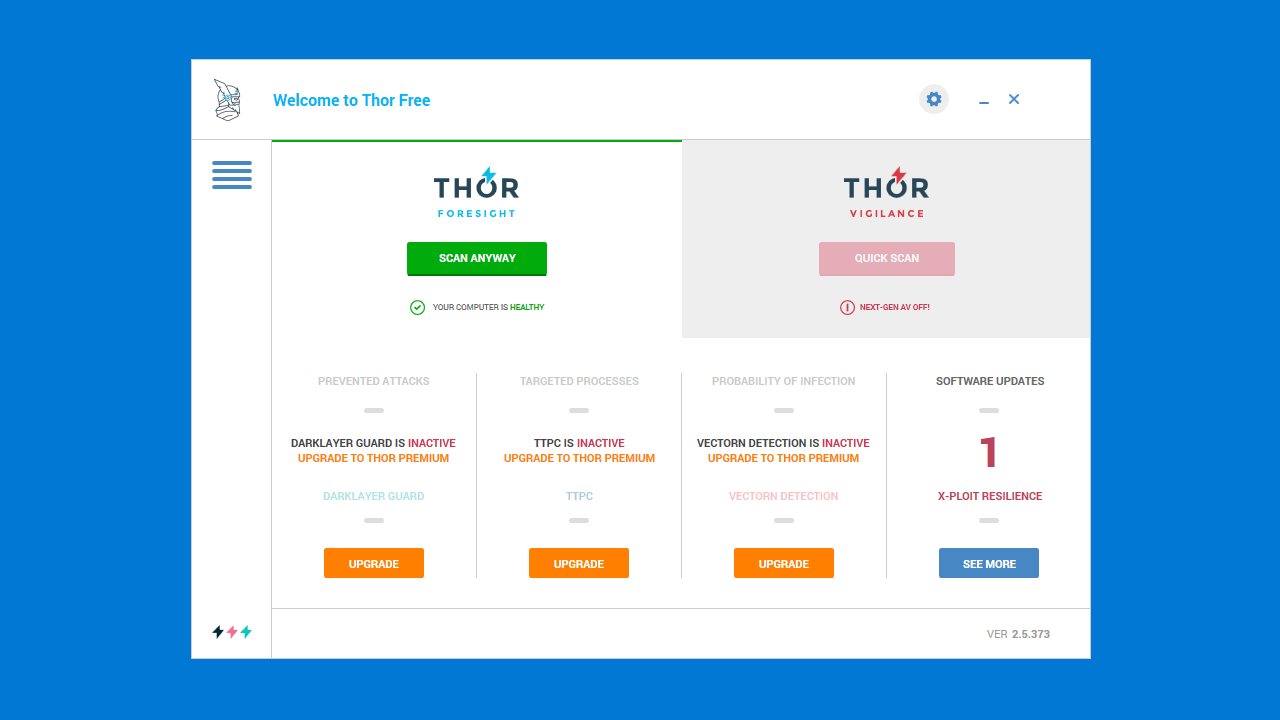
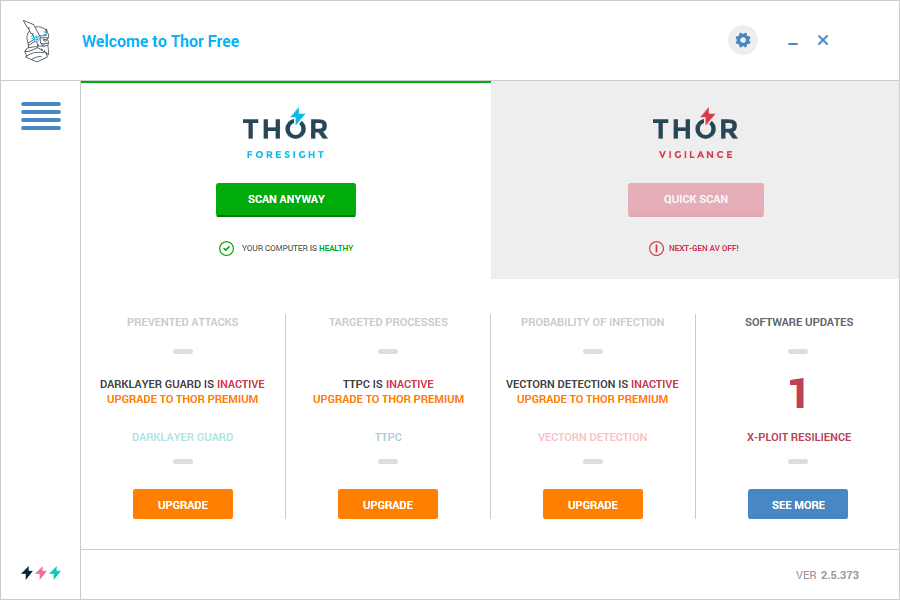
アップデート完了時の画面
使い方
インストール
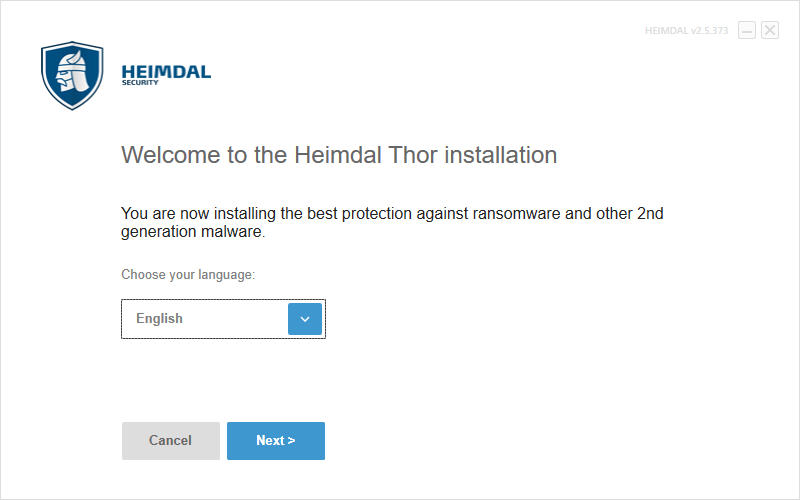
1.インストール方法
- インストーラを実行するとライセンスが表示されます。下までスクロールして[I agree]ボタンをクリックします。


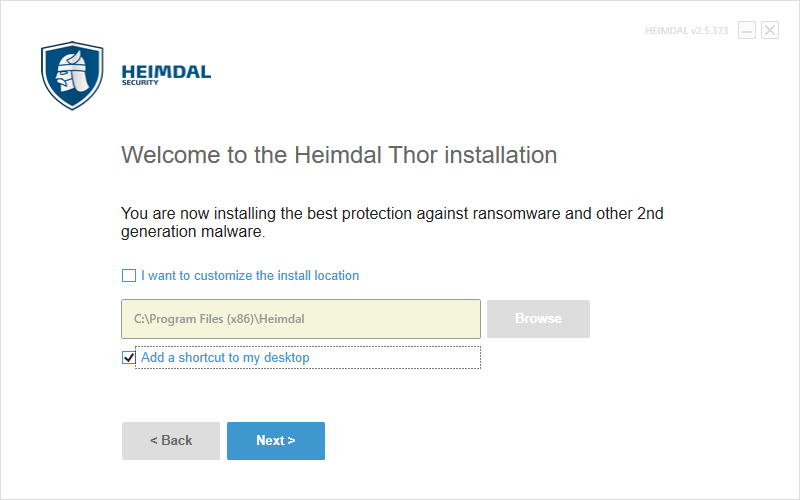
- インストール先とショートカットの作成を確認し、[Next]をクリックします。
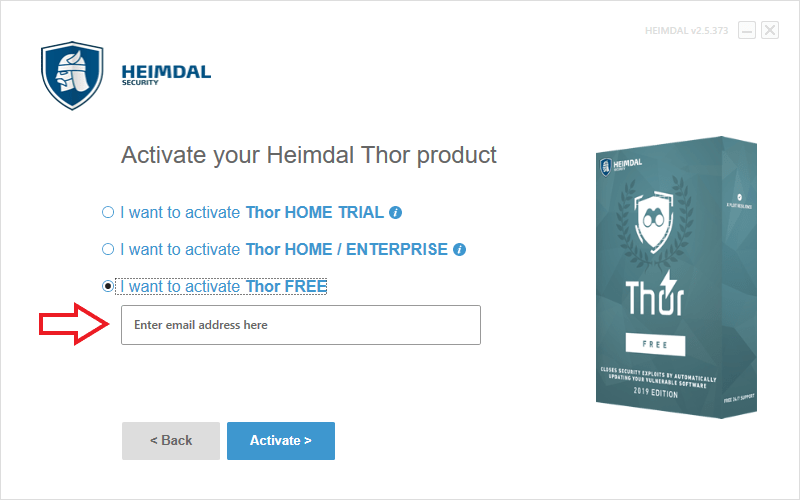
- フリー版を使用するには、「I want to activate Thor FREE」を選択し、メールアドレスを入力して[Activate]ボタンをクリックします。
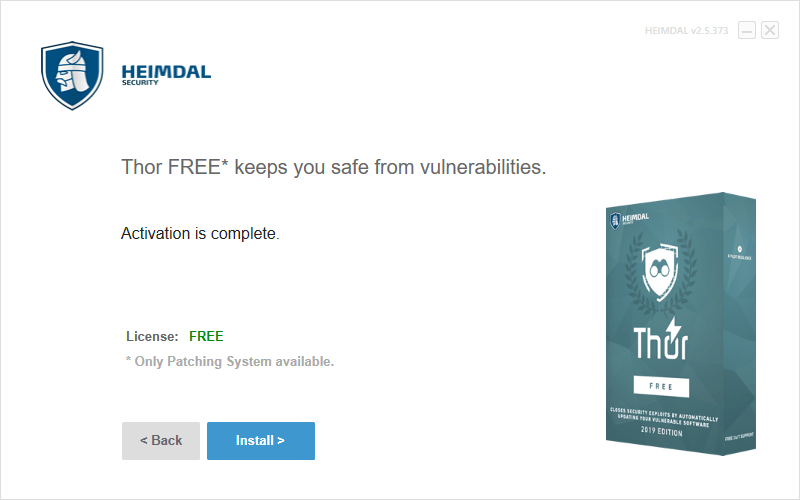
- [Install]をクリックしてインストールを開始します。
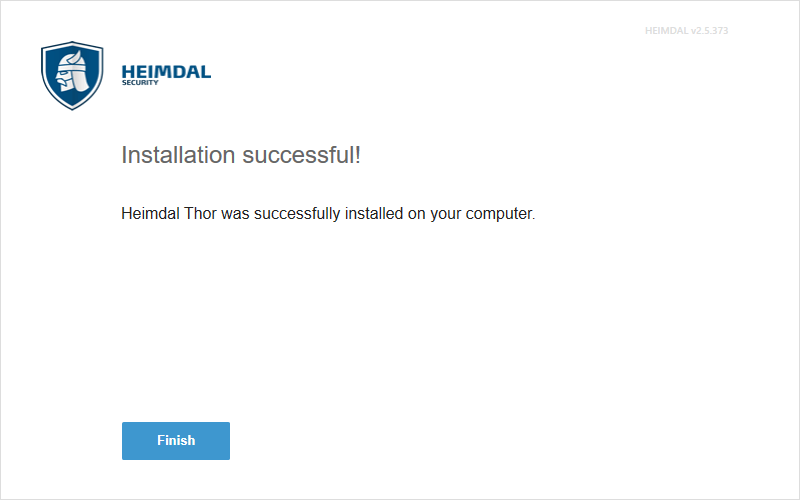
- インストールが完了しました。[Finish]をクリックしてセットアップウィザードを閉じます。
基本的な使い方
1. 基本的な使い方
- Thor Free を起動したら、まず初めに右下の「SOFTWARE UPDATES」の[SEE MORE]ボタンをクリックします。
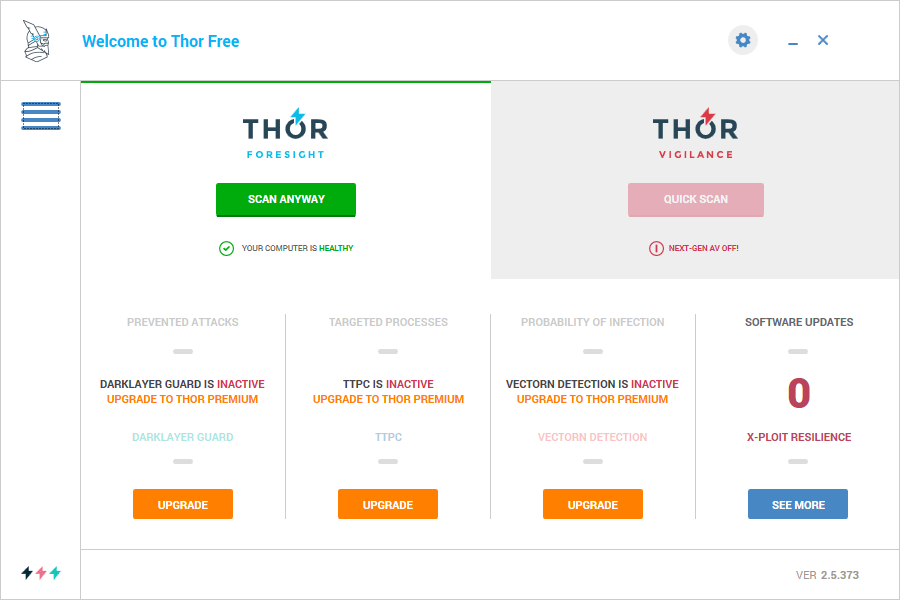
PC にインストールされている対応しているアプリケーションが表示されます。「STATUS」にはアプリケーションの状態が表示されます(チェックマーク=最新バージョンに更新済み)。
- 監視するアプリの「MONITOR」のチェックボックスを選択します。
- 自動アップデートするアプリの「AUTOUPDATE」のチェックボックスをチェックします。

- アップデートが必要なアプリケーションがある場合は。「THOR」の[SCAN]ボタンがオレンジで表示されます。

- アップデートが完了するとボタンは緑色で表示され、「YOUR COMPUTER IS HEALTHY:コンピュータは健康な状態です」と表示されます。

よくある質問と回答
ライセンスについて。
Thor Free は、どなたでも無料で利用できます。