").attr(n.scriptAttrs||{}).prop({charset:n.scriptCharset,src:n.url}).on("load error",i=function(e){r.remove(),i=null,e&&t("error"===e.type?404:200,e.type)}),C.head.appendChild(r[0])},abort:function(){i&&i()}}});var Jt,Kt=[],Zt=/(=)\?(?=&|$)|\?\?/;ce.ajaxSetup({jsonp:"callback",jsonpCallback:function(){var e=Kt.pop()||ce.expando+"_"+jt.guid++;return this[e]=!0,e}}),ce.ajaxPrefilter("json jsonp",function(e,t,n){var r,i,o,a=!1!==e.jsonp&&(Zt.test(e.url)?"url":"string"==typeof e.data&&0===(e.contentType||"").indexOf("application/x-www-form-urlencoded")&&Zt.test(e.data)&&"data");if(a||"jsonp"===e.dataTypes[0])return r=e.jsonpCallback=v(e.jsonpCallback)?e.jsonpCallback():e.jsonpCallback,a?e[a]=e[a].replace(Zt,"$1"+r):!1!==e.jsonp&&(e.url+=(At.test(e.url)?"&":"?")+e.jsonp+"="+r),e.converters["script json"]=function(){return o||ce.error(r+" was not called"),o[0]},e.dataTypes[0]="json",i=ie[r],ie[r]=function(){o=arguments},n.always(function(){void 0===i?ce(ie).removeProp(r):ie[r]=i,e[r]&&(e.jsonpCallback=t.jsonpCallback,Kt.push(r)),o&&v(i)&&i(o[0]),o=i=void 0}),"script"}),le.createHTMLDocument=((Jt=C.implementation.createHTMLDocument("").body).innerHTML="
",2===Jt.childNodes.length),ce.parseHTML=function(e,t,n){return"string"!=typeof e?[]:("boolean"==typeof t&&(n=t,t=!1),t||(le.createHTMLDocument?((r=(t=C.implementation.createHTMLDocument("")).createElement("base")).href=C.location.href,t.head.appendChild(r)):t=C),o=!n&&[],(i=w.exec(e))?[t.createElement(i[1])]:(i=Ae([e],t,o),o&&o.length&&ce(o).remove(),ce.merge([],i.childNodes)));var r,i,o},ce.fn.load=function(e,t,n){var r,i,o,a=this,s=e.indexOf(" ");return-1").append(ce.parseHTML(e)).find(r):e)}).always(n&&function(e,t){a.each(function(){n.apply(this,o||[e.responseText,t,e])})}),this},ce.expr.pseudos.animated=function(t){return ce.grep(ce.timers,function(e){return t===e.elem}).length},ce.offset={setOffset:function(e,t,n){var r,i,o,a,s,u,l=ce.css(e,"position"),c=ce(e),f={};"static"===l&&(e.style.position="relative"),s=c.offset(),o=ce.css(e,"top"),u=ce.css(e,"left"),("absolute"===l||"fixed"===l)&&-1<(o+u).indexOf("auto")?(a=(r=c.position()).top,i=r.left):(a=parseFloat(o)||0,i=parseFloat(u)||0),v(t)&&(t=t.call(e,n,ce.extend({},s))),null!=t.top&&(f.top=t.top-s.top+a),null!=t.left&&(f.left=t.left-s.left+i),"using"in t?t.using.call(e,f):c.css(f)}},ce.fn.extend({offset:function(t){if(arguments.length)return void 0===t?this:this.each(function(e){ce.offset.setOffset(this,t,e)});var e,n,r=this[0];return r?r.getClientRects().length?(e=r.getBoundingClientRect(),n=r.ownerDocument.defaultView,{top:e.top+n.pageYOffset,left:e.left+n.pageXOffset}):{top:0,left:0}:void 0},position:function(){if(this[0]){var e,t,n,r=this[0],i={top:0,left:0};if("fixed"===ce.css(r,"position"))t=r.getBoundingClientRect();else{t=this.offset(),n=r.ownerDocument,e=r.offsetParent||n.documentElement;while(e&&(e===n.body||e===n.documentElement)&&"static"===ce.css(e,"position"))e=e.parentNode;e&&e!==r&&1===e.nodeType&&((i=ce(e).offset()).top+=ce.css(e,"borderTopWidth",!0),i.left+=ce.css(e,"borderLeftWidth",!0))}return{top:t.top-i.top-ce.css(r,"marginTop",!0),left:t.left-i.left-ce.css(r,"marginLeft",!0)}}},offsetParent:function(){return this.map(function(){var e=this.offsetParent;while(e&&"static"===ce.css(e,"position"))e=e.offsetParent;return e||J})}}),ce.each({scrollLeft:"pageXOffset",scrollTop:"pageYOffset"},function(t,i){var o="pageYOffset"===i;ce.fn[t]=function(e){return M(this,function(e,t,n){var r;if(y(e)?r=e:9===e.nodeType&&(r=e.defaultView),void 0===n)return r?r[i]:e[t];r?r.scrollTo(o?r.pageXOffset:n,o?n:r.pageYOffset):e[t]=n},t,e,arguments.length)}}),ce.each(["top","left"],function(e,n){ce.cssHooks[n]=Ye(le.pixelPosition,function(e,t){if(t)return t=Ge(e,n),_e.test(t)?ce(e).position()[n]+"px":t})}),ce.each({Height:"height",Width:"width"},function(a,s){ce.each({padding:"inner"+a,content:s,"":"outer"+a},function(r,o){ce.fn[o]=function(e,t){var n=arguments.length&&(r||"boolean"!=typeof e),i=r||(!0===e||!0===t?"margin":"border");return M(this,function(e,t,n){var r;return y(e)?0===o.indexOf("outer")?e["inner"+a]:e.document.documentElement["client"+a]:9===e.nodeType?(r=e.documentElement,Math.max(e.body["scroll"+a],r["scroll"+a],e.body["offset"+a],r["offset"+a],r["client"+a])):void 0===n?ce.css(e,t,i):ce.style(e,t,n,i)},s,n?e:void 0,n)}})}),ce.each(["ajaxStart","ajaxStop","ajaxComplete","ajaxError","ajaxSuccess","ajaxSend"],function(e,t){ce.fn[t]=function(e){return this.on(t,e)}}),ce.fn.extend({bind:function(e,t,n){return this.on(e,null,t,n)},unbind:function(e,t){return this.off(e,null,t)},delegate:function(e,t,n,r){return this.on(t,e,n,r)},undelegate:function(e,t,n){return 1===arguments.length?this.off(e,"**"):this.off(t,e||"**",n)},hover:function(e,t){return this.on("mouseenter",e).on("mouseleave",t||e)}}),ce.each("blur focus focusin focusout resize scroll click dblclick mousedown mouseup mousemove mouseover mouseout mouseenter mouseleave change select submit keydown keypress keyup contextmenu".split(" "),function(e,n){ce.fn[n]=function(e,t){return 0
PrcInfo 5.26
タスクマネージャ
説明機能仕様ダウンロード画像使い方
タスクマネージャより詳しい情報を表示するフリーのプロセス管理ツール

実行中のプロセスをリアルタイムで表示して監視できるプロセス管理ソフト。プロセスや依存するモジュールの詳細情報を確認でき、プロセスを強制終了させたり、実行中のプロセスのリストをテキストファイルに保存することができます。
PrcInfo の概要
PrcInfo は、Windows 用のフル機能のプロセスマネージャです。動作中のプログラム、その属性、依存関係などに関するさまざまな情報が表示されます。
PrcInfo の機能
PrcInfo の主な機能です。
| 機能 |
概要 |
| メイン機能 |
実行中のプロセスの監視/詳細情報を表示 |
| 機能詳細 |
・実行中のプロセスを表示する・プロセスを強制終了する
・新しいプロセスを開始する
・プロセスのリストをテキストファイルに保存する
・ロードされているモジュールを表示
・スレッドの表示 |
実行中のプロセスに関する詳細情報を表示します
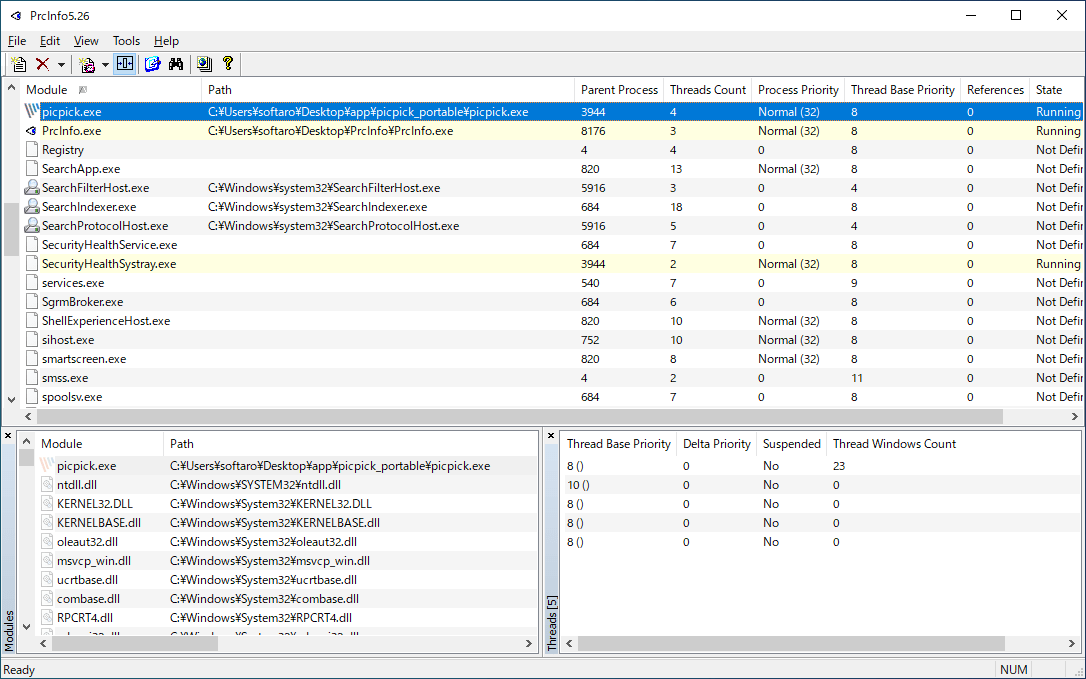
PrcInfo は、現在実行中のプロセスやアプリケーションに関する詳細情報を表示するタスクマネージャソフトです。
プロセスとスレッド、モジュールの管理をサポートし、モジュール名で検索したり、プロセス、スレッド、およびモジュールを外部ビューア(Dependcy Walker、SPY++、Process Explorer)で開くこともできます。
フリーのプロセス管理ソフト
PrcInfo は、Windows 標準のタスクマネージャより詳しい情報を表示するプロセスマネージャソフトです。実行中のプロセスの依存関係を調べたり、プロセスにマルウェアなどの疑わしいものがないかを確認したりする場合に役に立ちます。
機能
- 実行中のプロセスを表示する
- プロセスを強制終了する
- 新しいプロセスを開始する
- プロセスのリストをテキストファイルに保存する
- ロードされているモジュールを表示
- スレッドの表示
価格:無料
動作環境:Windows 9x|2000|XP|Vista|7|8|8.1|10|11
使用言語:英語
最終更新日:
6年前 (2020/01/23)
ダウンロード数:1044
使い方
インストール
1.インストール方法
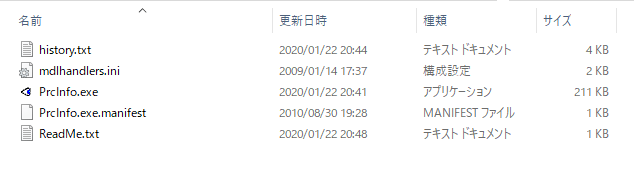
PrcInfo はインストール不要で使用できます。
- ダウンロードした ZIP ファイルを解凍し、「PrcInfo.exe」を実行するとアプリケーションを起動できます。
基本的な使い方
1.基本的な使い方
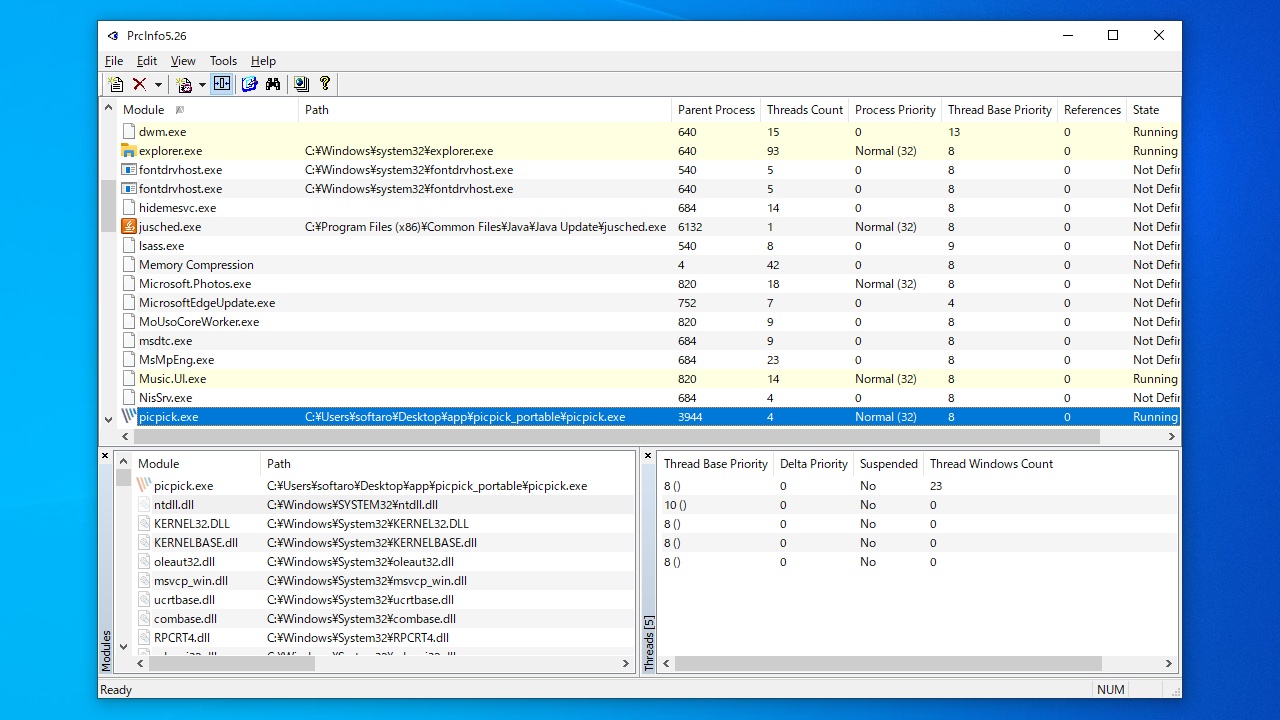
PrcInfo を起動すると、実行中のプロセスが一覧表示されます。
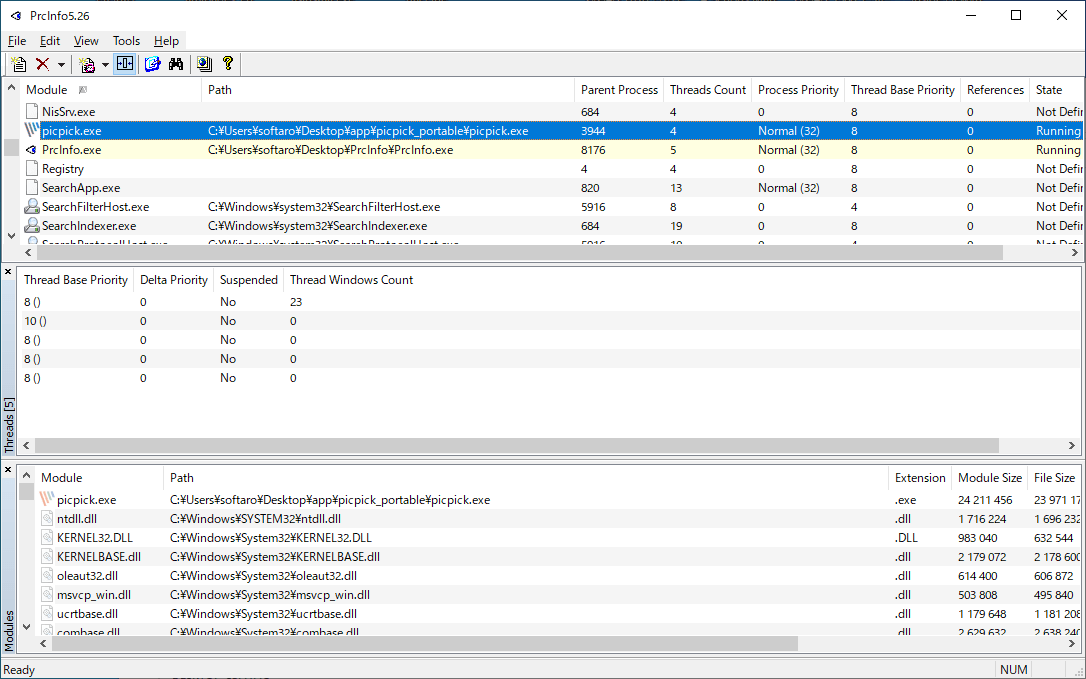
- プロセスを選択すると、スレッドとモジュールが別のペインに表示されます。
- ペインはサイズを変更したり、ドラッグして移動したりできます。

メニュー
1.右クリックメニュー
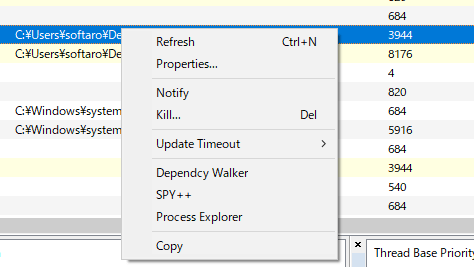
・Refresh:表示を更新する
・Properties:ファイルのプロパティを表示する
・Notify:選択したアイテムを通知なく強制終了する
・Kill:選択したアイテムを強制終了する
・Update Timeout:更新頻度を調整する
・Copy:パスをコピーする
2.File
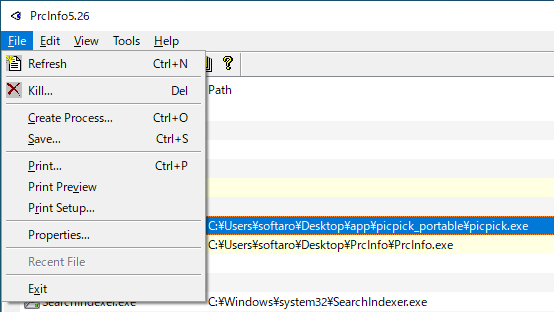
・Refresh:表示を更新する
・Kill:強制終了する
・Create Process:新しいプロセスを開く
・Save:実行中のプロセスのリストをテキストファイルに保存する
・Print:印刷する
・Print Preview:印刷プレビューを表示する
・Print Setup:印刷の設定をする
・Properties:プロパティを表示する
・Recent File:最近使用したファイル
・Exit:プログラムを閉じる
3.Edit
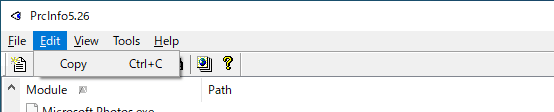
・Copy:選択した行のデータをコピーする
4.View
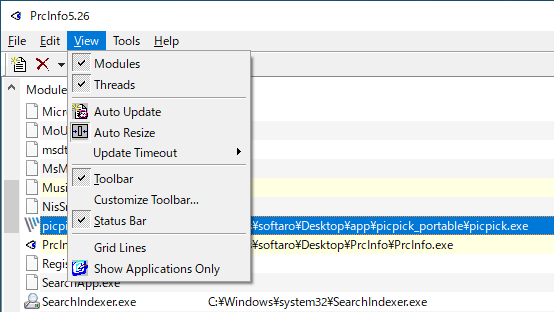
・Modules:モジュールを表示する
・Threads:スレッドを表示する
・Auto Update:表示の自動更新を有効にする
・Update Timeout:更新頻度を調整する
・Toolbar:ツールバーを表示する
・Customize Toolbar:ツールバーをカスタマイズする
・Status Bar:ステータスバーを表示する
・Grid LInes:グリッド線を表示する
・Show Applications Only:アプリケーションのみを表示する
5.Tools
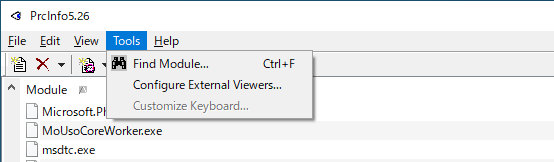
・Find Modules:モジュールを検索する
・Configure External Viewers:外部ビューアの設定をする
・Customize Keyboard:キーボードショートカットをカスタマイズする
よくある質問と回答
ライセンスについて。
PrcInfo は、どなたでも無料で利用できます。