").attr(n.scriptAttrs||{}).prop({charset:n.scriptCharset,src:n.url}).on("load error",i=function(e){r.remove(),i=null,e&&t("error"===e.type?404:200,e.type)}),C.head.appendChild(r[0])},abort:function(){i&&i()}}});var Jt,Kt=[],Zt=/(=)\?(?=&|$)|\?\?/;ce.ajaxSetup({jsonp:"callback",jsonpCallback:function(){var e=Kt.pop()||ce.expando+"_"+jt.guid++;return this[e]=!0,e}}),ce.ajaxPrefilter("json jsonp",function(e,t,n){var r,i,o,a=!1!==e.jsonp&&(Zt.test(e.url)?"url":"string"==typeof e.data&&0===(e.contentType||"").indexOf("application/x-www-form-urlencoded")&&Zt.test(e.data)&&"data");if(a||"jsonp"===e.dataTypes[0])return r=e.jsonpCallback=v(e.jsonpCallback)?e.jsonpCallback():e.jsonpCallback,a?e[a]=e[a].replace(Zt,"$1"+r):!1!==e.jsonp&&(e.url+=(At.test(e.url)?"&":"?")+e.jsonp+"="+r),e.converters["script json"]=function(){return o||ce.error(r+" was not called"),o[0]},e.dataTypes[0]="json",i=ie[r],ie[r]=function(){o=arguments},n.always(function(){void 0===i?ce(ie).removeProp(r):ie[r]=i,e[r]&&(e.jsonpCallback=t.jsonpCallback,Kt.push(r)),o&&v(i)&&i(o[0]),o=i=void 0}),"script"}),le.createHTMLDocument=((Jt=C.implementation.createHTMLDocument("").body).innerHTML="
",2===Jt.childNodes.length),ce.parseHTML=function(e,t,n){return"string"!=typeof e?[]:("boolean"==typeof t&&(n=t,t=!1),t||(le.createHTMLDocument?((r=(t=C.implementation.createHTMLDocument("")).createElement("base")).href=C.location.href,t.head.appendChild(r)):t=C),o=!n&&[],(i=w.exec(e))?[t.createElement(i[1])]:(i=Ae([e],t,o),o&&o.length&&ce(o).remove(),ce.merge([],i.childNodes)));var r,i,o},ce.fn.load=function(e,t,n){var r,i,o,a=this,s=e.indexOf(" ");return-1").append(ce.parseHTML(e)).find(r):e)}).always(n&&function(e,t){a.each(function(){n.apply(this,o||[e.responseText,t,e])})}),this},ce.expr.pseudos.animated=function(t){return ce.grep(ce.timers,function(e){return t===e.elem}).length},ce.offset={setOffset:function(e,t,n){var r,i,o,a,s,u,l=ce.css(e,"position"),c=ce(e),f={};"static"===l&&(e.style.position="relative"),s=c.offset(),o=ce.css(e,"top"),u=ce.css(e,"left"),("absolute"===l||"fixed"===l)&&-1<(o+u).indexOf("auto")?(a=(r=c.position()).top,i=r.left):(a=parseFloat(o)||0,i=parseFloat(u)||0),v(t)&&(t=t.call(e,n,ce.extend({},s))),null!=t.top&&(f.top=t.top-s.top+a),null!=t.left&&(f.left=t.left-s.left+i),"using"in t?t.using.call(e,f):c.css(f)}},ce.fn.extend({offset:function(t){if(arguments.length)return void 0===t?this:this.each(function(e){ce.offset.setOffset(this,t,e)});var e,n,r=this[0];return r?r.getClientRects().length?(e=r.getBoundingClientRect(),n=r.ownerDocument.defaultView,{top:e.top+n.pageYOffset,left:e.left+n.pageXOffset}):{top:0,left:0}:void 0},position:function(){if(this[0]){var e,t,n,r=this[0],i={top:0,left:0};if("fixed"===ce.css(r,"position"))t=r.getBoundingClientRect();else{t=this.offset(),n=r.ownerDocument,e=r.offsetParent||n.documentElement;while(e&&(e===n.body||e===n.documentElement)&&"static"===ce.css(e,"position"))e=e.parentNode;e&&e!==r&&1===e.nodeType&&((i=ce(e).offset()).top+=ce.css(e,"borderTopWidth",!0),i.left+=ce.css(e,"borderLeftWidth",!0))}return{top:t.top-i.top-ce.css(r,"marginTop",!0),left:t.left-i.left-ce.css(r,"marginLeft",!0)}}},offsetParent:function(){return this.map(function(){var e=this.offsetParent;while(e&&"static"===ce.css(e,"position"))e=e.offsetParent;return e||J})}}),ce.each({scrollLeft:"pageXOffset",scrollTop:"pageYOffset"},function(t,i){var o="pageYOffset"===i;ce.fn[t]=function(e){return M(this,function(e,t,n){var r;if(y(e)?r=e:9===e.nodeType&&(r=e.defaultView),void 0===n)return r?r[i]:e[t];r?r.scrollTo(o?r.pageXOffset:n,o?n:r.pageYOffset):e[t]=n},t,e,arguments.length)}}),ce.each(["top","left"],function(e,n){ce.cssHooks[n]=Ye(le.pixelPosition,function(e,t){if(t)return t=Ge(e,n),_e.test(t)?ce(e).position()[n]+"px":t})}),ce.each({Height:"height",Width:"width"},function(a,s){ce.each({padding:"inner"+a,content:s,"":"outer"+a},function(r,o){ce.fn[o]=function(e,t){var n=arguments.length&&(r||"boolean"!=typeof e),i=r||(!0===e||!0===t?"margin":"border");return M(this,function(e,t,n){var r;return y(e)?0===o.indexOf("outer")?e["inner"+a]:e.document.documentElement["client"+a]:9===e.nodeType?(r=e.documentElement,Math.max(e.body["scroll"+a],r["scroll"+a],e.body["offset"+a],r["offset"+a],r["client"+a])):void 0===n?ce.css(e,t,i):ce.style(e,t,n,i)},s,n?e:void 0,n)}})}),ce.each(["ajaxStart","ajaxStop","ajaxComplete","ajaxError","ajaxSuccess","ajaxSend"],function(e,t){ce.fn[t]=function(e){return this.on(t,e)}}),ce.fn.extend({bind:function(e,t,n){return this.on(e,null,t,n)},unbind:function(e,t){return this.off(e,null,t)},delegate:function(e,t,n,r){return this.on(t,e,n,r)},undelegate:function(e,t,n){return 1===arguments.length?this.off(e,"**"):this.off(t,e||"**",n)},hover:function(e,t){return this.on("mouseenter",e).on("mouseleave",t||e)}}),ce.each("blur focus focusin focusout resize scroll click dblclick mousedown mouseup mousemove mouseover mouseout mouseenter mouseleave change select submit keydown keypress keyup contextmenu".split(" "),function(e,n){ce.fn[n]=function(e,t){return 0
MemoryCleaner 1.1.2 / 1.2.0
メモリ最適化
2025/06/12 11:07
説明機能仕様ダウンロード画像使い方
システムのパフォーマンスを最適化するメモリクリーナー

ワーキングセットやスタンバイリストなど、さまざまなメモリ領域をクリーンアップし、システムパフォーマンスの向上に役立つ、Windows 向けのフリーのメモリ最適化ツール。

MemoryCleaner の概要
MemoryCleaner は、Windows システムのメモリ使用量を最適化するユーティリティです。
MemoryCleaner の機能
MemoryCleaner の主な機能です。
| 機能 |
概要 |
| メイン機能 |
メモリの最適化 |
| 機能詳細 |
・さまざまなメモリ領域をクリーンアップできます。
・メモリ使用量のリアルタイム監視。
・自動クリーンアップ機能 |
メモリ使用量を最適化します
MemoryCleaner は、Windows システムのメモリ使用量を最適化するために設計された効果的なソフトウェアです。
MemoryCleaner を使用すると、ワーキングセットやスタンバイリストなどの、さまざまなメモリ領域をクリーンアップすることで、システムパフォーマンスの向上に貢献し、メモリリソースを効果的に管理および最適化することで、コンピュータの動作をスムーズにし、効率性を向上させます。
便利な自動クリーンアップ機能
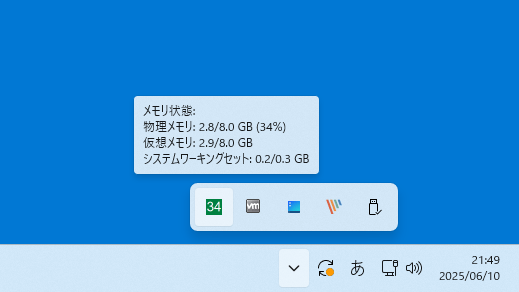
MemoryCleaner には、指定した間隔(秒)でメモリを自動的にクリーンアップする自動クリーンアップ機能があるので、アプリを起動しておくだけでメモリを自動的に最適化することができます。
MemoryCleaner では、システムトレイから現在のリアルタイムのメモリ使用量を監視することもできるので、システムリソースを常に把握しておきたい場合に役に立ちます。
シンプルなメモリクリーナー
MemoryCleaner は、メモリ使用量を最適化するためのシンプルかつ効果的なソリューションを提供する便利なアプリケーションです。メモリを多く使用するアプリを多数実行している場合や、システムメモリ(RAM)の容量が少ないコンピュータで特に効果を発揮します。
機能
- さまざまなメモリ領域をクリーンアップ
- ワーキングセットをクリーンアップ
- システムワーキングセットをクリーンアップ
- スタンバイリストをクリーンアップ
- 低優先度スタンバイリストをクリーンアップ
- 変更ページリストをクリーンアップ
- 統合ページリストをクリーンアップ
- リアルタイムメモリ監視
- 自動スケジュールクリーンアップ機能
- システムトレイアイコンにメモリ使用量を表示
- 詳細なクリーンアップ記録
価格:無料
動作環境:Windows 8|8.1|10|11
使用言語:日本語ほか
最終更新日:
3か月前 (2026/02/12)
ダウンロード数:679
画像

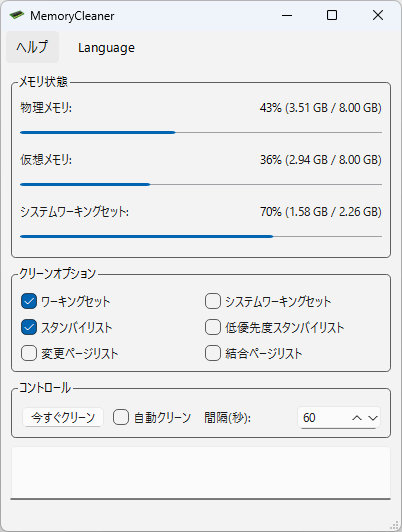
ユーザーインターフェース

メモリ最適化

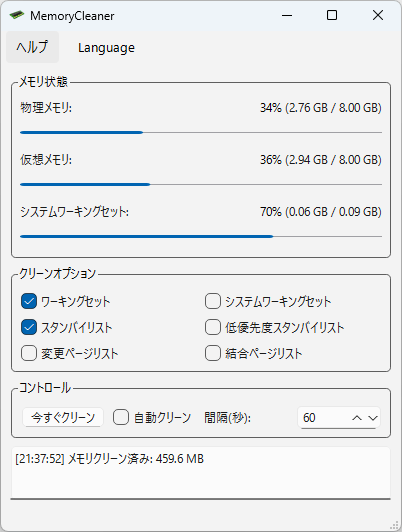
メモリ最適化完了

トレイアイコン
使い方
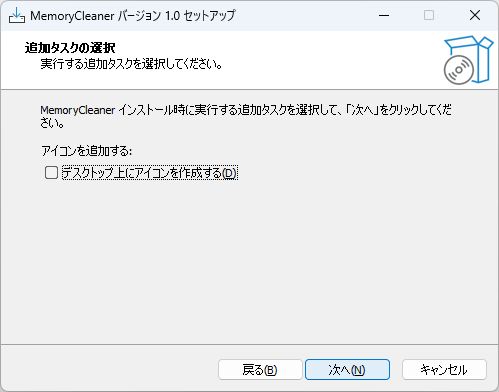
インストール
1.インストール方法
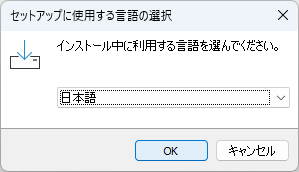
- インストール中に使用する言語を選択して[OK]をクリックします。
- 使用許諾契約書が表示されます。「同意する」を選択して[次へ]をクリックします。

- インストール先を確認して[次へ]をクリックします。

- スタートメニューに作成するショートカットの設定を確認して[次へ]をクリックします。


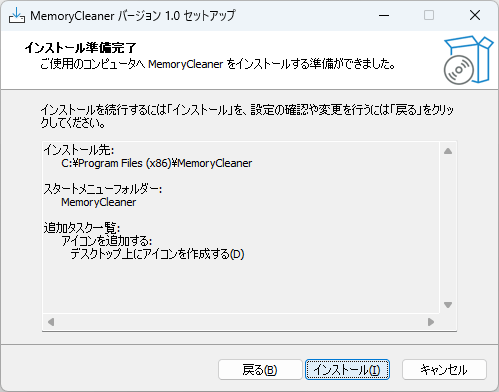
- インストールの準備ができました。[インストール]をクリックしてインストールを開始します。
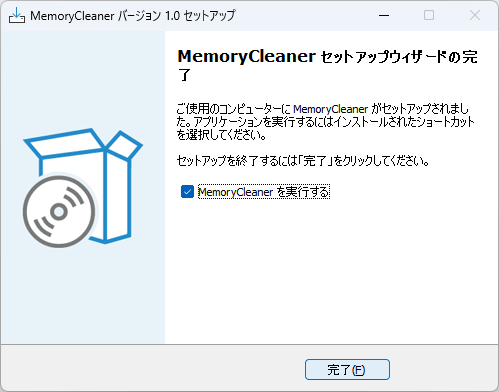
- インストールが完了しました。[完了]をクリックしてセットアップウィザードを閉じます。
言語を変更する
1. 言語を日本語またはそのほかの言語に変更する

基本的な使い方
1. 基本的な使い方
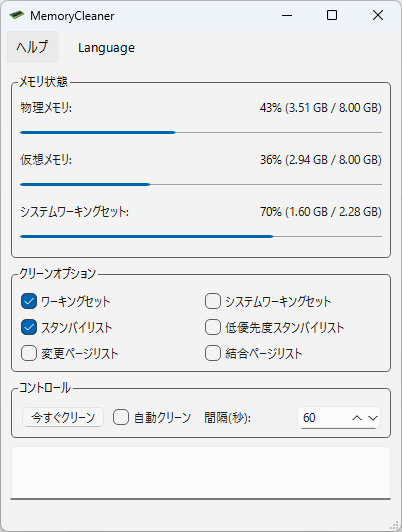
- 「メモリ状態」には、現在のメモリ使用量が表示されます。
- 「クリーンオプション」からクリーンアップしたい領域を選択して、「コントロール」の[今すぐクリーン]ボタンをクリックすると、メモリが最適化されます。

・ワーキングセット:現在のプロセスで使用されているメモリに焦点を当てます。
・システムワーキングセット:すべてのプロセスにわたるメモリ使用量に対処することで、より広範なアプローチを採用します。
・スタンバイおよび低優先度スタンバイリスト:さまざまな優先度レベルでスタンバイメモリを管理します。
・変更および結合ページリスト:ページキャッシュの最適化に取り組みます。
- メモリが最適化されると、下部にログが表示されます。


よくある質問と回答
ライセンスについて。
MemoryCleaner は、どなたでも無料で使用できます。