").attr(n.scriptAttrs||{}).prop({charset:n.scriptCharset,src:n.url}).on("load error",i=function(e){r.remove(),i=null,e&&t("error"===e.type?404:200,e.type)}),C.head.appendChild(r[0])},abort:function(){i&&i()}}});var Jt,Kt=[],Zt=/(=)\?(?=&|$)|\?\?/;ce.ajaxSetup({jsonp:"callback",jsonpCallback:function(){var e=Kt.pop()||ce.expando+"_"+jt.guid++;return this[e]=!0,e}}),ce.ajaxPrefilter("json jsonp",function(e,t,n){var r,i,o,a=!1!==e.jsonp&&(Zt.test(e.url)?"url":"string"==typeof e.data&&0===(e.contentType||"").indexOf("application/x-www-form-urlencoded")&&Zt.test(e.data)&&"data");if(a||"jsonp"===e.dataTypes[0])return r=e.jsonpCallback=v(e.jsonpCallback)?e.jsonpCallback():e.jsonpCallback,a?e[a]=e[a].replace(Zt,"$1"+r):!1!==e.jsonp&&(e.url+=(At.test(e.url)?"&":"?")+e.jsonp+"="+r),e.converters["script json"]=function(){return o||ce.error(r+" was not called"),o[0]},e.dataTypes[0]="json",i=ie[r],ie[r]=function(){o=arguments},n.always(function(){void 0===i?ce(ie).removeProp(r):ie[r]=i,e[r]&&(e.jsonpCallback=t.jsonpCallback,Kt.push(r)),o&&v(i)&&i(o[0]),o=i=void 0}),"script"}),le.createHTMLDocument=((Jt=C.implementation.createHTMLDocument("").body).innerHTML="
",2===Jt.childNodes.length),ce.parseHTML=function(e,t,n){return"string"!=typeof e?[]:("boolean"==typeof t&&(n=t,t=!1),t||(le.createHTMLDocument?((r=(t=C.implementation.createHTMLDocument("")).createElement("base")).href=C.location.href,t.head.appendChild(r)):t=C),o=!n&&[],(i=w.exec(e))?[t.createElement(i[1])]:(i=Ae([e],t,o),o&&o.length&&ce(o).remove(),ce.merge([],i.childNodes)));var r,i,o},ce.fn.load=function(e,t,n){var r,i,o,a=this,s=e.indexOf(" ");return-1").append(ce.parseHTML(e)).find(r):e)}).always(n&&function(e,t){a.each(function(){n.apply(this,o||[e.responseText,t,e])})}),this},ce.expr.pseudos.animated=function(t){return ce.grep(ce.timers,function(e){return t===e.elem}).length},ce.offset={setOffset:function(e,t,n){var r,i,o,a,s,u,l=ce.css(e,"position"),c=ce(e),f={};"static"===l&&(e.style.position="relative"),s=c.offset(),o=ce.css(e,"top"),u=ce.css(e,"left"),("absolute"===l||"fixed"===l)&&-1<(o+u).indexOf("auto")?(a=(r=c.position()).top,i=r.left):(a=parseFloat(o)||0,i=parseFloat(u)||0),v(t)&&(t=t.call(e,n,ce.extend({},s))),null!=t.top&&(f.top=t.top-s.top+a),null!=t.left&&(f.left=t.left-s.left+i),"using"in t?t.using.call(e,f):c.css(f)}},ce.fn.extend({offset:function(t){if(arguments.length)return void 0===t?this:this.each(function(e){ce.offset.setOffset(this,t,e)});var e,n,r=this[0];return r?r.getClientRects().length?(e=r.getBoundingClientRect(),n=r.ownerDocument.defaultView,{top:e.top+n.pageYOffset,left:e.left+n.pageXOffset}):{top:0,left:0}:void 0},position:function(){if(this[0]){var e,t,n,r=this[0],i={top:0,left:0};if("fixed"===ce.css(r,"position"))t=r.getBoundingClientRect();else{t=this.offset(),n=r.ownerDocument,e=r.offsetParent||n.documentElement;while(e&&(e===n.body||e===n.documentElement)&&"static"===ce.css(e,"position"))e=e.parentNode;e&&e!==r&&1===e.nodeType&&((i=ce(e).offset()).top+=ce.css(e,"borderTopWidth",!0),i.left+=ce.css(e,"borderLeftWidth",!0))}return{top:t.top-i.top-ce.css(r,"marginTop",!0),left:t.left-i.left-ce.css(r,"marginLeft",!0)}}},offsetParent:function(){return this.map(function(){var e=this.offsetParent;while(e&&"static"===ce.css(e,"position"))e=e.offsetParent;return e||J})}}),ce.each({scrollLeft:"pageXOffset",scrollTop:"pageYOffset"},function(t,i){var o="pageYOffset"===i;ce.fn[t]=function(e){return M(this,function(e,t,n){var r;if(y(e)?r=e:9===e.nodeType&&(r=e.defaultView),void 0===n)return r?r[i]:e[t];r?r.scrollTo(o?r.pageXOffset:n,o?n:r.pageYOffset):e[t]=n},t,e,arguments.length)}}),ce.each(["top","left"],function(e,n){ce.cssHooks[n]=Ye(le.pixelPosition,function(e,t){if(t)return t=Ge(e,n),_e.test(t)?ce(e).position()[n]+"px":t})}),ce.each({Height:"height",Width:"width"},function(a,s){ce.each({padding:"inner"+a,content:s,"":"outer"+a},function(r,o){ce.fn[o]=function(e,t){var n=arguments.length&&(r||"boolean"!=typeof e),i=r||(!0===e||!0===t?"margin":"border");return M(this,function(e,t,n){var r;return y(e)?0===o.indexOf("outer")?e["inner"+a]:e.document.documentElement["client"+a]:9===e.nodeType?(r=e.documentElement,Math.max(e.body["scroll"+a],r["scroll"+a],e.body["offset"+a],r["offset"+a],r["client"+a])):void 0===n?ce.css(e,t,i):ce.style(e,t,n,i)},s,n?e:void 0,n)}})}),ce.each(["ajaxStart","ajaxStop","ajaxComplete","ajaxError","ajaxSuccess","ajaxSend"],function(e,t){ce.fn[t]=function(e){return this.on(t,e)}}),ce.fn.extend({bind:function(e,t,n){return this.on(e,null,t,n)},unbind:function(e,t){return this.off(e,null,t)},delegate:function(e,t,n,r){return this.on(t,e,n,r)},undelegate:function(e,t,n){return 1===arguments.length?this.off(e,"**"):this.off(t,e||"**",n)},hover:function(e,t){return this.on("mouseenter",e).on("mouseleave",t||e)}}),ce.each("blur focus focusin focusout resize scroll click dblclick mousedown mouseup mousemove mouseover mouseout mouseenter mouseleave change select submit keydown keypress keyup contextmenu".split(" "),function(e,n){ce.fn[n]=function(e,t){return 0
Windows Memory Cleaner 3.0.8
メモリ最適化
2021/09/29 14:172025/12/14 08:53
説明 機能 仕様 ダウンロード 画像 使い方
シンプルで効果的な Windows メモリクリーナー

ワンクリックで Windows の不要なメモリをクリーンアップして、物理メモリ(RAM)の空き容量を増やすことができるメモリクリーナー。プロセスワーキングセット、スタンバイリスト、システムワーキングセットなどのメモリを解放します。
Windows Memory Cleaner の概要
Windows Memory Cleaner は、Windowsを再起動する必要なく、不要なメモリをクリーンアップすることができるメモリクリーナーです。
Windows Memory Cleaner の機能
Windows Memory Cleaner の主な機能です。
機能
概要
メイン機能
メモリのクリーンアップ
機能詳細
・Combined Page List / Modified Page List / Processes Working Set / Standby List / System Working Set のメモリを解放する
メモリ(RAM)をクリーンアップします
Windows 上で複数のアプリやプログラムを使用していると、使用していないアプリのメモリが解放されずにメモリの空き容量が少なくなり、システムのパフォーマンスが低下する場合があります。
Windows Memory Cleaner を使用すると、ワンクリックで使用していないアクティブでないアプリケーションのメモリを解放し、メモリの空き容量を増やして有効利用することができます。
かんたんにメモリをクリーンアップできます
Windows Memory Cleaner はポータブルアプリケーションなので、ダウンロードした実行ファイルを実行するだけでアプリケーションを起動し、ワンクリックで不要なメモリを解放できます。
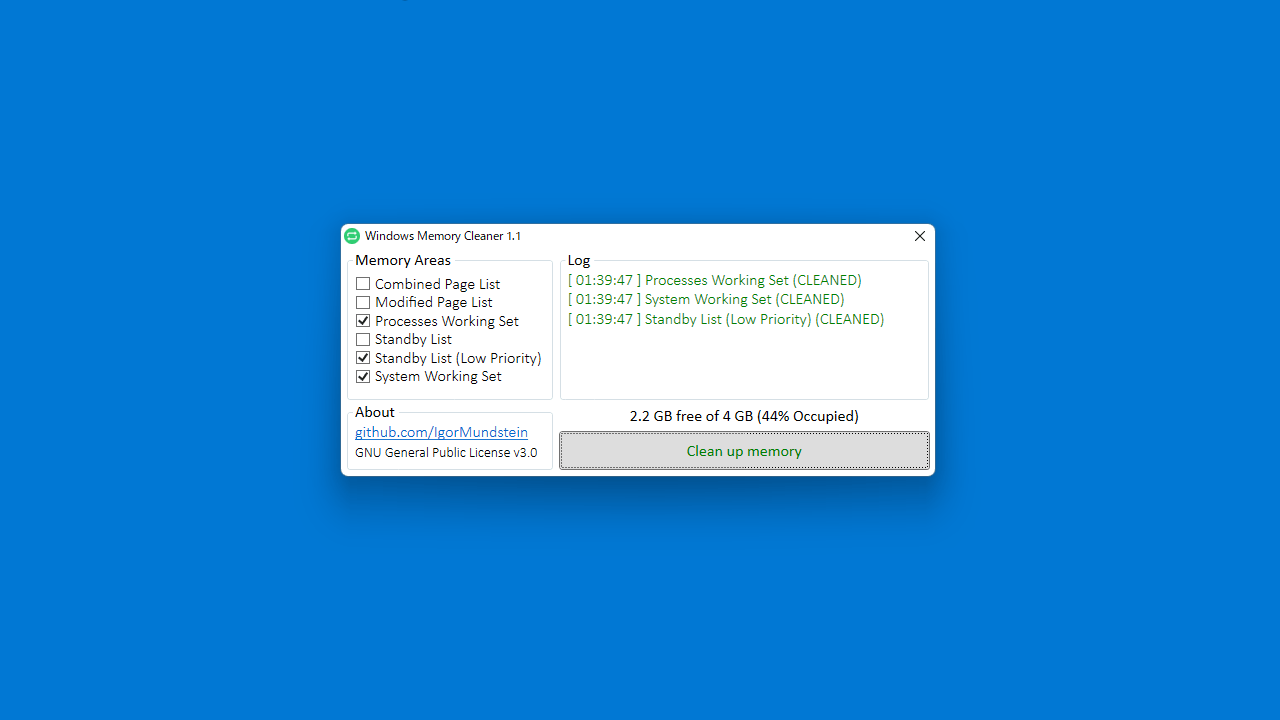
アプリには現在のメモリ使用量が表示されるため、どのくらいのメモリが解放されたかが一目で分かります。クリーンアップのログはイベントマネージャの Windows ログの Application に保存されます。
シンプルかつ効果的なメモリクリーンアップツール
Windows Memory Cleaner は、Windows やそのほかのアプリケーションを使用したまま Windows のメモリをクリーンアップすることができるアプリケーションです。コマンドライン引数を使用してサイレントで実行することもできます。
機能
Windows の不要なメモリを解放する
Combined Page List(結合されたページリスト)のメモリを解放する
Modified Page List(変更ページリスト)のメモリを解放する
Processes Working Set(プロセスワーキングセット)のメモリを解放する
Standby List(スタンバイリスト)のメモリを解放する
System Working Set(システムワーキングセット)のメモリを解放する
価格: 無料
動作環境: Windows 7|8|8.1|10|11
使用言語: 日本語ほかマルチ言語
最終更新日:
4か月前 (2025/12/14)
ダウンロード数: 1313
画像
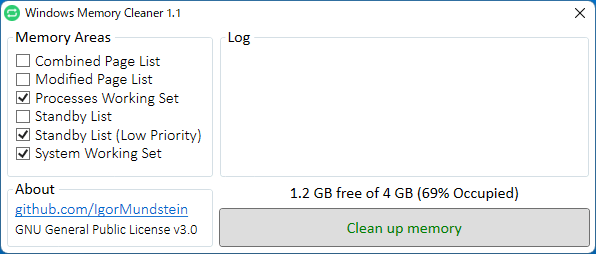
実行ファイル
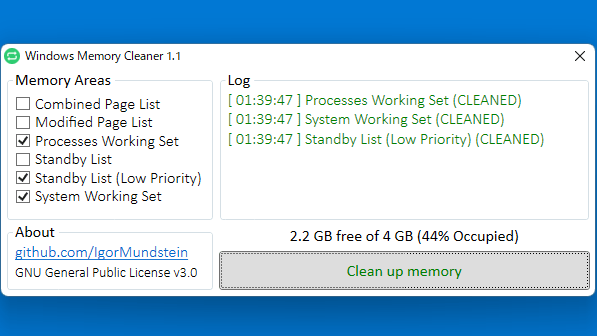
ユーザーインターフェース
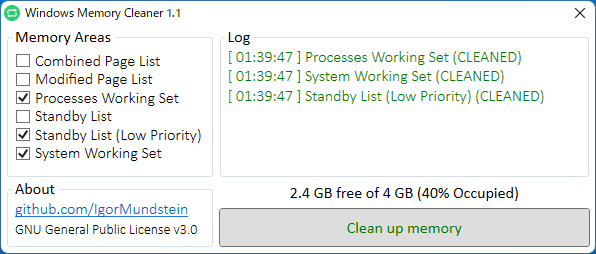
メモリクリーンアップ実行後
使い方
インストール
1.インストール方法
Windows Memory Cleaner は、インストール不要で使用できます。
ダウンロードした実行ファイルを実行すると、アプリケーションを使用できます。
基本的な使い方
1.基本的な使い方
「Memory Areas 」からクリーンアップしたい項目を選択します(分からない場合はデフォルトのままが無難です)。
[Clean up memory ]ボタンをクリックすると、クリーンアップが実行されます。
クリーンアップ後はログが表示されます。ログは、Windows のイベントビューアーにも保存されます。
・Combined Page List :Combined Page List をフラッシュして Combine Free List に移動する
・Modified Page List : 変更済みページリスト(プログラムによって書き換えられたページ)をフラッシュして、ページをスタンバイリストに移動する
・Processes Working Set : プロセスに割り当てられる物理メモリを解放し、スタンバイまたは変更済みページリストに移動する
・Standby List : すべてのスタンバイリストからページを破棄し、それらをフリーリストに移動
・System Working Set :システムキャッシュワーキングセットからメモリを削除する
2.コマンドライン引数
以下の引数を使用して、プログラムをサイレントに実行できます。
/CombinedPageList :Combined Page List をクリーンアップする
/ModifiedPageList :Modified Page List をクリーンアップする
/ProcessesWorkingSet :Processes Working Set をクリーンアップする
/StandbyList :Standby List をクリーンアップする
/StandbyListLowPriority :Standby List(優先度が低いもの)をクリーンアップする
/SystemWorkingSet :System Working Set をクリーンアップする
よくある質問と回答
ライセンスについて。
ユーザーレビュー
レビューはまだありません、 最初のレビューを投稿してください。コメントは任意です。
Windows Memory Cleaner は、どなたでも無料で使用できます。