
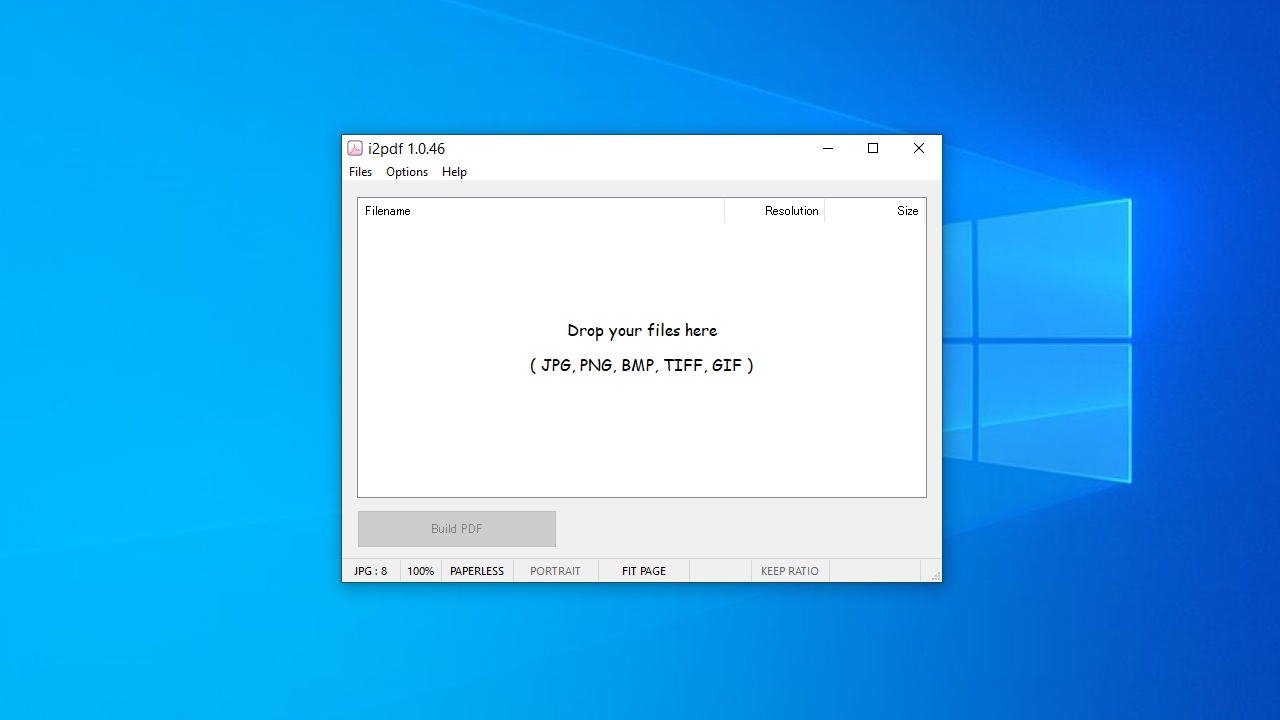
説明機能仕様ダウンロード画像使い方
画像ファイルから PDF ドキュメントを作成するアプリケーション

画像ファイル(JPG、PNG、GIF、BMP、TIFF)から PDF を作成することができる、Windows 向けのフリーの PDF 作成アプリ。スキャナーでスキャンした書籍、雑誌、請求書、申請書、記事などのドキュメントを PDF に変換する場合に役に立ちます。
i2pdf の概要
i2pdf は、画像のコレクションから Adobe PDF ドキュメントを作成するために構築された高速でコンパクトなアプリケーションです。
i2pdf の機能
i2pdf の主な機能です。
| 機能 | 概要 |
|---|---|
| メイン機能 | 画像から PDF を作成 |
| 機能詳細 | ・画像の品質やサイズを調整 ・サムネイルの表示 ・サムネイルのサイズや位置の設定 ・ファイル名をPDF に表示 ・作成者やタイトルの設定 |
画像ファイルから PDF を作成します
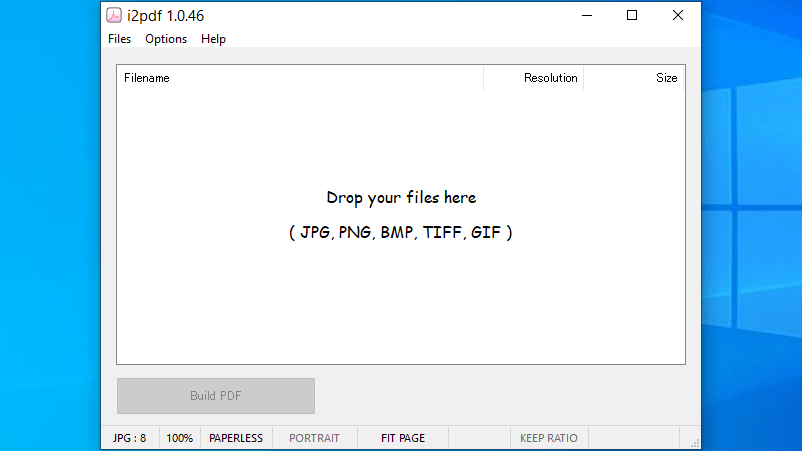
i2pdf は、JPG、PNG、GIF、BMP、TIFF 画像から PDF を作成することができる無料のアプリケーションです。
軽量で使いやすいのが特徴で、画像の順序を変更したり、PDF 内に保存される画像の品質やサイズを調整したり、ページにファイル名のテキストを表示したりして、ユーザーが満足できる PDF ドキュメントを作成できます。
便利なオプション機能
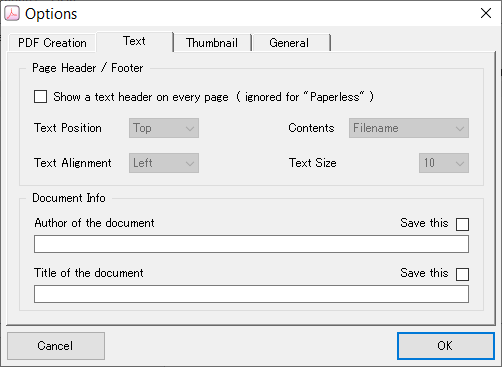
i2pdf では、画像ファイルをドラッグ&ドロップするだけで PDF を作成することができますが。ほかに多くのオプション機能も用意されています。
複数ページの場合は、ページの左右どちらかに画像のサムネイルを表示可能で、サムネイルのサイズは調整できます。また、PDF の作成者やタイトルのメタデータを入力することもできます。
画像を PDF に変換できます
i2pdf は、画像の品質を保持したまま、複数の画像から PDF を作成(PDF に変換)することができる便利なアプリケーションです。
機能
- 画像から PDF を作成
- 画像の品質やサイズを調整
- サムネイルの表示
- サムネイルのサイズや位置の設定
- ファイル名をPDF に表示
- 作成者やタイトルの設定
画像
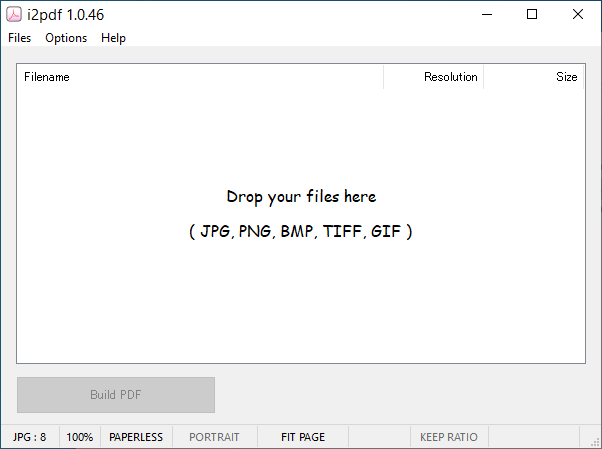
ユーザーインターフェース
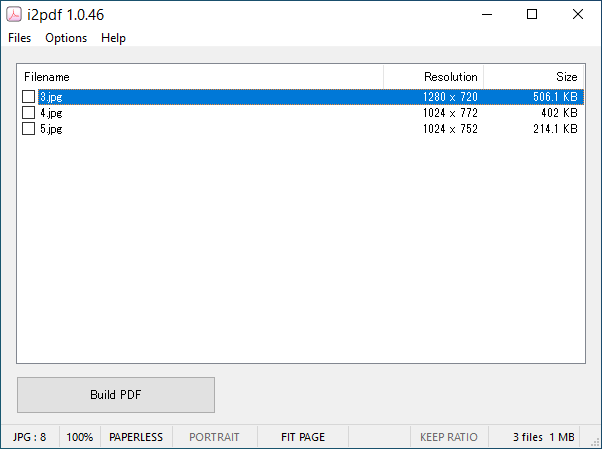
画像ファイルの追加
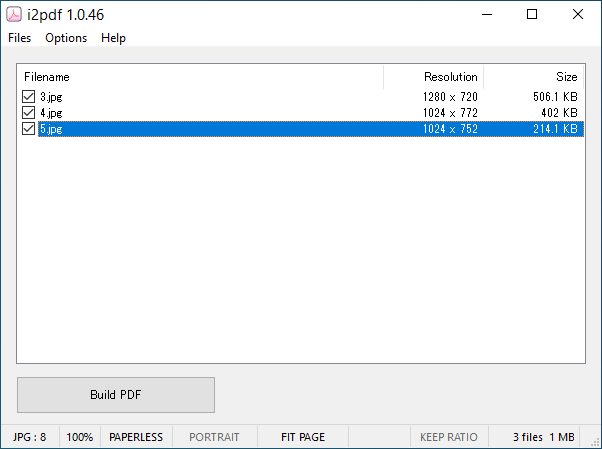
画像ファイルの選択
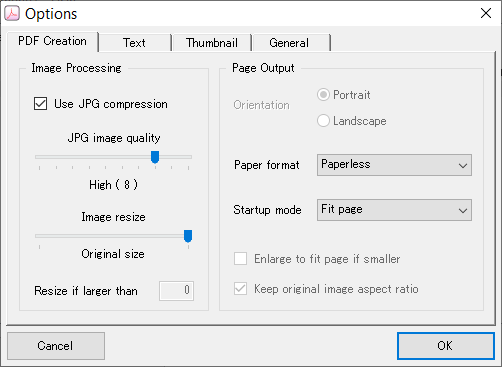
オプション(PDF)
オプション(テキスト)
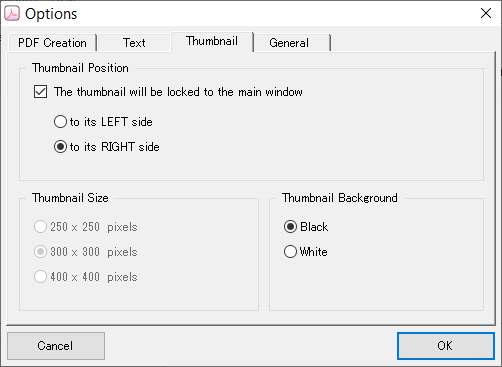
オプション(サムネイル)
使い方
インストール
1.インストール方法
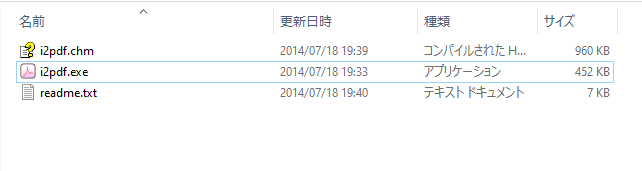
i2pdf は、インストール不要で使用できます。
- ダウンロードした ZIP ファイルを解凍し、「i2pdf.exe」ファイルを実行するとアプリケーションを使用できます。
基本的な使い方
1.画像から PDF を作成する
- 使用する画像を i2pdf のウィンドウにドラッグ&ドロップします。
- 画像が追加されたら画像を選択します。右クリックから画像の順序を変更できます。
- [Build PDF]ボタンをクリックして PDF の作成を開始します。
- オプション画面が表示されます。
- 「PDF Creation」では、JPG 画像の品質とサイズの設定、ページサイズやページの設定ができます。
・Use JPG compression:JPG 圧縮を使用する
・JPG image quality:JPG 品質
・Image size:画像サイズ
・Orientation:ページの向き
・Page format:ページサイズ
・Startup mode:表示モードの設定
・Enlarge to fit page if smaller:小さい場合はページに合わせて拡大する
・Keep original image aspect ratio:元の画像の縦横比を保持する
・JPG image quality:JPG 品質
・Image size:画像サイズ
・Orientation:ページの向き
・Page format:ページサイズ
・Startup mode:表示モードの設定
・Enlarge to fit page if smaller:小さい場合はページに合わせて拡大する
・Keep original image aspect ratio:元の画像の縦横比を保持する
- 「Text」では、ページにファイル名のテキストを表示したり、ドキュメントの作成者とタイトルを設定できます。
・Show a text header on every page (ignored for “Paperless”):すべてのページにテキスト ヘッダーを表示する( Paperless の場合は無視)
─ Text Position:テキストの上下位置
─ Text Alignment:テキストの左右位置
─ Contents:表示するテキスト
─ Text Size:テキストサイズ
・Author of the document:ドキュメントの作成者
・Title of document:ドキュメントのタイトル
─ Text Position:テキストの上下位置
─ Text Alignment:テキストの左右位置
─ Contents:表示するテキスト
─ Text Size:テキストサイズ
・Author of the document:ドキュメントの作成者
・Title of document:ドキュメントのタイトル
- 「Thumbnail」では、サムネイル画像の設定ができます。
・The thumbnail will be locked to the main window:サムネイルをメインウィンドウに固定する
─ to its LEFT side:左側に固定する
─ to its RIGHT side:右側に固定する
・Thumbnail Size:サムネイル画像のサイズ
・Thumbnail Background:サムネイルの背景色
─ to its LEFT side:左側に固定する
─ to its RIGHT side:右側に固定する
・Thumbnail Size:サムネイル画像のサイズ
・Thumbnail Background:サムネイルの背景色
- 「General」では、そのほかの全般的な設定ができます。
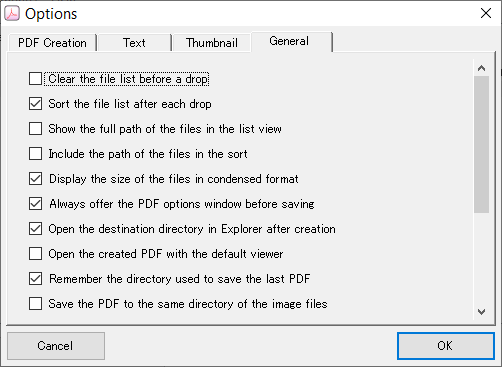
・Clear the file list before a drop:ドロップ前にファイルリストをクリアする
・Sort the file list after each drop:ドロップごとにファイルリストをソートする
・Show the full path of the files in the list view:リストビューにファイルのフルパスを表示
・Include the path of the files in the sort:ソートにファイルのパスを含める
・Display the size of the files in condensed format:ファイルサイズを圧縮表示
・Always offer the PDF options window before saving:保存前に常に PDF オプション画面を表示
・Open the destination directory in Explorer after creation:作成後、エクスプローラーで宛先ディレクトリを開く
・Open the created PDF with the default viewer:作成したPDFをデフォルトのビューアで開く
・Remember the directory used to save the last PDF:前回 PDF を保存したディレクトリを覚える
・Save the PDF to the same directory of the image files:PDFを画像ファイルと同じディレクトリに保存
・Always ask for confirmations:必ず確認を求める
・Enable image preprocessing:画像の前処理を有効にする
・Set document title from filename:ファイル名から文書タイトルを設定
・Delete the log if the PDF has been built without errors:PDF がエラーなくビルドできたらログを削除
・Enable subfolders recursion:サブフォルダの再帰を有効にする
・Store JPG files without reprocessing them:JPGファイルを再処理せずに保存
・Sort the file list after each drop:ドロップごとにファイルリストをソートする
・Show the full path of the files in the list view:リストビューにファイルのフルパスを表示
・Include the path of the files in the sort:ソートにファイルのパスを含める
・Display the size of the files in condensed format:ファイルサイズを圧縮表示
・Always offer the PDF options window before saving:保存前に常に PDF オプション画面を表示
・Open the destination directory in Explorer after creation:作成後、エクスプローラーで宛先ディレクトリを開く
・Open the created PDF with the default viewer:作成したPDFをデフォルトのビューアで開く
・Remember the directory used to save the last PDF:前回 PDF を保存したディレクトリを覚える
・Save the PDF to the same directory of the image files:PDFを画像ファイルと同じディレクトリに保存
・Always ask for confirmations:必ず確認を求める
・Enable image preprocessing:画像の前処理を有効にする
・Set document title from filename:ファイル名から文書タイトルを設定
・Delete the log if the PDF has been built without errors:PDF がエラーなくビルドできたらログを削除
・Enable subfolders recursion:サブフォルダの再帰を有効にする
・Store JPG files without reprocessing them:JPGファイルを再処理せずに保存
i2pdf は、どなたでも無料で使用できます。