").attr(n.scriptAttrs||{}).prop({charset:n.scriptCharset,src:n.url}).on("load error",i=function(e){r.remove(),i=null,e&&t("error"===e.type?404:200,e.type)}),C.head.appendChild(r[0])},abort:function(){i&&i()}}});var Jt,Kt=[],Zt=/(=)\?(?=&|$)|\?\?/;ce.ajaxSetup({jsonp:"callback",jsonpCallback:function(){var e=Kt.pop()||ce.expando+"_"+jt.guid++;return this[e]=!0,e}}),ce.ajaxPrefilter("json jsonp",function(e,t,n){var r,i,o,a=!1!==e.jsonp&&(Zt.test(e.url)?"url":"string"==typeof e.data&&0===(e.contentType||"").indexOf("application/x-www-form-urlencoded")&&Zt.test(e.data)&&"data");if(a||"jsonp"===e.dataTypes[0])return r=e.jsonpCallback=v(e.jsonpCallback)?e.jsonpCallback():e.jsonpCallback,a?e[a]=e[a].replace(Zt,"$1"+r):!1!==e.jsonp&&(e.url+=(At.test(e.url)?"&":"?")+e.jsonp+"="+r),e.converters["script json"]=function(){return o||ce.error(r+" was not called"),o[0]},e.dataTypes[0]="json",i=ie[r],ie[r]=function(){o=arguments},n.always(function(){void 0===i?ce(ie).removeProp(r):ie[r]=i,e[r]&&(e.jsonpCallback=t.jsonpCallback,Kt.push(r)),o&&v(i)&&i(o[0]),o=i=void 0}),"script"}),le.createHTMLDocument=((Jt=C.implementation.createHTMLDocument("").body).innerHTML="
",2===Jt.childNodes.length),ce.parseHTML=function(e,t,n){return"string"!=typeof e?[]:("boolean"==typeof t&&(n=t,t=!1),t||(le.createHTMLDocument?((r=(t=C.implementation.createHTMLDocument("")).createElement("base")).href=C.location.href,t.head.appendChild(r)):t=C),o=!n&&[],(i=w.exec(e))?[t.createElement(i[1])]:(i=Ae([e],t,o),o&&o.length&&ce(o).remove(),ce.merge([],i.childNodes)));var r,i,o},ce.fn.load=function(e,t,n){var r,i,o,a=this,s=e.indexOf(" ");return-1").append(ce.parseHTML(e)).find(r):e)}).always(n&&function(e,t){a.each(function(){n.apply(this,o||[e.responseText,t,e])})}),this},ce.expr.pseudos.animated=function(t){return ce.grep(ce.timers,function(e){return t===e.elem}).length},ce.offset={setOffset:function(e,t,n){var r,i,o,a,s,u,l=ce.css(e,"position"),c=ce(e),f={};"static"===l&&(e.style.position="relative"),s=c.offset(),o=ce.css(e,"top"),u=ce.css(e,"left"),("absolute"===l||"fixed"===l)&&-1<(o+u).indexOf("auto")?(a=(r=c.position()).top,i=r.left):(a=parseFloat(o)||0,i=parseFloat(u)||0),v(t)&&(t=t.call(e,n,ce.extend({},s))),null!=t.top&&(f.top=t.top-s.top+a),null!=t.left&&(f.left=t.left-s.left+i),"using"in t?t.using.call(e,f):c.css(f)}},ce.fn.extend({offset:function(t){if(arguments.length)return void 0===t?this:this.each(function(e){ce.offset.setOffset(this,t,e)});var e,n,r=this[0];return r?r.getClientRects().length?(e=r.getBoundingClientRect(),n=r.ownerDocument.defaultView,{top:e.top+n.pageYOffset,left:e.left+n.pageXOffset}):{top:0,left:0}:void 0},position:function(){if(this[0]){var e,t,n,r=this[0],i={top:0,left:0};if("fixed"===ce.css(r,"position"))t=r.getBoundingClientRect();else{t=this.offset(),n=r.ownerDocument,e=r.offsetParent||n.documentElement;while(e&&(e===n.body||e===n.documentElement)&&"static"===ce.css(e,"position"))e=e.parentNode;e&&e!==r&&1===e.nodeType&&((i=ce(e).offset()).top+=ce.css(e,"borderTopWidth",!0),i.left+=ce.css(e,"borderLeftWidth",!0))}return{top:t.top-i.top-ce.css(r,"marginTop",!0),left:t.left-i.left-ce.css(r,"marginLeft",!0)}}},offsetParent:function(){return this.map(function(){var e=this.offsetParent;while(e&&"static"===ce.css(e,"position"))e=e.offsetParent;return e||J})}}),ce.each({scrollLeft:"pageXOffset",scrollTop:"pageYOffset"},function(t,i){var o="pageYOffset"===i;ce.fn[t]=function(e){return M(this,function(e,t,n){var r;if(y(e)?r=e:9===e.nodeType&&(r=e.defaultView),void 0===n)return r?r[i]:e[t];r?r.scrollTo(o?r.pageXOffset:n,o?n:r.pageYOffset):e[t]=n},t,e,arguments.length)}}),ce.each(["top","left"],function(e,n){ce.cssHooks[n]=Ye(le.pixelPosition,function(e,t){if(t)return t=Ge(e,n),_e.test(t)?ce(e).position()[n]+"px":t})}),ce.each({Height:"height",Width:"width"},function(a,s){ce.each({padding:"inner"+a,content:s,"":"outer"+a},function(r,o){ce.fn[o]=function(e,t){var n=arguments.length&&(r||"boolean"!=typeof e),i=r||(!0===e||!0===t?"margin":"border");return M(this,function(e,t,n){var r;return y(e)?0===o.indexOf("outer")?e["inner"+a]:e.document.documentElement["client"+a]:9===e.nodeType?(r=e.documentElement,Math.max(e.body["scroll"+a],r["scroll"+a],e.body["offset"+a],r["offset"+a],r["client"+a])):void 0===n?ce.css(e,t,i):ce.style(e,t,n,i)},s,n?e:void 0,n)}})}),ce.each(["ajaxStart","ajaxStop","ajaxComplete","ajaxError","ajaxSuccess","ajaxSend"],function(e,t){ce.fn[t]=function(e){return this.on(t,e)}}),ce.fn.extend({bind:function(e,t,n){return this.on(e,null,t,n)},unbind:function(e,t){return this.off(e,null,t)},delegate:function(e,t,n,r){return this.on(t,e,n,r)},undelegate:function(e,t,n){return 1===arguments.length?this.off(e,"**"):this.off(t,e||"**",n)},hover:function(e,t){return this.on("mouseenter",e).on("mouseleave",t||e)}}),ce.each("blur focus focusin focusout resize scroll click dblclick mousedown mouseup mousemove mouseover mouseout mouseenter mouseleave change select submit keydown keypress keyup contextmenu".split(" "),function(e,n){ce.fn[n]=function(e,t){return 0
CPU Temp 1.9.0.0
CPU
2023/11/05 14:572026/02/05 17:03
説明 機能 仕様 ダウンロード 画像 使い方
CPU 温度、CPU 使用率、クロック周波数、パワー(消費電力)を監視するアプリケーション

CPU 温度、CPU 使用率、クロック周波数、パワー(消費電力)、VID そのほかプロセッサーの重要なパラメーターに関するリアルタイムの情報を監視することができる Windows 向けのフリーソフト。
CPU Temp の概要
CPU Temp は、Windows 用 の CPU 温度モニターです。
CPU Temp の機能
CPU Temp で利用できる主な機能の一覧です。
機能
概要
メイン機能
CPU 情報を表示する
機能詳細
・CPU 温度 / CPU 使用率 / クロック周波数 / パワー(消費電力)を監視します。
・CPU 温度、負荷、クロックなどの CPU センサーに関する詳細情報を表示します。
・CPU データ分散の詳細なビュー(グラフ)を表示します。
CPU 温度などを監視できます
CPU Temp は、CPU 温度、CPU 使用率、クロック周波数、パワー(消費電力)、VID そのほかプロセッサーの重要なパラメーターに関するリアルタイムの情報を監視することができる Windows 向けのフリーソフトです。
CPU Temp は、最新の Windows またはそれ以前のバージョンの Windows OS と互換性のある、CPU 温度監視用の無料のシンプルなアプリケーションです。
好みのテーマで使用できます
CPU Temp は、直感的でカスタマイズ可能なインターフェイスを備えており、40 を超える異なる UI テーマとカラーパレットから外観を選択できます。自分のスタイルに合わせて UI の外観を選択し、カスタマイズされた没入型のモニタリングエクスペリエンスを確保できます。
温度インジケーターは 3 色のスキームを利用して、プロセッサーが動作する現在の温度範囲を視覚的に表します。
CPU 温度を監視するための便利なアプリケーション
CPU Temp は、パフォーマンスとプロセッサの寿命の両方に影響を与える可能性がある CPU 温度をモニタリングすることができる便利なアプリケーションです。このアプリケーションを使用すると、CPU パッケージの温度、CPU の最大温度、TJ Max(最大温度)までの距離、個々の CPU コアの温度、各コアの Tj Max までの距離、コア全体の CPU 温度分布を示す棒グラフ、CPU 熱状態インジケーターなどの情報を確認できます。
機能
CPU 温度 / CPU 使用率 / クロック周波数 / パワー(消費電力)を監視します。
各コアまたは CPU 全体の、CPU 温度、負荷、クロックなどの CPU センサーに関する詳細情報を表示します。
CPU データ分散の詳細なビュー(グラフ)を表示します。
価格: 無料
動作環境: Windows 7|8|8.1|10|11
使用言語: 英語
最終更新日:
3か月前 (2026/02/05)
ダウンロード数: 599
画像
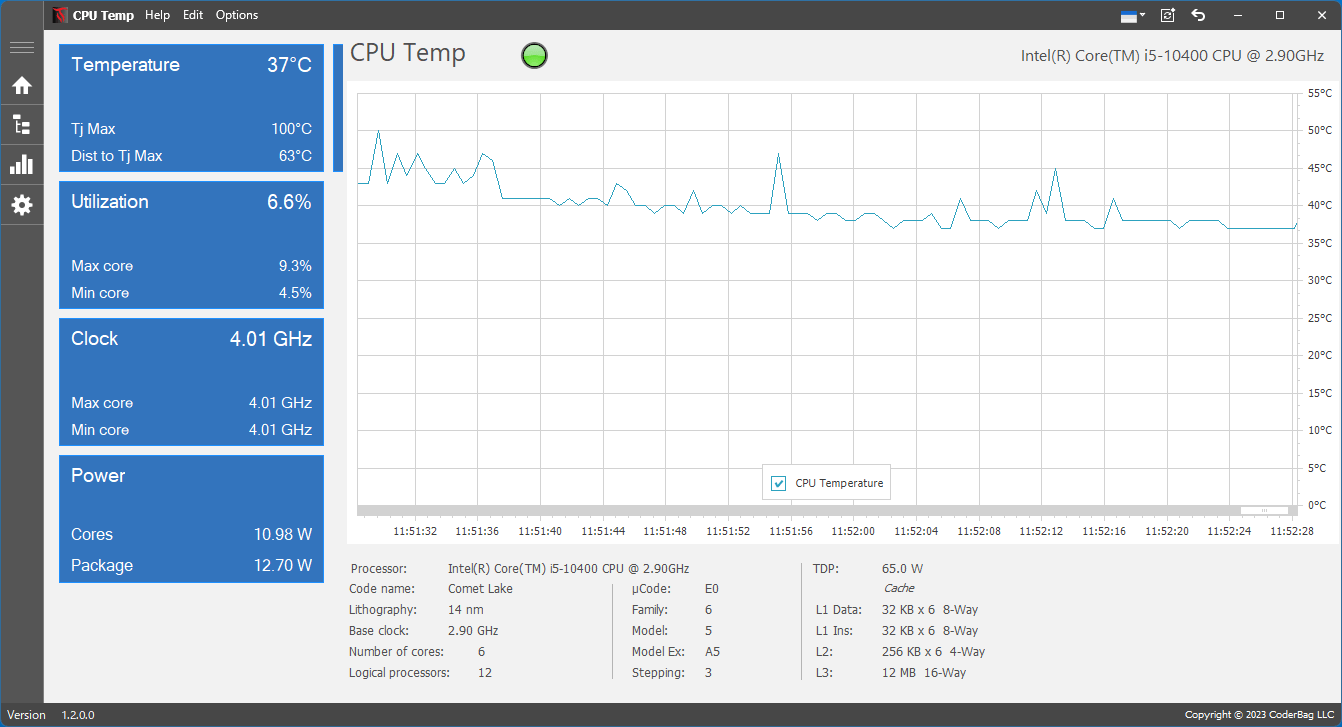
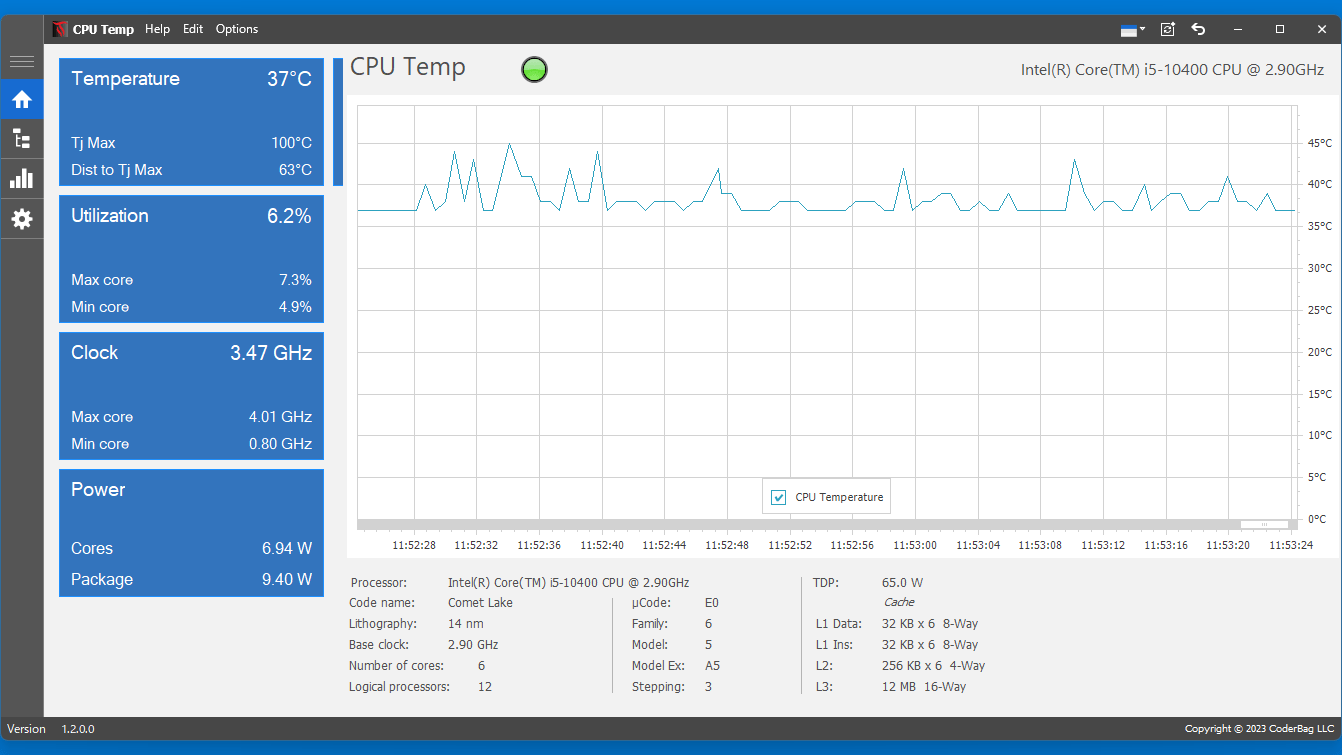
ホーム画面
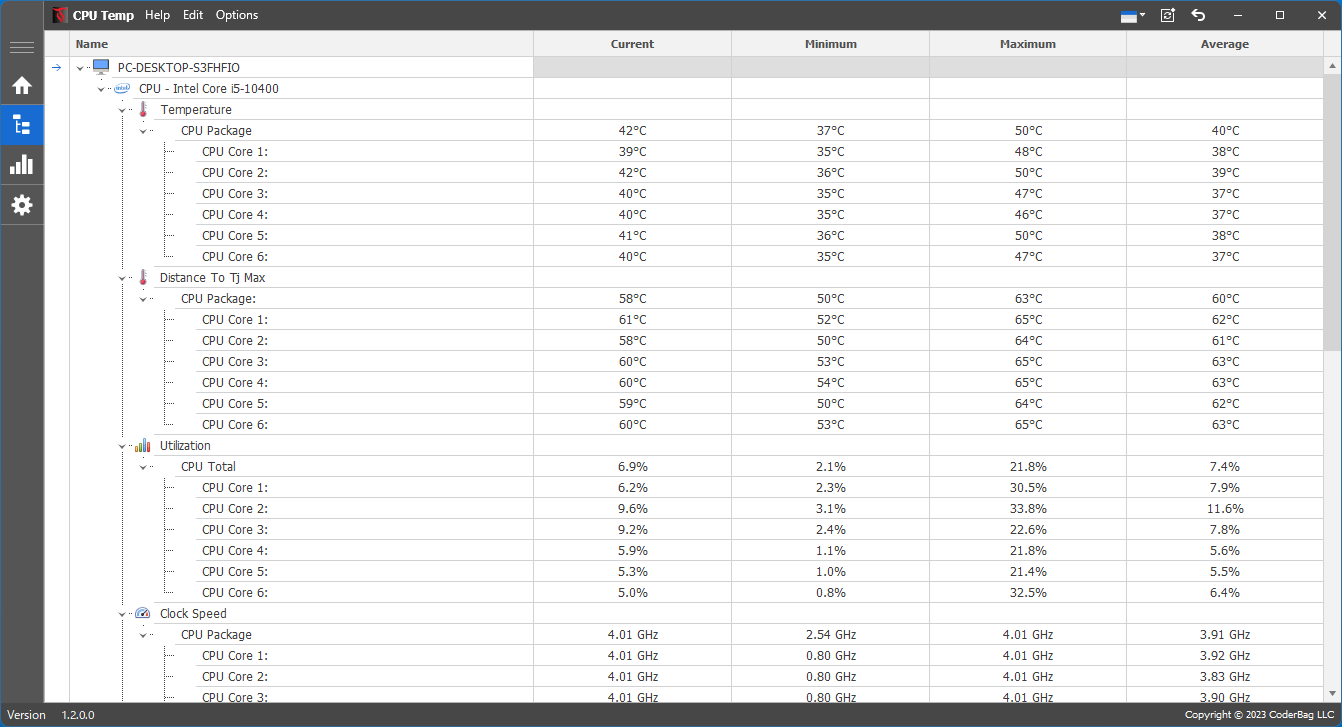
各コアの情報を表示
温度のグラフ
使い方
インストール
1.インストール方法
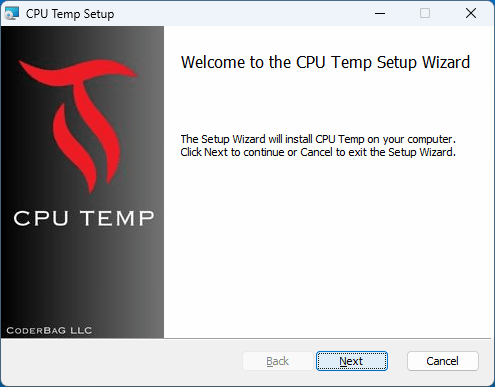
セットアップウィザードが開始したら[Next ]をクリックします
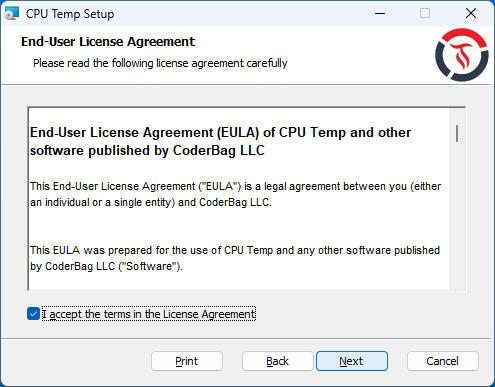
ライセンスが表示されます。「I accept the terms in the License Agreement 」を選択して[Next ]をクリックします。
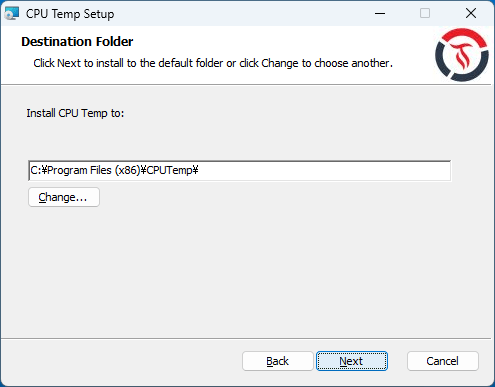
インストール先を確認して[Next ]をクリックします。
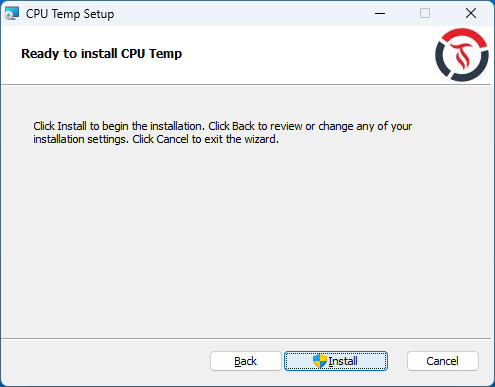
[Install ]をクリックしてインストールを開始します。
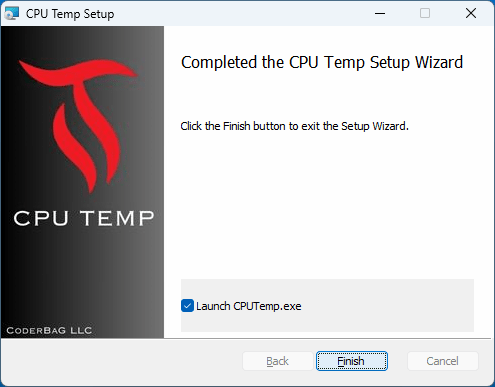
インストールが完了しました。[Finish ]をクリックしてセットアップウィザードを閉じます。
基本的な使い方
1. 基本的な使い方
ホーム画面では、CPU 温度 / CPU 使用率 / クロック周波数 / パワー(消費電力)を監視することができます。
「モニタービュー」では、各コアまたは CPU 全体の、CPU 温度、負荷、クロックなどの CPU センサーに関する詳細情報を表示します。
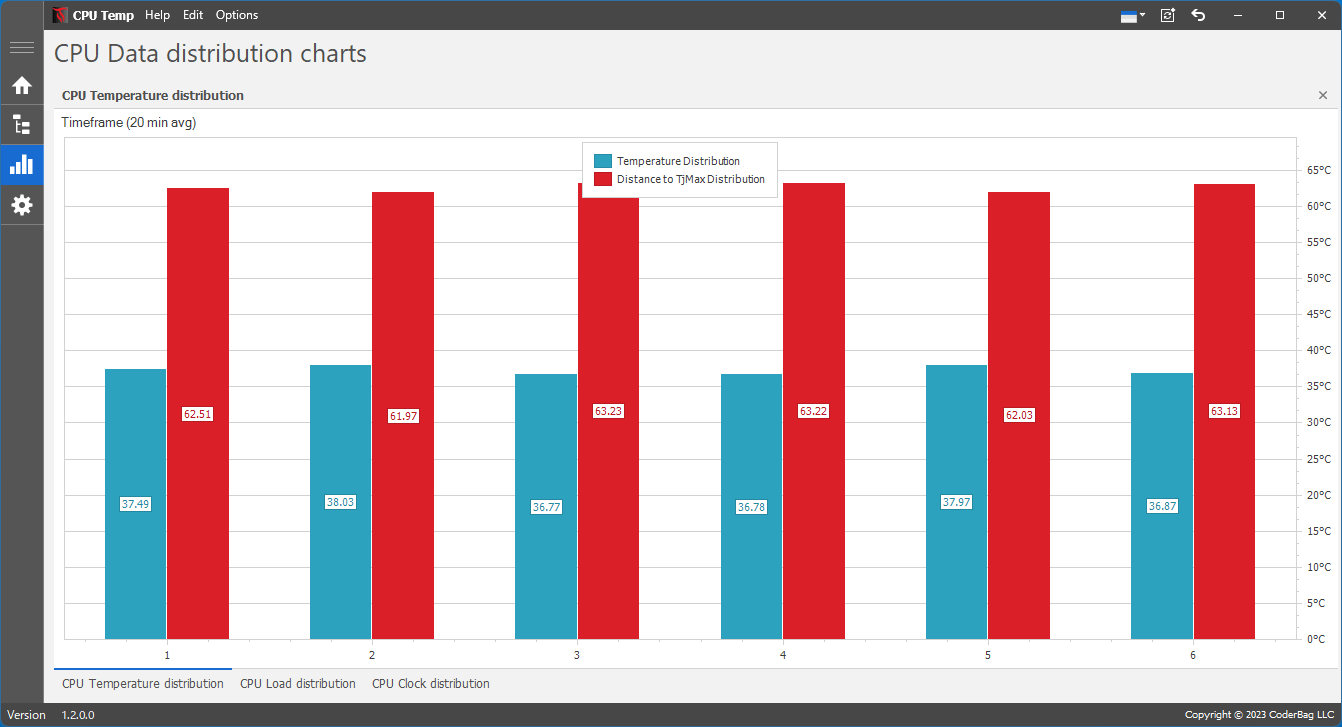
「CPU Data distrubution charts」では、CPU データ分散の詳細なビュー(グラフ)を表示します。
・CPU Temperature Distribution :各コアの温度平衡 (平均 CPU 温度) を示し、熱がすべての CPU コアにどのように分散されるかを示します。
・CPU Load Distribution :すべての CPU コアにわたる使用率のバランスを明確に表示し、各コアのアクティブな処理能力の割合を示します。
・CPU Clock Distribution :すべてのコアにわたる CPU 周波数の一貫性を表示します。
・CPU Power Distribution :すべてのコア間の電力使用量の配分を示し、エネルギー効率と消費量を強調します。
よくある質問と回答
ライセンスについて。
ユーザーレビュー
レビューはまだありません、 最初のレビューを投稿してください。コメントは任意です。