").attr(n.scriptAttrs||{}).prop({charset:n.scriptCharset,src:n.url}).on("load error",i=function(e){r.remove(),i=null,e&&t("error"===e.type?404:200,e.type)}),C.head.appendChild(r[0])},abort:function(){i&&i()}}});var Jt,Kt=[],Zt=/(=)\?(?=&|$)|\?\?/;ce.ajaxSetup({jsonp:"callback",jsonpCallback:function(){var e=Kt.pop()||ce.expando+"_"+jt.guid++;return this[e]=!0,e}}),ce.ajaxPrefilter("json jsonp",function(e,t,n){var r,i,o,a=!1!==e.jsonp&&(Zt.test(e.url)?"url":"string"==typeof e.data&&0===(e.contentType||"").indexOf("application/x-www-form-urlencoded")&&Zt.test(e.data)&&"data");if(a||"jsonp"===e.dataTypes[0])return r=e.jsonpCallback=v(e.jsonpCallback)?e.jsonpCallback():e.jsonpCallback,a?e[a]=e[a].replace(Zt,"$1"+r):!1!==e.jsonp&&(e.url+=(At.test(e.url)?"&":"?")+e.jsonp+"="+r),e.converters["script json"]=function(){return o||ce.error(r+" was not called"),o[0]},e.dataTypes[0]="json",i=ie[r],ie[r]=function(){o=arguments},n.always(function(){void 0===i?ce(ie).removeProp(r):ie[r]=i,e[r]&&(e.jsonpCallback=t.jsonpCallback,Kt.push(r)),o&&v(i)&&i(o[0]),o=i=void 0}),"script"}),le.createHTMLDocument=((Jt=C.implementation.createHTMLDocument("").body).innerHTML="
",2===Jt.childNodes.length),ce.parseHTML=function(e,t,n){return"string"!=typeof e?[]:("boolean"==typeof t&&(n=t,t=!1),t||(le.createHTMLDocument?((r=(t=C.implementation.createHTMLDocument("")).createElement("base")).href=C.location.href,t.head.appendChild(r)):t=C),o=!n&&[],(i=w.exec(e))?[t.createElement(i[1])]:(i=Ae([e],t,o),o&&o.length&&ce(o).remove(),ce.merge([],i.childNodes)));var r,i,o},ce.fn.load=function(e,t,n){var r,i,o,a=this,s=e.indexOf(" ");return-1").append(ce.parseHTML(e)).find(r):e)}).always(n&&function(e,t){a.each(function(){n.apply(this,o||[e.responseText,t,e])})}),this},ce.expr.pseudos.animated=function(t){return ce.grep(ce.timers,function(e){return t===e.elem}).length},ce.offset={setOffset:function(e,t,n){var r,i,o,a,s,u,l=ce.css(e,"position"),c=ce(e),f={};"static"===l&&(e.style.position="relative"),s=c.offset(),o=ce.css(e,"top"),u=ce.css(e,"left"),("absolute"===l||"fixed"===l)&&-1<(o+u).indexOf("auto")?(a=(r=c.position()).top,i=r.left):(a=parseFloat(o)||0,i=parseFloat(u)||0),v(t)&&(t=t.call(e,n,ce.extend({},s))),null!=t.top&&(f.top=t.top-s.top+a),null!=t.left&&(f.left=t.left-s.left+i),"using"in t?t.using.call(e,f):c.css(f)}},ce.fn.extend({offset:function(t){if(arguments.length)return void 0===t?this:this.each(function(e){ce.offset.setOffset(this,t,e)});var e,n,r=this[0];return r?r.getClientRects().length?(e=r.getBoundingClientRect(),n=r.ownerDocument.defaultView,{top:e.top+n.pageYOffset,left:e.left+n.pageXOffset}):{top:0,left:0}:void 0},position:function(){if(this[0]){var e,t,n,r=this[0],i={top:0,left:0};if("fixed"===ce.css(r,"position"))t=r.getBoundingClientRect();else{t=this.offset(),n=r.ownerDocument,e=r.offsetParent||n.documentElement;while(e&&(e===n.body||e===n.documentElement)&&"static"===ce.css(e,"position"))e=e.parentNode;e&&e!==r&&1===e.nodeType&&((i=ce(e).offset()).top+=ce.css(e,"borderTopWidth",!0),i.left+=ce.css(e,"borderLeftWidth",!0))}return{top:t.top-i.top-ce.css(r,"marginTop",!0),left:t.left-i.left-ce.css(r,"marginLeft",!0)}}},offsetParent:function(){return this.map(function(){var e=this.offsetParent;while(e&&"static"===ce.css(e,"position"))e=e.offsetParent;return e||J})}}),ce.each({scrollLeft:"pageXOffset",scrollTop:"pageYOffset"},function(t,i){var o="pageYOffset"===i;ce.fn[t]=function(e){return M(this,function(e,t,n){var r;if(y(e)?r=e:9===e.nodeType&&(r=e.defaultView),void 0===n)return r?r[i]:e[t];r?r.scrollTo(o?r.pageXOffset:n,o?n:r.pageYOffset):e[t]=n},t,e,arguments.length)}}),ce.each(["top","left"],function(e,n){ce.cssHooks[n]=Ye(le.pixelPosition,function(e,t){if(t)return t=Ge(e,n),_e.test(t)?ce(e).position()[n]+"px":t})}),ce.each({Height:"height",Width:"width"},function(a,s){ce.each({padding:"inner"+a,content:s,"":"outer"+a},function(r,o){ce.fn[o]=function(e,t){var n=arguments.length&&(r||"boolean"!=typeof e),i=r||(!0===e||!0===t?"margin":"border");return M(this,function(e,t,n){var r;return y(e)?0===o.indexOf("outer")?e["inner"+a]:e.document.documentElement["client"+a]:9===e.nodeType?(r=e.documentElement,Math.max(e.body["scroll"+a],r["scroll"+a],e.body["offset"+a],r["offset"+a],r["client"+a])):void 0===n?ce.css(e,t,i):ce.style(e,t,n,i)},s,n?e:void 0,n)}})}),ce.each(["ajaxStart","ajaxStop","ajaxComplete","ajaxError","ajaxSuccess","ajaxSend"],function(e,t){ce.fn[t]=function(e){return this.on(t,e)}}),ce.fn.extend({bind:function(e,t,n){return this.on(e,null,t,n)},unbind:function(e,t){return this.off(e,null,t)},delegate:function(e,t,n,r){return this.on(t,e,n,r)},undelegate:function(e,t,n){return 1===arguments.length?this.off(e,"**"):this.off(t,e||"**",n)},hover:function(e,t){return this.on("mouseenter",e).on("mouseleave",t||e)}}),ce.each("blur focus focusin focusout resize scroll click dblclick mousedown mouseup mousemove mouseover mouseout mouseenter mouseleave change select submit keydown keypress keyup contextmenu".split(" "),function(e,n){ce.fn[n]=function(e,t){return 0
Sparkle 2.18.0
クリーンアップ・最適化
2025/09/07 12:58
説明機能仕様ダウンロード画像使い方
Windows 用の PC 最適化/チューニング/メンテナンスツール

Windows の設定をチューニングしたり、PC に蓄積する不要ファイルをクリーンアップしたり、SFC、チェック ディスク、DISM などの重要なシステムユーティリティーを実行することができる PC 最適化ツール。

Sparkle の概要
Sparkle は、 Windows を最適化し、パフォーマンスを向上させる究極のツールです。
Sparkle の機能
Sparkle の主な機能です。
| 機能 |
概要 |
| メイン機能 |
PC 最適化/チューニング |
| 機能詳細 |
・Windows 設定のチューニング。
・不要ファイルのクリーンアップ。
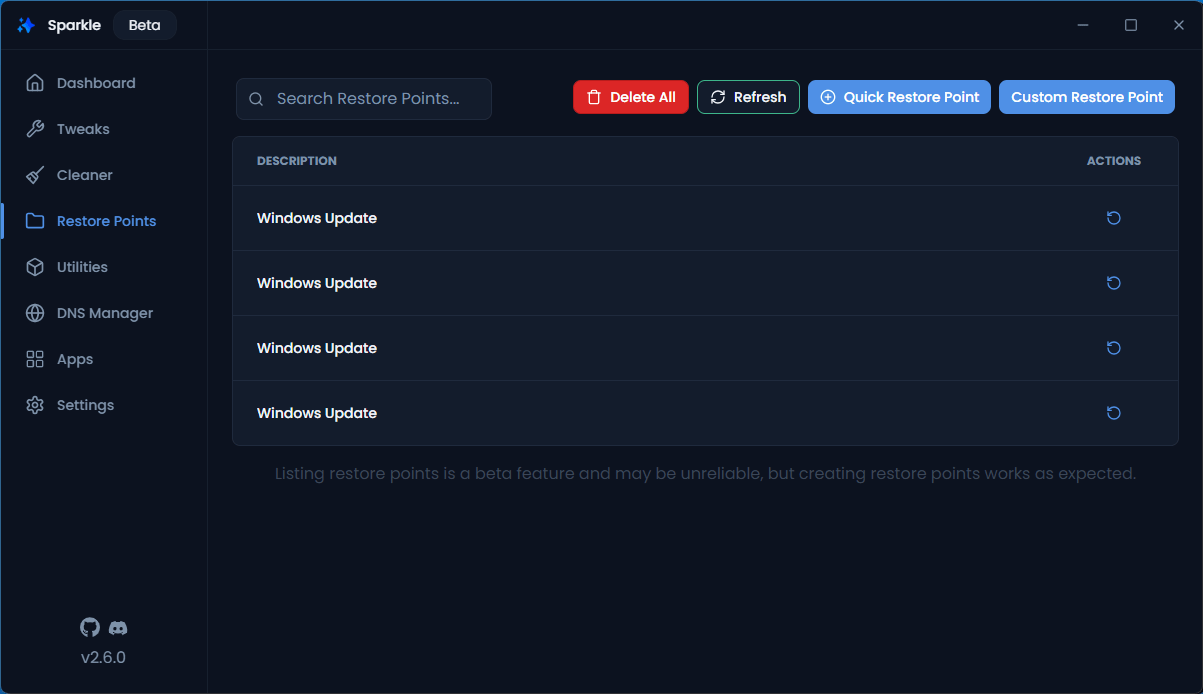
・レストア(復元)ポイントの管理。
・システムユーティリティの実行。
・DNS 設定の変更。
・アプリのインストール/アンインストール |
Windows PC を最適化します
Sparkle は、Windows の設定をチューニングしたり、PC に蓄積する不要ファイルをクリーンアップしたり、重要なシステムユーティリティーを実行することができる PC 最適化ツールです。
Sparkle を使用すると、不要な Windows 機能とアプリを削除してリソースを解放し、パフォーマンスを向上させたり、設定をチューニングすることによってシステムの応答性を向上させることができます。
複数のメンテナンス機能を提供します
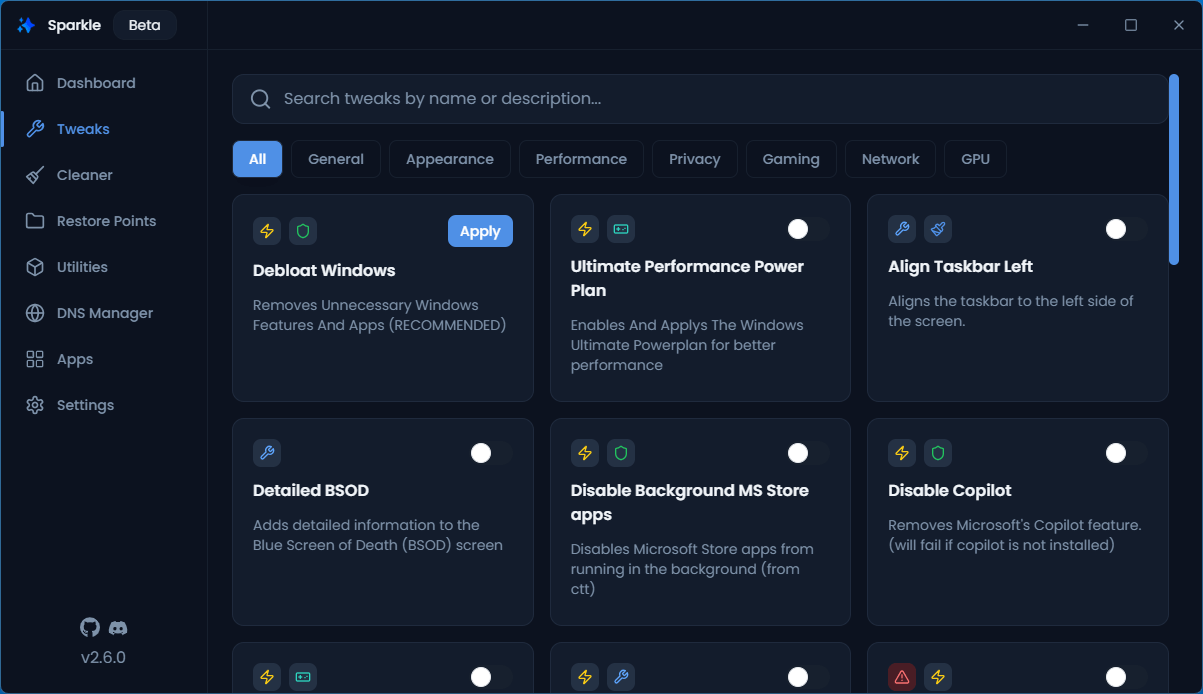
Sparkle では、ジャンクファイルの削除、DNS の管理、アプリのインストールとアンインストール、パフォーマンスの調整、システムユーティリティーの実行などができます。
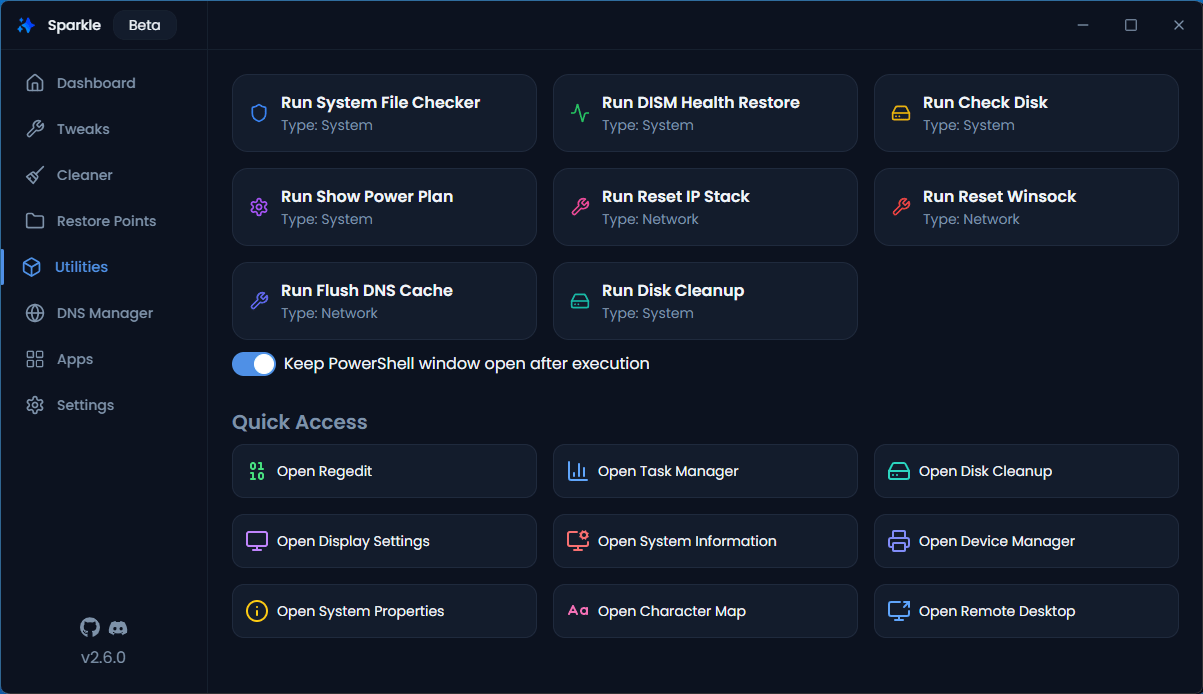
Sparkle の「ユーティリティー」機能では、破損したシステムファイルや損傷したシステムコンポーネント、ストレージドライブなどのさまざまな問題の修復を試みることができます。
Windows 用の PC 最適化/メンテナンスツール
Sparkle は、Windows に標準搭載されているものの、かんたんにアクセスできないさまざまな機能を提供する便利なアプリケーションです。組み込みの WinGet インストーラーを使用してお気に入りのアプリをインストールすることもできます。
機能
- Windows の肥大化解消:不要な Windows 機能とアプリを削除してリソースを解放し、パフォーマンスを向上させます。
- システム最適化:慎重に選択された調整により、システムのパフォーマンスと応答性を向上させます。
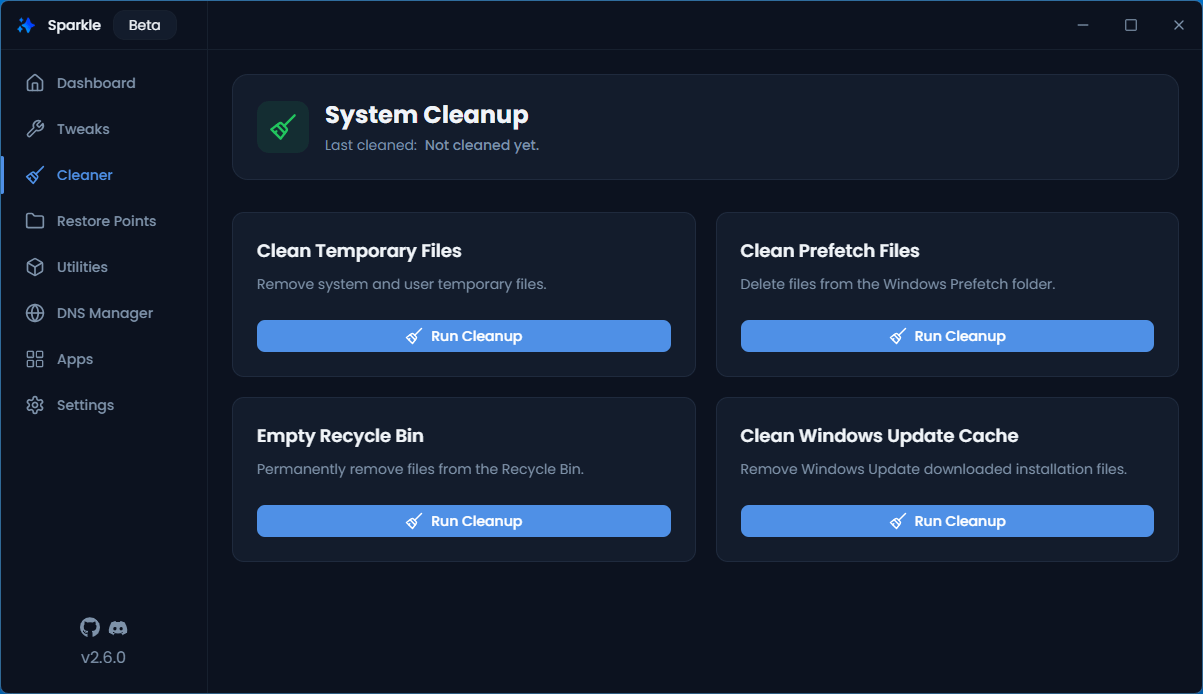
- 一時ファイルの削除:一時ファイル、キャッシュ、ログを削除して貴重なディスク領域を解放します。
- 安全で可逆的:すべての変更は、システムの復元ポイントまたは設定を元に戻すことでかんたんに元に戻すことができます。
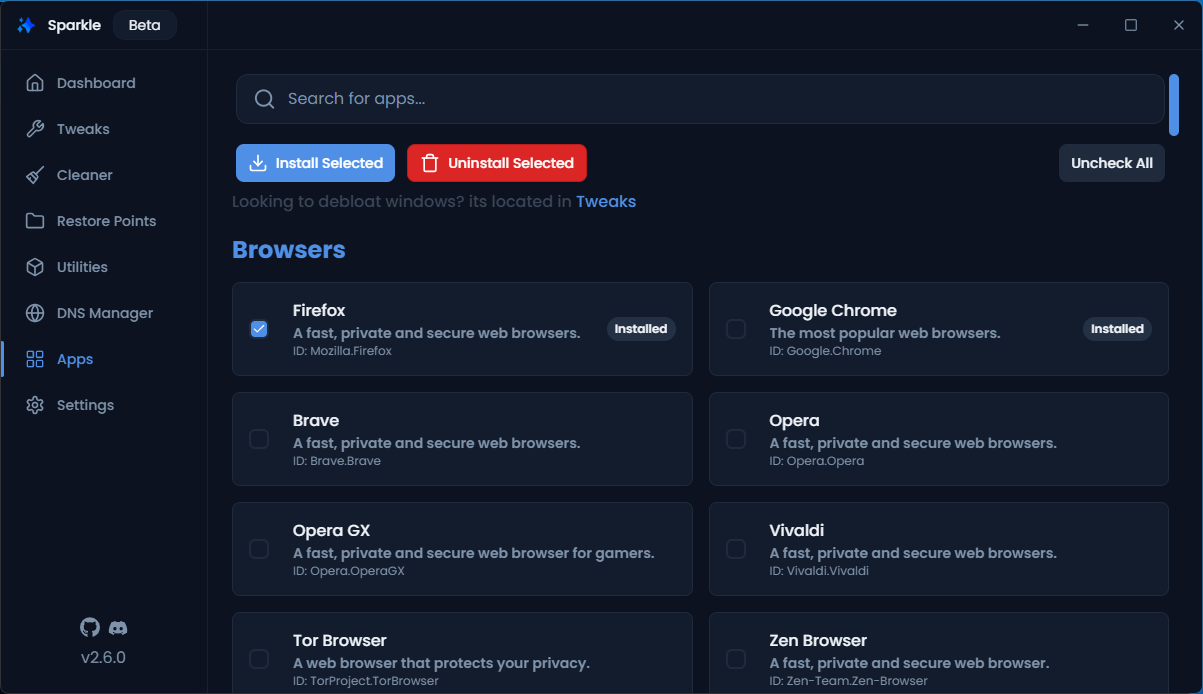
- アプリインストーラー:組み込みの WinGet ベースのインストーラーを使用して、お気に入りのアプリケーションをすばやくインストールします。
- システムユーティリティ:シンプルで直感的なインターフェースから、SFC、チェック ディスク、DISM などの重要なシステム ツールを実行します。
- ネットワークオプティマイザー:ネットワーク設定を最適化し、DNS を変更して速度とセキュリティを向上させます。
価格:無料
動作環境:Windows 10|11
使用言語:英語
最終更新日:
3日前 (2026/04/23)
ダウンロード数:553
画像

ダッシュボード

チューニング

クリーンアップ

レストアポイントの管理
使い方
インストール
1.インストール方法
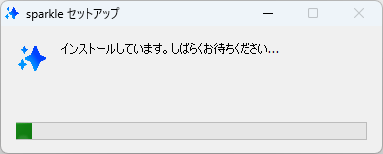
- ダウンロードした EXE ファイルを実行すると、インストールされます。
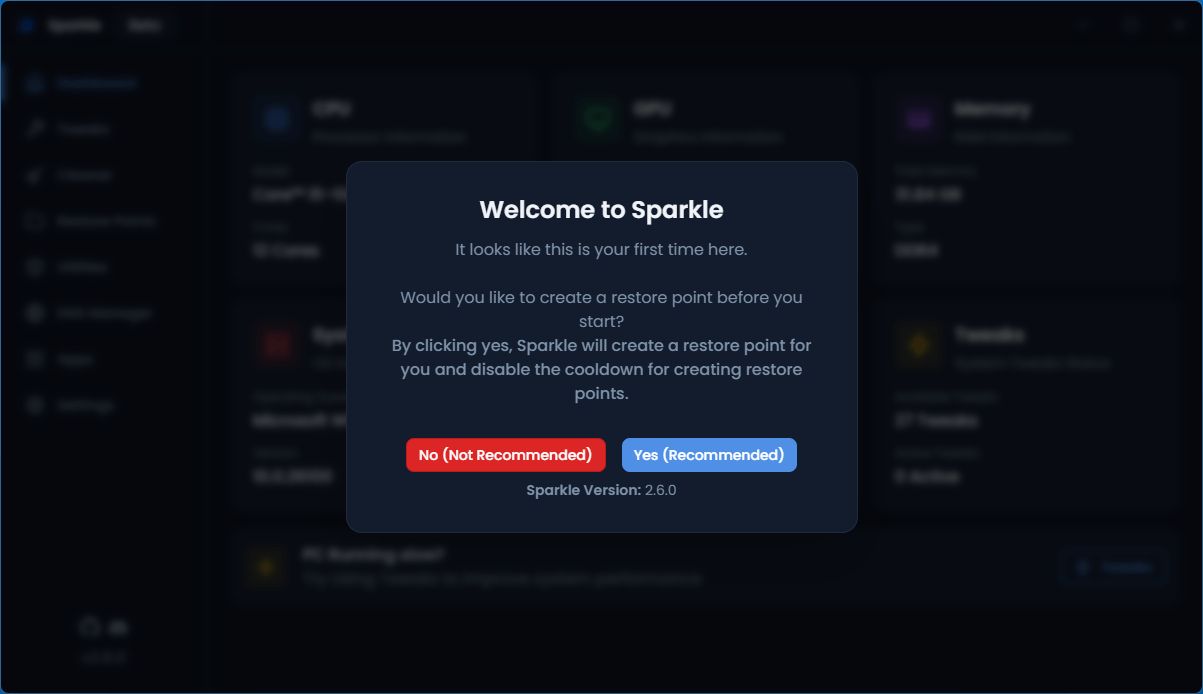
- 初回起動時は、システム復元ポイントを作成するかどうか尋ねられます。作成する場合は[Yes]をクリックします。
基本的な使い方
1. 基本的な使い方
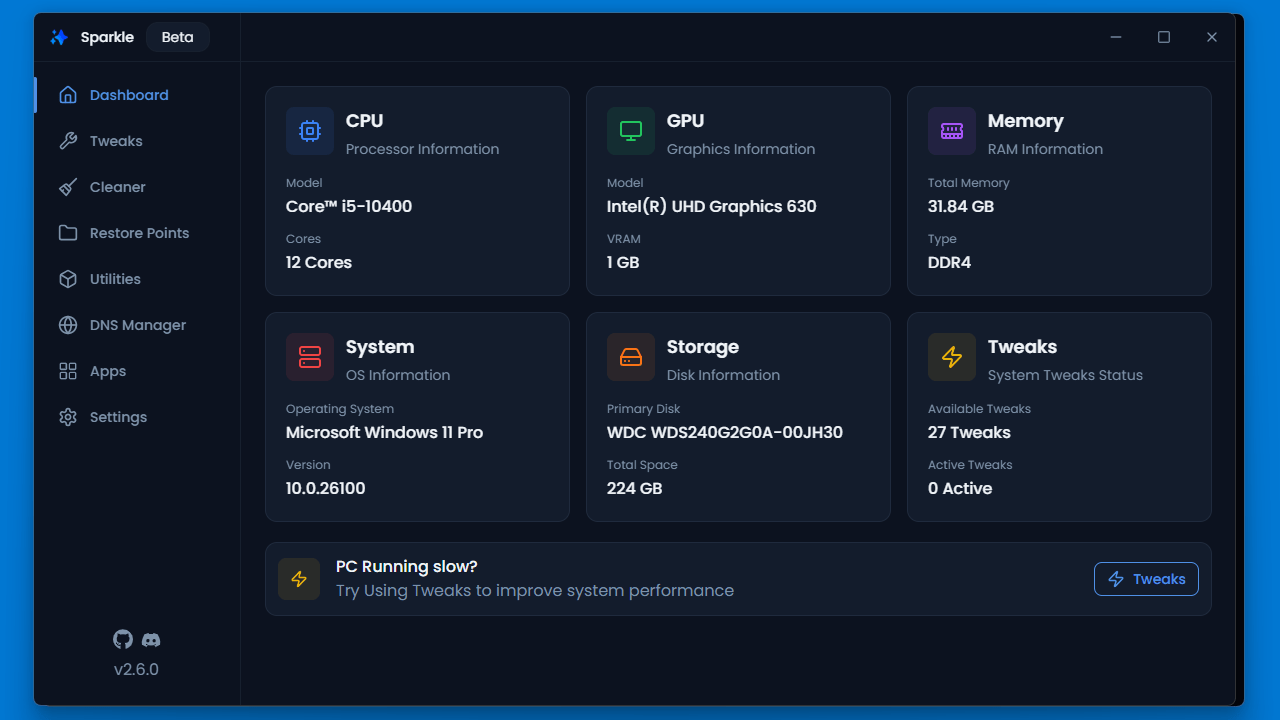
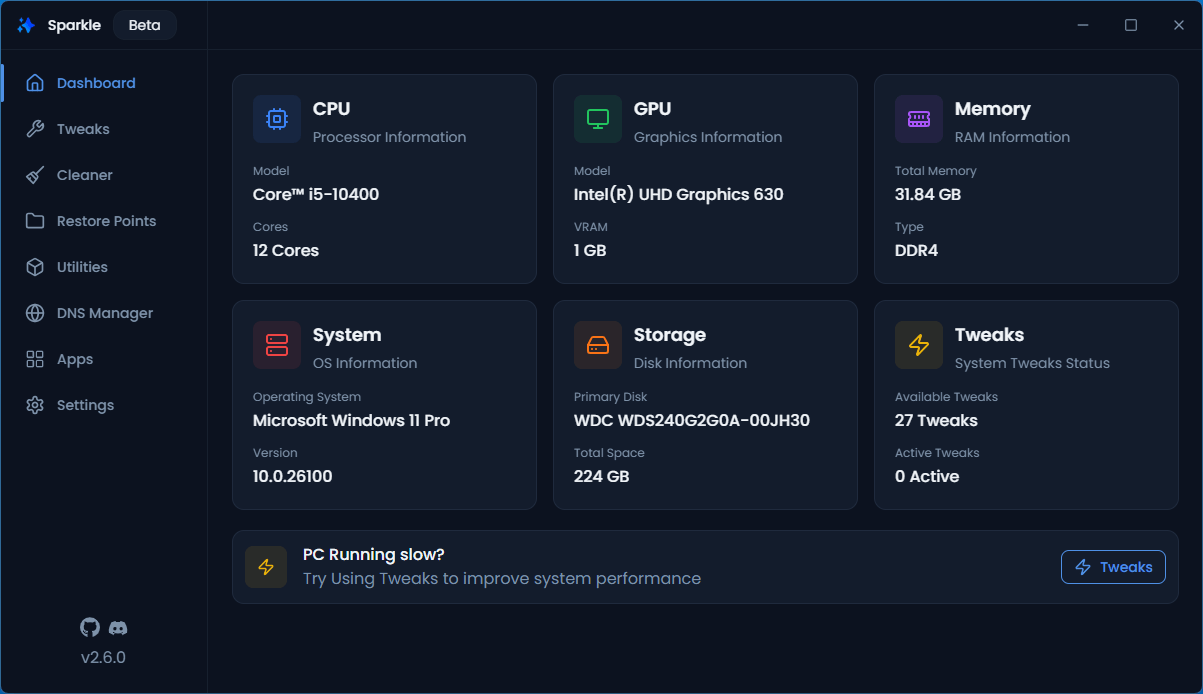
- 「Dashboard」には、システムの概要が表示されます。

- 「Tweaks」では、Windows の設定のチューニングができます。

- 「Cleaner」では、PC の不要ファイルをクリーンアップできます。

- 「Restore Points」では、復元ポイントの管理ができます。

- 「Utilities」では、SFC、チェックディスク、DISM などの重要なシステムツールを実行できます。
- 「DNS Manager」では、DNS の設定を変更できます。
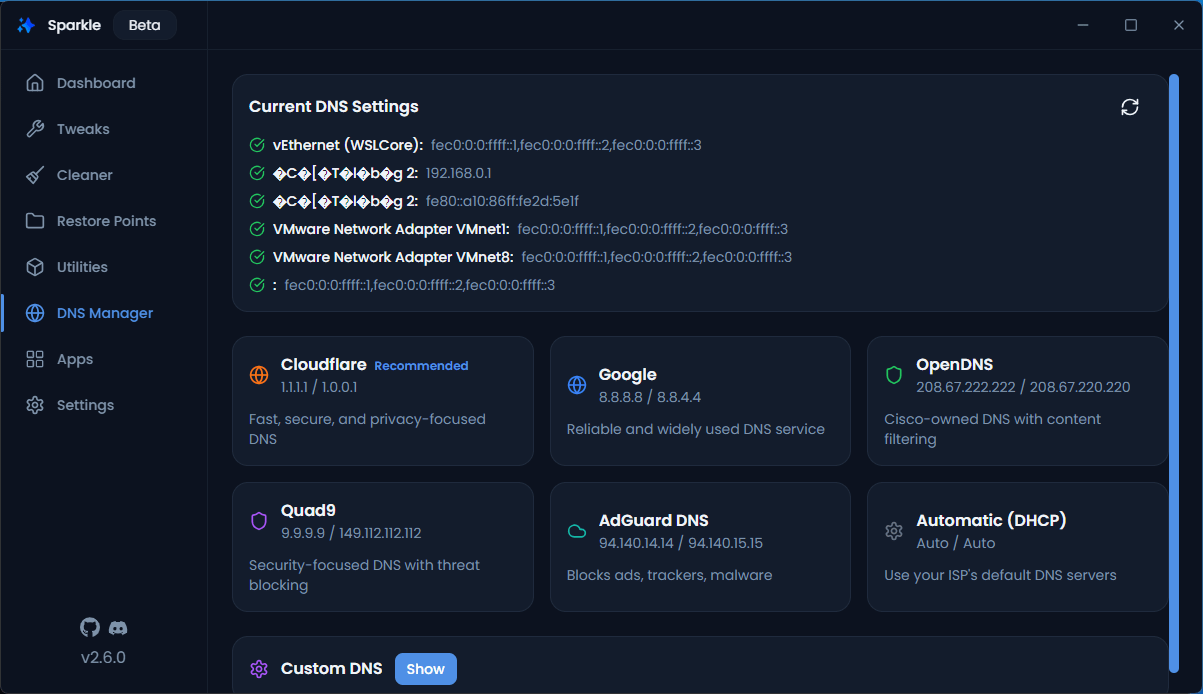
- 「Apps」では、お気に入りのアプリケーションをインストールしたり、インストール済みのアプリをアンインストールすることができます。
よくある質問と回答
ライセンスについて。
Sparkle は、どなたでも無料で使用できます。