").attr(n.scriptAttrs||{}).prop({charset:n.scriptCharset,src:n.url}).on("load error",i=function(e){r.remove(),i=null,e&&t("error"===e.type?404:200,e.type)}),C.head.appendChild(r[0])},abort:function(){i&&i()}}});var Jt,Kt=[],Zt=/(=)\?(?=&|$)|\?\?/;ce.ajaxSetup({jsonp:"callback",jsonpCallback:function(){var e=Kt.pop()||ce.expando+"_"+jt.guid++;return this[e]=!0,e}}),ce.ajaxPrefilter("json jsonp",function(e,t,n){var r,i,o,a=!1!==e.jsonp&&(Zt.test(e.url)?"url":"string"==typeof e.data&&0===(e.contentType||"").indexOf("application/x-www-form-urlencoded")&&Zt.test(e.data)&&"data");if(a||"jsonp"===e.dataTypes[0])return r=e.jsonpCallback=v(e.jsonpCallback)?e.jsonpCallback():e.jsonpCallback,a?e[a]=e[a].replace(Zt,"$1"+r):!1!==e.jsonp&&(e.url+=(At.test(e.url)?"&":"?")+e.jsonp+"="+r),e.converters["script json"]=function(){return o||ce.error(r+" was not called"),o[0]},e.dataTypes[0]="json",i=ie[r],ie[r]=function(){o=arguments},n.always(function(){void 0===i?ce(ie).removeProp(r):ie[r]=i,e[r]&&(e.jsonpCallback=t.jsonpCallback,Kt.push(r)),o&&v(i)&&i(o[0]),o=i=void 0}),"script"}),le.createHTMLDocument=((Jt=C.implementation.createHTMLDocument("").body).innerHTML="
",2===Jt.childNodes.length),ce.parseHTML=function(e,t,n){return"string"!=typeof e?[]:("boolean"==typeof t&&(n=t,t=!1),t||(le.createHTMLDocument?((r=(t=C.implementation.createHTMLDocument("")).createElement("base")).href=C.location.href,t.head.appendChild(r)):t=C),o=!n&&[],(i=w.exec(e))?[t.createElement(i[1])]:(i=Ae([e],t,o),o&&o.length&&ce(o).remove(),ce.merge([],i.childNodes)));var r,i,o},ce.fn.load=function(e,t,n){var r,i,o,a=this,s=e.indexOf(" ");return-1").append(ce.parseHTML(e)).find(r):e)}).always(n&&function(e,t){a.each(function(){n.apply(this,o||[e.responseText,t,e])})}),this},ce.expr.pseudos.animated=function(t){return ce.grep(ce.timers,function(e){return t===e.elem}).length},ce.offset={setOffset:function(e,t,n){var r,i,o,a,s,u,l=ce.css(e,"position"),c=ce(e),f={};"static"===l&&(e.style.position="relative"),s=c.offset(),o=ce.css(e,"top"),u=ce.css(e,"left"),("absolute"===l||"fixed"===l)&&-1<(o+u).indexOf("auto")?(a=(r=c.position()).top,i=r.left):(a=parseFloat(o)||0,i=parseFloat(u)||0),v(t)&&(t=t.call(e,n,ce.extend({},s))),null!=t.top&&(f.top=t.top-s.top+a),null!=t.left&&(f.left=t.left-s.left+i),"using"in t?t.using.call(e,f):c.css(f)}},ce.fn.extend({offset:function(t){if(arguments.length)return void 0===t?this:this.each(function(e){ce.offset.setOffset(this,t,e)});var e,n,r=this[0];return r?r.getClientRects().length?(e=r.getBoundingClientRect(),n=r.ownerDocument.defaultView,{top:e.top+n.pageYOffset,left:e.left+n.pageXOffset}):{top:0,left:0}:void 0},position:function(){if(this[0]){var e,t,n,r=this[0],i={top:0,left:0};if("fixed"===ce.css(r,"position"))t=r.getBoundingClientRect();else{t=this.offset(),n=r.ownerDocument,e=r.offsetParent||n.documentElement;while(e&&(e===n.body||e===n.documentElement)&&"static"===ce.css(e,"position"))e=e.parentNode;e&&e!==r&&1===e.nodeType&&((i=ce(e).offset()).top+=ce.css(e,"borderTopWidth",!0),i.left+=ce.css(e,"borderLeftWidth",!0))}return{top:t.top-i.top-ce.css(r,"marginTop",!0),left:t.left-i.left-ce.css(r,"marginLeft",!0)}}},offsetParent:function(){return this.map(function(){var e=this.offsetParent;while(e&&"static"===ce.css(e,"position"))e=e.offsetParent;return e||J})}}),ce.each({scrollLeft:"pageXOffset",scrollTop:"pageYOffset"},function(t,i){var o="pageYOffset"===i;ce.fn[t]=function(e){return M(this,function(e,t,n){var r;if(y(e)?r=e:9===e.nodeType&&(r=e.defaultView),void 0===n)return r?r[i]:e[t];r?r.scrollTo(o?r.pageXOffset:n,o?n:r.pageYOffset):e[t]=n},t,e,arguments.length)}}),ce.each(["top","left"],function(e,n){ce.cssHooks[n]=Ye(le.pixelPosition,function(e,t){if(t)return t=Ge(e,n),_e.test(t)?ce(e).position()[n]+"px":t})}),ce.each({Height:"height",Width:"width"},function(a,s){ce.each({padding:"inner"+a,content:s,"":"outer"+a},function(r,o){ce.fn[o]=function(e,t){var n=arguments.length&&(r||"boolean"!=typeof e),i=r||(!0===e||!0===t?"margin":"border");return M(this,function(e,t,n){var r;return y(e)?0===o.indexOf("outer")?e["inner"+a]:e.document.documentElement["client"+a]:9===e.nodeType?(r=e.documentElement,Math.max(e.body["scroll"+a],r["scroll"+a],e.body["offset"+a],r["offset"+a],r["client"+a])):void 0===n?ce.css(e,t,i):ce.style(e,t,n,i)},s,n?e:void 0,n)}})}),ce.each(["ajaxStart","ajaxStop","ajaxComplete","ajaxError","ajaxSuccess","ajaxSend"],function(e,t){ce.fn[t]=function(e){return this.on(t,e)}}),ce.fn.extend({bind:function(e,t,n){return this.on(e,null,t,n)},unbind:function(e,t){return this.off(e,null,t)},delegate:function(e,t,n,r){return this.on(t,e,n,r)},undelegate:function(e,t,n){return 1===arguments.length?this.off(e,"**"):this.off(t,e||"**",n)},hover:function(e,t){return this.on("mouseenter",e).on("mouseleave",t||e)}}),ce.each("blur focus focusin focusout resize scroll click dblclick mousedown mouseup mousemove mouseover mouseout mouseenter mouseleave change select submit keydown keypress keyup contextmenu".split(" "),function(e,n){ce.fn[n]=function(e,t){return 0
Ant Renamer 2.13.0
ファイルリネーム
2024/12/16 13:59
説明 機能 仕様 ダウンロード 画像 使い方
複数のファイル/フォルダの名前を変更したい場合に役に立つファイルリネームツール
数回のクリックで大量のファイルとフォルダの名前を変更することができる、Windows 向けのフリーソフト。拡張子の変更、文字列の置換、文字列の挿入、文字列の削除、連番追加などを実行できます。

Ant Renamer の概要
Ant Renamer は、多数のファイルの名前を変更するためのアプリです。
Ant Renamer の機能
Ant Renamer の主な機能です。
機能
概要
メイン機能
ファイルの名前を変更する
機能詳細
・複数のファイルの名前を一度の操作で変更できます。
複数のファイル/フォルダの名前を変更できます
Ant Renamer は、大量のファイルとフォルダの名前を変更することができる、Windows 向けのフリーソフトです。
Ant Renamer を使用すると、指定された設定を使用して、かんたんな操作で多数のファイルやフォルダの名前変更することができます。Unicode 名に対応しているので、日本語文字の変換も問題なく行えます。
便利な複数のアクションを利用できます
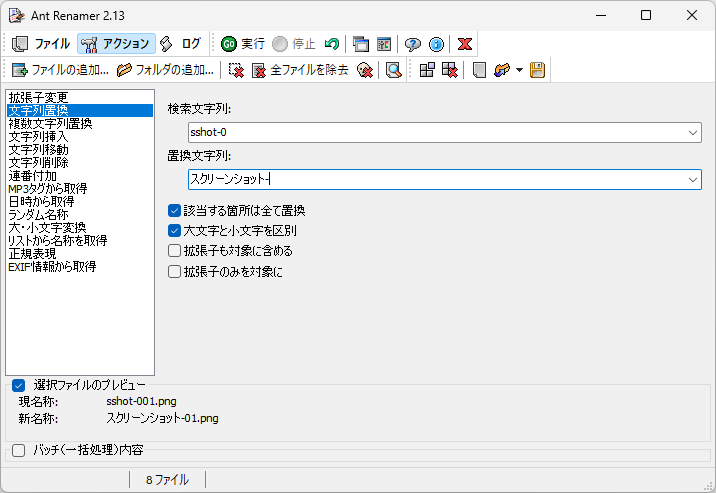
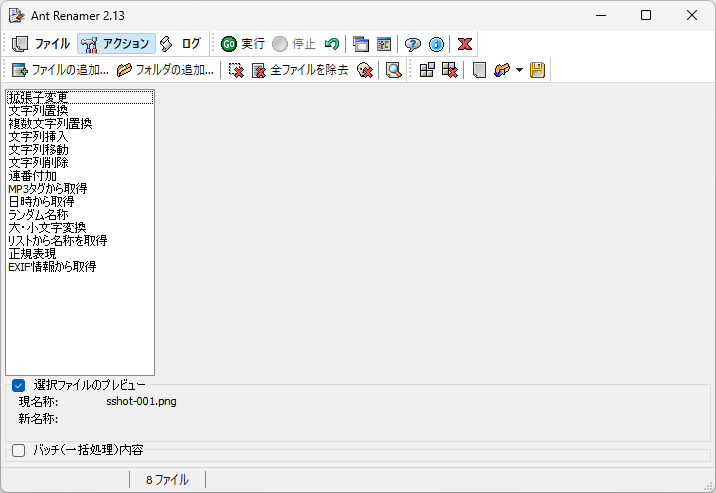
Ant Renamer では、ファイルの拡張子の変換、文字列をほかの文字列に置き換える置換、文字列の挿入、文字列の移動、文字列の削除、連番追加などを実行できます。
また、Ant Renamer では、正規表現によるファイルのリネームにも対応しており、MP3 ファイルのタグからファイル名を取得したり、画像ファイルの EXIF 情報からファイル名を取得したりもできます。
シンプルなインターフェースを備えた使いやすいファイルリネームツール
Ant Renamer は、複数のファイルやフォルダのリネームに役立つ便利な機能が含まれた便利なアプリケーションです。日本語を含む多言語に対応しています。デフォルト設定ではファイルのみが追加されるようになっているので、フォルダ名をリネームしたい場合はオプションから「フォルダのみ追加」に設定してください。
機能
拡張子の変更
文字列を他の文字列に置き換える
文字列の挿入
文字列の移動
文字列を削除する
連番追加
mp3 のタグによる名前の作成 (ID v1.1)
ファイルの最終更新日時による名前の作成
ランダムな名前の作成
大文字と小文字の変更 (大文字、小文字、各単語の最初の文字を大文字にする、…)
リスト/ファイルから名前を取得する
EXIF 情報の使用
正規表現
価格: 無料
動作環境: Windows 7|8|8.1|10|11
使用言語: 日本語ほかマルチ言語
最終更新日:
1年前 (2024/12/16)
ダウンロード数: 656
画像
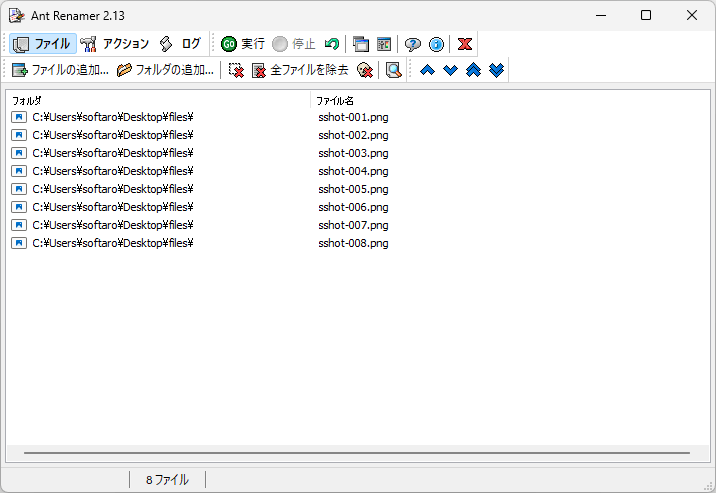
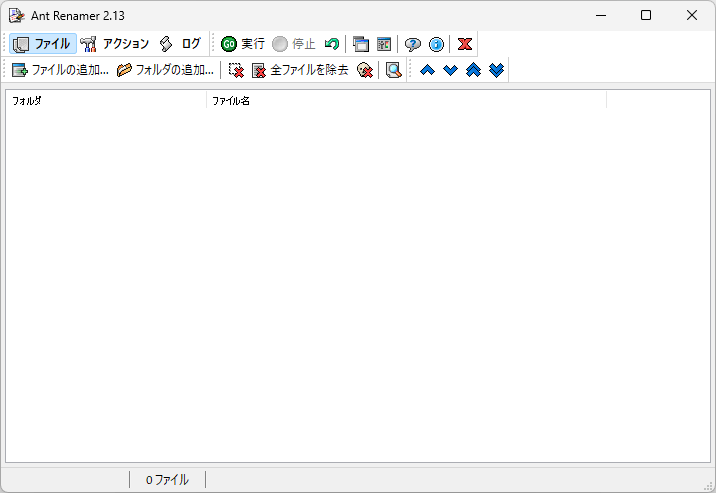
ユーザーインターフェース
ファイルの追加
アクション
アクションの設定
使い方
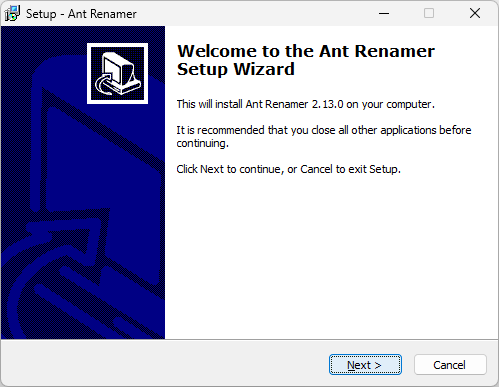
インストール
1.インストール
セットアップウィザードが開始したら[Next ]をクリックします。
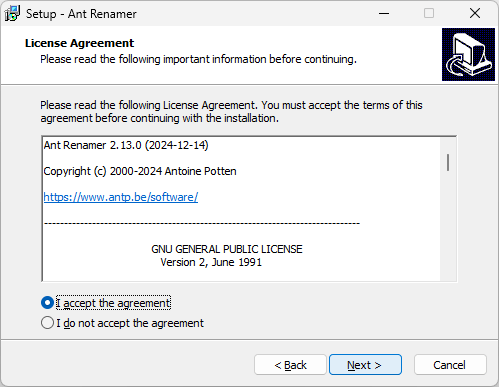
ライセンスが表示されます。「I accept the agreement 」を選択して[Next ]をクリックします。
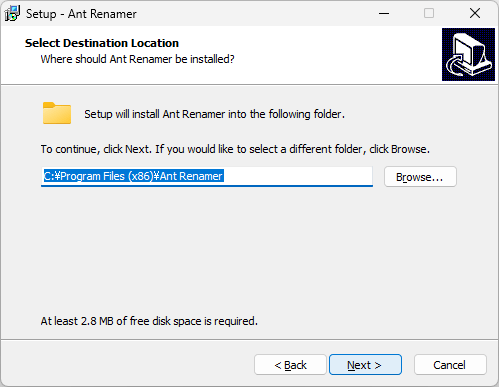
インストール先を確認して[Next ]をクリックします。
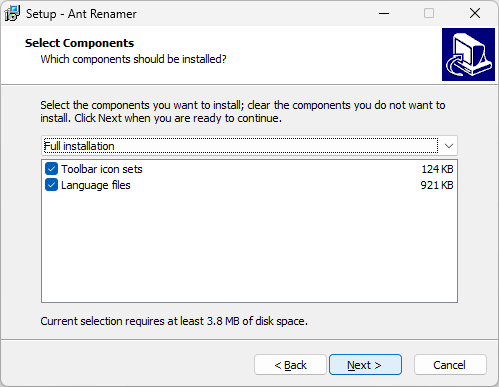
インストールするコンポーネントを選択して[Next ]をクリックします。
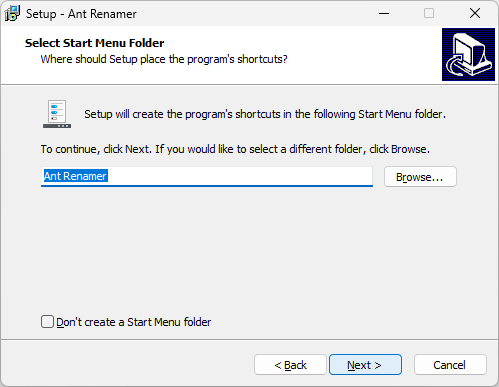
スタートメニューに作成するショートカットの設定を確認して[Next ]をクリックします。
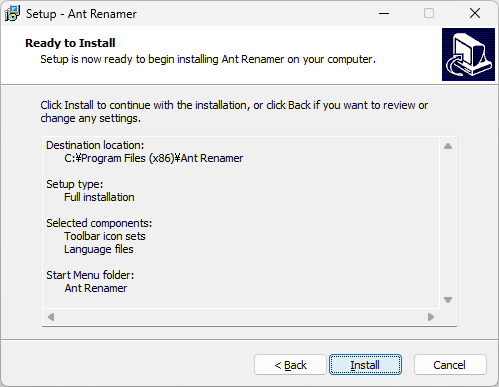
[Install ]をクリックしてインストールを開始します。
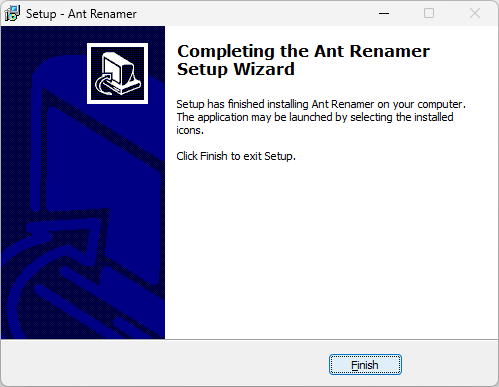
[Finish ]をクリックしてセットアップウィザードを閉じます。
言語を変更する
1. 言語を日本語またはそのほかの言語に変更する
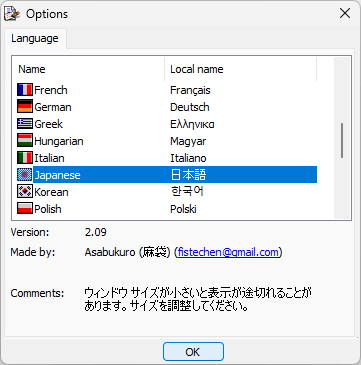
アプリを起動すると言語の選択画面が表示されるので、表示したい言語を選択して[OK ]をクリックします。
基本的な使い方
1. 基本的な使い方
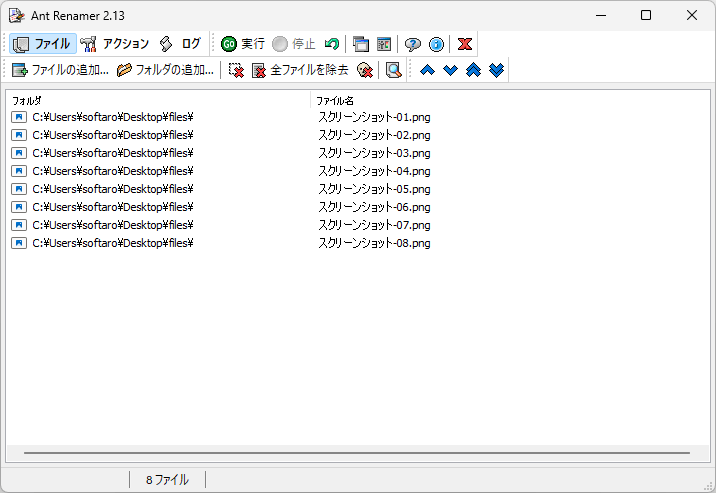
「ファイルの追加 」または「フォルダの追加 」をクリックして、リネームしたいファイルを追加します。
次に「アクション 」タブを開き、実行したいアクションを選択して設定します。
[実行 ]ボタンをクリックすると、ファイルの名前が変更されます。
よくある質問と回答
ライセンスについて。
ユーザーレビュー
レビューはまだありません、 最初のレビューを投稿してください。コメントは任意です。
Ant Renamer は、どなたでも無料で利用できます。