").attr(n.scriptAttrs||{}).prop({charset:n.scriptCharset,src:n.url}).on("load error",i=function(e){r.remove(),i=null,e&&t("error"===e.type?404:200,e.type)}),C.head.appendChild(r[0])},abort:function(){i&&i()}}});var Jt,Kt=[],Zt=/(=)\?(?=&|$)|\?\?/;ce.ajaxSetup({jsonp:"callback",jsonpCallback:function(){var e=Kt.pop()||ce.expando+"_"+jt.guid++;return this[e]=!0,e}}),ce.ajaxPrefilter("json jsonp",function(e,t,n){var r,i,o,a=!1!==e.jsonp&&(Zt.test(e.url)?"url":"string"==typeof e.data&&0===(e.contentType||"").indexOf("application/x-www-form-urlencoded")&&Zt.test(e.data)&&"data");if(a||"jsonp"===e.dataTypes[0])return r=e.jsonpCallback=v(e.jsonpCallback)?e.jsonpCallback():e.jsonpCallback,a?e[a]=e[a].replace(Zt,"$1"+r):!1!==e.jsonp&&(e.url+=(At.test(e.url)?"&":"?")+e.jsonp+"="+r),e.converters["script json"]=function(){return o||ce.error(r+" was not called"),o[0]},e.dataTypes[0]="json",i=ie[r],ie[r]=function(){o=arguments},n.always(function(){void 0===i?ce(ie).removeProp(r):ie[r]=i,e[r]&&(e.jsonpCallback=t.jsonpCallback,Kt.push(r)),o&&v(i)&&i(o[0]),o=i=void 0}),"script"}),le.createHTMLDocument=((Jt=C.implementation.createHTMLDocument("").body).innerHTML="
",2===Jt.childNodes.length),ce.parseHTML=function(e,t,n){return"string"!=typeof e?[]:("boolean"==typeof t&&(n=t,t=!1),t||(le.createHTMLDocument?((r=(t=C.implementation.createHTMLDocument("")).createElement("base")).href=C.location.href,t.head.appendChild(r)):t=C),o=!n&&[],(i=w.exec(e))?[t.createElement(i[1])]:(i=Ae([e],t,o),o&&o.length&&ce(o).remove(),ce.merge([],i.childNodes)));var r,i,o},ce.fn.load=function(e,t,n){var r,i,o,a=this,s=e.indexOf(" ");return-1").append(ce.parseHTML(e)).find(r):e)}).always(n&&function(e,t){a.each(function(){n.apply(this,o||[e.responseText,t,e])})}),this},ce.expr.pseudos.animated=function(t){return ce.grep(ce.timers,function(e){return t===e.elem}).length},ce.offset={setOffset:function(e,t,n){var r,i,o,a,s,u,l=ce.css(e,"position"),c=ce(e),f={};"static"===l&&(e.style.position="relative"),s=c.offset(),o=ce.css(e,"top"),u=ce.css(e,"left"),("absolute"===l||"fixed"===l)&&-1<(o+u).indexOf("auto")?(a=(r=c.position()).top,i=r.left):(a=parseFloat(o)||0,i=parseFloat(u)||0),v(t)&&(t=t.call(e,n,ce.extend({},s))),null!=t.top&&(f.top=t.top-s.top+a),null!=t.left&&(f.left=t.left-s.left+i),"using"in t?t.using.call(e,f):c.css(f)}},ce.fn.extend({offset:function(t){if(arguments.length)return void 0===t?this:this.each(function(e){ce.offset.setOffset(this,t,e)});var e,n,r=this[0];return r?r.getClientRects().length?(e=r.getBoundingClientRect(),n=r.ownerDocument.defaultView,{top:e.top+n.pageYOffset,left:e.left+n.pageXOffset}):{top:0,left:0}:void 0},position:function(){if(this[0]){var e,t,n,r=this[0],i={top:0,left:0};if("fixed"===ce.css(r,"position"))t=r.getBoundingClientRect();else{t=this.offset(),n=r.ownerDocument,e=r.offsetParent||n.documentElement;while(e&&(e===n.body||e===n.documentElement)&&"static"===ce.css(e,"position"))e=e.parentNode;e&&e!==r&&1===e.nodeType&&((i=ce(e).offset()).top+=ce.css(e,"borderTopWidth",!0),i.left+=ce.css(e,"borderLeftWidth",!0))}return{top:t.top-i.top-ce.css(r,"marginTop",!0),left:t.left-i.left-ce.css(r,"marginLeft",!0)}}},offsetParent:function(){return this.map(function(){var e=this.offsetParent;while(e&&"static"===ce.css(e,"position"))e=e.offsetParent;return e||J})}}),ce.each({scrollLeft:"pageXOffset",scrollTop:"pageYOffset"},function(t,i){var o="pageYOffset"===i;ce.fn[t]=function(e){return M(this,function(e,t,n){var r;if(y(e)?r=e:9===e.nodeType&&(r=e.defaultView),void 0===n)return r?r[i]:e[t];r?r.scrollTo(o?r.pageXOffset:n,o?n:r.pageYOffset):e[t]=n},t,e,arguments.length)}}),ce.each(["top","left"],function(e,n){ce.cssHooks[n]=Ye(le.pixelPosition,function(e,t){if(t)return t=Ge(e,n),_e.test(t)?ce(e).position()[n]+"px":t})}),ce.each({Height:"height",Width:"width"},function(a,s){ce.each({padding:"inner"+a,content:s,"":"outer"+a},function(r,o){ce.fn[o]=function(e,t){var n=arguments.length&&(r||"boolean"!=typeof e),i=r||(!0===e||!0===t?"margin":"border");return M(this,function(e,t,n){var r;return y(e)?0===o.indexOf("outer")?e["inner"+a]:e.document.documentElement["client"+a]:9===e.nodeType?(r=e.documentElement,Math.max(e.body["scroll"+a],r["scroll"+a],e.body["offset"+a],r["offset"+a],r["client"+a])):void 0===n?ce.css(e,t,i):ce.style(e,t,n,i)},s,n?e:void 0,n)}})}),ce.each(["ajaxStart","ajaxStop","ajaxComplete","ajaxError","ajaxSuccess","ajaxSend"],function(e,t){ce.fn[t]=function(e){return this.on(t,e)}}),ce.fn.extend({bind:function(e,t,n){return this.on(e,null,t,n)},unbind:function(e,t){return this.off(e,null,t)},delegate:function(e,t,n,r){return this.on(t,e,n,r)},undelegate:function(e,t,n){return 1===arguments.length?this.off(e,"**"):this.off(t,e||"**",n)},hover:function(e,t){return this.on("mouseenter",e).on("mouseleave",t||e)}}),ce.each("blur focus focusin focusout resize scroll click dblclick mousedown mouseup mousemove mouseover mouseout mouseenter mouseleave change select submit keydown keypress keyup contextmenu".split(" "),function(e,n){ce.fn[n]=function(e,t){return 0
KDE neon 20260423
Linux ディストリビューション
2024/02/14 14:072026/04/24 08:11
説明 機能 仕様 ダウンロード 画像 使い方
最新の KDE Plasma デスクトップ環境を備えた Linux ディストリビューション

KDE Plasma デスクトップ環境のファンを対象としたオープンソースの無料のオペレーティング システム。安定したデスクトップと最先端の機能が組み合わさっているのが特徴です。64 ビット (amd64/x86_64) アーキテクチャのみ対応しています。

KDE neon の概要
KDE neon は、安定した「Ubuntu 」の長期リリース版をコアとして使用しているオペレーティングシステムです。
KDE neon の機能
KDE neon の主な機能です。
機能
概要
メイン機能
Linux ディストリビューション
機能詳細
・安定したデスクトップと最先端の機能。
Ubuntu をベースにした OS です
KDE neon は、ボランティアによる国際的なソフトウェアコミュニティである KDE によって作成された、オープンソースのデスクトップ環境です。
KDE neon は、デフォルトでは、シンプルでかんたんな操作感を提供し、必要なときにはパワフルな機能でユーザーの作業をサポートします。
安全なオープンソースのオペレーティングシステムです
KDE neon は、「箱から出してすぐ使える」ようにデザインされています。あるべきものがあるべき場所にあるので、設定を変更する必要なく快適に作業できます。必要であればタスクバーの「システム設定」からいつでも設定を変更できます。
KDE neon は、ユーザーの生産性を高めることができる非常に多機能なデスクトップ環境で、機密性の高いファイルを安全に保管する「Plasma Vaults」、状況に応じで作業環境を変えることができる「アクティビティ」、携帯電話とコンピュータをつなぐ「KDE Connect」、なんでも検索できる「KRunner」などの機能が備わっています。
最新の KDE Plasma デスクトップ環境を備えた OS
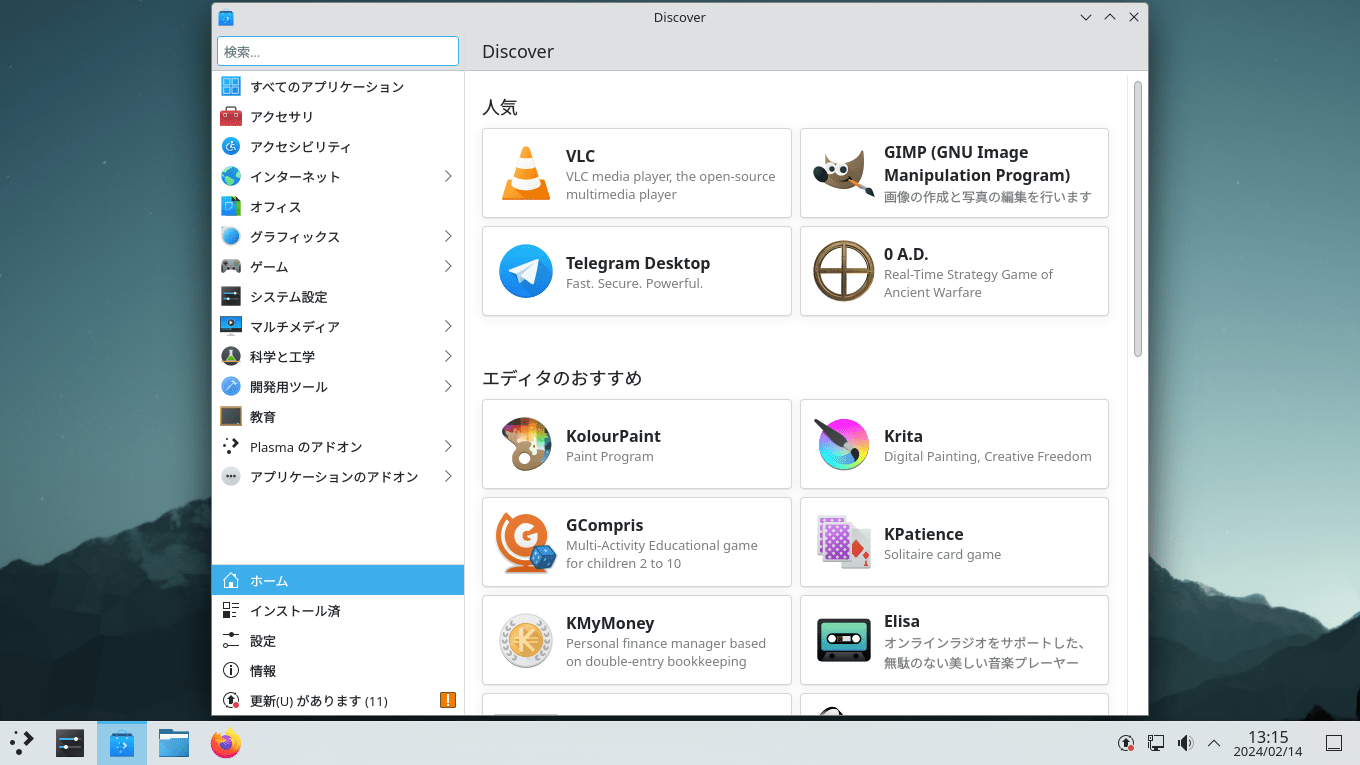
KDE neon は、最新の KDE Plasma デスクトップ環境を備えた Linux ディストリビューションです。デスクトップからアクセスできる Discover ソフトウェアセンターを使用すると、お気に入りの最適なアプリケーション、ゲーム、ツールをすばやくかんたんにインストールすることができます。
機能
安定したデスクトップと最先端の機能。
Ubuntu LTS(長期サポート)バージョンをベースに作成されています。
システム要件 :
2 GHz デュアルコアプロセッサ以上
4 GB 以上のシステムメモリ
25 GB のハードドライブ空き容量
DVD ドライブまたは USB ポート(インストールメディアとして使用)
インターネットアクセス(推奨)
価格: 無料
動作環境: Linux
使用言語: 日本語ほかマルチ言語
最終更新日:
6日前 (2026/04/24)
ダウンロード数: 627
画像
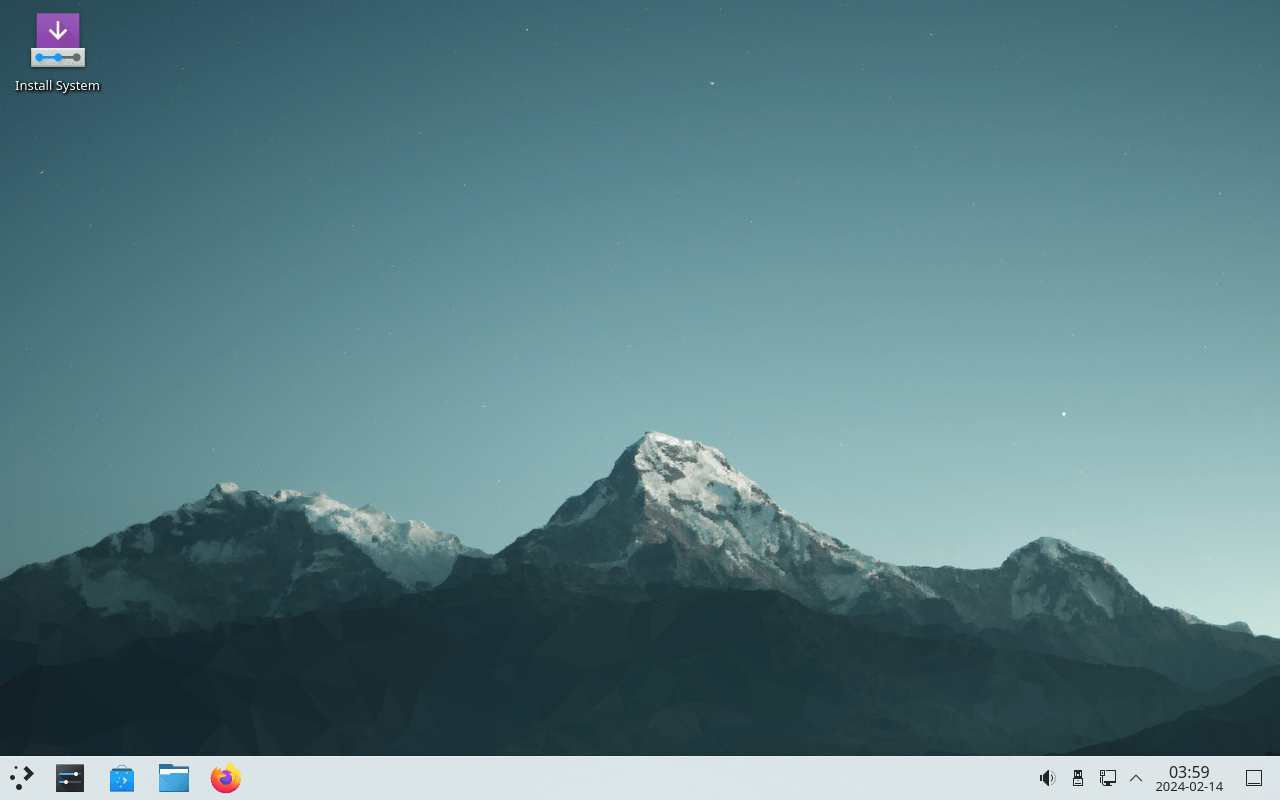
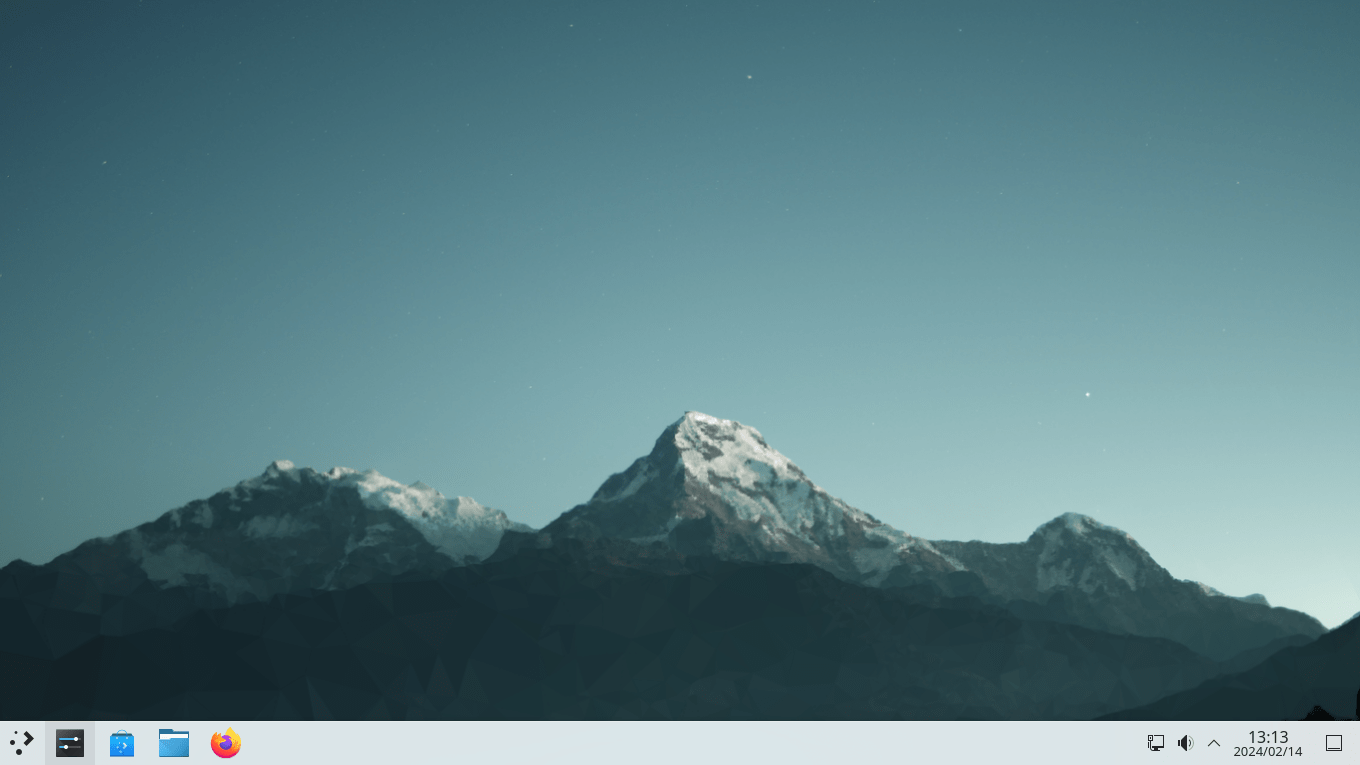
デスクトップ
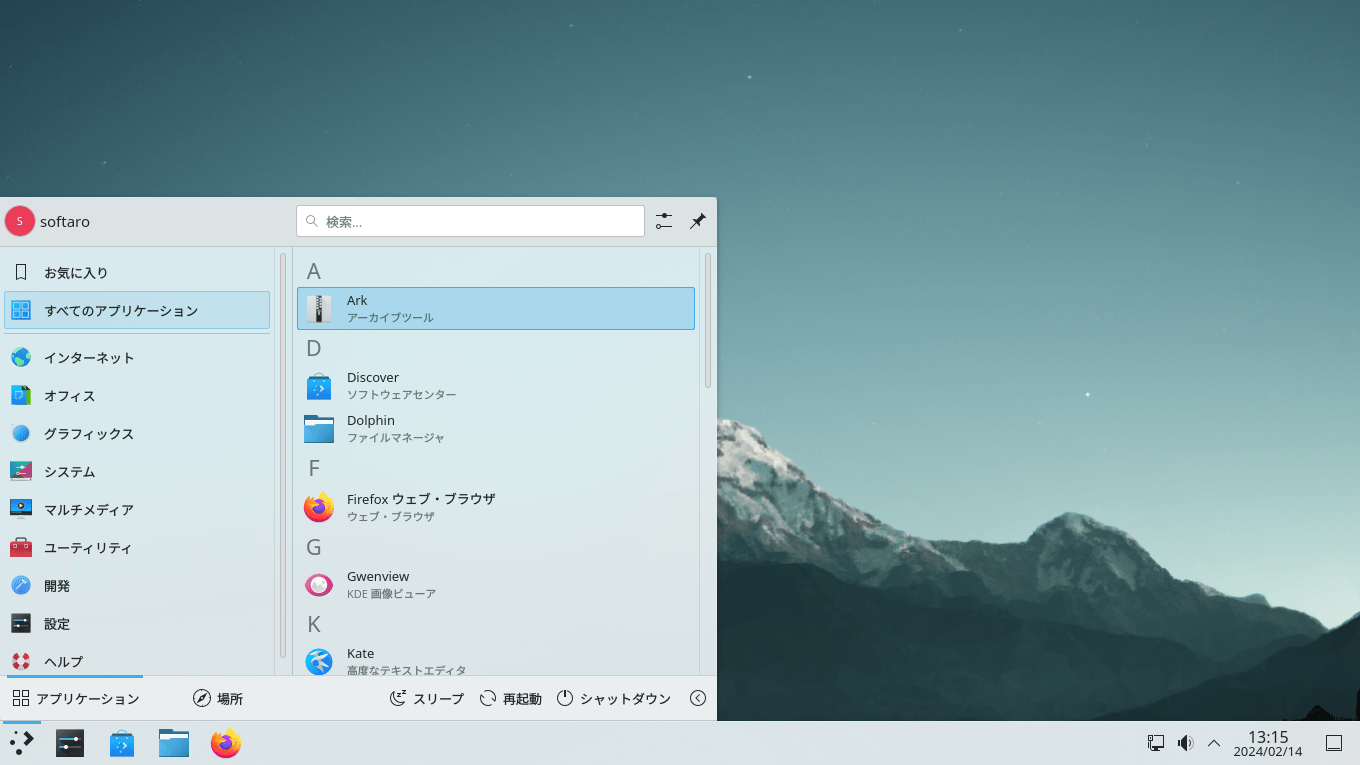
アプリケーションランチャー
Discover ソフトウェアセンター
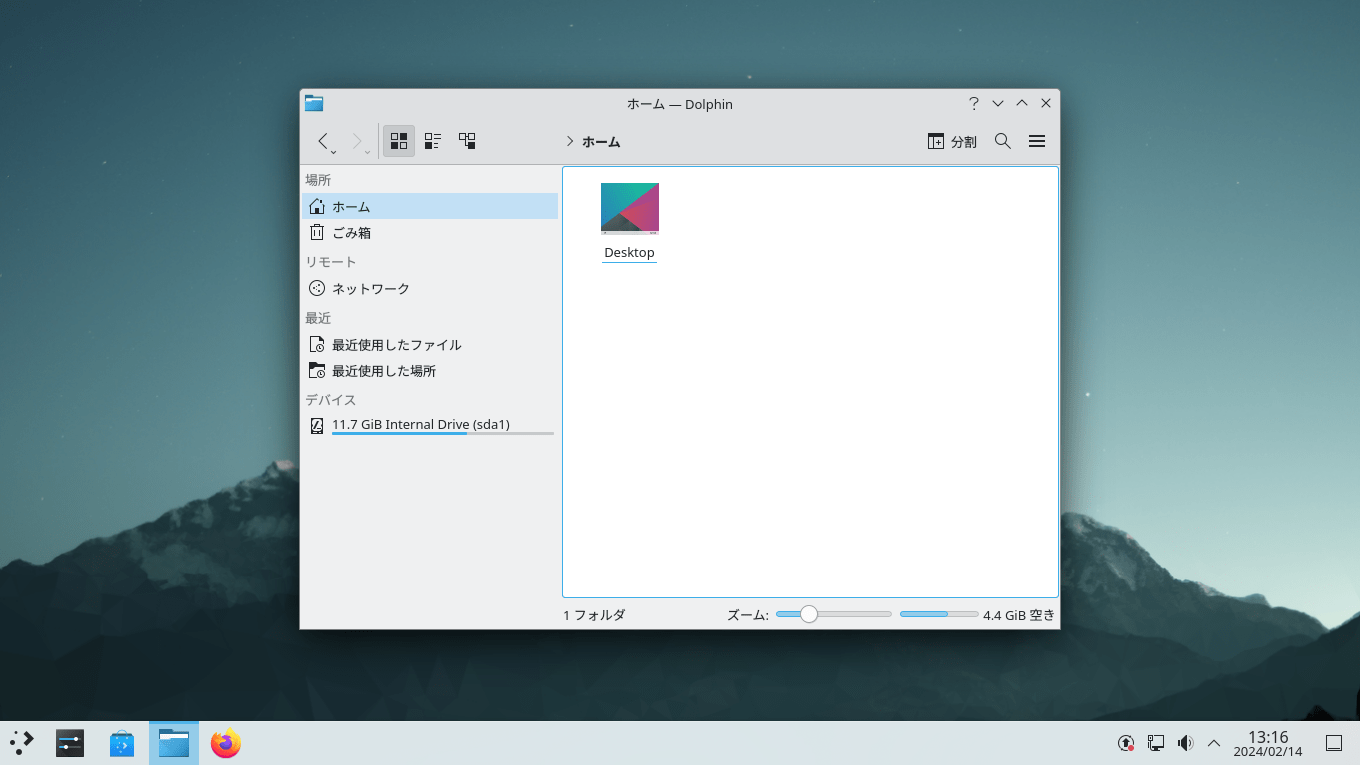
ファイルマネージャ
使い方
インストール
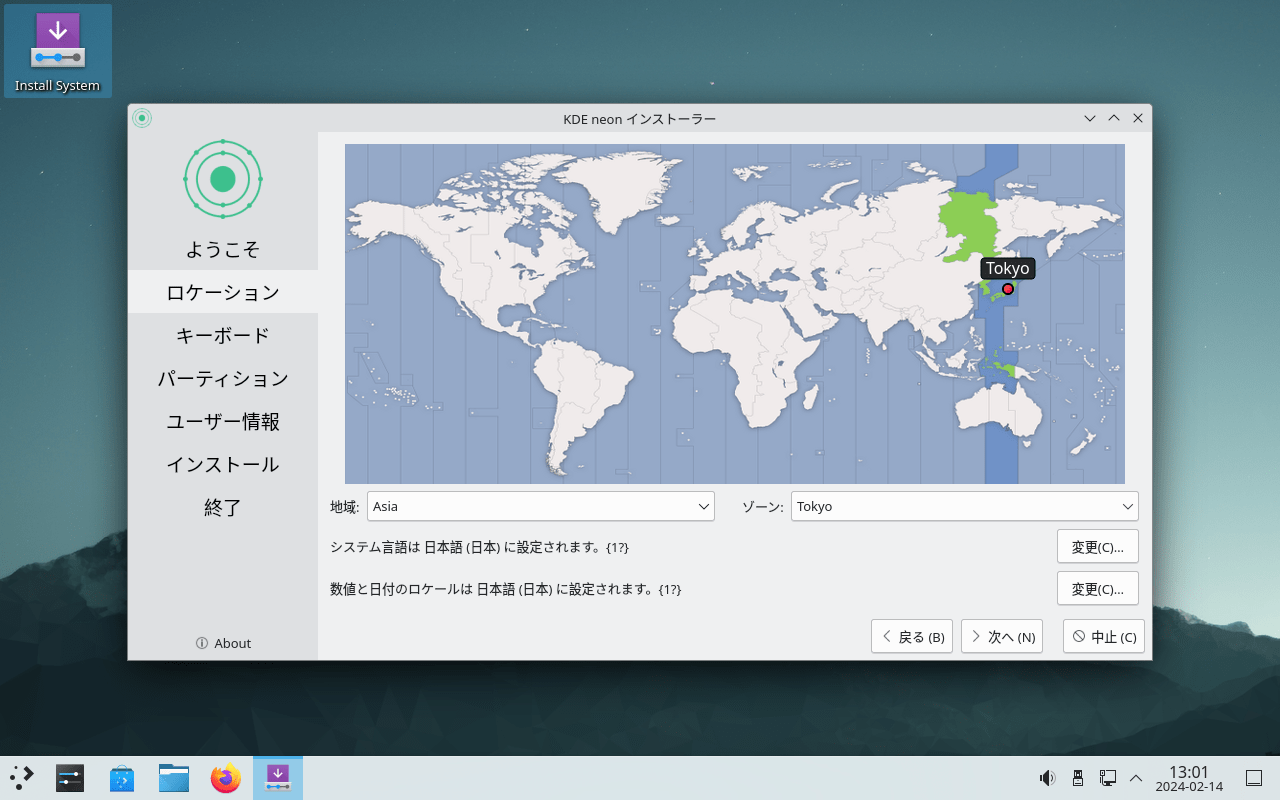
1.インストール方法
KDE neon を起動したら、左上の[Install System ]をクリックします。
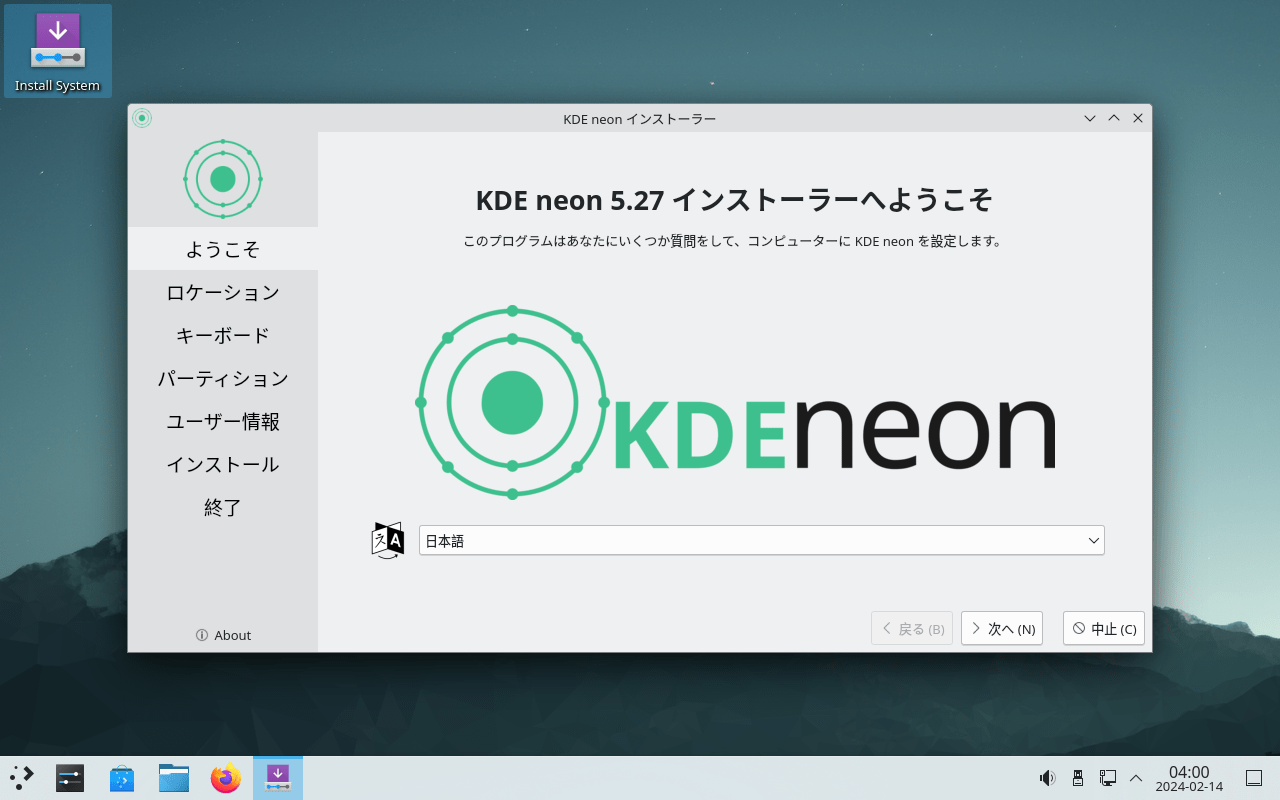
インストーラーが起動したら、ドロップダウンから「日本語 」を選択して[次へ ]をクリックします。
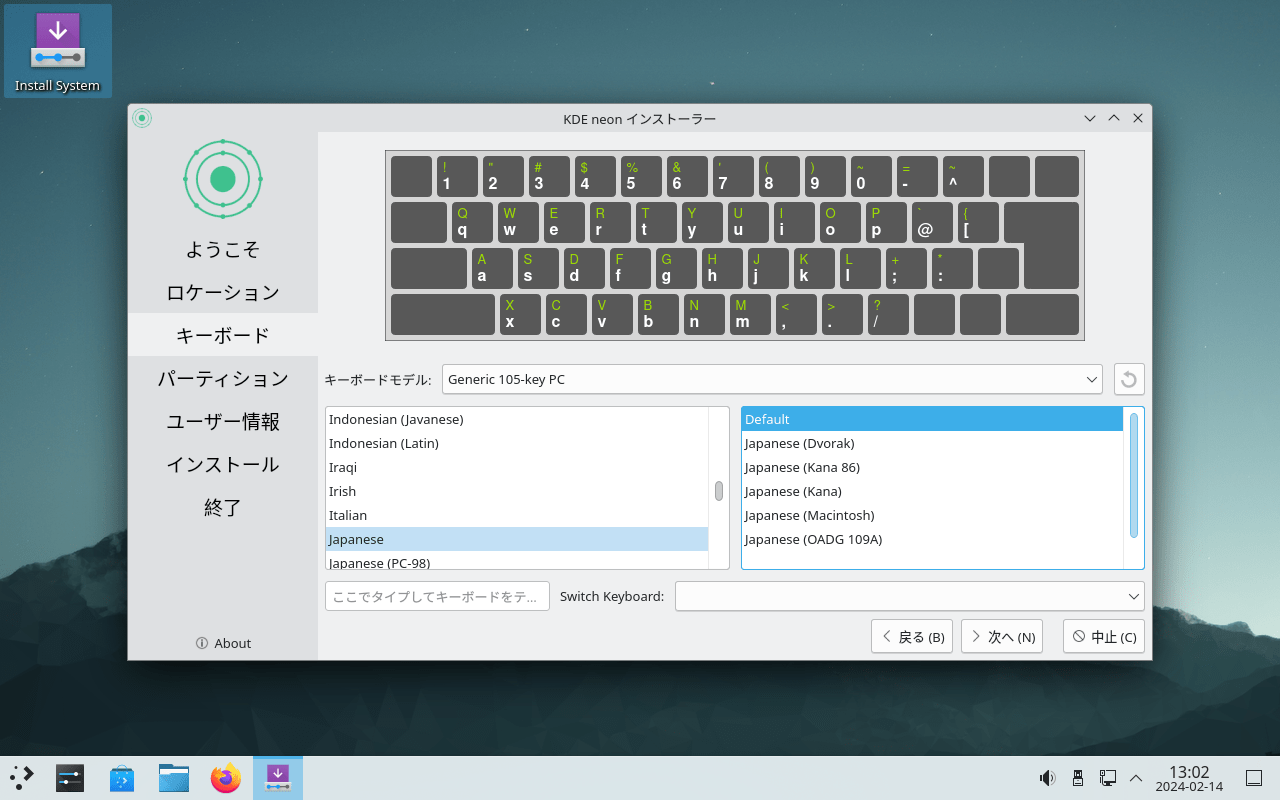
キーボードレイアウトを選択して[次へ ]をクリックします。
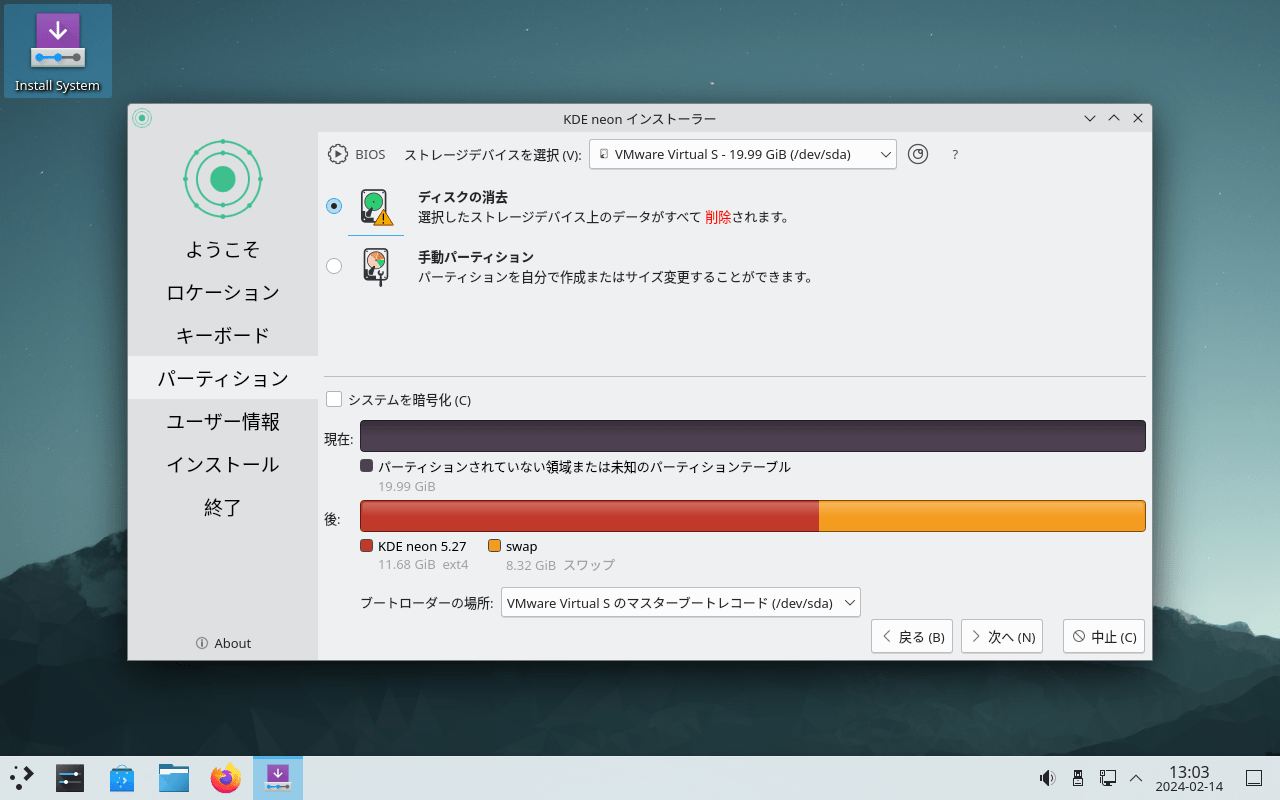
インストールするディスクを選択して[次へ ]をクリックします。
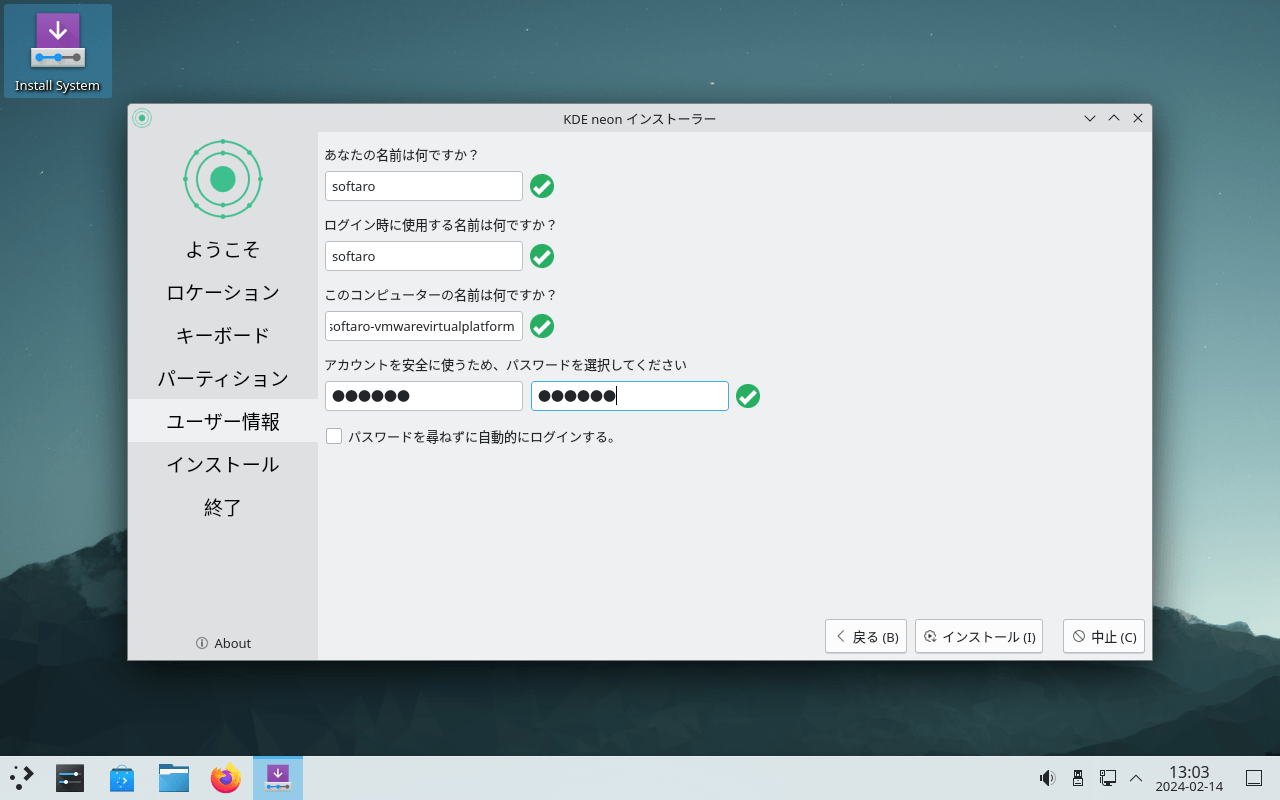
ユーザー名とパスワードを入力して[インストール]ボタンをクリックします。
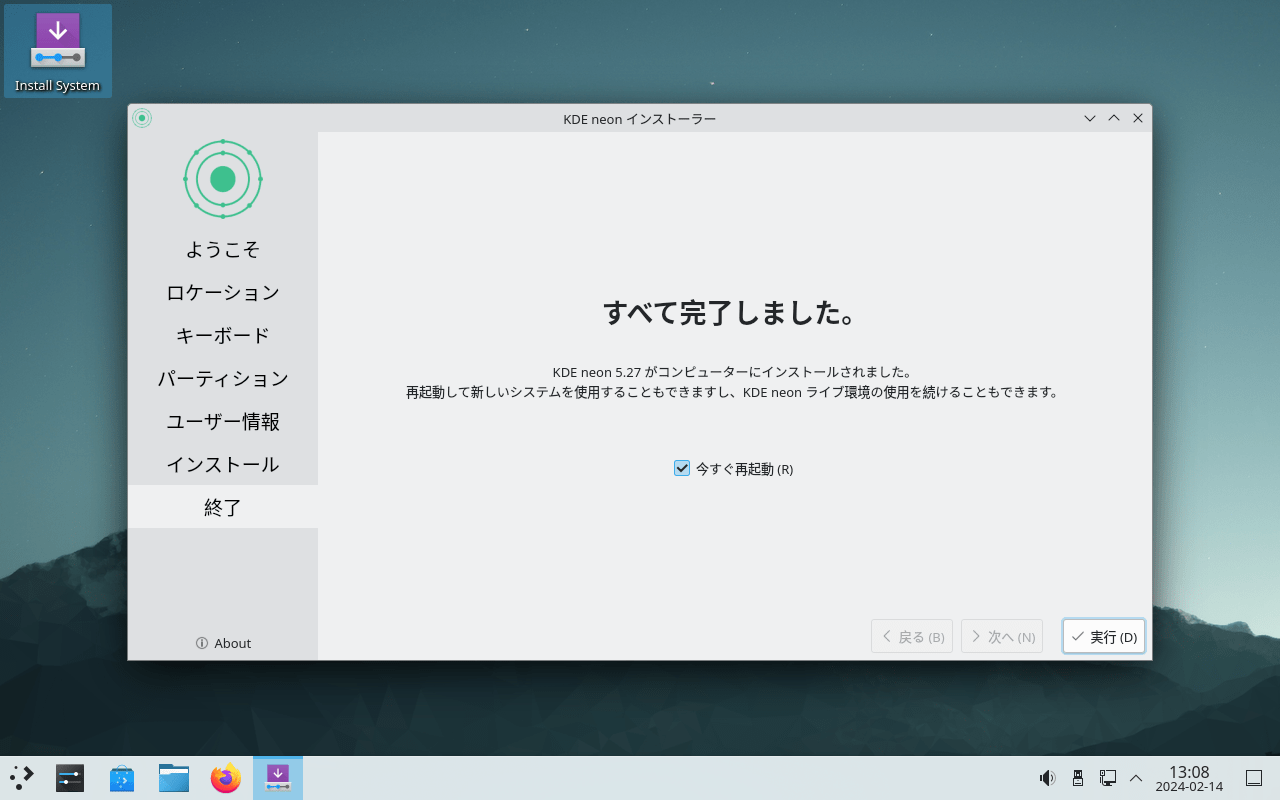
インストールが完了しました。「今すぐ再起動 」をチェックして[実行 ]をクリックしてコンピュータを再起動します。
基本的な使い方
1. 基本的な使い方
よくある質問と回答
ライセンスについて。
ユーザーレビュー
レビューはまだありません、 最初のレビューを投稿してください。コメントは任意です。
KDE neon は、どなたでも無料で使用できます。