").attr(n.scriptAttrs||{}).prop({charset:n.scriptCharset,src:n.url}).on("load error",i=function(e){r.remove(),i=null,e&&t("error"===e.type?404:200,e.type)}),C.head.appendChild(r[0])},abort:function(){i&&i()}}});var Jt,Kt=[],Zt=/(=)\?(?=&|$)|\?\?/;ce.ajaxSetup({jsonp:"callback",jsonpCallback:function(){var e=Kt.pop()||ce.expando+"_"+jt.guid++;return this[e]=!0,e}}),ce.ajaxPrefilter("json jsonp",function(e,t,n){var r,i,o,a=!1!==e.jsonp&&(Zt.test(e.url)?"url":"string"==typeof e.data&&0===(e.contentType||"").indexOf("application/x-www-form-urlencoded")&&Zt.test(e.data)&&"data");if(a||"jsonp"===e.dataTypes[0])return r=e.jsonpCallback=v(e.jsonpCallback)?e.jsonpCallback():e.jsonpCallback,a?e[a]=e[a].replace(Zt,"$1"+r):!1!==e.jsonp&&(e.url+=(At.test(e.url)?"&":"?")+e.jsonp+"="+r),e.converters["script json"]=function(){return o||ce.error(r+" was not called"),o[0]},e.dataTypes[0]="json",i=ie[r],ie[r]=function(){o=arguments},n.always(function(){void 0===i?ce(ie).removeProp(r):ie[r]=i,e[r]&&(e.jsonpCallback=t.jsonpCallback,Kt.push(r)),o&&v(i)&&i(o[0]),o=i=void 0}),"script"}),le.createHTMLDocument=((Jt=C.implementation.createHTMLDocument("").body).innerHTML="
",2===Jt.childNodes.length),ce.parseHTML=function(e,t,n){return"string"!=typeof e?[]:("boolean"==typeof t&&(n=t,t=!1),t||(le.createHTMLDocument?((r=(t=C.implementation.createHTMLDocument("")).createElement("base")).href=C.location.href,t.head.appendChild(r)):t=C),o=!n&&[],(i=w.exec(e))?[t.createElement(i[1])]:(i=Ae([e],t,o),o&&o.length&&ce(o).remove(),ce.merge([],i.childNodes)));var r,i,o},ce.fn.load=function(e,t,n){var r,i,o,a=this,s=e.indexOf(" ");return-1").append(ce.parseHTML(e)).find(r):e)}).always(n&&function(e,t){a.each(function(){n.apply(this,o||[e.responseText,t,e])})}),this},ce.expr.pseudos.animated=function(t){return ce.grep(ce.timers,function(e){return t===e.elem}).length},ce.offset={setOffset:function(e,t,n){var r,i,o,a,s,u,l=ce.css(e,"position"),c=ce(e),f={};"static"===l&&(e.style.position="relative"),s=c.offset(),o=ce.css(e,"top"),u=ce.css(e,"left"),("absolute"===l||"fixed"===l)&&-1<(o+u).indexOf("auto")?(a=(r=c.position()).top,i=r.left):(a=parseFloat(o)||0,i=parseFloat(u)||0),v(t)&&(t=t.call(e,n,ce.extend({},s))),null!=t.top&&(f.top=t.top-s.top+a),null!=t.left&&(f.left=t.left-s.left+i),"using"in t?t.using.call(e,f):c.css(f)}},ce.fn.extend({offset:function(t){if(arguments.length)return void 0===t?this:this.each(function(e){ce.offset.setOffset(this,t,e)});var e,n,r=this[0];return r?r.getClientRects().length?(e=r.getBoundingClientRect(),n=r.ownerDocument.defaultView,{top:e.top+n.pageYOffset,left:e.left+n.pageXOffset}):{top:0,left:0}:void 0},position:function(){if(this[0]){var e,t,n,r=this[0],i={top:0,left:0};if("fixed"===ce.css(r,"position"))t=r.getBoundingClientRect();else{t=this.offset(),n=r.ownerDocument,e=r.offsetParent||n.documentElement;while(e&&(e===n.body||e===n.documentElement)&&"static"===ce.css(e,"position"))e=e.parentNode;e&&e!==r&&1===e.nodeType&&((i=ce(e).offset()).top+=ce.css(e,"borderTopWidth",!0),i.left+=ce.css(e,"borderLeftWidth",!0))}return{top:t.top-i.top-ce.css(r,"marginTop",!0),left:t.left-i.left-ce.css(r,"marginLeft",!0)}}},offsetParent:function(){return this.map(function(){var e=this.offsetParent;while(e&&"static"===ce.css(e,"position"))e=e.offsetParent;return e||J})}}),ce.each({scrollLeft:"pageXOffset",scrollTop:"pageYOffset"},function(t,i){var o="pageYOffset"===i;ce.fn[t]=function(e){return M(this,function(e,t,n){var r;if(y(e)?r=e:9===e.nodeType&&(r=e.defaultView),void 0===n)return r?r[i]:e[t];r?r.scrollTo(o?r.pageXOffset:n,o?n:r.pageYOffset):e[t]=n},t,e,arguments.length)}}),ce.each(["top","left"],function(e,n){ce.cssHooks[n]=Ye(le.pixelPosition,function(e,t){if(t)return t=Ge(e,n),_e.test(t)?ce(e).position()[n]+"px":t})}),ce.each({Height:"height",Width:"width"},function(a,s){ce.each({padding:"inner"+a,content:s,"":"outer"+a},function(r,o){ce.fn[o]=function(e,t){var n=arguments.length&&(r||"boolean"!=typeof e),i=r||(!0===e||!0===t?"margin":"border");return M(this,function(e,t,n){var r;return y(e)?0===o.indexOf("outer")?e["inner"+a]:e.document.documentElement["client"+a]:9===e.nodeType?(r=e.documentElement,Math.max(e.body["scroll"+a],r["scroll"+a],e.body["offset"+a],r["offset"+a],r["client"+a])):void 0===n?ce.css(e,t,i):ce.style(e,t,n,i)},s,n?e:void 0,n)}})}),ce.each(["ajaxStart","ajaxStop","ajaxComplete","ajaxError","ajaxSuccess","ajaxSend"],function(e,t){ce.fn[t]=function(e){return this.on(t,e)}}),ce.fn.extend({bind:function(e,t,n){return this.on(e,null,t,n)},unbind:function(e,t){return this.off(e,null,t)},delegate:function(e,t,n,r){return this.on(t,e,n,r)},undelegate:function(e,t,n){return 1===arguments.length?this.off(e,"**"):this.off(t,e||"**",n)},hover:function(e,t){return this.on("mouseenter",e).on("mouseleave",t||e)}}),ce.each("blur focus focusin focusout resize scroll click dblclick mousedown mouseup mousemove mouseover mouseout mouseenter mouseleave change select submit keydown keypress keyup contextmenu".split(" "),function(e,n){ce.fn[n]=function(e,t){return 0
Sumatra PDF Portable 3.5.2
PDF
説明機能仕様ダウンロード画像使い方
シンプルで軽量、高速な PDF、電子書籍、コミックリーダー

Windows 用のフリーの PDF、電子ブック (epub、mobi)、コミックブック (cbz、cbr)、DjVu、XPS、CHM リーダーおよびビューア。軽量で起動が速く、シンプルなユーザーインターフェースなのが特徴です。

Sumatra PDF Portable の概要
Sumatra PDF Portable は、「Sumatra PDF」のポータブルバージョンです。
Sumatra PDF Portable の機能
Sumatra PDF Portable の主な機能です。
| 機能 |
概要 |
| メイン機能 |
PDF、コミック(マンガ)、電子書籍リーダー/ビューア |
| 機能詳細 |
・Windows 用の無料の PDF、EPUB、MOBI、CHM、XPS、DjVu、CBZ、CBR リーダー
・小型で起動が速い
・シンプルなユーザーインターフェース |
軽量な PDF、電子書籍、コミックブックリーダー
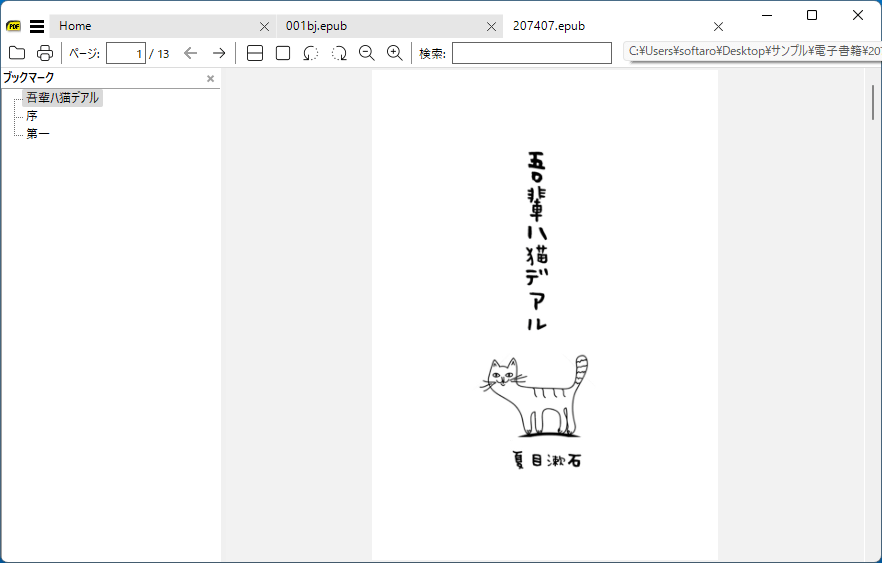
Sumatra PDF Portable は、Windows 用のフリーの PDF、電子ブック (epub、mobi)、コミックブック (cbz、cbr)、DjVu、XPS、CHM リーダーおよびビューアです。
軽量で起動が速く、シンプルなユーザーインターフェースなのが特徴です。コミックなどのサイズが大きなファイルもストレスフリーで開くことができます。
シンプルで読み込みが速いのが特徴です
Sumatra PDF Portable はミニマルなデザインとシンプルさに重点を置いて設計されているので、初心者から上級者まで、あらゆるタイプのユーザーが快適に使用することができます。
アプリはライトテーマまたはダークテーマの配色で使用することが可能で、単一ページ、見開き、ブックビュー、ページを連続表示、プレゼンテーション、全画面の間で表示モードを切り替えることができます。
優れた PDF、電子書籍、コミックリーダー
Sumatra PDF Portable は、軽量で、読み込みが速く、リソース消費量が少ない優れた PDF、電子書籍、コミックリーダーです。読み込みや表示が遅い PDF リーダーや電子書籍リーダーにうんざりしている場合は、Sumatra PDF を使用すると良いでしょう。
機能
- Windows 用の無料の PDF、EPUB、MOBI、CHM、XPS、DjVu、CBZ、CBR リーダー
- 小型で起動が速い
- シンプルなユーザーインターフェース
価格:無料
動作環境:Windows 7|8|8.1|10|11
使用言語:日本語ほかマルチ言語
最終更新日:
2年前 (2023/12/10)
ダウンロード数:452
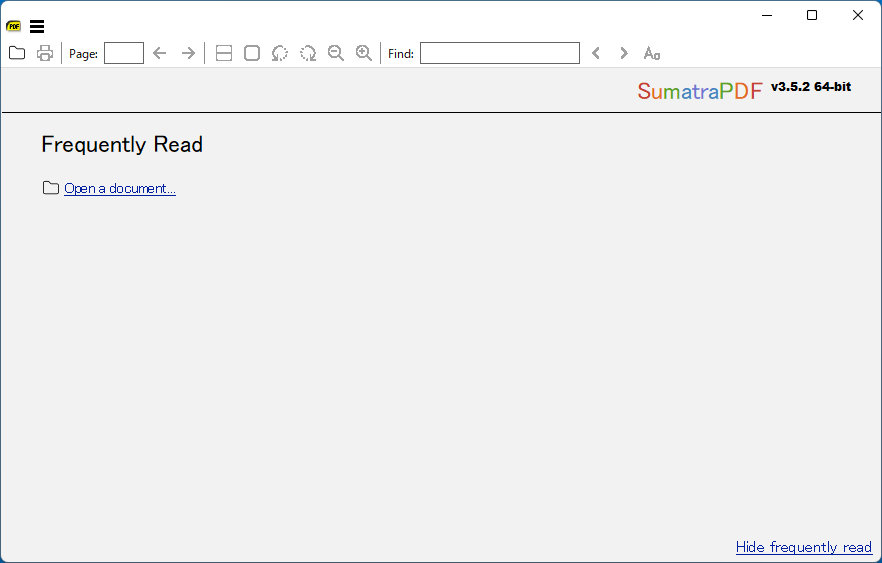
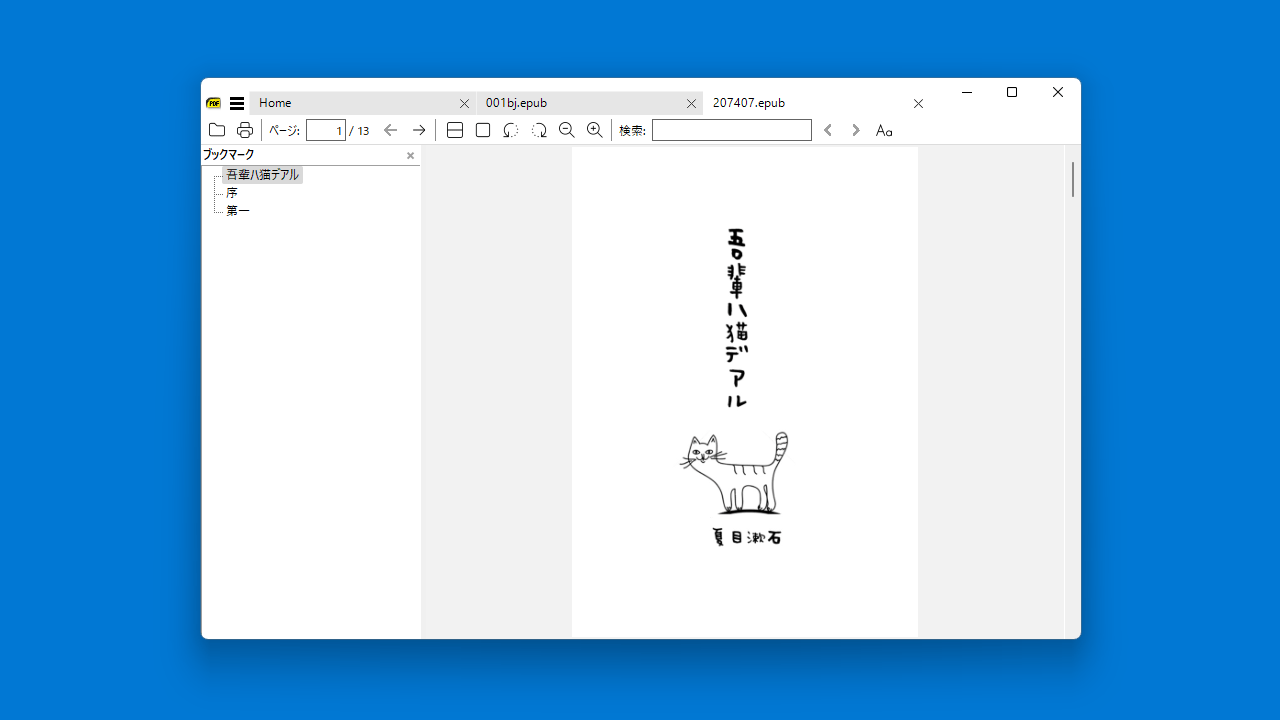
画像

ユーザーインターフェース

言語の設定

ユーザーインターフェース

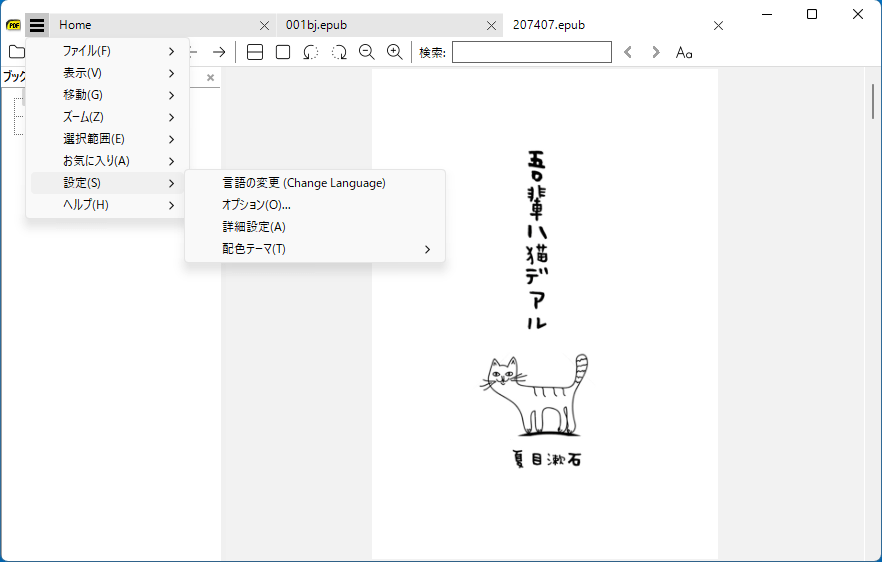
メニュー
使い方
インストール
1.インストール
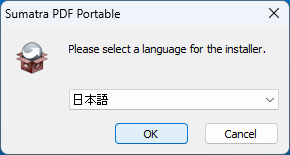
- インストール時に使用する言語を選択して[OK]をクリックします。
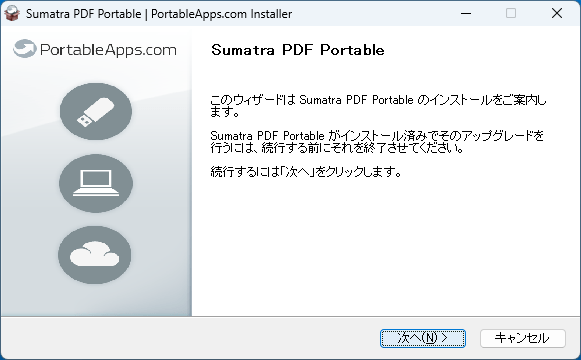
- セットアップウィザードが開始したら[Next]をクリックします。
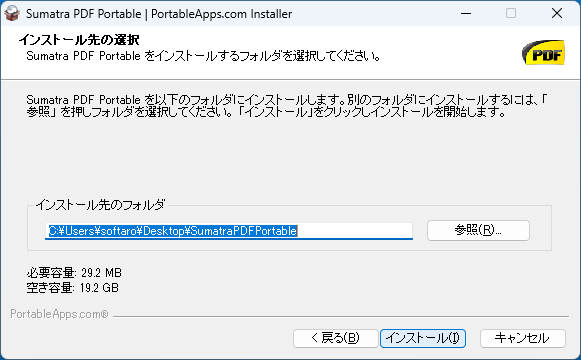
- インストール先を確認して[インストール]をクリックします。
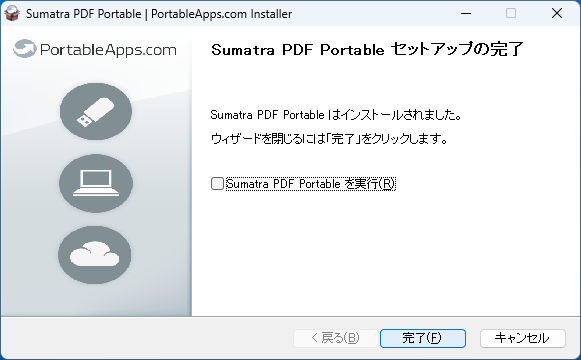
- インストールが完了しました。[Finish]をクリックしてセットアップウィザードを閉じます。
言語を変更する
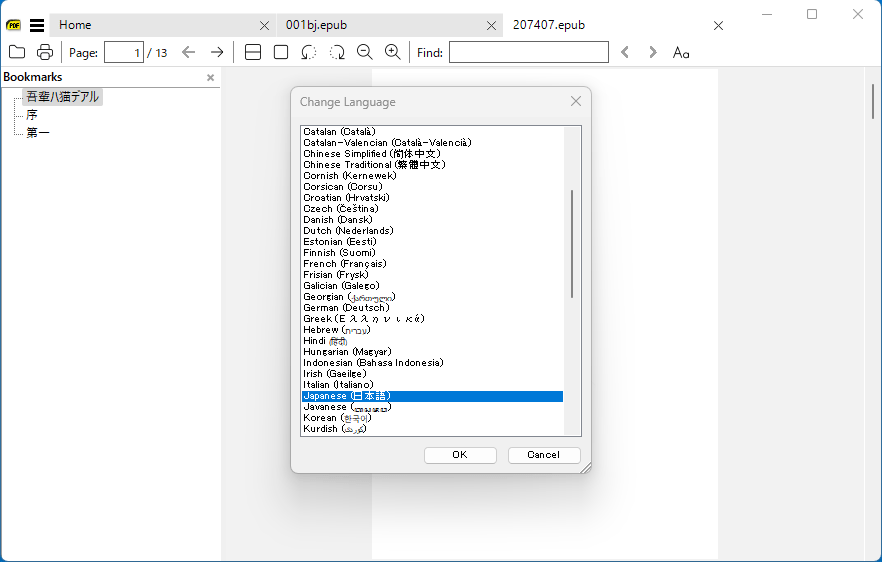
1. 言語を日本語またはそのほかの言語に変更する
- メニューから「Settings」>「Change Language」を選択すると、使用する言語を選択できます。

基本的な使い方
1. 基本的な使い方
- 「ファイル」メニューの開くから、またはファイルをドラッグアンドドロップしてファイルを開くことができます。
- タブ付きのインターフェースなので、複数のファイルを開いてタブで切り替えて表示することができます。


よくある質問と回答
ライセンスについて。
Sumatra PDF Portable は、どなたでも無料で利用できます。