").attr(n.scriptAttrs||{}).prop({charset:n.scriptCharset,src:n.url}).on("load error",i=function(e){r.remove(),i=null,e&&t("error"===e.type?404:200,e.type)}),C.head.appendChild(r[0])},abort:function(){i&&i()}}});var Jt,Kt=[],Zt=/(=)\?(?=&|$)|\?\?/;ce.ajaxSetup({jsonp:"callback",jsonpCallback:function(){var e=Kt.pop()||ce.expando+"_"+jt.guid++;return this[e]=!0,e}}),ce.ajaxPrefilter("json jsonp",function(e,t,n){var r,i,o,a=!1!==e.jsonp&&(Zt.test(e.url)?"url":"string"==typeof e.data&&0===(e.contentType||"").indexOf("application/x-www-form-urlencoded")&&Zt.test(e.data)&&"data");if(a||"jsonp"===e.dataTypes[0])return r=e.jsonpCallback=v(e.jsonpCallback)?e.jsonpCallback():e.jsonpCallback,a?e[a]=e[a].replace(Zt,"$1"+r):!1!==e.jsonp&&(e.url+=(At.test(e.url)?"&":"?")+e.jsonp+"="+r),e.converters["script json"]=function(){return o||ce.error(r+" was not called"),o[0]},e.dataTypes[0]="json",i=ie[r],ie[r]=function(){o=arguments},n.always(function(){void 0===i?ce(ie).removeProp(r):ie[r]=i,e[r]&&(e.jsonpCallback=t.jsonpCallback,Kt.push(r)),o&&v(i)&&i(o[0]),o=i=void 0}),"script"}),le.createHTMLDocument=((Jt=C.implementation.createHTMLDocument("").body).innerHTML="
",2===Jt.childNodes.length),ce.parseHTML=function(e,t,n){return"string"!=typeof e?[]:("boolean"==typeof t&&(n=t,t=!1),t||(le.createHTMLDocument?((r=(t=C.implementation.createHTMLDocument("")).createElement("base")).href=C.location.href,t.head.appendChild(r)):t=C),o=!n&&[],(i=w.exec(e))?[t.createElement(i[1])]:(i=Ae([e],t,o),o&&o.length&&ce(o).remove(),ce.merge([],i.childNodes)));var r,i,o},ce.fn.load=function(e,t,n){var r,i,o,a=this,s=e.indexOf(" ");return-1").append(ce.parseHTML(e)).find(r):e)}).always(n&&function(e,t){a.each(function(){n.apply(this,o||[e.responseText,t,e])})}),this},ce.expr.pseudos.animated=function(t){return ce.grep(ce.timers,function(e){return t===e.elem}).length},ce.offset={setOffset:function(e,t,n){var r,i,o,a,s,u,l=ce.css(e,"position"),c=ce(e),f={};"static"===l&&(e.style.position="relative"),s=c.offset(),o=ce.css(e,"top"),u=ce.css(e,"left"),("absolute"===l||"fixed"===l)&&-1<(o+u).indexOf("auto")?(a=(r=c.position()).top,i=r.left):(a=parseFloat(o)||0,i=parseFloat(u)||0),v(t)&&(t=t.call(e,n,ce.extend({},s))),null!=t.top&&(f.top=t.top-s.top+a),null!=t.left&&(f.left=t.left-s.left+i),"using"in t?t.using.call(e,f):c.css(f)}},ce.fn.extend({offset:function(t){if(arguments.length)return void 0===t?this:this.each(function(e){ce.offset.setOffset(this,t,e)});var e,n,r=this[0];return r?r.getClientRects().length?(e=r.getBoundingClientRect(),n=r.ownerDocument.defaultView,{top:e.top+n.pageYOffset,left:e.left+n.pageXOffset}):{top:0,left:0}:void 0},position:function(){if(this[0]){var e,t,n,r=this[0],i={top:0,left:0};if("fixed"===ce.css(r,"position"))t=r.getBoundingClientRect();else{t=this.offset(),n=r.ownerDocument,e=r.offsetParent||n.documentElement;while(e&&(e===n.body||e===n.documentElement)&&"static"===ce.css(e,"position"))e=e.parentNode;e&&e!==r&&1===e.nodeType&&((i=ce(e).offset()).top+=ce.css(e,"borderTopWidth",!0),i.left+=ce.css(e,"borderLeftWidth",!0))}return{top:t.top-i.top-ce.css(r,"marginTop",!0),left:t.left-i.left-ce.css(r,"marginLeft",!0)}}},offsetParent:function(){return this.map(function(){var e=this.offsetParent;while(e&&"static"===ce.css(e,"position"))e=e.offsetParent;return e||J})}}),ce.each({scrollLeft:"pageXOffset",scrollTop:"pageYOffset"},function(t,i){var o="pageYOffset"===i;ce.fn[t]=function(e){return M(this,function(e,t,n){var r;if(y(e)?r=e:9===e.nodeType&&(r=e.defaultView),void 0===n)return r?r[i]:e[t];r?r.scrollTo(o?r.pageXOffset:n,o?n:r.pageYOffset):e[t]=n},t,e,arguments.length)}}),ce.each(["top","left"],function(e,n){ce.cssHooks[n]=Ye(le.pixelPosition,function(e,t){if(t)return t=Ge(e,n),_e.test(t)?ce(e).position()[n]+"px":t})}),ce.each({Height:"height",Width:"width"},function(a,s){ce.each({padding:"inner"+a,content:s,"":"outer"+a},function(r,o){ce.fn[o]=function(e,t){var n=arguments.length&&(r||"boolean"!=typeof e),i=r||(!0===e||!0===t?"margin":"border");return M(this,function(e,t,n){var r;return y(e)?0===o.indexOf("outer")?e["inner"+a]:e.document.documentElement["client"+a]:9===e.nodeType?(r=e.documentElement,Math.max(e.body["scroll"+a],r["scroll"+a],e.body["offset"+a],r["offset"+a],r["client"+a])):void 0===n?ce.css(e,t,i):ce.style(e,t,n,i)},s,n?e:void 0,n)}})}),ce.each(["ajaxStart","ajaxStop","ajaxComplete","ajaxError","ajaxSuccess","ajaxSend"],function(e,t){ce.fn[t]=function(e){return this.on(t,e)}}),ce.fn.extend({bind:function(e,t,n){return this.on(e,null,t,n)},unbind:function(e,t){return this.off(e,null,t)},delegate:function(e,t,n,r){return this.on(t,e,n,r)},undelegate:function(e,t,n){return 1===arguments.length?this.off(e,"**"):this.off(t,e||"**",n)},hover:function(e,t){return this.on("mouseenter",e).on("mouseleave",t||e)}}),ce.each("blur focus focusin focusout resize scroll click dblclick mousedown mouseup mousemove mouseover mouseout mouseenter mouseleave change select submit keydown keypress keyup contextmenu".split(" "),function(e,n){ce.fn[n]=function(e,t){return 0
Tab Suspender 1.4.12
Web ブラウザ
2023/09/03 11:36
説明機能仕様ダウンロード画像使い方
開いていないタブをスリープ状態にしてメモリ使用量を節約することができる Chrome 拡張機能

未使用のタブを自動的にサスペンド(一時停止)して、メモリ使用量を節約することができる Chrome ブラウザ拡張機能。Chrome のメモリ使用量を最小限に抑え、Chrome を高速化することができます。
Tab Suspender の概要
Tab Suspender は、面倒な作業を自動的に行ってくれる、無料のオープンソース アプリケーション ファイアウォールです。
Tab Suspender の機能
Tab Suspender で利用できる主な機能の一覧です。
| 機能 |
概要 |
| メイン機能 |
未使用のタブを自動的にスリープ状態にする |
| 機能詳細 |
・Chrome を高速化:一時停止されたタブはリソースを消費しません。
・メモリ使用量を最小限に抑えます:Chrome のメモリ消費量は 3 ~ 5 分の 1 です。
・タブの入力を自動制御します:使用しないタブを手動で閉じる必要はありません。 |
未使用のタブを自動的にサスペンドしてメモリを節約します
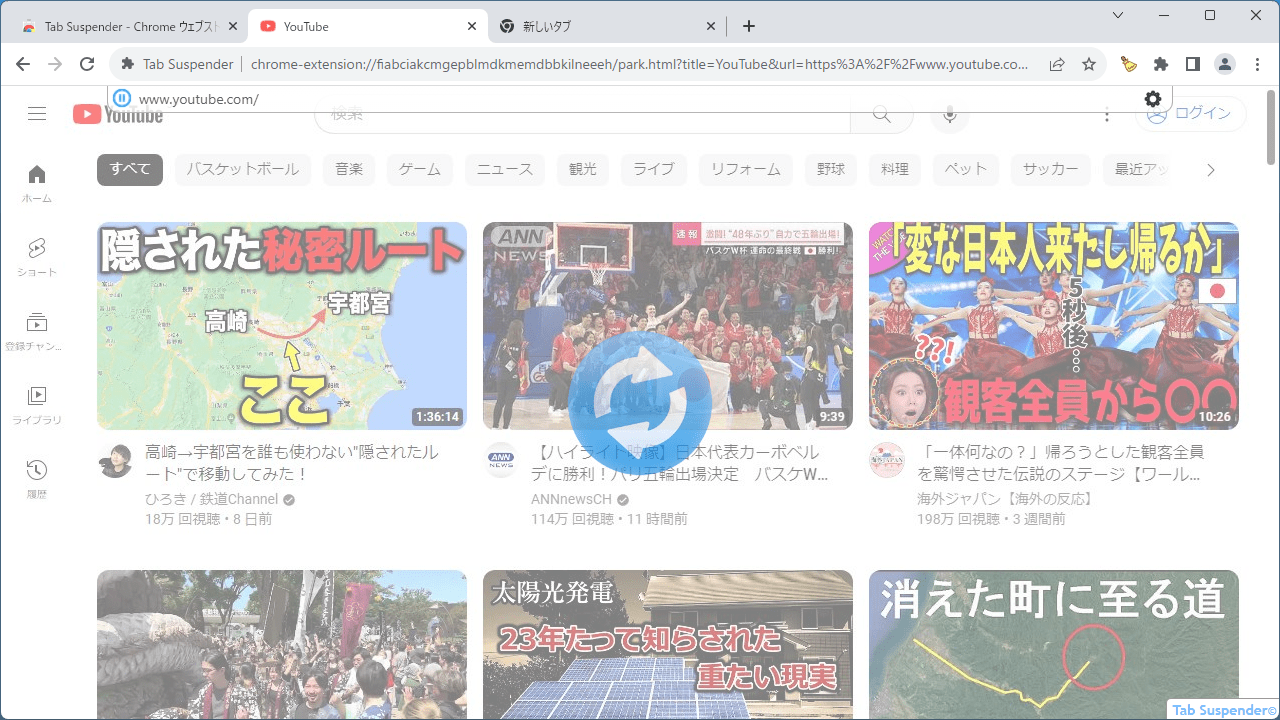
Tab Suspender は、未使用のタブを自動的にサスペンド(一時停止)して、メモリを解放し、メモリ使用量を削減することができる Chrome ブラウザ拡張機能です。
Tab Suspender を使用すると、非アクティブなタブをサスペンド/パーク/休止状態にし、メモリを最大 80% 節約します。未使用のタブのメモリは自動的に解放され、デバイスの負荷が軽減され、バッテリーの消費電力と発熱が軽減されます。
未使用のタブを自動で閉じるように設定することもできます
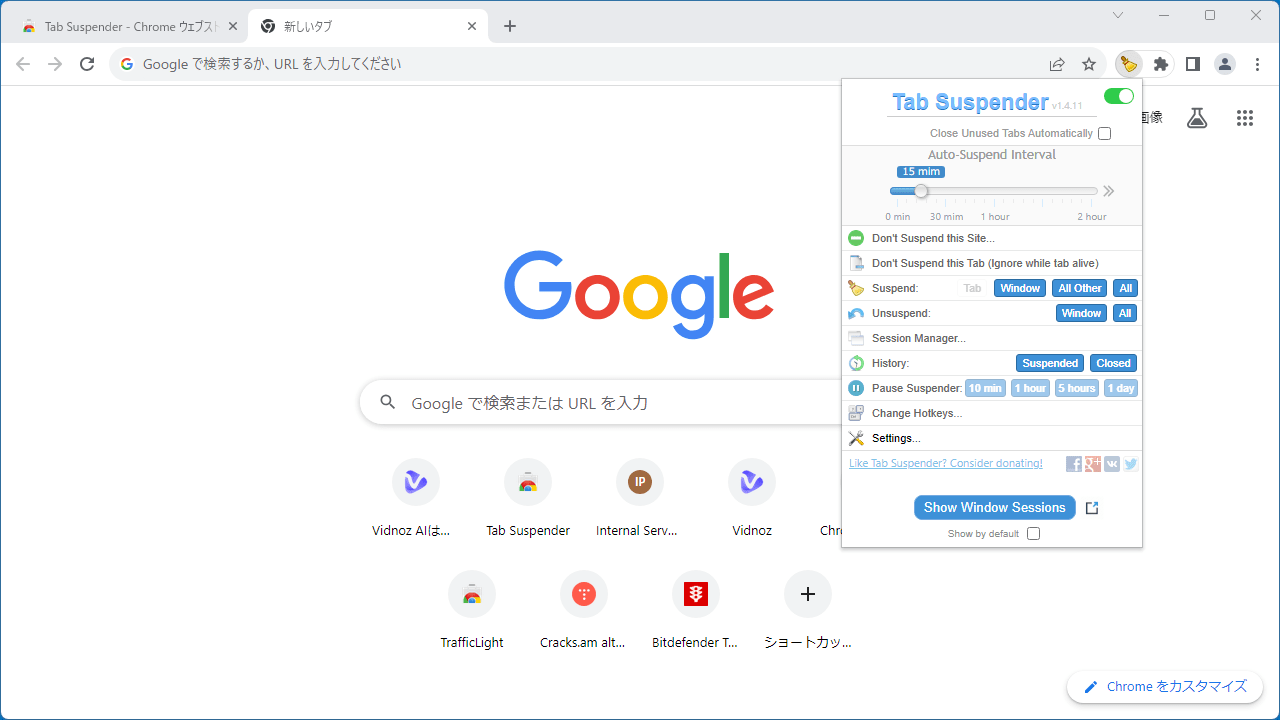
Tab Suspender を使用すると、未使用のタブをサスペンドし、スリープ状態に移行するまでの時間を「1分~2時間」の間で好みに設定できます。また、ほとんど使用されないタブや忘れられたタブを探し、自動的に閉じるように設定することもできます。
タブが再び表示されるようになった場合は、自動的に初期状態に戻すことができます。
Chrome のメモリ使用量を削減することができる拡張機能
Tab Suspender は、Google Chrome ブラウザのメモリ使用量を最小限に抑えてメモリ使用量や消費電力を削減することができる便利なブラウザ拡張機能です。ブラウザのタブを常に複数開いているような場合に特に役に立ちます。
機能
- Chrome を高速化:一時停止されたタブはリソースを消費しません。
- メモリ使用量を最小限に抑えます:Chrome のメモリ消費量は 3 ~ 5 分の 1 です。
- タブの入力を自動制御します:使用しないタブを手動で閉じる必要はありません。
価格:無料
動作環境:Windows 7|8|8.1|10|11・Mac・Linux
使用言語:英語
最終更新日:
2年前 (2024/01/10)
ダウンロード数:
画像

ユーザーインターフェース

サスペンド中のタブ

初期設定
使い方
インストール
1.インストール方法
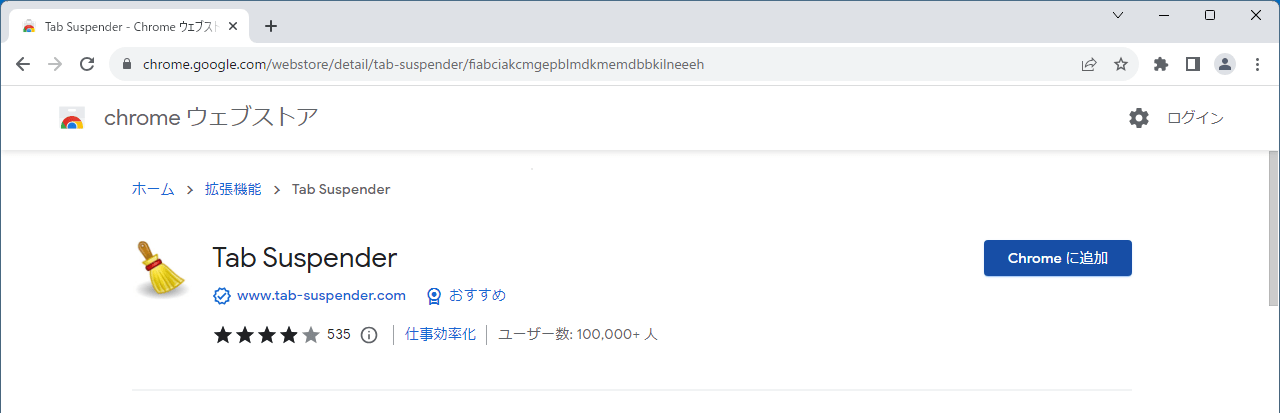
- ダウンロード先のページに移動したら、[Chrome に追加]をクリックします。
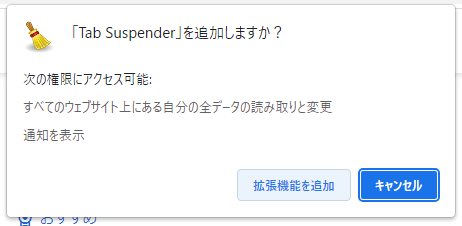
- ポップアップが表示されたら[拡張機能を追加]ボタンをクリックします。
基本的な使い方
1. 初期設定
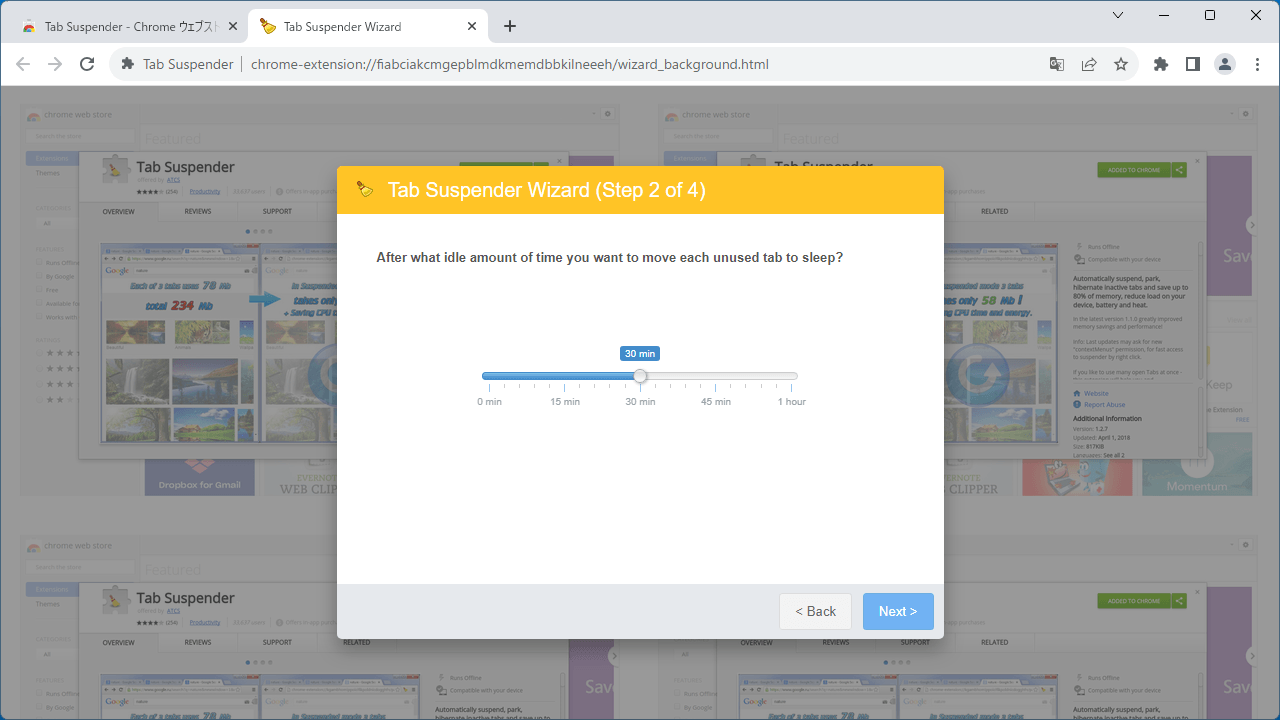
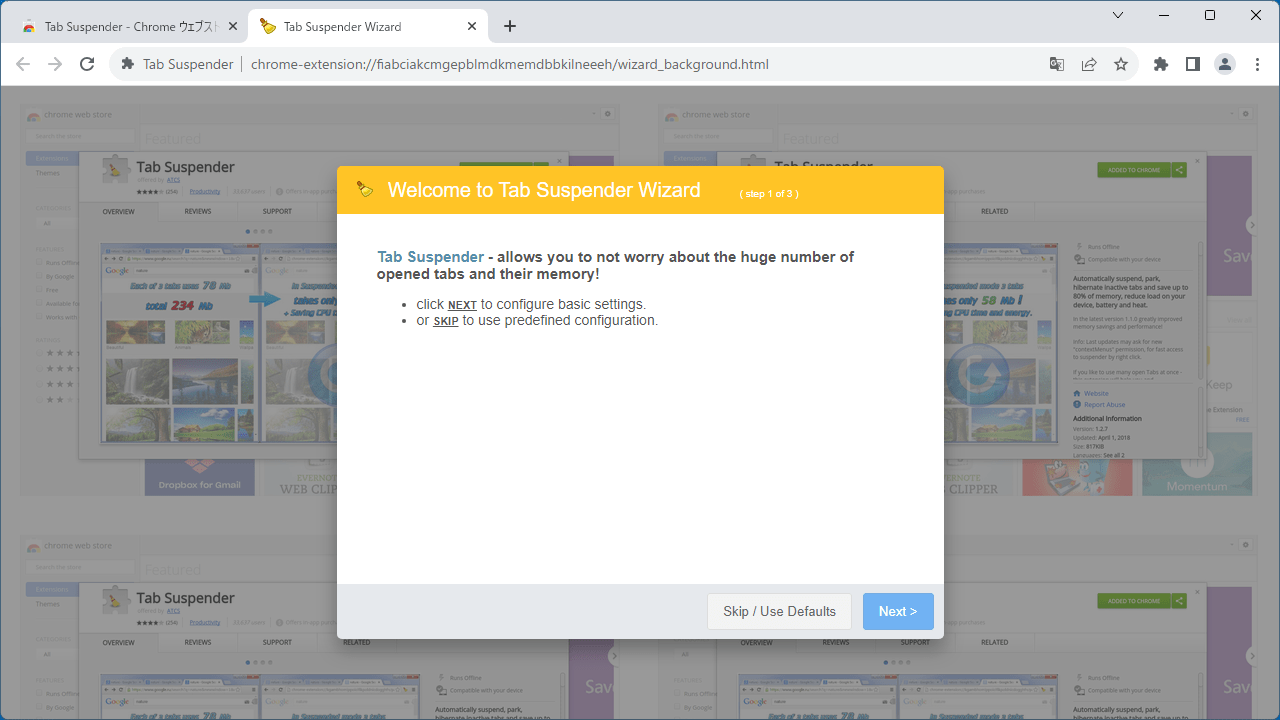
- Tab Suspender のインストールが完了すると、初期設定の画面が表示されます。[Next]をクリックして進みます。
- 未使用のタブをスリープ状態に移行するまでの時間を設定して、[Next]をクリックします。

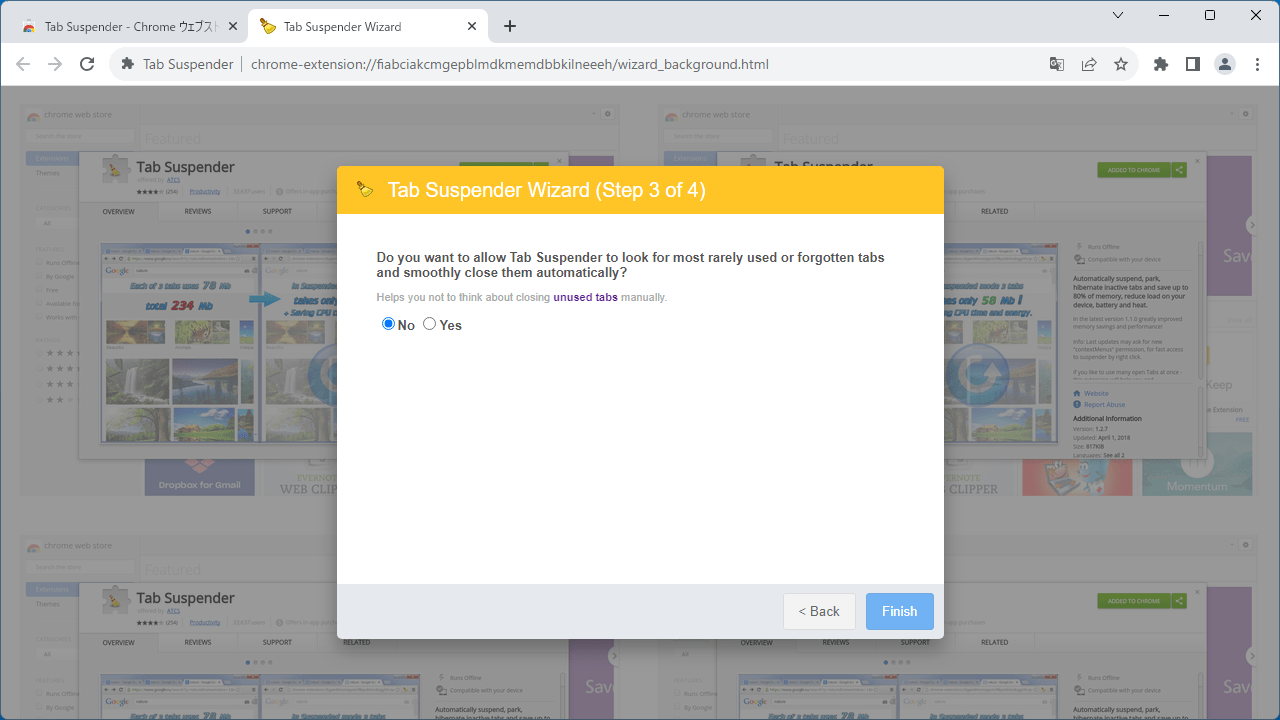
- ほとんど使用されないタブや忘れられたタブを探し、自動的にスムーズに閉じることを許可する場合は「Yes」、許可しない場合は「No」を選択して[Finish]をクリックします。
2.ユーザーインターフェース
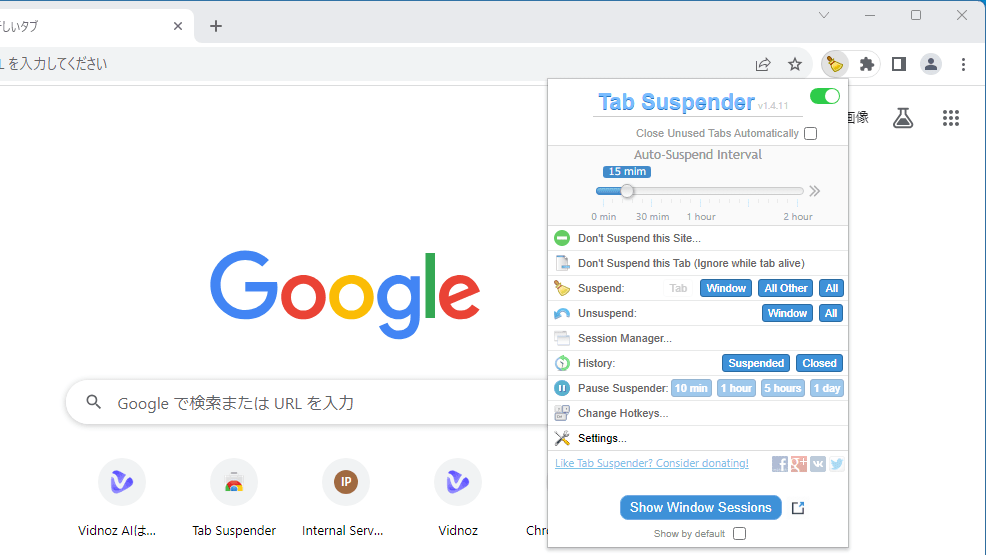
拡張機能をピン留めし、アイコンをクリックすると、Tab Suspender の設定ができます。
- タブをサスペンドするまでの時間を上部のスライダーで変更できます。
- 「Don’t Suspend this Site」をクリックすると、サイトをホワイトリストに追加できます。

よくある質問と回答
ライセンスについて。