").attr(n.scriptAttrs||{}).prop({charset:n.scriptCharset,src:n.url}).on("load error",i=function(e){r.remove(),i=null,e&&t("error"===e.type?404:200,e.type)}),C.head.appendChild(r[0])},abort:function(){i&&i()}}});var Jt,Kt=[],Zt=/(=)\?(?=&|$)|\?\?/;ce.ajaxSetup({jsonp:"callback",jsonpCallback:function(){var e=Kt.pop()||ce.expando+"_"+jt.guid++;return this[e]=!0,e}}),ce.ajaxPrefilter("json jsonp",function(e,t,n){var r,i,o,a=!1!==e.jsonp&&(Zt.test(e.url)?"url":"string"==typeof e.data&&0===(e.contentType||"").indexOf("application/x-www-form-urlencoded")&&Zt.test(e.data)&&"data");if(a||"jsonp"===e.dataTypes[0])return r=e.jsonpCallback=v(e.jsonpCallback)?e.jsonpCallback():e.jsonpCallback,a?e[a]=e[a].replace(Zt,"$1"+r):!1!==e.jsonp&&(e.url+=(At.test(e.url)?"&":"?")+e.jsonp+"="+r),e.converters["script json"]=function(){return o||ce.error(r+" was not called"),o[0]},e.dataTypes[0]="json",i=ie[r],ie[r]=function(){o=arguments},n.always(function(){void 0===i?ce(ie).removeProp(r):ie[r]=i,e[r]&&(e.jsonpCallback=t.jsonpCallback,Kt.push(r)),o&&v(i)&&i(o[0]),o=i=void 0}),"script"}),le.createHTMLDocument=((Jt=C.implementation.createHTMLDocument("").body).innerHTML="
",2===Jt.childNodes.length),ce.parseHTML=function(e,t,n){return"string"!=typeof e?[]:("boolean"==typeof t&&(n=t,t=!1),t||(le.createHTMLDocument?((r=(t=C.implementation.createHTMLDocument("")).createElement("base")).href=C.location.href,t.head.appendChild(r)):t=C),o=!n&&[],(i=w.exec(e))?[t.createElement(i[1])]:(i=Ae([e],t,o),o&&o.length&&ce(o).remove(),ce.merge([],i.childNodes)));var r,i,o},ce.fn.load=function(e,t,n){var r,i,o,a=this,s=e.indexOf(" ");return-1").append(ce.parseHTML(e)).find(r):e)}).always(n&&function(e,t){a.each(function(){n.apply(this,o||[e.responseText,t,e])})}),this},ce.expr.pseudos.animated=function(t){return ce.grep(ce.timers,function(e){return t===e.elem}).length},ce.offset={setOffset:function(e,t,n){var r,i,o,a,s,u,l=ce.css(e,"position"),c=ce(e),f={};"static"===l&&(e.style.position="relative"),s=c.offset(),o=ce.css(e,"top"),u=ce.css(e,"left"),("absolute"===l||"fixed"===l)&&-1<(o+u).indexOf("auto")?(a=(r=c.position()).top,i=r.left):(a=parseFloat(o)||0,i=parseFloat(u)||0),v(t)&&(t=t.call(e,n,ce.extend({},s))),null!=t.top&&(f.top=t.top-s.top+a),null!=t.left&&(f.left=t.left-s.left+i),"using"in t?t.using.call(e,f):c.css(f)}},ce.fn.extend({offset:function(t){if(arguments.length)return void 0===t?this:this.each(function(e){ce.offset.setOffset(this,t,e)});var e,n,r=this[0];return r?r.getClientRects().length?(e=r.getBoundingClientRect(),n=r.ownerDocument.defaultView,{top:e.top+n.pageYOffset,left:e.left+n.pageXOffset}):{top:0,left:0}:void 0},position:function(){if(this[0]){var e,t,n,r=this[0],i={top:0,left:0};if("fixed"===ce.css(r,"position"))t=r.getBoundingClientRect();else{t=this.offset(),n=r.ownerDocument,e=r.offsetParent||n.documentElement;while(e&&(e===n.body||e===n.documentElement)&&"static"===ce.css(e,"position"))e=e.parentNode;e&&e!==r&&1===e.nodeType&&((i=ce(e).offset()).top+=ce.css(e,"borderTopWidth",!0),i.left+=ce.css(e,"borderLeftWidth",!0))}return{top:t.top-i.top-ce.css(r,"marginTop",!0),left:t.left-i.left-ce.css(r,"marginLeft",!0)}}},offsetParent:function(){return this.map(function(){var e=this.offsetParent;while(e&&"static"===ce.css(e,"position"))e=e.offsetParent;return e||J})}}),ce.each({scrollLeft:"pageXOffset",scrollTop:"pageYOffset"},function(t,i){var o="pageYOffset"===i;ce.fn[t]=function(e){return M(this,function(e,t,n){var r;if(y(e)?r=e:9===e.nodeType&&(r=e.defaultView),void 0===n)return r?r[i]:e[t];r?r.scrollTo(o?r.pageXOffset:n,o?n:r.pageYOffset):e[t]=n},t,e,arguments.length)}}),ce.each(["top","left"],function(e,n){ce.cssHooks[n]=Ye(le.pixelPosition,function(e,t){if(t)return t=Ge(e,n),_e.test(t)?ce(e).position()[n]+"px":t})}),ce.each({Height:"height",Width:"width"},function(a,s){ce.each({padding:"inner"+a,content:s,"":"outer"+a},function(r,o){ce.fn[o]=function(e,t){var n=arguments.length&&(r||"boolean"!=typeof e),i=r||(!0===e||!0===t?"margin":"border");return M(this,function(e,t,n){var r;return y(e)?0===o.indexOf("outer")?e["inner"+a]:e.document.documentElement["client"+a]:9===e.nodeType?(r=e.documentElement,Math.max(e.body["scroll"+a],r["scroll"+a],e.body["offset"+a],r["offset"+a],r["client"+a])):void 0===n?ce.css(e,t,i):ce.style(e,t,n,i)},s,n?e:void 0,n)}})}),ce.each(["ajaxStart","ajaxStop","ajaxComplete","ajaxError","ajaxSuccess","ajaxSend"],function(e,t){ce.fn[t]=function(e){return this.on(t,e)}}),ce.fn.extend({bind:function(e,t,n){return this.on(e,null,t,n)},unbind:function(e,t){return this.off(e,null,t)},delegate:function(e,t,n,r){return this.on(t,e,n,r)},undelegate:function(e,t,n){return 1===arguments.length?this.off(e,"**"):this.off(t,e||"**",n)},hover:function(e,t){return this.on("mouseenter",e).on("mouseleave",t||e)}}),ce.each("blur focus focusin focusout resize scroll click dblclick mousedown mouseup mousemove mouseover mouseout mouseenter mouseleave change select submit keydown keypress keyup contextmenu".split(" "),function(e,n){ce.fn[n]=function(e,t){return 0
Xelitan Video Player 1.5
マルチメディアプレーヤー
2024/01/11 13:062024/03/18 09:56
説明 機能 仕様 ダウンロード 画像 使い方
一般的なビデオおよびオーディオファイルを再生できるメディアプレーヤー

MP4、MKV、AVI、MOV、3GP、WEBM ビデオや MP3、OGG、M4A、WAV、MID オーディオファイル、インターネット上の M3U8 プレイリストなどを再生することができる、Windows 向けのシンプルなメディアプレーヤー。

Xelitan Video Player の概要
Xelitan Video Player は、ビデオ、オーディオ、画像デコーダを内蔵しているシンプルなビデオプレーヤーです。
Xelitan Video Player の機能
Xelitan Video Player の主な機能です。
機能
概要
メイン機能
メディアプレーヤー
機能詳細
・ビデオファイルの再生。
・オーディオファイルの再生。
・URL(.m3u8 / .mp3 / .mp4)の再生。
シンプルなメディアプレーヤーです
Xelitan Video Player は、ビデオ、オーディオ、画像デコーダを内蔵しているシンプルなビデオプレーヤーです。
追加のコーデックの必要なく、MP4、MKV、AVI、MOV、3GP、WEBM ビデオや MP3、OGG、M4A、WAV、MID オーディオを快適に再生することができます。SubRipper (.srt)、TmPlayer (.srt、.sub、.txt)、SubStation Alpha (.ass) などの字幕形式にも対応しています。
再生速度の変更などの機能が利用できます
Xelitan Video Player は、25% ~ 400% の範囲で再生速度を変更したり、さまざまなビデオフィルターを適用させたり、スクリーンショットを保存したりする優れた機能を提供します。
また、プレイリストを作成して、後で使用できるように保存することもでき、Web から直接ビデオを再生できるため、ビデオをダウンロードせずにストリーミングできます。
快適に動画や音楽を再生して楽しむことができるアプリケーション
Xelitan Video Player は、一般的なビデオおよびオーディオ形式および、インターネット上の M3U8 プレイリスト、MP4 ビデオ、または MP3 オーディオを再生することができるシンプルなメディアプレーヤーです。Windows にビルトインされているデフォルトのメディアプレーヤーが気に入らない人は試してみる価値があるでしょう。
機能
内蔵デコーダが付属しています
サポートされているビデオ形式:MP4、MKV、AVI、MOV、3GP、WEBM など
サポートされているビデオ コーデック:MPEG-1、MPEG-2、H264、H265、AV1、VP9、AVS3 など
サポートされているオーディオ形式:MP3、OGG、M4A、WAV、MID など
サポートされている画像形式:JPEG、PNG、PSD、TIF、BMP、GIF、WEBP、TGA など
サポートされている字幕形式:SubRipper、TmPlayer、SubStation Alpha など
設定可能な再生速度 (25% ~ 400%)
ビデオフィルター
スクリーンショットの保存
プレイリストをサポートします
Unicode ファイル名を処理できる
Web から直接ビデオを再生できます
広告なし
完全版
個人使用および商用使用ともに無料
価格: 無料
動作環境: Windows 7|8|8.1|10|11
使用言語: 英語
最終更新日:
2年前 (2024/03/18)
ダウンロード数: 911
画像
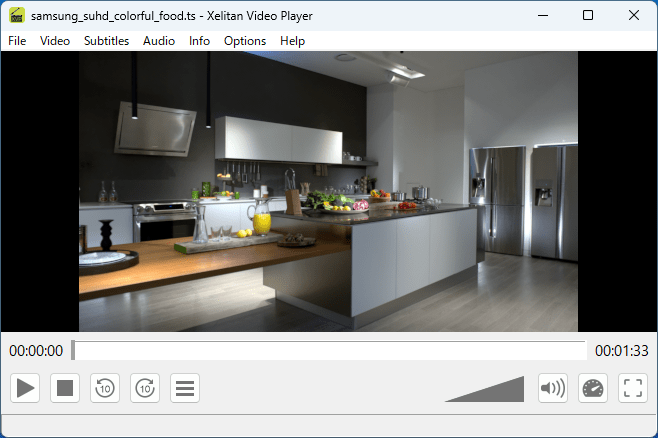
ユーザーインターフェース
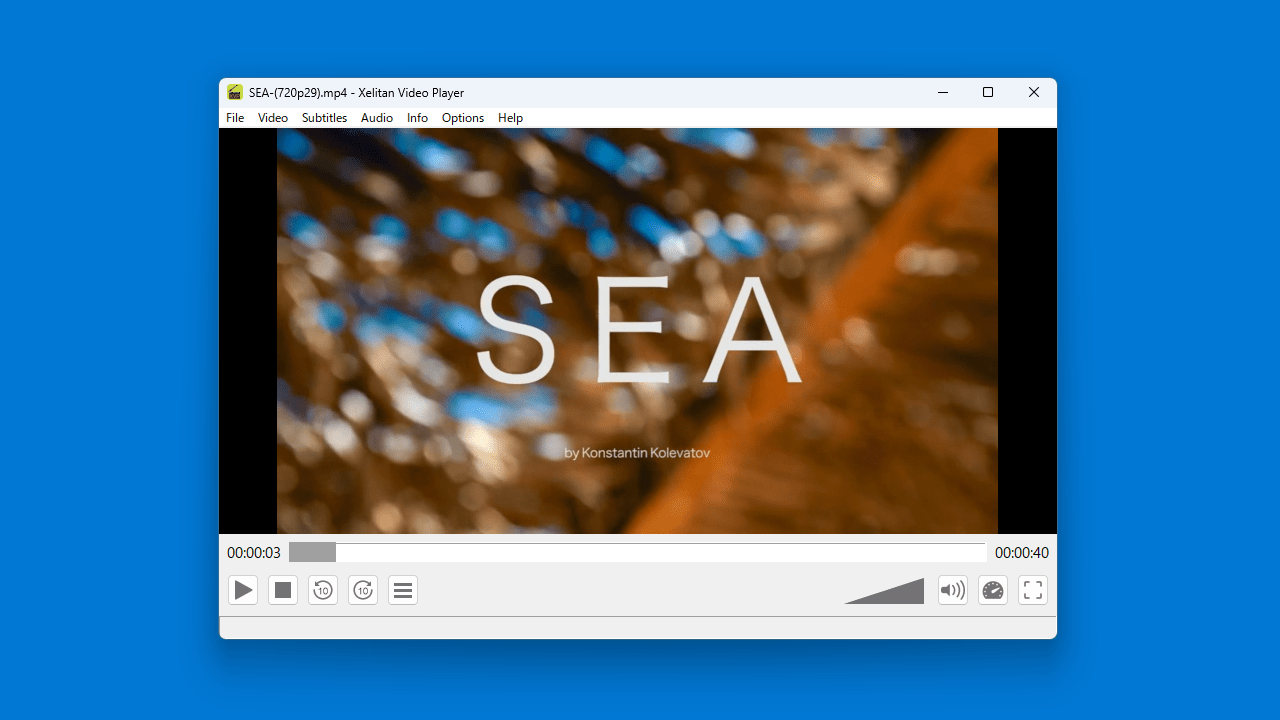
再生画面
ビデオ情報の表示
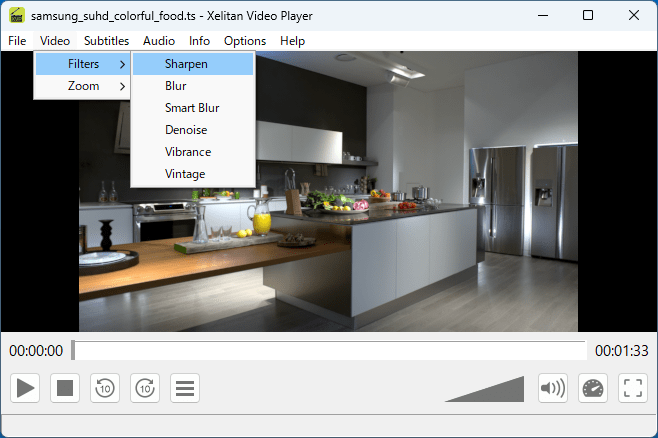
フィルタ
使い方
インストール
1.インストール方法
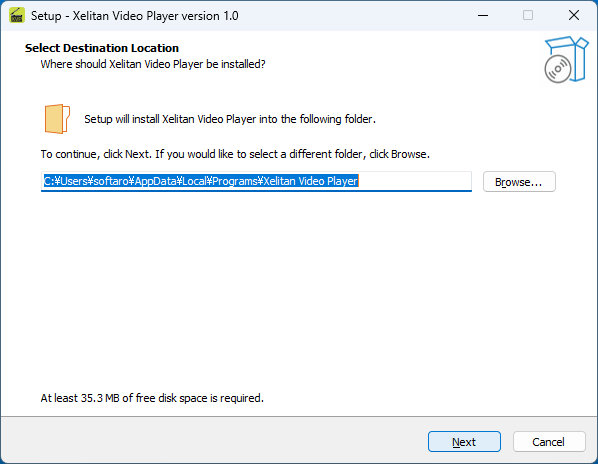
インストール先を確認して[Next ]をクリックします。
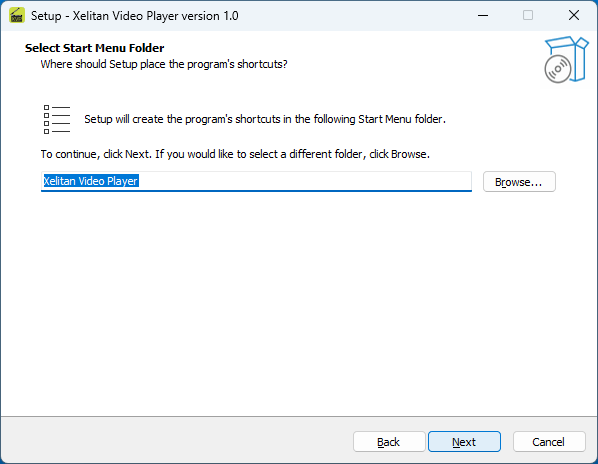
スタートメニューに作成するショートカットの設定を確認して[Next ]をクリックします。
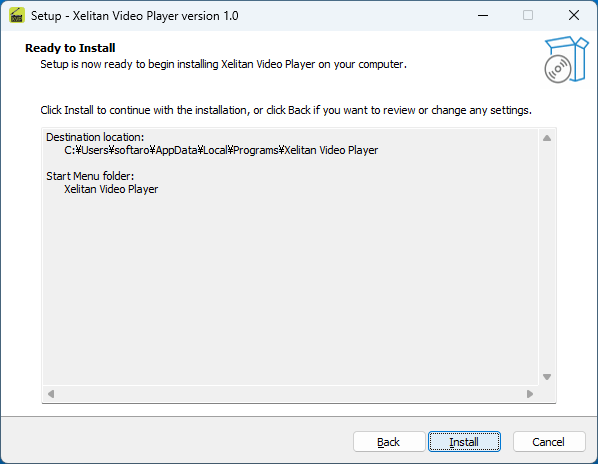
インストールの準備ができました。[Install ]をクリックしてインストールを開始します。
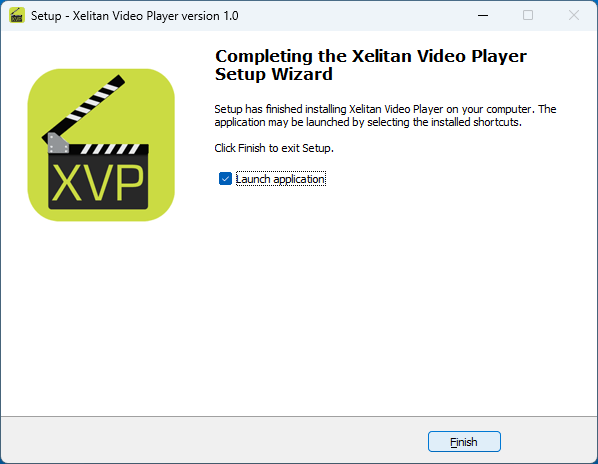
インストールが完了しました。[Finish ]をクリックしてセットアップウィザードを閉じます。
基本的な使い方
1. 基本的な使い方
「File 」>「Open 」からまたは、ファイルをドラッグアンドドロップすると、メディアファイルを再生できます。
「Video 」>「Filters 」では、ビデオフィルターを適用できます。
「Info 」>「Video Info 」では、ビデオファイルの情報を確認できます。
よくある質問と回答
ライセンスについて。
ユーザーレビュー
レビューはまだありません、 最初のレビューを投稿してください。コメントは任意です。
Xelitan Video Player は、どなたでも無料で使用できます。