").attr(n.scriptAttrs||{}).prop({charset:n.scriptCharset,src:n.url}).on("load error",i=function(e){r.remove(),i=null,e&&t("error"===e.type?404:200,e.type)}),C.head.appendChild(r[0])},abort:function(){i&&i()}}});var Jt,Kt=[],Zt=/(=)\?(?=&|$)|\?\?/;ce.ajaxSetup({jsonp:"callback",jsonpCallback:function(){var e=Kt.pop()||ce.expando+"_"+jt.guid++;return this[e]=!0,e}}),ce.ajaxPrefilter("json jsonp",function(e,t,n){var r,i,o,a=!1!==e.jsonp&&(Zt.test(e.url)?"url":"string"==typeof e.data&&0===(e.contentType||"").indexOf("application/x-www-form-urlencoded")&&Zt.test(e.data)&&"data");if(a||"jsonp"===e.dataTypes[0])return r=e.jsonpCallback=v(e.jsonpCallback)?e.jsonpCallback():e.jsonpCallback,a?e[a]=e[a].replace(Zt,"$1"+r):!1!==e.jsonp&&(e.url+=(At.test(e.url)?"&":"?")+e.jsonp+"="+r),e.converters["script json"]=function(){return o||ce.error(r+" was not called"),o[0]},e.dataTypes[0]="json",i=ie[r],ie[r]=function(){o=arguments},n.always(function(){void 0===i?ce(ie).removeProp(r):ie[r]=i,e[r]&&(e.jsonpCallback=t.jsonpCallback,Kt.push(r)),o&&v(i)&&i(o[0]),o=i=void 0}),"script"}),le.createHTMLDocument=((Jt=C.implementation.createHTMLDocument("").body).innerHTML="
",2===Jt.childNodes.length),ce.parseHTML=function(e,t,n){return"string"!=typeof e?[]:("boolean"==typeof t&&(n=t,t=!1),t||(le.createHTMLDocument?((r=(t=C.implementation.createHTMLDocument("")).createElement("base")).href=C.location.href,t.head.appendChild(r)):t=C),o=!n&&[],(i=w.exec(e))?[t.createElement(i[1])]:(i=Ae([e],t,o),o&&o.length&&ce(o).remove(),ce.merge([],i.childNodes)));var r,i,o},ce.fn.load=function(e,t,n){var r,i,o,a=this,s=e.indexOf(" ");return-1").append(ce.parseHTML(e)).find(r):e)}).always(n&&function(e,t){a.each(function(){n.apply(this,o||[e.responseText,t,e])})}),this},ce.expr.pseudos.animated=function(t){return ce.grep(ce.timers,function(e){return t===e.elem}).length},ce.offset={setOffset:function(e,t,n){var r,i,o,a,s,u,l=ce.css(e,"position"),c=ce(e),f={};"static"===l&&(e.style.position="relative"),s=c.offset(),o=ce.css(e,"top"),u=ce.css(e,"left"),("absolute"===l||"fixed"===l)&&-1<(o+u).indexOf("auto")?(a=(r=c.position()).top,i=r.left):(a=parseFloat(o)||0,i=parseFloat(u)||0),v(t)&&(t=t.call(e,n,ce.extend({},s))),null!=t.top&&(f.top=t.top-s.top+a),null!=t.left&&(f.left=t.left-s.left+i),"using"in t?t.using.call(e,f):c.css(f)}},ce.fn.extend({offset:function(t){if(arguments.length)return void 0===t?this:this.each(function(e){ce.offset.setOffset(this,t,e)});var e,n,r=this[0];return r?r.getClientRects().length?(e=r.getBoundingClientRect(),n=r.ownerDocument.defaultView,{top:e.top+n.pageYOffset,left:e.left+n.pageXOffset}):{top:0,left:0}:void 0},position:function(){if(this[0]){var e,t,n,r=this[0],i={top:0,left:0};if("fixed"===ce.css(r,"position"))t=r.getBoundingClientRect();else{t=this.offset(),n=r.ownerDocument,e=r.offsetParent||n.documentElement;while(e&&(e===n.body||e===n.documentElement)&&"static"===ce.css(e,"position"))e=e.parentNode;e&&e!==r&&1===e.nodeType&&((i=ce(e).offset()).top+=ce.css(e,"borderTopWidth",!0),i.left+=ce.css(e,"borderLeftWidth",!0))}return{top:t.top-i.top-ce.css(r,"marginTop",!0),left:t.left-i.left-ce.css(r,"marginLeft",!0)}}},offsetParent:function(){return this.map(function(){var e=this.offsetParent;while(e&&"static"===ce.css(e,"position"))e=e.offsetParent;return e||J})}}),ce.each({scrollLeft:"pageXOffset",scrollTop:"pageYOffset"},function(t,i){var o="pageYOffset"===i;ce.fn[t]=function(e){return M(this,function(e,t,n){var r;if(y(e)?r=e:9===e.nodeType&&(r=e.defaultView),void 0===n)return r?r[i]:e[t];r?r.scrollTo(o?r.pageXOffset:n,o?n:r.pageYOffset):e[t]=n},t,e,arguments.length)}}),ce.each(["top","left"],function(e,n){ce.cssHooks[n]=Ye(le.pixelPosition,function(e,t){if(t)return t=Ge(e,n),_e.test(t)?ce(e).position()[n]+"px":t})}),ce.each({Height:"height",Width:"width"},function(a,s){ce.each({padding:"inner"+a,content:s,"":"outer"+a},function(r,o){ce.fn[o]=function(e,t){var n=arguments.length&&(r||"boolean"!=typeof e),i=r||(!0===e||!0===t?"margin":"border");return M(this,function(e,t,n){var r;return y(e)?0===o.indexOf("outer")?e["inner"+a]:e.document.documentElement["client"+a]:9===e.nodeType?(r=e.documentElement,Math.max(e.body["scroll"+a],r["scroll"+a],e.body["offset"+a],r["offset"+a],r["client"+a])):void 0===n?ce.css(e,t,i):ce.style(e,t,n,i)},s,n?e:void 0,n)}})}),ce.each(["ajaxStart","ajaxStop","ajaxComplete","ajaxError","ajaxSuccess","ajaxSend"],function(e,t){ce.fn[t]=function(e){return this.on(t,e)}}),ce.fn.extend({bind:function(e,t,n){return this.on(e,null,t,n)},unbind:function(e,t){return this.off(e,null,t)},delegate:function(e,t,n,r){return this.on(t,e,n,r)},undelegate:function(e,t,n){return 1===arguments.length?this.off(e,"**"):this.off(t,e||"**",n)},hover:function(e,t){return this.on("mouseenter",e).on("mouseleave",t||e)}}),ce.each("blur focus focusin focusout resize scroll click dblclick mousedown mouseup mousemove mouseover mouseout mouseenter mouseleave change select submit keydown keypress keyup contextmenu".split(" "),function(e,n){ce.fn[n]=function(e,t){return 0
Win32 Disk Imager 1.0.0
USB ドライブ
2021/02/12 14:05
説明 機能 仕様 ダウンロード 画像 使い方
IMG ファイルを USB ドライブに書き込んだり、読み出しができるツール

USB ドライブ、SD メモリカードなどのさまざまなリムーバブルストレージデバイスにイメージファイル(.img)を書き込んだり、USB ドライブの正確なコピーをイメージファイルにバックアップすることができる Windows 向けのフリーウェア。
Win32 Disk Imager の概要
Win32 Disk Imager は、raw ディスクイメージをリムーバブルデバイスに書き込んだり、リムーバブルデバイスを raw イメージファイルにバックアップするすることができるプログラムです。組み込み開発、つまり Arm 開発プロジェクト(Android、Ubuntu on Armなど)に非常に役立ちます。
Win32 Disk Imager の機能
Win32 Disk Imager で利用できる主な機能の一覧です。
機能
概要
メイン機能
リムーバブルメディアへイメージファイルを書き込み
機能詳細
・リムーバブルメディアへイメージファイル(.img)を書き込み
・リムーバブルメディアの読み取り(イメージファイルにバックアップ)
・ハッシュの計算
IMG ファイルを USB ドライブに書き込みできます
Win32 Disk Imager は、USB ドライブや SD メモリカードなどのリムーバブルデバイスにイメージファイルを書き込んだり、イメージファイルのバックアップ作成できるアプリケーションです。
ソフトウェアのイメージファイルからインストール USB ドライブを作成したり、デバイスに保存されている情報をバックアップするために使用できます。
かんたんに使用できる USB 書き込みツール
Win32 Disk Imager は、USB ドライブのバックアップを作成したり、復元したり、USB ドライブに IMG ファイルを書き込みたい場合に役に立つアプリケーションです。
機能
リムーバブルメディアへ IMG ファイルを書き込み
リムーバブルメディアの読み取り(イメージファイルにバックアップ)
ハッシュの計算
価格: 無料
動作環境: Windows 7|8|8.1|10|11
使用言語: 英語
最終更新日:
9年前 (2017/03/08)
ダウンロード数: 1624
使い方
インストール
1.インストール方法
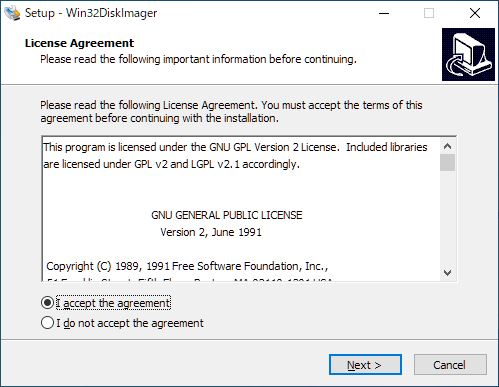
インストーラを実行すると使用許諾契約書が表示されます。「I accept the agreement 」を選択して[Next ]をクリックします。
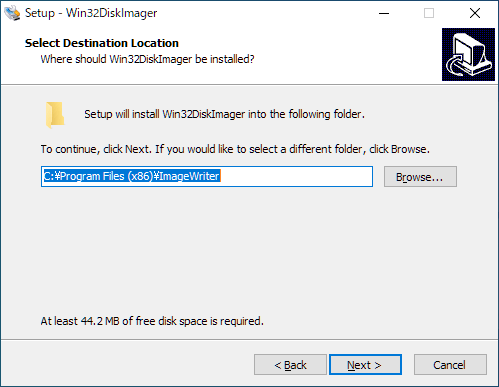
インストール先の設定です。変更しない場合はこのまま[Next ]をクリックします。
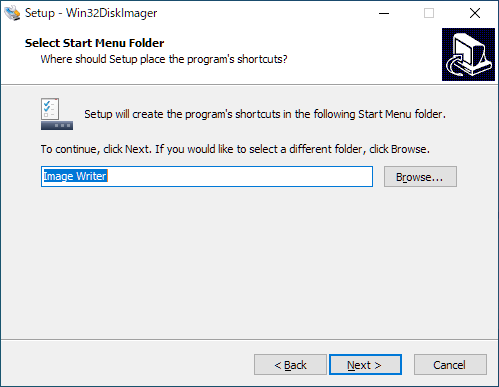
スタートメニューに作成するショートカットの設定です。変更しない場合はこのまま[Next ]をクリックします。
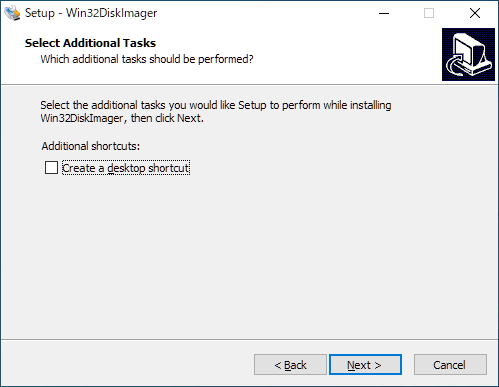
追加のタスクを設定して[Next ]をクリックします。
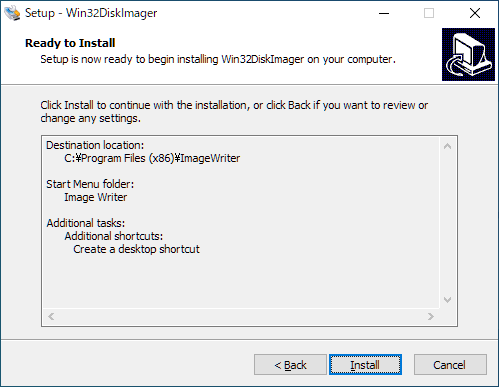
インストールの準備ができました。[Install ]をクリックしてインストールを開始します。
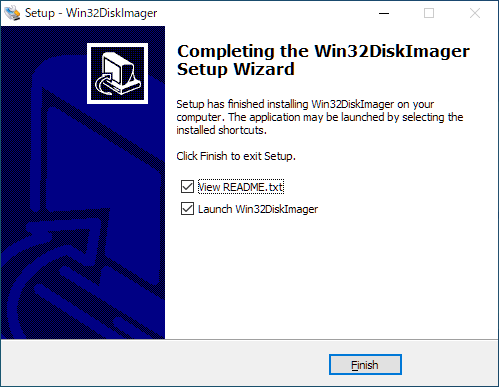
インストールが完了しました。[Finish ]をクリックしてセットアップウィザードを閉じます。
2.ポータブル版
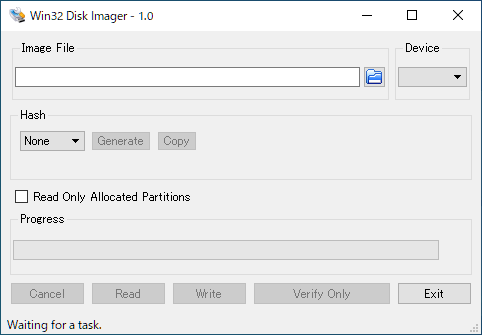
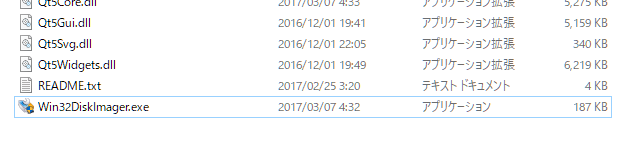
ダウンロードした ZIP ファイルを解凍し、「Win32DiskImager.exe 」ファイルを実行するとアプリを起動できます。
基本的な使い方
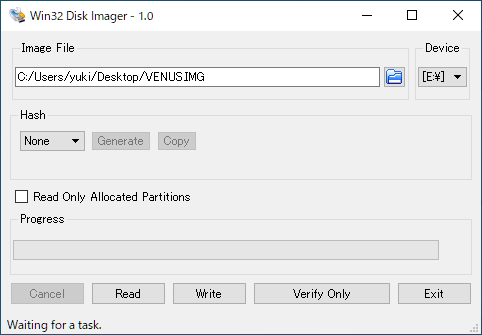
1.イメージファイルを書き込む
フォルダアイコンをクリックして、書き込むイメージファイル(.img)を選択します。
「Device 」で、書き込むデバイスを選択します。
[Write ]ボタンをクリックして書き込みを開始します。
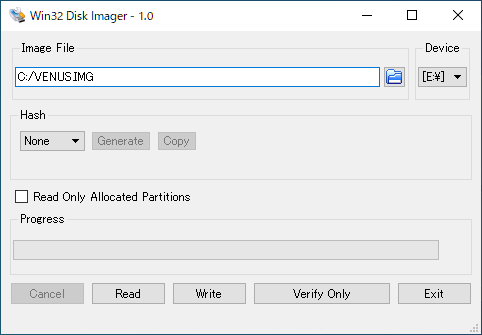
2.イメージファイルを読み出す
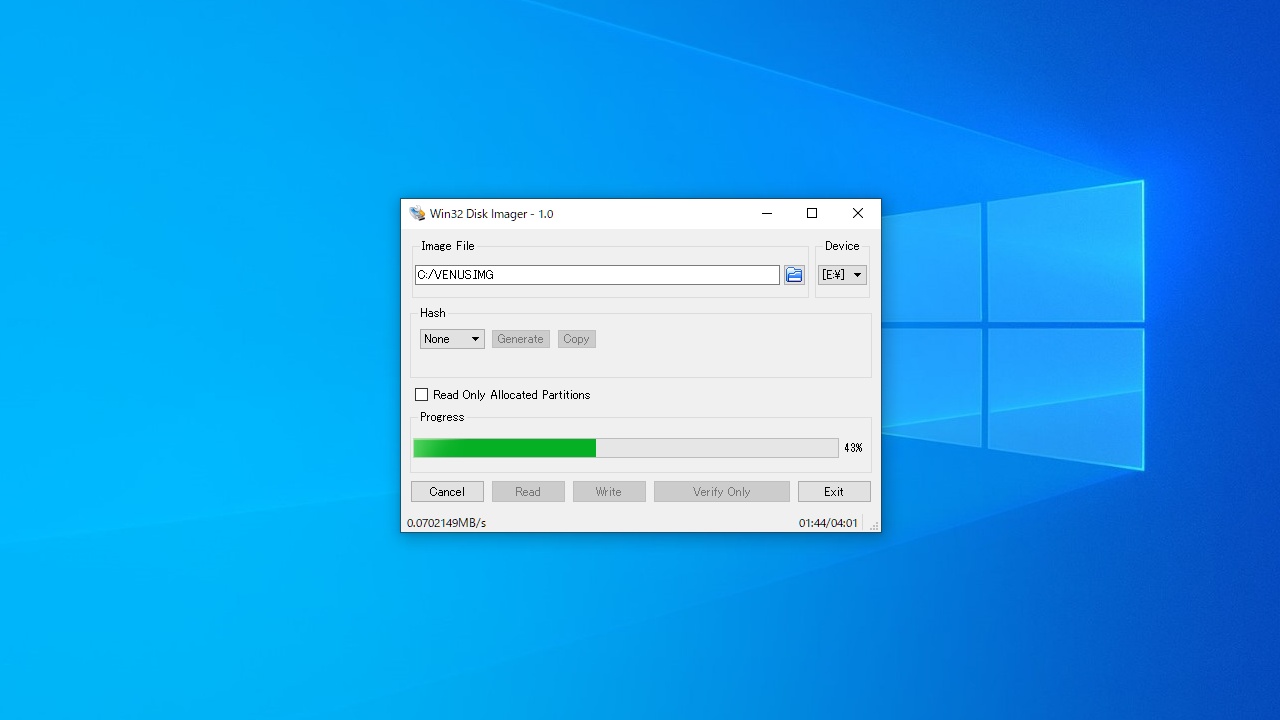
「Image File 」のフィールドに保存先を入力します。
「Device 」で、読み出すデバイスを選択します。
[Read ]ボタンをクリックして読出しを開始します。
3.ハッシュを計算する
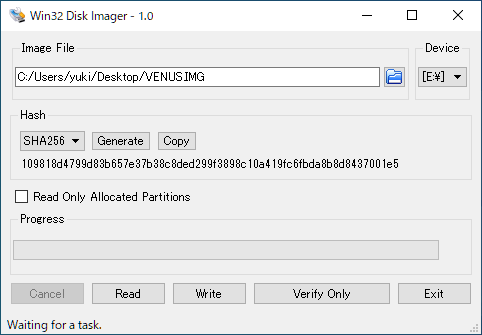
フォルダアイコンをクリックして、イメージファイル(.img)を選択します。
「Hash 」で、ハッシュの種類を選択します。
[Generate ]ボタンをクリックするとハッシュ値が表示されます。
よくある質問と回答
ライセンスについて。
ユーザーレビュー
レビューはまだありません、 最初のレビューを投稿してください。コメントは任意です。