").attr(n.scriptAttrs||{}).prop({charset:n.scriptCharset,src:n.url}).on("load error",i=function(e){r.remove(),i=null,e&&t("error"===e.type?404:200,e.type)}),C.head.appendChild(r[0])},abort:function(){i&&i()}}});var Jt,Kt=[],Zt=/(=)\?(?=&|$)|\?\?/;ce.ajaxSetup({jsonp:"callback",jsonpCallback:function(){var e=Kt.pop()||ce.expando+"_"+jt.guid++;return this[e]=!0,e}}),ce.ajaxPrefilter("json jsonp",function(e,t,n){var r,i,o,a=!1!==e.jsonp&&(Zt.test(e.url)?"url":"string"==typeof e.data&&0===(e.contentType||"").indexOf("application/x-www-form-urlencoded")&&Zt.test(e.data)&&"data");if(a||"jsonp"===e.dataTypes[0])return r=e.jsonpCallback=v(e.jsonpCallback)?e.jsonpCallback():e.jsonpCallback,a?e[a]=e[a].replace(Zt,"$1"+r):!1!==e.jsonp&&(e.url+=(At.test(e.url)?"&":"?")+e.jsonp+"="+r),e.converters["script json"]=function(){return o||ce.error(r+" was not called"),o[0]},e.dataTypes[0]="json",i=ie[r],ie[r]=function(){o=arguments},n.always(function(){void 0===i?ce(ie).removeProp(r):ie[r]=i,e[r]&&(e.jsonpCallback=t.jsonpCallback,Kt.push(r)),o&&v(i)&&i(o[0]),o=i=void 0}),"script"}),le.createHTMLDocument=((Jt=C.implementation.createHTMLDocument("").body).innerHTML="
",2===Jt.childNodes.length),ce.parseHTML=function(e,t,n){return"string"!=typeof e?[]:("boolean"==typeof t&&(n=t,t=!1),t||(le.createHTMLDocument?((r=(t=C.implementation.createHTMLDocument("")).createElement("base")).href=C.location.href,t.head.appendChild(r)):t=C),o=!n&&[],(i=w.exec(e))?[t.createElement(i[1])]:(i=Ae([e],t,o),o&&o.length&&ce(o).remove(),ce.merge([],i.childNodes)));var r,i,o},ce.fn.load=function(e,t,n){var r,i,o,a=this,s=e.indexOf(" ");return-1").append(ce.parseHTML(e)).find(r):e)}).always(n&&function(e,t){a.each(function(){n.apply(this,o||[e.responseText,t,e])})}),this},ce.expr.pseudos.animated=function(t){return ce.grep(ce.timers,function(e){return t===e.elem}).length},ce.offset={setOffset:function(e,t,n){var r,i,o,a,s,u,l=ce.css(e,"position"),c=ce(e),f={};"static"===l&&(e.style.position="relative"),s=c.offset(),o=ce.css(e,"top"),u=ce.css(e,"left"),("absolute"===l||"fixed"===l)&&-1<(o+u).indexOf("auto")?(a=(r=c.position()).top,i=r.left):(a=parseFloat(o)||0,i=parseFloat(u)||0),v(t)&&(t=t.call(e,n,ce.extend({},s))),null!=t.top&&(f.top=t.top-s.top+a),null!=t.left&&(f.left=t.left-s.left+i),"using"in t?t.using.call(e,f):c.css(f)}},ce.fn.extend({offset:function(t){if(arguments.length)return void 0===t?this:this.each(function(e){ce.offset.setOffset(this,t,e)});var e,n,r=this[0];return r?r.getClientRects().length?(e=r.getBoundingClientRect(),n=r.ownerDocument.defaultView,{top:e.top+n.pageYOffset,left:e.left+n.pageXOffset}):{top:0,left:0}:void 0},position:function(){if(this[0]){var e,t,n,r=this[0],i={top:0,left:0};if("fixed"===ce.css(r,"position"))t=r.getBoundingClientRect();else{t=this.offset(),n=r.ownerDocument,e=r.offsetParent||n.documentElement;while(e&&(e===n.body||e===n.documentElement)&&"static"===ce.css(e,"position"))e=e.parentNode;e&&e!==r&&1===e.nodeType&&((i=ce(e).offset()).top+=ce.css(e,"borderTopWidth",!0),i.left+=ce.css(e,"borderLeftWidth",!0))}return{top:t.top-i.top-ce.css(r,"marginTop",!0),left:t.left-i.left-ce.css(r,"marginLeft",!0)}}},offsetParent:function(){return this.map(function(){var e=this.offsetParent;while(e&&"static"===ce.css(e,"position"))e=e.offsetParent;return e||J})}}),ce.each({scrollLeft:"pageXOffset",scrollTop:"pageYOffset"},function(t,i){var o="pageYOffset"===i;ce.fn[t]=function(e){return M(this,function(e,t,n){var r;if(y(e)?r=e:9===e.nodeType&&(r=e.defaultView),void 0===n)return r?r[i]:e[t];r?r.scrollTo(o?r.pageXOffset:n,o?n:r.pageYOffset):e[t]=n},t,e,arguments.length)}}),ce.each(["top","left"],function(e,n){ce.cssHooks[n]=Ye(le.pixelPosition,function(e,t){if(t)return t=Ge(e,n),_e.test(t)?ce(e).position()[n]+"px":t})}),ce.each({Height:"height",Width:"width"},function(a,s){ce.each({padding:"inner"+a,content:s,"":"outer"+a},function(r,o){ce.fn[o]=function(e,t){var n=arguments.length&&(r||"boolean"!=typeof e),i=r||(!0===e||!0===t?"margin":"border");return M(this,function(e,t,n){var r;return y(e)?0===o.indexOf("outer")?e["inner"+a]:e.document.documentElement["client"+a]:9===e.nodeType?(r=e.documentElement,Math.max(e.body["scroll"+a],r["scroll"+a],e.body["offset"+a],r["offset"+a],r["client"+a])):void 0===n?ce.css(e,t,i):ce.style(e,t,n,i)},s,n?e:void 0,n)}})}),ce.each(["ajaxStart","ajaxStop","ajaxComplete","ajaxError","ajaxSuccess","ajaxSend"],function(e,t){ce.fn[t]=function(e){return this.on(t,e)}}),ce.fn.extend({bind:function(e,t,n){return this.on(e,null,t,n)},unbind:function(e,t){return this.off(e,null,t)},delegate:function(e,t,n,r){return this.on(t,e,n,r)},undelegate:function(e,t,n){return 1===arguments.length?this.off(e,"**"):this.off(t,e||"**",n)},hover:function(e,t){return this.on("mouseenter",e).on("mouseleave",t||e)}}),ce.each("blur focus focusin focusout resize scroll click dblclick mousedown mouseup mousemove mouseover mouseout mouseenter mouseleave change select submit keydown keypress keyup contextmenu".split(" "),function(e,n){ce.fn[n]=function(e,t){return 0
Video Converter 2.0.0
ビデオエンコード
説明機能仕様ダウンロード画像使い方
FFmpeg ベースのフリーのビデオコンバーター

PC 上で動画の変換、サイズ変更、最適化を行える、FFmpeg ベースのフリーのビデオコンバーター。動画を MP4 (H.264/H.265)、WEBM (VP9)、MKV、AVI、MOV 形式または、MP3/WAV オーディオに変換できます。

Video Converter の概要
Video Converter は、 「FFmpeg」ベースのビデオコンバーターです。
Video Converter の機能
Video Converter の主な機能です。
| 機能 |
概要 |
| メイン機能 |
ビデオコンバーター |
| 機能詳細 |
・オフラインでの動画変換。
・FFmpeg によるスタジオグレードの出力。
・一般的なビデオまたは MP3/WAV オーディオに変換できます。
・既定のプリセット(YouTube、TikTok、WhatsApp)。
・ウォーターマークの追加。 |
FFmpeg ベースの動画変換ソフトです
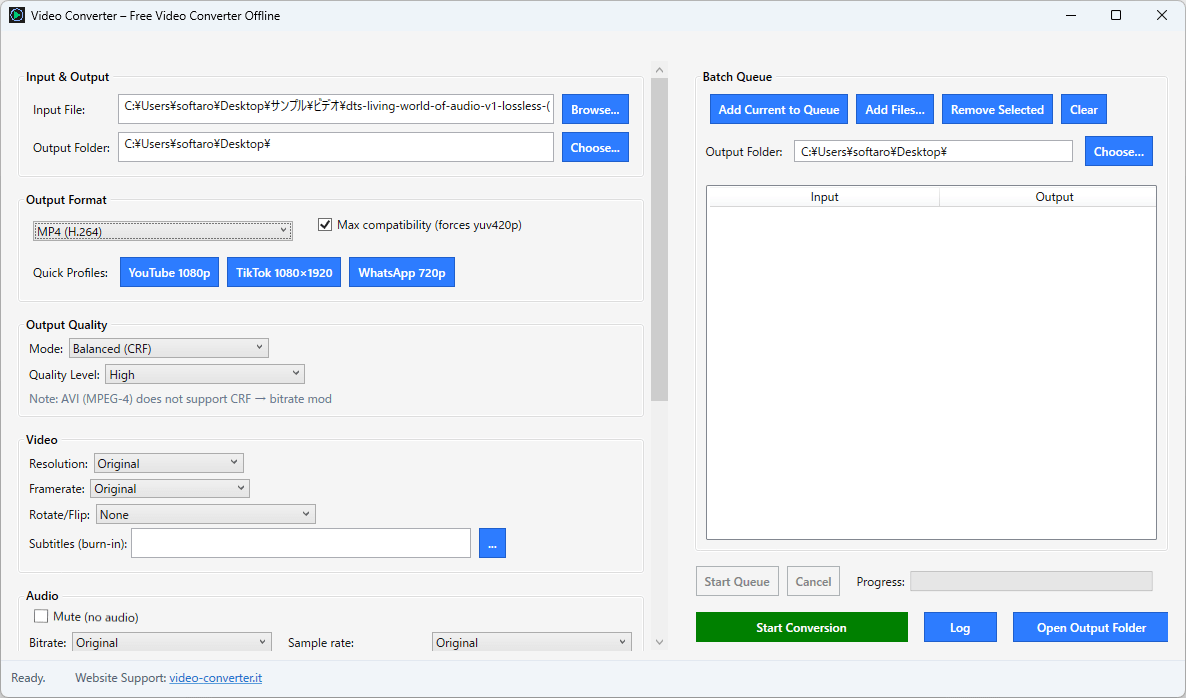
Video Converter は、PC 上で動画の変換、サイズ変更、最適化を行える、フリーのビデオコンバーターです。
Video Converter は、エンジンに FFmpeg を使用しており、このアプリを使用すると、ビデオを MP4 (H.264/H.265)、WEBM (VP9)、MKV、AVI、MOV 形式または、MP3/WAV オーディオに変換することができます。
初心者から上級者まで幅広く使用できます
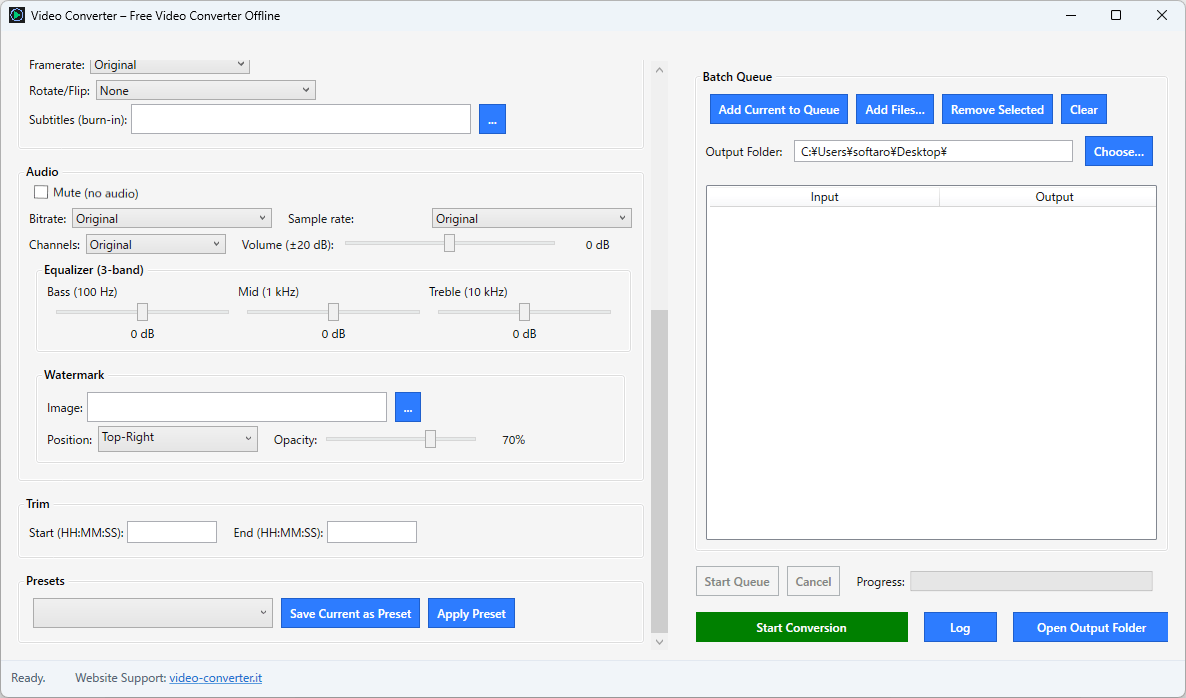
Video Converter は、高品質な処理と幅広いフォーマットのサポートを提供する、クリーンでモダンなインターフェースを使用したビデオコンバーターです。
Video Converter には、YouTube 1080p、TikTok 1080×1920、WhatsApp 720p に対応した既製のプロフィールが用意されているので、初心者でもかんたんに目的の品質のビデオに変換できます。
バッチ処理を行うこともできます
Video Converter は、幅広いフォーマットに対応している使いやすいビデオコンバーターです。複数のファイルを同時にキューに追加することで、すべてのファイルに対して一貫した処理を実現できる強力なバッチ処理機能も備えています。
機能
- ローカル処理:メディアはあなたのマシンから出ることなく、機密性の高い映像をプライベートに、そして予測可能な結果で変換できます。学校、企業、クリエイターにとって理想的です。
- 最適化されたエンジン:FFmpeg を適切なデフォルト設定で確実に活用することで、難解なフラグを覚えなくてもスタジオグレードの出力が得られます。
- 適切なコンテナ、適切なコーデック:MP4 (H.264/H.265)、WEBM (VP9)、MKV、AVI、MOV。さらに、オーディオのみが必要な場合は MP3/WAV も使用できます。
- バランス(CRF):品質レベル(最高→低)を選択すると、アプリがコーデック/解像度ごとに最適化されたCRFをマッピングし、鮮明な結果とファイルサイズの縮小を実現します。
- ターゲットサイズ(ビットレート):厳しいサイズ/帯域幅の制限を満たす必要がある場合は、ビットレートモードに切り替えてください。アップロードやキオスクに最適です。
- 解像度とフレームレート:オリジナルを維持するか、プリセット(1080p、720p、縦向き1080×1920)を選択してください。必要に応じて 30/60fps に固定できます。
価格:無料
動作環境:Windows 10|11
使用言語:英語
最終更新日:
6か月前 (2025/10/30)
ダウンロード数:220
画像

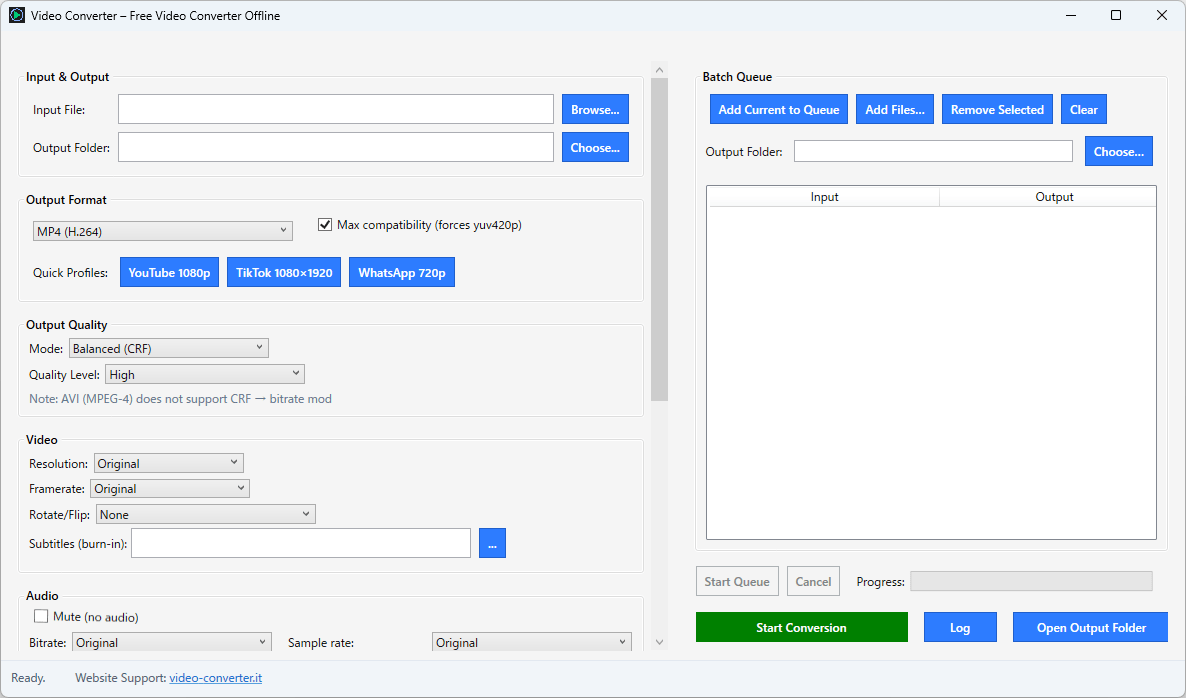
ユーザーインターフェース

ファイルの追加

ユーザーインターフェース(下部)
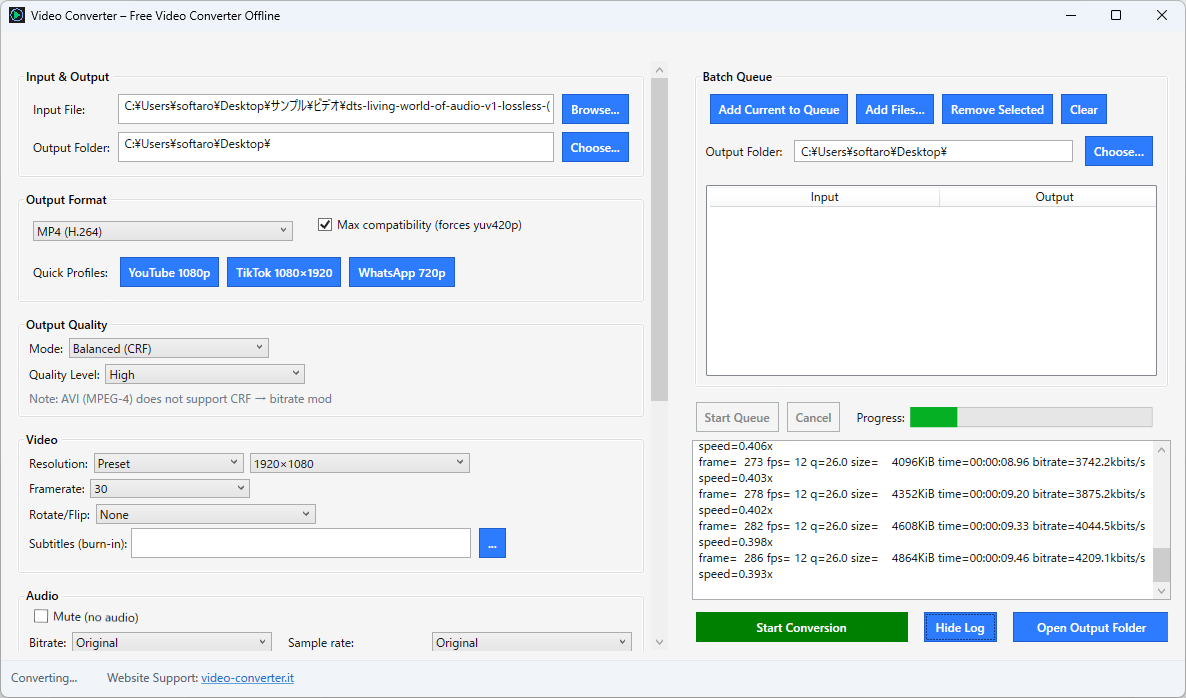
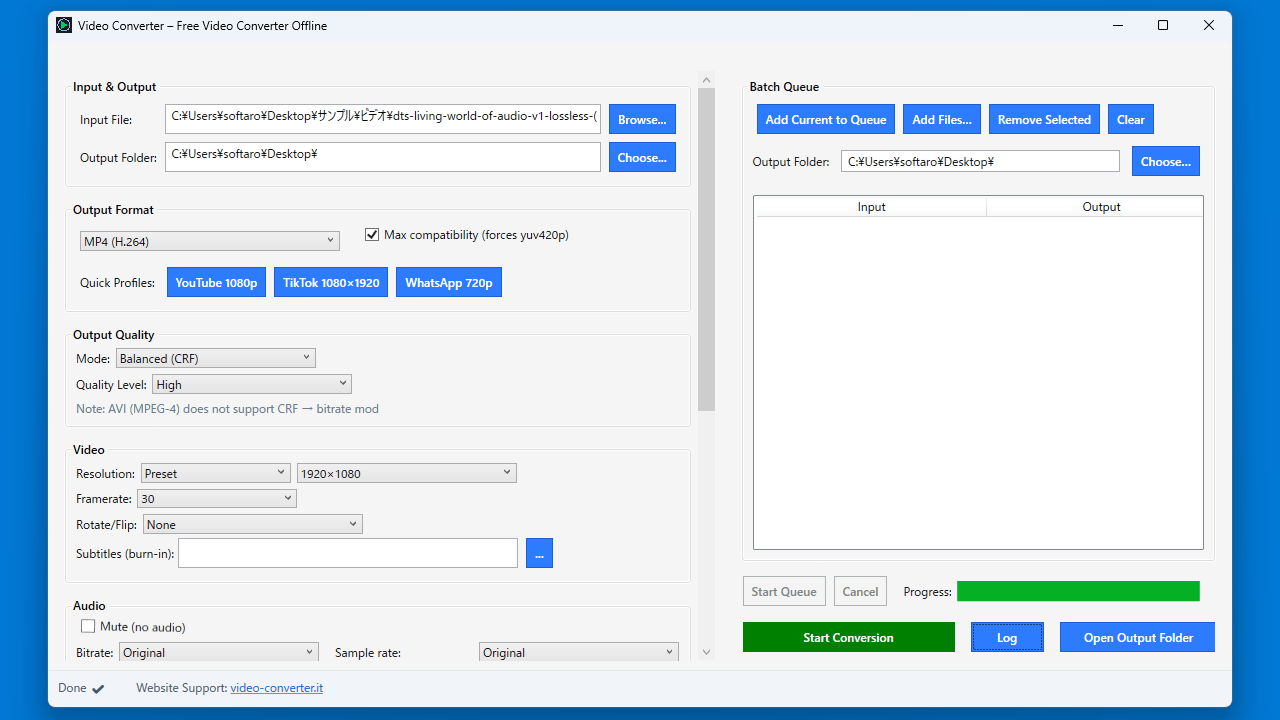
変換中
使い方
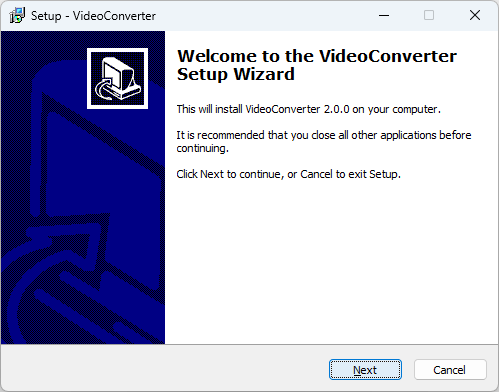
インストール
1.インストール方法
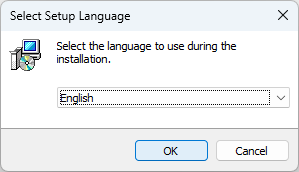
- インストール中に使用する言語を選択して[OK]をクリックします。

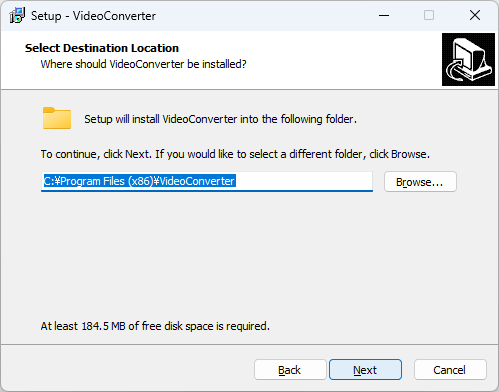
- インストール先を確認して[Next]をクリックします。
- スタートメニューに作成するショートカットの設定を確認して[Next]をクリックします。
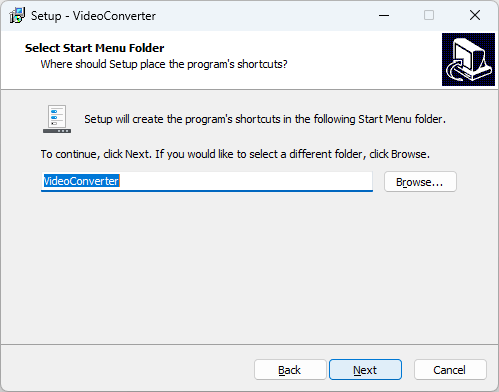
- 追加のタスクを設定して[Next]をクリックします。
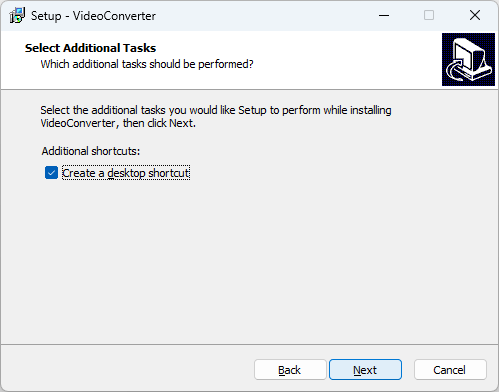
- [Install]をクリックしてインストールを開始します。
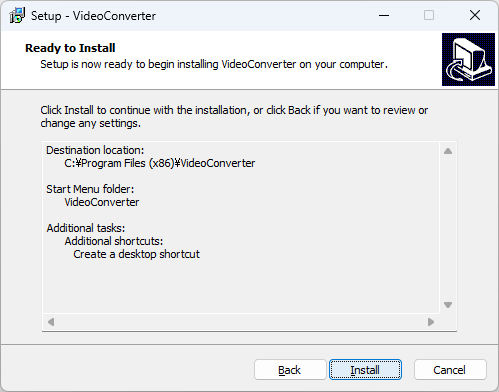
- [Finish]をクリックしてセットアップウィザードを閉じます。
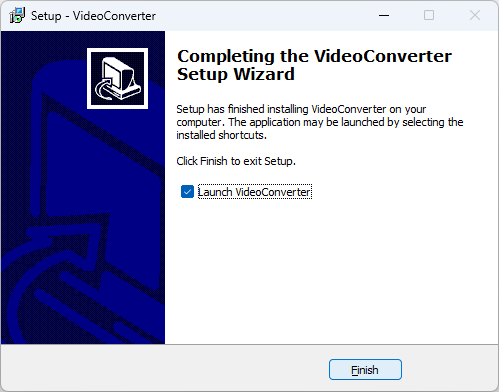
基本的な使い方
1. 基本的な使い方
- [Browse]ボタンをクリックして、変換したいファイルを追加します。
- 出力ビデオ、オーディオの設定をします。
- [Start Conversion]ボタンをクリックすると、変換が開始します。


よくある質問と回答
ライセンスについて。
Video Converter は、どなたでも無料で使用できます。