").attr(n.scriptAttrs||{}).prop({charset:n.scriptCharset,src:n.url}).on("load error",i=function(e){r.remove(),i=null,e&&t("error"===e.type?404:200,e.type)}),C.head.appendChild(r[0])},abort:function(){i&&i()}}});var Jt,Kt=[],Zt=/(=)\?(?=&|$)|\?\?/;ce.ajaxSetup({jsonp:"callback",jsonpCallback:function(){var e=Kt.pop()||ce.expando+"_"+jt.guid++;return this[e]=!0,e}}),ce.ajaxPrefilter("json jsonp",function(e,t,n){var r,i,o,a=!1!==e.jsonp&&(Zt.test(e.url)?"url":"string"==typeof e.data&&0===(e.contentType||"").indexOf("application/x-www-form-urlencoded")&&Zt.test(e.data)&&"data");if(a||"jsonp"===e.dataTypes[0])return r=e.jsonpCallback=v(e.jsonpCallback)?e.jsonpCallback():e.jsonpCallback,a?e[a]=e[a].replace(Zt,"$1"+r):!1!==e.jsonp&&(e.url+=(At.test(e.url)?"&":"?")+e.jsonp+"="+r),e.converters["script json"]=function(){return o||ce.error(r+" was not called"),o[0]},e.dataTypes[0]="json",i=ie[r],ie[r]=function(){o=arguments},n.always(function(){void 0===i?ce(ie).removeProp(r):ie[r]=i,e[r]&&(e.jsonpCallback=t.jsonpCallback,Kt.push(r)),o&&v(i)&&i(o[0]),o=i=void 0}),"script"}),le.createHTMLDocument=((Jt=C.implementation.createHTMLDocument("").body).innerHTML="
",2===Jt.childNodes.length),ce.parseHTML=function(e,t,n){return"string"!=typeof e?[]:("boolean"==typeof t&&(n=t,t=!1),t||(le.createHTMLDocument?((r=(t=C.implementation.createHTMLDocument("")).createElement("base")).href=C.location.href,t.head.appendChild(r)):t=C),o=!n&&[],(i=w.exec(e))?[t.createElement(i[1])]:(i=Ae([e],t,o),o&&o.length&&ce(o).remove(),ce.merge([],i.childNodes)));var r,i,o},ce.fn.load=function(e,t,n){var r,i,o,a=this,s=e.indexOf(" ");return-1").append(ce.parseHTML(e)).find(r):e)}).always(n&&function(e,t){a.each(function(){n.apply(this,o||[e.responseText,t,e])})}),this},ce.expr.pseudos.animated=function(t){return ce.grep(ce.timers,function(e){return t===e.elem}).length},ce.offset={setOffset:function(e,t,n){var r,i,o,a,s,u,l=ce.css(e,"position"),c=ce(e),f={};"static"===l&&(e.style.position="relative"),s=c.offset(),o=ce.css(e,"top"),u=ce.css(e,"left"),("absolute"===l||"fixed"===l)&&-1<(o+u).indexOf("auto")?(a=(r=c.position()).top,i=r.left):(a=parseFloat(o)||0,i=parseFloat(u)||0),v(t)&&(t=t.call(e,n,ce.extend({},s))),null!=t.top&&(f.top=t.top-s.top+a),null!=t.left&&(f.left=t.left-s.left+i),"using"in t?t.using.call(e,f):c.css(f)}},ce.fn.extend({offset:function(t){if(arguments.length)return void 0===t?this:this.each(function(e){ce.offset.setOffset(this,t,e)});var e,n,r=this[0];return r?r.getClientRects().length?(e=r.getBoundingClientRect(),n=r.ownerDocument.defaultView,{top:e.top+n.pageYOffset,left:e.left+n.pageXOffset}):{top:0,left:0}:void 0},position:function(){if(this[0]){var e,t,n,r=this[0],i={top:0,left:0};if("fixed"===ce.css(r,"position"))t=r.getBoundingClientRect();else{t=this.offset(),n=r.ownerDocument,e=r.offsetParent||n.documentElement;while(e&&(e===n.body||e===n.documentElement)&&"static"===ce.css(e,"position"))e=e.parentNode;e&&e!==r&&1===e.nodeType&&((i=ce(e).offset()).top+=ce.css(e,"borderTopWidth",!0),i.left+=ce.css(e,"borderLeftWidth",!0))}return{top:t.top-i.top-ce.css(r,"marginTop",!0),left:t.left-i.left-ce.css(r,"marginLeft",!0)}}},offsetParent:function(){return this.map(function(){var e=this.offsetParent;while(e&&"static"===ce.css(e,"position"))e=e.offsetParent;return e||J})}}),ce.each({scrollLeft:"pageXOffset",scrollTop:"pageYOffset"},function(t,i){var o="pageYOffset"===i;ce.fn[t]=function(e){return M(this,function(e,t,n){var r;if(y(e)?r=e:9===e.nodeType&&(r=e.defaultView),void 0===n)return r?r[i]:e[t];r?r.scrollTo(o?r.pageXOffset:n,o?n:r.pageYOffset):e[t]=n},t,e,arguments.length)}}),ce.each(["top","left"],function(e,n){ce.cssHooks[n]=Ye(le.pixelPosition,function(e,t){if(t)return t=Ge(e,n),_e.test(t)?ce(e).position()[n]+"px":t})}),ce.each({Height:"height",Width:"width"},function(a,s){ce.each({padding:"inner"+a,content:s,"":"outer"+a},function(r,o){ce.fn[o]=function(e,t){var n=arguments.length&&(r||"boolean"!=typeof e),i=r||(!0===e||!0===t?"margin":"border");return M(this,function(e,t,n){var r;return y(e)?0===o.indexOf("outer")?e["inner"+a]:e.document.documentElement["client"+a]:9===e.nodeType?(r=e.documentElement,Math.max(e.body["scroll"+a],r["scroll"+a],e.body["offset"+a],r["offset"+a],r["client"+a])):void 0===n?ce.css(e,t,i):ce.style(e,t,n,i)},s,n?e:void 0,n)}})}),ce.each(["ajaxStart","ajaxStop","ajaxComplete","ajaxError","ajaxSuccess","ajaxSend"],function(e,t){ce.fn[t]=function(e){return this.on(t,e)}}),ce.fn.extend({bind:function(e,t,n){return this.on(e,null,t,n)},unbind:function(e,t){return this.off(e,null,t)},delegate:function(e,t,n,r){return this.on(t,e,n,r)},undelegate:function(e,t,n){return 1===arguments.length?this.off(e,"**"):this.off(t,e||"**",n)},hover:function(e,t){return this.on("mouseenter",e).on("mouseleave",t||e)}}),ce.each("blur focus focusin focusout resize scroll click dblclick mousedown mouseup mousemove mouseover mouseout mouseenter mouseleave change select submit keydown keypress keyup contextmenu".split(" "),function(e,n){ce.fn[n]=function(e,t){return 0
TweakHub 0.1.0 Beta
Windows 設定変更
2025/12/22 10:442025/12/23 08:33
説明 機能 仕様 ダウンロード 画像 使い方
Windows PC 最適化およびチューニングアプリ
Windows のパフォーマンスに関するシステム設定のチューニングや最適化を行うことができる、PC チューニングおよび最適化アプリ。PC 全体のパフォーマンスや応答性、効率を向上させます。

TweakHub の概要
TweakHub は、Windows 向けのコマンドセンターです。
TweakHub の機能
TweakHub の主な機能です。
機能
概要
メイン機能
PC 最適化
機能詳細
・レジストリ(Windows の設定)のチューニング。
・自動化された最適化スクリプトの実行。
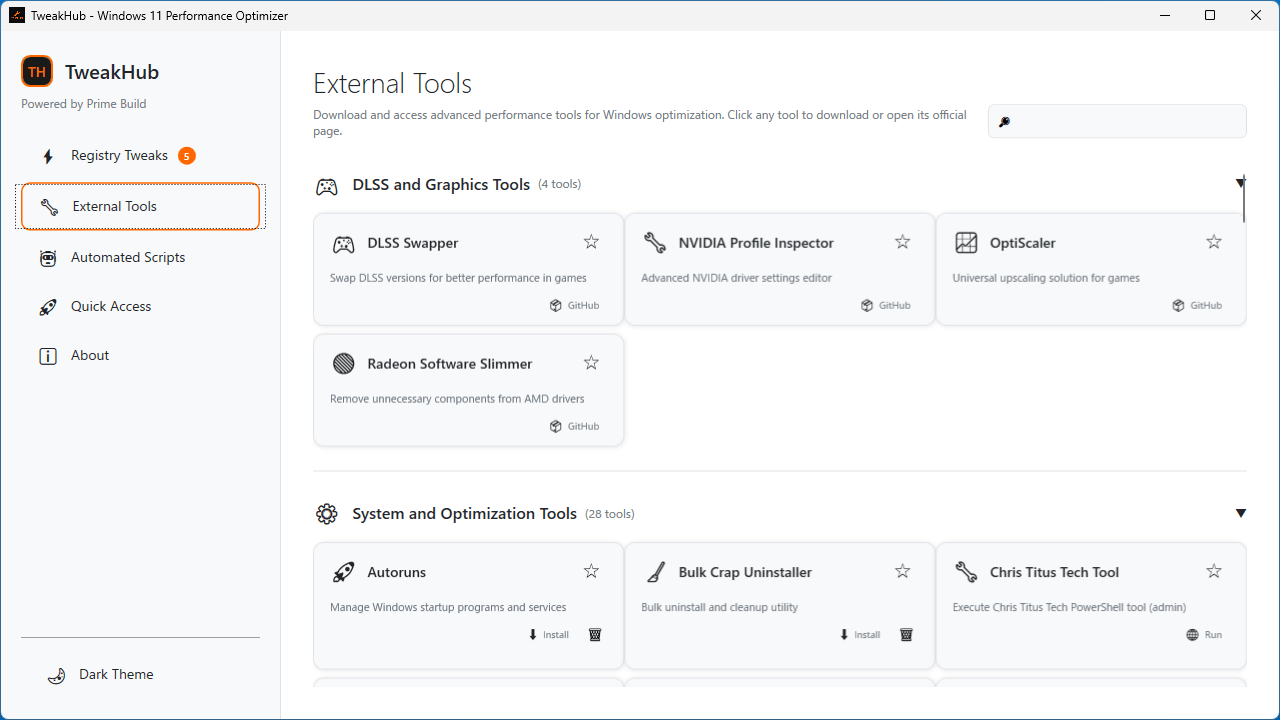
・便利な外部アプリの検索とダウンロード。
・Windows の設定へのアクセス。
PC を最適化およびチューニングできます
TweakHub は、Windows のパフォーマンスに関するシステム設定のチューニングや最適化を行うことができる、PC チューニングおよび最適化アプリです。
TweakHub を使用すると、一か所に集められた複数の最適化ツールを使用することにより、PC のメンテナンスとチューニングを効率的に行うことができます。
さまざまな最適化を実行できます
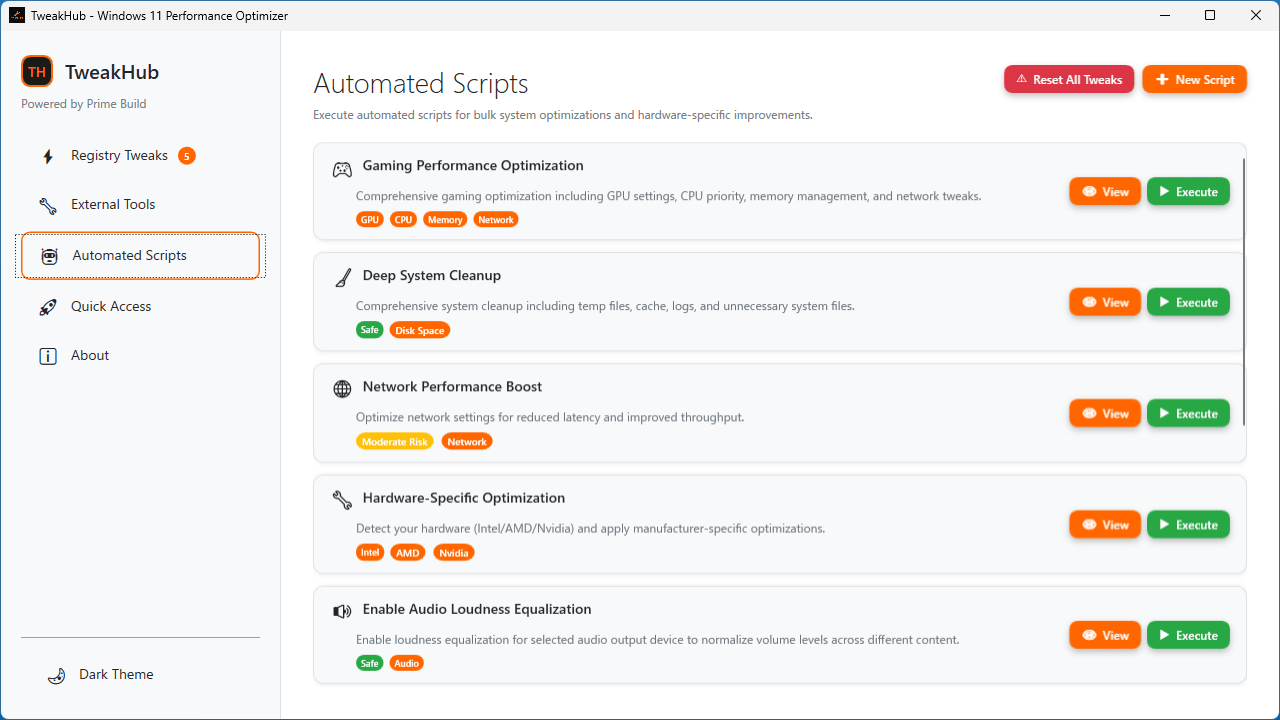
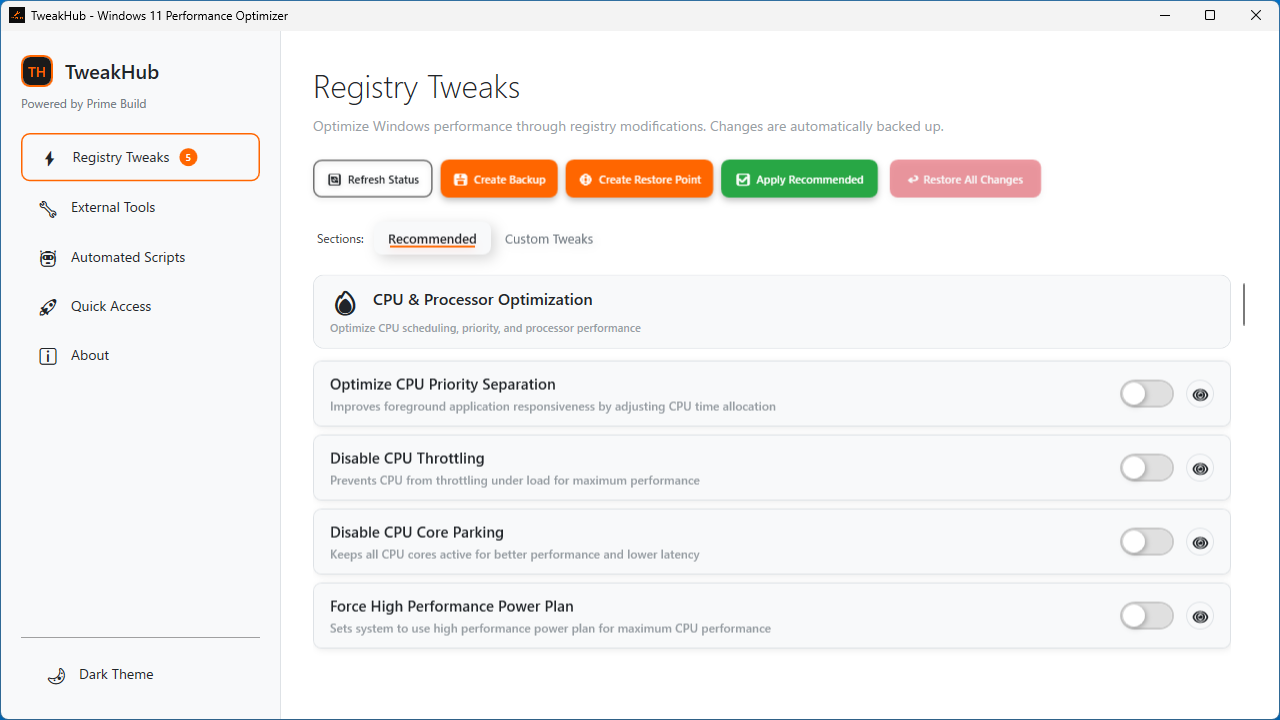
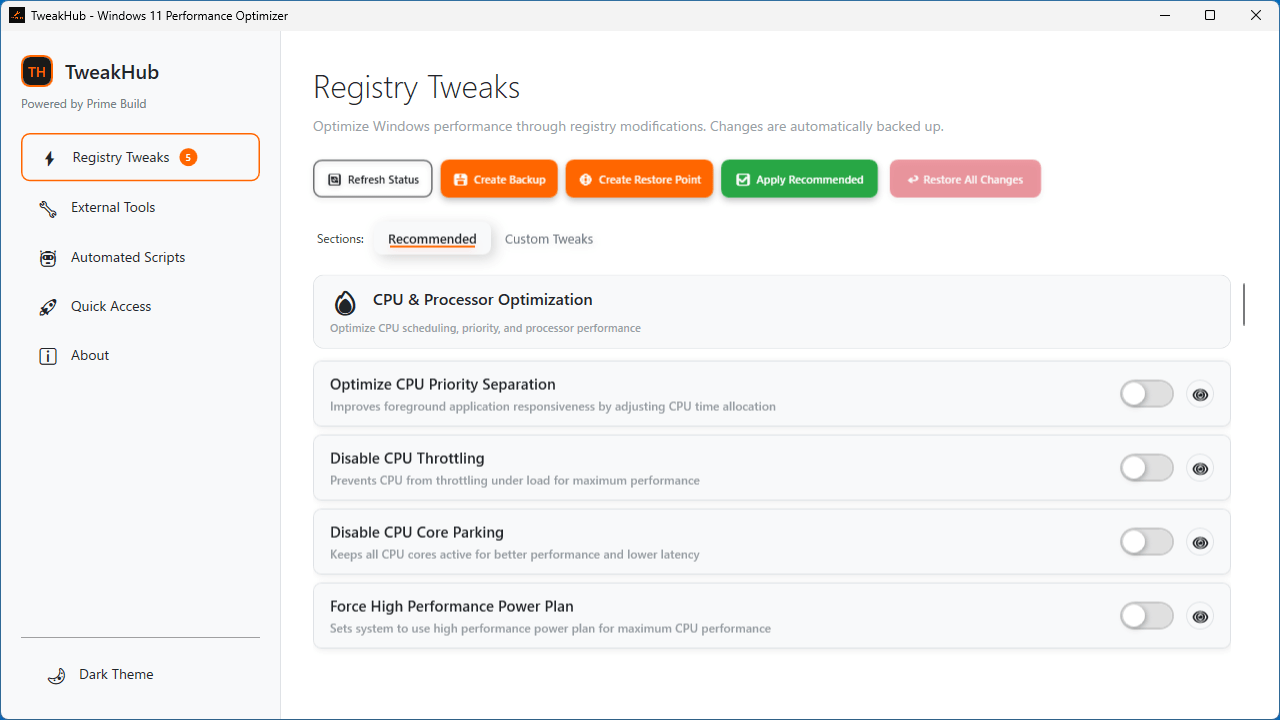
TweakHub の主なセクションは「Registry Twewaks」と「Automated Script」で、前者では、CPU の最適化、メモリの最適化、ネットワーク最適化、ゲームパフォーマンスの最適化、システム応答性の向上、ストレージとファイルシステムのチューニング、バックグラウンドプロセスの最適化などを行うことができます。後者では、ゲームパフォーマンス最適化、システムクリーンアップ、システム修復、ハードウェアの最適化などを実行できます。
最適な最適化ツールと高度な調整機能を提供します
TweakHub は、最適な最適化ツールと高度な調整機能を提供する PC 最適化アプリです。インターフェースは英語のため、設定内容を理解できる知識が必要になります。このアプリには、レジストリのバックアップおよび復元ポイントの作成機能があるので、最適化実行前にバックアップを作成しておくことをおすすめします。
機能
レジストリ(Windows の設定)のチューニング。
自動化された最適化スクリプトの実行。
便利な外部アプリの検索とダウンロード。
Windows の設定へのアクセス。
価格: 無料
動作環境: Windows 10|11
使用言語: 英語
最終更新日:
5か月前 (2025/12/23)
ダウンロード数: 236
画像
レジストリチューニング
外部アプリのダウンロード
最適化スクリプトの実行
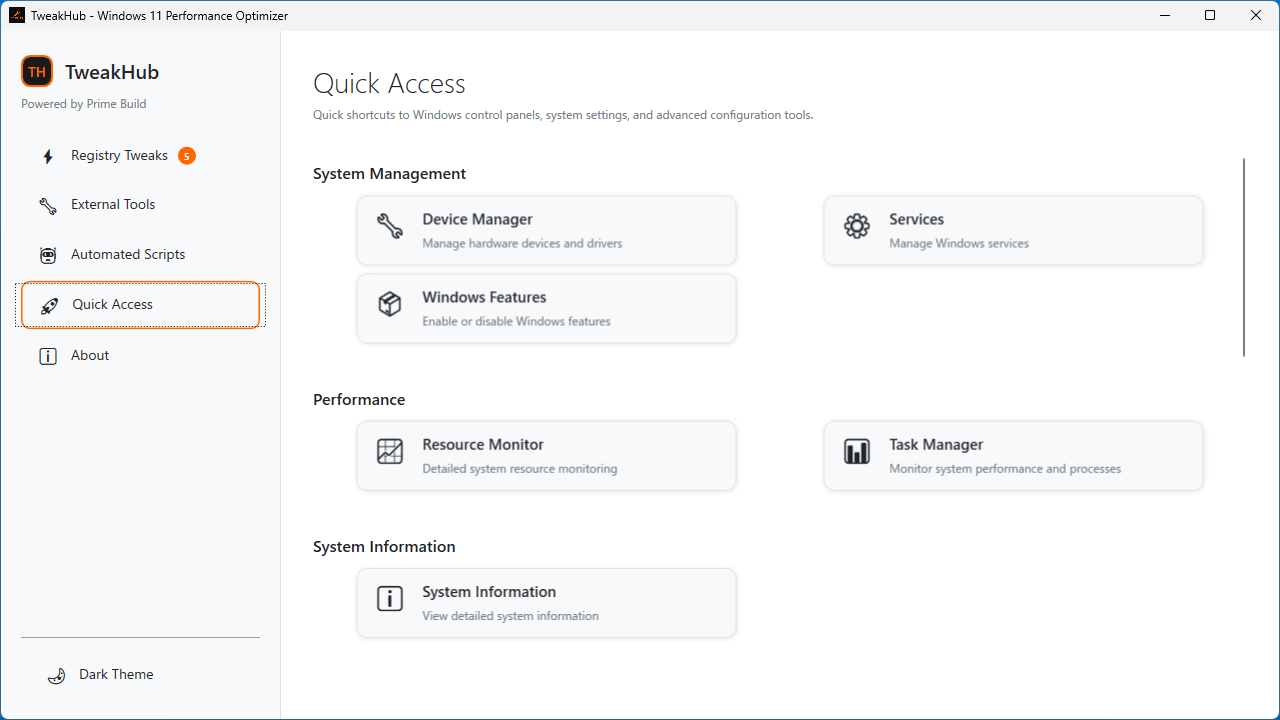
クイックアクセス
使い方
インストール
1.インストール方法
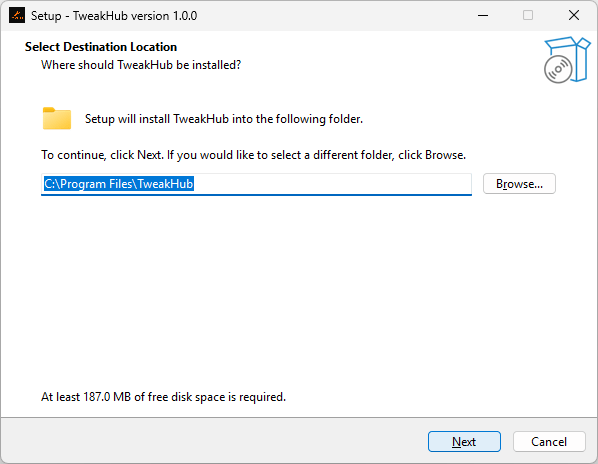
インストール先を確認して[Next ]をクリックします。
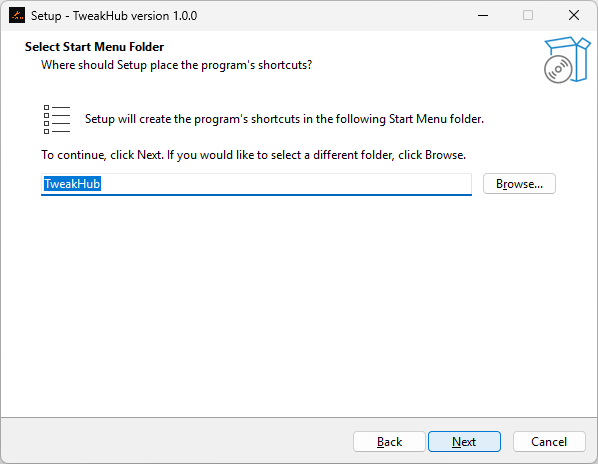
スタートメニューに作成するショートカットの設定を確認して[Next ]をクリックします。
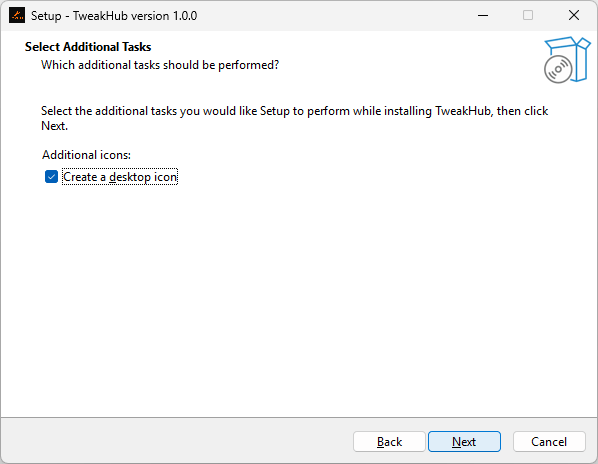
追加のタスクを設定して[Next ]をクリックします。
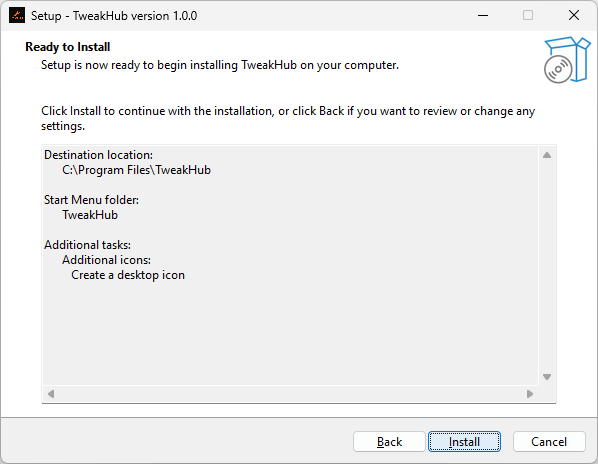
[Install ]をクリックしてインストールを開始します。
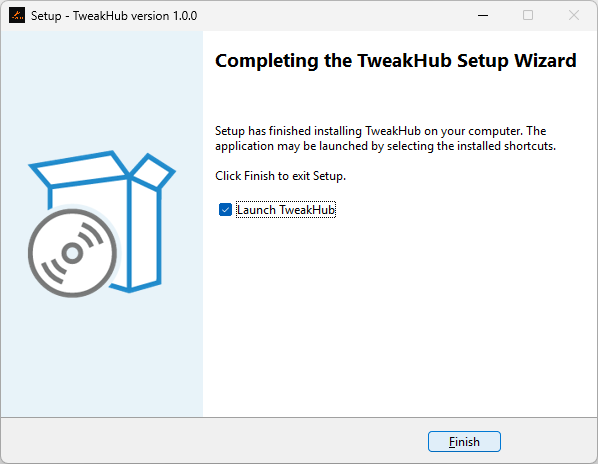
[Finish ]をクリックしてセットアップウィザードを閉じます。
2.管理者として実行する
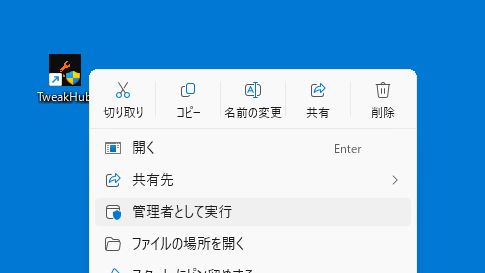
TweakHub は「管理者として実行 」してください。
基本的な使い方
1. 基本的な使い方
「Registry Tweaks 」では、CPU 最適化、メモリ最適化、ネットワーク最適化、ゲームパフォーマンス最適化などのチューニングを行うことができます。
※ 一部の最適化の適用には PC の再起動が必要です。
「External Tools 」では、便利な外部アプリをダウンロードすることができます。
「Automated Scripts 」では、ゲームパフォーマンス最適化、システムクリーンアップ、システム修復などのスクリプトを実行できます。
「Quick Access 」では、Windows のさまざまな設定にアクセスできます。
よくある質問と回答
ライセンスについて。
ユーザーレビュー
レビューはまだありません、 最初のレビューを投稿してください。コメントは任意です。
TweakHub は、どなたでも無料で使用できます。