").attr(n.scriptAttrs||{}).prop({charset:n.scriptCharset,src:n.url}).on("load error",i=function(e){r.remove(),i=null,e&&t("error"===e.type?404:200,e.type)}),C.head.appendChild(r[0])},abort:function(){i&&i()}}});var Jt,Kt=[],Zt=/(=)\?(?=&|$)|\?\?/;ce.ajaxSetup({jsonp:"callback",jsonpCallback:function(){var e=Kt.pop()||ce.expando+"_"+jt.guid++;return this[e]=!0,e}}),ce.ajaxPrefilter("json jsonp",function(e,t,n){var r,i,o,a=!1!==e.jsonp&&(Zt.test(e.url)?"url":"string"==typeof e.data&&0===(e.contentType||"").indexOf("application/x-www-form-urlencoded")&&Zt.test(e.data)&&"data");if(a||"jsonp"===e.dataTypes[0])return r=e.jsonpCallback=v(e.jsonpCallback)?e.jsonpCallback():e.jsonpCallback,a?e[a]=e[a].replace(Zt,"$1"+r):!1!==e.jsonp&&(e.url+=(At.test(e.url)?"&":"?")+e.jsonp+"="+r),e.converters["script json"]=function(){return o||ce.error(r+" was not called"),o[0]},e.dataTypes[0]="json",i=ie[r],ie[r]=function(){o=arguments},n.always(function(){void 0===i?ce(ie).removeProp(r):ie[r]=i,e[r]&&(e.jsonpCallback=t.jsonpCallback,Kt.push(r)),o&&v(i)&&i(o[0]),o=i=void 0}),"script"}),le.createHTMLDocument=((Jt=C.implementation.createHTMLDocument("").body).innerHTML="
",2===Jt.childNodes.length),ce.parseHTML=function(e,t,n){return"string"!=typeof e?[]:("boolean"==typeof t&&(n=t,t=!1),t||(le.createHTMLDocument?((r=(t=C.implementation.createHTMLDocument("")).createElement("base")).href=C.location.href,t.head.appendChild(r)):t=C),o=!n&&[],(i=w.exec(e))?[t.createElement(i[1])]:(i=Ae([e],t,o),o&&o.length&&ce(o).remove(),ce.merge([],i.childNodes)));var r,i,o},ce.fn.load=function(e,t,n){var r,i,o,a=this,s=e.indexOf(" ");return-1").append(ce.parseHTML(e)).find(r):e)}).always(n&&function(e,t){a.each(function(){n.apply(this,o||[e.responseText,t,e])})}),this},ce.expr.pseudos.animated=function(t){return ce.grep(ce.timers,function(e){return t===e.elem}).length},ce.offset={setOffset:function(e,t,n){var r,i,o,a,s,u,l=ce.css(e,"position"),c=ce(e),f={};"static"===l&&(e.style.position="relative"),s=c.offset(),o=ce.css(e,"top"),u=ce.css(e,"left"),("absolute"===l||"fixed"===l)&&-1<(o+u).indexOf("auto")?(a=(r=c.position()).top,i=r.left):(a=parseFloat(o)||0,i=parseFloat(u)||0),v(t)&&(t=t.call(e,n,ce.extend({},s))),null!=t.top&&(f.top=t.top-s.top+a),null!=t.left&&(f.left=t.left-s.left+i),"using"in t?t.using.call(e,f):c.css(f)}},ce.fn.extend({offset:function(t){if(arguments.length)return void 0===t?this:this.each(function(e){ce.offset.setOffset(this,t,e)});var e,n,r=this[0];return r?r.getClientRects().length?(e=r.getBoundingClientRect(),n=r.ownerDocument.defaultView,{top:e.top+n.pageYOffset,left:e.left+n.pageXOffset}):{top:0,left:0}:void 0},position:function(){if(this[0]){var e,t,n,r=this[0],i={top:0,left:0};if("fixed"===ce.css(r,"position"))t=r.getBoundingClientRect();else{t=this.offset(),n=r.ownerDocument,e=r.offsetParent||n.documentElement;while(e&&(e===n.body||e===n.documentElement)&&"static"===ce.css(e,"position"))e=e.parentNode;e&&e!==r&&1===e.nodeType&&((i=ce(e).offset()).top+=ce.css(e,"borderTopWidth",!0),i.left+=ce.css(e,"borderLeftWidth",!0))}return{top:t.top-i.top-ce.css(r,"marginTop",!0),left:t.left-i.left-ce.css(r,"marginLeft",!0)}}},offsetParent:function(){return this.map(function(){var e=this.offsetParent;while(e&&"static"===ce.css(e,"position"))e=e.offsetParent;return e||J})}}),ce.each({scrollLeft:"pageXOffset",scrollTop:"pageYOffset"},function(t,i){var o="pageYOffset"===i;ce.fn[t]=function(e){return M(this,function(e,t,n){var r;if(y(e)?r=e:9===e.nodeType&&(r=e.defaultView),void 0===n)return r?r[i]:e[t];r?r.scrollTo(o?r.pageXOffset:n,o?n:r.pageYOffset):e[t]=n},t,e,arguments.length)}}),ce.each(["top","left"],function(e,n){ce.cssHooks[n]=Ye(le.pixelPosition,function(e,t){if(t)return t=Ge(e,n),_e.test(t)?ce(e).position()[n]+"px":t})}),ce.each({Height:"height",Width:"width"},function(a,s){ce.each({padding:"inner"+a,content:s,"":"outer"+a},function(r,o){ce.fn[o]=function(e,t){var n=arguments.length&&(r||"boolean"!=typeof e),i=r||(!0===e||!0===t?"margin":"border");return M(this,function(e,t,n){var r;return y(e)?0===o.indexOf("outer")?e["inner"+a]:e.document.documentElement["client"+a]:9===e.nodeType?(r=e.documentElement,Math.max(e.body["scroll"+a],r["scroll"+a],e.body["offset"+a],r["offset"+a],r["client"+a])):void 0===n?ce.css(e,t,i):ce.style(e,t,n,i)},s,n?e:void 0,n)}})}),ce.each(["ajaxStart","ajaxStop","ajaxComplete","ajaxError","ajaxSuccess","ajaxSend"],function(e,t){ce.fn[t]=function(e){return this.on(t,e)}}),ce.fn.extend({bind:function(e,t,n){return this.on(e,null,t,n)},unbind:function(e,t){return this.off(e,null,t)},delegate:function(e,t,n,r){return this.on(t,e,n,r)},undelegate:function(e,t,n){return 1===arguments.length?this.off(e,"**"):this.off(t,e||"**",n)},hover:function(e,t){return this.on("mouseenter",e).on("mouseleave",t||e)}}),ce.each("blur focus focusin focusout resize scroll click dblclick mousedown mouseup mousemove mouseover mouseout mouseenter mouseleave change select submit keydown keypress keyup contextmenu".split(" "),function(e,n){ce.fn[n]=function(e,t){return 0
NextDiff 1.0
テキストエディタ
説明機能仕様ダウンロード画像使い方
Windows 向けのファイル、テキスト、フォルダ比較ツール
2 つのファイル、テキスト文書、ソースコードファイル、またはフォルダ間の違いをすばやく見つけるのに役立つように設計された、無料の Windows 比較ツール。

NextDiff の概要
NextDiff は、Windows 用の無料のファイル、テキスト、フォルダ比較ツールです。
NextDiff の機能
NextDiff の主な機能です。
| 機能 |
概要 |
| メイン機能 |
ファイル/フォルダの比較 |
| 機能詳細 |
・テキストファイルを並べて比較する。
・Apache Tikaを使用して複雑なドキュメントを比較する。
・変更を編集してマージする。
・フォルダ比較。 |
ファイルやフォルダの内容を比較できます
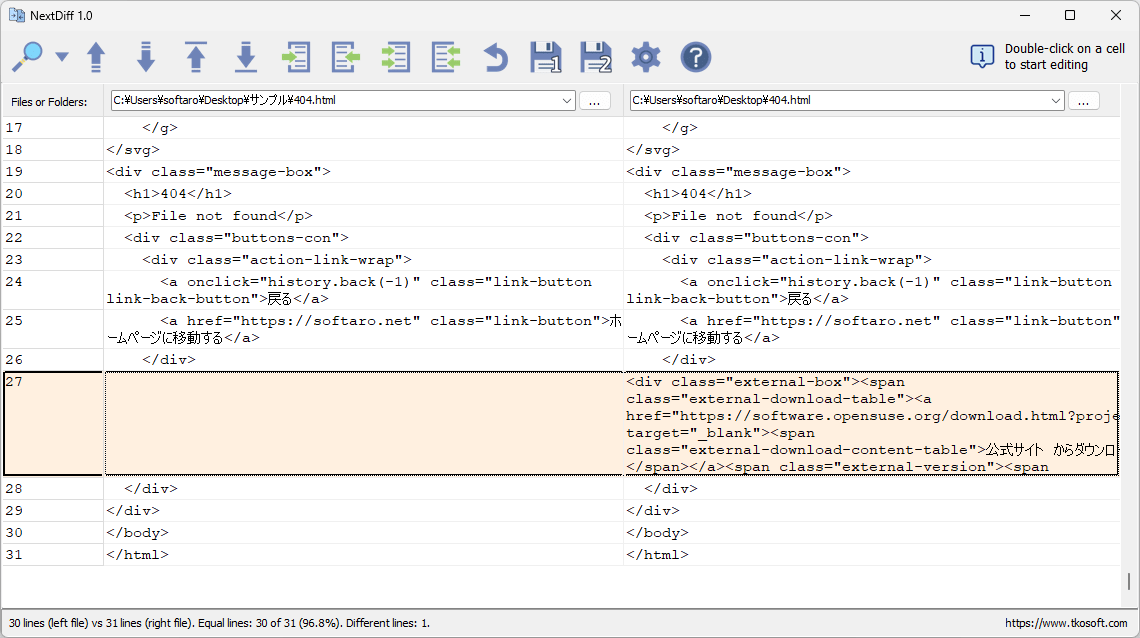
NextDiff は、2 つのファイル、テキスト文書、ソースコードファイル、またはフォルダ間の違いをすばやく見つけるのに役立つように設計された、無料の Windows 比較ツールです。
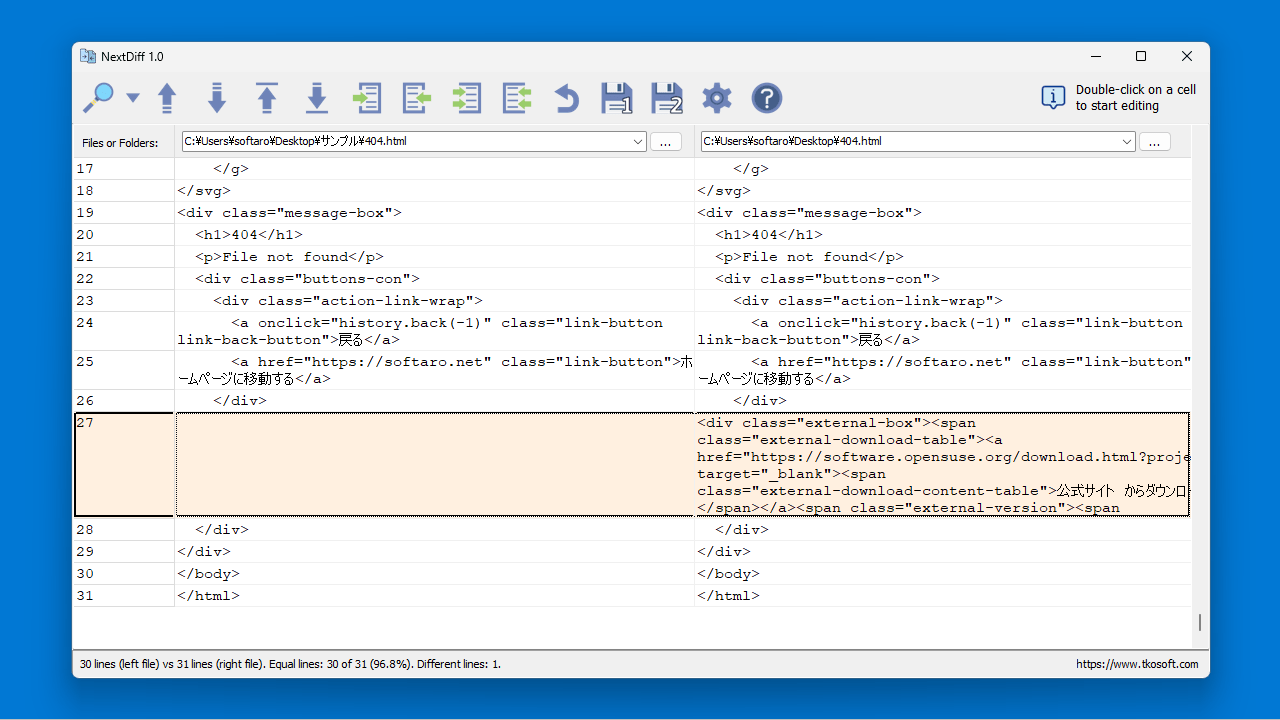
NextDiff を使用すると、違いはカスタマイズ可能な色で強調表示されるので、追加、削除、変更、および同一行をかんたんに識別できます。
複雑なドキュメントの比較もできます
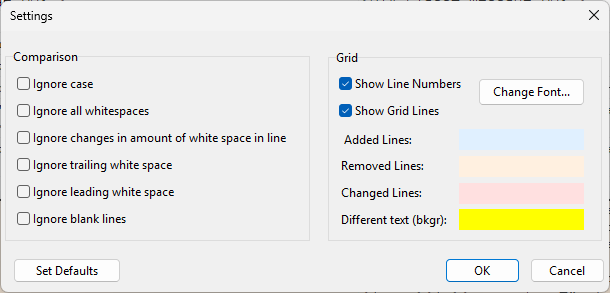
NextDiff には、複雑なドキュメント形式の場合、Apache Tika のテキスト抽出機能を使用して読み取り可能なコンテンツを比較します。
NextDiff では、比較して表示するだけでなく、比較グリッド内のセルをダブルクリックするか、キーボードを使ってテキストを直接編集できます。また、差分を左から右、または右から左にコピーできるマージ機能も備えています。
便利な機能を備えているファイル/フォルダ比較ツール
NextDiff は、シンプルなテキストから複雑なドキュメントまで、さまざまなファイルの内容を比較することができる便利なアプリケーションです。サブフォルダ内のファイルを含めた、2 つのフォルダの内容を比較することもできます。
機能
- テキストファイルを並べて比較する。
- Apache Tikaを使用して複雑なドキュメントを比較する。
- スマートな違いをナビゲーション。
- 変更を編集してマージする。
- フォルダ比較。
- 柔軟な比較オプション。
価格:無料
動作環境:Windows 10|11
使用言語:英語
最終更新日:
5分前 (2026/05/18)
ダウンロード数:0
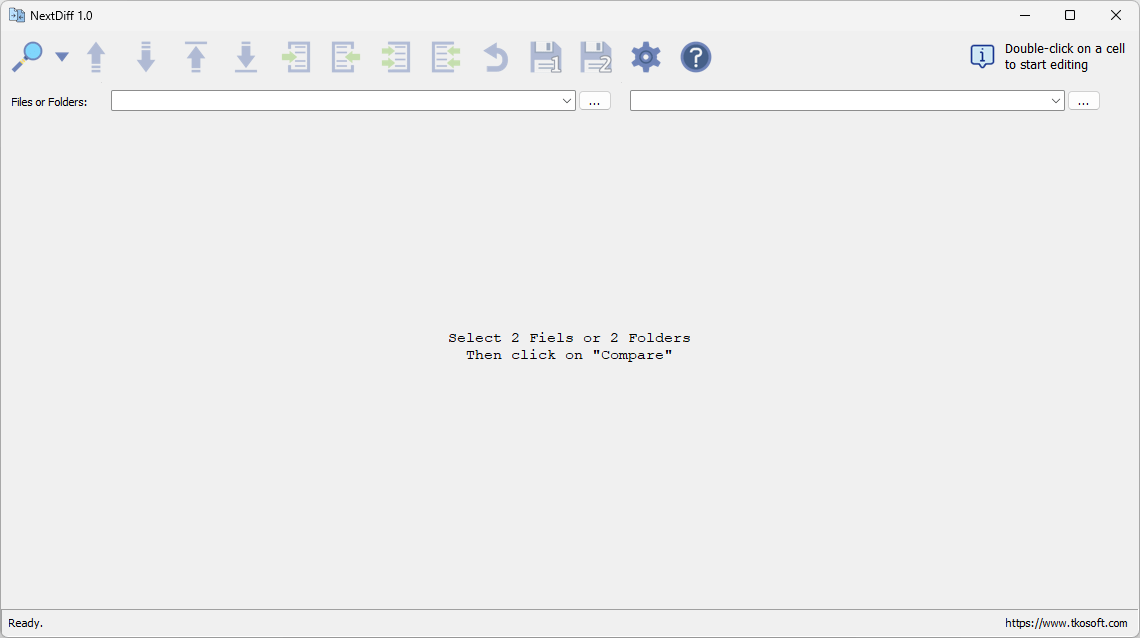
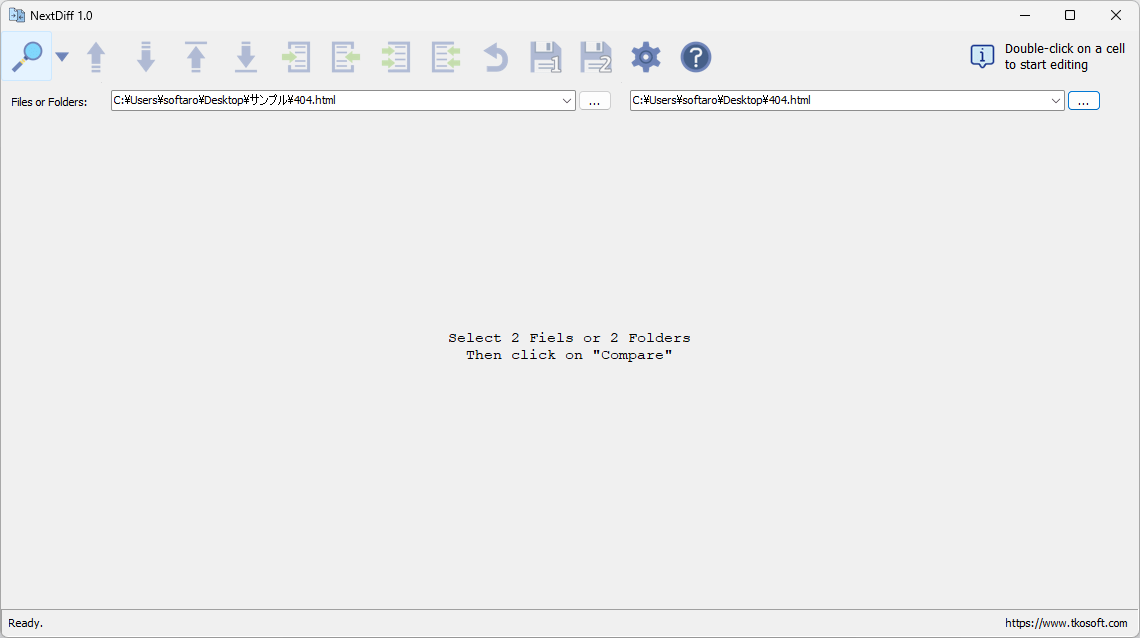
画像

ユーザーインターフェース

ファイルの選択

ファイルの比較

設定
使い方
インストール
1.インストール方法
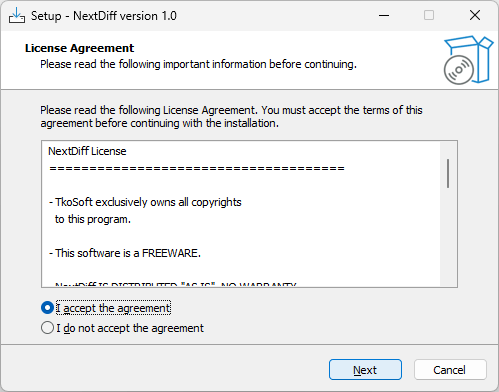
- ライセンスが表示されます。「I accept the agreement」を選択して[Next]をクリックします。
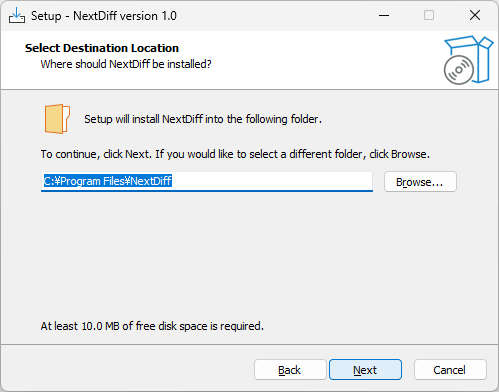
- インストール先を確認して[Next]をクリックします。
- 追加のタスクを設定して[Next]をクリックします。
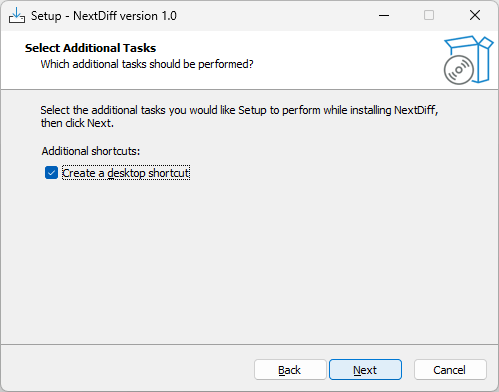
- [Install]をクリックしてインストールを開始します。
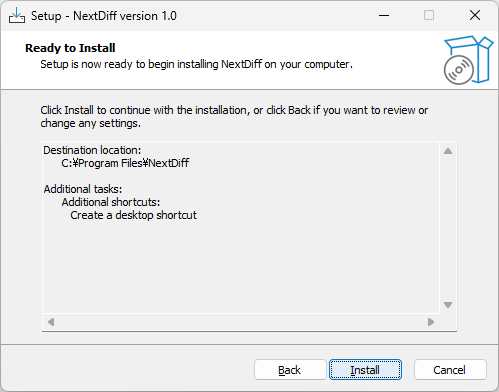
- [Finish]をクリックしてセットアップウィザードを閉じます。
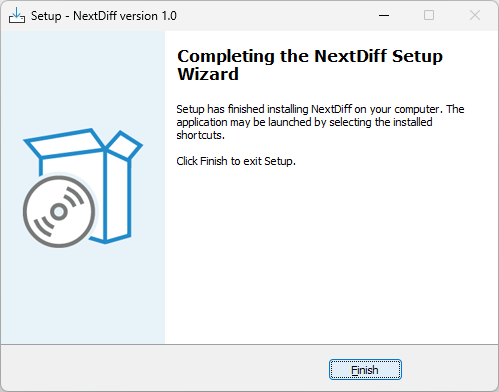
基本的な使い方
1. 基本的な使い方
- […]ボタンをクリックして、比較するファイルまたはフォルダを選択します。
- ツールバーの「Load and Compale」ボタンをクリックします。

- 2 つのファイルが比較され、異なる部分は色で表示されます。

よくある質問と回答
ライセンスについて。