").attr(n.scriptAttrs||{}).prop({charset:n.scriptCharset,src:n.url}).on("load error",i=function(e){r.remove(),i=null,e&&t("error"===e.type?404:200,e.type)}),C.head.appendChild(r[0])},abort:function(){i&&i()}}});var Jt,Kt=[],Zt=/(=)\?(?=&|$)|\?\?/;ce.ajaxSetup({jsonp:"callback",jsonpCallback:function(){var e=Kt.pop()||ce.expando+"_"+jt.guid++;return this[e]=!0,e}}),ce.ajaxPrefilter("json jsonp",function(e,t,n){var r,i,o,a=!1!==e.jsonp&&(Zt.test(e.url)?"url":"string"==typeof e.data&&0===(e.contentType||"").indexOf("application/x-www-form-urlencoded")&&Zt.test(e.data)&&"data");if(a||"jsonp"===e.dataTypes[0])return r=e.jsonpCallback=v(e.jsonpCallback)?e.jsonpCallback():e.jsonpCallback,a?e[a]=e[a].replace(Zt,"$1"+r):!1!==e.jsonp&&(e.url+=(At.test(e.url)?"&":"?")+e.jsonp+"="+r),e.converters["script json"]=function(){return o||ce.error(r+" was not called"),o[0]},e.dataTypes[0]="json",i=ie[r],ie[r]=function(){o=arguments},n.always(function(){void 0===i?ce(ie).removeProp(r):ie[r]=i,e[r]&&(e.jsonpCallback=t.jsonpCallback,Kt.push(r)),o&&v(i)&&i(o[0]),o=i=void 0}),"script"}),le.createHTMLDocument=((Jt=C.implementation.createHTMLDocument("").body).innerHTML="
",2===Jt.childNodes.length),ce.parseHTML=function(e,t,n){return"string"!=typeof e?[]:("boolean"==typeof t&&(n=t,t=!1),t||(le.createHTMLDocument?((r=(t=C.implementation.createHTMLDocument("")).createElement("base")).href=C.location.href,t.head.appendChild(r)):t=C),o=!n&&[],(i=w.exec(e))?[t.createElement(i[1])]:(i=Ae([e],t,o),o&&o.length&&ce(o).remove(),ce.merge([],i.childNodes)));var r,i,o},ce.fn.load=function(e,t,n){var r,i,o,a=this,s=e.indexOf(" ");return-1").append(ce.parseHTML(e)).find(r):e)}).always(n&&function(e,t){a.each(function(){n.apply(this,o||[e.responseText,t,e])})}),this},ce.expr.pseudos.animated=function(t){return ce.grep(ce.timers,function(e){return t===e.elem}).length},ce.offset={setOffset:function(e,t,n){var r,i,o,a,s,u,l=ce.css(e,"position"),c=ce(e),f={};"static"===l&&(e.style.position="relative"),s=c.offset(),o=ce.css(e,"top"),u=ce.css(e,"left"),("absolute"===l||"fixed"===l)&&-1<(o+u).indexOf("auto")?(a=(r=c.position()).top,i=r.left):(a=parseFloat(o)||0,i=parseFloat(u)||0),v(t)&&(t=t.call(e,n,ce.extend({},s))),null!=t.top&&(f.top=t.top-s.top+a),null!=t.left&&(f.left=t.left-s.left+i),"using"in t?t.using.call(e,f):c.css(f)}},ce.fn.extend({offset:function(t){if(arguments.length)return void 0===t?this:this.each(function(e){ce.offset.setOffset(this,t,e)});var e,n,r=this[0];return r?r.getClientRects().length?(e=r.getBoundingClientRect(),n=r.ownerDocument.defaultView,{top:e.top+n.pageYOffset,left:e.left+n.pageXOffset}):{top:0,left:0}:void 0},position:function(){if(this[0]){var e,t,n,r=this[0],i={top:0,left:0};if("fixed"===ce.css(r,"position"))t=r.getBoundingClientRect();else{t=this.offset(),n=r.ownerDocument,e=r.offsetParent||n.documentElement;while(e&&(e===n.body||e===n.documentElement)&&"static"===ce.css(e,"position"))e=e.parentNode;e&&e!==r&&1===e.nodeType&&((i=ce(e).offset()).top+=ce.css(e,"borderTopWidth",!0),i.left+=ce.css(e,"borderLeftWidth",!0))}return{top:t.top-i.top-ce.css(r,"marginTop",!0),left:t.left-i.left-ce.css(r,"marginLeft",!0)}}},offsetParent:function(){return this.map(function(){var e=this.offsetParent;while(e&&"static"===ce.css(e,"position"))e=e.offsetParent;return e||J})}}),ce.each({scrollLeft:"pageXOffset",scrollTop:"pageYOffset"},function(t,i){var o="pageYOffset"===i;ce.fn[t]=function(e){return M(this,function(e,t,n){var r;if(y(e)?r=e:9===e.nodeType&&(r=e.defaultView),void 0===n)return r?r[i]:e[t];r?r.scrollTo(o?r.pageXOffset:n,o?n:r.pageYOffset):e[t]=n},t,e,arguments.length)}}),ce.each(["top","left"],function(e,n){ce.cssHooks[n]=Ye(le.pixelPosition,function(e,t){if(t)return t=Ge(e,n),_e.test(t)?ce(e).position()[n]+"px":t})}),ce.each({Height:"height",Width:"width"},function(a,s){ce.each({padding:"inner"+a,content:s,"":"outer"+a},function(r,o){ce.fn[o]=function(e,t){var n=arguments.length&&(r||"boolean"!=typeof e),i=r||(!0===e||!0===t?"margin":"border");return M(this,function(e,t,n){var r;return y(e)?0===o.indexOf("outer")?e["inner"+a]:e.document.documentElement["client"+a]:9===e.nodeType?(r=e.documentElement,Math.max(e.body["scroll"+a],r["scroll"+a],e.body["offset"+a],r["offset"+a],r["client"+a])):void 0===n?ce.css(e,t,i):ce.style(e,t,n,i)},s,n?e:void 0,n)}})}),ce.each(["ajaxStart","ajaxStop","ajaxComplete","ajaxError","ajaxSuccess","ajaxSend"],function(e,t){ce.fn[t]=function(e){return this.on(t,e)}}),ce.fn.extend({bind:function(e,t,n){return this.on(e,null,t,n)},unbind:function(e,t){return this.off(e,null,t)},delegate:function(e,t,n,r){return this.on(t,e,n,r)},undelegate:function(e,t,n){return 1===arguments.length?this.off(e,"**"):this.off(t,e||"**",n)},hover:function(e,t){return this.on("mouseenter",e).on("mouseleave",t||e)}}),ce.each("blur focus focusin focusout resize scroll click dblclick mousedown mouseup mousemove mouseover mouseout mouseenter mouseleave change select submit keydown keypress keyup contextmenu".split(" "),function(e,n){ce.fn[n]=function(e,t){return 0
MiTeC Icon Explorer 5.3.0
画像編集
2020/05/27 16:202021/12/05 08:31
説明 機能 仕様 ダウンロード 画像 使い方
EXE などの実行可能ファイルに含まれているアイコンを表示または保存
Windows の実行可能ファイルからアイコンを抽出して ICO・PNG・BMP ファイルに保存できるアイコン参照・抽出ソフト。選択したフォルダ内のアイコンが含まれているファイルをすべて検索できる強力な検索機能も備えています。
MiTeC Icon Explorer の概要
MiTeC Icon Explorer を使用すると、アイコンライブラリ(.icl, .dll)、スタンドアロンアイコン(.ico)、およびアイコンをリソースとして含む実行可能ファイル(.exe)のアイコンを抽出して表示できます。それから、アイコンを画像ファイルやライブラリ形式でアイコンを保存できます。
MiTeC Icon Explorer の機能
MiTeC Icon Explorer には、主に以下の情報が表示されます。
機能
概要
参照
EXE・DLL・ICL ファイルに含まれるアイコンを表示
抽出
アイコンを画像ファイル形式(ICO・BMP・PNG)形式で保存
アイコンをライブラリファイル形式(DLL・ICL)で保存
検索
ドライブ/フォルダ内のアイコンが含まれているファイルを調べる強力な検索ツール
目的のファイルのアイコンをすばやく表示
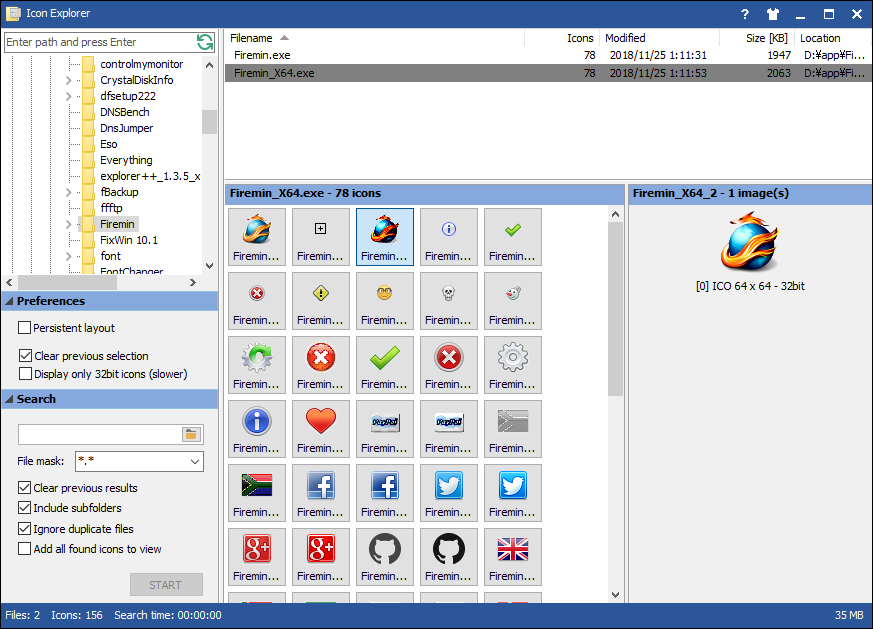
MiTeC Icon Explorer はエクスプローラ風のウィンドウを持っていて、フォルダツリーでファイルの場所に移動したり、フォルダ内のファイルを検索して目的のファイルを探すことができます。
実行可能ファイルを選択するとファイルに含まれているすべてのアイコンが表示され、ICO や PNG などの好みの形式にアイコンを保存することができます。
便利なアイコン抽出ツール
MiTeC Icon Explorer は、実行可能ファイルのアイコンを表示したり、アイコンをファイルに抽出したい場合に役に立つ便利なアプリケーションです。32ビットアイコンや、256×256 サイズの大きなアイコンに対応しています。
機能
実行可能ファイルのアイコンリソースの管理
アイコンの参照
アイコンを画像ファイル形式(ICO・BMP・PNG)形式で保存
アイコンをライブラリファイル形式(DLL・ICL)で保存
価格: 無料(個人・教育・非営利目的に限る)
動作環境: Windows XP|Vista|7|8|8.1|10・Server 2008|2012|2016
使用言語: 英語
最終更新日:
4年前 (2021/12/05)
ダウンロード数: 1950
画像
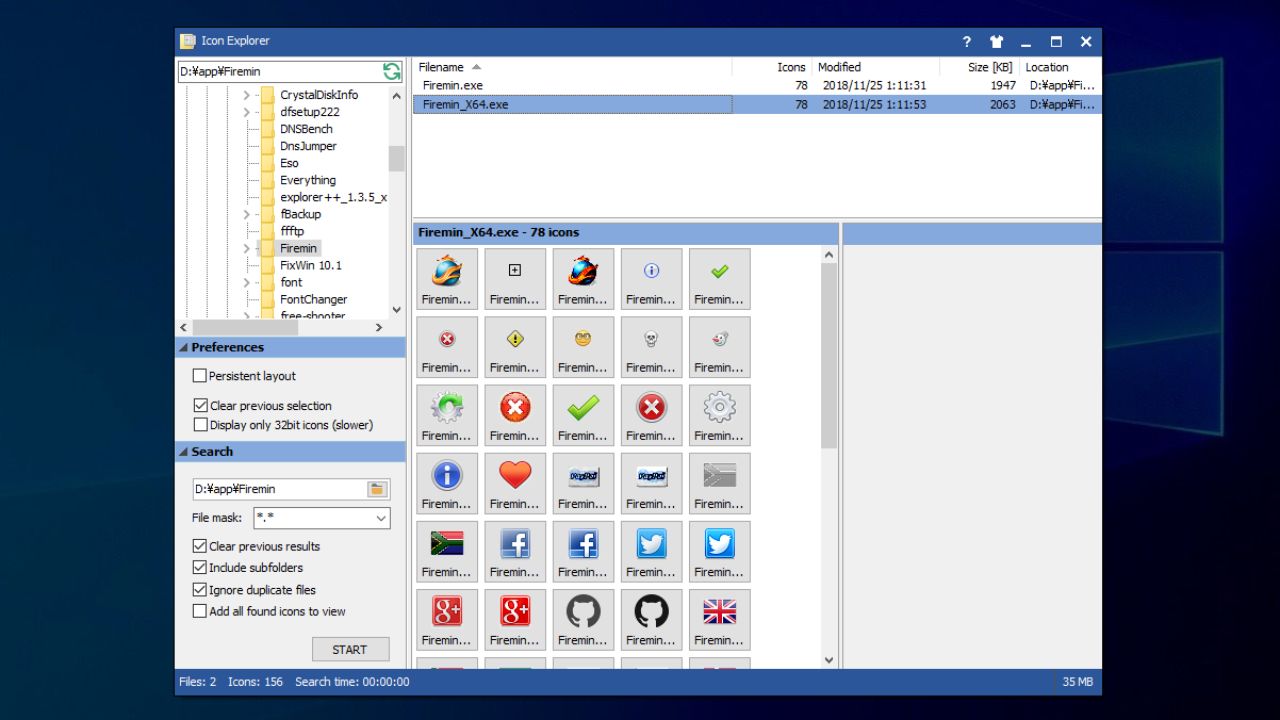
メインウィンドウ
アイコンの抽出
使い方
インストール
MiTeC Icon Explorer はポータブルアプリケーションなのでインストールの必要なく使用できます。ダウンロードした Zip ファイルを解凍して「IconExplorer.exe」を実行するとアプリケーションを起動できます。

アイコンを参照・抽出する
1. アイコンの参照
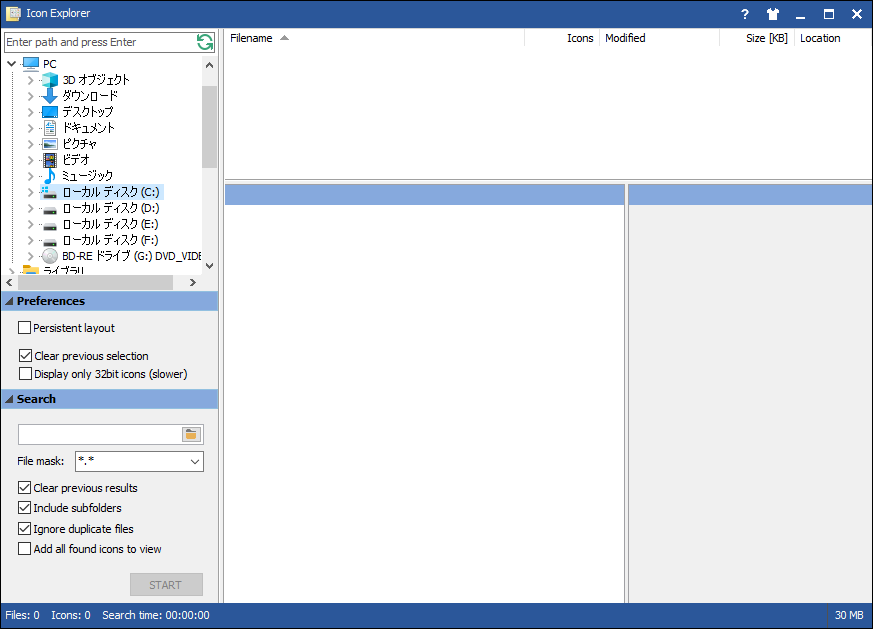
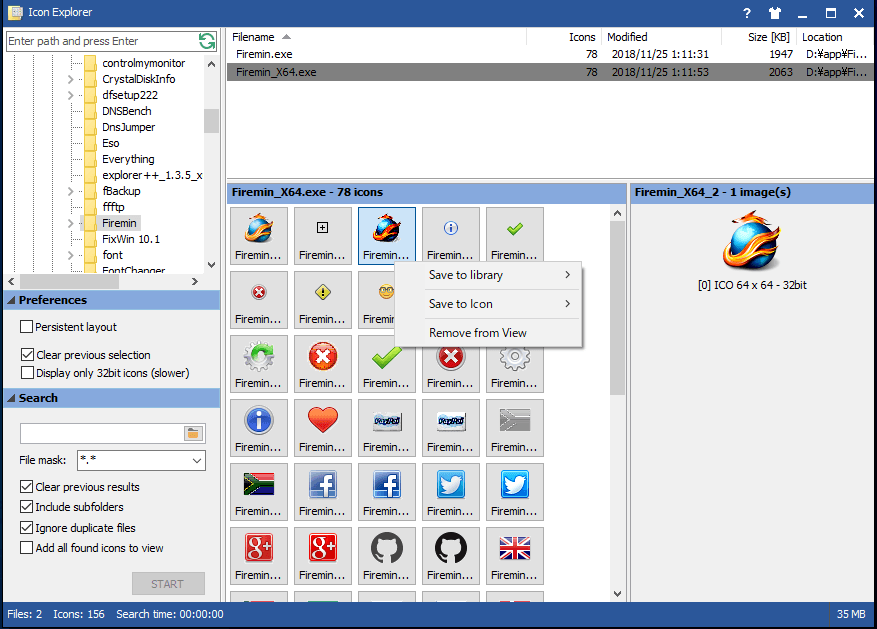
MiTeC Icon Explorer を起動すると、エクスプローラ風のウィンドウが開きます。
左のフォルダツリーからアイコンを参照または抽出したいファイルがある場所を選択します。
フォルダを選択するとフォルダ内にある実行ファイルが上のリストに表示されます。
ファイルを選択するとファイルに含まれているアイコンが下に一覧表示されます。
2.アイコンを抽出する
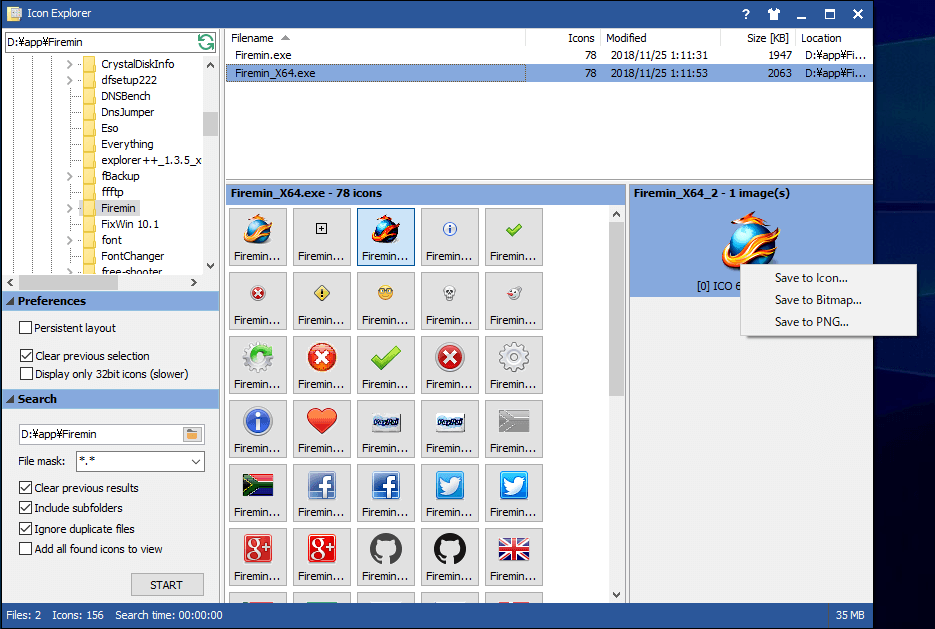
アイコンを選択すると右にプレビューが表示されます。
右クリックメニューから、アイコンを Icon・Bitmap・PNG に保存できます。
また、アイコンをライブラリ形式(.dll, .icl)で保存することもできます。
よくある質問と回答
ライセンスについて。
ユーザーレビュー
レビューはまだありません、 最初のレビューを投稿してください。コメントは任意です。