").attr(n.scriptAttrs||{}).prop({charset:n.scriptCharset,src:n.url}).on("load error",i=function(e){r.remove(),i=null,e&&t("error"===e.type?404:200,e.type)}),C.head.appendChild(r[0])},abort:function(){i&&i()}}});var Jt,Kt=[],Zt=/(=)\?(?=&|$)|\?\?/;ce.ajaxSetup({jsonp:"callback",jsonpCallback:function(){var e=Kt.pop()||ce.expando+"_"+jt.guid++;return this[e]=!0,e}}),ce.ajaxPrefilter("json jsonp",function(e,t,n){var r,i,o,a=!1!==e.jsonp&&(Zt.test(e.url)?"url":"string"==typeof e.data&&0===(e.contentType||"").indexOf("application/x-www-form-urlencoded")&&Zt.test(e.data)&&"data");if(a||"jsonp"===e.dataTypes[0])return r=e.jsonpCallback=v(e.jsonpCallback)?e.jsonpCallback():e.jsonpCallback,a?e[a]=e[a].replace(Zt,"$1"+r):!1!==e.jsonp&&(e.url+=(At.test(e.url)?"&":"?")+e.jsonp+"="+r),e.converters["script json"]=function(){return o||ce.error(r+" was not called"),o[0]},e.dataTypes[0]="json",i=ie[r],ie[r]=function(){o=arguments},n.always(function(){void 0===i?ce(ie).removeProp(r):ie[r]=i,e[r]&&(e.jsonpCallback=t.jsonpCallback,Kt.push(r)),o&&v(i)&&i(o[0]),o=i=void 0}),"script"}),le.createHTMLDocument=((Jt=C.implementation.createHTMLDocument("").body).innerHTML="
",2===Jt.childNodes.length),ce.parseHTML=function(e,t,n){return"string"!=typeof e?[]:("boolean"==typeof t&&(n=t,t=!1),t||(le.createHTMLDocument?((r=(t=C.implementation.createHTMLDocument("")).createElement("base")).href=C.location.href,t.head.appendChild(r)):t=C),o=!n&&[],(i=w.exec(e))?[t.createElement(i[1])]:(i=Ae([e],t,o),o&&o.length&&ce(o).remove(),ce.merge([],i.childNodes)));var r,i,o},ce.fn.load=function(e,t,n){var r,i,o,a=this,s=e.indexOf(" ");return-1").append(ce.parseHTML(e)).find(r):e)}).always(n&&function(e,t){a.each(function(){n.apply(this,o||[e.responseText,t,e])})}),this},ce.expr.pseudos.animated=function(t){return ce.grep(ce.timers,function(e){return t===e.elem}).length},ce.offset={setOffset:function(e,t,n){var r,i,o,a,s,u,l=ce.css(e,"position"),c=ce(e),f={};"static"===l&&(e.style.position="relative"),s=c.offset(),o=ce.css(e,"top"),u=ce.css(e,"left"),("absolute"===l||"fixed"===l)&&-1<(o+u).indexOf("auto")?(a=(r=c.position()).top,i=r.left):(a=parseFloat(o)||0,i=parseFloat(u)||0),v(t)&&(t=t.call(e,n,ce.extend({},s))),null!=t.top&&(f.top=t.top-s.top+a),null!=t.left&&(f.left=t.left-s.left+i),"using"in t?t.using.call(e,f):c.css(f)}},ce.fn.extend({offset:function(t){if(arguments.length)return void 0===t?this:this.each(function(e){ce.offset.setOffset(this,t,e)});var e,n,r=this[0];return r?r.getClientRects().length?(e=r.getBoundingClientRect(),n=r.ownerDocument.defaultView,{top:e.top+n.pageYOffset,left:e.left+n.pageXOffset}):{top:0,left:0}:void 0},position:function(){if(this[0]){var e,t,n,r=this[0],i={top:0,left:0};if("fixed"===ce.css(r,"position"))t=r.getBoundingClientRect();else{t=this.offset(),n=r.ownerDocument,e=r.offsetParent||n.documentElement;while(e&&(e===n.body||e===n.documentElement)&&"static"===ce.css(e,"position"))e=e.parentNode;e&&e!==r&&1===e.nodeType&&((i=ce(e).offset()).top+=ce.css(e,"borderTopWidth",!0),i.left+=ce.css(e,"borderLeftWidth",!0))}return{top:t.top-i.top-ce.css(r,"marginTop",!0),left:t.left-i.left-ce.css(r,"marginLeft",!0)}}},offsetParent:function(){return this.map(function(){var e=this.offsetParent;while(e&&"static"===ce.css(e,"position"))e=e.offsetParent;return e||J})}}),ce.each({scrollLeft:"pageXOffset",scrollTop:"pageYOffset"},function(t,i){var o="pageYOffset"===i;ce.fn[t]=function(e){return M(this,function(e,t,n){var r;if(y(e)?r=e:9===e.nodeType&&(r=e.defaultView),void 0===n)return r?r[i]:e[t];r?r.scrollTo(o?r.pageXOffset:n,o?n:r.pageYOffset):e[t]=n},t,e,arguments.length)}}),ce.each(["top","left"],function(e,n){ce.cssHooks[n]=Ye(le.pixelPosition,function(e,t){if(t)return t=Ge(e,n),_e.test(t)?ce(e).position()[n]+"px":t})}),ce.each({Height:"height",Width:"width"},function(a,s){ce.each({padding:"inner"+a,content:s,"":"outer"+a},function(r,o){ce.fn[o]=function(e,t){var n=arguments.length&&(r||"boolean"!=typeof e),i=r||(!0===e||!0===t?"margin":"border");return M(this,function(e,t,n){var r;return y(e)?0===o.indexOf("outer")?e["inner"+a]:e.document.documentElement["client"+a]:9===e.nodeType?(r=e.documentElement,Math.max(e.body["scroll"+a],r["scroll"+a],e.body["offset"+a],r["offset"+a],r["client"+a])):void 0===n?ce.css(e,t,i):ce.style(e,t,n,i)},s,n?e:void 0,n)}})}),ce.each(["ajaxStart","ajaxStop","ajaxComplete","ajaxError","ajaxSuccess","ajaxSend"],function(e,t){ce.fn[t]=function(e){return this.on(t,e)}}),ce.fn.extend({bind:function(e,t,n){return this.on(e,null,t,n)},unbind:function(e,t){return this.off(e,null,t)},delegate:function(e,t,n,r){return this.on(t,e,n,r)},undelegate:function(e,t,n){return 1===arguments.length?this.off(e,"**"):this.off(t,e||"**",n)},hover:function(e,t){return this.on("mouseenter",e).on("mouseleave",t||e)}}),ce.each("blur focus focusin focusout resize scroll click dblclick mousedown mouseup mousemove mouseover mouseout mouseenter mouseleave change select submit keydown keypress keyup contextmenu".split(" "),function(e,n){ce.fn[n]=function(e,t){return 0
MediaInfo.NET 7.3.0.0
ビデオそのほか
2021/09/08 11:312022/04/02 16:57
説明 機能 仕様 ダウンロード 画像 使い方
ビデオ/オーディオファイルのメディア情報を表示するアプリ
ビデオやオーディオファイルのメディア情報を表示する WIndows アプリケーション。ビデオ/オーディオに使用されているコーデック、フォーマット、解像度、ビットレート、フレームレートなどのメディア情報を表示します。
MediaInfo.NET の概要
MediaInfo.NET は、メディアファイル情報を表示する Windows アプリケーションです。
MediaInfo.NET の機能
MediaInfo.NET の主な機能です。
機能
概要
メイン機能
メディアファイルの情報を表示
機能詳細
・ビデオ、オーディオファイルの技術情報を表示
・フォルダビュー
・表示されている情報をファイルに保存/コピー
・テーマやフォントの変更
対応フォーマット
avi mp4 mkv mov webm mpg vob ts m2ts wmv flv mp2 mp3 mpa ogg opus mka dts dtshd ac3 eac3 thd wav flac sup ass png jpg gif bmp
ビデオ/オーディオのメディア情報を表示します
MediaInfo.NET は、メディアファイル(ビデオ、オーディオファイル)に含まれている技術的な詳細情報を表示するアプリケーションです。
ビデオまたはオーディオのフォーマット、使用されているコーデック、ビデオ画面サイズ(解像度)、ビデオ/オーディオビットレート、フレームレート、アスペクト比、ビット深度などの情報を表示します。
便利なオプション機能
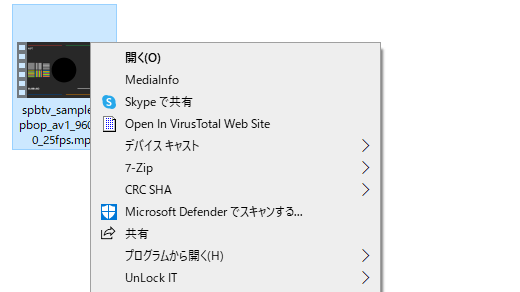
MediaInfo.NET には、いくつかの便利なオプション機能があり、フォルダ内のすべてのメディアファイルのメディア情報の概要の一覧を表示したり、エクスプローラのコンテキストメニューに MediaInfo の項目を追加して、ファイルの右クリックからメディア情報を表示することができます。
また、アプリのテーマやフォントを自分好みに変更できます。
メディア情報を表示する便利なツール
MediaInfo.NET は、動画や音楽ファイルの内部情報を表示し、必要な情報を調べることができる便利なアプリケーションです。
機能
高 DPI サポート
検索およびハイライト機能
専用タブに各トラックを表示するタブバー
フォルダ内の次のファイルと前のファイルに移動します
MediaInfoAPI で使用されるパラメーターを表示する
カスタマイズ可能な明るい色と暗い色のテーマ
外観を変更するための多くの設定
エンコーディング設定の特別プレゼンテーション
コンパクトなまとめ
Get-MediaInfo を利用したフォルダビュー
更新チェックと PowerShell ベースの更新機能
価格: 無料
動作環境: Windows 7|8|8.1|10|11
使用言語: 英語
最終更新日:
4年前 (2022/04/02)
ダウンロード数: 554
画像
ユーザーインターフェース
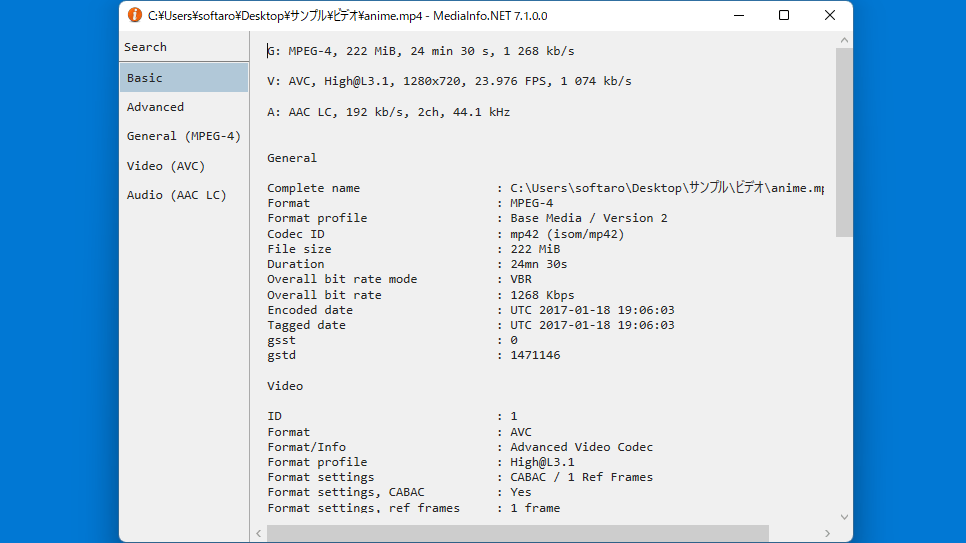
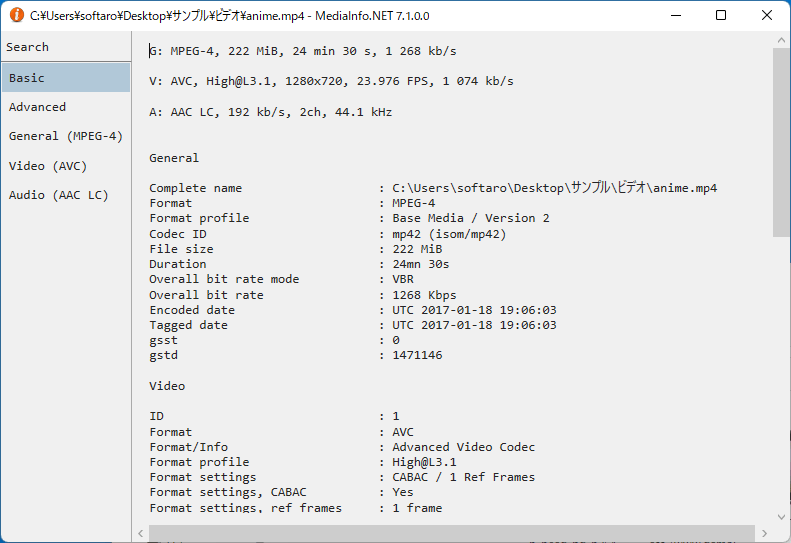
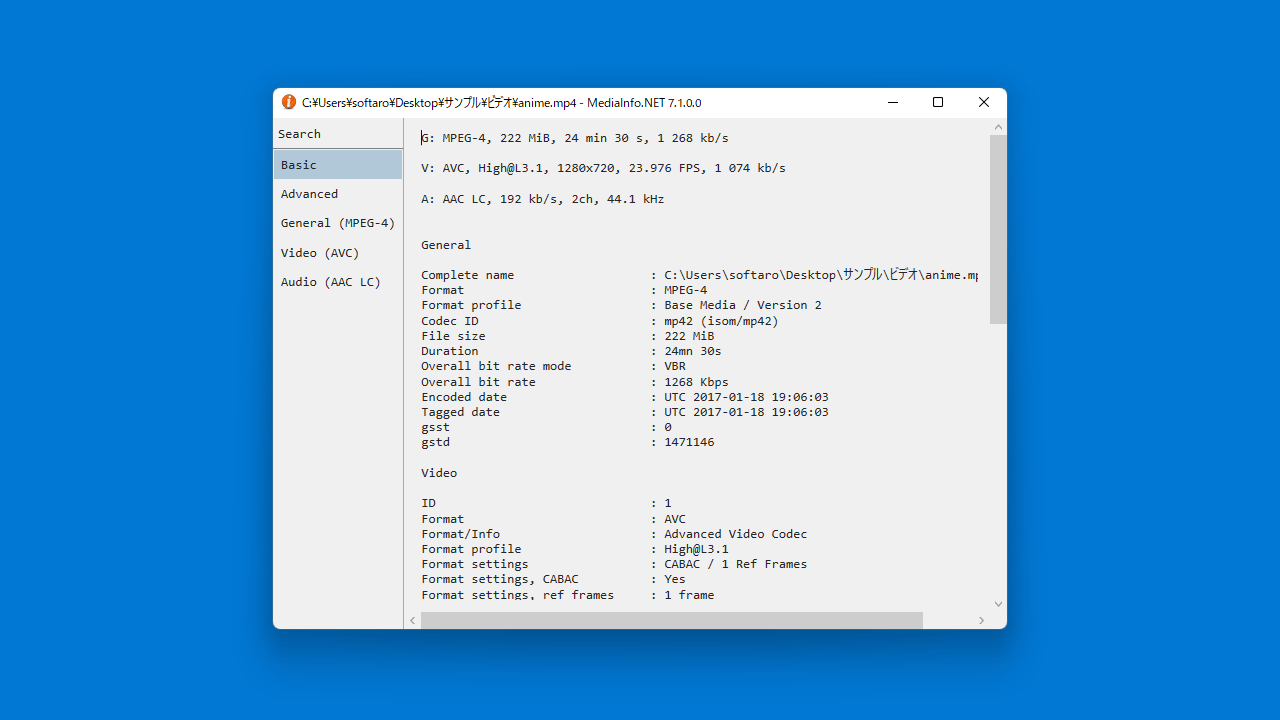
Basic(基本情報)
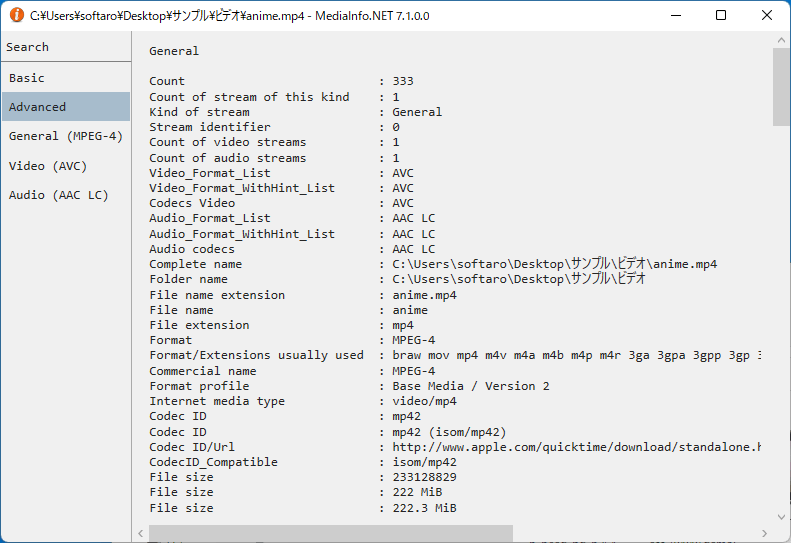
Advanced(高度な情報)
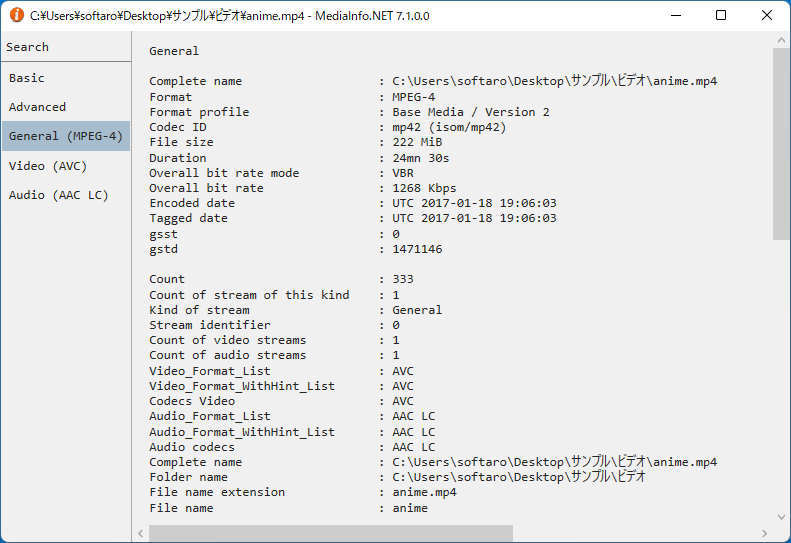
General(全般情報)
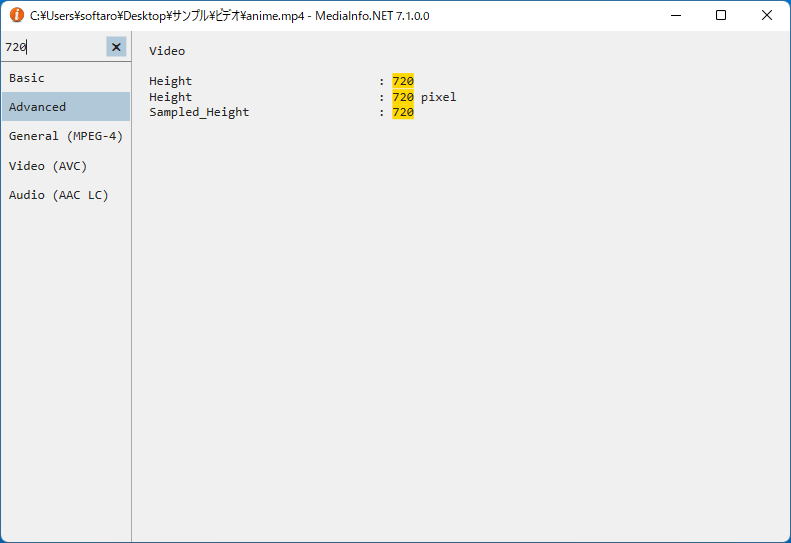
検索
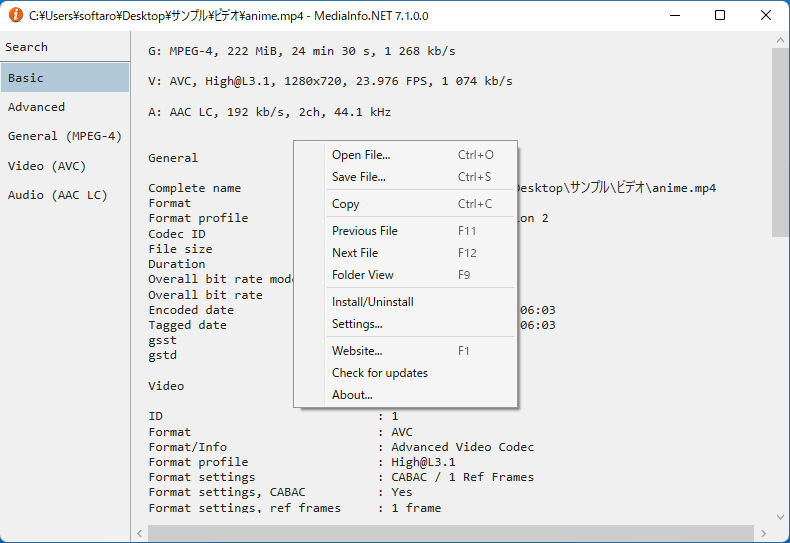
右クリックメニュー
使い方
インストール
1.インストール方法
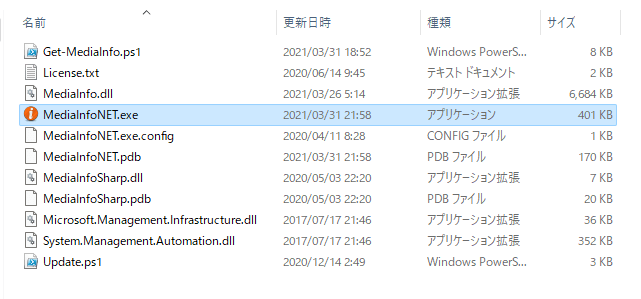
MediaInfo.NET はインストール不要で使用できます。
ダウンロードした ZIP ファイルを解凍し、「MediaInfo.NET.exe 」ファイルを実行するとアプリケーションを使用できます。
基本的な使い方
1.メディア情報を表示する
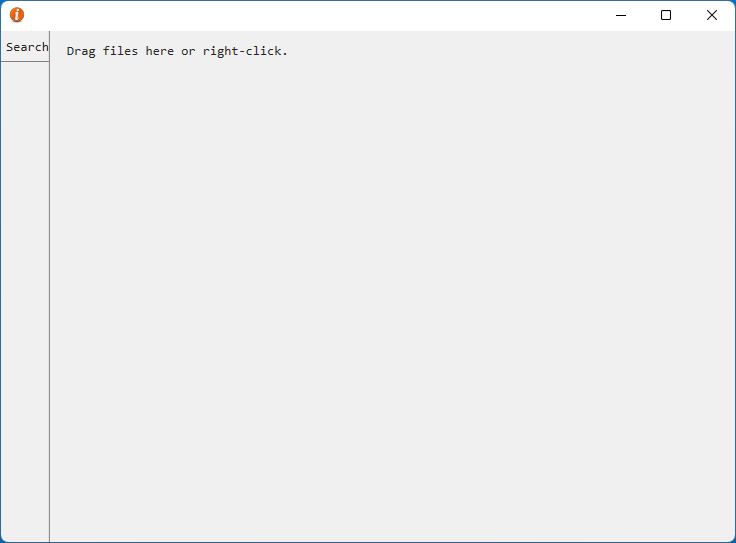
MediaInfo.NET を起動したら、ファイルをウィンドウ上にドラッグ&ドロップするか、右クリックメニューの「Open File」からファイルを選択します。
「Basic 」タブでは、メディアファイルの基本的な情報が表示されます。
「Advanced 」タブでは、詳細情報が表示されます。
「General 」では、全般的な情報が表示されます。
「Video 」では、ビデオに関する情報が表示されます。
「Audio 」では、オーディオに関する情報が表示されます。
2.検索
3.右クリックメニュー
右クリックメニューから、そのほかの操作や機能を利用できます。
・Open File :ファイルを開く
・Save File :表示されている情報をテキストファイルに保存する
・Copy :表示されている情報をクリップボードにコピーする
・Previous File :前のファイル
・Next File :次のファイル
・Folder View :フォルダ内のすべてのファイルのメディア情報を表示する
・Install/Uninstall :コンテキストメニューに項目を追加する
・Settings :設定
・Website :作者のページを開く
・Check for Updates :アップデートをチェックする
・About :ソフトウェアについて
4.環境設定
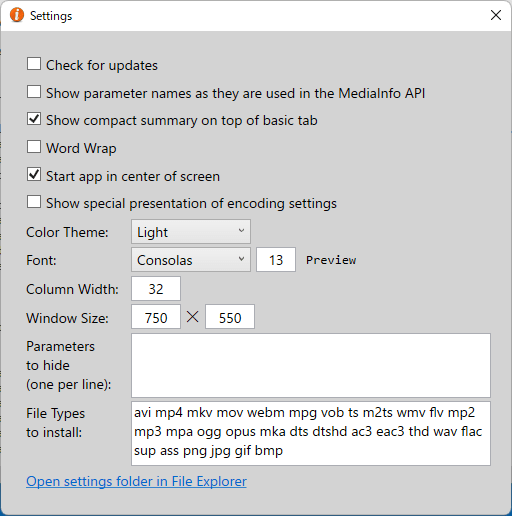
右クリックメニューの「Settings 」を開くと、設定を行うことができます。
・Check for Updates :アップデートをチェックする
・Show parameter names as they are used in the Medialnfo API :Medialnfo API で使用されているパラメータ名を表示する
・Show compact summary on top of basic tab :Basic タブの上にコンパクトなまとめを表示
・Word Wrap :ワードラップ
・Start app in center of screen :画面の中央にアプリを表示
・Show special presentation of encoding settings :エンコーディング設定の特別なプレゼンテーションを表示する
・Color Theme :テーマの変更
・Font :フォントの変更
・Column Width :列の幅
・Window Size :ウィンドウサイズ
・Parameter to hide (one per line) :非表示にするパラメーター(1行に1つ)
・File Types to install :インストールするファイルの種類
よくある質問と回答
ライセンスについて。
ユーザーレビュー
レビューはまだありません、 最初のレビューを投稿してください。コメントは任意です。
MediaInfo.NET は、どなたでも無料で使用できます。