").attr(n.scriptAttrs||{}).prop({charset:n.scriptCharset,src:n.url}).on("load error",i=function(e){r.remove(),i=null,e&&t("error"===e.type?404:200,e.type)}),C.head.appendChild(r[0])},abort:function(){i&&i()}}});var Jt,Kt=[],Zt=/(=)\?(?=&|$)|\?\?/;ce.ajaxSetup({jsonp:"callback",jsonpCallback:function(){var e=Kt.pop()||ce.expando+"_"+jt.guid++;return this[e]=!0,e}}),ce.ajaxPrefilter("json jsonp",function(e,t,n){var r,i,o,a=!1!==e.jsonp&&(Zt.test(e.url)?"url":"string"==typeof e.data&&0===(e.contentType||"").indexOf("application/x-www-form-urlencoded")&&Zt.test(e.data)&&"data");if(a||"jsonp"===e.dataTypes[0])return r=e.jsonpCallback=v(e.jsonpCallback)?e.jsonpCallback():e.jsonpCallback,a?e[a]=e[a].replace(Zt,"$1"+r):!1!==e.jsonp&&(e.url+=(At.test(e.url)?"&":"?")+e.jsonp+"="+r),e.converters["script json"]=function(){return o||ce.error(r+" was not called"),o[0]},e.dataTypes[0]="json",i=ie[r],ie[r]=function(){o=arguments},n.always(function(){void 0===i?ce(ie).removeProp(r):ie[r]=i,e[r]&&(e.jsonpCallback=t.jsonpCallback,Kt.push(r)),o&&v(i)&&i(o[0]),o=i=void 0}),"script"}),le.createHTMLDocument=((Jt=C.implementation.createHTMLDocument("").body).innerHTML="
",2===Jt.childNodes.length),ce.parseHTML=function(e,t,n){return"string"!=typeof e?[]:("boolean"==typeof t&&(n=t,t=!1),t||(le.createHTMLDocument?((r=(t=C.implementation.createHTMLDocument("")).createElement("base")).href=C.location.href,t.head.appendChild(r)):t=C),o=!n&&[],(i=w.exec(e))?[t.createElement(i[1])]:(i=Ae([e],t,o),o&&o.length&&ce(o).remove(),ce.merge([],i.childNodes)));var r,i,o},ce.fn.load=function(e,t,n){var r,i,o,a=this,s=e.indexOf(" ");return-1").append(ce.parseHTML(e)).find(r):e)}).always(n&&function(e,t){a.each(function(){n.apply(this,o||[e.responseText,t,e])})}),this},ce.expr.pseudos.animated=function(t){return ce.grep(ce.timers,function(e){return t===e.elem}).length},ce.offset={setOffset:function(e,t,n){var r,i,o,a,s,u,l=ce.css(e,"position"),c=ce(e),f={};"static"===l&&(e.style.position="relative"),s=c.offset(),o=ce.css(e,"top"),u=ce.css(e,"left"),("absolute"===l||"fixed"===l)&&-1<(o+u).indexOf("auto")?(a=(r=c.position()).top,i=r.left):(a=parseFloat(o)||0,i=parseFloat(u)||0),v(t)&&(t=t.call(e,n,ce.extend({},s))),null!=t.top&&(f.top=t.top-s.top+a),null!=t.left&&(f.left=t.left-s.left+i),"using"in t?t.using.call(e,f):c.css(f)}},ce.fn.extend({offset:function(t){if(arguments.length)return void 0===t?this:this.each(function(e){ce.offset.setOffset(this,t,e)});var e,n,r=this[0];return r?r.getClientRects().length?(e=r.getBoundingClientRect(),n=r.ownerDocument.defaultView,{top:e.top+n.pageYOffset,left:e.left+n.pageXOffset}):{top:0,left:0}:void 0},position:function(){if(this[0]){var e,t,n,r=this[0],i={top:0,left:0};if("fixed"===ce.css(r,"position"))t=r.getBoundingClientRect();else{t=this.offset(),n=r.ownerDocument,e=r.offsetParent||n.documentElement;while(e&&(e===n.body||e===n.documentElement)&&"static"===ce.css(e,"position"))e=e.parentNode;e&&e!==r&&1===e.nodeType&&((i=ce(e).offset()).top+=ce.css(e,"borderTopWidth",!0),i.left+=ce.css(e,"borderLeftWidth",!0))}return{top:t.top-i.top-ce.css(r,"marginTop",!0),left:t.left-i.left-ce.css(r,"marginLeft",!0)}}},offsetParent:function(){return this.map(function(){var e=this.offsetParent;while(e&&"static"===ce.css(e,"position"))e=e.offsetParent;return e||J})}}),ce.each({scrollLeft:"pageXOffset",scrollTop:"pageYOffset"},function(t,i){var o="pageYOffset"===i;ce.fn[t]=function(e){return M(this,function(e,t,n){var r;if(y(e)?r=e:9===e.nodeType&&(r=e.defaultView),void 0===n)return r?r[i]:e[t];r?r.scrollTo(o?r.pageXOffset:n,o?n:r.pageYOffset):e[t]=n},t,e,arguments.length)}}),ce.each(["top","left"],function(e,n){ce.cssHooks[n]=Ye(le.pixelPosition,function(e,t){if(t)return t=Ge(e,n),_e.test(t)?ce(e).position()[n]+"px":t})}),ce.each({Height:"height",Width:"width"},function(a,s){ce.each({padding:"inner"+a,content:s,"":"outer"+a},function(r,o){ce.fn[o]=function(e,t){var n=arguments.length&&(r||"boolean"!=typeof e),i=r||(!0===e||!0===t?"margin":"border");return M(this,function(e,t,n){var r;return y(e)?0===o.indexOf("outer")?e["inner"+a]:e.document.documentElement["client"+a]:9===e.nodeType?(r=e.documentElement,Math.max(e.body["scroll"+a],r["scroll"+a],e.body["offset"+a],r["offset"+a],r["client"+a])):void 0===n?ce.css(e,t,i):ce.style(e,t,n,i)},s,n?e:void 0,n)}})}),ce.each(["ajaxStart","ajaxStop","ajaxComplete","ajaxError","ajaxSuccess","ajaxSend"],function(e,t){ce.fn[t]=function(e){return this.on(t,e)}}),ce.fn.extend({bind:function(e,t,n){return this.on(e,null,t,n)},unbind:function(e,t){return this.off(e,null,t)},delegate:function(e,t,n,r){return this.on(t,e,n,r)},undelegate:function(e,t,n){return 1===arguments.length?this.off(e,"**"):this.off(t,e||"**",n)},hover:function(e,t){return this.on("mouseenter",e).on("mouseleave",t||e)}}),ce.each("blur focus focusin focusout resize scroll click dblclick mousedown mouseup mousemove mouseover mouseout mouseenter mouseleave change select submit keydown keypress keyup contextmenu".split(" "),function(e,n){ce.fn[n]=function(e,t){return 0
Malwarebytes Anti-Exploit 1.13.1.585 Beta
マルウェア対策
2018/12/22 22:532024/02/09 10:23
説明 機能 仕様 ダウンロード 画像 使い方
危険なゼロデイ攻撃を防ぐ、プログラムの脆弱性保護ソフト
アプリケーションの脆弱性を標的にするエクスプロイトからユーザーを防護します。エクスプロイトとは、アプリケーションやハードウェアのコードの欠陥(脆弱性)を悪用した攻撃をするプログラムのことで、システムに侵入して犯罪行為を行うことを目的としています。
ゼロデイ攻撃とは
セキュリティの脆弱性はどんなアプリケーションにも起こりうる問題です。脆弱性を発見したら、ベンダーはセキュリティパッチ(更新)を公開して対応しますが、脆弱性を発見してからユーザーがセキュリティパッチを適用するまでの期間はアプリケーションは無防備になります。その期間を狙ったエクスプロイト攻撃を「ゼロデイ攻撃」と言います。
多くのメジャーなアプリケーションを保護
組織的なサイバー犯罪者は、従来はウイルスやワームを使った攻撃方法を使っていましたが、現在では、より効率的に被害者を危険にさらすエクスプロイト攻撃を使うようになっています。そのため Malwarebytes は Anti-Exploit 公開しました。
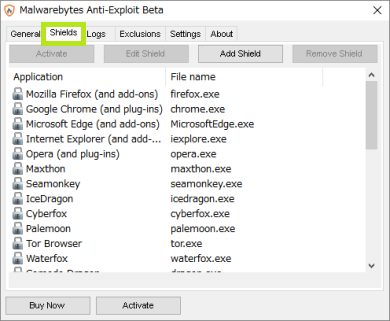
Anti-Exploit は、 Internet Explorer, Mozilla Firefox, Google Chrome, Opera ブラウザのほか、Java, Adobe Reader, Adobe Flash, Microsoft Office, Adobe Reader, VLC media player などのメジャーなアプリケーションをリアルタイムで保護します。保護するアプリケーションのリストは Anti-Exploit のメニューから見ることができます。
多くのメジャーなアプリケーションを保護
Anti-Exploit は常駐するタイプのソフトですが、ウイルス対策ソフトと互換性があるので、他のウイルス対策ソフトがインストールしてある環境でも動作します。このソフトは小型ですが、危険な攻撃から身を護ることができる特別な防護ソフトです。
機能
アプリケーションをエクスプロイトから保護
未知のエクスプロイトキットをブロック
価格: 無料
動作環境: Windows XP / Vista|7|8|8.1|10|11
使用言語: 英語
最終更新日:
2年前 (2024/02/09)
ダウンロード数: 721
画像
使い方
セットアップ・インストール方法
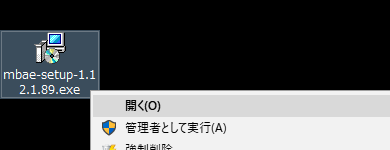
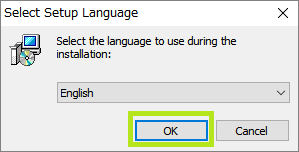
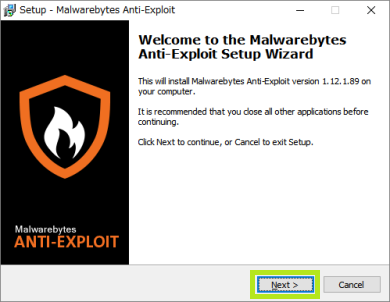
ダウンロードしたセットアップファイルを実行します。
ライセンスの確認画面です、I accept the agreement を選択し、Next をクリックします。
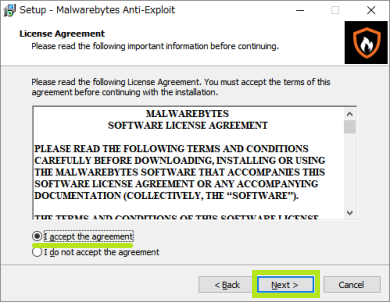
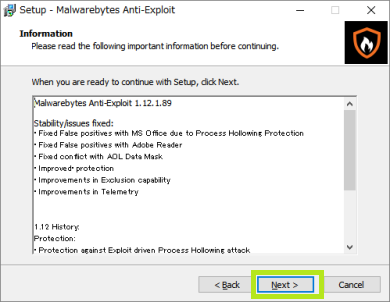
インフォメーション画面(Malwarebytes Anti-Exploit)
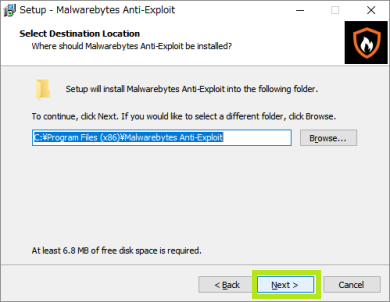
インストール先のディレクトリの確認(Malwarebytes Anti-Exploit)
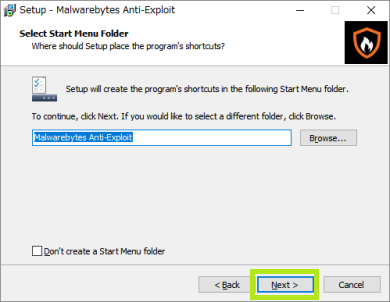
プログラムショートカットの作成(Malwarebytes Anti-Exploit)
プレミアム版のトライアルをインストールする場合は選択して Next をクリック。
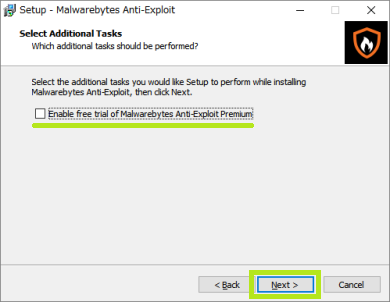
トライアル版のインストールの確認(Malwarebytes Anti-Exploit)
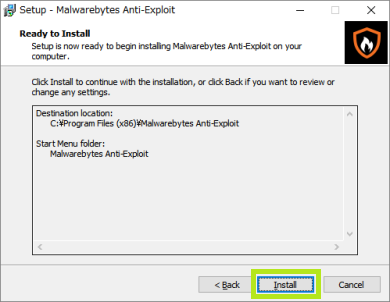
Install をクリックするとインストールされます。
インストールの準備画面(Malwarebytes Anti-Exploit)
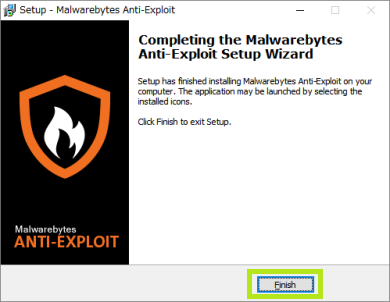
インストールの完了(Malwarebytes Anti-Exploit)
保護可能なアプリの確認・追加
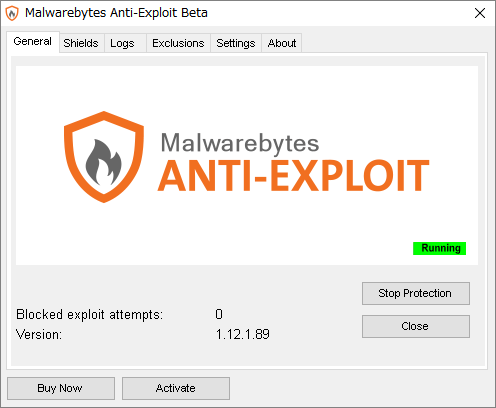
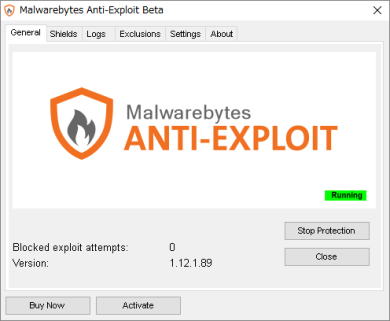
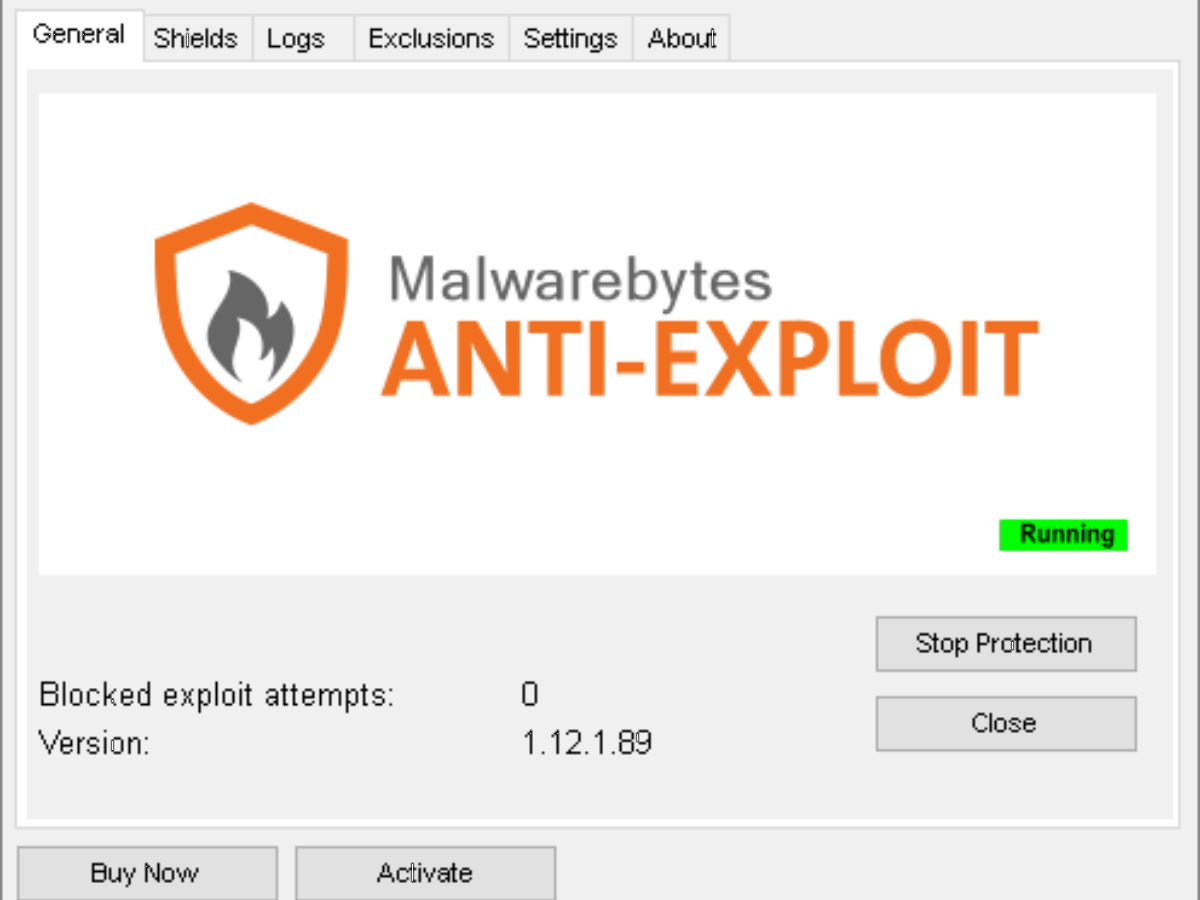
メイン画面が起動します。特に設定をする必要はありません。
Shields をクリックすると保護可能なアプリケーションの一覧が表示されます。
Add Shield から保護するアプリケーションを追加することもできます。
よくある質問と回答
ユーザーレビュー
レビューはまだありません、 最初のレビューを投稿してください。コメントは任意です。