").attr(n.scriptAttrs||{}).prop({charset:n.scriptCharset,src:n.url}).on("load error",i=function(e){r.remove(),i=null,e&&t("error"===e.type?404:200,e.type)}),C.head.appendChild(r[0])},abort:function(){i&&i()}}});var Jt,Kt=[],Zt=/(=)\?(?=&|$)|\?\?/;ce.ajaxSetup({jsonp:"callback",jsonpCallback:function(){var e=Kt.pop()||ce.expando+"_"+jt.guid++;return this[e]=!0,e}}),ce.ajaxPrefilter("json jsonp",function(e,t,n){var r,i,o,a=!1!==e.jsonp&&(Zt.test(e.url)?"url":"string"==typeof e.data&&0===(e.contentType||"").indexOf("application/x-www-form-urlencoded")&&Zt.test(e.data)&&"data");if(a||"jsonp"===e.dataTypes[0])return r=e.jsonpCallback=v(e.jsonpCallback)?e.jsonpCallback():e.jsonpCallback,a?e[a]=e[a].replace(Zt,"$1"+r):!1!==e.jsonp&&(e.url+=(At.test(e.url)?"&":"?")+e.jsonp+"="+r),e.converters["script json"]=function(){return o||ce.error(r+" was not called"),o[0]},e.dataTypes[0]="json",i=ie[r],ie[r]=function(){o=arguments},n.always(function(){void 0===i?ce(ie).removeProp(r):ie[r]=i,e[r]&&(e.jsonpCallback=t.jsonpCallback,Kt.push(r)),o&&v(i)&&i(o[0]),o=i=void 0}),"script"}),le.createHTMLDocument=((Jt=C.implementation.createHTMLDocument("").body).innerHTML="
",2===Jt.childNodes.length),ce.parseHTML=function(e,t,n){return"string"!=typeof e?[]:("boolean"==typeof t&&(n=t,t=!1),t||(le.createHTMLDocument?((r=(t=C.implementation.createHTMLDocument("")).createElement("base")).href=C.location.href,t.head.appendChild(r)):t=C),o=!n&&[],(i=w.exec(e))?[t.createElement(i[1])]:(i=Ae([e],t,o),o&&o.length&&ce(o).remove(),ce.merge([],i.childNodes)));var r,i,o},ce.fn.load=function(e,t,n){var r,i,o,a=this,s=e.indexOf(" ");return-1").append(ce.parseHTML(e)).find(r):e)}).always(n&&function(e,t){a.each(function(){n.apply(this,o||[e.responseText,t,e])})}),this},ce.expr.pseudos.animated=function(t){return ce.grep(ce.timers,function(e){return t===e.elem}).length},ce.offset={setOffset:function(e,t,n){var r,i,o,a,s,u,l=ce.css(e,"position"),c=ce(e),f={};"static"===l&&(e.style.position="relative"),s=c.offset(),o=ce.css(e,"top"),u=ce.css(e,"left"),("absolute"===l||"fixed"===l)&&-1<(o+u).indexOf("auto")?(a=(r=c.position()).top,i=r.left):(a=parseFloat(o)||0,i=parseFloat(u)||0),v(t)&&(t=t.call(e,n,ce.extend({},s))),null!=t.top&&(f.top=t.top-s.top+a),null!=t.left&&(f.left=t.left-s.left+i),"using"in t?t.using.call(e,f):c.css(f)}},ce.fn.extend({offset:function(t){if(arguments.length)return void 0===t?this:this.each(function(e){ce.offset.setOffset(this,t,e)});var e,n,r=this[0];return r?r.getClientRects().length?(e=r.getBoundingClientRect(),n=r.ownerDocument.defaultView,{top:e.top+n.pageYOffset,left:e.left+n.pageXOffset}):{top:0,left:0}:void 0},position:function(){if(this[0]){var e,t,n,r=this[0],i={top:0,left:0};if("fixed"===ce.css(r,"position"))t=r.getBoundingClientRect();else{t=this.offset(),n=r.ownerDocument,e=r.offsetParent||n.documentElement;while(e&&(e===n.body||e===n.documentElement)&&"static"===ce.css(e,"position"))e=e.parentNode;e&&e!==r&&1===e.nodeType&&((i=ce(e).offset()).top+=ce.css(e,"borderTopWidth",!0),i.left+=ce.css(e,"borderLeftWidth",!0))}return{top:t.top-i.top-ce.css(r,"marginTop",!0),left:t.left-i.left-ce.css(r,"marginLeft",!0)}}},offsetParent:function(){return this.map(function(){var e=this.offsetParent;while(e&&"static"===ce.css(e,"position"))e=e.offsetParent;return e||J})}}),ce.each({scrollLeft:"pageXOffset",scrollTop:"pageYOffset"},function(t,i){var o="pageYOffset"===i;ce.fn[t]=function(e){return M(this,function(e,t,n){var r;if(y(e)?r=e:9===e.nodeType&&(r=e.defaultView),void 0===n)return r?r[i]:e[t];r?r.scrollTo(o?r.pageXOffset:n,o?n:r.pageYOffset):e[t]=n},t,e,arguments.length)}}),ce.each(["top","left"],function(e,n){ce.cssHooks[n]=Ye(le.pixelPosition,function(e,t){if(t)return t=Ge(e,n),_e.test(t)?ce(e).position()[n]+"px":t})}),ce.each({Height:"height",Width:"width"},function(a,s){ce.each({padding:"inner"+a,content:s,"":"outer"+a},function(r,o){ce.fn[o]=function(e,t){var n=arguments.length&&(r||"boolean"!=typeof e),i=r||(!0===e||!0===t?"margin":"border");return M(this,function(e,t,n){var r;return y(e)?0===o.indexOf("outer")?e["inner"+a]:e.document.documentElement["client"+a]:9===e.nodeType?(r=e.documentElement,Math.max(e.body["scroll"+a],r["scroll"+a],e.body["offset"+a],r["offset"+a],r["client"+a])):void 0===n?ce.css(e,t,i):ce.style(e,t,n,i)},s,n?e:void 0,n)}})}),ce.each(["ajaxStart","ajaxStop","ajaxComplete","ajaxError","ajaxSuccess","ajaxSend"],function(e,t){ce.fn[t]=function(e){return this.on(t,e)}}),ce.fn.extend({bind:function(e,t,n){return this.on(e,null,t,n)},unbind:function(e,t){return this.off(e,null,t)},delegate:function(e,t,n,r){return this.on(t,e,n,r)},undelegate:function(e,t,n){return 1===arguments.length?this.off(e,"**"):this.off(t,e||"**",n)},hover:function(e,t){return this.on("mouseenter",e).on("mouseleave",t||e)}}),ce.each("blur focus focusin focusout resize scroll click dblclick mousedown mouseup mousemove mouseover mouseout mouseenter mouseleave change select submit keydown keypress keyup contextmenu".split(" "),function(e,n){ce.fn[n]=function(e,t){return 0
Intel Wireless Bluetooth Driver 23.140.0
ドライバ
2023/05/08 11:002025/06/11 13:02
説明 機能 仕様 ダウンロード 画像 使い方
インテル ワイヤレス製品用の Bluetooth ドライバ

インテルの Bluetooth ワイヤレスアダプタに対応している Windows 向けのドライバパッケージです。対応アダプタについては下記のリストをご覧ください。
Intel Wireless Bluetooth Driver の概要
Intel Wireless Bluetooth Driver は、インテル Wireless Bluetooth テクノロジーを持つホームユーザーやビジネスユーザーを含むエンドユーザーに推奨されます。
Intel Wireless Bluetooth Driver の機能
Intel Wireless Bluetooth Driver で利用できる主な機能の一覧です。
機能
概要
メイン機能
下記のワイヤレスアダプタに対応しているドライバ
機能詳細
インテル Wi-Fi 6E AX4111
インテル Wi-Fi 6E AX2111
インテル Wi-Fi 6E AX2101
インテル Wi-Fi 6 (Gig+) Desktop Kit1
インテル Wi-Fi 6 AX2031
インテル Wi-Fi 6 AX2011
インテル Wi-Fi 6 AX2001
インテル Wi-Fi 6 AX1011
インテル Wireless-AC 95601
インテル Wireless-AC 94621
インテル Wireless-AC 94611
インテル Wireless-AC 92601
インテル Dual Band Wireless-AC 3168
インテル Wireless 7265 ファミリー
インテル Dual Band Wireless-AC 3165
インテル Dual Band Wireless-AC 31681
インテル Wireless 7265 ファミリー1
インテル Dual Band Wireless-AC 3165
インテルのワイヤレスアダプタ用のドライバです
Intel Wireless Bluetooth Driver は、インテルの Bluetooth ワイヤレスアダプタに対応している Windows 向けのドライバパッケージです。インテル Wireless Bluetooth テクノロジーを持つホームユーザーやビジネスユーザーを含むエンドユーザーに推奨されます。
上記のリストのワイヤレス(Bluetooth / Wi-Fi)アダプタのみがサポートされています。
Bluetooth ドライバーについて
Intel Wireless Bluetooth Driver をインストールすると、携帯電話、タブレット、ヘッドセット、ゲーム コントローラーなどのさまざまなデバイスと接続できるようになります。
コンピュータにインストールされているワイヤレスアダプタがわからない場合は、「インテル ドライバー & サポート・アシスタント 」を使用してドライバを確認および更新してください。
インテル Bluetooth ドライバの最新バージョン
Intel Wireless Bluetooth Driver は、Windows OS および上記のワイヤレスアダプタに対応したデバイスドライバです。新しいバージョンには、新しいテクノロジー標準のサポートが含まれるか、他の Bluetooth チップセットとの互換性が追加される可能性があるため最新バージョンをインストールすることをおすすめします。
機能
Intel ワイヤレスアダプタ用の Windows ドライバ
価格: 無料
動作環境: Windows 7|8|8.1|10|11
使用言語: 英語・日本語ほか
最終更新日:
11か月前 (2025/06/11)
ダウンロード数: 3206
画像
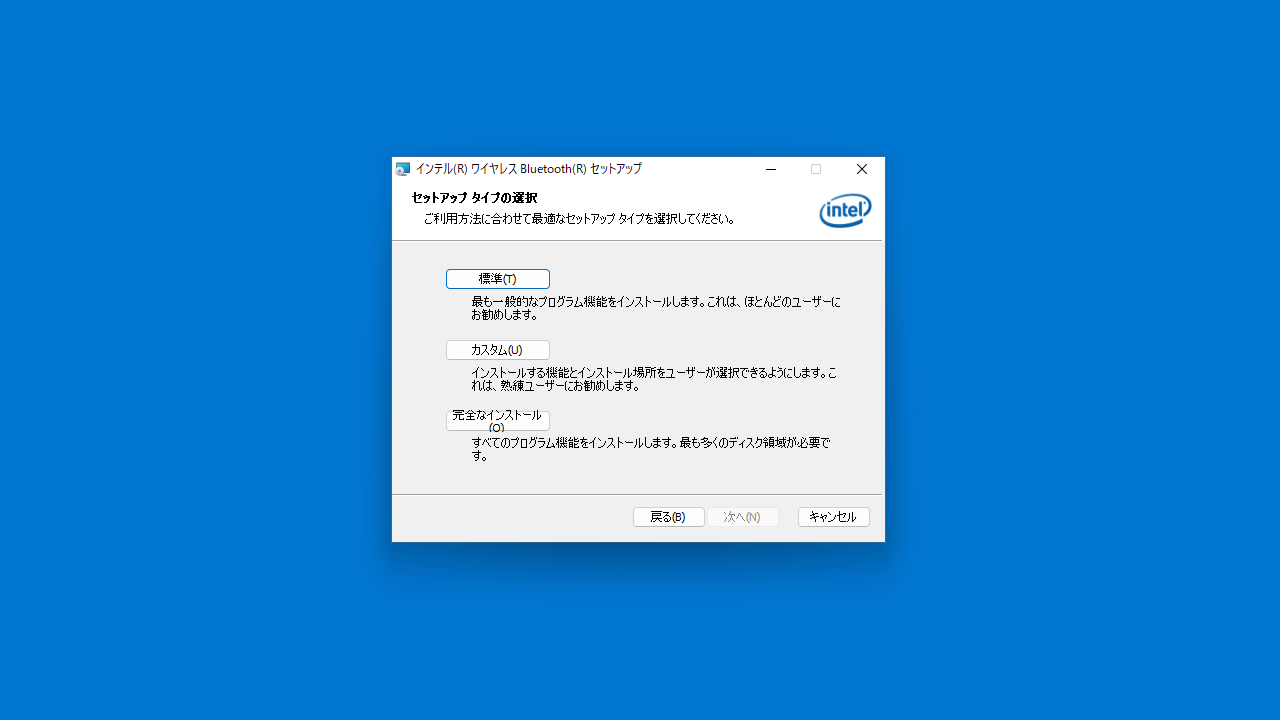
セットアップウィザード
セットアップウィザード
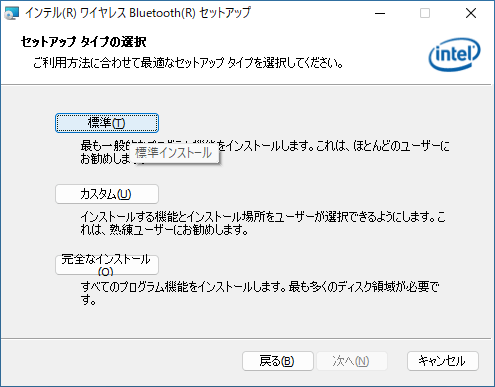
インストール方法の選択
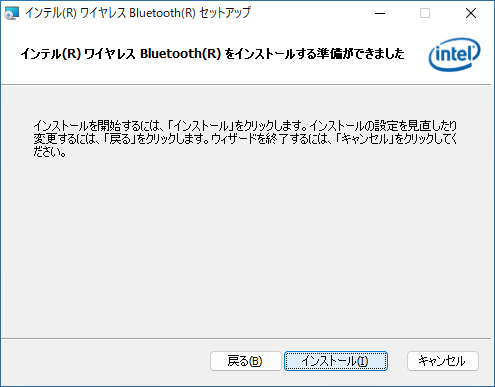
インストールの開始
使い方
インストール
1.インストール方法
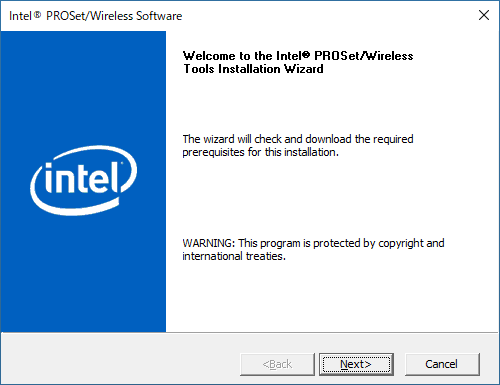
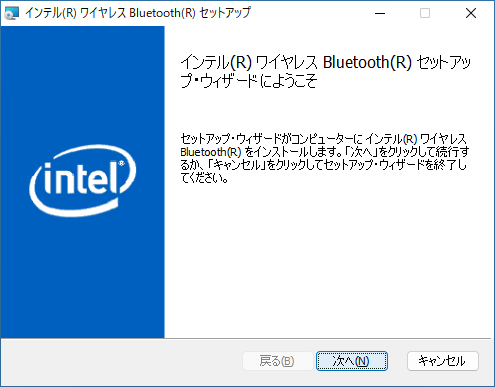
セットアップウィザードが開始したら[Next ]をクリックします。
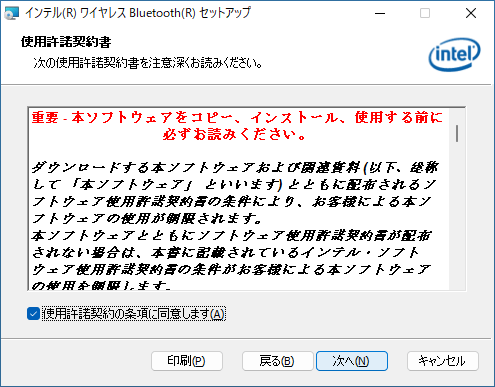
ライセンスが表示されます。「使用許諾契約の条項に同意します 」を選択して[次へ ]をクリックします。
セットアップタイプの選択画面です。通常は[標準 ]をクリックします。
[インストール ]をクリックしてインストールを開始します。
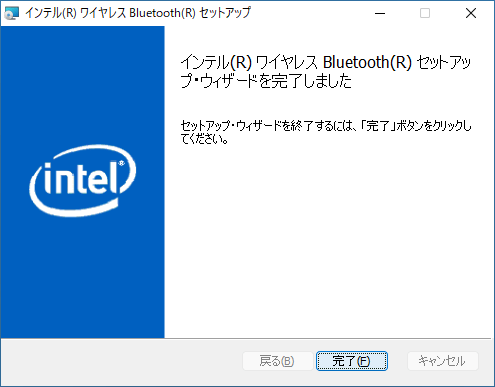
[完了 ]をクリックしてセットアップウィザードを閉じます。
基本的な使い方
1. 基本的な使い方
よくある質問と回答
ライセンスについて。
ユーザーレビュー
レビューはまだありません、 最初のレビューを投稿してください。コメントは任意です。