").attr(n.scriptAttrs||{}).prop({charset:n.scriptCharset,src:n.url}).on("load error",i=function(e){r.remove(),i=null,e&&t("error"===e.type?404:200,e.type)}),C.head.appendChild(r[0])},abort:function(){i&&i()}}});var Jt,Kt=[],Zt=/(=)\?(?=&|$)|\?\?/;ce.ajaxSetup({jsonp:"callback",jsonpCallback:function(){var e=Kt.pop()||ce.expando+"_"+jt.guid++;return this[e]=!0,e}}),ce.ajaxPrefilter("json jsonp",function(e,t,n){var r,i,o,a=!1!==e.jsonp&&(Zt.test(e.url)?"url":"string"==typeof e.data&&0===(e.contentType||"").indexOf("application/x-www-form-urlencoded")&&Zt.test(e.data)&&"data");if(a||"jsonp"===e.dataTypes[0])return r=e.jsonpCallback=v(e.jsonpCallback)?e.jsonpCallback():e.jsonpCallback,a?e[a]=e[a].replace(Zt,"$1"+r):!1!==e.jsonp&&(e.url+=(At.test(e.url)?"&":"?")+e.jsonp+"="+r),e.converters["script json"]=function(){return o||ce.error(r+" was not called"),o[0]},e.dataTypes[0]="json",i=ie[r],ie[r]=function(){o=arguments},n.always(function(){void 0===i?ce(ie).removeProp(r):ie[r]=i,e[r]&&(e.jsonpCallback=t.jsonpCallback,Kt.push(r)),o&&v(i)&&i(o[0]),o=i=void 0}),"script"}),le.createHTMLDocument=((Jt=C.implementation.createHTMLDocument("").body).innerHTML="
",2===Jt.childNodes.length),ce.parseHTML=function(e,t,n){return"string"!=typeof e?[]:("boolean"==typeof t&&(n=t,t=!1),t||(le.createHTMLDocument?((r=(t=C.implementation.createHTMLDocument("")).createElement("base")).href=C.location.href,t.head.appendChild(r)):t=C),o=!n&&[],(i=w.exec(e))?[t.createElement(i[1])]:(i=Ae([e],t,o),o&&o.length&&ce(o).remove(),ce.merge([],i.childNodes)));var r,i,o},ce.fn.load=function(e,t,n){var r,i,o,a=this,s=e.indexOf(" ");return-1").append(ce.parseHTML(e)).find(r):e)}).always(n&&function(e,t){a.each(function(){n.apply(this,o||[e.responseText,t,e])})}),this},ce.expr.pseudos.animated=function(t){return ce.grep(ce.timers,function(e){return t===e.elem}).length},ce.offset={setOffset:function(e,t,n){var r,i,o,a,s,u,l=ce.css(e,"position"),c=ce(e),f={};"static"===l&&(e.style.position="relative"),s=c.offset(),o=ce.css(e,"top"),u=ce.css(e,"left"),("absolute"===l||"fixed"===l)&&-1<(o+u).indexOf("auto")?(a=(r=c.position()).top,i=r.left):(a=parseFloat(o)||0,i=parseFloat(u)||0),v(t)&&(t=t.call(e,n,ce.extend({},s))),null!=t.top&&(f.top=t.top-s.top+a),null!=t.left&&(f.left=t.left-s.left+i),"using"in t?t.using.call(e,f):c.css(f)}},ce.fn.extend({offset:function(t){if(arguments.length)return void 0===t?this:this.each(function(e){ce.offset.setOffset(this,t,e)});var e,n,r=this[0];return r?r.getClientRects().length?(e=r.getBoundingClientRect(),n=r.ownerDocument.defaultView,{top:e.top+n.pageYOffset,left:e.left+n.pageXOffset}):{top:0,left:0}:void 0},position:function(){if(this[0]){var e,t,n,r=this[0],i={top:0,left:0};if("fixed"===ce.css(r,"position"))t=r.getBoundingClientRect();else{t=this.offset(),n=r.ownerDocument,e=r.offsetParent||n.documentElement;while(e&&(e===n.body||e===n.documentElement)&&"static"===ce.css(e,"position"))e=e.parentNode;e&&e!==r&&1===e.nodeType&&((i=ce(e).offset()).top+=ce.css(e,"borderTopWidth",!0),i.left+=ce.css(e,"borderLeftWidth",!0))}return{top:t.top-i.top-ce.css(r,"marginTop",!0),left:t.left-i.left-ce.css(r,"marginLeft",!0)}}},offsetParent:function(){return this.map(function(){var e=this.offsetParent;while(e&&"static"===ce.css(e,"position"))e=e.offsetParent;return e||J})}}),ce.each({scrollLeft:"pageXOffset",scrollTop:"pageYOffset"},function(t,i){var o="pageYOffset"===i;ce.fn[t]=function(e){return M(this,function(e,t,n){var r;if(y(e)?r=e:9===e.nodeType&&(r=e.defaultView),void 0===n)return r?r[i]:e[t];r?r.scrollTo(o?r.pageXOffset:n,o?n:r.pageYOffset):e[t]=n},t,e,arguments.length)}}),ce.each(["top","left"],function(e,n){ce.cssHooks[n]=Ye(le.pixelPosition,function(e,t){if(t)return t=Ge(e,n),_e.test(t)?ce(e).position()[n]+"px":t})}),ce.each({Height:"height",Width:"width"},function(a,s){ce.each({padding:"inner"+a,content:s,"":"outer"+a},function(r,o){ce.fn[o]=function(e,t){var n=arguments.length&&(r||"boolean"!=typeof e),i=r||(!0===e||!0===t?"margin":"border");return M(this,function(e,t,n){var r;return y(e)?0===o.indexOf("outer")?e["inner"+a]:e.document.documentElement["client"+a]:9===e.nodeType?(r=e.documentElement,Math.max(e.body["scroll"+a],r["scroll"+a],e.body["offset"+a],r["offset"+a],r["client"+a])):void 0===n?ce.css(e,t,i):ce.style(e,t,n,i)},s,n?e:void 0,n)}})}),ce.each(["ajaxStart","ajaxStop","ajaxComplete","ajaxError","ajaxSuccess","ajaxSend"],function(e,t){ce.fn[t]=function(e){return this.on(t,e)}}),ce.fn.extend({bind:function(e,t,n){return this.on(e,null,t,n)},unbind:function(e,t){return this.off(e,null,t)},delegate:function(e,t,n,r){return this.on(t,e,n,r)},undelegate:function(e,t,n){return 1===arguments.length?this.off(e,"**"):this.off(t,e||"**",n)},hover:function(e,t){return this.on("mouseenter",e).on("mouseleave",t||e)}}),ce.each("blur focus focusin focusout resize scroll click dblclick mousedown mouseup mousemove mouseover mouseout mouseenter mouseleave change select submit keydown keypress keyup contextmenu".split(" "),function(e,n){ce.fn[n]=function(e,t){return 0
SterJo Strong Password Generator 1.0
パスワードそのほか
2021/05/18 14:46
説明機能仕様ダウンロード画像使い方
Windows 向けのパスワード生成ツール
任意の文字セットを使用して、任意の桁数の安全性の高いパスワードを生成することができる Windows 向けのパスワード生成ツール。複数のパスワードのリストや、シリアルキーのリストを生成することもできます。
SterJo Strong Password Generator の概要
SterJo Strong Password Generator を使用すると、一連のランダムな文字を使用して、安全性の高いひとつのパスワードまたは数百のパスワードのリストを生成できます。
SterJo Strong Password Generator の機能
SterJo Strong Password Generator の主な機能です。
| 機能 |
概要 |
| メイン機能 |
パスワードを生成 |
| 機能詳細 |
・6 ~ 64 桁のランダムパスワードを生成/コピー
・複数のパスワード(パスワードのリスト)を生成/保存
・複数のキー(シリアルキー)を生成/保存 |
安全性の高いパスワードを生成できます
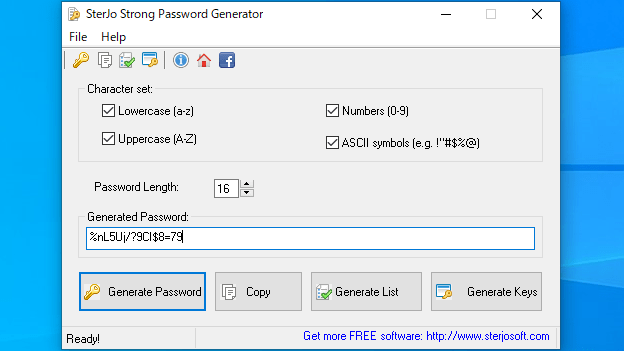
SterJo Strong Password Generator は、さまざまな用途に使用できる、ランダムで安全なパスワードを生成するツールです。
アルファベットの大文字小文字、数字を含んだ 6 桁から 64 桁のパスワードを生成することが可能で、パスワードに特殊文字を含めたり、含めないようにすることができます。生成したパスワードは クリップボードにコピーすることができます。
複数のパスワードやシリアルキーを生成できます
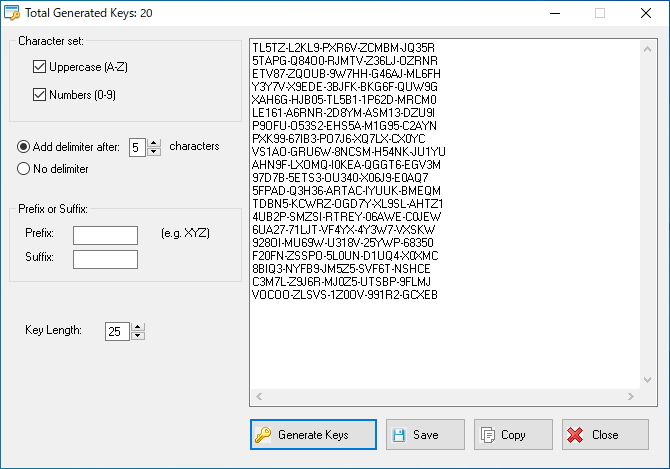
SterJo Strong Password Generator は、任意の数の複数のパスワードを一度に生成することも可能で、コピーしたりテキストファイルに保存することができます。
また、「37ARA-9BB4O-TUPQF-QWRW9-1GC32」といったような、区切り文字を含んだキー(シリアルキー)を生成することもでき、こちらも同じようにコピーや保存ができます。
シンプルで使いやすいパスワード生成ツール
SterJo Strong Password Generator は、Web サイトのログインパスワードやそのほかのパスワードのセキュリティレベルを向上させるために必要なランダムパスワードを生成することができる便利なツールです。
機能
- ランダムパスワードを生成
- パスワードをクリップボードにコピー
- 複数のパスワード(パスワードのリスト)を生成
- 複数のキー(シリアルキー)を生成
価格:無料
動作環境:Windows XP|Vista|7|8|8.1|10|11
使用言語:英語
最終更新日:
5年前 (2021/05/24)
ダウンロード数:1151
画像

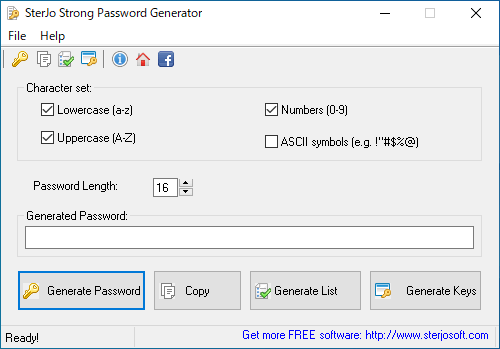
ユーザーインターフェース

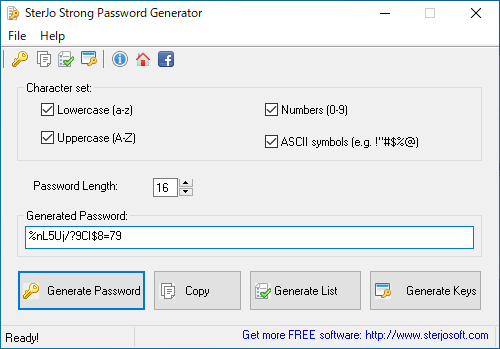
パスワード生成

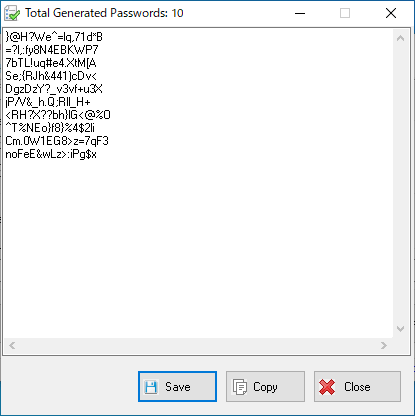
複数のパスワード生成

キーの生成
使い方
インストール
1.インストール方法
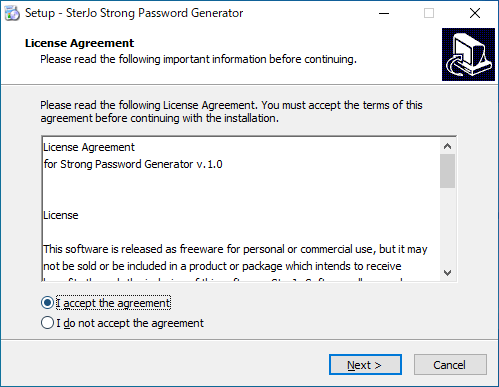
- インストーラを実行するとライセンスが表示されます。「I accept the agreement」を選択して[Next]をクリックします。

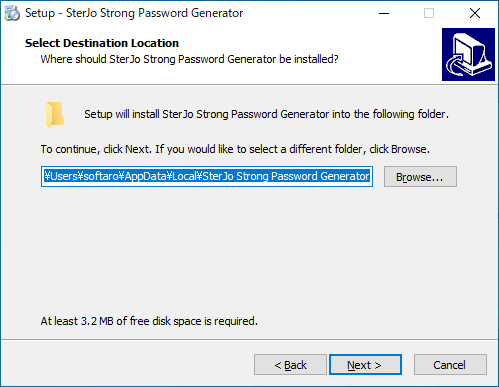
- インストール先を指定して[Next]をクリックします。

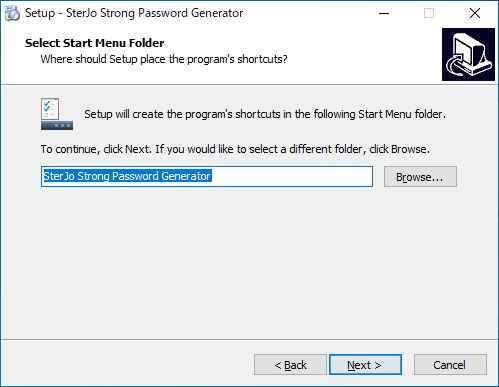
- スタートメニューに作成するショートカットを指定して[Next]をクリックします。
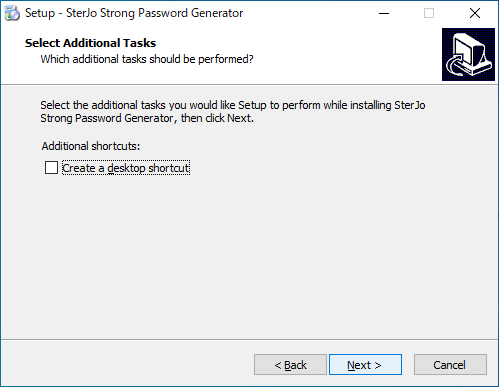
- 追加のタスクを選択して[Next]をクリックします。
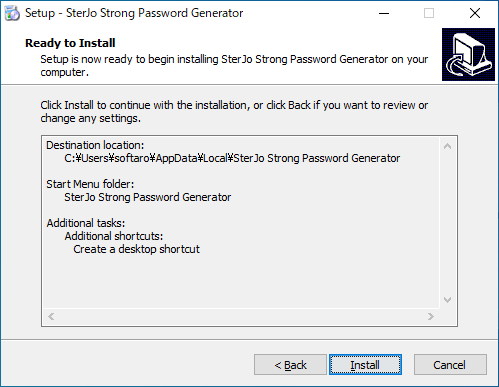
- インストールの準備ができました。[Install]をクリックしてインストールを開始します。
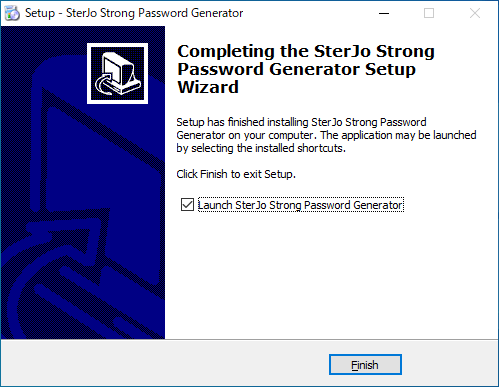
- インストールが完了しました。[Finish]をクリックしてセットアップウィザードを閉じます。
基本的な使い方
1.パスワードを生成する
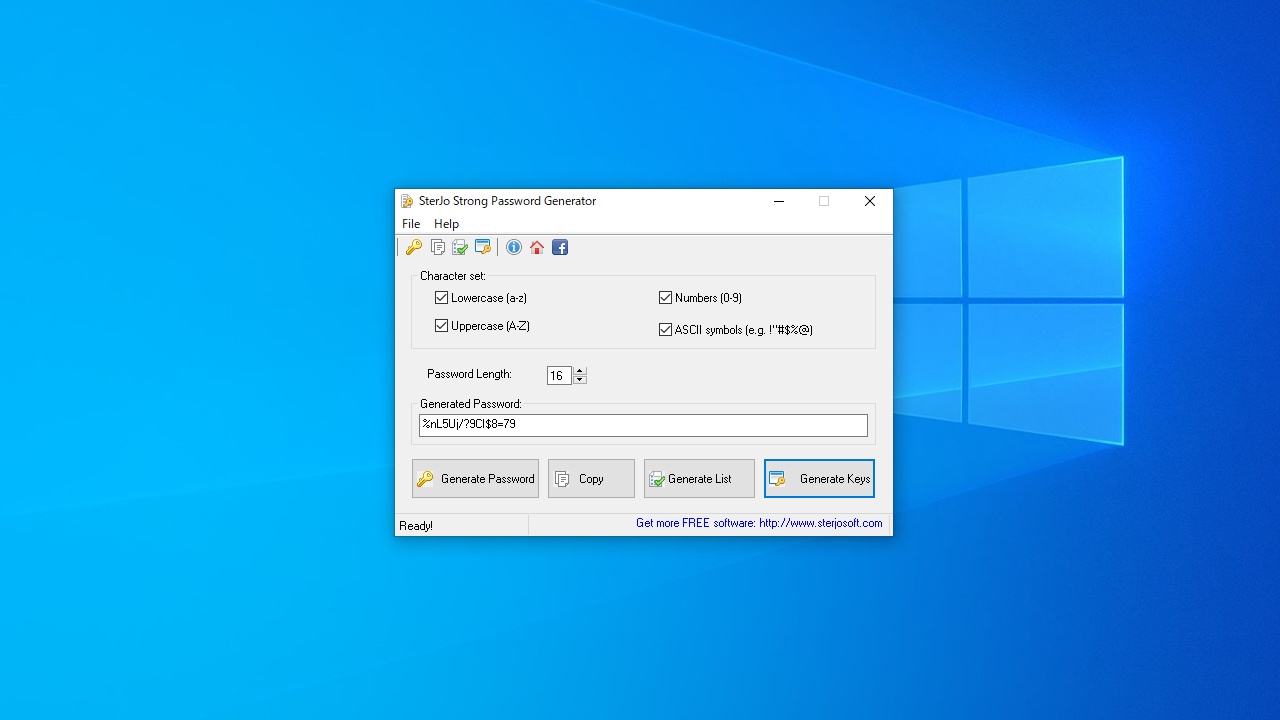
- 「Character set」から、パスワードに使用する文字の種類を選択します。
- 特殊文字を含めない場合は「ASCII symbols」のチェックを外します。
- 「Password length」で、生成するパスワードの長さを指定します。
- [Generate Password]ボタンをクリックすると、パスワードが生成されます。

2.パスワードのリストを作成する
- [Ganerate List]ボタンをクリックすると、一度に複数のパスワードを生成できます。
- 生成するパスワードの数を入力して[OK]をクリックします。
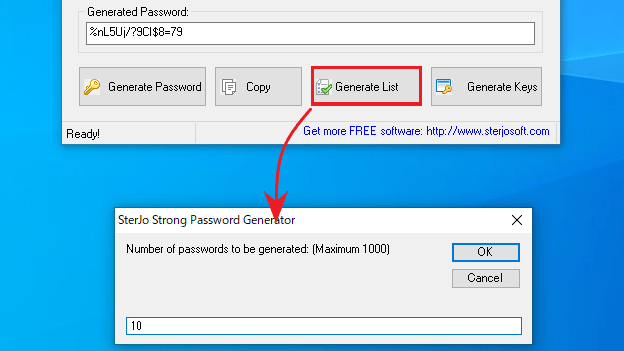
- 生成されました。下部のボタンからコピーまたは保存できます。

3.キーを生成する
- [Generate Key]ボタンをクリックすると、複数のキー(シリアルキー)を生成できます。

よくある質問と回答
ライセンスについて。
SterJo Strong Password Generator は、どなたでも無料で使用できます。