").attr(n.scriptAttrs||{}).prop({charset:n.scriptCharset,src:n.url}).on("load error",i=function(e){r.remove(),i=null,e&&t("error"===e.type?404:200,e.type)}),C.head.appendChild(r[0])},abort:function(){i&&i()}}});var Jt,Kt=[],Zt=/(=)\?(?=&|$)|\?\?/;ce.ajaxSetup({jsonp:"callback",jsonpCallback:function(){var e=Kt.pop()||ce.expando+"_"+jt.guid++;return this[e]=!0,e}}),ce.ajaxPrefilter("json jsonp",function(e,t,n){var r,i,o,a=!1!==e.jsonp&&(Zt.test(e.url)?"url":"string"==typeof e.data&&0===(e.contentType||"").indexOf("application/x-www-form-urlencoded")&&Zt.test(e.data)&&"data");if(a||"jsonp"===e.dataTypes[0])return r=e.jsonpCallback=v(e.jsonpCallback)?e.jsonpCallback():e.jsonpCallback,a?e[a]=e[a].replace(Zt,"$1"+r):!1!==e.jsonp&&(e.url+=(At.test(e.url)?"&":"?")+e.jsonp+"="+r),e.converters["script json"]=function(){return o||ce.error(r+" was not called"),o[0]},e.dataTypes[0]="json",i=ie[r],ie[r]=function(){o=arguments},n.always(function(){void 0===i?ce(ie).removeProp(r):ie[r]=i,e[r]&&(e.jsonpCallback=t.jsonpCallback,Kt.push(r)),o&&v(i)&&i(o[0]),o=i=void 0}),"script"}),le.createHTMLDocument=((Jt=C.implementation.createHTMLDocument("").body).innerHTML="
",2===Jt.childNodes.length),ce.parseHTML=function(e,t,n){return"string"!=typeof e?[]:("boolean"==typeof t&&(n=t,t=!1),t||(le.createHTMLDocument?((r=(t=C.implementation.createHTMLDocument("")).createElement("base")).href=C.location.href,t.head.appendChild(r)):t=C),o=!n&&[],(i=w.exec(e))?[t.createElement(i[1])]:(i=Ae([e],t,o),o&&o.length&&ce(o).remove(),ce.merge([],i.childNodes)));var r,i,o},ce.fn.load=function(e,t,n){var r,i,o,a=this,s=e.indexOf(" ");return-1").append(ce.parseHTML(e)).find(r):e)}).always(n&&function(e,t){a.each(function(){n.apply(this,o||[e.responseText,t,e])})}),this},ce.expr.pseudos.animated=function(t){return ce.grep(ce.timers,function(e){return t===e.elem}).length},ce.offset={setOffset:function(e,t,n){var r,i,o,a,s,u,l=ce.css(e,"position"),c=ce(e),f={};"static"===l&&(e.style.position="relative"),s=c.offset(),o=ce.css(e,"top"),u=ce.css(e,"left"),("absolute"===l||"fixed"===l)&&-1<(o+u).indexOf("auto")?(a=(r=c.position()).top,i=r.left):(a=parseFloat(o)||0,i=parseFloat(u)||0),v(t)&&(t=t.call(e,n,ce.extend({},s))),null!=t.top&&(f.top=t.top-s.top+a),null!=t.left&&(f.left=t.left-s.left+i),"using"in t?t.using.call(e,f):c.css(f)}},ce.fn.extend({offset:function(t){if(arguments.length)return void 0===t?this:this.each(function(e){ce.offset.setOffset(this,t,e)});var e,n,r=this[0];return r?r.getClientRects().length?(e=r.getBoundingClientRect(),n=r.ownerDocument.defaultView,{top:e.top+n.pageYOffset,left:e.left+n.pageXOffset}):{top:0,left:0}:void 0},position:function(){if(this[0]){var e,t,n,r=this[0],i={top:0,left:0};if("fixed"===ce.css(r,"position"))t=r.getBoundingClientRect();else{t=this.offset(),n=r.ownerDocument,e=r.offsetParent||n.documentElement;while(e&&(e===n.body||e===n.documentElement)&&"static"===ce.css(e,"position"))e=e.parentNode;e&&e!==r&&1===e.nodeType&&((i=ce(e).offset()).top+=ce.css(e,"borderTopWidth",!0),i.left+=ce.css(e,"borderLeftWidth",!0))}return{top:t.top-i.top-ce.css(r,"marginTop",!0),left:t.left-i.left-ce.css(r,"marginLeft",!0)}}},offsetParent:function(){return this.map(function(){var e=this.offsetParent;while(e&&"static"===ce.css(e,"position"))e=e.offsetParent;return e||J})}}),ce.each({scrollLeft:"pageXOffset",scrollTop:"pageYOffset"},function(t,i){var o="pageYOffset"===i;ce.fn[t]=function(e){return M(this,function(e,t,n){var r;if(y(e)?r=e:9===e.nodeType&&(r=e.defaultView),void 0===n)return r?r[i]:e[t];r?r.scrollTo(o?r.pageXOffset:n,o?n:r.pageYOffset):e[t]=n},t,e,arguments.length)}}),ce.each(["top","left"],function(e,n){ce.cssHooks[n]=Ye(le.pixelPosition,function(e,t){if(t)return t=Ge(e,n),_e.test(t)?ce(e).position()[n]+"px":t})}),ce.each({Height:"height",Width:"width"},function(a,s){ce.each({padding:"inner"+a,content:s,"":"outer"+a},function(r,o){ce.fn[o]=function(e,t){var n=arguments.length&&(r||"boolean"!=typeof e),i=r||(!0===e||!0===t?"margin":"border");return M(this,function(e,t,n){var r;return y(e)?0===o.indexOf("outer")?e["inner"+a]:e.document.documentElement["client"+a]:9===e.nodeType?(r=e.documentElement,Math.max(e.body["scroll"+a],r["scroll"+a],e.body["offset"+a],r["offset"+a],r["client"+a])):void 0===n?ce.css(e,t,i):ce.style(e,t,n,i)},s,n?e:void 0,n)}})}),ce.each(["ajaxStart","ajaxStop","ajaxComplete","ajaxError","ajaxSuccess","ajaxSend"],function(e,t){ce.fn[t]=function(e){return this.on(t,e)}}),ce.fn.extend({bind:function(e,t,n){return this.on(e,null,t,n)},unbind:function(e,t){return this.off(e,null,t)},delegate:function(e,t,n,r){return this.on(t,e,n,r)},undelegate:function(e,t,n){return 1===arguments.length?this.off(e,"**"):this.off(t,e||"**",n)},hover:function(e,t){return this.on("mouseenter",e).on("mouseleave",t||e)}}),ce.each("blur focus focusin focusout resize scroll click dblclick mousedown mouseup mousemove mouseover mouseout mouseenter mouseleave change select submit keydown keypress keyup contextmenu".split(" "),function(e,n){ce.fn[n]=function(e,t){return 0
grepWin 2.1.12
ファイル検索
2021/04/18 13:07
説明機能仕様ダウンロード画像使い方
正規表現を使用して複数のファイルのテキストを一括置換

正規表現を使用した検索と置換を行うことができる、Windows 向けのテキスト検索/置換ツール。高速な検索、正規表現が正確に実行されるかのテスト、バックアップの作成できるのが特徴で。正規表現を使用しない検索と置換も可能です。
grepWin の概要
grepWin は、正規表現を使用して作業を行うことができるシンプルなテキスト検索および置換ツールです。強力な検索と置換を行うことができます。
grepWin の機能
grepWin の主な機能です。
| 機能 |
概要 |
| メイン機能 |
テキストの検索および置換 |
| 機能詳細 |
・正規表現を使うまたは使わないで検索/置換
・置換時にバックアップを作成
・ファイルサイズを指定して検索
・正規表現のテスト
・外部エディタで開く |
複数のファイルのテキストを一括検索/置換できます
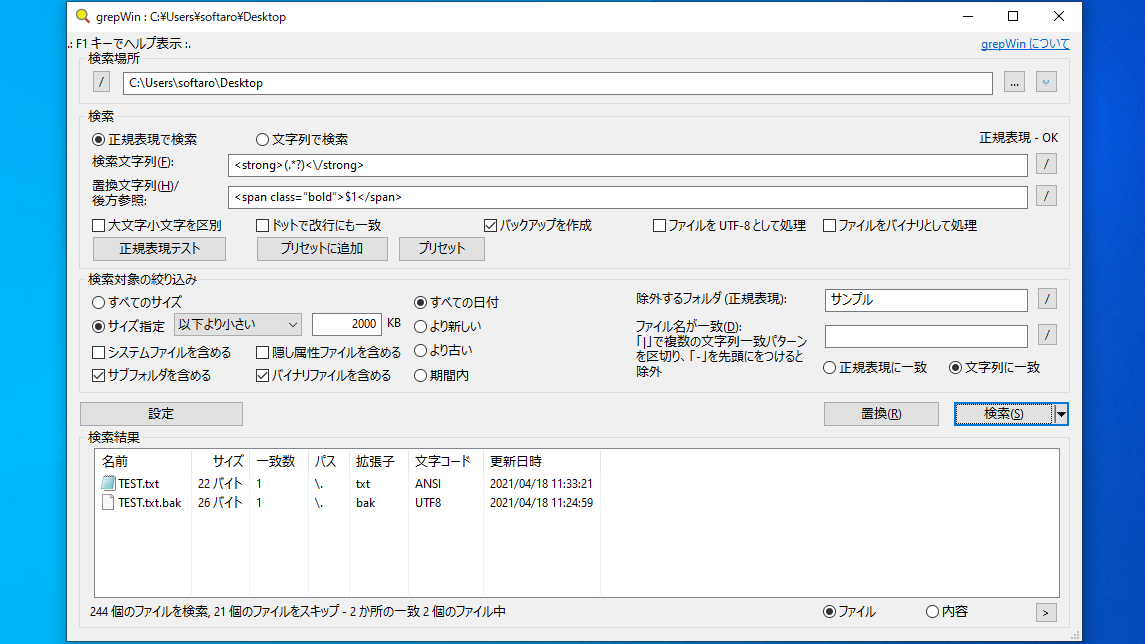
grepWin は、複数のファイルのテキストを検索して一括置換することができる強力なアプリケーションです。
検索に正規表現を使用できるほか、大文字と小文字を区別したり、ファイルサイズやファイルの属性で検索対象を絞り込みことが可能です。正規表現が正しく実行されるかをテストしたり、バックアップを作成することができるので、安心して安全にテキストの置換を実行できます。
無料で使えるテキスト検索/置換ツール
grepWin は、ファイルに含まれる文字列を検索したり、検索した文字列を置換することができる便利なソフトウェアです。すばやい検索速度が特徴で、正規表現を使用しない検索も可能で、日本語で使用できるので、初心者にもおすすめできます。
機能
- テキストの検索と置換
- 正規表現を使用可能
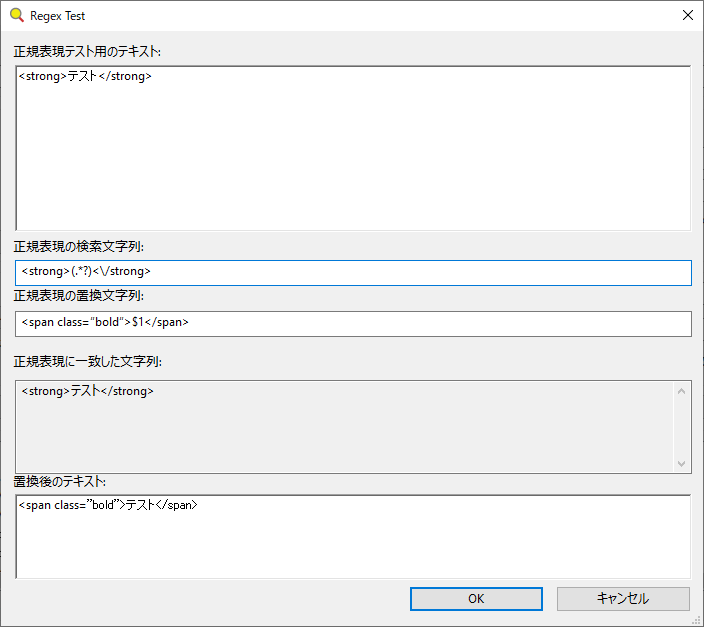
- 正規表現のテスト(置換後のプレビュー)
- Windows エクスプローラのコンテキストメニューから検索
価格:無料
動作環境:Windows 7|8|8.1|10|11
使用言語:日本語・英語ほか
最終更新日:
8か月前 (2025/09/25)
ダウンロード数:4188
使い方
インストール
1.インストール方法
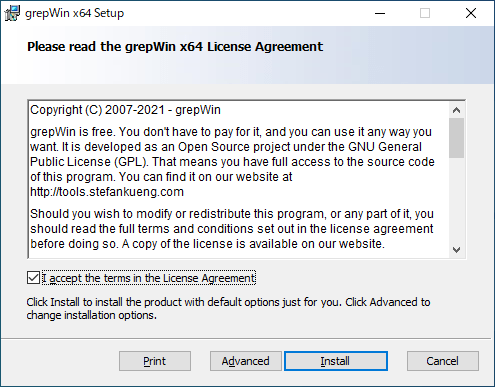
- インストーラを実行するとライセンスが表示されます。「I accept the terms in the License Agreement」を選択して[Install]をクリックします。
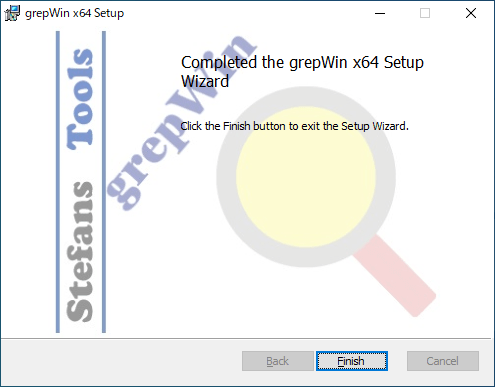
- インストールが完了しました。[Finish]をクリックしてセットアップウィザードを閉じます。
日本語化
1.言語を日本語に変更する
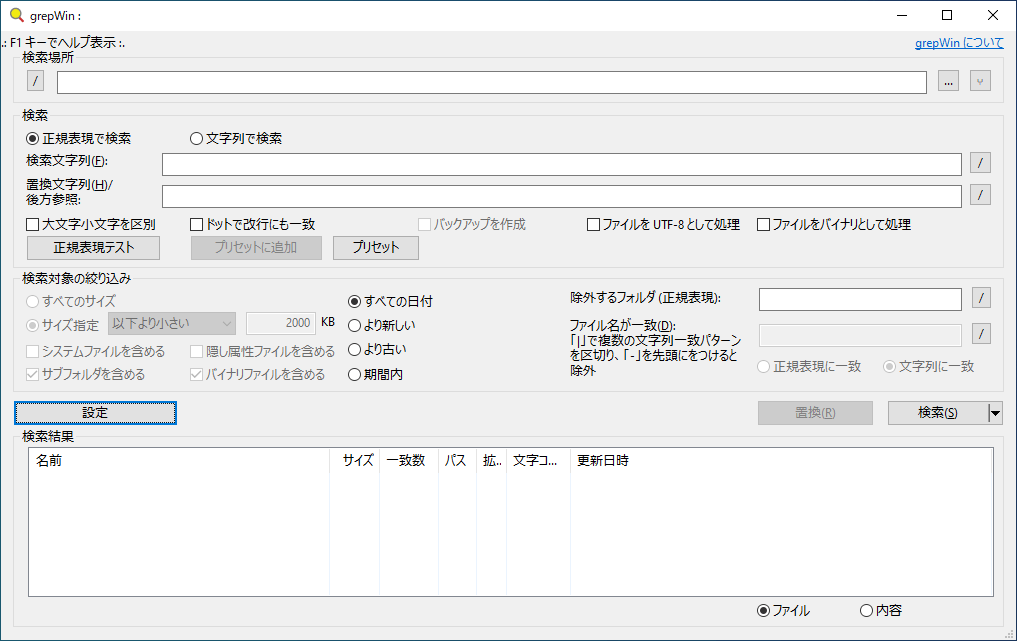
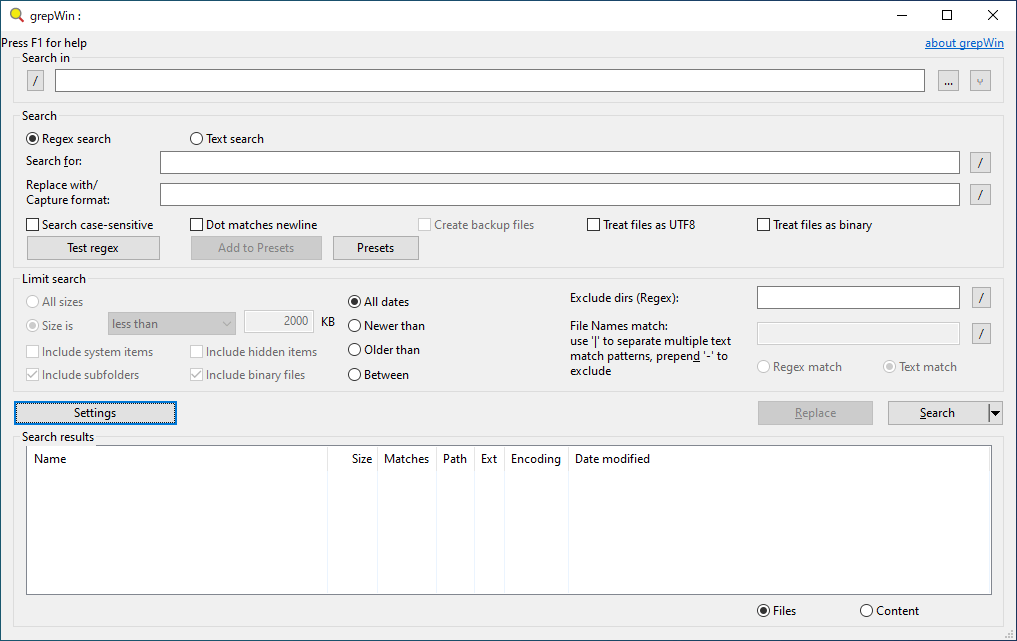
- grepWin を起動したら、[Settings]ボタンをクリックします。
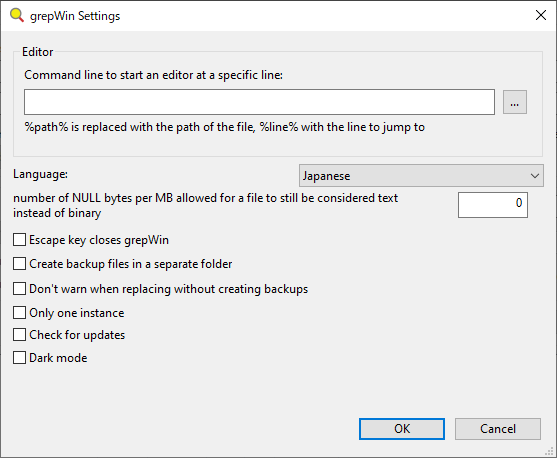
- 「Language」のドロップダウンから「Japanese」を選択して[OK]をクリックします。
- 以上で日本語化は完了です。
基本的な使い方
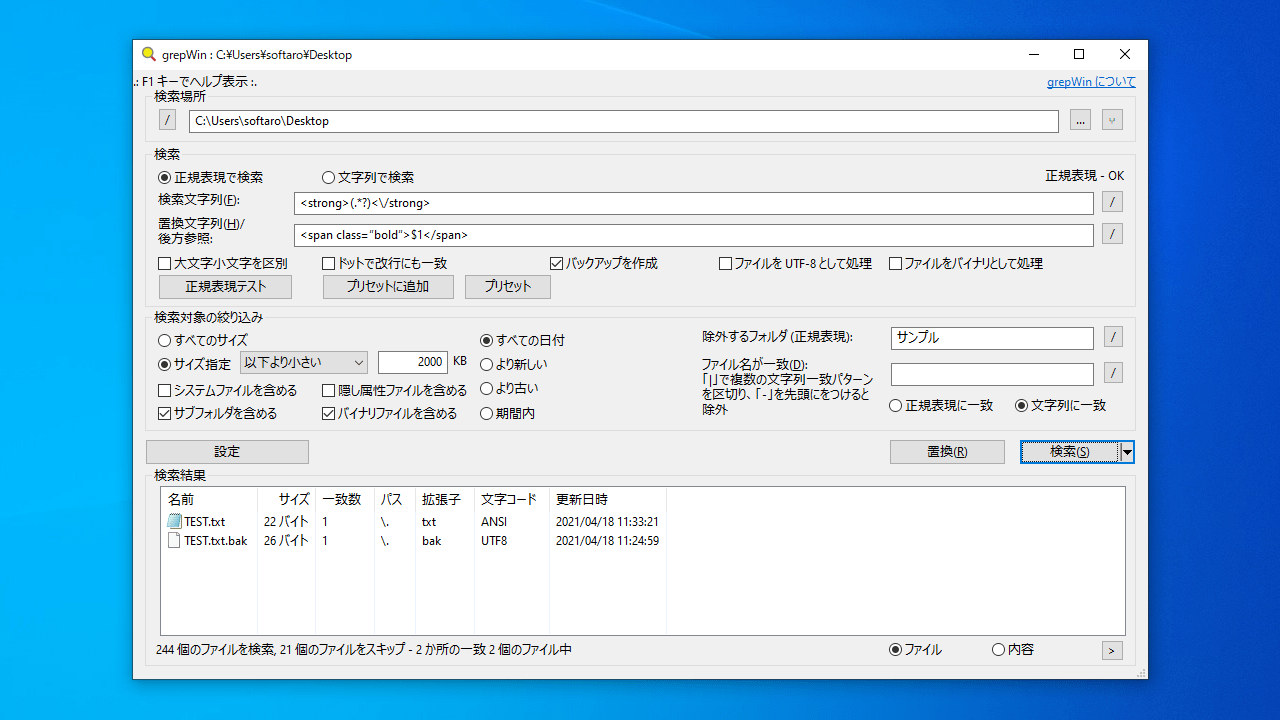
1.テキストを検索/置換する
- 「検索場所」で、検索するパスを入力するか、[…]をクリックして検索するフォルダを選択します。
- 正規表現を使用して検索する場合は「正規表現で検索」、正規表現を使用しないで検索する場合は「文字列で検索」を選択します。
- 「検索文字列」に、検索する文字列を入力します。正規表現が有効な場合、右側に「OK」と表示されます。
- 「置換文字列」に置換したい文字列を入力します。
- チェックボックスでオプションを指定します。置換時にバックアップを作成する場合は「バックアップを作成」を選択します。
- [検索]ボタンをクリックすると、検索を開始します。
- [置換]ボタンをクリックすると、置換が実行されます。
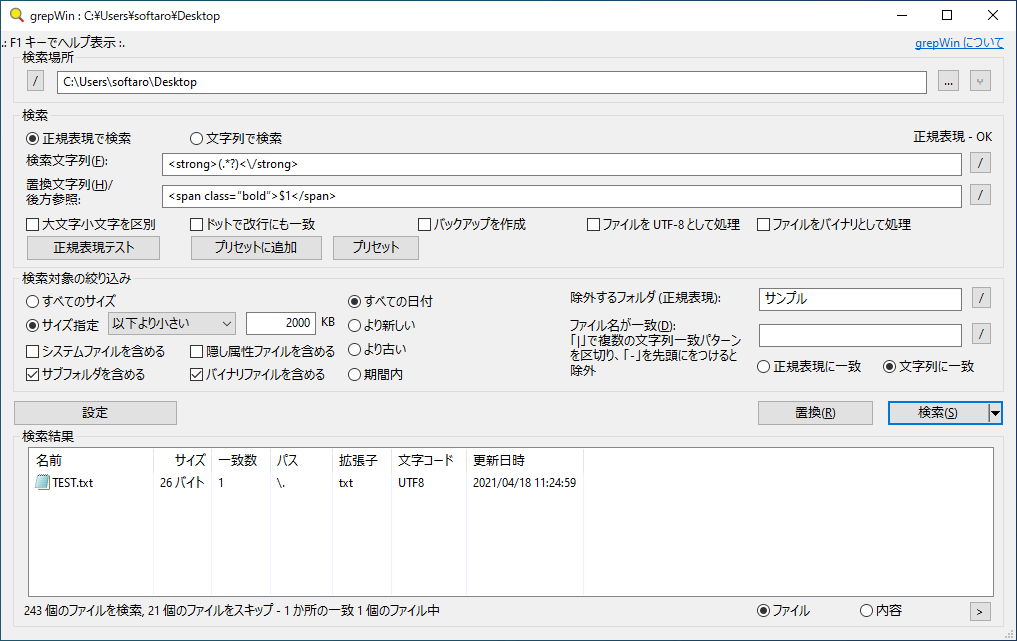
- [正規表現テスト]ボタンをクリックすると、正規表現をテストして、置換後のテキストをプレビューすることができます。

よくある質問と回答
ライセンスについて。
grepWin は、どなたでも無料で利用できます。