").attr(n.scriptAttrs||{}).prop({charset:n.scriptCharset,src:n.url}).on("load error",i=function(e){r.remove(),i=null,e&&t("error"===e.type?404:200,e.type)}),C.head.appendChild(r[0])},abort:function(){i&&i()}}});var Jt,Kt=[],Zt=/(=)\?(?=&|$)|\?\?/;ce.ajaxSetup({jsonp:"callback",jsonpCallback:function(){var e=Kt.pop()||ce.expando+"_"+jt.guid++;return this[e]=!0,e}}),ce.ajaxPrefilter("json jsonp",function(e,t,n){var r,i,o,a=!1!==e.jsonp&&(Zt.test(e.url)?"url":"string"==typeof e.data&&0===(e.contentType||"").indexOf("application/x-www-form-urlencoded")&&Zt.test(e.data)&&"data");if(a||"jsonp"===e.dataTypes[0])return r=e.jsonpCallback=v(e.jsonpCallback)?e.jsonpCallback():e.jsonpCallback,a?e[a]=e[a].replace(Zt,"$1"+r):!1!==e.jsonp&&(e.url+=(At.test(e.url)?"&":"?")+e.jsonp+"="+r),e.converters["script json"]=function(){return o||ce.error(r+" was not called"),o[0]},e.dataTypes[0]="json",i=ie[r],ie[r]=function(){o=arguments},n.always(function(){void 0===i?ce(ie).removeProp(r):ie[r]=i,e[r]&&(e.jsonpCallback=t.jsonpCallback,Kt.push(r)),o&&v(i)&&i(o[0]),o=i=void 0}),"script"}),le.createHTMLDocument=((Jt=C.implementation.createHTMLDocument("").body).innerHTML="
",2===Jt.childNodes.length),ce.parseHTML=function(e,t,n){return"string"!=typeof e?[]:("boolean"==typeof t&&(n=t,t=!1),t||(le.createHTMLDocument?((r=(t=C.implementation.createHTMLDocument("")).createElement("base")).href=C.location.href,t.head.appendChild(r)):t=C),o=!n&&[],(i=w.exec(e))?[t.createElement(i[1])]:(i=Ae([e],t,o),o&&o.length&&ce(o).remove(),ce.merge([],i.childNodes)));var r,i,o},ce.fn.load=function(e,t,n){var r,i,o,a=this,s=e.indexOf(" ");return-1").append(ce.parseHTML(e)).find(r):e)}).always(n&&function(e,t){a.each(function(){n.apply(this,o||[e.responseText,t,e])})}),this},ce.expr.pseudos.animated=function(t){return ce.grep(ce.timers,function(e){return t===e.elem}).length},ce.offset={setOffset:function(e,t,n){var r,i,o,a,s,u,l=ce.css(e,"position"),c=ce(e),f={};"static"===l&&(e.style.position="relative"),s=c.offset(),o=ce.css(e,"top"),u=ce.css(e,"left"),("absolute"===l||"fixed"===l)&&-1<(o+u).indexOf("auto")?(a=(r=c.position()).top,i=r.left):(a=parseFloat(o)||0,i=parseFloat(u)||0),v(t)&&(t=t.call(e,n,ce.extend({},s))),null!=t.top&&(f.top=t.top-s.top+a),null!=t.left&&(f.left=t.left-s.left+i),"using"in t?t.using.call(e,f):c.css(f)}},ce.fn.extend({offset:function(t){if(arguments.length)return void 0===t?this:this.each(function(e){ce.offset.setOffset(this,t,e)});var e,n,r=this[0];return r?r.getClientRects().length?(e=r.getBoundingClientRect(),n=r.ownerDocument.defaultView,{top:e.top+n.pageYOffset,left:e.left+n.pageXOffset}):{top:0,left:0}:void 0},position:function(){if(this[0]){var e,t,n,r=this[0],i={top:0,left:0};if("fixed"===ce.css(r,"position"))t=r.getBoundingClientRect();else{t=this.offset(),n=r.ownerDocument,e=r.offsetParent||n.documentElement;while(e&&(e===n.body||e===n.documentElement)&&"static"===ce.css(e,"position"))e=e.parentNode;e&&e!==r&&1===e.nodeType&&((i=ce(e).offset()).top+=ce.css(e,"borderTopWidth",!0),i.left+=ce.css(e,"borderLeftWidth",!0))}return{top:t.top-i.top-ce.css(r,"marginTop",!0),left:t.left-i.left-ce.css(r,"marginLeft",!0)}}},offsetParent:function(){return this.map(function(){var e=this.offsetParent;while(e&&"static"===ce.css(e,"position"))e=e.offsetParent;return e||J})}}),ce.each({scrollLeft:"pageXOffset",scrollTop:"pageYOffset"},function(t,i){var o="pageYOffset"===i;ce.fn[t]=function(e){return M(this,function(e,t,n){var r;if(y(e)?r=e:9===e.nodeType&&(r=e.defaultView),void 0===n)return r?r[i]:e[t];r?r.scrollTo(o?r.pageXOffset:n,o?n:r.pageYOffset):e[t]=n},t,e,arguments.length)}}),ce.each(["top","left"],function(e,n){ce.cssHooks[n]=Ye(le.pixelPosition,function(e,t){if(t)return t=Ge(e,n),_e.test(t)?ce(e).position()[n]+"px":t})}),ce.each({Height:"height",Width:"width"},function(a,s){ce.each({padding:"inner"+a,content:s,"":"outer"+a},function(r,o){ce.fn[o]=function(e,t){var n=arguments.length&&(r||"boolean"!=typeof e),i=r||(!0===e||!0===t?"margin":"border");return M(this,function(e,t,n){var r;return y(e)?0===o.indexOf("outer")?e["inner"+a]:e.document.documentElement["client"+a]:9===e.nodeType?(r=e.documentElement,Math.max(e.body["scroll"+a],r["scroll"+a],e.body["offset"+a],r["offset"+a],r["client"+a])):void 0===n?ce.css(e,t,i):ce.style(e,t,n,i)},s,n?e:void 0,n)}})}),ce.each(["ajaxStart","ajaxStop","ajaxComplete","ajaxError","ajaxSuccess","ajaxSend"],function(e,t){ce.fn[t]=function(e){return this.on(t,e)}}),ce.fn.extend({bind:function(e,t,n){return this.on(e,null,t,n)},unbind:function(e,t){return this.off(e,null,t)},delegate:function(e,t,n,r){return this.on(t,e,n,r)},undelegate:function(e,t,n){return 1===arguments.length?this.off(e,"**"):this.off(t,e||"**",n)},hover:function(e,t){return this.on("mouseenter",e).on("mouseleave",t||e)}}),ce.each("blur focus focusin focusout resize scroll click dblclick mousedown mouseup mousemove mouseover mouseout mouseenter mouseleave change select submit keydown keypress keyup contextmenu".split(" "),function(e,n){ce.fn[n]=function(e,t){return 0
KFK 3.27
ファイル分割/結合
2021/01/09 14:13
説明機能仕様ダウンロード画像使い方
ファイルを好みのサイズまたは数に分割するファイル分割ツール
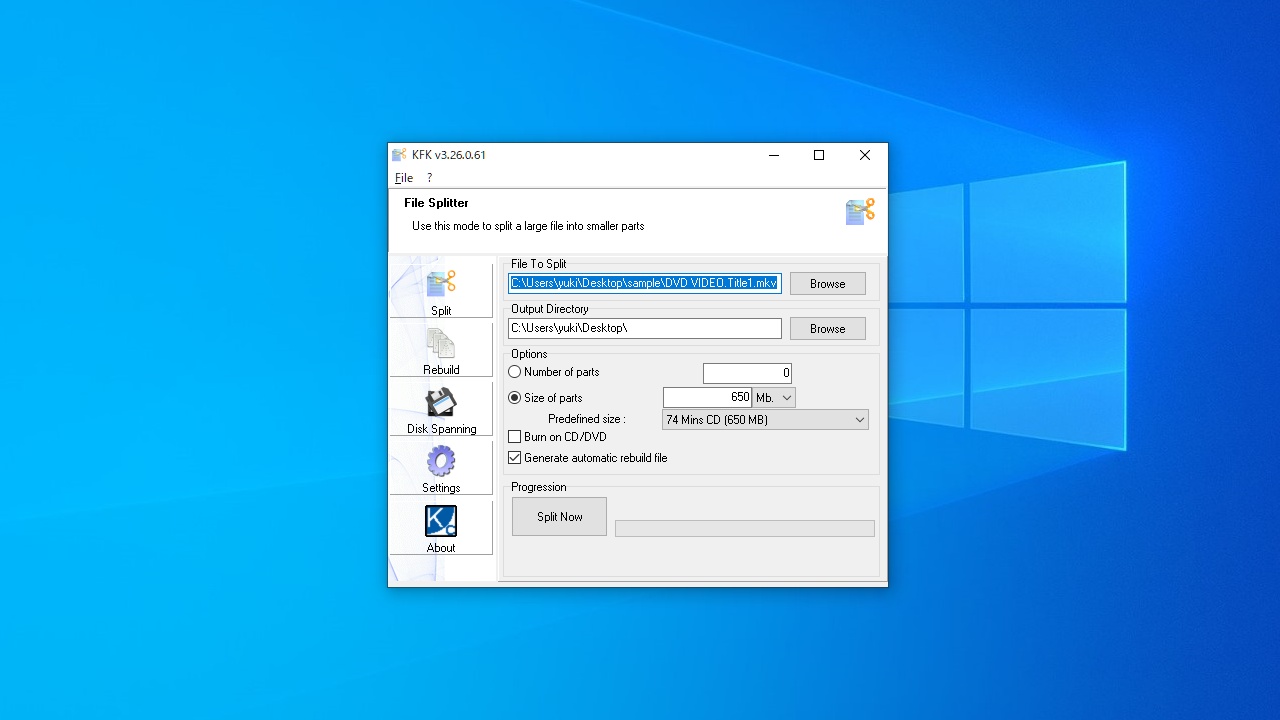
指定した数またはサイズにファイルを分割することができる Windows 向けフリーのファイル分割ツール。大きなファイルを転送したり、メディアに保存するためにスムーズに分割することができます。
KFK の概要
KFK は、ユーザーフレンドリーなファイルスプリッターです。KFK を使用すると、大きなファイルを小さなチャンクに分割できます。
KFK の機能
KFK の主な機能と概要です。
| 機能 |
概要 |
| メイン機能 |
ファイルの分割 |
| 機能詳細 |
・指定した数に分割
・指定したサイズに分割 |
| オプション機能 |
・自動再構築(結合)ファイルの生成 |
ファイルを好みのサイズまたは数に分割できます
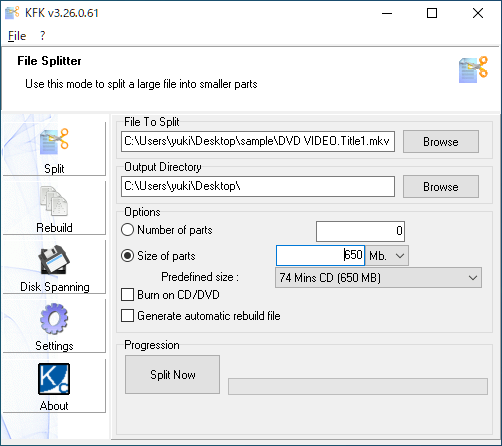
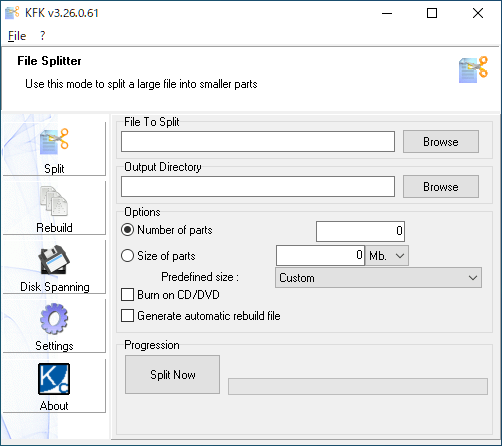
KFK は、あらゆるファイルを指定した数またはサイズに分割することができるファイル分割ツールです。CD や DVD サイズ、またはその他のカスタムサイズにファイルをすばやく分割できます。
KFK は、ファイルを自動で結合するファイル(バッチファイル)を生成することができるため、KFK がない PC でも元のファイルを再生成することができます。
使いやすいファイル分割ツール
KFK は、大きなファイルを転送やメール送信、アップロードや保存をするために分割することができる便利なファイル分割ツールです。
機能
- ユーザーフレンドリーなファイル分割/再構築インターフェース
- メモ帳のカットは、ファイルを 60Kb ファイルに分割します
- CD-ROM のカットは、ファイルを 650 / 700Mb ファイルに分割します
- USB キーのカットは、ファイルを 64/128 / 256Mb ファイルに分割します
- ディスクスパニング(マルチフロッピーディスクのバックアップ)
- CD書き込みをサポート(別途 CopyToDVD が必要)
- Unicodeの完全サポート:世界中のすべての文字セットで機能します
- マルチスレッドアプリケーションコア:アプリケーションをフリーズさせることなく最大の効率で動作します
価格:無料
動作環境:Windows 7|8|8.1|10|11
使用言語:英語ほか
最終更新日:
5年前 (2021/08/28)
ダウンロード数:960
ダウンロード
kfk.zip
portable
2.33 MB
503 ダウンロード
使い方
インストール
1.インストール方法
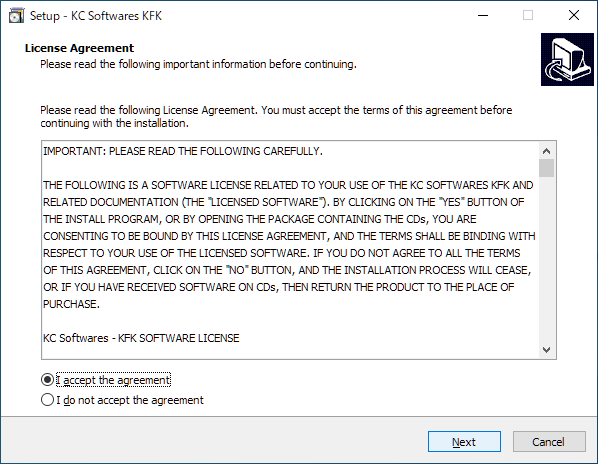
- インストーラを実行するとライセンスが表示されます。「I accept the agreement」を選択して[Next]をクリックします。
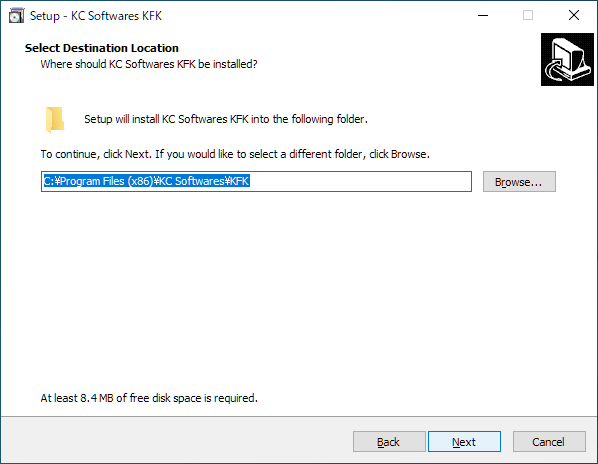
- インストール先の設定です。変更しない場合はこのまま[Next]をクリックします。
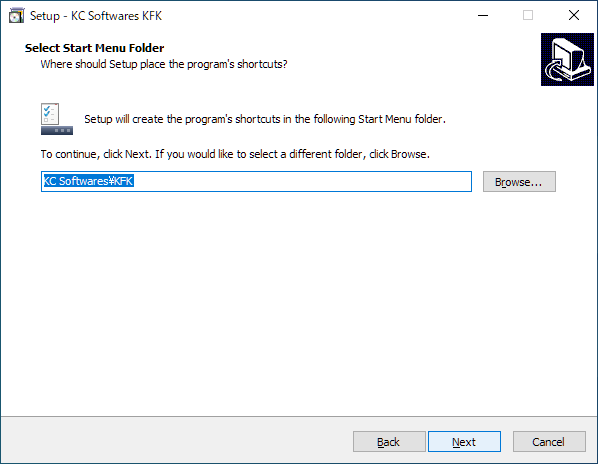
- スタートメニューに作成するショートカットの設定です。変更しない場合はこのまま[Next]をクリックします。
- 追加のタスクを選択して[Next]をクリックします。
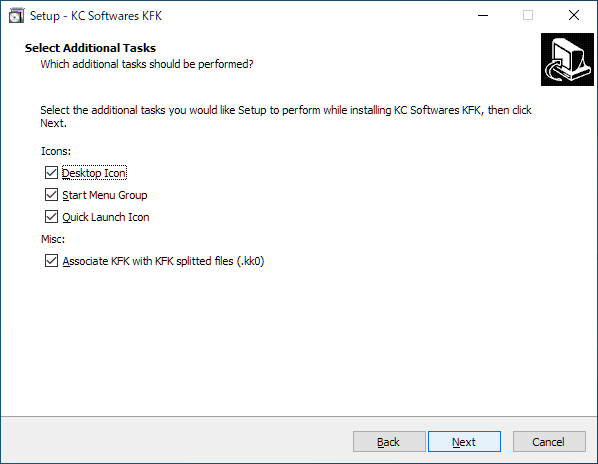
・Associate KFK with KFK splitted files (.kk0):KFK で分割したファイル(.kk0)に KFK を関連付ける
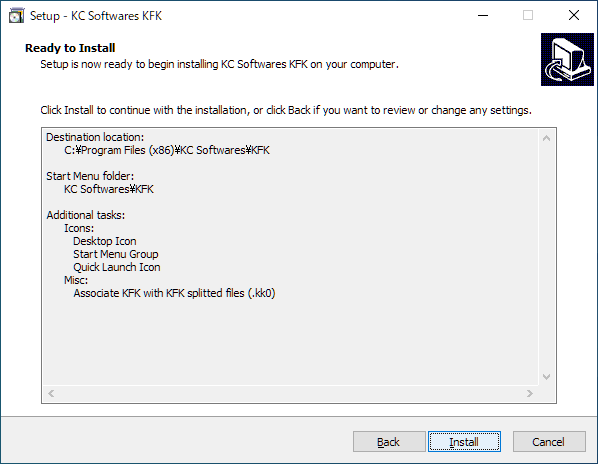
- インストールの準備ができました。[Install]をクリックしてインストールを開始します。
- インストールが完了しました。[Finish]をクリックしてセットアップウィザードを閉じます。
基本的な使い方
1.ファイルを分割する
- 「Split」タブを開きます。
- 「File To Split」で、分割するファイルを選択します。
- 「Output Directory」で、保存先を選択します。
- 指定した数に分割する場合は「Number of parts」、サイズで分割する場合は「Size of parts」を選択し、数値を設定します。
- 分割したファイルを結合するバッチファイルを生成する場合は「Generate automatic rebuild file」をチェックします。
- [Split Now]ボタンをクリックするとファイルの分割を開始します。

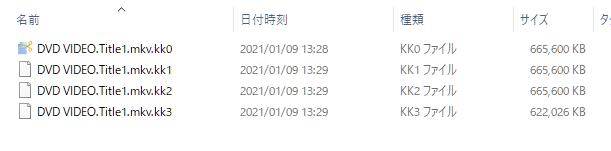
- ファイルは、「kk0, kk1 …」というファイル拡張子で分割されます。
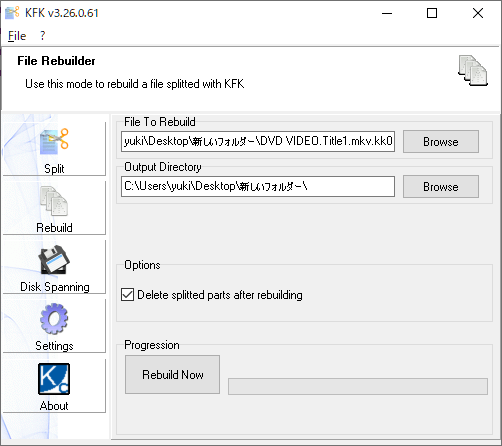
2.ファイルを結合する
- 「Rebuild」タブを開きます。
- 「File to Rebuild」で、分割したファイルの「.kk0」ファイルを選択します。
- 「Output Directory」で、保存先を選択します。
- 結合後に分割ファイルを削除する場合は「Delete splitted parts after rebuilding」をチェックします。
- [Rebuild Now]ボタンをクリックすると結合を開始します。

よくある質問と回答
ライセンスについて。