").attr(n.scriptAttrs||{}).prop({charset:n.scriptCharset,src:n.url}).on("load error",i=function(e){r.remove(),i=null,e&&t("error"===e.type?404:200,e.type)}),C.head.appendChild(r[0])},abort:function(){i&&i()}}});var Jt,Kt=[],Zt=/(=)\?(?=&|$)|\?\?/;ce.ajaxSetup({jsonp:"callback",jsonpCallback:function(){var e=Kt.pop()||ce.expando+"_"+jt.guid++;return this[e]=!0,e}}),ce.ajaxPrefilter("json jsonp",function(e,t,n){var r,i,o,a=!1!==e.jsonp&&(Zt.test(e.url)?"url":"string"==typeof e.data&&0===(e.contentType||"").indexOf("application/x-www-form-urlencoded")&&Zt.test(e.data)&&"data");if(a||"jsonp"===e.dataTypes[0])return r=e.jsonpCallback=v(e.jsonpCallback)?e.jsonpCallback():e.jsonpCallback,a?e[a]=e[a].replace(Zt,"$1"+r):!1!==e.jsonp&&(e.url+=(At.test(e.url)?"&":"?")+e.jsonp+"="+r),e.converters["script json"]=function(){return o||ce.error(r+" was not called"),o[0]},e.dataTypes[0]="json",i=ie[r],ie[r]=function(){o=arguments},n.always(function(){void 0===i?ce(ie).removeProp(r):ie[r]=i,e[r]&&(e.jsonpCallback=t.jsonpCallback,Kt.push(r)),o&&v(i)&&i(o[0]),o=i=void 0}),"script"}),le.createHTMLDocument=((Jt=C.implementation.createHTMLDocument("").body).innerHTML="
",2===Jt.childNodes.length),ce.parseHTML=function(e,t,n){return"string"!=typeof e?[]:("boolean"==typeof t&&(n=t,t=!1),t||(le.createHTMLDocument?((r=(t=C.implementation.createHTMLDocument("")).createElement("base")).href=C.location.href,t.head.appendChild(r)):t=C),o=!n&&[],(i=w.exec(e))?[t.createElement(i[1])]:(i=Ae([e],t,o),o&&o.length&&ce(o).remove(),ce.merge([],i.childNodes)));var r,i,o},ce.fn.load=function(e,t,n){var r,i,o,a=this,s=e.indexOf(" ");return-1").append(ce.parseHTML(e)).find(r):e)}).always(n&&function(e,t){a.each(function(){n.apply(this,o||[e.responseText,t,e])})}),this},ce.expr.pseudos.animated=function(t){return ce.grep(ce.timers,function(e){return t===e.elem}).length},ce.offset={setOffset:function(e,t,n){var r,i,o,a,s,u,l=ce.css(e,"position"),c=ce(e),f={};"static"===l&&(e.style.position="relative"),s=c.offset(),o=ce.css(e,"top"),u=ce.css(e,"left"),("absolute"===l||"fixed"===l)&&-1<(o+u).indexOf("auto")?(a=(r=c.position()).top,i=r.left):(a=parseFloat(o)||0,i=parseFloat(u)||0),v(t)&&(t=t.call(e,n,ce.extend({},s))),null!=t.top&&(f.top=t.top-s.top+a),null!=t.left&&(f.left=t.left-s.left+i),"using"in t?t.using.call(e,f):c.css(f)}},ce.fn.extend({offset:function(t){if(arguments.length)return void 0===t?this:this.each(function(e){ce.offset.setOffset(this,t,e)});var e,n,r=this[0];return r?r.getClientRects().length?(e=r.getBoundingClientRect(),n=r.ownerDocument.defaultView,{top:e.top+n.pageYOffset,left:e.left+n.pageXOffset}):{top:0,left:0}:void 0},position:function(){if(this[0]){var e,t,n,r=this[0],i={top:0,left:0};if("fixed"===ce.css(r,"position"))t=r.getBoundingClientRect();else{t=this.offset(),n=r.ownerDocument,e=r.offsetParent||n.documentElement;while(e&&(e===n.body||e===n.documentElement)&&"static"===ce.css(e,"position"))e=e.parentNode;e&&e!==r&&1===e.nodeType&&((i=ce(e).offset()).top+=ce.css(e,"borderTopWidth",!0),i.left+=ce.css(e,"borderLeftWidth",!0))}return{top:t.top-i.top-ce.css(r,"marginTop",!0),left:t.left-i.left-ce.css(r,"marginLeft",!0)}}},offsetParent:function(){return this.map(function(){var e=this.offsetParent;while(e&&"static"===ce.css(e,"position"))e=e.offsetParent;return e||J})}}),ce.each({scrollLeft:"pageXOffset",scrollTop:"pageYOffset"},function(t,i){var o="pageYOffset"===i;ce.fn[t]=function(e){return M(this,function(e,t,n){var r;if(y(e)?r=e:9===e.nodeType&&(r=e.defaultView),void 0===n)return r?r[i]:e[t];r?r.scrollTo(o?r.pageXOffset:n,o?n:r.pageYOffset):e[t]=n},t,e,arguments.length)}}),ce.each(["top","left"],function(e,n){ce.cssHooks[n]=Ye(le.pixelPosition,function(e,t){if(t)return t=Ge(e,n),_e.test(t)?ce(e).position()[n]+"px":t})}),ce.each({Height:"height",Width:"width"},function(a,s){ce.each({padding:"inner"+a,content:s,"":"outer"+a},function(r,o){ce.fn[o]=function(e,t){var n=arguments.length&&(r||"boolean"!=typeof e),i=r||(!0===e||!0===t?"margin":"border");return M(this,function(e,t,n){var r;return y(e)?0===o.indexOf("outer")?e["inner"+a]:e.document.documentElement["client"+a]:9===e.nodeType?(r=e.documentElement,Math.max(e.body["scroll"+a],r["scroll"+a],e.body["offset"+a],r["offset"+a],r["client"+a])):void 0===n?ce.css(e,t,i):ce.style(e,t,n,i)},s,n?e:void 0,n)}})}),ce.each(["ajaxStart","ajaxStop","ajaxComplete","ajaxError","ajaxSuccess","ajaxSend"],function(e,t){ce.fn[t]=function(e){return this.on(t,e)}}),ce.fn.extend({bind:function(e,t,n){return this.on(e,null,t,n)},unbind:function(e,t){return this.off(e,null,t)},delegate:function(e,t,n,r){return this.on(t,e,n,r)},undelegate:function(e,t,n){return 1===arguments.length?this.off(e,"**"):this.off(t,e||"**",n)},hover:function(e,t){return this.on("mouseenter",e).on("mouseleave",t||e)}}),ce.each("blur focus focusin focusout resize scroll click dblclick mousedown mouseup mousemove mouseover mouseout mouseenter mouseleave change select submit keydown keypress keyup contextmenu".split(" "),function(e,n){ce.fn[n]=function(e,t){return 0
Microsoft サポート/回復アシスタント 17.01.2465.000
Windows そのほか
2020/10/22 12:092024/11/23 09:16
説明 機能 仕様 ダウンロード 画像 使い方
Microsoft アプリケーション専用のトラブルシューティングツール

Winodws OS および Microsoft アプリの問題のトラブルシューティングと診断を行うことができるアプリケーション。MS Office, Outlook, OneDrive, Skype, WIndows のさまざまなエラーや問題を解決できます。
Microsoft サポート/回復アシスタント の概要
Microsoft サポート/回復アシスタント は、テストを実行することで問題点を見つけ出し、特定された問題に対する最適なソリューションを提供するアプリケーションです。 現在、Office、Microsoft 365、Outlook などの問題を修正することができます。 Microsoft サポート/回復アシスタント で問題を解決できない場合には、解決のための次の手順が提案され、Microsoft サポートに連絡できるようサポートします。
Microsoft サポート/回復アシスタント の機能
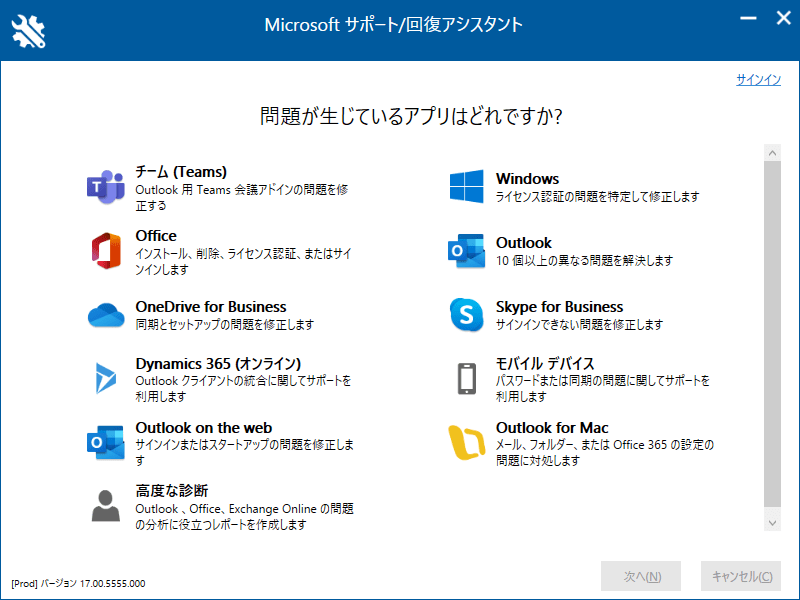
Microsoft サポート/回復アシスタント を使用すると、以下の問題を解決できます。
機能
概要
チーム(Teams)
Outlook 用 Teams 会議アドインの問題を修正する
Office
インストール、削除、ライセンス認証、またはサインインします
OneDrive for Business
同期とセットアップの問題を修正します
Dynamics 365(オンライン)
Outlook クライアントの統合に関してサポートを利用します
Outlook on the web
サインインまたはスタートアップの問題を修正します
高度な診断
Outlook、Office、Exchange Online の問題の分析に役立つレポートを作成します
Windows
ライセンス認証の問題を特定して修正します
Outlook
10個以上の異なる問題を解決します
Skype for Business
サインインできない問題を修正します
モバイル デバイス
パスワードまたは同期の問題に関してサポートを利用します
Outlook for Mac
メール、フォルダー、またはOffice 365 の設定の問題に対処します
Microsoft ソフトウェアの問題を解決するためのアプリ
Microsoft サポート/回復アシスタント は、マイクロソフトのユーザーが問題のトラブルシューティングと診断を行えるようにするデスクトップクライアントです。
このソフトウェアは、問題の修正、インストール、アンインストール、アクティブ化などを支援します。アプリを開き、修正が必要な Microsoft 製品をクリックすると解決方法が表示されます。
便利なトラブルシューティングツール
Microsoft サポート/回復アシスタント は、オンラインで解決策を検索したり、テクニカルサポートに連絡する前に使用して問題を解決することができる便利なアプリケーションです。Microsoft のソフトウェアが正しく機能しない場合に問題を解決したり、徹底的な分析を実行して、特定したすべての問題に関する包括的なレポートを生成することもできます。
機能
Winodws および Microsoft アプリのトラブルシューティング
価格: 無料
動作環境: Windows 7|8|8.1|10|11
使用言語: 日本語ほか
最終更新日:
1年前 (2024/11/23)
ダウンロード数: 795
画像
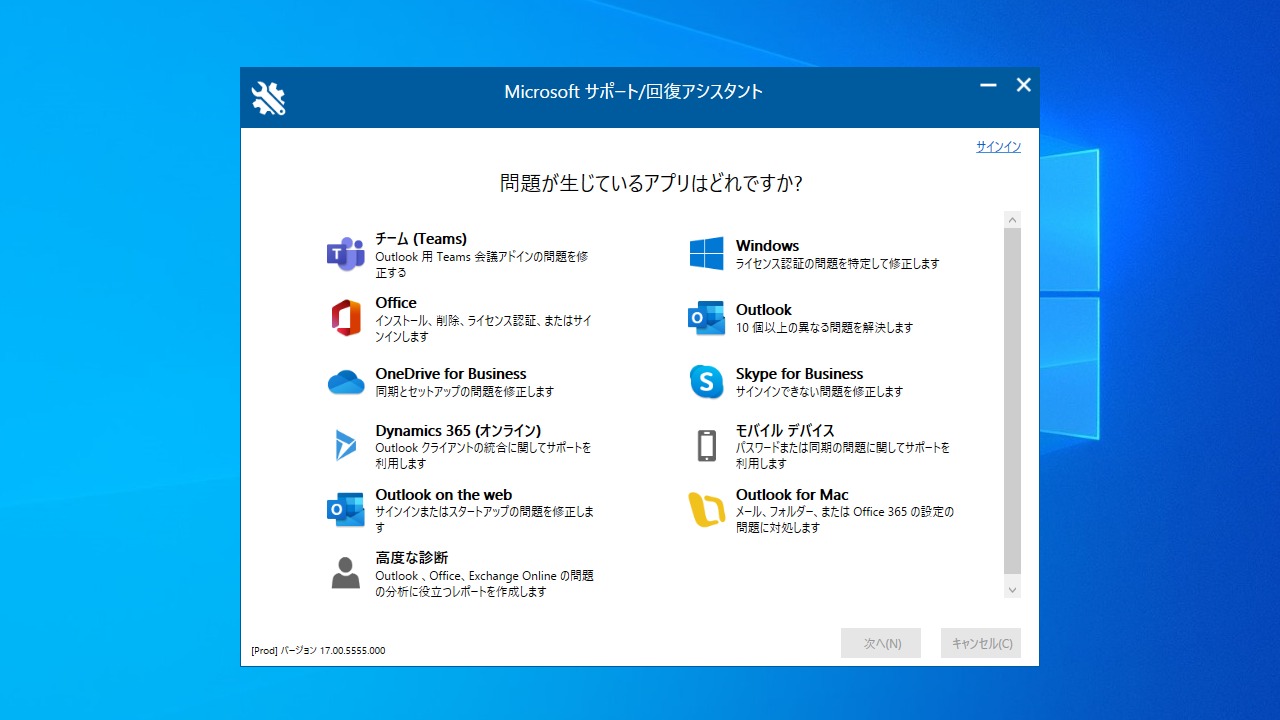
メイン画面
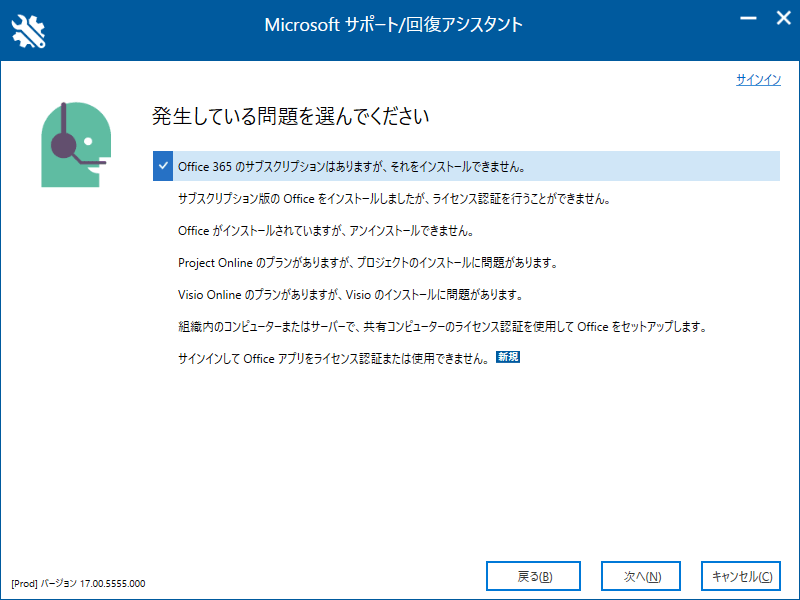
問題の選択画面
使い方
インストール
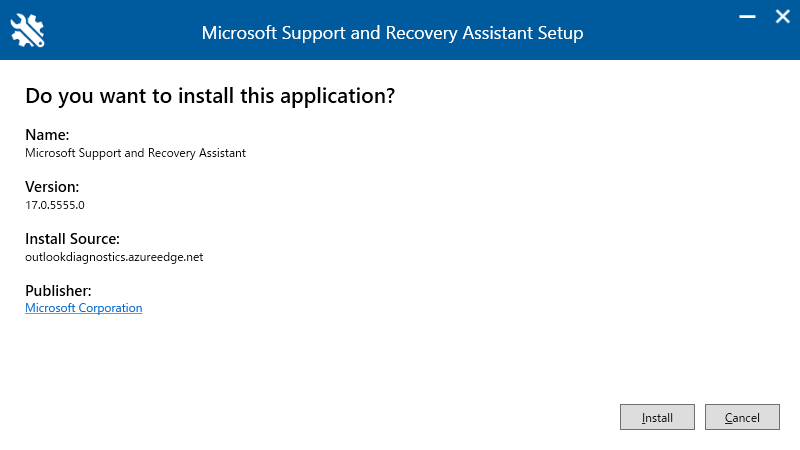
1.インストール方法
ダウンロードしたセットアップファイルを実行すると画面が開きます。[Install ]をクリックしてインストールを開始します。
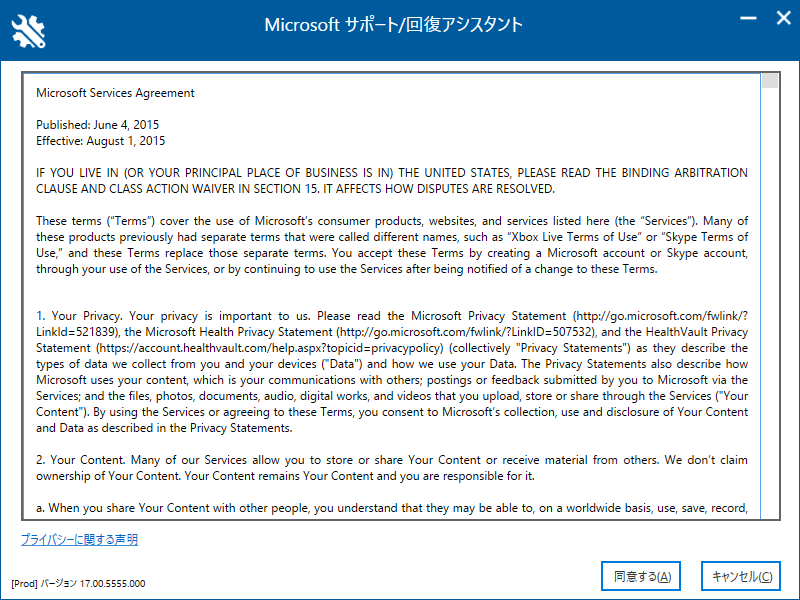
ダウンロードが完了するとライセンスが表示されます。[同意する]をクリックします。
基本的な使い方
1.メイン画面
Microsoft サポート/回復アシスタント を起動し、発生している問題(解決したい問題)を選択してクリックしていけば OK です。
よくある質問と回答
ライセンスについて
ユーザーレビュー
レビューはまだありません、 最初のレビューを投稿してください。コメントは任意です。
Microsoft サポート/回復アシスタント はどなたでも無料で使用できます。