").attr(n.scriptAttrs||{}).prop({charset:n.scriptCharset,src:n.url}).on("load error",i=function(e){r.remove(),i=null,e&&t("error"===e.type?404:200,e.type)}),C.head.appendChild(r[0])},abort:function(){i&&i()}}});var Jt,Kt=[],Zt=/(=)\?(?=&|$)|\?\?/;ce.ajaxSetup({jsonp:"callback",jsonpCallback:function(){var e=Kt.pop()||ce.expando+"_"+jt.guid++;return this[e]=!0,e}}),ce.ajaxPrefilter("json jsonp",function(e,t,n){var r,i,o,a=!1!==e.jsonp&&(Zt.test(e.url)?"url":"string"==typeof e.data&&0===(e.contentType||"").indexOf("application/x-www-form-urlencoded")&&Zt.test(e.data)&&"data");if(a||"jsonp"===e.dataTypes[0])return r=e.jsonpCallback=v(e.jsonpCallback)?e.jsonpCallback():e.jsonpCallback,a?e[a]=e[a].replace(Zt,"$1"+r):!1!==e.jsonp&&(e.url+=(At.test(e.url)?"&":"?")+e.jsonp+"="+r),e.converters["script json"]=function(){return o||ce.error(r+" was not called"),o[0]},e.dataTypes[0]="json",i=ie[r],ie[r]=function(){o=arguments},n.always(function(){void 0===i?ce(ie).removeProp(r):ie[r]=i,e[r]&&(e.jsonpCallback=t.jsonpCallback,Kt.push(r)),o&&v(i)&&i(o[0]),o=i=void 0}),"script"}),le.createHTMLDocument=((Jt=C.implementation.createHTMLDocument("").body).innerHTML="
",2===Jt.childNodes.length),ce.parseHTML=function(e,t,n){return"string"!=typeof e?[]:("boolean"==typeof t&&(n=t,t=!1),t||(le.createHTMLDocument?((r=(t=C.implementation.createHTMLDocument("")).createElement("base")).href=C.location.href,t.head.appendChild(r)):t=C),o=!n&&[],(i=w.exec(e))?[t.createElement(i[1])]:(i=Ae([e],t,o),o&&o.length&&ce(o).remove(),ce.merge([],i.childNodes)));var r,i,o},ce.fn.load=function(e,t,n){var r,i,o,a=this,s=e.indexOf(" ");return-1").append(ce.parseHTML(e)).find(r):e)}).always(n&&function(e,t){a.each(function(){n.apply(this,o||[e.responseText,t,e])})}),this},ce.expr.pseudos.animated=function(t){return ce.grep(ce.timers,function(e){return t===e.elem}).length},ce.offset={setOffset:function(e,t,n){var r,i,o,a,s,u,l=ce.css(e,"position"),c=ce(e),f={};"static"===l&&(e.style.position="relative"),s=c.offset(),o=ce.css(e,"top"),u=ce.css(e,"left"),("absolute"===l||"fixed"===l)&&-1<(o+u).indexOf("auto")?(a=(r=c.position()).top,i=r.left):(a=parseFloat(o)||0,i=parseFloat(u)||0),v(t)&&(t=t.call(e,n,ce.extend({},s))),null!=t.top&&(f.top=t.top-s.top+a),null!=t.left&&(f.left=t.left-s.left+i),"using"in t?t.using.call(e,f):c.css(f)}},ce.fn.extend({offset:function(t){if(arguments.length)return void 0===t?this:this.each(function(e){ce.offset.setOffset(this,t,e)});var e,n,r=this[0];return r?r.getClientRects().length?(e=r.getBoundingClientRect(),n=r.ownerDocument.defaultView,{top:e.top+n.pageYOffset,left:e.left+n.pageXOffset}):{top:0,left:0}:void 0},position:function(){if(this[0]){var e,t,n,r=this[0],i={top:0,left:0};if("fixed"===ce.css(r,"position"))t=r.getBoundingClientRect();else{t=this.offset(),n=r.ownerDocument,e=r.offsetParent||n.documentElement;while(e&&(e===n.body||e===n.documentElement)&&"static"===ce.css(e,"position"))e=e.parentNode;e&&e!==r&&1===e.nodeType&&((i=ce(e).offset()).top+=ce.css(e,"borderTopWidth",!0),i.left+=ce.css(e,"borderLeftWidth",!0))}return{top:t.top-i.top-ce.css(r,"marginTop",!0),left:t.left-i.left-ce.css(r,"marginLeft",!0)}}},offsetParent:function(){return this.map(function(){var e=this.offsetParent;while(e&&"static"===ce.css(e,"position"))e=e.offsetParent;return e||J})}}),ce.each({scrollLeft:"pageXOffset",scrollTop:"pageYOffset"},function(t,i){var o="pageYOffset"===i;ce.fn[t]=function(e){return M(this,function(e,t,n){var r;if(y(e)?r=e:9===e.nodeType&&(r=e.defaultView),void 0===n)return r?r[i]:e[t];r?r.scrollTo(o?r.pageXOffset:n,o?n:r.pageYOffset):e[t]=n},t,e,arguments.length)}}),ce.each(["top","left"],function(e,n){ce.cssHooks[n]=Ye(le.pixelPosition,function(e,t){if(t)return t=Ge(e,n),_e.test(t)?ce(e).position()[n]+"px":t})}),ce.each({Height:"height",Width:"width"},function(a,s){ce.each({padding:"inner"+a,content:s,"":"outer"+a},function(r,o){ce.fn[o]=function(e,t){var n=arguments.length&&(r||"boolean"!=typeof e),i=r||(!0===e||!0===t?"margin":"border");return M(this,function(e,t,n){var r;return y(e)?0===o.indexOf("outer")?e["inner"+a]:e.document.documentElement["client"+a]:9===e.nodeType?(r=e.documentElement,Math.max(e.body["scroll"+a],r["scroll"+a],e.body["offset"+a],r["offset"+a],r["client"+a])):void 0===n?ce.css(e,t,i):ce.style(e,t,n,i)},s,n?e:void 0,n)}})}),ce.each(["ajaxStart","ajaxStop","ajaxComplete","ajaxError","ajaxSuccess","ajaxSend"],function(e,t){ce.fn[t]=function(e){return this.on(t,e)}}),ce.fn.extend({bind:function(e,t,n){return this.on(e,null,t,n)},unbind:function(e,t){return this.off(e,null,t)},delegate:function(e,t,n,r){return this.on(t,e,n,r)},undelegate:function(e,t,n){return 1===arguments.length?this.off(e,"**"):this.off(t,e||"**",n)},hover:function(e,t){return this.on("mouseenter",e).on("mouseleave",t||e)}}),ce.each("blur focus focusin focusout resize scroll click dblclick mousedown mouseup mousemove mouseover mouseout mouseenter mouseleave change select submit keydown keypress keyup contextmenu".split(" "),function(e,n){ce.fn[n]=function(e,t){return 0
Audio Tag Manager 1.0
タグエディタ
2026/05/19 11:32
説明 機能 仕様 ダウンロード 画像 使い方
MP3、FLAC、OGG、APE、M4A、WMA、WAV 形式に対応しているタグエディタ

MP3、FLAC、OGG、APE、M4A、WMA、WAV 形式に対応している、Windows 用の無料オーディオタグエディタ。音楽ファイルの編集、クリーンアップ、整理、名前変更に役に立ちます。

Audio Tag Manager の概要
Audio Tag Manager は、Windows 用の無料のオーディオタグエディタです。
Audio Tag Manager の機能
Audio Tag Manager の主な機能です。
機能
概要
メイン機能
タグエディタ
機能詳細
・オーディオファイルのタグを編集できます。
・MP3、FLAC、OGG、APE、M4A、WMA、WAV 形式に対応しています。
・タグで音声ファイルの名前を変更する。
・MusicBrainz で音楽に自動タグ付け。
オーディオファイルのタグを編集できます
Audio Tag Manager は、MP3、FLAC、OGG、APE、M4A、WMA、WAV 形式に対応している、Windows 用の無料オーディオタグエディタです。
Audio Tag Manager を使用すると、タイトル、アーティスト、アルバム、アルバムアーティスト、年、トラック、ジャンル、作曲家、コメント、BPM、著作権、URL、エンコード元、歌詞など、重要な音楽メタデータを編集できます。
ファイル名を変更することもできます
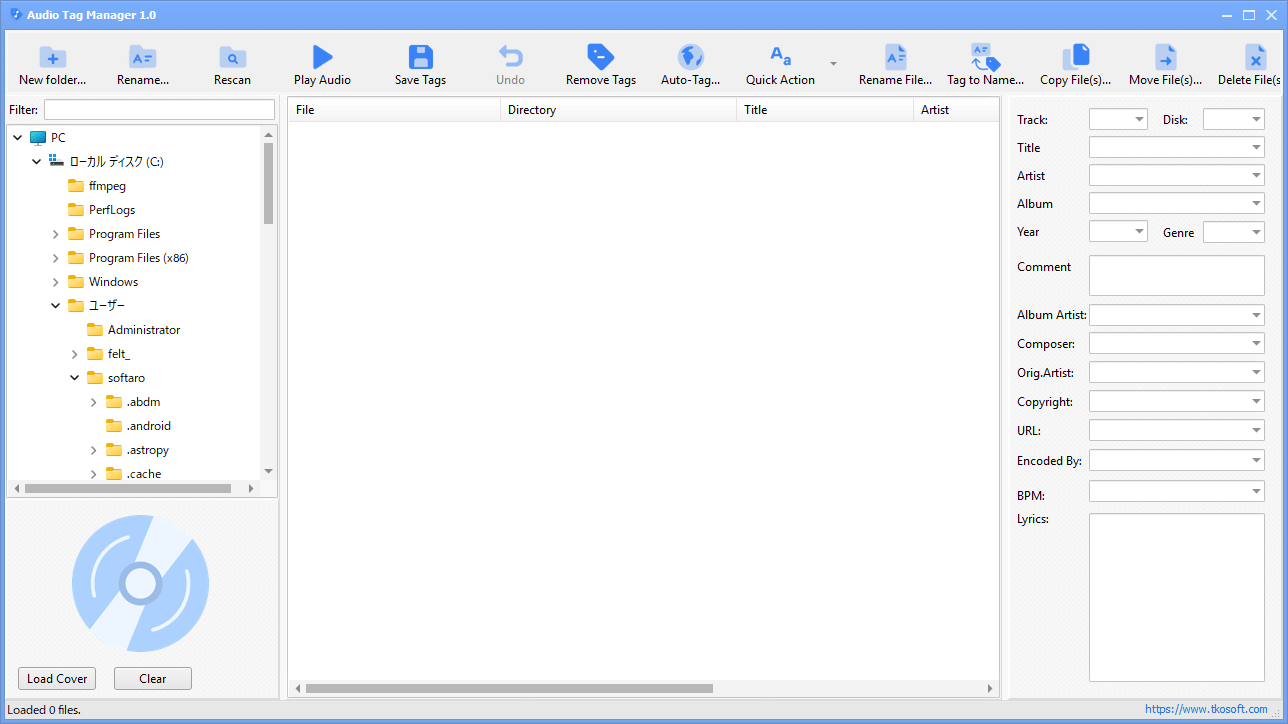
Audio Tag Manager には、タグベースのパターンを使用してオーディオファイルの名前を変更できる、強力なファイル名変更ツールも搭載されています。
Audio Tag Manager では、MusicBrainz を使用してオンラインの音楽メタデータを検索し、自動的にタグ付けを行うことができる機能も備えています。
便利な機能を備えているタグ編集ソフト
Audio Tag Manager は、一般的なポピュラーな形式のオーディオファイルに対応している便利なタグ編集アプリケーションです。このアプリには、余分なスペースの削除、テキストの大文字/小文字の修正、不要な文字の置換、フィールド間の値のコピー、ファイル名のクリーンアップなどができるプリセットシステムも搭載されています。
機能
オーディオファイルのタグを編集できます。
MP3、FLAC、OGG、APE、M4A、WMA、WAV 形式に対応しています。
タグで音声ファイルの名前を変更する。
MusicBrainz で音楽に自動タグ付け。
プリセットを使ってタグをより速くクリーンアップ。
カバーアートを管理してライブラリを整理整頓。
価格: 無料
動作環境: Windows 10|11
使用言語: 英語
最終更新日:
40分前 (2026/05/19)
ダウンロード数: 0
画像
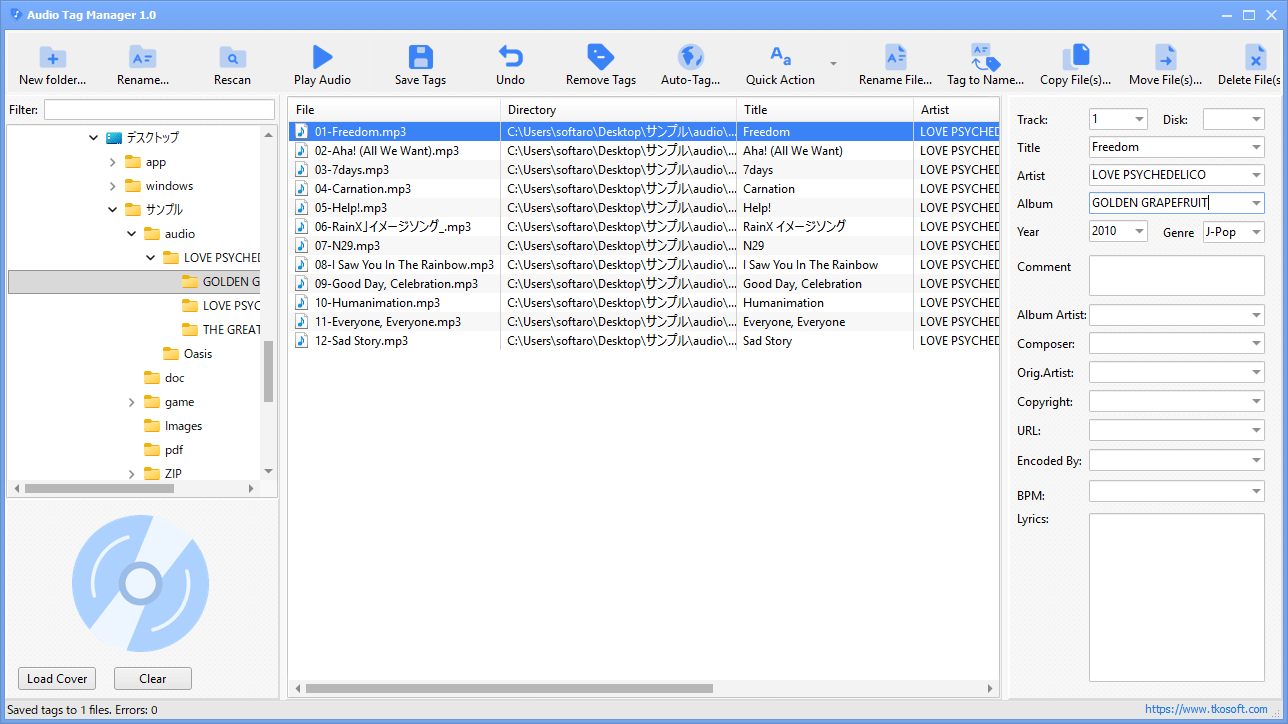
ユーザーインターフェース
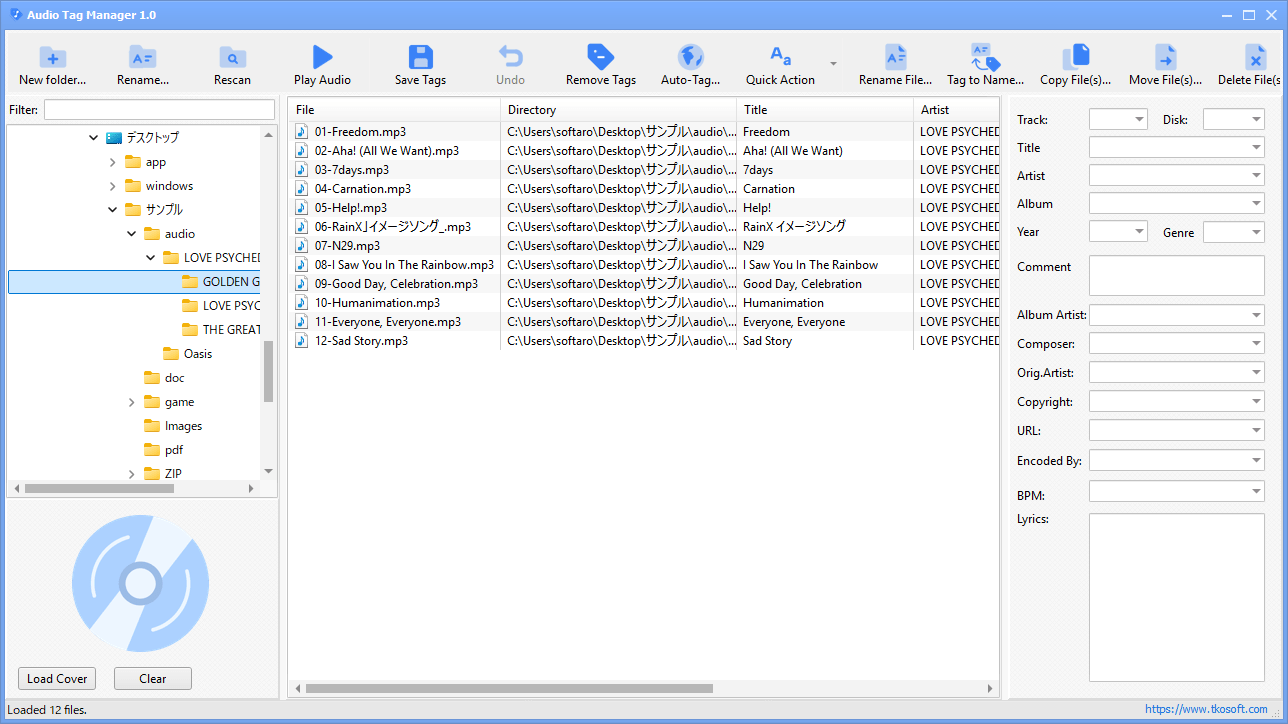
ファイルの一覧
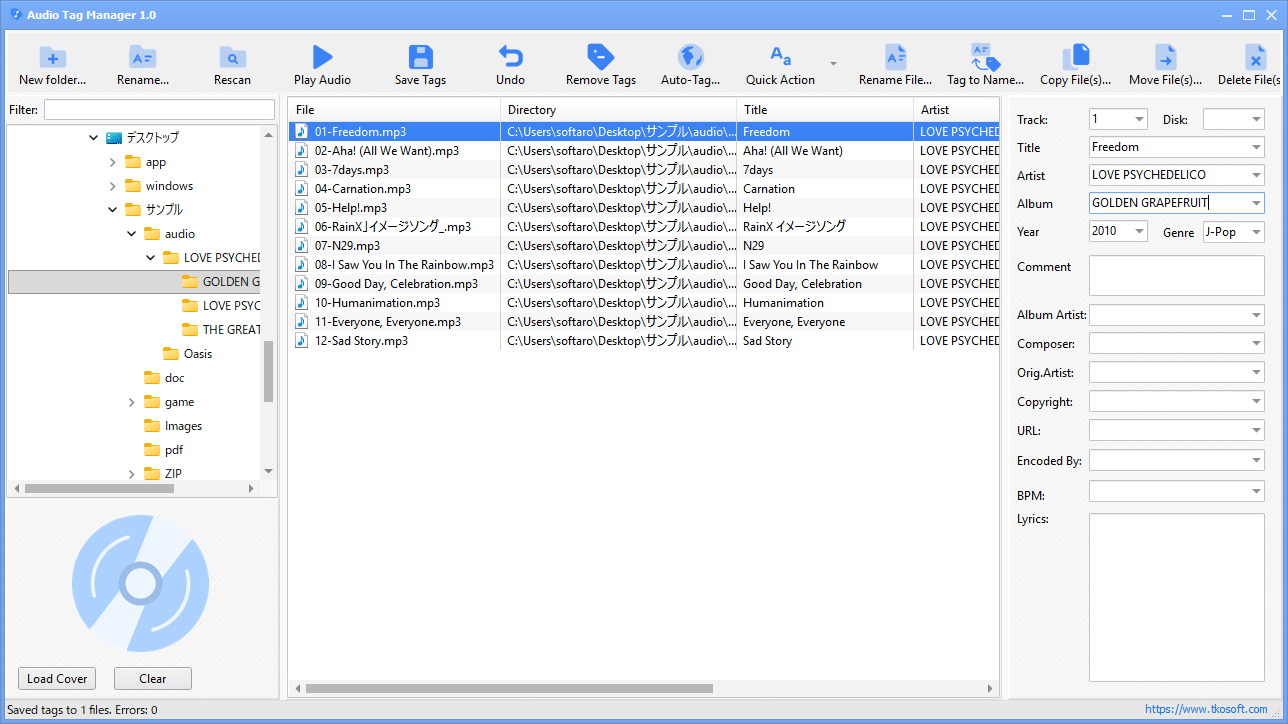
タグの編集
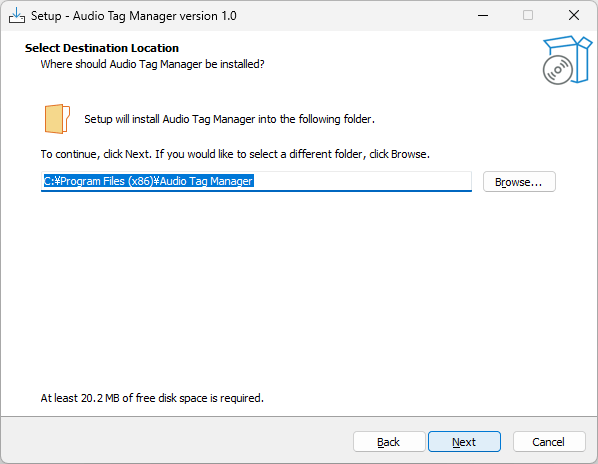
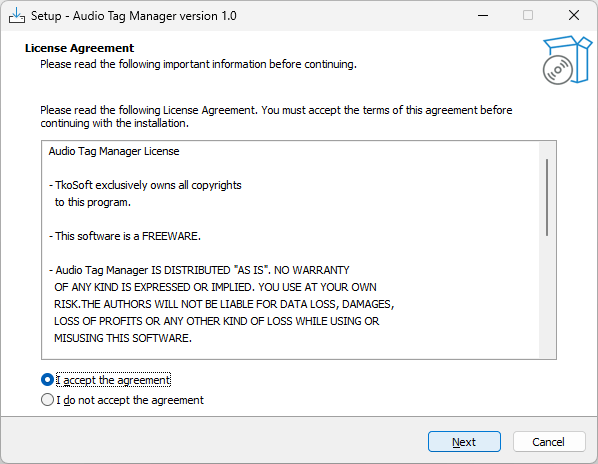
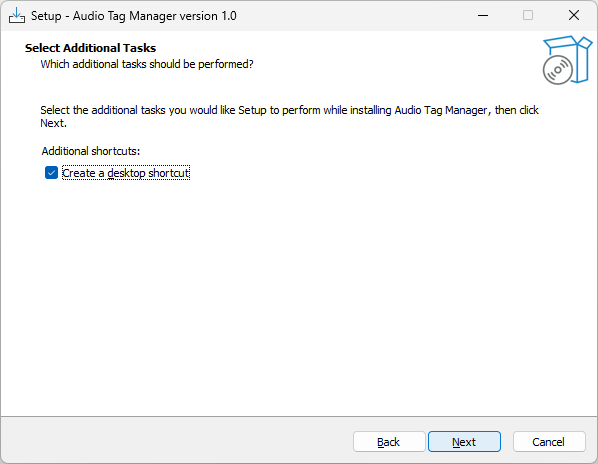
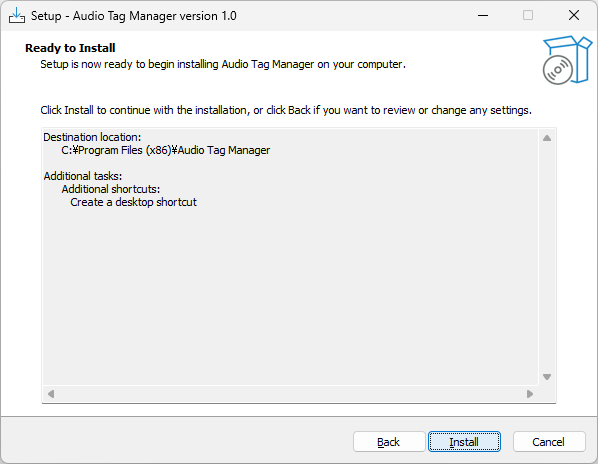
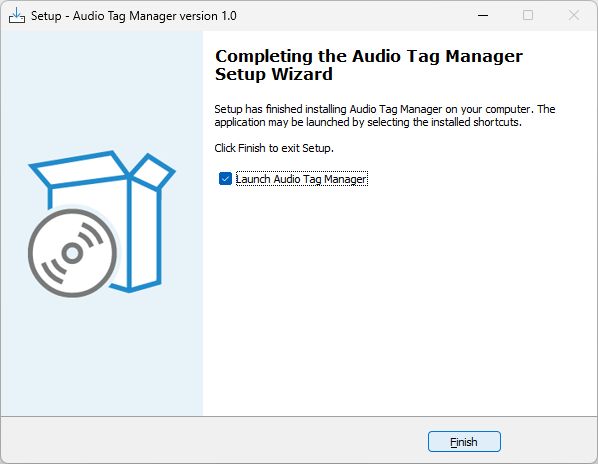
インストーラ
使い方
インストール
1.インストール方法
ライセンスが表示されます。「I accept the agreement 」を選択して[Next ]をクリックします。
インストール先を確認して[Next ]をクリックします。
追加のタスクを設定して[Next ]をクリックします。
[Install ]をクリックしてインストールを開始します。
[Finish ]をクリックしてセットアップウィザードを閉じます。
基本的な使い方
1. 基本的な使い方
左側のディレクトリツリーから、音楽ファイルがあるフォルダを選択します。
ファイルを選択すると、タグを編集できます。
編集後は、ツールバーの「Save Tags 」をクリックしてタグを保存します。
よくある質問と回答
ライセンスについて。
ユーザーレビュー
レビューはまだありません、 最初のレビューを投稿してください。コメントは任意です。