").attr(n.scriptAttrs||{}).prop({charset:n.scriptCharset,src:n.url}).on("load error",i=function(e){r.remove(),i=null,e&&t("error"===e.type?404:200,e.type)}),C.head.appendChild(r[0])},abort:function(){i&&i()}}});var Jt,Kt=[],Zt=/(=)\?(?=&|$)|\?\?/;ce.ajaxSetup({jsonp:"callback",jsonpCallback:function(){var e=Kt.pop()||ce.expando+"_"+jt.guid++;return this[e]=!0,e}}),ce.ajaxPrefilter("json jsonp",function(e,t,n){var r,i,o,a=!1!==e.jsonp&&(Zt.test(e.url)?"url":"string"==typeof e.data&&0===(e.contentType||"").indexOf("application/x-www-form-urlencoded")&&Zt.test(e.data)&&"data");if(a||"jsonp"===e.dataTypes[0])return r=e.jsonpCallback=v(e.jsonpCallback)?e.jsonpCallback():e.jsonpCallback,a?e[a]=e[a].replace(Zt,"$1"+r):!1!==e.jsonp&&(e.url+=(At.test(e.url)?"&":"?")+e.jsonp+"="+r),e.converters["script json"]=function(){return o||ce.error(r+" was not called"),o[0]},e.dataTypes[0]="json",i=ie[r],ie[r]=function(){o=arguments},n.always(function(){void 0===i?ce(ie).removeProp(r):ie[r]=i,e[r]&&(e.jsonpCallback=t.jsonpCallback,Kt.push(r)),o&&v(i)&&i(o[0]),o=i=void 0}),"script"}),le.createHTMLDocument=((Jt=C.implementation.createHTMLDocument("").body).innerHTML="
",2===Jt.childNodes.length),ce.parseHTML=function(e,t,n){return"string"!=typeof e?[]:("boolean"==typeof t&&(n=t,t=!1),t||(le.createHTMLDocument?((r=(t=C.implementation.createHTMLDocument("")).createElement("base")).href=C.location.href,t.head.appendChild(r)):t=C),o=!n&&[],(i=w.exec(e))?[t.createElement(i[1])]:(i=Ae([e],t,o),o&&o.length&&ce(o).remove(),ce.merge([],i.childNodes)));var r,i,o},ce.fn.load=function(e,t,n){var r,i,o,a=this,s=e.indexOf(" ");return-1").append(ce.parseHTML(e)).find(r):e)}).always(n&&function(e,t){a.each(function(){n.apply(this,o||[e.responseText,t,e])})}),this},ce.expr.pseudos.animated=function(t){return ce.grep(ce.timers,function(e){return t===e.elem}).length},ce.offset={setOffset:function(e,t,n){var r,i,o,a,s,u,l=ce.css(e,"position"),c=ce(e),f={};"static"===l&&(e.style.position="relative"),s=c.offset(),o=ce.css(e,"top"),u=ce.css(e,"left"),("absolute"===l||"fixed"===l)&&-1<(o+u).indexOf("auto")?(a=(r=c.position()).top,i=r.left):(a=parseFloat(o)||0,i=parseFloat(u)||0),v(t)&&(t=t.call(e,n,ce.extend({},s))),null!=t.top&&(f.top=t.top-s.top+a),null!=t.left&&(f.left=t.left-s.left+i),"using"in t?t.using.call(e,f):c.css(f)}},ce.fn.extend({offset:function(t){if(arguments.length)return void 0===t?this:this.each(function(e){ce.offset.setOffset(this,t,e)});var e,n,r=this[0];return r?r.getClientRects().length?(e=r.getBoundingClientRect(),n=r.ownerDocument.defaultView,{top:e.top+n.pageYOffset,left:e.left+n.pageXOffset}):{top:0,left:0}:void 0},position:function(){if(this[0]){var e,t,n,r=this[0],i={top:0,left:0};if("fixed"===ce.css(r,"position"))t=r.getBoundingClientRect();else{t=this.offset(),n=r.ownerDocument,e=r.offsetParent||n.documentElement;while(e&&(e===n.body||e===n.documentElement)&&"static"===ce.css(e,"position"))e=e.parentNode;e&&e!==r&&1===e.nodeType&&((i=ce(e).offset()).top+=ce.css(e,"borderTopWidth",!0),i.left+=ce.css(e,"borderLeftWidth",!0))}return{top:t.top-i.top-ce.css(r,"marginTop",!0),left:t.left-i.left-ce.css(r,"marginLeft",!0)}}},offsetParent:function(){return this.map(function(){var e=this.offsetParent;while(e&&"static"===ce.css(e,"position"))e=e.offsetParent;return e||J})}}),ce.each({scrollLeft:"pageXOffset",scrollTop:"pageYOffset"},function(t,i){var o="pageYOffset"===i;ce.fn[t]=function(e){return M(this,function(e,t,n){var r;if(y(e)?r=e:9===e.nodeType&&(r=e.defaultView),void 0===n)return r?r[i]:e[t];r?r.scrollTo(o?r.pageXOffset:n,o?n:r.pageYOffset):e[t]=n},t,e,arguments.length)}}),ce.each(["top","left"],function(e,n){ce.cssHooks[n]=Ye(le.pixelPosition,function(e,t){if(t)return t=Ge(e,n),_e.test(t)?ce(e).position()[n]+"px":t})}),ce.each({Height:"height",Width:"width"},function(a,s){ce.each({padding:"inner"+a,content:s,"":"outer"+a},function(r,o){ce.fn[o]=function(e,t){var n=arguments.length&&(r||"boolean"!=typeof e),i=r||(!0===e||!0===t?"margin":"border");return M(this,function(e,t,n){var r;return y(e)?0===o.indexOf("outer")?e["inner"+a]:e.document.documentElement["client"+a]:9===e.nodeType?(r=e.documentElement,Math.max(e.body["scroll"+a],r["scroll"+a],e.body["offset"+a],r["offset"+a],r["client"+a])):void 0===n?ce.css(e,t,i):ce.style(e,t,n,i)},s,n?e:void 0,n)}})}),ce.each(["ajaxStart","ajaxStop","ajaxComplete","ajaxError","ajaxSuccess","ajaxSend"],function(e,t){ce.fn[t]=function(e){return this.on(t,e)}}),ce.fn.extend({bind:function(e,t,n){return this.on(e,null,t,n)},unbind:function(e,t){return this.off(e,null,t)},delegate:function(e,t,n,r){return this.on(t,e,n,r)},undelegate:function(e,t,n){return 1===arguments.length?this.off(e,"**"):this.off(t,e||"**",n)},hover:function(e,t){return this.on("mouseenter",e).on("mouseleave",t||e)}}),ce.each("blur focus focusin focusout resize scroll click dblclick mousedown mouseup mousemove mouseover mouseout mouseenter mouseleave change select submit keydown keypress keyup contextmenu".split(" "),function(e,n){ce.fn[n]=function(e,t){return 0
Real-ESRGAN GUI 20240602
画像そのほか
2024/05/10 11:44
説明機能仕様ダウンロード画像使い方
Windows、Ubuntu、macOS で使用できる、画像アップスケーリングツール

実用的で美しい画像拡大ツール Real-ESRGAN のグラフィカルインターフェイス、Windows、Mac、Linux 上で、Real-ESRGAN のコマンドラインプログラム Real-ESRGAN-ncnn-vulkan の GUI として動作します。
Real-ESRGAN GUI の概要
Real-ESRGAN GUI は、Real-ESRGAN のグラフィックインターフェイス(GUI)です。
Real-ESRGAN GUI の機能
Real-ESRGAN GUI の主な機能です。
| 機能 |
概要 |
| メイン機能 |
画像のアップスケーリング |
| 機能詳細 |
・画像を任意のサイズに拡大できます。
・GIF に対応。 |
画像を高品質にアップスケーリングします
Real-ESRGAN GUI は、画像を高精度に拡大する超解像モデル「Real-ESRGAN」を グラフィカルユーザーインターフェースで利用できるようにしたアプリケーションです。
Real-ESRGAN GUI は、Windows、Mac、Linux(Ubuntu) で無料で利用できるオープンソースのソフトウェアで、画像を高品質化し、きれいに拡大することができます。
任意のサイズに拡大できます
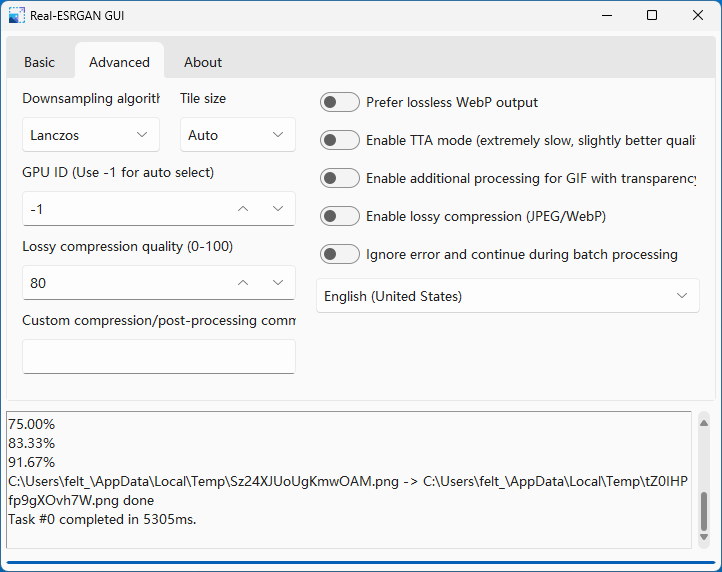
Real-ESRGAN GUI を使用すると、JPG、JPEG、PNG、WebP、GIF、TIF、TIFF 画像を 2 ~ 12 倍または、指定したサイズに拡大することができます。
Real-ESRGAN GUI は、アニメーション GIF にも対応しており、GIF ファイルの各フレームを分割して長さを記録し、1 つずつズームインしてから結合します。
画像をきれいにアップスケーリングできる GUI アプリケーション
Real-ESRGAN GUI は、Windows、Ubuntu、macOS プラットフォームをサポートする画像アップスケーリングプログラムです。アニメの画像や実写の写真、またはそのほかの画像を高品質に拡大したい場合に役に立ちます。
機能
- 任意のサイズに拡大:入力された画像を固定の 2 ~ 4 倍の倍率(および使用するモデルに応じて)でのみ拡大できます。
- GIF に対応:GIF の各フレームを分割して時間を確認し、少しずつ拡大してから結合します。
- ドラッグアンドドロップのサポート
- ダークモードインターフェース
- 多言語サポート
価格:無料
動作環境:Windows 7|8|8.1|10|11・Mac・Linux
使用言語:英語
最終更新日:
2年前 (2024/06/02)
ダウンロード数:1285
画像

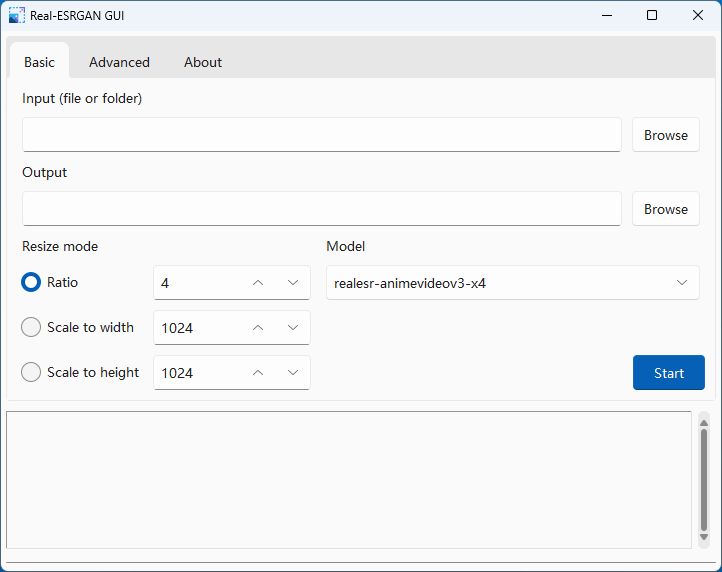
ユーザーインターフェース

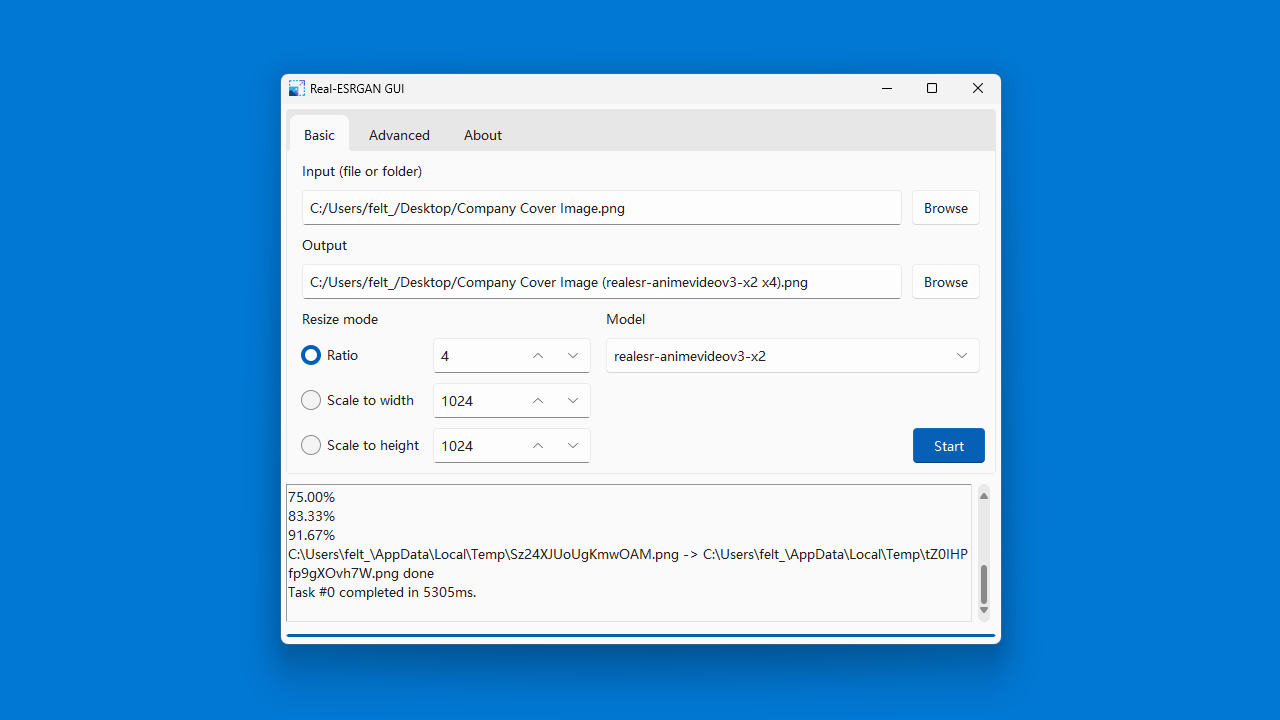
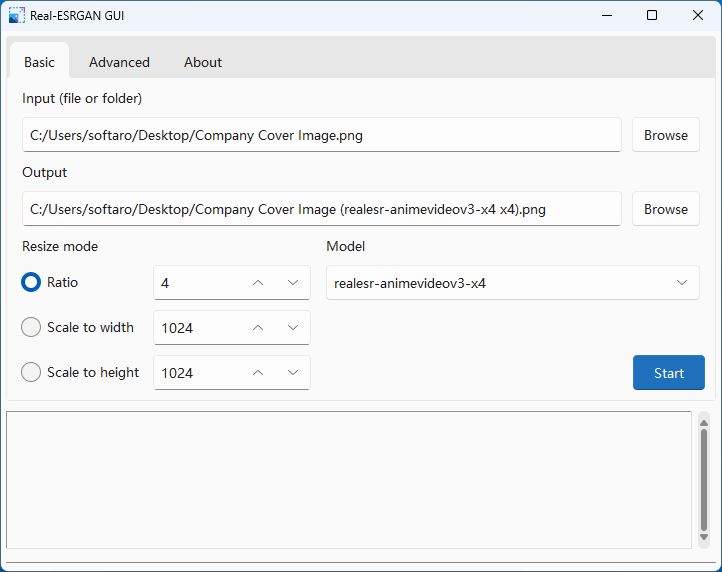
入力および出力設定

詳細設定

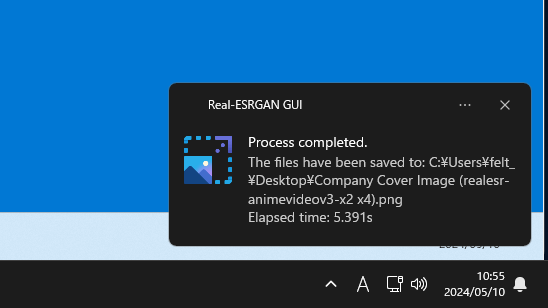
通知
使い方
インストール
1.インストール方法(Windows)
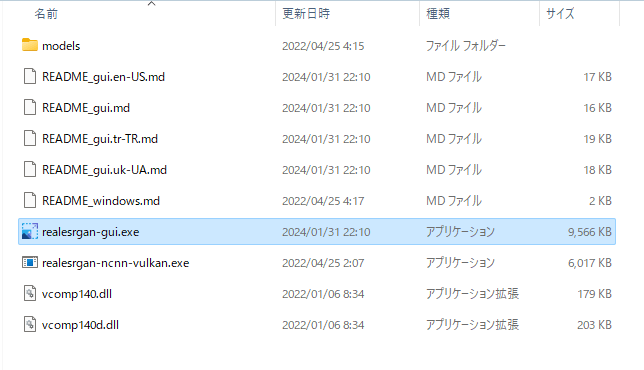
Real-ESRGAN GUI は、インストール不要で使用できるアプリケーションです。
- ダウンロードした 7-Zip ファイルを解凍し、「realesrgan-gui.exe」ファイルを実行するとアプリケーションを起動できます。
基本的な使い方
1. 基本的な使い方
- 「Input」の「Browse」をクリックして、アップスケーリングしたいファイルを選択します(ファイルまたはフォルダをドラッグアンドドロップして追加することもできます)。
- 「Output」で、保存先を指定します。
- 「Resize mode」で、出力サイズを指定します。
- 「Model」で、使用するモデルを選択します。
- [Start]ボタンをクリックすると、アップスケーリングが開始します。

よくある質問と回答
ライセンスについて。
Real-ESRGAN GUI は、どなたでも無料で使用できます。