").attr(n.scriptAttrs||{}).prop({charset:n.scriptCharset,src:n.url}).on("load error",i=function(e){r.remove(),i=null,e&&t("error"===e.type?404:200,e.type)}),C.head.appendChild(r[0])},abort:function(){i&&i()}}});var Jt,Kt=[],Zt=/(=)\?(?=&|$)|\?\?/;ce.ajaxSetup({jsonp:"callback",jsonpCallback:function(){var e=Kt.pop()||ce.expando+"_"+jt.guid++;return this[e]=!0,e}}),ce.ajaxPrefilter("json jsonp",function(e,t,n){var r,i,o,a=!1!==e.jsonp&&(Zt.test(e.url)?"url":"string"==typeof e.data&&0===(e.contentType||"").indexOf("application/x-www-form-urlencoded")&&Zt.test(e.data)&&"data");if(a||"jsonp"===e.dataTypes[0])return r=e.jsonpCallback=v(e.jsonpCallback)?e.jsonpCallback():e.jsonpCallback,a?e[a]=e[a].replace(Zt,"$1"+r):!1!==e.jsonp&&(e.url+=(At.test(e.url)?"&":"?")+e.jsonp+"="+r),e.converters["script json"]=function(){return o||ce.error(r+" was not called"),o[0]},e.dataTypes[0]="json",i=ie[r],ie[r]=function(){o=arguments},n.always(function(){void 0===i?ce(ie).removeProp(r):ie[r]=i,e[r]&&(e.jsonpCallback=t.jsonpCallback,Kt.push(r)),o&&v(i)&&i(o[0]),o=i=void 0}),"script"}),le.createHTMLDocument=((Jt=C.implementation.createHTMLDocument("").body).innerHTML="
",2===Jt.childNodes.length),ce.parseHTML=function(e,t,n){return"string"!=typeof e?[]:("boolean"==typeof t&&(n=t,t=!1),t||(le.createHTMLDocument?((r=(t=C.implementation.createHTMLDocument("")).createElement("base")).href=C.location.href,t.head.appendChild(r)):t=C),o=!n&&[],(i=w.exec(e))?[t.createElement(i[1])]:(i=Ae([e],t,o),o&&o.length&&ce(o).remove(),ce.merge([],i.childNodes)));var r,i,o},ce.fn.load=function(e,t,n){var r,i,o,a=this,s=e.indexOf(" ");return-1").append(ce.parseHTML(e)).find(r):e)}).always(n&&function(e,t){a.each(function(){n.apply(this,o||[e.responseText,t,e])})}),this},ce.expr.pseudos.animated=function(t){return ce.grep(ce.timers,function(e){return t===e.elem}).length},ce.offset={setOffset:function(e,t,n){var r,i,o,a,s,u,l=ce.css(e,"position"),c=ce(e),f={};"static"===l&&(e.style.position="relative"),s=c.offset(),o=ce.css(e,"top"),u=ce.css(e,"left"),("absolute"===l||"fixed"===l)&&-1<(o+u).indexOf("auto")?(a=(r=c.position()).top,i=r.left):(a=parseFloat(o)||0,i=parseFloat(u)||0),v(t)&&(t=t.call(e,n,ce.extend({},s))),null!=t.top&&(f.top=t.top-s.top+a),null!=t.left&&(f.left=t.left-s.left+i),"using"in t?t.using.call(e,f):c.css(f)}},ce.fn.extend({offset:function(t){if(arguments.length)return void 0===t?this:this.each(function(e){ce.offset.setOffset(this,t,e)});var e,n,r=this[0];return r?r.getClientRects().length?(e=r.getBoundingClientRect(),n=r.ownerDocument.defaultView,{top:e.top+n.pageYOffset,left:e.left+n.pageXOffset}):{top:0,left:0}:void 0},position:function(){if(this[0]){var e,t,n,r=this[0],i={top:0,left:0};if("fixed"===ce.css(r,"position"))t=r.getBoundingClientRect();else{t=this.offset(),n=r.ownerDocument,e=r.offsetParent||n.documentElement;while(e&&(e===n.body||e===n.documentElement)&&"static"===ce.css(e,"position"))e=e.parentNode;e&&e!==r&&1===e.nodeType&&((i=ce(e).offset()).top+=ce.css(e,"borderTopWidth",!0),i.left+=ce.css(e,"borderLeftWidth",!0))}return{top:t.top-i.top-ce.css(r,"marginTop",!0),left:t.left-i.left-ce.css(r,"marginLeft",!0)}}},offsetParent:function(){return this.map(function(){var e=this.offsetParent;while(e&&"static"===ce.css(e,"position"))e=e.offsetParent;return e||J})}}),ce.each({scrollLeft:"pageXOffset",scrollTop:"pageYOffset"},function(t,i){var o="pageYOffset"===i;ce.fn[t]=function(e){return M(this,function(e,t,n){var r;if(y(e)?r=e:9===e.nodeType&&(r=e.defaultView),void 0===n)return r?r[i]:e[t];r?r.scrollTo(o?r.pageXOffset:n,o?n:r.pageYOffset):e[t]=n},t,e,arguments.length)}}),ce.each(["top","left"],function(e,n){ce.cssHooks[n]=Ye(le.pixelPosition,function(e,t){if(t)return t=Ge(e,n),_e.test(t)?ce(e).position()[n]+"px":t})}),ce.each({Height:"height",Width:"width"},function(a,s){ce.each({padding:"inner"+a,content:s,"":"outer"+a},function(r,o){ce.fn[o]=function(e,t){var n=arguments.length&&(r||"boolean"!=typeof e),i=r||(!0===e||!0===t?"margin":"border");return M(this,function(e,t,n){var r;return y(e)?0===o.indexOf("outer")?e["inner"+a]:e.document.documentElement["client"+a]:9===e.nodeType?(r=e.documentElement,Math.max(e.body["scroll"+a],r["scroll"+a],e.body["offset"+a],r["offset"+a],r["client"+a])):void 0===n?ce.css(e,t,i):ce.style(e,t,n,i)},s,n?e:void 0,n)}})}),ce.each(["ajaxStart","ajaxStop","ajaxComplete","ajaxError","ajaxSuccess","ajaxSend"],function(e,t){ce.fn[t]=function(e){return this.on(t,e)}}),ce.fn.extend({bind:function(e,t,n){return this.on(e,null,t,n)},unbind:function(e,t){return this.off(e,null,t)},delegate:function(e,t,n,r){return this.on(t,e,n,r)},undelegate:function(e,t,n){return 1===arguments.length?this.off(e,"**"):this.off(t,e||"**",n)},hover:function(e,t){return this.on("mouseenter",e).on("mouseleave",t||e)}}),ce.each("blur focus focusin focusout resize scroll click dblclick mousedown mouseup mousemove mouseover mouseout mouseenter mouseleave change select submit keydown keypress keyup contextmenu".split(" "),function(e,n){ce.fn[n]=function(e,t){return 0
GDS Video Thumbnailer 7.0.8
画像そのほか
2021/04/07 15:36
説明機能仕様ダウンロード画像使い方
ビデオのサムネイル/サムネイルギャラリー作成ソフト

動画ファイルのシーンを抽出して、画像ファイルのサムネイルまたはサムネイルギャラリーを作成することができる、Windows 向けのビデオスナップショット/サムネイル作成ソフト。ビデオ情報を含んだ美しいサムネイルを作成できます。
GDS Video Thumbnailer の概要
GDS Video Thumbnailer は、ビデオの Frame-Shoots を使用して画像をすばやく作成するためのアプリケーションです
。GVTは高度なテクノロジーを使用して、ビデオを可能な限り高速に読み取り、フレームを作成します。
GDS Video Thumbnailer の機能
GDS Video Thumbnailer の主な機能です。
| 機能 |
概要 |
| メイン機能 |
ビデオのサムネイル/サムネイルギャラリーを作成 |
| 入力フォーマット |
divx、h264、mpeg1、mpeg2、mp4、vc1、xvid、3gp、avi、dat、mkv、wmv などのフォーマット/一般的なコーデックをすべてサポート |
| 出力フォーマット |
JPG、PNG、GIF、BMP、TIF |
| 機能詳細 |
・列または行のカスタマイズ
・ファイル情報を表示(ファイル名、コーデック、長さ、フレームレートなど)
・フレームの表示の設定(時間、背景色、枠線など)
・背景画像やオーバーレイ画像を追加 |
ビデオのサムネイルをかんたんに作成できます
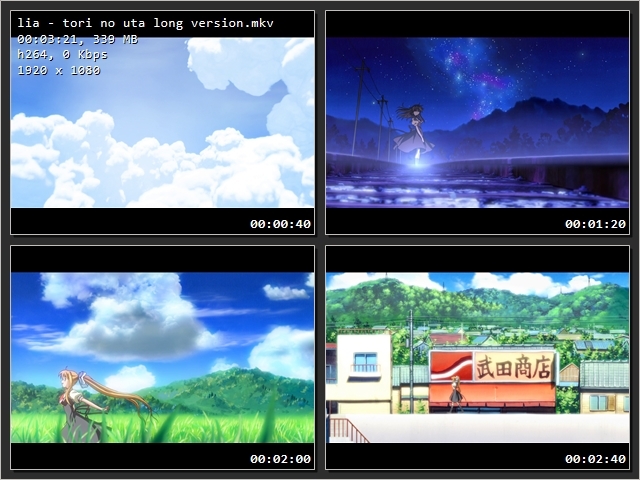
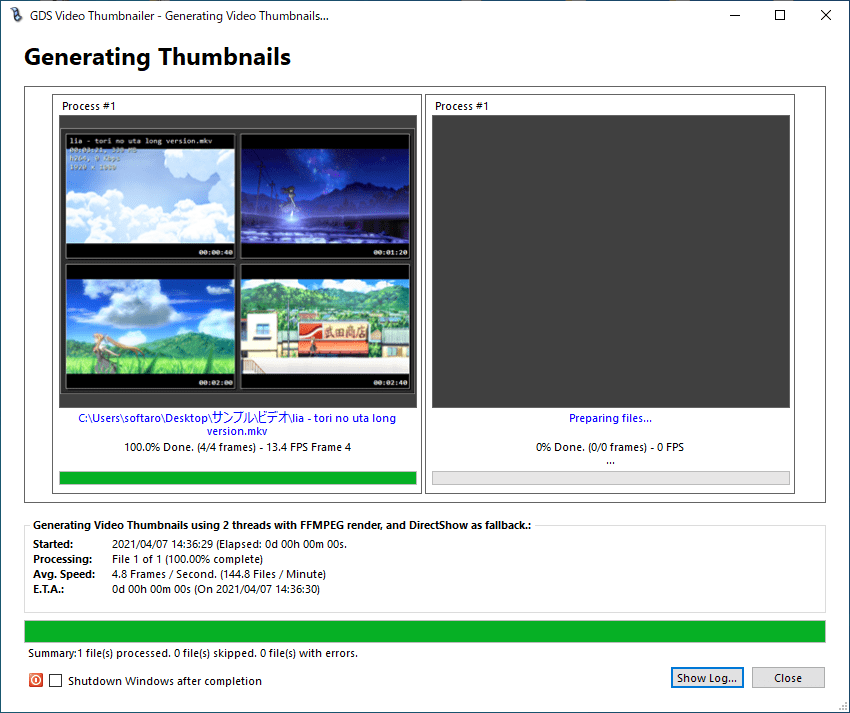
GDS Video Thumbnailer を使用すると、右の画像のようなサムネイルギャラリーまたはサムネイルの画像をかんたんに作成できます。
右の画像には表示されていませんが、ファイル名や時間の長さ、ファイルサイズ、フレームレートなどのファイル情報を画像に入れることもできます。背景色や枠線の色、間隔、フォントやフォント色などは自由に変更できます。
フリーのサムネイル作成ソフト
GDS Video Thumbnailer は、ビデオを紹介したりレビューする Web ページにあるような、きれいで整理されたサムネイルを作成することができるアプリケーションです。
価格:無料
動作環境:Windows 7|8|8.1|10|11
使用言語:英語
最終更新日:
12か月前 (2025/05/29)
ダウンロード数:501
使い方
インストール
1.インストール方法
- ダウンロードした ZIP ファイルを解凍し、「Setup」ファイルを実行します。

- セットアップウィザードが開始します。[Next]をクリックします。
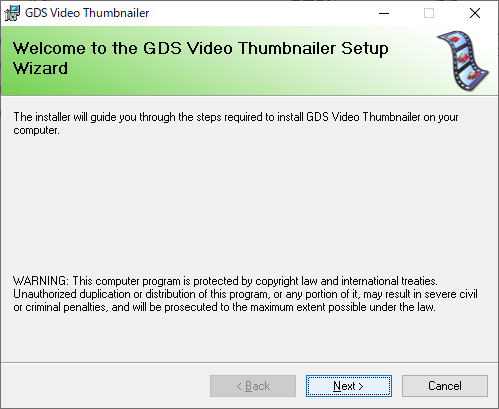
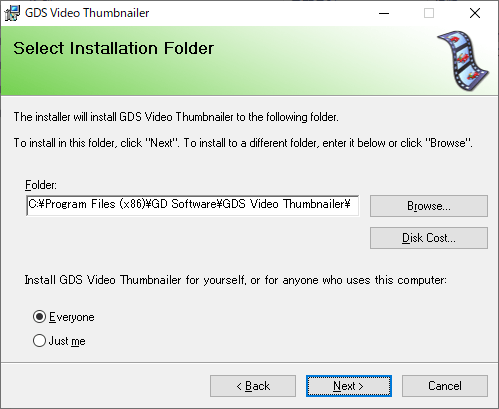
- インストール先とインストールするユーザーを指定し、[Next]をクリックします。
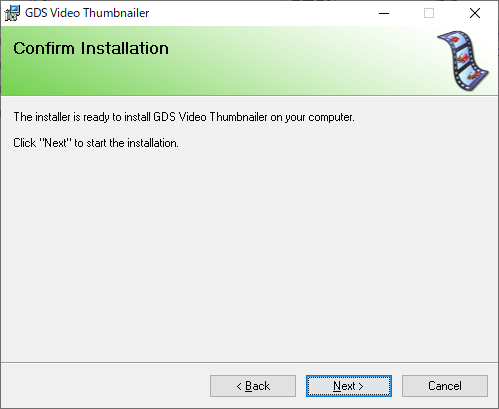
- [Next]をクリックしてインストールを開始します。
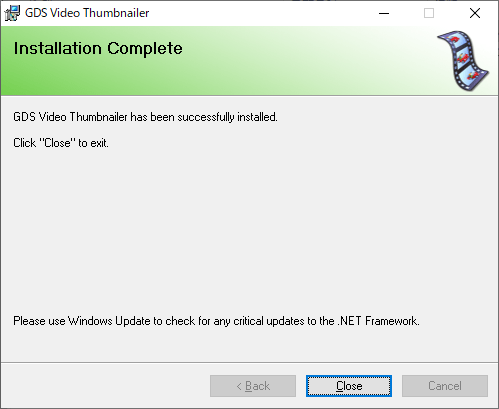
- インストールが完了しました。[Close]をクリックしてセットアップウィザードを閉じます。
基本的な使い方
1.基本的な使い方
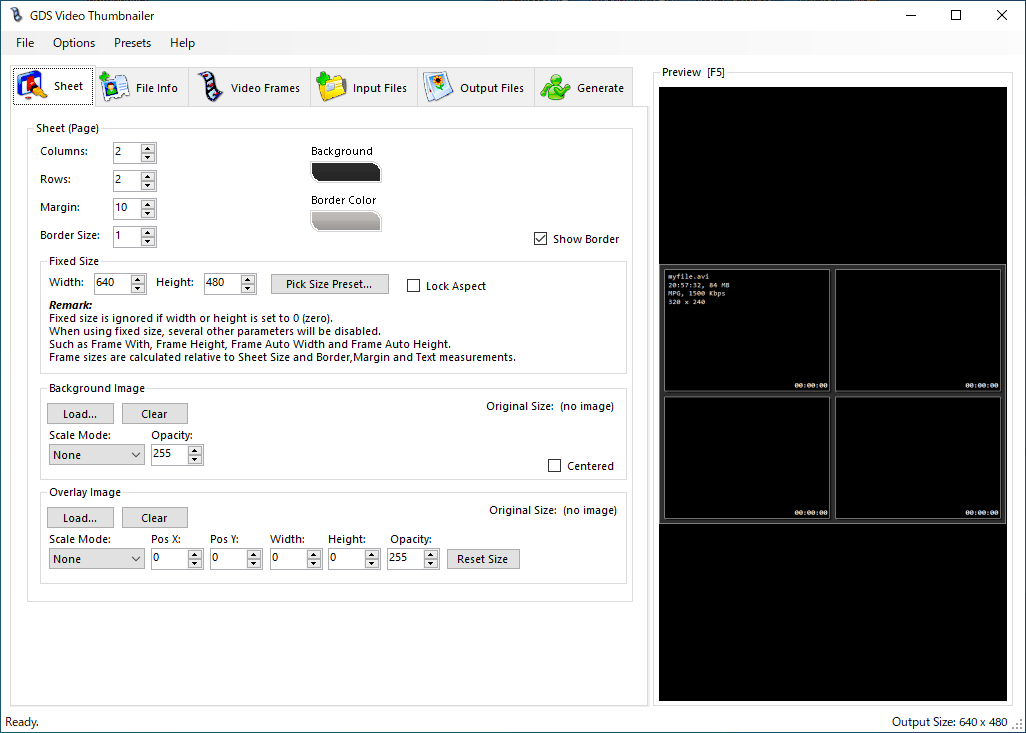
- 「Sheet」タブで作成する画像のレイアウトなどの設定をします。
Sheet:
・Columns:列の数
・Row:行の数
・Margin:マージン(間隔)
・Border Size:枠線のサイズ
・Fixed Size:画像のサイズ
・Background Image:背景画像
・Overlay Image:オーバーレイ画像
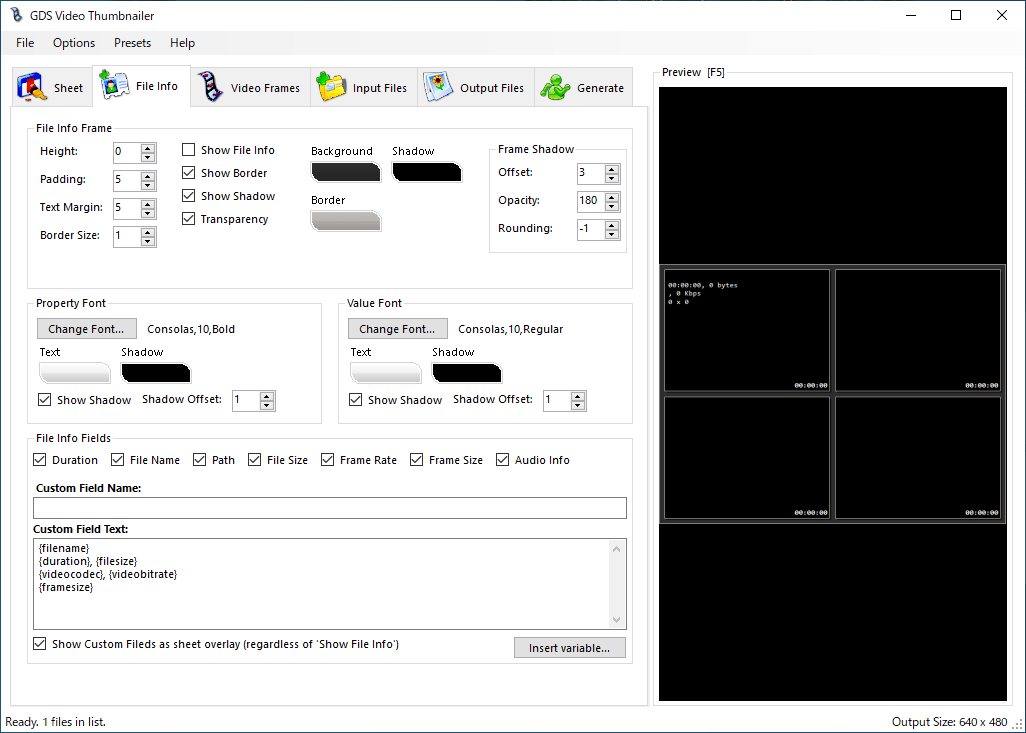
- 「File Info」では、画像にファイル名や時間の長さなどのファイル情報を表示する設定ができます。表示する場合は「Show File Info」をチェックします。

・File Info Frame:ファイル情報を表示するフレームのサイズなどの設定
・Property Font:プロパティのフォント
・Value Font:数値のフォント
・File Info Fields:表示する項目の種類や位置
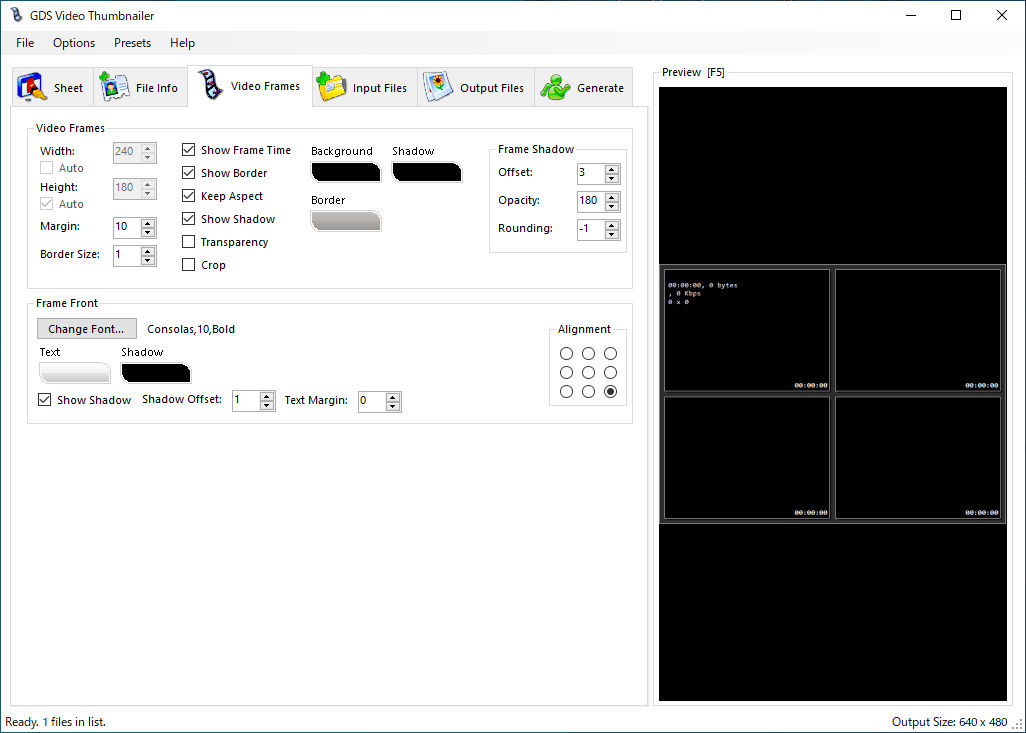
- 「Video Frames」では、ビデオのフレームに表示する情報を設定できます。

・Show Frame Time:フレームの時間を表示する
・Show Border:枠線を表示する
・Keep Aspect:アスペクト比を保持する
・Show Shadow:影を表示する
・Transparency:透過させる
・Crop:切り抜く
・Frame Font:フレームのフォントの設定
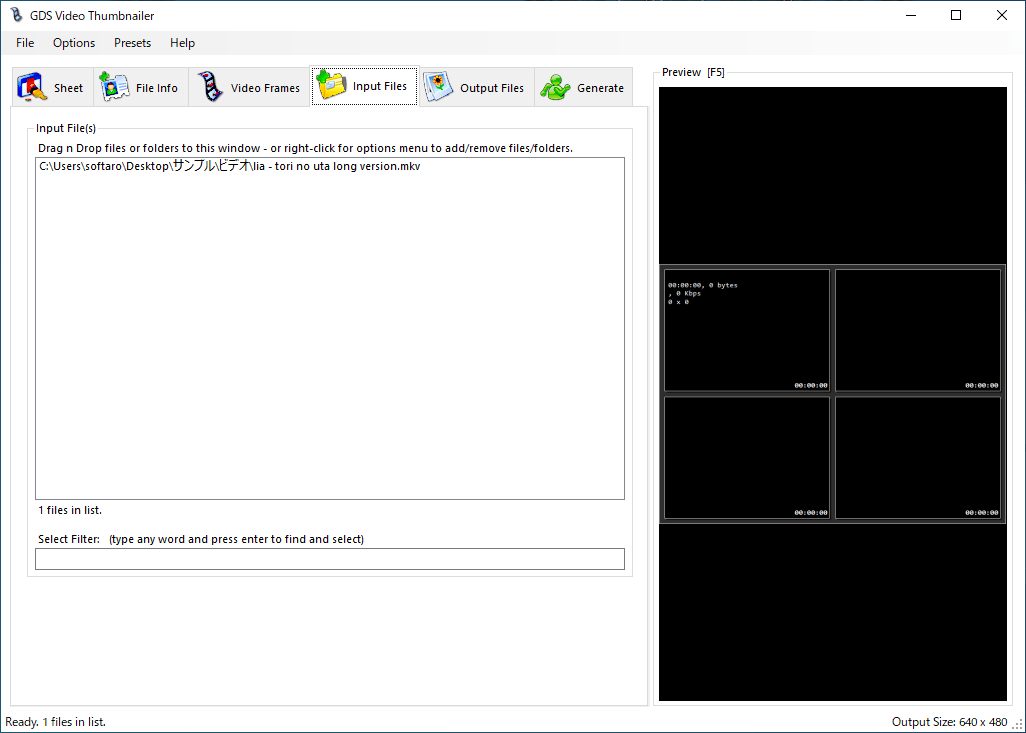
- 「Input Files」タブで、サムネイルを作成したいビデオをドラッグ&ドロップして追加します。
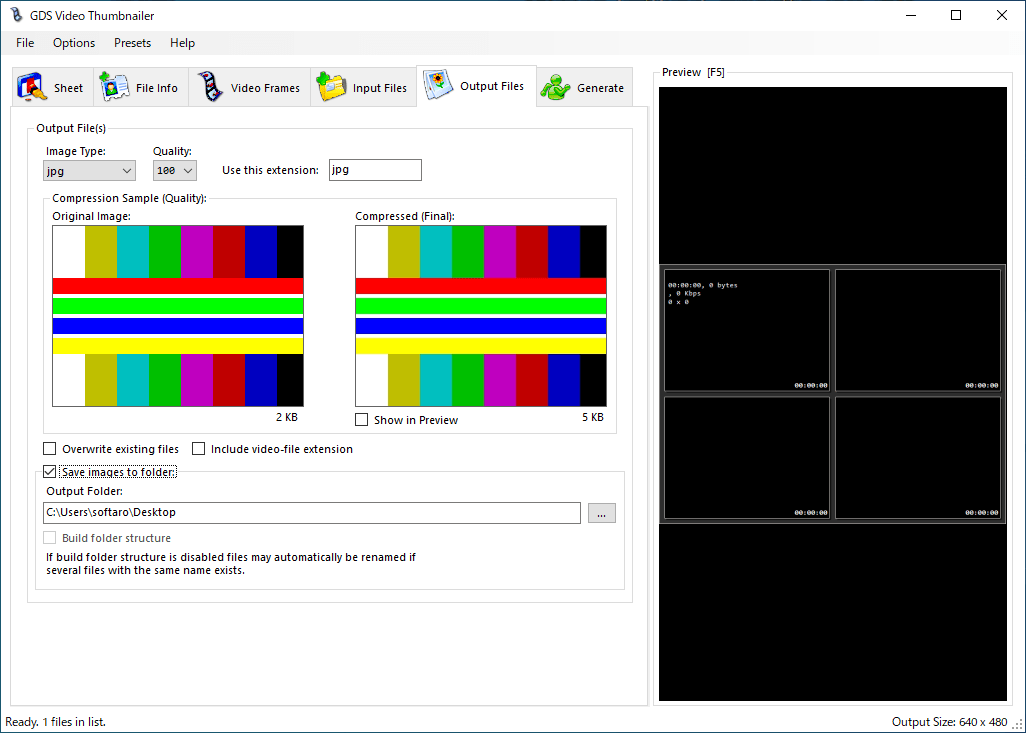
- 「Output Files」で、出力する画像形式や出力先を指定します。
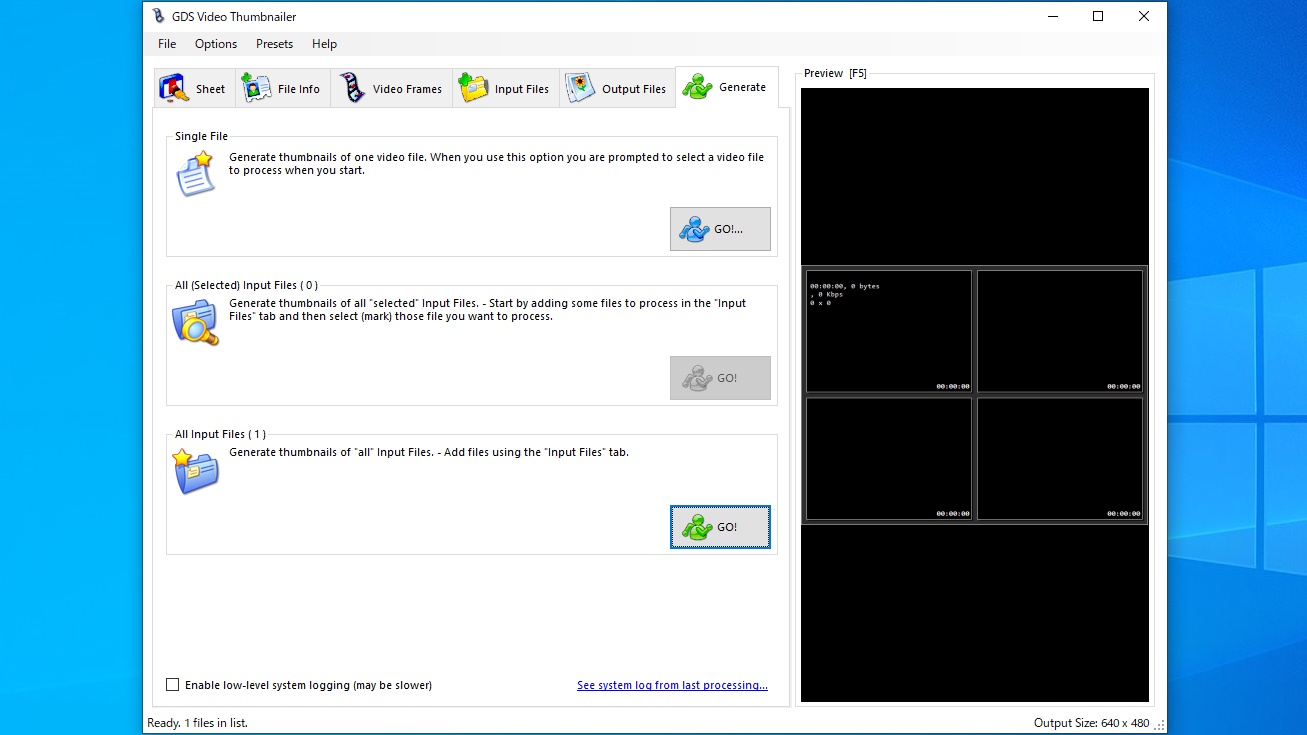
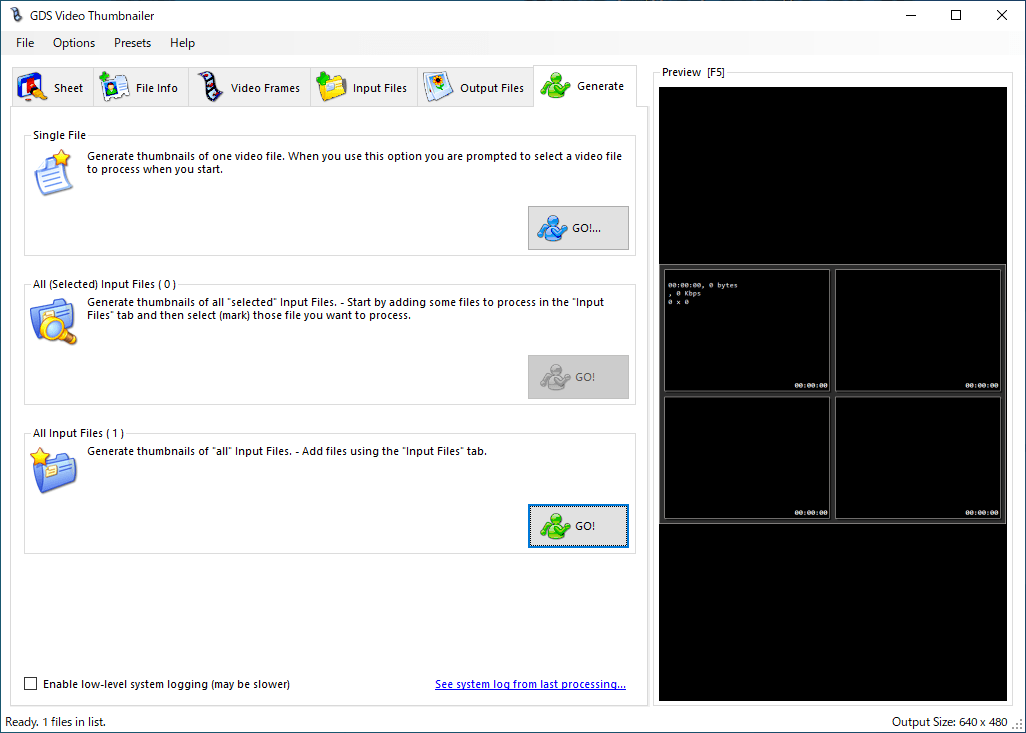
- 「Generate」タブでサムネイルの作成を開始します。一番下の「All Input files」の[GO!]ボタンをクリックします。

よくある質問と回答
ライセンスについて。
GDS Video Thumbnailer は、どなたでも無料で利用できます。