").attr(n.scriptAttrs||{}).prop({charset:n.scriptCharset,src:n.url}).on("load error",i=function(e){r.remove(),i=null,e&&t("error"===e.type?404:200,e.type)}),C.head.appendChild(r[0])},abort:function(){i&&i()}}});var Jt,Kt=[],Zt=/(=)\?(?=&|$)|\?\?/;ce.ajaxSetup({jsonp:"callback",jsonpCallback:function(){var e=Kt.pop()||ce.expando+"_"+jt.guid++;return this[e]=!0,e}}),ce.ajaxPrefilter("json jsonp",function(e,t,n){var r,i,o,a=!1!==e.jsonp&&(Zt.test(e.url)?"url":"string"==typeof e.data&&0===(e.contentType||"").indexOf("application/x-www-form-urlencoded")&&Zt.test(e.data)&&"data");if(a||"jsonp"===e.dataTypes[0])return r=e.jsonpCallback=v(e.jsonpCallback)?e.jsonpCallback():e.jsonpCallback,a?e[a]=e[a].replace(Zt,"$1"+r):!1!==e.jsonp&&(e.url+=(At.test(e.url)?"&":"?")+e.jsonp+"="+r),e.converters["script json"]=function(){return o||ce.error(r+" was not called"),o[0]},e.dataTypes[0]="json",i=ie[r],ie[r]=function(){o=arguments},n.always(function(){void 0===i?ce(ie).removeProp(r):ie[r]=i,e[r]&&(e.jsonpCallback=t.jsonpCallback,Kt.push(r)),o&&v(i)&&i(o[0]),o=i=void 0}),"script"}),le.createHTMLDocument=((Jt=C.implementation.createHTMLDocument("").body).innerHTML="
",2===Jt.childNodes.length),ce.parseHTML=function(e,t,n){return"string"!=typeof e?[]:("boolean"==typeof t&&(n=t,t=!1),t||(le.createHTMLDocument?((r=(t=C.implementation.createHTMLDocument("")).createElement("base")).href=C.location.href,t.head.appendChild(r)):t=C),o=!n&&[],(i=w.exec(e))?[t.createElement(i[1])]:(i=Ae([e],t,o),o&&o.length&&ce(o).remove(),ce.merge([],i.childNodes)));var r,i,o},ce.fn.load=function(e,t,n){var r,i,o,a=this,s=e.indexOf(" ");return-1").append(ce.parseHTML(e)).find(r):e)}).always(n&&function(e,t){a.each(function(){n.apply(this,o||[e.responseText,t,e])})}),this},ce.expr.pseudos.animated=function(t){return ce.grep(ce.timers,function(e){return t===e.elem}).length},ce.offset={setOffset:function(e,t,n){var r,i,o,a,s,u,l=ce.css(e,"position"),c=ce(e),f={};"static"===l&&(e.style.position="relative"),s=c.offset(),o=ce.css(e,"top"),u=ce.css(e,"left"),("absolute"===l||"fixed"===l)&&-1<(o+u).indexOf("auto")?(a=(r=c.position()).top,i=r.left):(a=parseFloat(o)||0,i=parseFloat(u)||0),v(t)&&(t=t.call(e,n,ce.extend({},s))),null!=t.top&&(f.top=t.top-s.top+a),null!=t.left&&(f.left=t.left-s.left+i),"using"in t?t.using.call(e,f):c.css(f)}},ce.fn.extend({offset:function(t){if(arguments.length)return void 0===t?this:this.each(function(e){ce.offset.setOffset(this,t,e)});var e,n,r=this[0];return r?r.getClientRects().length?(e=r.getBoundingClientRect(),n=r.ownerDocument.defaultView,{top:e.top+n.pageYOffset,left:e.left+n.pageXOffset}):{top:0,left:0}:void 0},position:function(){if(this[0]){var e,t,n,r=this[0],i={top:0,left:0};if("fixed"===ce.css(r,"position"))t=r.getBoundingClientRect();else{t=this.offset(),n=r.ownerDocument,e=r.offsetParent||n.documentElement;while(e&&(e===n.body||e===n.documentElement)&&"static"===ce.css(e,"position"))e=e.parentNode;e&&e!==r&&1===e.nodeType&&((i=ce(e).offset()).top+=ce.css(e,"borderTopWidth",!0),i.left+=ce.css(e,"borderLeftWidth",!0))}return{top:t.top-i.top-ce.css(r,"marginTop",!0),left:t.left-i.left-ce.css(r,"marginLeft",!0)}}},offsetParent:function(){return this.map(function(){var e=this.offsetParent;while(e&&"static"===ce.css(e,"position"))e=e.offsetParent;return e||J})}}),ce.each({scrollLeft:"pageXOffset",scrollTop:"pageYOffset"},function(t,i){var o="pageYOffset"===i;ce.fn[t]=function(e){return M(this,function(e,t,n){var r;if(y(e)?r=e:9===e.nodeType&&(r=e.defaultView),void 0===n)return r?r[i]:e[t];r?r.scrollTo(o?r.pageXOffset:n,o?n:r.pageYOffset):e[t]=n},t,e,arguments.length)}}),ce.each(["top","left"],function(e,n){ce.cssHooks[n]=Ye(le.pixelPosition,function(e,t){if(t)return t=Ge(e,n),_e.test(t)?ce(e).position()[n]+"px":t})}),ce.each({Height:"height",Width:"width"},function(a,s){ce.each({padding:"inner"+a,content:s,"":"outer"+a},function(r,o){ce.fn[o]=function(e,t){var n=arguments.length&&(r||"boolean"!=typeof e),i=r||(!0===e||!0===t?"margin":"border");return M(this,function(e,t,n){var r;return y(e)?0===o.indexOf("outer")?e["inner"+a]:e.document.documentElement["client"+a]:9===e.nodeType?(r=e.documentElement,Math.max(e.body["scroll"+a],r["scroll"+a],e.body["offset"+a],r["offset"+a],r["client"+a])):void 0===n?ce.css(e,t,i):ce.style(e,t,n,i)},s,n?e:void 0,n)}})}),ce.each(["ajaxStart","ajaxStop","ajaxComplete","ajaxError","ajaxSuccess","ajaxSend"],function(e,t){ce.fn[t]=function(e){return this.on(t,e)}}),ce.fn.extend({bind:function(e,t,n){return this.on(e,null,t,n)},unbind:function(e,t){return this.off(e,null,t)},delegate:function(e,t,n,r){return this.on(t,e,n,r)},undelegate:function(e,t,n){return 1===arguments.length?this.off(e,"**"):this.off(t,e||"**",n)},hover:function(e,t){return this.on("mouseenter",e).on("mouseleave",t||e)}}),ce.each("blur focus focusin focusout resize scroll click dblclick mousedown mouseup mousemove mouseover mouseout mouseenter mouseleave change select submit keydown keypress keyup contextmenu".split(" "),function(e,n){ce.fn[n]=function(e,t){return 0
Lazesoft Windows Key Finder 1.7
プロダクトキーリカバリ
2023/11/03 15:08
説明 機能 仕様 ダウンロード 画像 使い方
Windows および Microsoft Office のプロダクトキーを表示するツール

Windows および Microsoft Office のプロダクトキーを表示し、テキストファイルに保存したり、印刷できるようにする Windows 向けのフリーソフト。プロダクトキーを忘れたり紛失してしまった場合に役に立ちます。
Lazesoft Windows Key Finder の概要
Lazesoft Windows Key Finder は、Windows および Microsoft Office のプロダクトキーを表示するアプリケーションです。
Lazesoft Windows Key Finder の機能
Lazesoft Windows Key Finder で利用できる主な機能の一覧です。
機能
概要
メイン機能
Windows および Microsoft Office のプロダクトキーを表示する
機能詳細
・Windows および Microsoft Office のプロダクトキーを表示します。
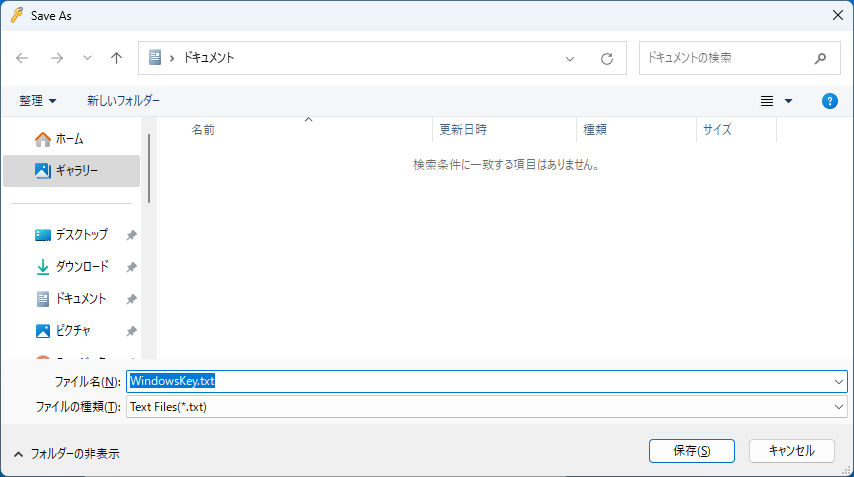
・プロダクトキーをテキストファイルに保存します。
・プロダクトキーを印刷します。
Windows のプロダクトキーを復元できます
Lazesoft Windows Key Finder は、Windows 2000、XP、2003、Vista、2008、2012 または Windows 7、8、10 のプロダクト キーとすべてのバージョンの Microsoft Office プロダクト キーを検索し、クリップボードにコピーし、表示し、印刷できるようにするアプリケーションです。
回復したプロダクト キーをクリップボードにコピーし、ファイルに保存し、安全に保管するために印刷することができます。
Microsoft Office のプロダクトキーを復元できます
Lazesoft Windows Key Finder は、無料の Windows および Microsoft Office プロダクトキーコードファインダーです。
このプログラムを使用すると、Windows または Microsoft Office のセットアップを再インストールまたは修復するときに使用できるように、Windows または Microsoft Office のプロダクトキーを回復できます。
プロダクトキーを忘れてしまった場合に役に立つアプリケーション
Lazesoft Windows Key Finder は、Windows 2000、XP、2003、Vista、2008、7、8、8.1、10、および Microsoft Office のすべてのバージョンの紛失したキーを回復することができる便利なアプリケーションです。
機能
Windows および Microsoft Office のプロダクトキーを表示します。
プロダクトキーをテキストファイルに保存します。
プロダクトキーを印刷します。
対応している Windows バージョン :
Windows 2000 SP4
Windows XP
Windows Vista
Windows 7
Windows 8
Windows 8.1
Windows 10
Windows Server 2003
Windows Server 2008
Windows Server 2008 R2
Windows Server 2012
Windows Server 2012 R2
Windows Server 2016
対応している Microsoft Office バージョン :
Microsoft Office 2000
Microsoft Office 2003
Microsoft Office 2007
Microsoft Office 2010
Microsoft Office 2013
Microsoft Office 2016
価格: 無料
動作環境: Windows XP|Vista|7|8|8.1|10|11
使用言語: 英語
最終更新日:
3年前 (2023/11/03)
ダウンロード数: 812
画像
実行ファイル
ユーザーインターフェース
テキストファイルに保存する
使い方
インストール
1.インストール方法
Lazesoft Windows Key Finder は、インストール不要で使用できます。
基本的な使い方
1. 基本的な使い方
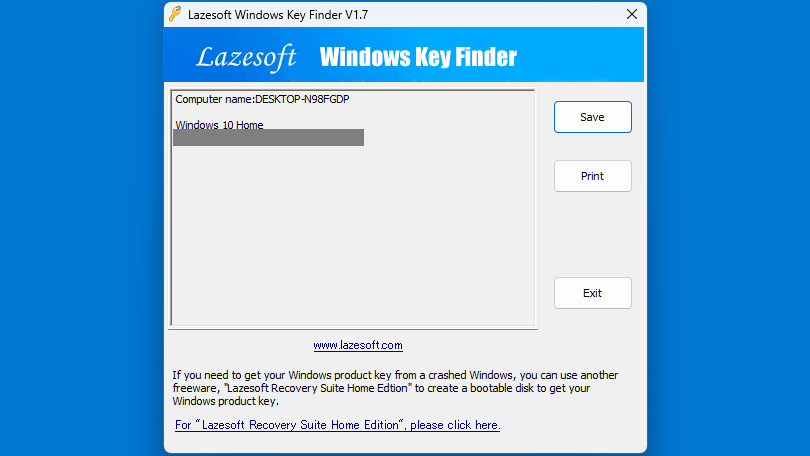
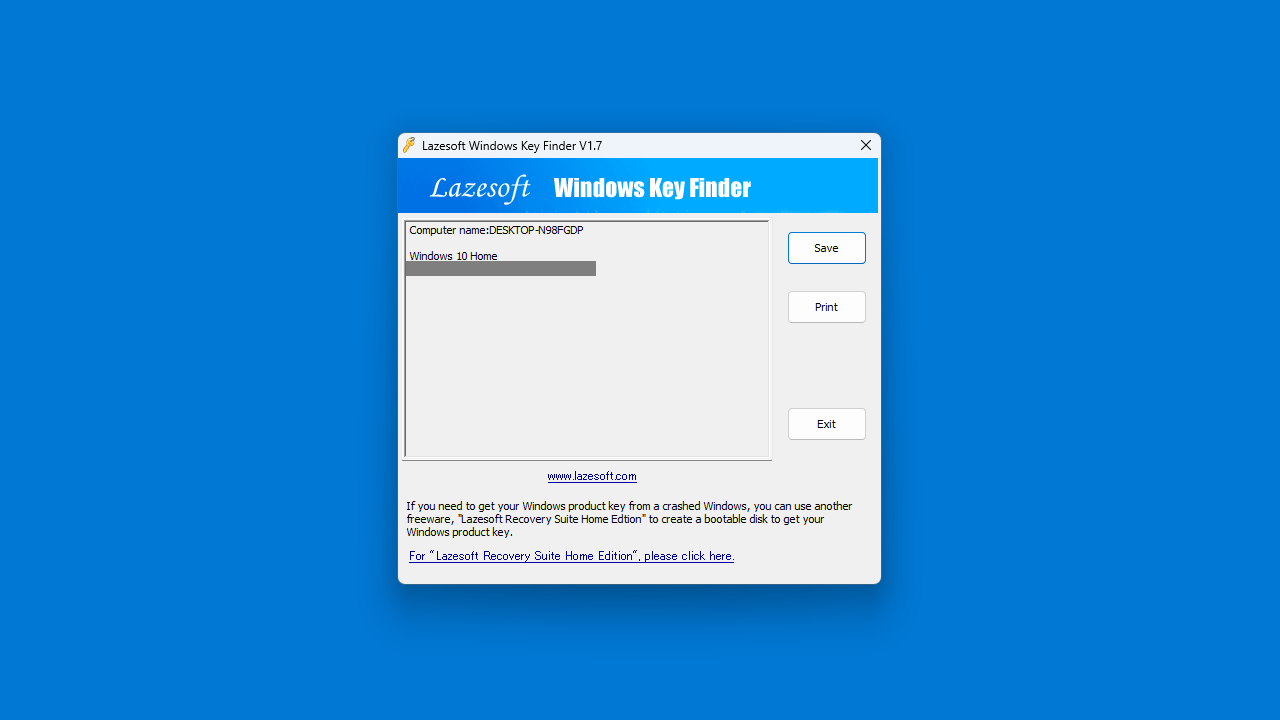
Lazesoft Windows Key Finder を実行すると、プロダクトキーが表示されます。
・Save :プロダクトキーをテキストファイルに保存します。
・Print :プロダクトキーを印刷します。
・Exit :アプリケーションを終了します。
よくある質問と回答
ライセンスについて。
ユーザーレビュー
レビューはまだありません、 最初のレビューを投稿してください。コメントは任意です。