").attr(n.scriptAttrs||{}).prop({charset:n.scriptCharset,src:n.url}).on("load error",i=function(e){r.remove(),i=null,e&&t("error"===e.type?404:200,e.type)}),C.head.appendChild(r[0])},abort:function(){i&&i()}}});var Jt,Kt=[],Zt=/(=)\?(?=&|$)|\?\?/;ce.ajaxSetup({jsonp:"callback",jsonpCallback:function(){var e=Kt.pop()||ce.expando+"_"+jt.guid++;return this[e]=!0,e}}),ce.ajaxPrefilter("json jsonp",function(e,t,n){var r,i,o,a=!1!==e.jsonp&&(Zt.test(e.url)?"url":"string"==typeof e.data&&0===(e.contentType||"").indexOf("application/x-www-form-urlencoded")&&Zt.test(e.data)&&"data");if(a||"jsonp"===e.dataTypes[0])return r=e.jsonpCallback=v(e.jsonpCallback)?e.jsonpCallback():e.jsonpCallback,a?e[a]=e[a].replace(Zt,"$1"+r):!1!==e.jsonp&&(e.url+=(At.test(e.url)?"&":"?")+e.jsonp+"="+r),e.converters["script json"]=function(){return o||ce.error(r+" was not called"),o[0]},e.dataTypes[0]="json",i=ie[r],ie[r]=function(){o=arguments},n.always(function(){void 0===i?ce(ie).removeProp(r):ie[r]=i,e[r]&&(e.jsonpCallback=t.jsonpCallback,Kt.push(r)),o&&v(i)&&i(o[0]),o=i=void 0}),"script"}),le.createHTMLDocument=((Jt=C.implementation.createHTMLDocument("").body).innerHTML="
",2===Jt.childNodes.length),ce.parseHTML=function(e,t,n){return"string"!=typeof e?[]:("boolean"==typeof t&&(n=t,t=!1),t||(le.createHTMLDocument?((r=(t=C.implementation.createHTMLDocument("")).createElement("base")).href=C.location.href,t.head.appendChild(r)):t=C),o=!n&&[],(i=w.exec(e))?[t.createElement(i[1])]:(i=Ae([e],t,o),o&&o.length&&ce(o).remove(),ce.merge([],i.childNodes)));var r,i,o},ce.fn.load=function(e,t,n){var r,i,o,a=this,s=e.indexOf(" ");return-1").append(ce.parseHTML(e)).find(r):e)}).always(n&&function(e,t){a.each(function(){n.apply(this,o||[e.responseText,t,e])})}),this},ce.expr.pseudos.animated=function(t){return ce.grep(ce.timers,function(e){return t===e.elem}).length},ce.offset={setOffset:function(e,t,n){var r,i,o,a,s,u,l=ce.css(e,"position"),c=ce(e),f={};"static"===l&&(e.style.position="relative"),s=c.offset(),o=ce.css(e,"top"),u=ce.css(e,"left"),("absolute"===l||"fixed"===l)&&-1<(o+u).indexOf("auto")?(a=(r=c.position()).top,i=r.left):(a=parseFloat(o)||0,i=parseFloat(u)||0),v(t)&&(t=t.call(e,n,ce.extend({},s))),null!=t.top&&(f.top=t.top-s.top+a),null!=t.left&&(f.left=t.left-s.left+i),"using"in t?t.using.call(e,f):c.css(f)}},ce.fn.extend({offset:function(t){if(arguments.length)return void 0===t?this:this.each(function(e){ce.offset.setOffset(this,t,e)});var e,n,r=this[0];return r?r.getClientRects().length?(e=r.getBoundingClientRect(),n=r.ownerDocument.defaultView,{top:e.top+n.pageYOffset,left:e.left+n.pageXOffset}):{top:0,left:0}:void 0},position:function(){if(this[0]){var e,t,n,r=this[0],i={top:0,left:0};if("fixed"===ce.css(r,"position"))t=r.getBoundingClientRect();else{t=this.offset(),n=r.ownerDocument,e=r.offsetParent||n.documentElement;while(e&&(e===n.body||e===n.documentElement)&&"static"===ce.css(e,"position"))e=e.parentNode;e&&e!==r&&1===e.nodeType&&((i=ce(e).offset()).top+=ce.css(e,"borderTopWidth",!0),i.left+=ce.css(e,"borderLeftWidth",!0))}return{top:t.top-i.top-ce.css(r,"marginTop",!0),left:t.left-i.left-ce.css(r,"marginLeft",!0)}}},offsetParent:function(){return this.map(function(){var e=this.offsetParent;while(e&&"static"===ce.css(e,"position"))e=e.offsetParent;return e||J})}}),ce.each({scrollLeft:"pageXOffset",scrollTop:"pageYOffset"},function(t,i){var o="pageYOffset"===i;ce.fn[t]=function(e){return M(this,function(e,t,n){var r;if(y(e)?r=e:9===e.nodeType&&(r=e.defaultView),void 0===n)return r?r[i]:e[t];r?r.scrollTo(o?r.pageXOffset:n,o?n:r.pageYOffset):e[t]=n},t,e,arguments.length)}}),ce.each(["top","left"],function(e,n){ce.cssHooks[n]=Ye(le.pixelPosition,function(e,t){if(t)return t=Ge(e,n),_e.test(t)?ce(e).position()[n]+"px":t})}),ce.each({Height:"height",Width:"width"},function(a,s){ce.each({padding:"inner"+a,content:s,"":"outer"+a},function(r,o){ce.fn[o]=function(e,t){var n=arguments.length&&(r||"boolean"!=typeof e),i=r||(!0===e||!0===t?"margin":"border");return M(this,function(e,t,n){var r;return y(e)?0===o.indexOf("outer")?e["inner"+a]:e.document.documentElement["client"+a]:9===e.nodeType?(r=e.documentElement,Math.max(e.body["scroll"+a],r["scroll"+a],e.body["offset"+a],r["offset"+a],r["client"+a])):void 0===n?ce.css(e,t,i):ce.style(e,t,n,i)},s,n?e:void 0,n)}})}),ce.each(["ajaxStart","ajaxStop","ajaxComplete","ajaxError","ajaxSuccess","ajaxSend"],function(e,t){ce.fn[t]=function(e){return this.on(t,e)}}),ce.fn.extend({bind:function(e,t,n){return this.on(e,null,t,n)},unbind:function(e,t){return this.off(e,null,t)},delegate:function(e,t,n,r){return this.on(t,e,n,r)},undelegate:function(e,t,n){return 1===arguments.length?this.off(e,"**"):this.off(t,e||"**",n)},hover:function(e,t){return this.on("mouseenter",e).on("mouseleave",t||e)}}),ce.each("blur focus focusin focusout resize scroll click dblclick mousedown mouseup mousemove mouseover mouseout mouseenter mouseleave change select submit keydown keypress keyup contextmenu".split(" "),function(e,n){ce.fn[n]=function(e,t){return 0
Opal 1.5.1
マルチメディアプレーヤー
2023/04/04 14:21
説明機能仕様ダウンロード画像使い方
リラックスミュージックプレーヤー

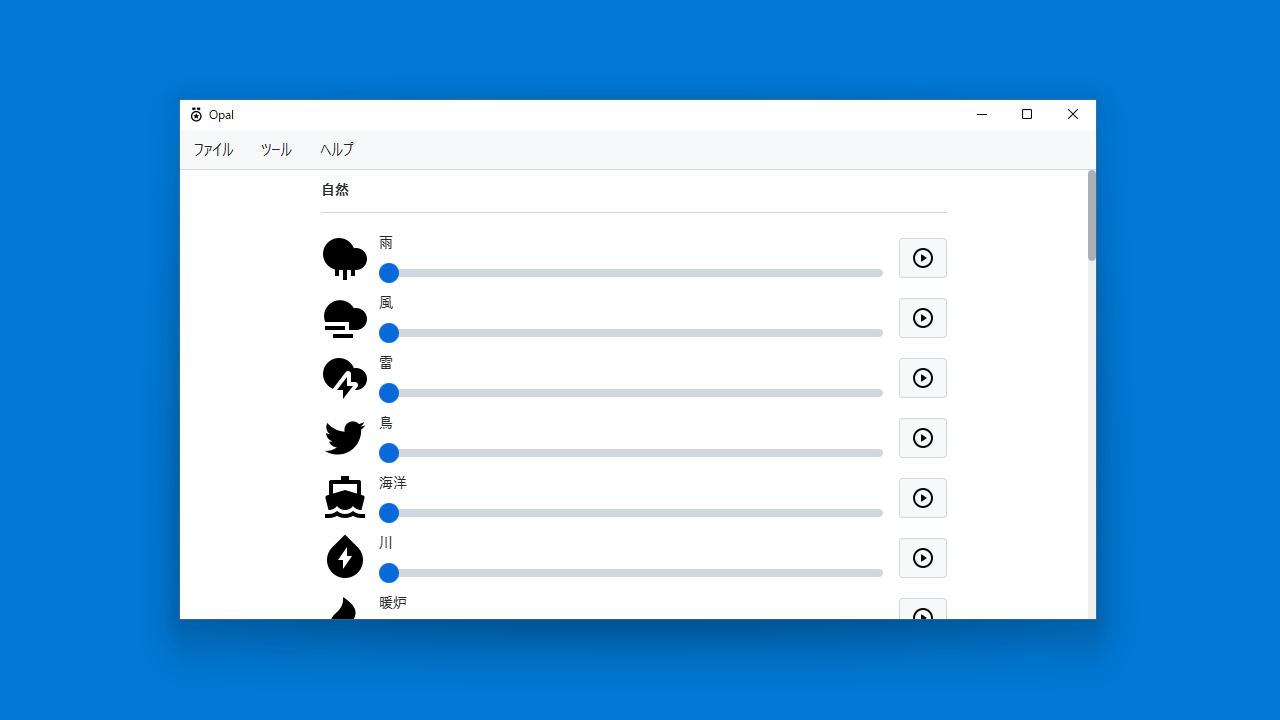
雨や風、川のせせらぎや鳥のさえずりなどの自然の音、タイピングや電話の音、渋滞やレストランの音などの 30 以上のリラックスできるミュージックを再生することができるバックグラウンドサウンドプレーヤー。
Opal の概要
Opal を使用すると、仕事中や休憩中にリラックスできるバックグラウンドサウンドを再生できます。
Opal の機能
Opal の主な機能です。
| 機能 |
概要 |
| メイン機能 |
バックグラウンドサウンドを再生する |
| 機能詳細 |
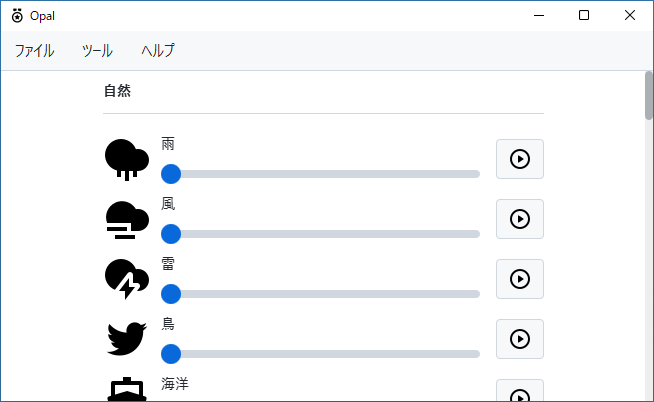
・自然(雨、風、雷、川、火など)のサウンド
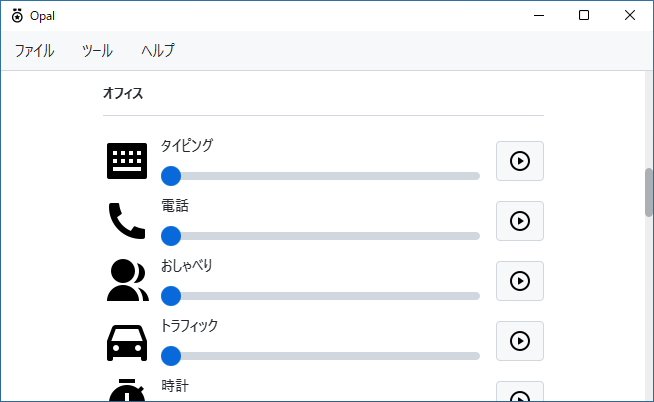
・オフィスのバックグラウンドノイズ
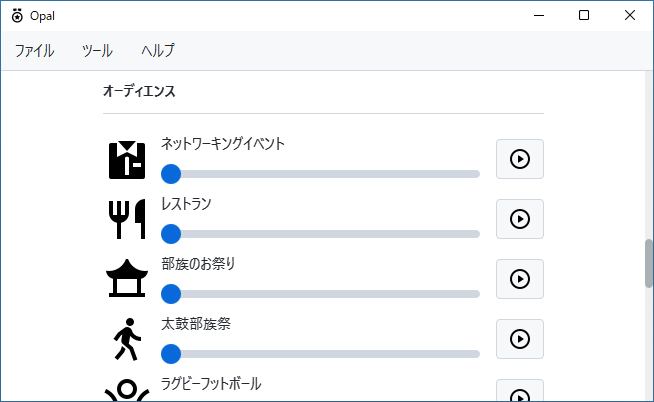
・オーディエンス(レストラン、太鼓、フットボールなど)
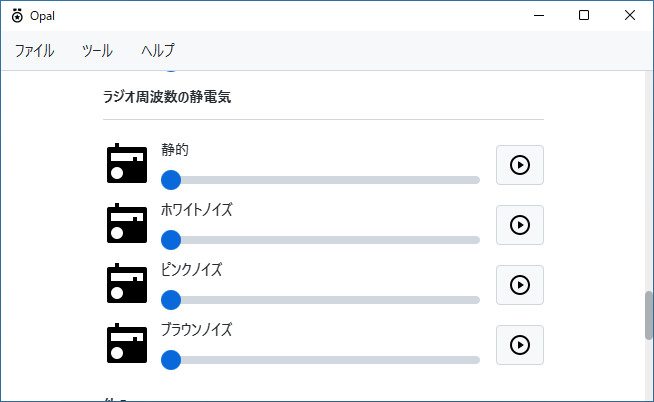
・ラジオのノイズ |
さまざまなリラックスミュージックの再生ができます
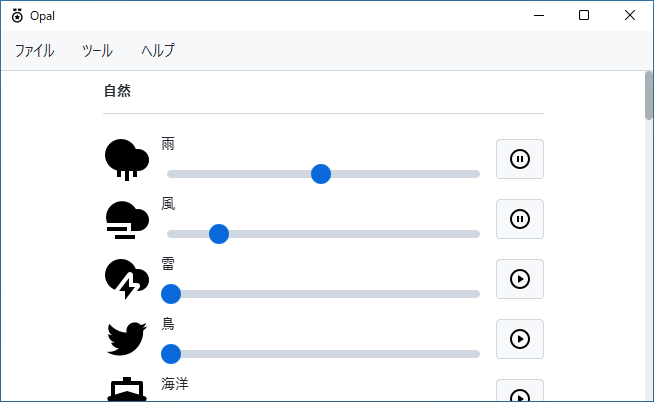
Opal は、雨や風、川のせせらぎや鳥のさえずりなどの自然の音、タイピングや電話の音、渋滞やレストランの音などのリラックスできるミュージックを再生することができるバックグラウンドサウンドプレーヤーです。
仕事中や休憩中または睡眠する時に、気持ちが落ち着く/リラックスるサウンドを聴くことができます。
便利なタイマー機能
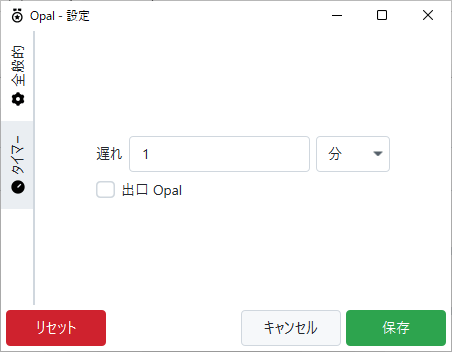
Opal を使用すると、波や暖炉、洞窟や動物園、カエルの鳴き声や人がしゃべる声、太鼓の音や観客の声などの 30 種類以上のサウンド/ミュージックを再生できます。
タイマーを有効にすると、指定した時間が経過したときにすべての音楽をオフにすることができます。この機能は、眠りに就こうとしているときに非常に便利です。
リラックスや睡眠をサポートする無料のオープンソースのサウンドプレーヤー
Opal は、睡眠をサポートしたり、リラックスしたいときなどにさまざまな音源を流すことができる便利なアプリケーションです。Windows と Linux 、Mac で使用できます。
機能
- 自然(雨、風、雷、川、火など)のサウンド
- オフィスのバックグラウンドノイズ
- オーディエンス(レストラン、太鼓、フットボールなど)
- ラジオのノイズ
- そのほか
価格:無料
動作環境:Windows 7|8|8.1|10|11・Mac・Linux
使用言語:英語
最終更新日:
5か月前 (2025/11/16)
ダウンロード数:1769
画像

自然

オフィス

オーディエンス

ラジオノイズ
使い方
インストール
1.インストール方法
- セットアップウィザードが開始したら[Next]をクリックします。
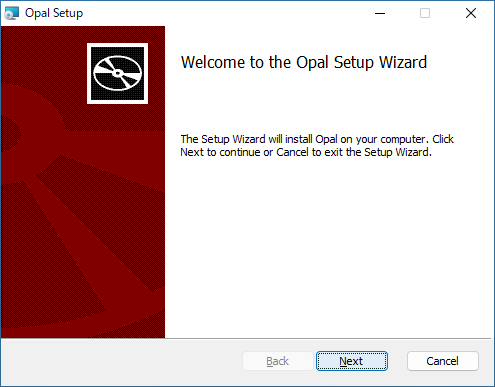
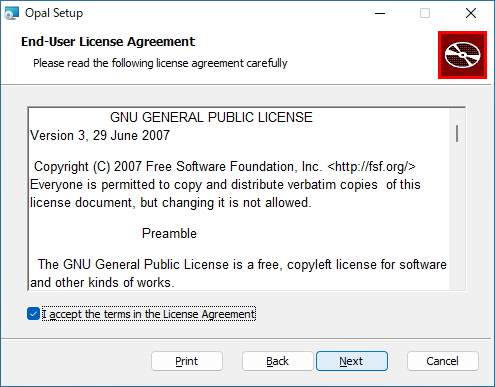
- ライセンスが表示されます。「I accept the terms in the License Agreement」を選択して[Next]をクリックします。
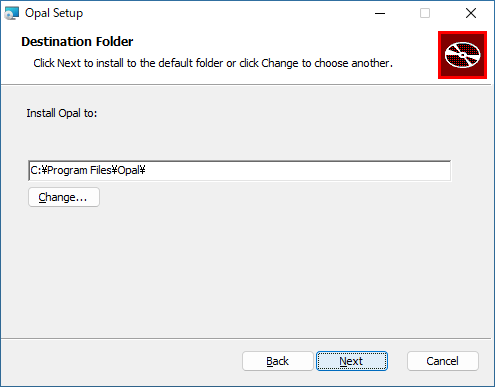
- インストール先を確認して、[Next]をクリックします。
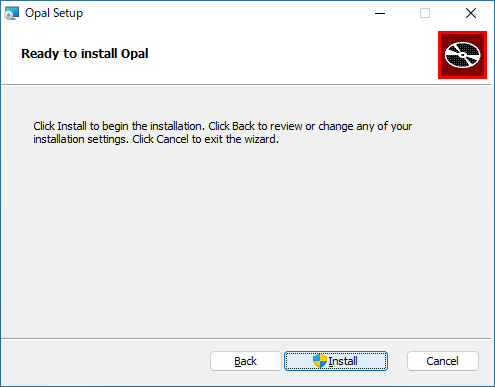
- [Install]をクリックしてインストールを開始します。
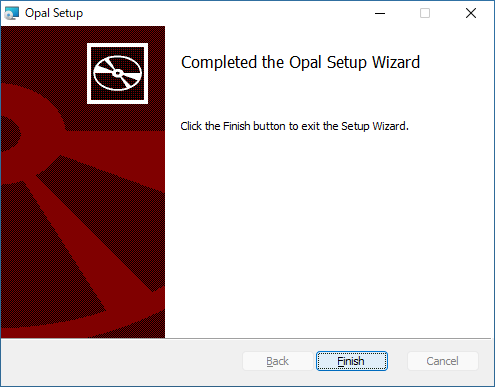
- [Finish]をクリックしてセットアップウィザードを閉じます。
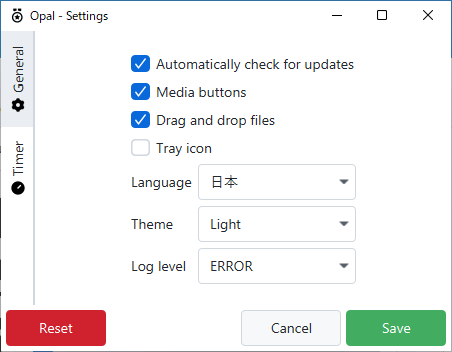
言語を日本語に変更する
1. 日本語化
- 「Tools」>「Settings」を開きます。
- 「Language」のドロップダウンで「日本」を選択します。
- アプリを再起動すると、UI が日本語で表示されます。
基本的な使い方
1. 基本的な使い方

- 「ツール」>「設定」>「タイマー」を開くとタイマー機能を利用できます。
- 指定した時間が経過すると再生が停止します。

・「ツール」>「タイマー」から、タイマーの有効/無効の切り替えができます。
よくある質問と回答
ライセンスについて。
Opal は、どなたでも無料で使用できます。