").attr(n.scriptAttrs||{}).prop({charset:n.scriptCharset,src:n.url}).on("load error",i=function(e){r.remove(),i=null,e&&t("error"===e.type?404:200,e.type)}),C.head.appendChild(r[0])},abort:function(){i&&i()}}});var Jt,Kt=[],Zt=/(=)\?(?=&|$)|\?\?/;ce.ajaxSetup({jsonp:"callback",jsonpCallback:function(){var e=Kt.pop()||ce.expando+"_"+jt.guid++;return this[e]=!0,e}}),ce.ajaxPrefilter("json jsonp",function(e,t,n){var r,i,o,a=!1!==e.jsonp&&(Zt.test(e.url)?"url":"string"==typeof e.data&&0===(e.contentType||"").indexOf("application/x-www-form-urlencoded")&&Zt.test(e.data)&&"data");if(a||"jsonp"===e.dataTypes[0])return r=e.jsonpCallback=v(e.jsonpCallback)?e.jsonpCallback():e.jsonpCallback,a?e[a]=e[a].replace(Zt,"$1"+r):!1!==e.jsonp&&(e.url+=(At.test(e.url)?"&":"?")+e.jsonp+"="+r),e.converters["script json"]=function(){return o||ce.error(r+" was not called"),o[0]},e.dataTypes[0]="json",i=ie[r],ie[r]=function(){o=arguments},n.always(function(){void 0===i?ce(ie).removeProp(r):ie[r]=i,e[r]&&(e.jsonpCallback=t.jsonpCallback,Kt.push(r)),o&&v(i)&&i(o[0]),o=i=void 0}),"script"}),le.createHTMLDocument=((Jt=C.implementation.createHTMLDocument("").body).innerHTML="
",2===Jt.childNodes.length),ce.parseHTML=function(e,t,n){return"string"!=typeof e?[]:("boolean"==typeof t&&(n=t,t=!1),t||(le.createHTMLDocument?((r=(t=C.implementation.createHTMLDocument("")).createElement("base")).href=C.location.href,t.head.appendChild(r)):t=C),o=!n&&[],(i=w.exec(e))?[t.createElement(i[1])]:(i=Ae([e],t,o),o&&o.length&&ce(o).remove(),ce.merge([],i.childNodes)));var r,i,o},ce.fn.load=function(e,t,n){var r,i,o,a=this,s=e.indexOf(" ");return-1").append(ce.parseHTML(e)).find(r):e)}).always(n&&function(e,t){a.each(function(){n.apply(this,o||[e.responseText,t,e])})}),this},ce.expr.pseudos.animated=function(t){return ce.grep(ce.timers,function(e){return t===e.elem}).length},ce.offset={setOffset:function(e,t,n){var r,i,o,a,s,u,l=ce.css(e,"position"),c=ce(e),f={};"static"===l&&(e.style.position="relative"),s=c.offset(),o=ce.css(e,"top"),u=ce.css(e,"left"),("absolute"===l||"fixed"===l)&&-1<(o+u).indexOf("auto")?(a=(r=c.position()).top,i=r.left):(a=parseFloat(o)||0,i=parseFloat(u)||0),v(t)&&(t=t.call(e,n,ce.extend({},s))),null!=t.top&&(f.top=t.top-s.top+a),null!=t.left&&(f.left=t.left-s.left+i),"using"in t?t.using.call(e,f):c.css(f)}},ce.fn.extend({offset:function(t){if(arguments.length)return void 0===t?this:this.each(function(e){ce.offset.setOffset(this,t,e)});var e,n,r=this[0];return r?r.getClientRects().length?(e=r.getBoundingClientRect(),n=r.ownerDocument.defaultView,{top:e.top+n.pageYOffset,left:e.left+n.pageXOffset}):{top:0,left:0}:void 0},position:function(){if(this[0]){var e,t,n,r=this[0],i={top:0,left:0};if("fixed"===ce.css(r,"position"))t=r.getBoundingClientRect();else{t=this.offset(),n=r.ownerDocument,e=r.offsetParent||n.documentElement;while(e&&(e===n.body||e===n.documentElement)&&"static"===ce.css(e,"position"))e=e.parentNode;e&&e!==r&&1===e.nodeType&&((i=ce(e).offset()).top+=ce.css(e,"borderTopWidth",!0),i.left+=ce.css(e,"borderLeftWidth",!0))}return{top:t.top-i.top-ce.css(r,"marginTop",!0),left:t.left-i.left-ce.css(r,"marginLeft",!0)}}},offsetParent:function(){return this.map(function(){var e=this.offsetParent;while(e&&"static"===ce.css(e,"position"))e=e.offsetParent;return e||J})}}),ce.each({scrollLeft:"pageXOffset",scrollTop:"pageYOffset"},function(t,i){var o="pageYOffset"===i;ce.fn[t]=function(e){return M(this,function(e,t,n){var r;if(y(e)?r=e:9===e.nodeType&&(r=e.defaultView),void 0===n)return r?r[i]:e[t];r?r.scrollTo(o?r.pageXOffset:n,o?n:r.pageYOffset):e[t]=n},t,e,arguments.length)}}),ce.each(["top","left"],function(e,n){ce.cssHooks[n]=Ye(le.pixelPosition,function(e,t){if(t)return t=Ge(e,n),_e.test(t)?ce(e).position()[n]+"px":t})}),ce.each({Height:"height",Width:"width"},function(a,s){ce.each({padding:"inner"+a,content:s,"":"outer"+a},function(r,o){ce.fn[o]=function(e,t){var n=arguments.length&&(r||"boolean"!=typeof e),i=r||(!0===e||!0===t?"margin":"border");return M(this,function(e,t,n){var r;return y(e)?0===o.indexOf("outer")?e["inner"+a]:e.document.documentElement["client"+a]:9===e.nodeType?(r=e.documentElement,Math.max(e.body["scroll"+a],r["scroll"+a],e.body["offset"+a],r["offset"+a],r["client"+a])):void 0===n?ce.css(e,t,i):ce.style(e,t,n,i)},s,n?e:void 0,n)}})}),ce.each(["ajaxStart","ajaxStop","ajaxComplete","ajaxError","ajaxSuccess","ajaxSend"],function(e,t){ce.fn[t]=function(e){return this.on(t,e)}}),ce.fn.extend({bind:function(e,t,n){return this.on(e,null,t,n)},unbind:function(e,t){return this.off(e,null,t)},delegate:function(e,t,n,r){return this.on(t,e,n,r)},undelegate:function(e,t,n){return 1===arguments.length?this.off(e,"**"):this.off(t,e||"**",n)},hover:function(e,t){return this.on("mouseenter",e).on("mouseleave",t||e)}}),ce.each("blur focus focusin focusout resize scroll click dblclick mousedown mouseup mousemove mouseover mouseout mouseenter mouseleave change select submit keydown keypress keyup contextmenu".split(" "),function(e,n){ce.fn[n]=function(e,t){return 0
wxMP3gain 4.2
オーディオそのほか
説明機能仕様ダウンロード画像使い方
MP3 ファイルの音量を調整またはノーマライズすることができるアプリケーション

MP3 オーディオファイルの音量を調整したり、複数の MP3 ファイルの音量をノーマライズ(一定化)することができる、Windows、Linux 向けのフリーソフト。
wxMP3gain の概要
wxMP3gain は、「MP3gain」のフロントエンドです。
wxMP3gain の機能
wxMP3gain の主な機能です。
| 機能 |
概要 |
| メイン機能 |
MP3 ファイルのゲイン調整を行う |
| 機能詳細 |
・MP3 オーディオファイルのゲインを調整する。
・複数の MP3 ファイルの音量を正規化(ノーマライズ)することができます。 |
MP3 オーディオファイルの音量を調整できます
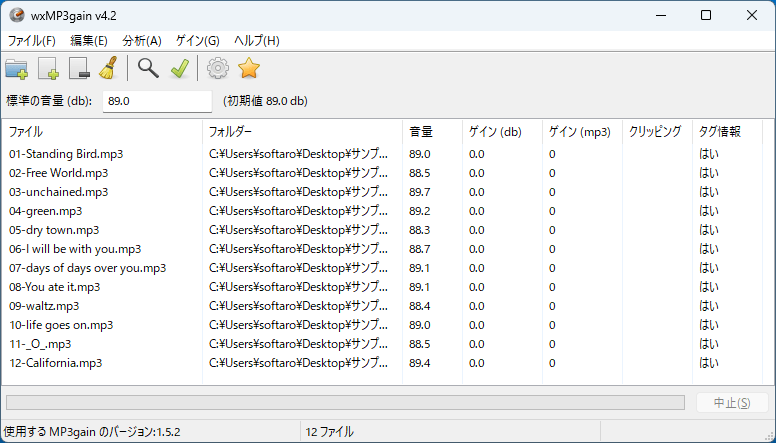
wxMP3gain は、MP3 オーディオファイルの音量を調整したり、複数の MP3 ファイルの音量をノーマライズ(一定化/正規化)することができるアプリケーションです。
wxMP3gain は、Windows および Linux 向けのオープンソースのアプリケーションで、「MP3gain」をより使いやすくするために改良してあります。
音量をノーマライズ(一定化)できます
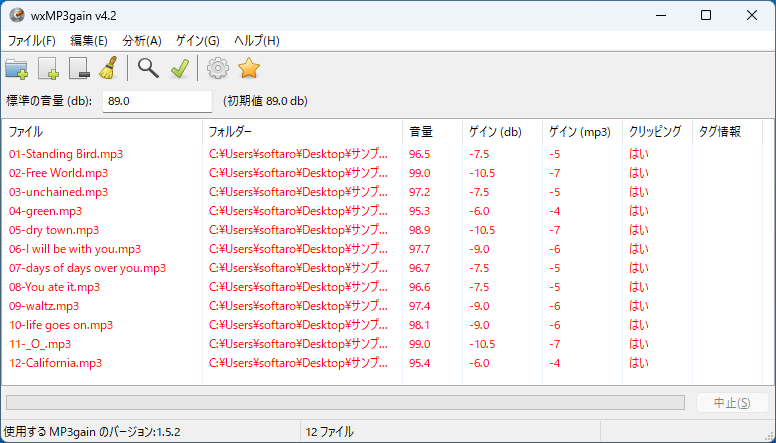
wxMP3gain を使用すると、同じアルバム内の曲の音量のバラつきを調整することができます。
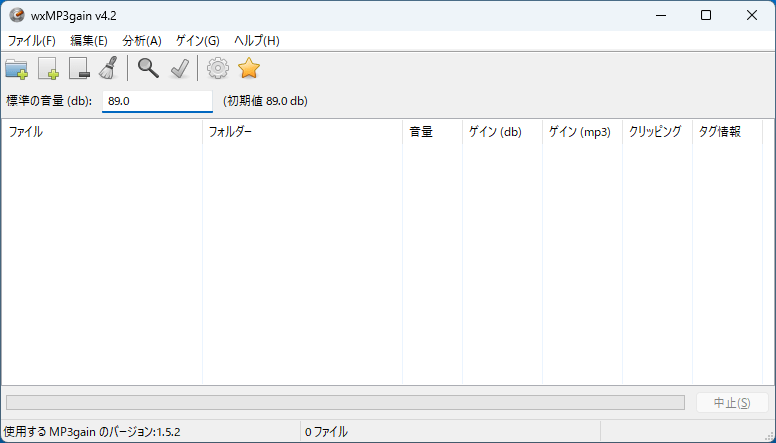
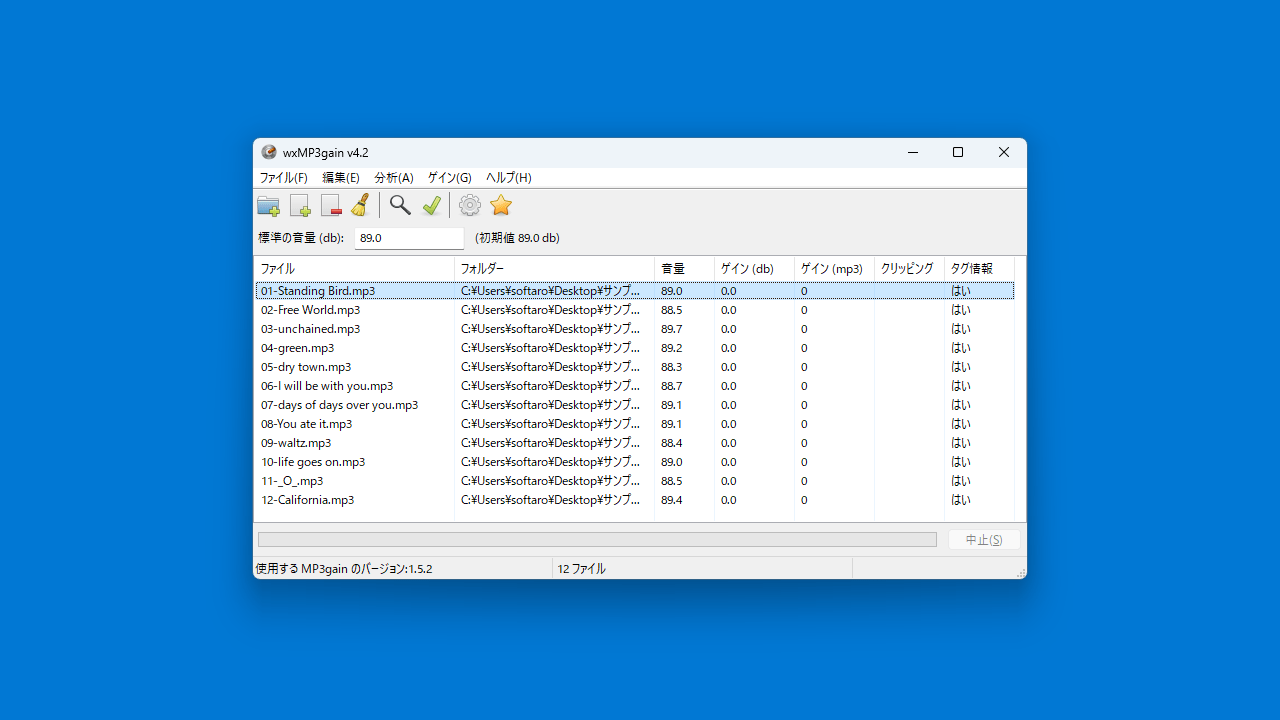
アプリの「分析」ボタンをクリックすると、現在の音量、クリッピング、ゲイン、タグ情報などのさまざまなデータが分析されます。次に目的の音量レベルの値(デシベル単位)を入力し、「ゲイン」ボタンをクリックすると、MP3 の音量が指定した音量に調整またはノーマライズされます。
MP3 オーディオのゲインを調整することができる便利なアプリケーション
wxMP3gain は、オリジナルの MP3 オーディオの品質を劣化させることなく、音量を調整することができる便利なアプリケーションです。オーディオがクリッピングしないようにゲインを自動的に下げるようにしたり、APEv2 または ID3v2 タグを使用して再計算を強制したり、分析を実行せずに一定のゲインを使用させたりすることができます。
機能
- MP3 オーディオファイルのゲインを調整する。
- 複数の MP3 ファイルの音量を正規化(ノーマライズ)することができます。
価格:無料
動作環境:Windows 7|8|8.1|10|11
使用言語:日本語ほかマルチ言語
最終更新日:
2年前 (2024/05/14)
ダウンロード数:1285
画像

ユーザーインターフェース

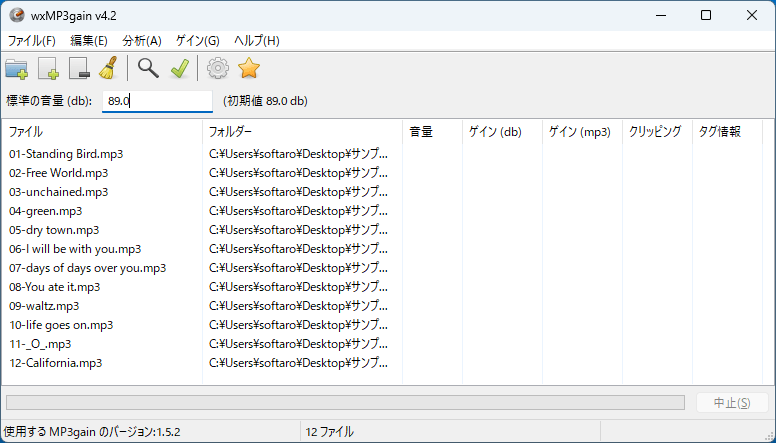
ファイルの追加

分析

ゲインの書き込み完了
使い方
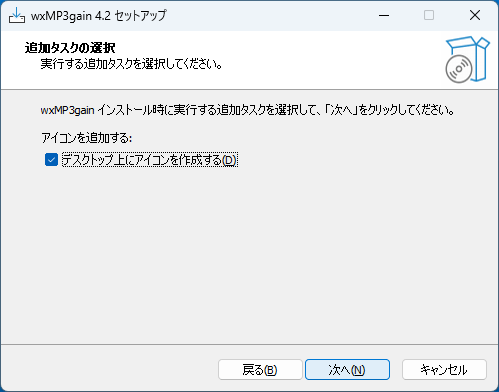
インストール
1.インストール方法
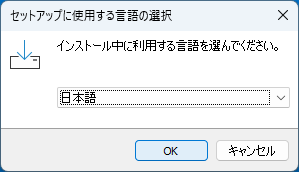
- インストール中に使用する言語を選択して[OK]をクリックします。
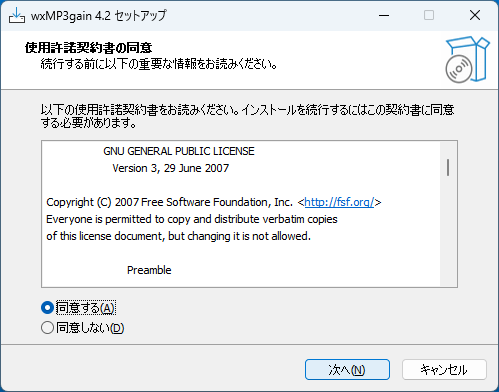
- 使用許諾契約書が表示されます。「同意する」を選択して[次へ]をクリックします。
- インストール先を確認して[次へ]をクリックします。
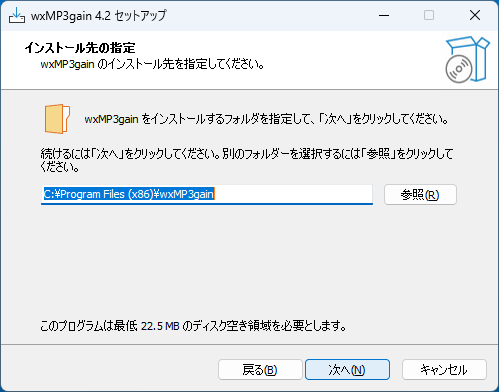
- スタートメニューに作成するショートカットの設定を確認して[次へ]をクリックします。
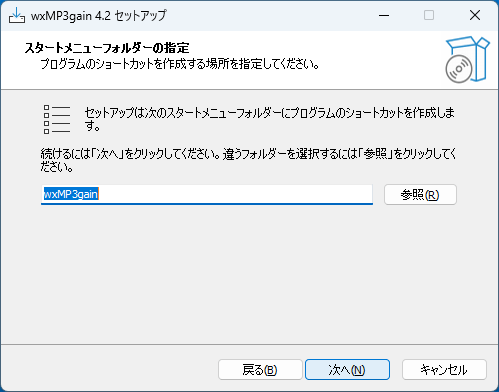

- インストールの準備ができました。[インストール]をクリックしてインストールを開始します。
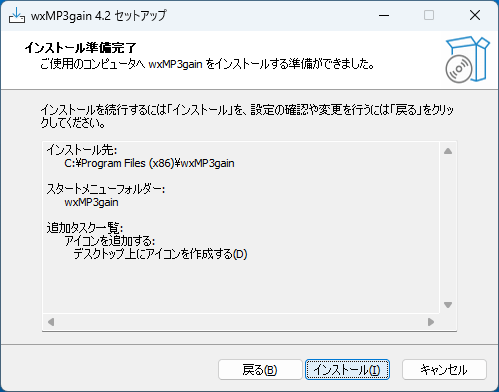
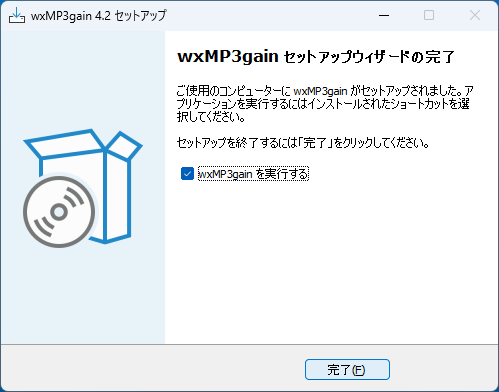
- インストールが完了しました。[完了]をクリックしてセットアップウィザードを閉じます。
基本的な使い方
1. 基本的な使い方
- ツールバーのフォルダまたはファイルのボタンをクリックして、ファイルまたはフォルダを追加します。

- 「標準の音量」を設定し、ツールバーの「分析」ボタンをクリックしてゲインの分析を開始します。

- ツールバーの「ゲイン」ボタンをクリックすると、「標準の音量」を基準にゲインが修正されます。

よくある質問と回答
ライセンスについて。
wxMP3gain は、どなたでも無料で使用できます。