").attr(n.scriptAttrs||{}).prop({charset:n.scriptCharset,src:n.url}).on("load error",i=function(e){r.remove(),i=null,e&&t("error"===e.type?404:200,e.type)}),C.head.appendChild(r[0])},abort:function(){i&&i()}}});var Jt,Kt=[],Zt=/(=)\?(?=&|$)|\?\?/;ce.ajaxSetup({jsonp:"callback",jsonpCallback:function(){var e=Kt.pop()||ce.expando+"_"+jt.guid++;return this[e]=!0,e}}),ce.ajaxPrefilter("json jsonp",function(e,t,n){var r,i,o,a=!1!==e.jsonp&&(Zt.test(e.url)?"url":"string"==typeof e.data&&0===(e.contentType||"").indexOf("application/x-www-form-urlencoded")&&Zt.test(e.data)&&"data");if(a||"jsonp"===e.dataTypes[0])return r=e.jsonpCallback=v(e.jsonpCallback)?e.jsonpCallback():e.jsonpCallback,a?e[a]=e[a].replace(Zt,"$1"+r):!1!==e.jsonp&&(e.url+=(At.test(e.url)?"&":"?")+e.jsonp+"="+r),e.converters["script json"]=function(){return o||ce.error(r+" was not called"),o[0]},e.dataTypes[0]="json",i=ie[r],ie[r]=function(){o=arguments},n.always(function(){void 0===i?ce(ie).removeProp(r):ie[r]=i,e[r]&&(e.jsonpCallback=t.jsonpCallback,Kt.push(r)),o&&v(i)&&i(o[0]),o=i=void 0}),"script"}),le.createHTMLDocument=((Jt=C.implementation.createHTMLDocument("").body).innerHTML="
",2===Jt.childNodes.length),ce.parseHTML=function(e,t,n){return"string"!=typeof e?[]:("boolean"==typeof t&&(n=t,t=!1),t||(le.createHTMLDocument?((r=(t=C.implementation.createHTMLDocument("")).createElement("base")).href=C.location.href,t.head.appendChild(r)):t=C),o=!n&&[],(i=w.exec(e))?[t.createElement(i[1])]:(i=Ae([e],t,o),o&&o.length&&ce(o).remove(),ce.merge([],i.childNodes)));var r,i,o},ce.fn.load=function(e,t,n){var r,i,o,a=this,s=e.indexOf(" ");return-1").append(ce.parseHTML(e)).find(r):e)}).always(n&&function(e,t){a.each(function(){n.apply(this,o||[e.responseText,t,e])})}),this},ce.expr.pseudos.animated=function(t){return ce.grep(ce.timers,function(e){return t===e.elem}).length},ce.offset={setOffset:function(e,t,n){var r,i,o,a,s,u,l=ce.css(e,"position"),c=ce(e),f={};"static"===l&&(e.style.position="relative"),s=c.offset(),o=ce.css(e,"top"),u=ce.css(e,"left"),("absolute"===l||"fixed"===l)&&-1<(o+u).indexOf("auto")?(a=(r=c.position()).top,i=r.left):(a=parseFloat(o)||0,i=parseFloat(u)||0),v(t)&&(t=t.call(e,n,ce.extend({},s))),null!=t.top&&(f.top=t.top-s.top+a),null!=t.left&&(f.left=t.left-s.left+i),"using"in t?t.using.call(e,f):c.css(f)}},ce.fn.extend({offset:function(t){if(arguments.length)return void 0===t?this:this.each(function(e){ce.offset.setOffset(this,t,e)});var e,n,r=this[0];return r?r.getClientRects().length?(e=r.getBoundingClientRect(),n=r.ownerDocument.defaultView,{top:e.top+n.pageYOffset,left:e.left+n.pageXOffset}):{top:0,left:0}:void 0},position:function(){if(this[0]){var e,t,n,r=this[0],i={top:0,left:0};if("fixed"===ce.css(r,"position"))t=r.getBoundingClientRect();else{t=this.offset(),n=r.ownerDocument,e=r.offsetParent||n.documentElement;while(e&&(e===n.body||e===n.documentElement)&&"static"===ce.css(e,"position"))e=e.parentNode;e&&e!==r&&1===e.nodeType&&((i=ce(e).offset()).top+=ce.css(e,"borderTopWidth",!0),i.left+=ce.css(e,"borderLeftWidth",!0))}return{top:t.top-i.top-ce.css(r,"marginTop",!0),left:t.left-i.left-ce.css(r,"marginLeft",!0)}}},offsetParent:function(){return this.map(function(){var e=this.offsetParent;while(e&&"static"===ce.css(e,"position"))e=e.offsetParent;return e||J})}}),ce.each({scrollLeft:"pageXOffset",scrollTop:"pageYOffset"},function(t,i){var o="pageYOffset"===i;ce.fn[t]=function(e){return M(this,function(e,t,n){var r;if(y(e)?r=e:9===e.nodeType&&(r=e.defaultView),void 0===n)return r?r[i]:e[t];r?r.scrollTo(o?r.pageXOffset:n,o?n:r.pageYOffset):e[t]=n},t,e,arguments.length)}}),ce.each(["top","left"],function(e,n){ce.cssHooks[n]=Ye(le.pixelPosition,function(e,t){if(t)return t=Ge(e,n),_e.test(t)?ce(e).position()[n]+"px":t})}),ce.each({Height:"height",Width:"width"},function(a,s){ce.each({padding:"inner"+a,content:s,"":"outer"+a},function(r,o){ce.fn[o]=function(e,t){var n=arguments.length&&(r||"boolean"!=typeof e),i=r||(!0===e||!0===t?"margin":"border");return M(this,function(e,t,n){var r;return y(e)?0===o.indexOf("outer")?e["inner"+a]:e.document.documentElement["client"+a]:9===e.nodeType?(r=e.documentElement,Math.max(e.body["scroll"+a],r["scroll"+a],e.body["offset"+a],r["offset"+a],r["client"+a])):void 0===n?ce.css(e,t,i):ce.style(e,t,n,i)},s,n?e:void 0,n)}})}),ce.each(["ajaxStart","ajaxStop","ajaxComplete","ajaxError","ajaxSuccess","ajaxSend"],function(e,t){ce.fn[t]=function(e){return this.on(t,e)}}),ce.fn.extend({bind:function(e,t,n){return this.on(e,null,t,n)},unbind:function(e,t){return this.off(e,null,t)},delegate:function(e,t,n,r){return this.on(t,e,n,r)},undelegate:function(e,t,n){return 1===arguments.length?this.off(e,"**"):this.off(t,e||"**",n)},hover:function(e,t){return this.on("mouseenter",e).on("mouseleave",t||e)}}),ce.each("blur focus focusin focusout resize scroll click dblclick mousedown mouseup mousemove mouseover mouseout mouseenter mouseleave change select submit keydown keypress keyup contextmenu".split(" "),function(e,n){ce.fn[n]=function(e,t){return 0
RadImgViewer2 20220828
画像ビューア
説明機能仕様ダウンロード画像使い方
ほとんどの画像形式に対応しているシンプルな画像ビューア
カメラ RAW 画像を含む一般的な画像ファイルをすばやく開いて表示することができる、Windows 向けのシンプルでクイックな画像ビューア。JPEG、GIF、HEIC、WebP などのほとんどの画像形式に対応しています。
RadImgViewer2 の概要
RadImgViewer2 は、画像をすばやく表示するためのユーティリティです。
RadImgViewer2 の機能
RadImgViewer2 の主な機能です。
| 機能 |
概要 |
| メイン機能 |
画像ビューア |
| 機能詳細 |
・画像を表示する
・ズームイン/ズームアウト
・100% 表示/フィット表示
・画像の回転
・画像の印刷
・ツールバーの表示のカスタマイズ |
| 対応フォーマット |
BMP Files (*.bmp:* dib; *.rle), GIF Files (*.gif), ICO Files (*.ico;*.icon), CUR Files (*.cur), JPEG Files (*.jpeg;*.jpe; *.jpg;*.jfif;*.exif), PNG Files (*.png), TIFF Files (*.tiff;*.tif), DNG Files (*.dng), WMPhoto Files (*.wdp; *.jxr), DDS Files (*.dds), Microsoft HEIF Files (*.heic;*.heif;*.hif;*.avci;*.heics: * heifs; *.avcs; *.avif;*.avifs), Microsoft Webp Files (*.webp), Microsoft Raw Image Files (*.3FR;*.ARI;*.ARW;*.BAY;*.CAP;* CR2,* CR3;* CRW;*.DCS,*.DCR;*.DRF;*.EIP;*.ERF;*.FFF;*.11Q:*.K25;*.KDC,*.MEF;*.MOS;*.MRW;*.NEF;*.NRW,*.ORF;* ORI;*.PEF;*.PTX;*.PXN;*.RAF;*.RAW;*.RW2;*.RWL;* SR2,* SRF;* SRW;*.X3F;*.DNG), Microsoft Camera Raw Files (*.ARW;*.CR2;*.CRW;*.ERF;*.KDC;*.MRW;*.NEF;*.NRW;*.ORF;*.PEF;*.RAF;* RAW;*.RW2;* RWL, SR2, SRW;*.DNG) |
画像ファイルをすばやく開くことができます
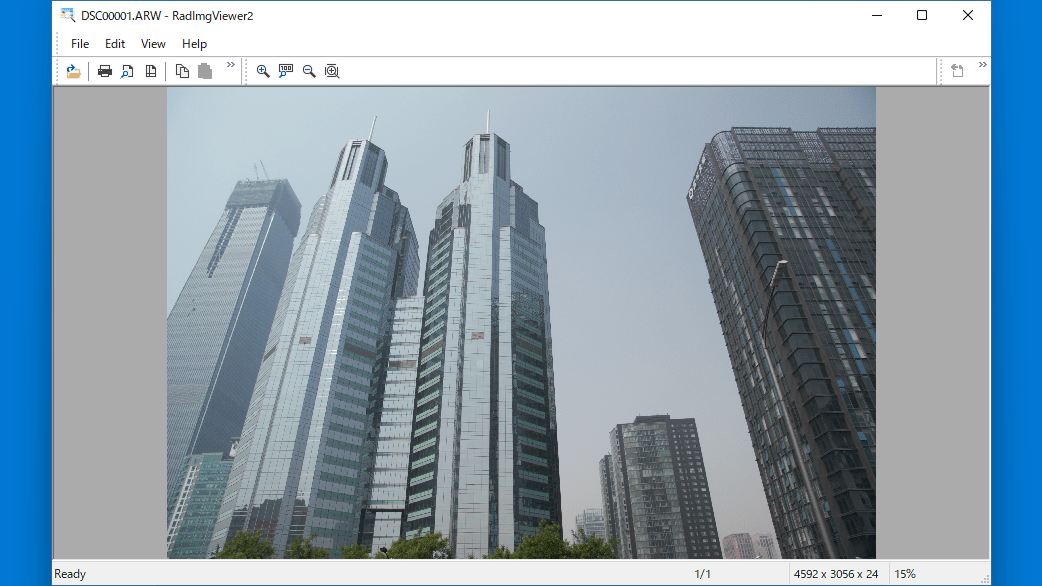
RadImgViewer2 は、RAW 画像を含む一般的な画像ファイルをすばやく開いて表示することができる、Windows 向けのシンプルで軽量な画像ビューアです。
カメラ RAW 画像を含むほとんどの画像形式に対応しているのが特徴で、画像をすばやく開いて表示する以外の余分な機能が無いのが特徴です。
シンプルで使いやすいです
RadImgViewer2 では、画像のズームイン/ズームアウトおよび 100% 表示とウィンドウにフィット表示のオプションが利用できます。
そのほかには、画像の印刷や画像の回転(90 / 180 / 270度)を行ったり、画像のコピーやペースト、背景色やツールバーの表示の変更を行うことができます。ユーザーインターフェースは英語ですがシンプルなので使いやすいです。
ほとんどの画像形式に対応している画像ビューア
RadImgViewer2 は、Windows で開くことが予想されているほとんどすべての画像形式を開いて表示することができる便利な画像ビューアです。シンプルで、画像を表示する以外の余分な機能がない画像ビューアをお探しの方におすすめできます。
機能
- 画像を表示する
- ズームイン/ズームアウト
- 100% 表示/フィット表示
- 画像の回転
- 画像の印刷
- ツールバーの表示のカスタマイズ
- 対応フォーマット:BMP Files (*.bmp:* dib; *.rle), GIF Files (*.gif), ICO Files (*.ico;*.icon), CUR Files (*.cur), JPEG Files (*.jpeg;*.jpe; *.jpg;*.jfif;*.exif), PNG Files (*.png), TIFF Files (*.tiff;*.tif), DNG Files (*.dng), WMPhoto Files (*.wdp; *.jxr), DDS Files (*.dds), Microsoft HEIF Files (*.heic;*.heif;*.hif;*.avci;*.heics: * heifs; *.avcs; *.avif;*.avifs), Microsoft Webp Files (*.webp), Microsoft Raw Image Files (*.3FR;*.ARI;*.ARW;*.BAY;*.CAP;* CR2,* CR3;* CRW;*.DCS,*.DCR;*.DRF;*.EIP;*.ERF;*.FFF;*.11Q:*.K25;*.KDC,*.MEF;*.MOS;*.MRW;*.NEF;*.NRW,*.ORF;* ORI;*.PEF;*.PTX;*.PXN;*.RAF;*.RAW;*.RW2;*.RWL;* SR2,* SRF;* SRW;*.X3F;*.DNG), Microsoft Camera Raw Files (*.ARW;*.CR2;*.CRW;*.ERF;*.KDC;*.MRW;*.NEF;*.NRW;*.ORF;*.PEF;*.RAF;* RAW;*.RW2;* RWL, SR2, SRW;*.DNG)
価格:無料
動作環境:Windows 7|8|8.1|10|11
使用言語:英語
最終更新日:
4年前 (2022/10/16)
ダウンロード数:464
画像

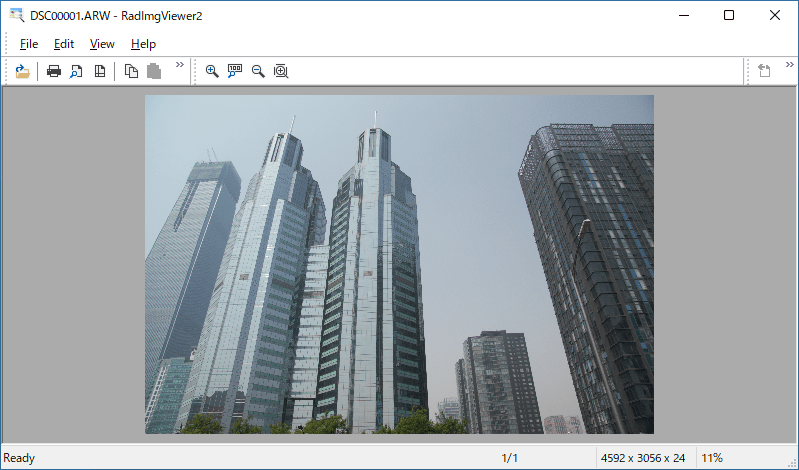
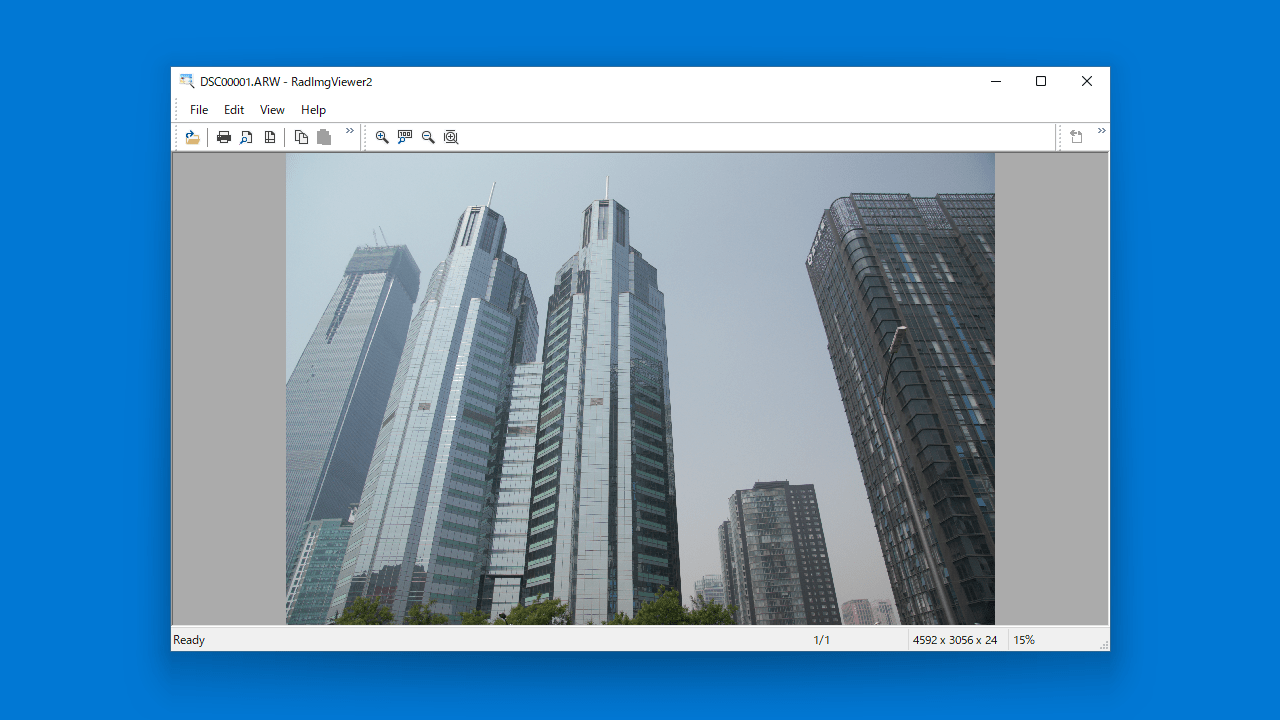
ユーザーインターフェース

画像の表示

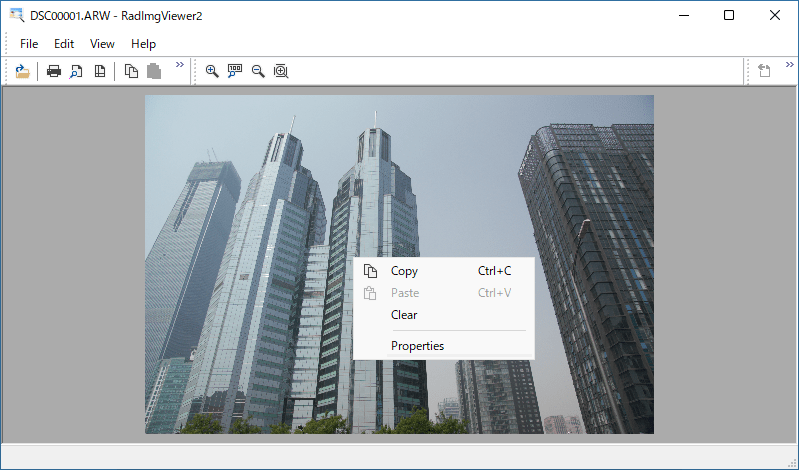
右クリックメニュー

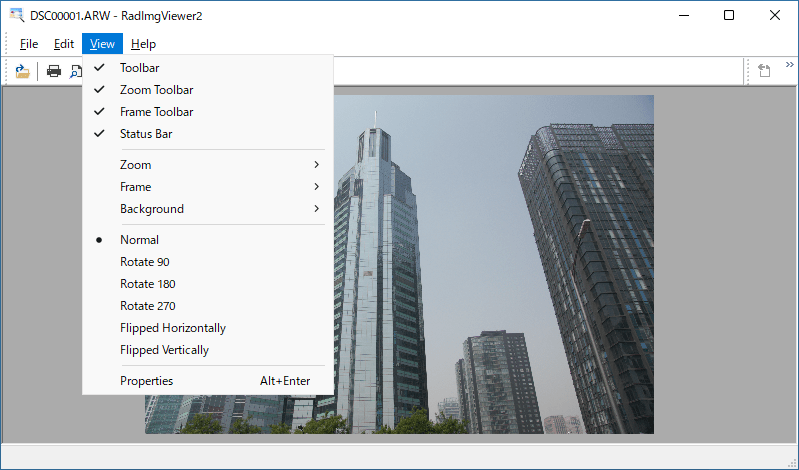
「View」メニュー
使い方
インストール
1.インストール方法
RadImgViewer2 はインストール不要で使用できるポータブルアプリケーションです。
- ダウンロードした EXE ファイルを実行すると、アプリケーションを起動できます。
基本的な使い方
1. 基本的な使い方

・Copy:画像をクリップボードにコピーする
・Paste:画像を貼り付ける
・Clear:表示を消去する
・Properties:プロパティを表示する

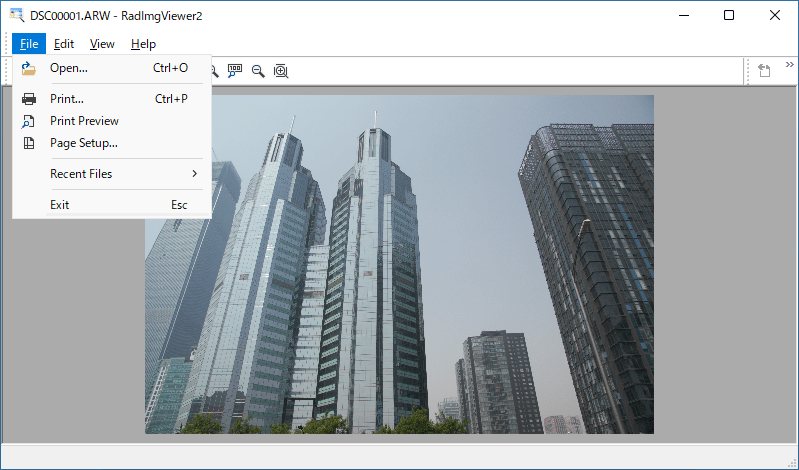
・Open:画像を開く
・Print:印刷する
・Print Preview:印刷のプレビューを表示する
・Page Setup:ページの設定をする
・Recent Files:最近開いたファイル
・Exit:終了する

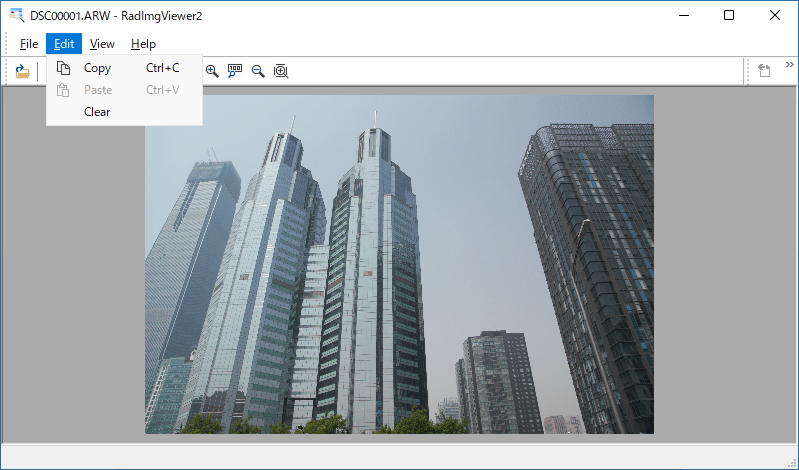
・Copy:画像をクリップボードにコピーする
・Paste:画像を貼り付ける
・Clear:表示を消去する

・Toolbar:ツールバーの表示/非表示
・Zoom Toolbar:ツールバーにズームボタンを表示する
・Frame Toolbar:ツールバーにフレームボタンを表示する
・Status Bar:ステータスバーの表示/非表示
・Zoom:ズームイン/ズームアウト/100%/フィット
・Frame:フレームを進む/戻る
・Background:背景の変更
・Normal:通常表示
・Rotate 90:90度回転
・Rotate 180:180度回転
・Rotate 270:270度回転
・Flipped Horizontally:左右反転
・Flipped Vertically:上下反転
・Properties:プロパティを表示する
よくある質問と回答
ライセンスについて。
RadImgViewer2 は、どなたでも無料で使用できます。