").attr(n.scriptAttrs||{}).prop({charset:n.scriptCharset,src:n.url}).on("load error",i=function(e){r.remove(),i=null,e&&t("error"===e.type?404:200,e.type)}),C.head.appendChild(r[0])},abort:function(){i&&i()}}});var Jt,Kt=[],Zt=/(=)\?(?=&|$)|\?\?/;ce.ajaxSetup({jsonp:"callback",jsonpCallback:function(){var e=Kt.pop()||ce.expando+"_"+jt.guid++;return this[e]=!0,e}}),ce.ajaxPrefilter("json jsonp",function(e,t,n){var r,i,o,a=!1!==e.jsonp&&(Zt.test(e.url)?"url":"string"==typeof e.data&&0===(e.contentType||"").indexOf("application/x-www-form-urlencoded")&&Zt.test(e.data)&&"data");if(a||"jsonp"===e.dataTypes[0])return r=e.jsonpCallback=v(e.jsonpCallback)?e.jsonpCallback():e.jsonpCallback,a?e[a]=e[a].replace(Zt,"$1"+r):!1!==e.jsonp&&(e.url+=(At.test(e.url)?"&":"?")+e.jsonp+"="+r),e.converters["script json"]=function(){return o||ce.error(r+" was not called"),o[0]},e.dataTypes[0]="json",i=ie[r],ie[r]=function(){o=arguments},n.always(function(){void 0===i?ce(ie).removeProp(r):ie[r]=i,e[r]&&(e.jsonpCallback=t.jsonpCallback,Kt.push(r)),o&&v(i)&&i(o[0]),o=i=void 0}),"script"}),le.createHTMLDocument=((Jt=C.implementation.createHTMLDocument("").body).innerHTML="
",2===Jt.childNodes.length),ce.parseHTML=function(e,t,n){return"string"!=typeof e?[]:("boolean"==typeof t&&(n=t,t=!1),t||(le.createHTMLDocument?((r=(t=C.implementation.createHTMLDocument("")).createElement("base")).href=C.location.href,t.head.appendChild(r)):t=C),o=!n&&[],(i=w.exec(e))?[t.createElement(i[1])]:(i=Ae([e],t,o),o&&o.length&&ce(o).remove(),ce.merge([],i.childNodes)));var r,i,o},ce.fn.load=function(e,t,n){var r,i,o,a=this,s=e.indexOf(" ");return-1").append(ce.parseHTML(e)).find(r):e)}).always(n&&function(e,t){a.each(function(){n.apply(this,o||[e.responseText,t,e])})}),this},ce.expr.pseudos.animated=function(t){return ce.grep(ce.timers,function(e){return t===e.elem}).length},ce.offset={setOffset:function(e,t,n){var r,i,o,a,s,u,l=ce.css(e,"position"),c=ce(e),f={};"static"===l&&(e.style.position="relative"),s=c.offset(),o=ce.css(e,"top"),u=ce.css(e,"left"),("absolute"===l||"fixed"===l)&&-1<(o+u).indexOf("auto")?(a=(r=c.position()).top,i=r.left):(a=parseFloat(o)||0,i=parseFloat(u)||0),v(t)&&(t=t.call(e,n,ce.extend({},s))),null!=t.top&&(f.top=t.top-s.top+a),null!=t.left&&(f.left=t.left-s.left+i),"using"in t?t.using.call(e,f):c.css(f)}},ce.fn.extend({offset:function(t){if(arguments.length)return void 0===t?this:this.each(function(e){ce.offset.setOffset(this,t,e)});var e,n,r=this[0];return r?r.getClientRects().length?(e=r.getBoundingClientRect(),n=r.ownerDocument.defaultView,{top:e.top+n.pageYOffset,left:e.left+n.pageXOffset}):{top:0,left:0}:void 0},position:function(){if(this[0]){var e,t,n,r=this[0],i={top:0,left:0};if("fixed"===ce.css(r,"position"))t=r.getBoundingClientRect();else{t=this.offset(),n=r.ownerDocument,e=r.offsetParent||n.documentElement;while(e&&(e===n.body||e===n.documentElement)&&"static"===ce.css(e,"position"))e=e.parentNode;e&&e!==r&&1===e.nodeType&&((i=ce(e).offset()).top+=ce.css(e,"borderTopWidth",!0),i.left+=ce.css(e,"borderLeftWidth",!0))}return{top:t.top-i.top-ce.css(r,"marginTop",!0),left:t.left-i.left-ce.css(r,"marginLeft",!0)}}},offsetParent:function(){return this.map(function(){var e=this.offsetParent;while(e&&"static"===ce.css(e,"position"))e=e.offsetParent;return e||J})}}),ce.each({scrollLeft:"pageXOffset",scrollTop:"pageYOffset"},function(t,i){var o="pageYOffset"===i;ce.fn[t]=function(e){return M(this,function(e,t,n){var r;if(y(e)?r=e:9===e.nodeType&&(r=e.defaultView),void 0===n)return r?r[i]:e[t];r?r.scrollTo(o?r.pageXOffset:n,o?n:r.pageYOffset):e[t]=n},t,e,arguments.length)}}),ce.each(["top","left"],function(e,n){ce.cssHooks[n]=Ye(le.pixelPosition,function(e,t){if(t)return t=Ge(e,n),_e.test(t)?ce(e).position()[n]+"px":t})}),ce.each({Height:"height",Width:"width"},function(a,s){ce.each({padding:"inner"+a,content:s,"":"outer"+a},function(r,o){ce.fn[o]=function(e,t){var n=arguments.length&&(r||"boolean"!=typeof e),i=r||(!0===e||!0===t?"margin":"border");return M(this,function(e,t,n){var r;return y(e)?0===o.indexOf("outer")?e["inner"+a]:e.document.documentElement["client"+a]:9===e.nodeType?(r=e.documentElement,Math.max(e.body["scroll"+a],r["scroll"+a],e.body["offset"+a],r["offset"+a],r["client"+a])):void 0===n?ce.css(e,t,i):ce.style(e,t,n,i)},s,n?e:void 0,n)}})}),ce.each(["ajaxStart","ajaxStop","ajaxComplete","ajaxError","ajaxSuccess","ajaxSend"],function(e,t){ce.fn[t]=function(e){return this.on(t,e)}}),ce.fn.extend({bind:function(e,t,n){return this.on(e,null,t,n)},unbind:function(e,t){return this.off(e,null,t)},delegate:function(e,t,n,r){return this.on(t,e,n,r)},undelegate:function(e,t,n){return 1===arguments.length?this.off(e,"**"):this.off(t,e||"**",n)},hover:function(e,t){return this.on("mouseenter",e).on("mouseleave",t||e)}}),ce.each("blur focus focusin focusout resize scroll click dblclick mousedown mouseup mousemove mouseover mouseout mouseenter mouseleave change select submit keydown keypress keyup contextmenu".split(" "),function(e,n){ce.fn[n]=function(e,t){return 0
JuceVLC 0.9.6
マルチメディアプレーヤー
説明機能仕様ダウンロード画像使い方
VLC ベースのシンプルな Windows 向けメディアプレーヤー
シンプルなメディアセンターライクなフルスクリーンインターフェースを備えている、Windows 向けの VLC ベースのメディアプレーヤー。

JuceVLC の概要
JuceVLC は、Media Center のようなフルスクリーンユーザーインターフェイスを備えた VLC です。
JuceVLC の機能
JuceVLC の主な機能です。
| 機能 |
概要 |
| メイン機能 |
マルチメディアプレーヤー |
| 機能詳細 |
・VLC ベースのメディアプレーヤー
・オンスクリーンディスプレイ(OSD)を使用してローカルファイルを参照できます。 |
VLC ベースのメディアプレーヤーです
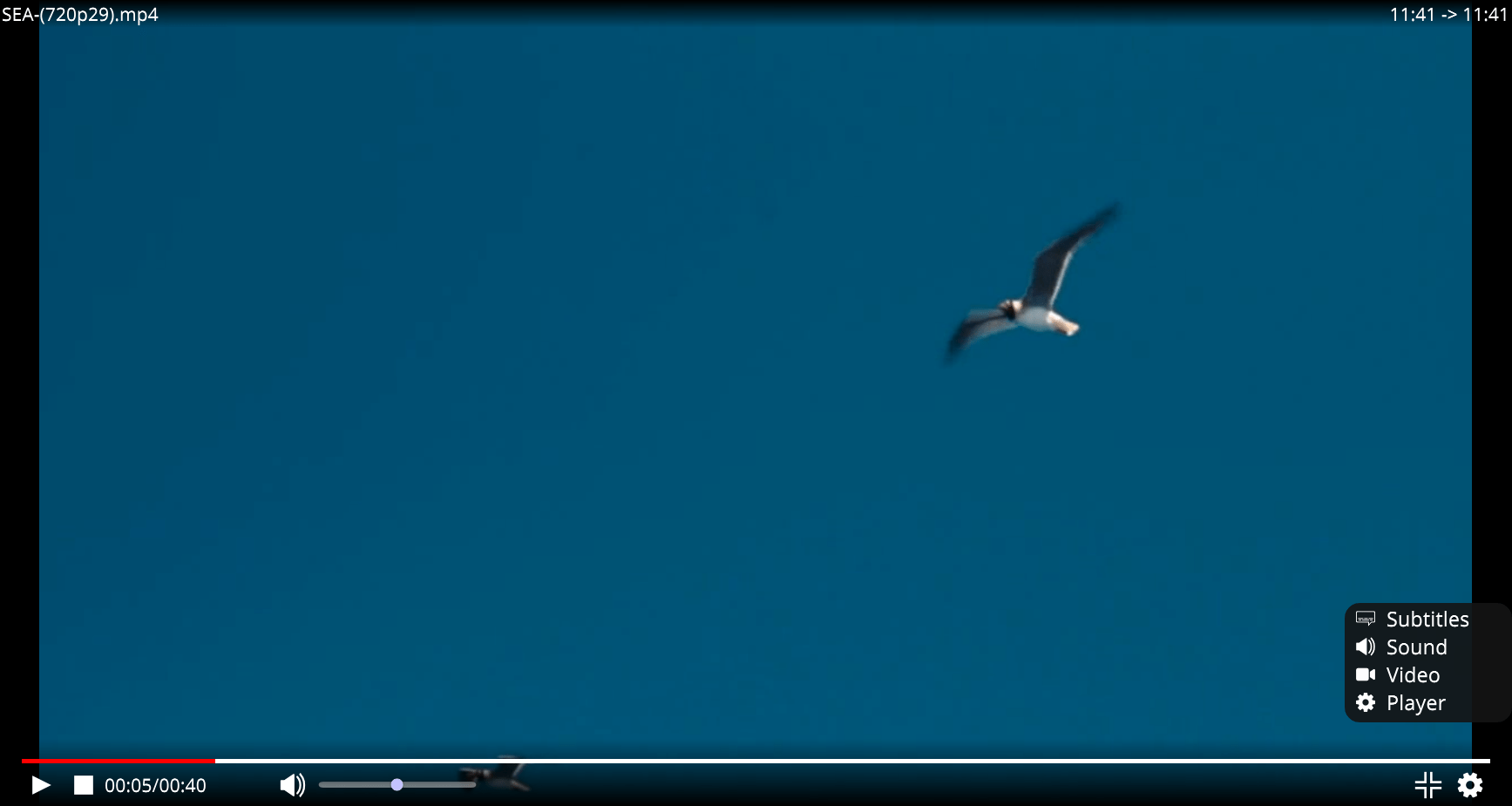
JuceVLC は、シンプルなメディアセンターライクなフルスクリーンインターフェースを備えている、Windows 向けの「VLC」ベースのメディアプレーヤーです。
JuceVLC は、ワイヤレスマウスを使用して、ソファに座ったまま映画を閲覧したり視聴したりしたい場合に役に立つように開発されました。
シンプルなインターフェースを備えています

JuceVLC は、システムファイル選択ダイアログがなく、オンスクリーンディスプレイ(OSD)を使用してローカルファイルをかんたんに参照し、設定を調整したりできます。また、UPNP 経由でリモートのフォルダやファイルを参照することもできます。
JuceVLC の使い方はかんたんで、基本的には起動時に表示されるメニューから「All videos」を選択して 再生したい動画ファイルを選択するだけです。
ほとんどのビデオを再生できるシンプルなメディアプレーヤー
JuceVLC は、VLC で再生可能なほとんどのビデオファイルを再生できる、シンプルなユーザーインターフェースを備えたメディアプレーヤーです。DVD を読み込むことはできますが、再生には難があるようなので、DVD の再生にはおすすめできません。
機能
- 小さなシステムファイル選択ダイアログがなく、オンスクリーンディスプレイ(OSD)を使用してローカルファイルを簡単に参照し、設定を調整できます。
- 大きくカスタマイズ可能なフォントサイズとポップアップダイアログなし。
- OSD のスライダーを使用した字幕の選択と同期。
- opensubtitles.org から字幕を検索、ダウンロード、抽出、読み込みます。
- 最後のビデオフォルダとお気に入りのビデオフォルダ、および最後の30個のビデオの位置を保持します。
- システムを混乱させません:設定はレジストリではなくアプリケーションフォルダに保存されます。
- レジストリには何も保存されないため、後続のインストールは以前のインストールに影響を与えません。
- JuceVLC アプリケーションは通常の VLC コアライブラリ/プラグインを使用します。通常、将来の VLC マイナーアップデートを JuceVLC に貼り付けて、JuceVLC アップデートなしでコアビデオプレーヤーを更新できます。
- 「スペースキー」を使用すると、ビデオを再生/一時停止できます。
価格:無料
動作環境:Windows 7|8|8.1|10|11
使用言語:英語ほか
最終更新日:
2年前 (2024/10/24)
ダウンロード数:240
画像

ユーザーインターフェース

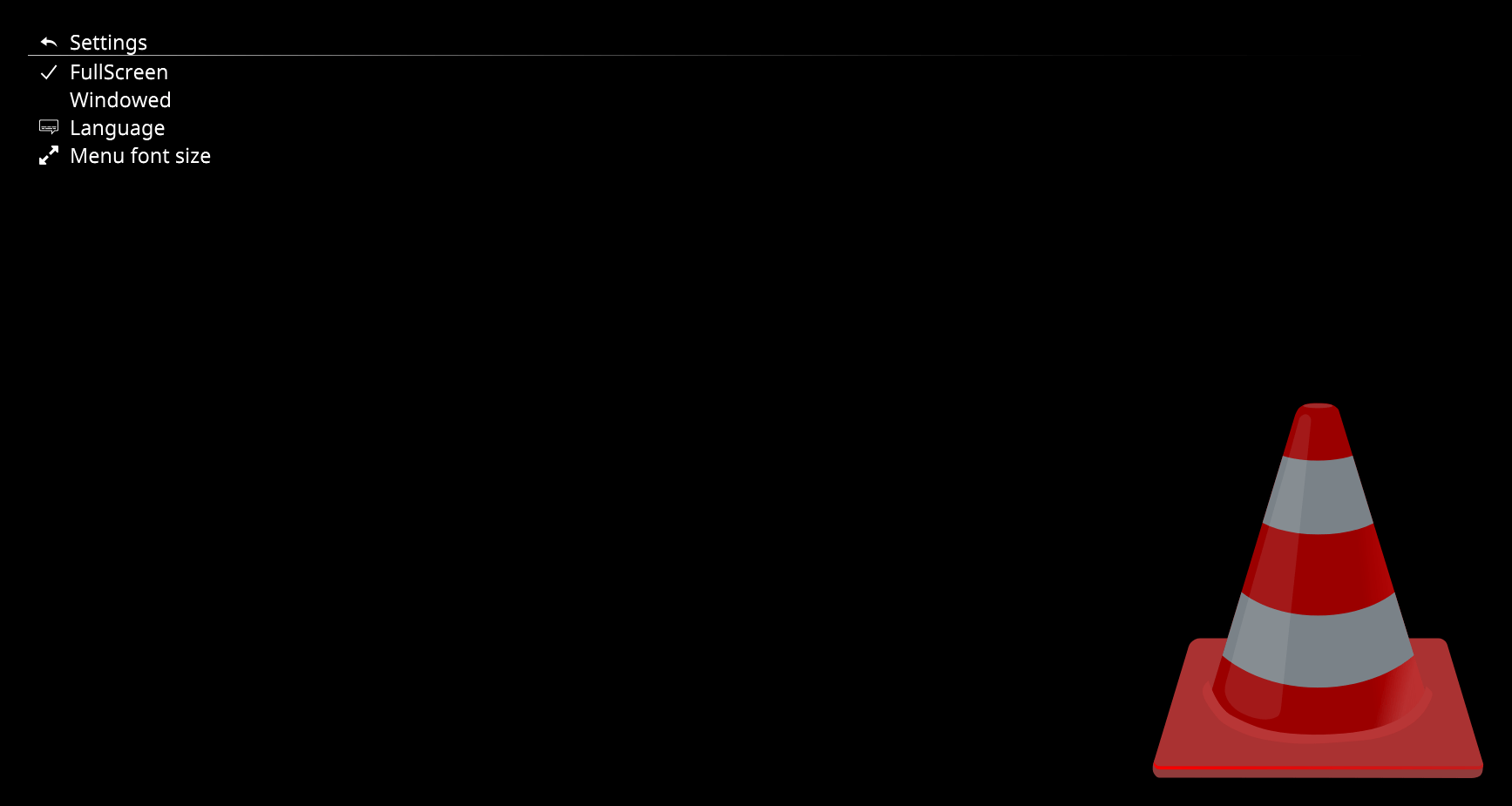
設定

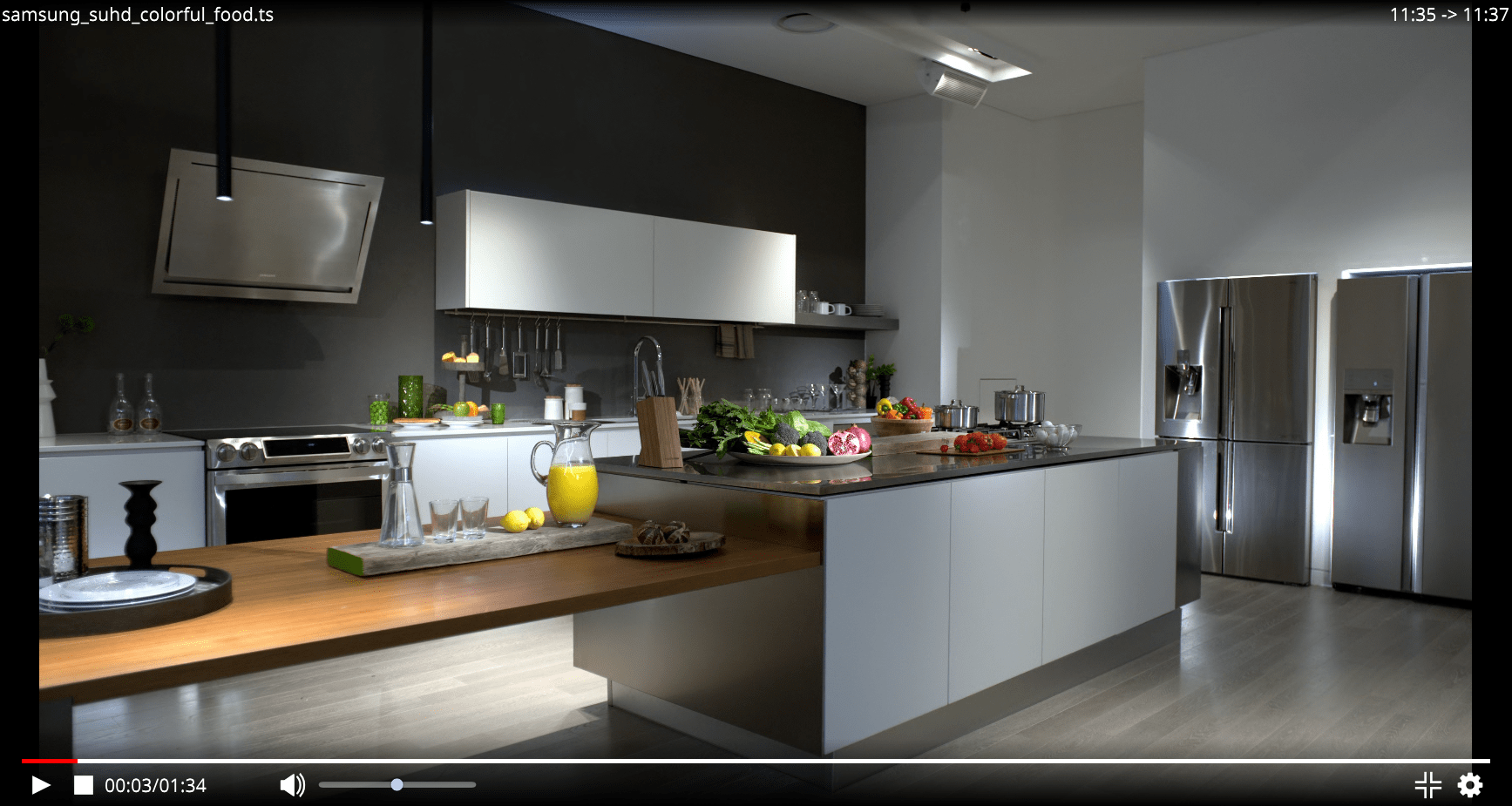
プレーヤー画面

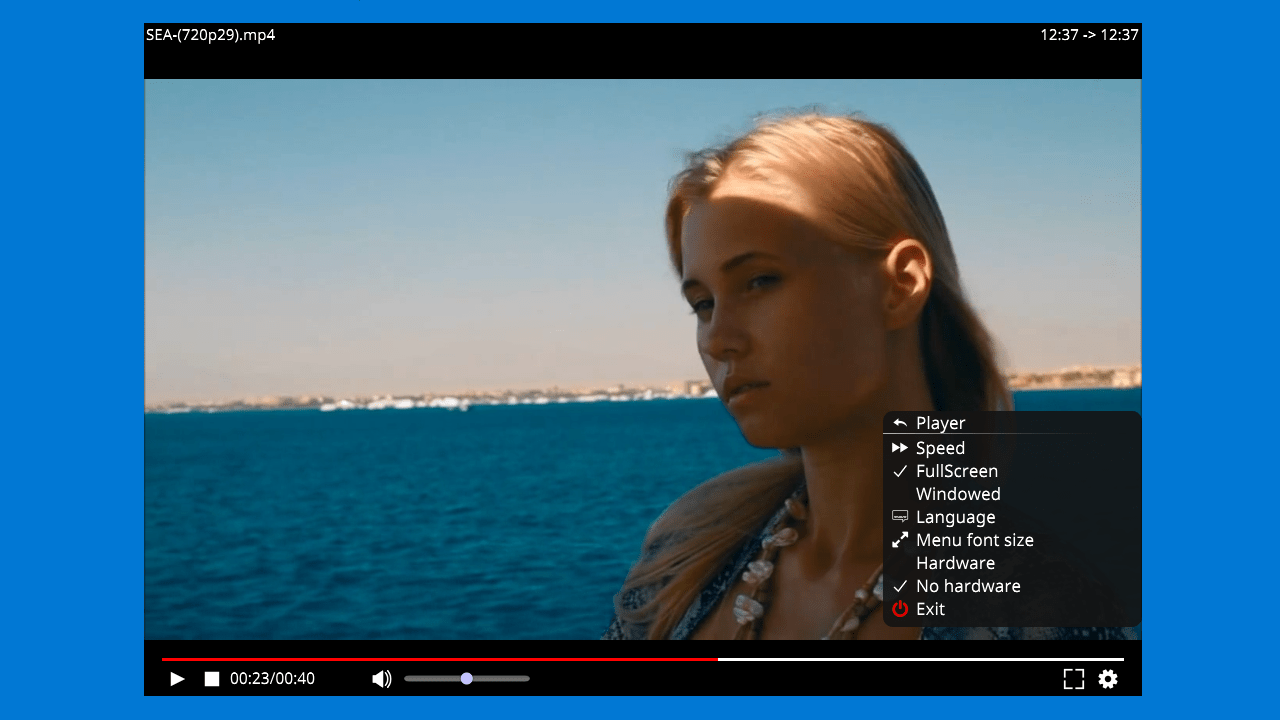
メニュー
使い方
インストール
1.インストール
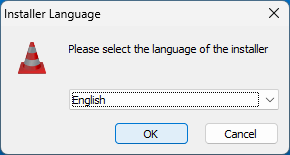
- インストール時に使用する言語を選択して[OK]をクリックします。
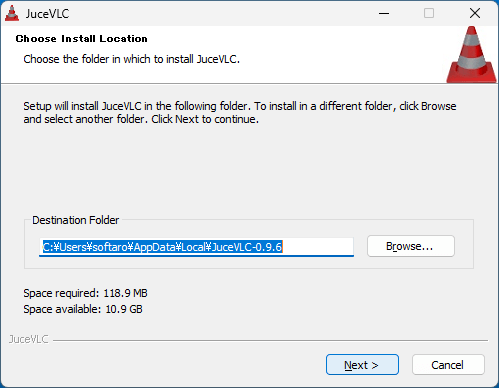
- インストール先を確認して[Next]をクリックします。
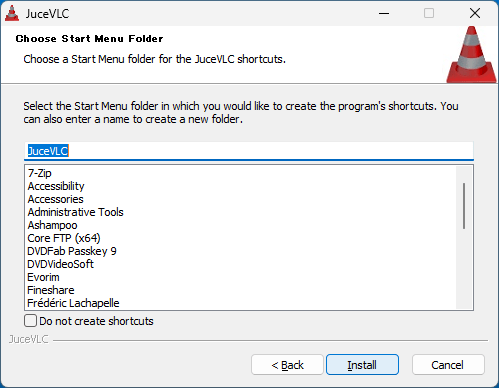
- スタートメニューに作成するショートカットの設定を確認し、[Install]をクリックしてインストールを開始します。
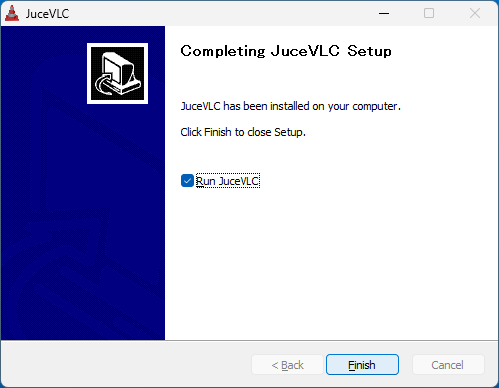
- インストールが完了しました。[Finish]をクリックしてセットアップウィザードを閉じます。
基本的な使い方
1. 基本的な使い方
起動時の画面です。
- 「All videos」から、ビデオファイルを探して選択することができます。

- 「Settings」を選択すると、プレーヤーの設定ができます。デフォルトはフルスクリーンになっています。

- プレーヤーの画面です。
- 右下の歯車のアイコンをクリックすると、メニューを開くことができます。

よくある質問と回答
ライセンスについて。
JuceVLC は、どなたでも無料で利用できます。