").attr(n.scriptAttrs||{}).prop({charset:n.scriptCharset,src:n.url}).on("load error",i=function(e){r.remove(),i=null,e&&t("error"===e.type?404:200,e.type)}),C.head.appendChild(r[0])},abort:function(){i&&i()}}});var Jt,Kt=[],Zt=/(=)\?(?=&|$)|\?\?/;ce.ajaxSetup({jsonp:"callback",jsonpCallback:function(){var e=Kt.pop()||ce.expando+"_"+jt.guid++;return this[e]=!0,e}}),ce.ajaxPrefilter("json jsonp",function(e,t,n){var r,i,o,a=!1!==e.jsonp&&(Zt.test(e.url)?"url":"string"==typeof e.data&&0===(e.contentType||"").indexOf("application/x-www-form-urlencoded")&&Zt.test(e.data)&&"data");if(a||"jsonp"===e.dataTypes[0])return r=e.jsonpCallback=v(e.jsonpCallback)?e.jsonpCallback():e.jsonpCallback,a?e[a]=e[a].replace(Zt,"$1"+r):!1!==e.jsonp&&(e.url+=(At.test(e.url)?"&":"?")+e.jsonp+"="+r),e.converters["script json"]=function(){return o||ce.error(r+" was not called"),o[0]},e.dataTypes[0]="json",i=ie[r],ie[r]=function(){o=arguments},n.always(function(){void 0===i?ce(ie).removeProp(r):ie[r]=i,e[r]&&(e.jsonpCallback=t.jsonpCallback,Kt.push(r)),o&&v(i)&&i(o[0]),o=i=void 0}),"script"}),le.createHTMLDocument=((Jt=C.implementation.createHTMLDocument("").body).innerHTML="
",2===Jt.childNodes.length),ce.parseHTML=function(e,t,n){return"string"!=typeof e?[]:("boolean"==typeof t&&(n=t,t=!1),t||(le.createHTMLDocument?((r=(t=C.implementation.createHTMLDocument("")).createElement("base")).href=C.location.href,t.head.appendChild(r)):t=C),o=!n&&[],(i=w.exec(e))?[t.createElement(i[1])]:(i=Ae([e],t,o),o&&o.length&&ce(o).remove(),ce.merge([],i.childNodes)));var r,i,o},ce.fn.load=function(e,t,n){var r,i,o,a=this,s=e.indexOf(" ");return-1").append(ce.parseHTML(e)).find(r):e)}).always(n&&function(e,t){a.each(function(){n.apply(this,o||[e.responseText,t,e])})}),this},ce.expr.pseudos.animated=function(t){return ce.grep(ce.timers,function(e){return t===e.elem}).length},ce.offset={setOffset:function(e,t,n){var r,i,o,a,s,u,l=ce.css(e,"position"),c=ce(e),f={};"static"===l&&(e.style.position="relative"),s=c.offset(),o=ce.css(e,"top"),u=ce.css(e,"left"),("absolute"===l||"fixed"===l)&&-1<(o+u).indexOf("auto")?(a=(r=c.position()).top,i=r.left):(a=parseFloat(o)||0,i=parseFloat(u)||0),v(t)&&(t=t.call(e,n,ce.extend({},s))),null!=t.top&&(f.top=t.top-s.top+a),null!=t.left&&(f.left=t.left-s.left+i),"using"in t?t.using.call(e,f):c.css(f)}},ce.fn.extend({offset:function(t){if(arguments.length)return void 0===t?this:this.each(function(e){ce.offset.setOffset(this,t,e)});var e,n,r=this[0];return r?r.getClientRects().length?(e=r.getBoundingClientRect(),n=r.ownerDocument.defaultView,{top:e.top+n.pageYOffset,left:e.left+n.pageXOffset}):{top:0,left:0}:void 0},position:function(){if(this[0]){var e,t,n,r=this[0],i={top:0,left:0};if("fixed"===ce.css(r,"position"))t=r.getBoundingClientRect();else{t=this.offset(),n=r.ownerDocument,e=r.offsetParent||n.documentElement;while(e&&(e===n.body||e===n.documentElement)&&"static"===ce.css(e,"position"))e=e.parentNode;e&&e!==r&&1===e.nodeType&&((i=ce(e).offset()).top+=ce.css(e,"borderTopWidth",!0),i.left+=ce.css(e,"borderLeftWidth",!0))}return{top:t.top-i.top-ce.css(r,"marginTop",!0),left:t.left-i.left-ce.css(r,"marginLeft",!0)}}},offsetParent:function(){return this.map(function(){var e=this.offsetParent;while(e&&"static"===ce.css(e,"position"))e=e.offsetParent;return e||J})}}),ce.each({scrollLeft:"pageXOffset",scrollTop:"pageYOffset"},function(t,i){var o="pageYOffset"===i;ce.fn[t]=function(e){return M(this,function(e,t,n){var r;if(y(e)?r=e:9===e.nodeType&&(r=e.defaultView),void 0===n)return r?r[i]:e[t];r?r.scrollTo(o?r.pageXOffset:n,o?n:r.pageYOffset):e[t]=n},t,e,arguments.length)}}),ce.each(["top","left"],function(e,n){ce.cssHooks[n]=Ye(le.pixelPosition,function(e,t){if(t)return t=Ge(e,n),_e.test(t)?ce(e).position()[n]+"px":t})}),ce.each({Height:"height",Width:"width"},function(a,s){ce.each({padding:"inner"+a,content:s,"":"outer"+a},function(r,o){ce.fn[o]=function(e,t){var n=arguments.length&&(r||"boolean"!=typeof e),i=r||(!0===e||!0===t?"margin":"border");return M(this,function(e,t,n){var r;return y(e)?0===o.indexOf("outer")?e["inner"+a]:e.document.documentElement["client"+a]:9===e.nodeType?(r=e.documentElement,Math.max(e.body["scroll"+a],r["scroll"+a],e.body["offset"+a],r["offset"+a],r["client"+a])):void 0===n?ce.css(e,t,i):ce.style(e,t,n,i)},s,n?e:void 0,n)}})}),ce.each(["ajaxStart","ajaxStop","ajaxComplete","ajaxError","ajaxSuccess","ajaxSend"],function(e,t){ce.fn[t]=function(e){return this.on(t,e)}}),ce.fn.extend({bind:function(e,t,n){return this.on(e,null,t,n)},unbind:function(e,t){return this.off(e,null,t)},delegate:function(e,t,n,r){return this.on(t,e,n,r)},undelegate:function(e,t,n){return 1===arguments.length?this.off(e,"**"):this.off(t,e||"**",n)},hover:function(e,t){return this.on("mouseenter",e).on("mouseleave",t||e)}}),ce.each("blur focus focusin focusout resize scroll click dblclick mousedown mouseup mousemove mouseover mouseout mouseenter mouseleave change select submit keydown keypress keyup contextmenu".split(" "),function(e,n){ce.fn[n]=function(e,t){return 0
DNSwift 1.0
ネットワーク
2025/05/14 14:43
説明 機能 仕様 ダウンロード 画像 使い方
DNS サーバーの設定変更をかんたんに行うことができるアプリ
ネットワークアダプタの DNS サーバーの設定の変更をかんたんに行うことができる、軽量の Windows アプリケーション。Google DNS、Cloudflare、OpenDNS、Quad9 などの一般的な DNS プロバイダをすばやく適用できます。

DNSwift の概要
DNSwift は、DNS サーバー設定の変更プロセスを簡素化するために設計された軽量の Windows アプリケーションです。
DNSwift の機能
DNSwift の主な機能です。
機能
概要
メイン機能
DNS サーバーの設定変更
機能詳細
・ネットワークアダプタの DNS 設定をかんたんにすばやく変更できます。
DNS サーバーの設定をかんたんに変更できます
DNSwift は、選択したネットワークアダプタの DNS サーバーの設定の変更をかんたんに行うことができる、軽量の Windows アプリケーションです。
DNSwift を使用すると、Google DNS、Cloudflare、OpenDNS、Quad9 などの一般的な DNS プロバイダの中から DNS サーバーを選択してすばやく切り替えることができます。
使い方はかんたんです
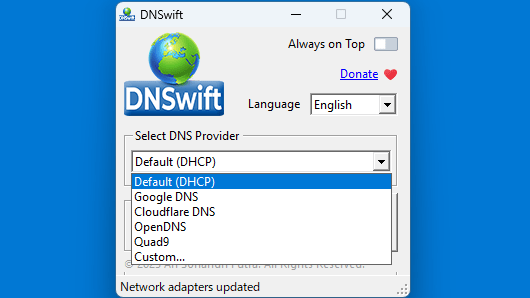
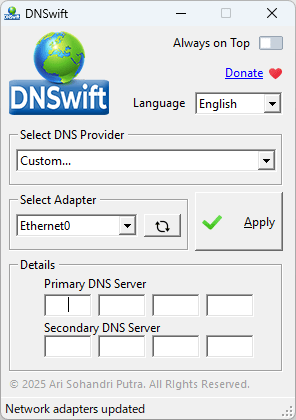
DNSwift では、一般的な DNS プロバイダを選択するほかに、カスタムな DNS サーバーの IP アドレスを手動で入力して設定を変更することもできます。
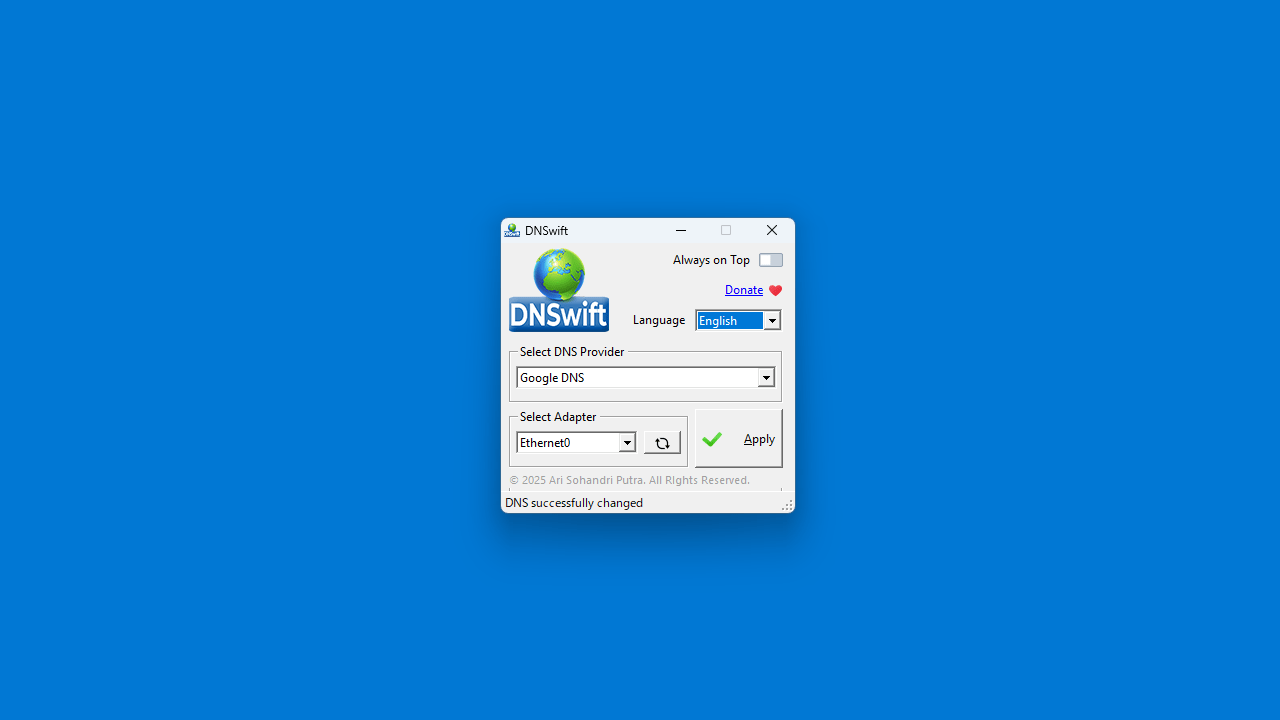
DNSwift の使い方はかんたんで、使用したい DNS プロバイダをドロップダウンから選択し、適用したいネットワークアダプタを選択してボタンをクリックするだけです。
DNS サーバーをすばやく切り替えることができます
DNSwift は、Windows の DNS サーバーの設定を一般的なプロバイダの中から切り替えたり、カスタム サーバーを設定したりできる便利なアプリケーションです。デフォルトの設定(DHCP)に戻すこともできるので安心して使用できます。
機能
かんたんな DNS 切り替え :ネットワーク アダプターの DNS 設定をすばやく変更できます。
定義済み DNS プロバイダー :
Google DNS (8.8.8.8、8.8.4.4)
Cloudflare DNS (1.1.1.1, 1.0.0.1)
Open DNS (208.67.222.222, 208.67.220.220)
Quad9 (9.9.9.9, 149.112.112.112)
カスタム DNS サポート :任意の DNS サーバー IP を手動で入力します。
デフォルトにリセット (DHCP) :自動 DNS 設定に戻します。
多言語サポート :英語、インドネシア語、中国語、タイ語、ベトナム語。
永続設定 :将来使用するために設定を保存します。
価格: 無料
動作環境: Windows 7|8|8.1|10|11
使用言語: 英語ほか
最終更新日:
11か月前 (2025/05/14)
ダウンロード数: 185
画像
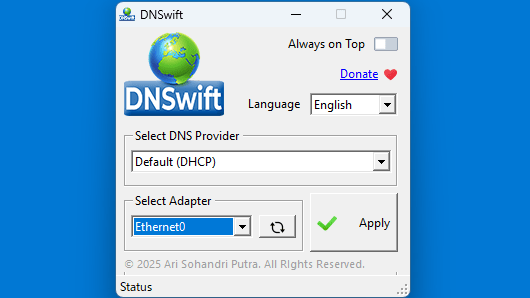
ユーザーインターフェース
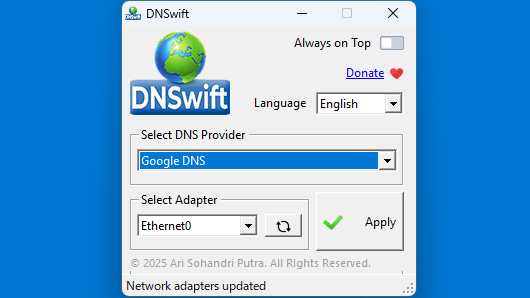
DNS プロバイダの選択
設定変更
カスタムサーバーの設定
使い方
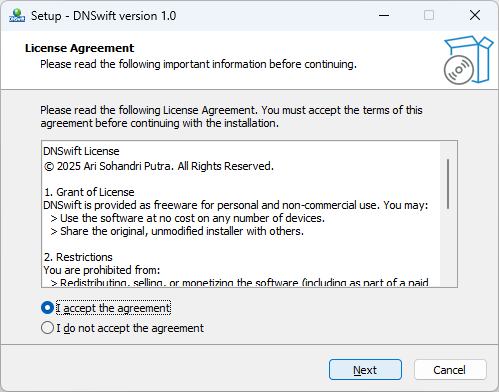
インストール
1.インストール
ライセンスが表示されます。「I accept the agreement 」を選択して[Next ]をクリックします。
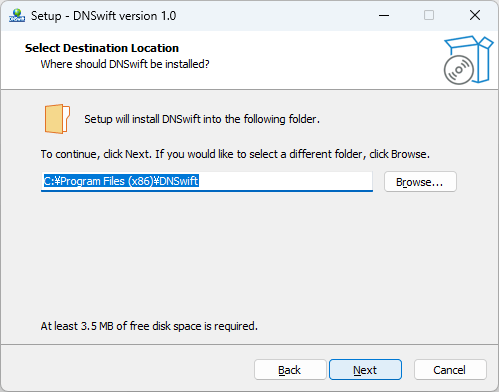
インストール先を確認して[Next ]ボタンをクリックします。
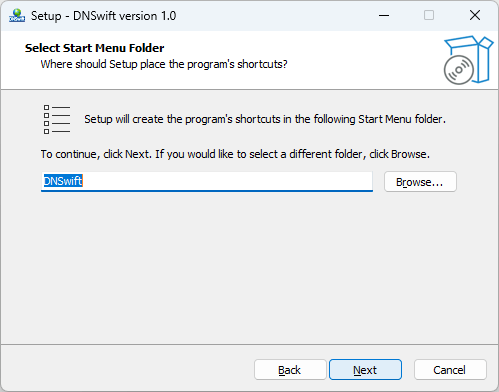
スタートメニューに作成するショートカットの設定を確認して[Next ]をクリックします。
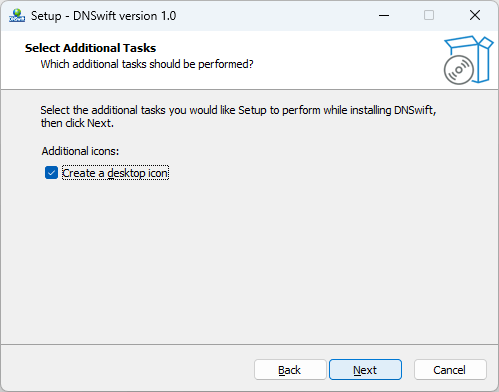
追加のタスクを設定して[Next ]をクリックします。
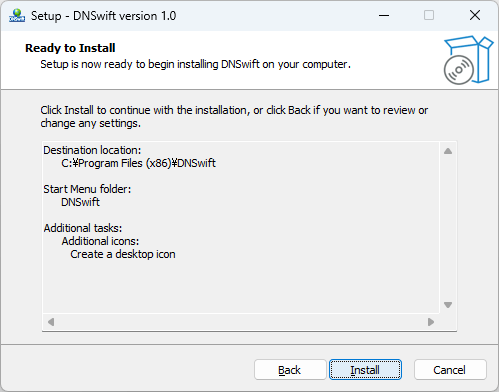
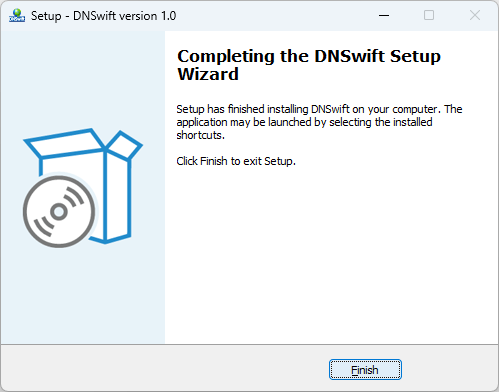
インストールが完了しました。[Finish ]をクリックしてセットアップウィザードを閉じます。
基本的な使い方
1. 基本的な使い方
使用したい DNS プロバイダをドロップダウンから選択します。
適用したいネットワークアダプタを選択し、[Apply ]ボタンをクリックします。
よくある質問と回答
ライセンスについて。
ユーザーレビュー
レビューはまだありません、 最初のレビューを投稿してください。コメントは任意です。
DNSwift は、どなたでも無料で利用できます。