").attr(n.scriptAttrs||{}).prop({charset:n.scriptCharset,src:n.url}).on("load error",i=function(e){r.remove(),i=null,e&&t("error"===e.type?404:200,e.type)}),C.head.appendChild(r[0])},abort:function(){i&&i()}}});var Jt,Kt=[],Zt=/(=)\?(?=&|$)|\?\?/;ce.ajaxSetup({jsonp:"callback",jsonpCallback:function(){var e=Kt.pop()||ce.expando+"_"+jt.guid++;return this[e]=!0,e}}),ce.ajaxPrefilter("json jsonp",function(e,t,n){var r,i,o,a=!1!==e.jsonp&&(Zt.test(e.url)?"url":"string"==typeof e.data&&0===(e.contentType||"").indexOf("application/x-www-form-urlencoded")&&Zt.test(e.data)&&"data");if(a||"jsonp"===e.dataTypes[0])return r=e.jsonpCallback=v(e.jsonpCallback)?e.jsonpCallback():e.jsonpCallback,a?e[a]=e[a].replace(Zt,"$1"+r):!1!==e.jsonp&&(e.url+=(At.test(e.url)?"&":"?")+e.jsonp+"="+r),e.converters["script json"]=function(){return o||ce.error(r+" was not called"),o[0]},e.dataTypes[0]="json",i=ie[r],ie[r]=function(){o=arguments},n.always(function(){void 0===i?ce(ie).removeProp(r):ie[r]=i,e[r]&&(e.jsonpCallback=t.jsonpCallback,Kt.push(r)),o&&v(i)&&i(o[0]),o=i=void 0}),"script"}),le.createHTMLDocument=((Jt=C.implementation.createHTMLDocument("").body).innerHTML="
",2===Jt.childNodes.length),ce.parseHTML=function(e,t,n){return"string"!=typeof e?[]:("boolean"==typeof t&&(n=t,t=!1),t||(le.createHTMLDocument?((r=(t=C.implementation.createHTMLDocument("")).createElement("base")).href=C.location.href,t.head.appendChild(r)):t=C),o=!n&&[],(i=w.exec(e))?[t.createElement(i[1])]:(i=Ae([e],t,o),o&&o.length&&ce(o).remove(),ce.merge([],i.childNodes)));var r,i,o},ce.fn.load=function(e,t,n){var r,i,o,a=this,s=e.indexOf(" ");return-1").append(ce.parseHTML(e)).find(r):e)}).always(n&&function(e,t){a.each(function(){n.apply(this,o||[e.responseText,t,e])})}),this},ce.expr.pseudos.animated=function(t){return ce.grep(ce.timers,function(e){return t===e.elem}).length},ce.offset={setOffset:function(e,t,n){var r,i,o,a,s,u,l=ce.css(e,"position"),c=ce(e),f={};"static"===l&&(e.style.position="relative"),s=c.offset(),o=ce.css(e,"top"),u=ce.css(e,"left"),("absolute"===l||"fixed"===l)&&-1<(o+u).indexOf("auto")?(a=(r=c.position()).top,i=r.left):(a=parseFloat(o)||0,i=parseFloat(u)||0),v(t)&&(t=t.call(e,n,ce.extend({},s))),null!=t.top&&(f.top=t.top-s.top+a),null!=t.left&&(f.left=t.left-s.left+i),"using"in t?t.using.call(e,f):c.css(f)}},ce.fn.extend({offset:function(t){if(arguments.length)return void 0===t?this:this.each(function(e){ce.offset.setOffset(this,t,e)});var e,n,r=this[0];return r?r.getClientRects().length?(e=r.getBoundingClientRect(),n=r.ownerDocument.defaultView,{top:e.top+n.pageYOffset,left:e.left+n.pageXOffset}):{top:0,left:0}:void 0},position:function(){if(this[0]){var e,t,n,r=this[0],i={top:0,left:0};if("fixed"===ce.css(r,"position"))t=r.getBoundingClientRect();else{t=this.offset(),n=r.ownerDocument,e=r.offsetParent||n.documentElement;while(e&&(e===n.body||e===n.documentElement)&&"static"===ce.css(e,"position"))e=e.parentNode;e&&e!==r&&1===e.nodeType&&((i=ce(e).offset()).top+=ce.css(e,"borderTopWidth",!0),i.left+=ce.css(e,"borderLeftWidth",!0))}return{top:t.top-i.top-ce.css(r,"marginTop",!0),left:t.left-i.left-ce.css(r,"marginLeft",!0)}}},offsetParent:function(){return this.map(function(){var e=this.offsetParent;while(e&&"static"===ce.css(e,"position"))e=e.offsetParent;return e||J})}}),ce.each({scrollLeft:"pageXOffset",scrollTop:"pageYOffset"},function(t,i){var o="pageYOffset"===i;ce.fn[t]=function(e){return M(this,function(e,t,n){var r;if(y(e)?r=e:9===e.nodeType&&(r=e.defaultView),void 0===n)return r?r[i]:e[t];r?r.scrollTo(o?r.pageXOffset:n,o?n:r.pageYOffset):e[t]=n},t,e,arguments.length)}}),ce.each(["top","left"],function(e,n){ce.cssHooks[n]=Ye(le.pixelPosition,function(e,t){if(t)return t=Ge(e,n),_e.test(t)?ce(e).position()[n]+"px":t})}),ce.each({Height:"height",Width:"width"},function(a,s){ce.each({padding:"inner"+a,content:s,"":"outer"+a},function(r,o){ce.fn[o]=function(e,t){var n=arguments.length&&(r||"boolean"!=typeof e),i=r||(!0===e||!0===t?"margin":"border");return M(this,function(e,t,n){var r;return y(e)?0===o.indexOf("outer")?e["inner"+a]:e.document.documentElement["client"+a]:9===e.nodeType?(r=e.documentElement,Math.max(e.body["scroll"+a],r["scroll"+a],e.body["offset"+a],r["offset"+a],r["client"+a])):void 0===n?ce.css(e,t,i):ce.style(e,t,n,i)},s,n?e:void 0,n)}})}),ce.each(["ajaxStart","ajaxStop","ajaxComplete","ajaxError","ajaxSuccess","ajaxSend"],function(e,t){ce.fn[t]=function(e){return this.on(t,e)}}),ce.fn.extend({bind:function(e,t,n){return this.on(e,null,t,n)},unbind:function(e,t){return this.off(e,null,t)},delegate:function(e,t,n,r){return this.on(t,e,n,r)},undelegate:function(e,t,n){return 1===arguments.length?this.off(e,"**"):this.off(t,e||"**",n)},hover:function(e,t){return this.on("mouseenter",e).on("mouseleave",t||e)}}),ce.each("blur focus focusin focusout resize scroll click dblclick mousedown mouseup mousemove mouseover mouseout mouseenter mouseleave change select submit keydown keypress keyup contextmenu".split(" "),function(e,n){ce.fn[n]=function(e,t){return 0
GiMeSpace Power Control 1.2.2.26
システムそのほか
2025/01/31 14:04
説明 機能 仕様 ダウンロード 画像 使い方
PC の負荷に応じて電源プランを自動的に切り替えることができるアプリ
CPU の負荷や PC の使用状況に応じて、自動的に電源プランを切り替えることができことができる、Windows 向けのアプリケーション。電力が必要ないときにはエネルギーを節約し、必要なときには有効に電力を利用できるようになります。

GiMeSpace Power Control の概要
GiMeSpace Power Control は、CPU の負荷に応じて自動的に電源プランを切り替えることができるアプリケーションです。
GiMeSpace Power Control の機能
GiMeSpace Power Control の主な機能です。
機能
概要
メイン機能
電源プランの自動切り替え
機能詳細
・CPU の負荷に応じて自動的に電源プランを切り替えることができます。
自動的に電源プランを切り替えます
GiMeSpace Power Control は、CPU の負荷や PC の使用状況に応じて、自動的に電源プランを切り替えることができことができる、Windows 向けのアプリケーションです。
GiMeSpace Power Control を使用すると、バッテリー寿命を節約したい場合や、エネルギーを節約してコンピューターを涼しく静かにしたい場合は「省電力」を選択し、コンピューターのパワーをフルに活用したい場合は「バランス」や「高パフォーマンス」を選択できます。
主に CPU の負荷に応じて電源プランが変更されます
GiMeSpace Power Control は、CPU の負荷がある一定を下回ると「省電力」のような低電力スキームに、CPU の負荷がある一定を超えると「高パフォーマンス」のような高電力スキームになるように設計されています。どの電源プランを使用するかはユーザーが選択できます。
また、CPU 温度が設定した「しきい値」を超えた場合に自動的に省電力に変更したり、ユーザーが非アクティブな時(アイドル時)に自動的に省電力に変更することもできます。
省電力と高パワーを両立できる電源コントロールを提供するアプリケーション
GiMeSpace Power Control は、省電力と高パワーを両立できる電源コントロールを提供する便利なアプリケーションです。作者によると、低電力スキームは「省電力」、高電力スキームは「バランス」を使用することが推奨されています。
機能
CPU の負荷に応じて自動的に電源プランを切り替えることができます。
CPU 温度がしきい値を超えた場合に自動的に省電力に変更するオプション。
ユーザーが非アクティブな時(アイドル時)に自動的に省電力に変更するオプション。
価格: 無料
動作環境: Windows Vista|7|8|8.1|10|11
使用言語: 英語
最終更新日:
1年前 (2025/01/31)
ダウンロード数: 284
画像
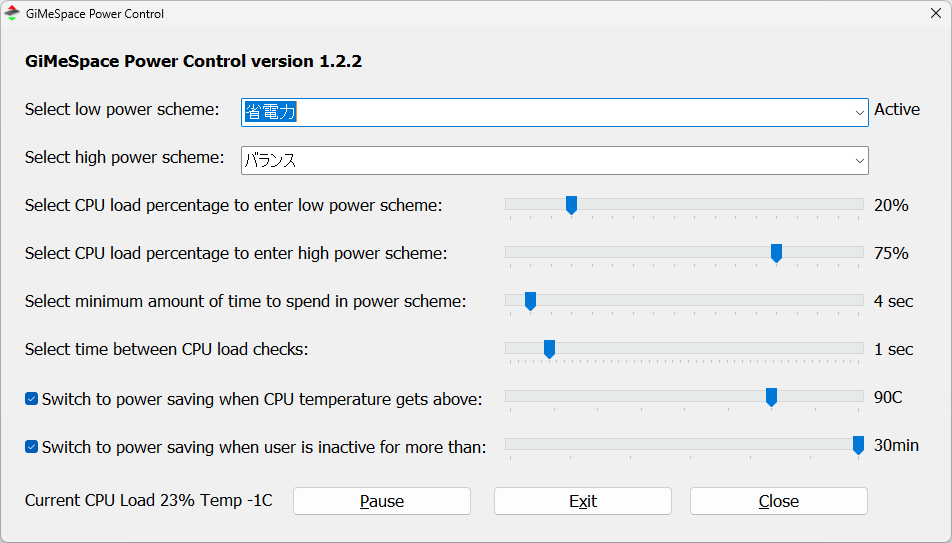
ユーザーインターフェース
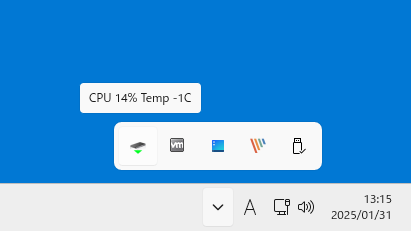
トレイアイコン
右クリックメニュー
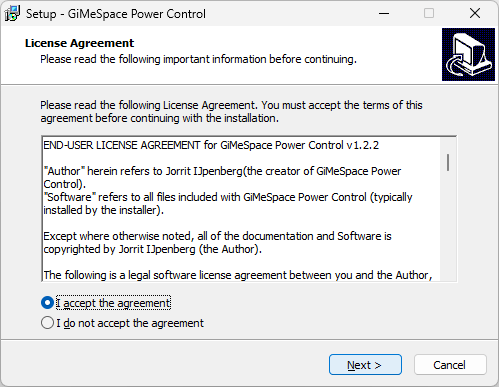
ライセンス
使い方
インストール
1.インストール
ライセンスが表示されます。「I accept the agreement 」を選択して[Next ]をクリックします。
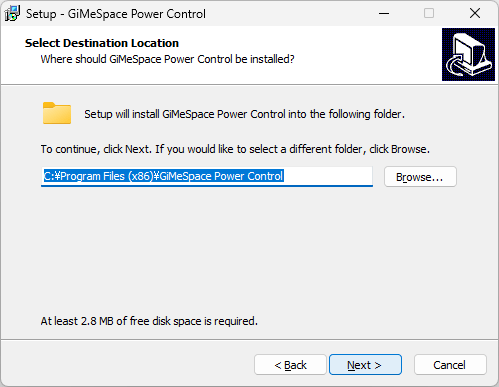
インストール先を確認して[Next ]をクリックします。
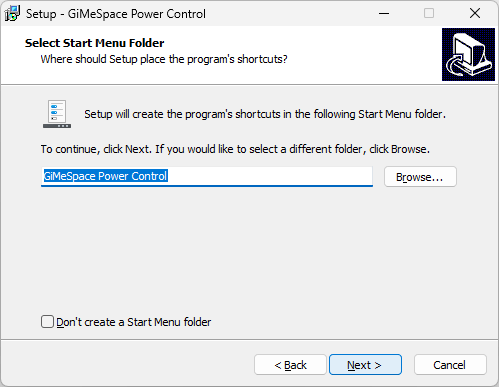
スタートメニューに作成するショートカットの設定を確認して[Next ]をクリックします。
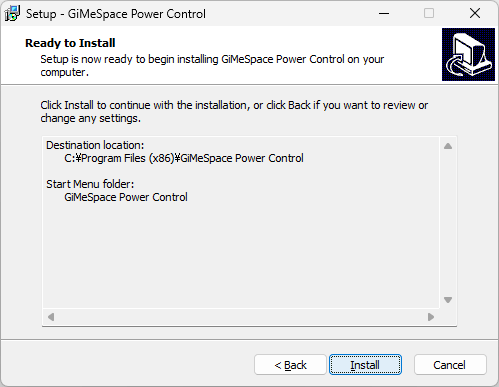
[Install ]をクリックしてインストールを開始します。
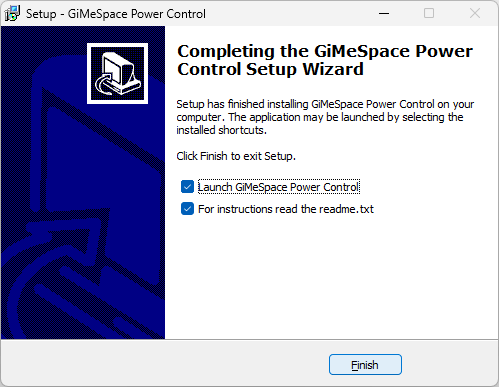
[Finish ]をクリックしてセットアップウィザードを閉じます。
基本的な使い方
1. 基本的な使い方
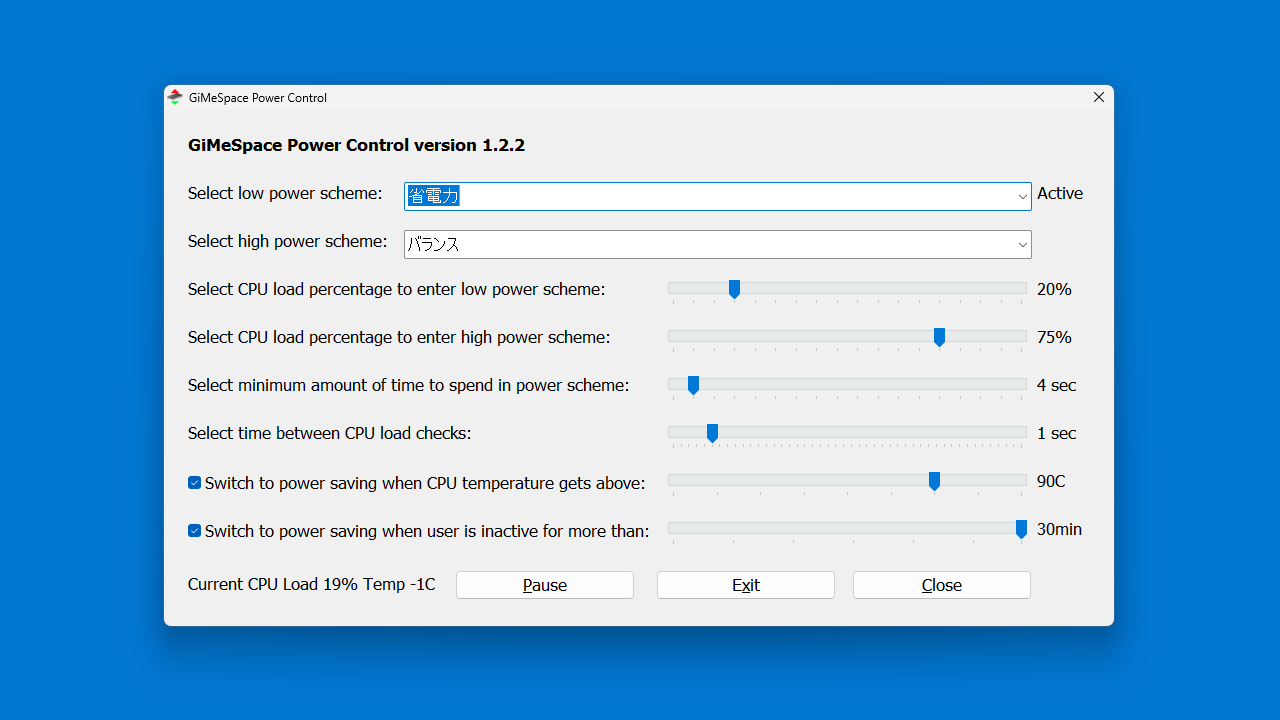
「Select low power scheme 」と「Select high power scheme 」で、低パワー時と高パワー時に切り替える 2 つの電源スキーム(電源プラン)を選択できます。
・Select CPU load percentage to enter low power scheme :低電力スキームに入るための CPU 負荷率を選択
・Select CPU load percentage to enter high power scheme :高電力スキームに入るための CPU 負荷率を選択
・Select minimum amount of time to spend in power scheme :電力スキームに費やす最小時間を選択
・Select time between CPU load checks :CPU 負荷チェックの間隔を選択
・Switch to power saving when CPU temperature gets above :CPU 温度が次の値を超えたら省電力に切り替える
・Switch to power saving when user is inactive for more than :ユーザーが次の時間以上非アクティブになった場合に省電力に切り替える
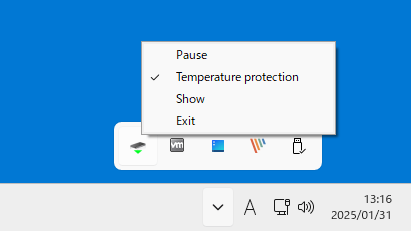
GiMeSpace Power Control を起動すると、システムトレイにアイコンが表示されます。

よくある質問と回答
ライセンスについて。
ユーザーレビュー
レビューはまだありません、 最初のレビューを投稿してください。コメントは任意です。
GiMeSpace Power Control は、どなたでも無料で利用できます。