").attr(n.scriptAttrs||{}).prop({charset:n.scriptCharset,src:n.url}).on("load error",i=function(e){r.remove(),i=null,e&&t("error"===e.type?404:200,e.type)}),C.head.appendChild(r[0])},abort:function(){i&&i()}}});var Jt,Kt=[],Zt=/(=)\?(?=&|$)|\?\?/;ce.ajaxSetup({jsonp:"callback",jsonpCallback:function(){var e=Kt.pop()||ce.expando+"_"+jt.guid++;return this[e]=!0,e}}),ce.ajaxPrefilter("json jsonp",function(e,t,n){var r,i,o,a=!1!==e.jsonp&&(Zt.test(e.url)?"url":"string"==typeof e.data&&0===(e.contentType||"").indexOf("application/x-www-form-urlencoded")&&Zt.test(e.data)&&"data");if(a||"jsonp"===e.dataTypes[0])return r=e.jsonpCallback=v(e.jsonpCallback)?e.jsonpCallback():e.jsonpCallback,a?e[a]=e[a].replace(Zt,"$1"+r):!1!==e.jsonp&&(e.url+=(At.test(e.url)?"&":"?")+e.jsonp+"="+r),e.converters["script json"]=function(){return o||ce.error(r+" was not called"),o[0]},e.dataTypes[0]="json",i=ie[r],ie[r]=function(){o=arguments},n.always(function(){void 0===i?ce(ie).removeProp(r):ie[r]=i,e[r]&&(e.jsonpCallback=t.jsonpCallback,Kt.push(r)),o&&v(i)&&i(o[0]),o=i=void 0}),"script"}),le.createHTMLDocument=((Jt=C.implementation.createHTMLDocument("").body).innerHTML="
",2===Jt.childNodes.length),ce.parseHTML=function(e,t,n){return"string"!=typeof e?[]:("boolean"==typeof t&&(n=t,t=!1),t||(le.createHTMLDocument?((r=(t=C.implementation.createHTMLDocument("")).createElement("base")).href=C.location.href,t.head.appendChild(r)):t=C),o=!n&&[],(i=w.exec(e))?[t.createElement(i[1])]:(i=Ae([e],t,o),o&&o.length&&ce(o).remove(),ce.merge([],i.childNodes)));var r,i,o},ce.fn.load=function(e,t,n){var r,i,o,a=this,s=e.indexOf(" ");return-1").append(ce.parseHTML(e)).find(r):e)}).always(n&&function(e,t){a.each(function(){n.apply(this,o||[e.responseText,t,e])})}),this},ce.expr.pseudos.animated=function(t){return ce.grep(ce.timers,function(e){return t===e.elem}).length},ce.offset={setOffset:function(e,t,n){var r,i,o,a,s,u,l=ce.css(e,"position"),c=ce(e),f={};"static"===l&&(e.style.position="relative"),s=c.offset(),o=ce.css(e,"top"),u=ce.css(e,"left"),("absolute"===l||"fixed"===l)&&-1<(o+u).indexOf("auto")?(a=(r=c.position()).top,i=r.left):(a=parseFloat(o)||0,i=parseFloat(u)||0),v(t)&&(t=t.call(e,n,ce.extend({},s))),null!=t.top&&(f.top=t.top-s.top+a),null!=t.left&&(f.left=t.left-s.left+i),"using"in t?t.using.call(e,f):c.css(f)}},ce.fn.extend({offset:function(t){if(arguments.length)return void 0===t?this:this.each(function(e){ce.offset.setOffset(this,t,e)});var e,n,r=this[0];return r?r.getClientRects().length?(e=r.getBoundingClientRect(),n=r.ownerDocument.defaultView,{top:e.top+n.pageYOffset,left:e.left+n.pageXOffset}):{top:0,left:0}:void 0},position:function(){if(this[0]){var e,t,n,r=this[0],i={top:0,left:0};if("fixed"===ce.css(r,"position"))t=r.getBoundingClientRect();else{t=this.offset(),n=r.ownerDocument,e=r.offsetParent||n.documentElement;while(e&&(e===n.body||e===n.documentElement)&&"static"===ce.css(e,"position"))e=e.parentNode;e&&e!==r&&1===e.nodeType&&((i=ce(e).offset()).top+=ce.css(e,"borderTopWidth",!0),i.left+=ce.css(e,"borderLeftWidth",!0))}return{top:t.top-i.top-ce.css(r,"marginTop",!0),left:t.left-i.left-ce.css(r,"marginLeft",!0)}}},offsetParent:function(){return this.map(function(){var e=this.offsetParent;while(e&&"static"===ce.css(e,"position"))e=e.offsetParent;return e||J})}}),ce.each({scrollLeft:"pageXOffset",scrollTop:"pageYOffset"},function(t,i){var o="pageYOffset"===i;ce.fn[t]=function(e){return M(this,function(e,t,n){var r;if(y(e)?r=e:9===e.nodeType&&(r=e.defaultView),void 0===n)return r?r[i]:e[t];r?r.scrollTo(o?r.pageXOffset:n,o?n:r.pageYOffset):e[t]=n},t,e,arguments.length)}}),ce.each(["top","left"],function(e,n){ce.cssHooks[n]=Ye(le.pixelPosition,function(e,t){if(t)return t=Ge(e,n),_e.test(t)?ce(e).position()[n]+"px":t})}),ce.each({Height:"height",Width:"width"},function(a,s){ce.each({padding:"inner"+a,content:s,"":"outer"+a},function(r,o){ce.fn[o]=function(e,t){var n=arguments.length&&(r||"boolean"!=typeof e),i=r||(!0===e||!0===t?"margin":"border");return M(this,function(e,t,n){var r;return y(e)?0===o.indexOf("outer")?e["inner"+a]:e.document.documentElement["client"+a]:9===e.nodeType?(r=e.documentElement,Math.max(e.body["scroll"+a],r["scroll"+a],e.body["offset"+a],r["offset"+a],r["client"+a])):void 0===n?ce.css(e,t,i):ce.style(e,t,n,i)},s,n?e:void 0,n)}})}),ce.each(["ajaxStart","ajaxStop","ajaxComplete","ajaxError","ajaxSuccess","ajaxSend"],function(e,t){ce.fn[t]=function(e){return this.on(t,e)}}),ce.fn.extend({bind:function(e,t,n){return this.on(e,null,t,n)},unbind:function(e,t){return this.off(e,null,t)},delegate:function(e,t,n,r){return this.on(t,e,n,r)},undelegate:function(e,t,n){return 1===arguments.length?this.off(e,"**"):this.off(t,e||"**",n)},hover:function(e,t){return this.on("mouseenter",e).on("mouseleave",t||e)}}),ce.each("blur focus focusin focusout resize scroll click dblclick mousedown mouseup mousemove mouseover mouseout mouseenter mouseleave change select submit keydown keypress keyup contextmenu".split(" "),function(e,n){ce.fn[n]=function(e,t){return 0
MAMEUI 0.267
ゲームエミュレータ
2024/03/28 10:51
説明機能仕様ダウンロード画像使い方
Windows PC でアーケードゲームをプレイすることができるゲームエミュレータ

古いアーケードゲームをパソコンでプレイすることができる、Windows 向けのアーケードゲームエミュレータ。MAME が提供するコマンドラインインターフェイス (CLI) の使用に慣れていない人のために、使いやすい GUI を提供します。
MAMEUI の概要
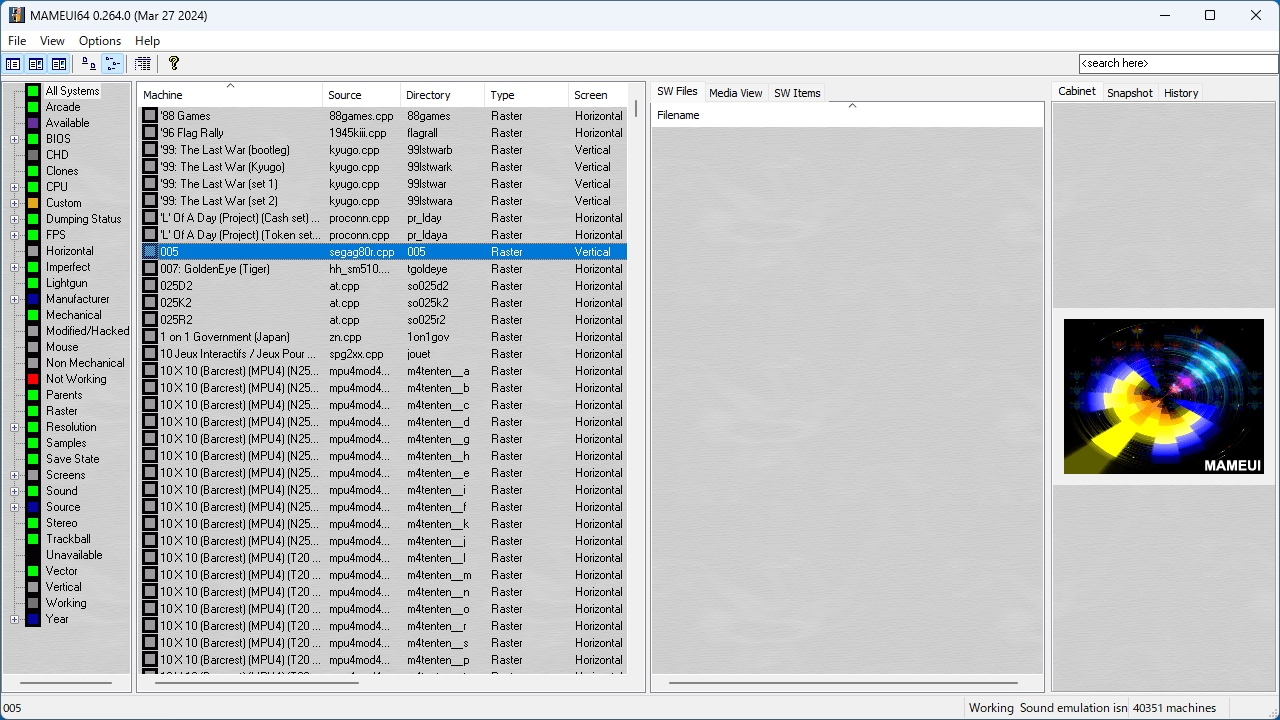
MAMEUI は、「MAME」 の Windows 向け GUIです。
MAMEUI の機能
MAMEUI の主な機能です。
| 機能 |
概要 |
| メイン機能 |
ゲームエミュレータ |
| 機能詳細 |
・アーケードゲームをプレイすることができるゲームエミュレータ
・MAME の Windows 向け GUI |
Windows PC でアーケードゲームをプレイできます
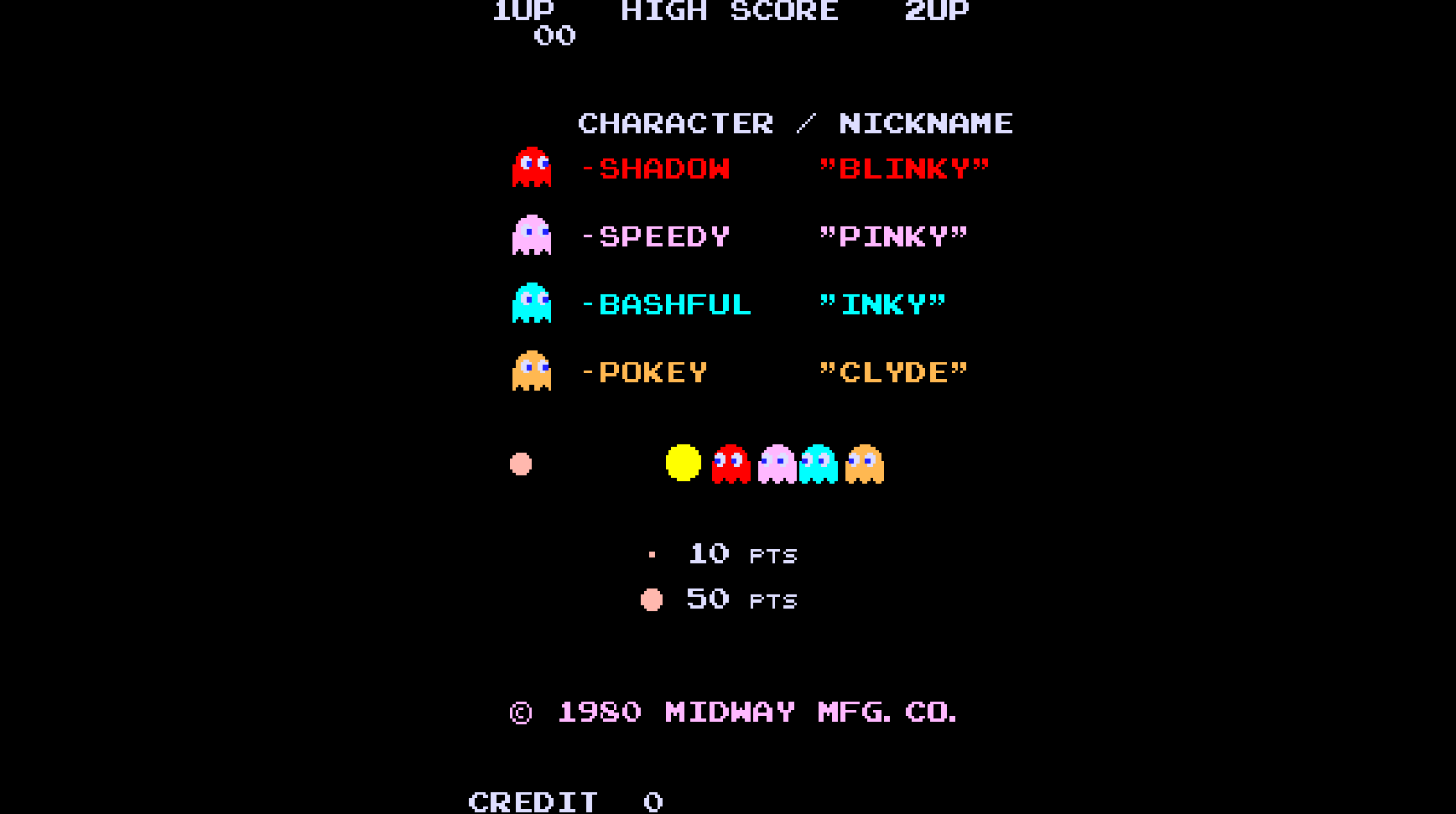
MAMEUI は、「MAME (Multiple Arcade Machine Emulator)」を Windows PC で利用できるように設計された、グラフィカル ユーザー インターフェイス (GUI) です。
MAMEUI を使用すると、Windows PC 上で 1975 年から 2003 年以降までの、懐かしいまたは比較的新しいアーケードゲームをプレイすることができます。
多くのアーケードゲームに対応しています
MAMEUI は、数千の古典的なアーケードゲームをエミュレートしており、MAMEUI を使用すると、多数のスタンドアロンアーケードマシンの内部ハードウェアを PC で模倣できるようになります。
MAMEUI と、これらのアーケードマシンのオリジナル ROM と組み合わせると、MameUI は PC 上でゲームを表示してプレイすることができます。
Windows 向けのアーケードゲームエミュレータ
MAMEUI は、Windows PC で MAME を使用してゲームをエミュレートすることを目的に開発されたアーケードゲームエミュレータです。MAMEUI は、アーケードマシンを詳細に再現しており、ディスプレイ設定やプレーヤーのコントロールを変更できます。
機能
- アーケードゲームをプレイすることができるゲームエミュレータ
- MAME の Windows 向け GUI
価格:無料
動作環境:Windows 7|8|8.1|10|11
使用言語:英語
最終更新日:
2年前 (2024/07/01)
ダウンロード数:855
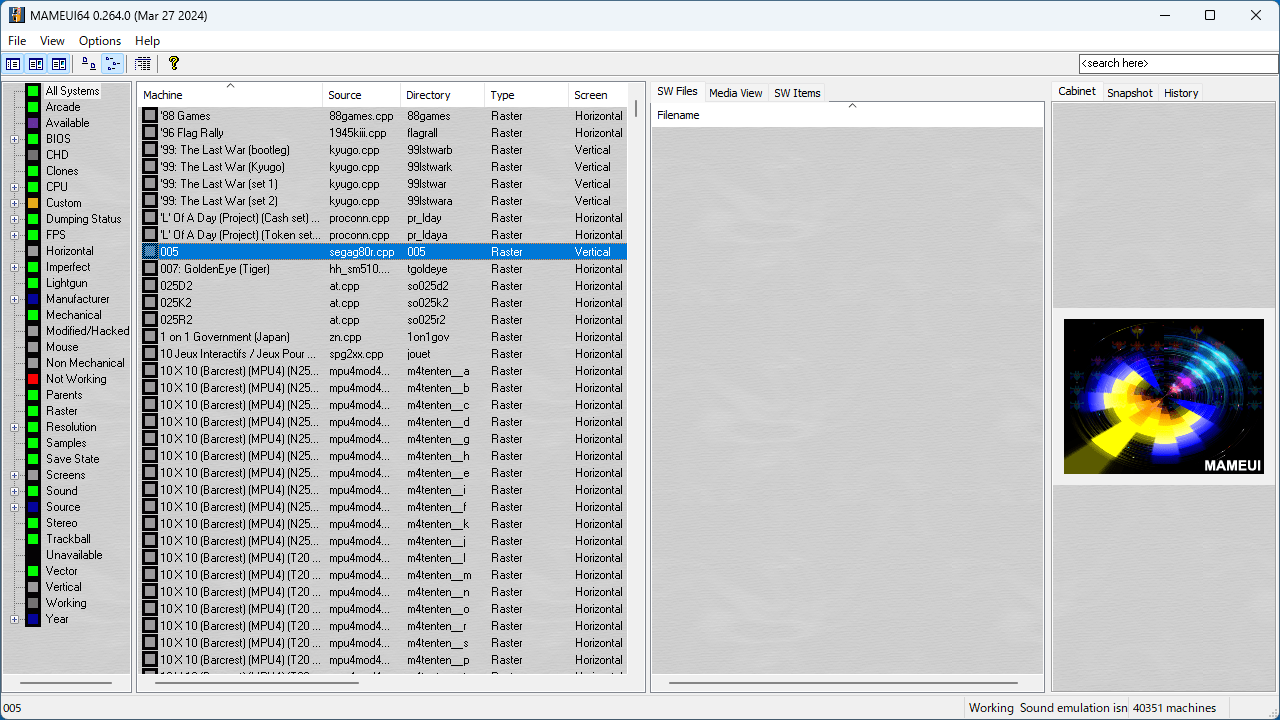
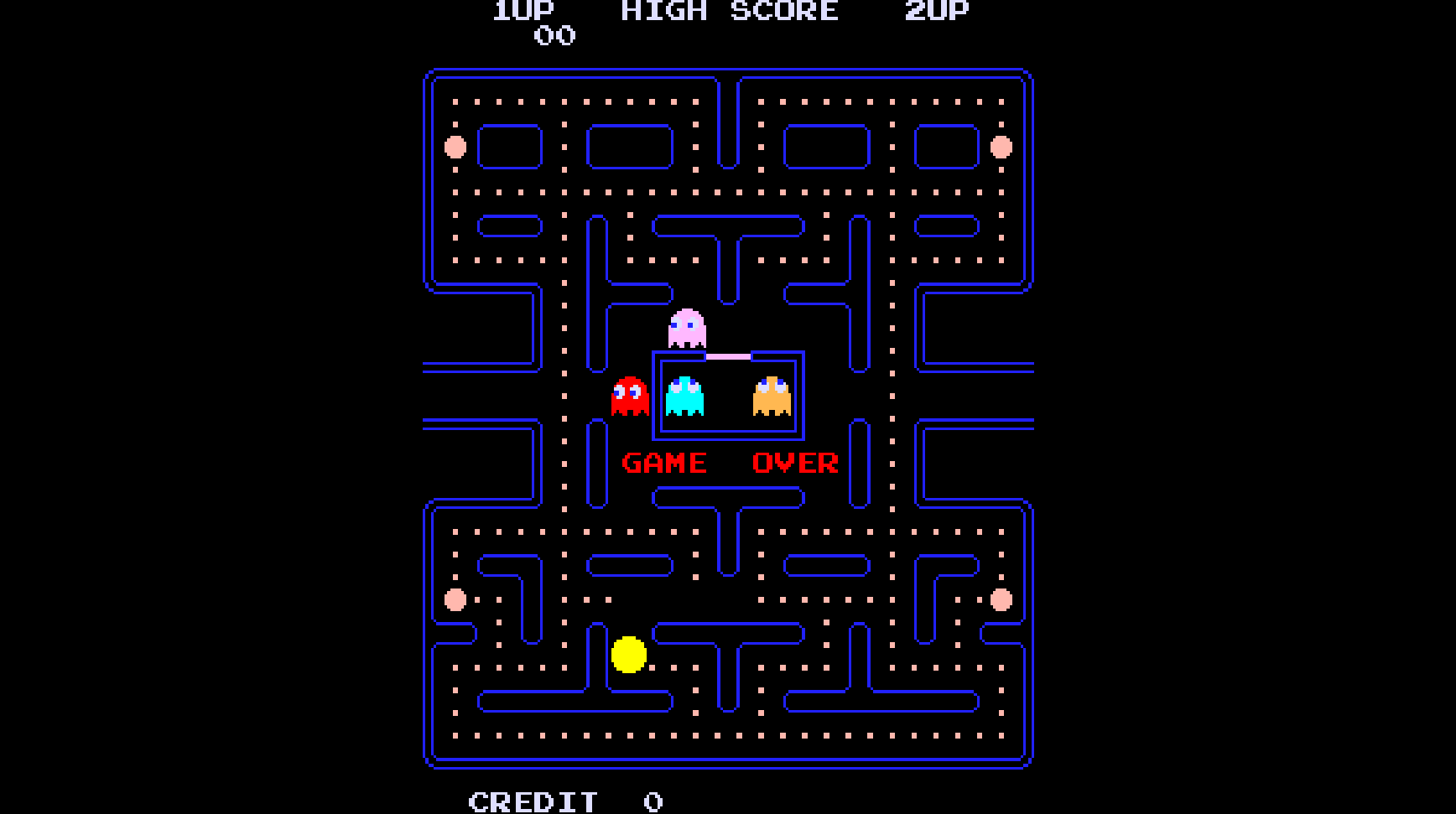
画像

ユーザーインターフェース

ゲーム画面

ゲーム画面

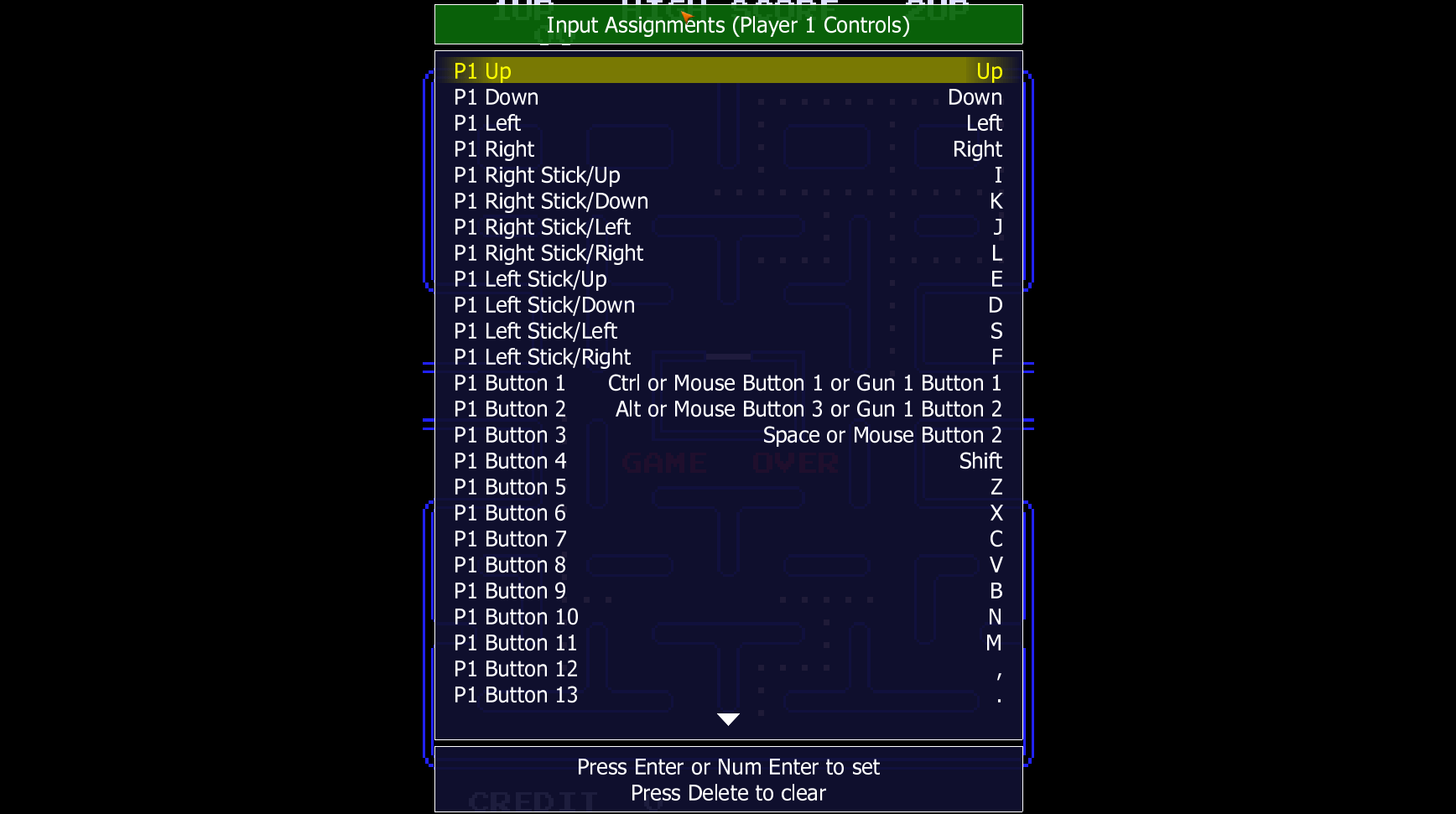
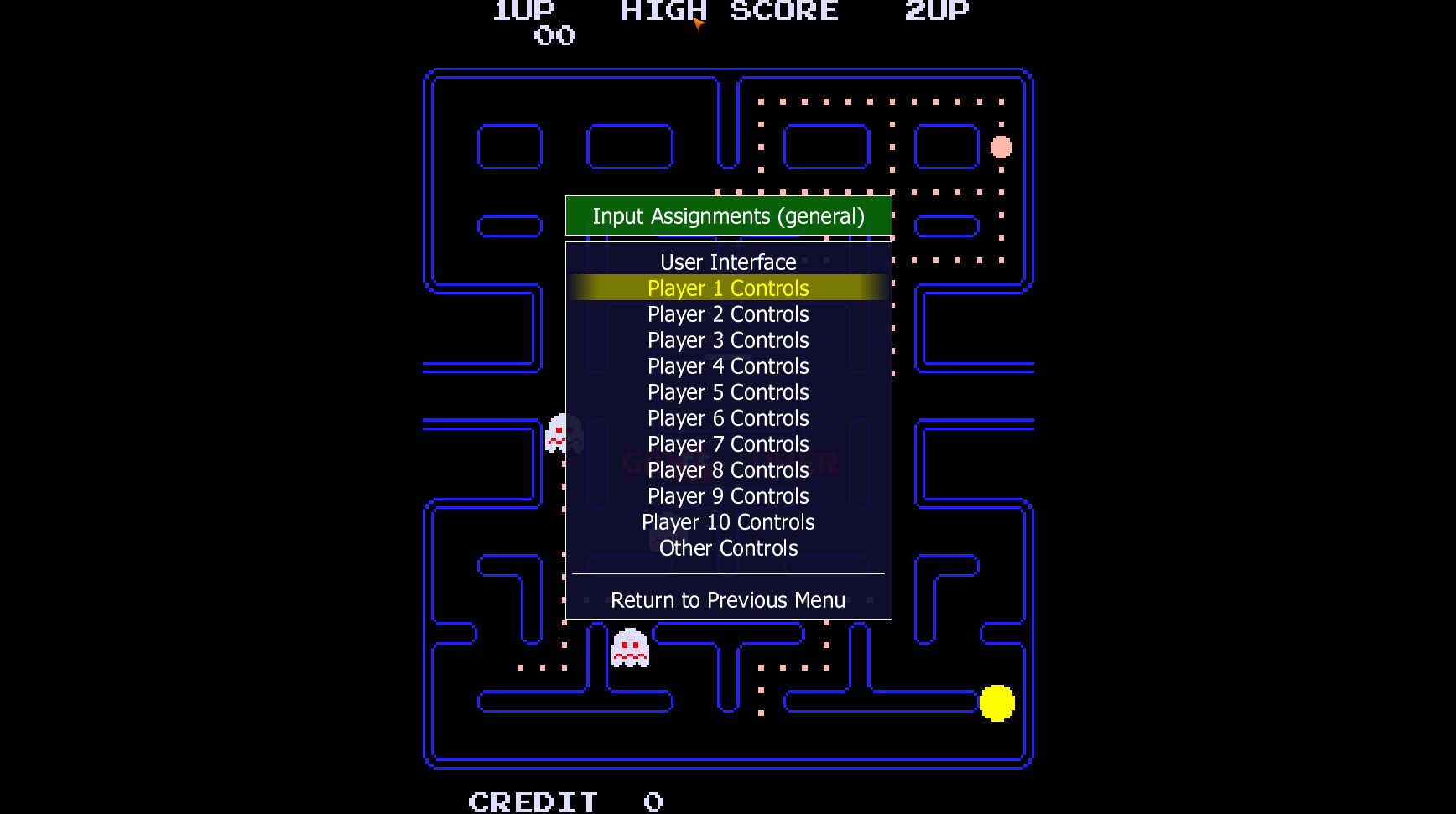
コントローラーの設定
使い方
インストール
1.インストール方法(Windows)
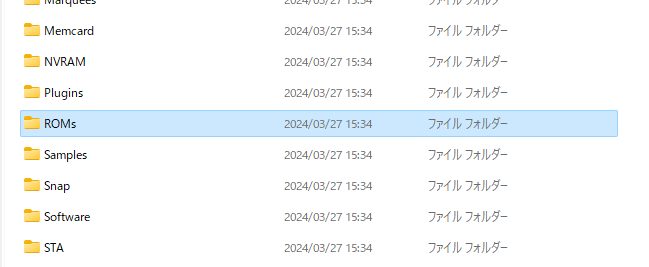
- ダウンロードした 7-Zip ファイルを展開します。
- 「MAMEUI.exe」が実行ファイルです。
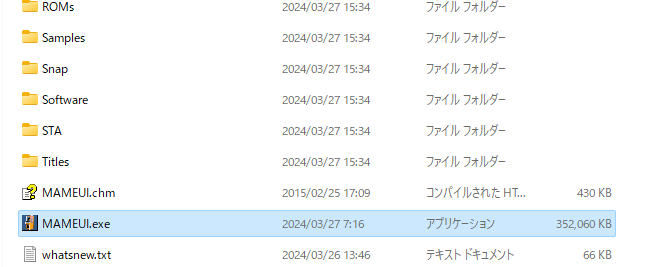
- 「ROMs」フォルダにゲームの ROM を入れます。
基本的な使い方
1. 基本的な使い方
- MAMEUI を起動すると、ユーザーインターフェースが表示されます。

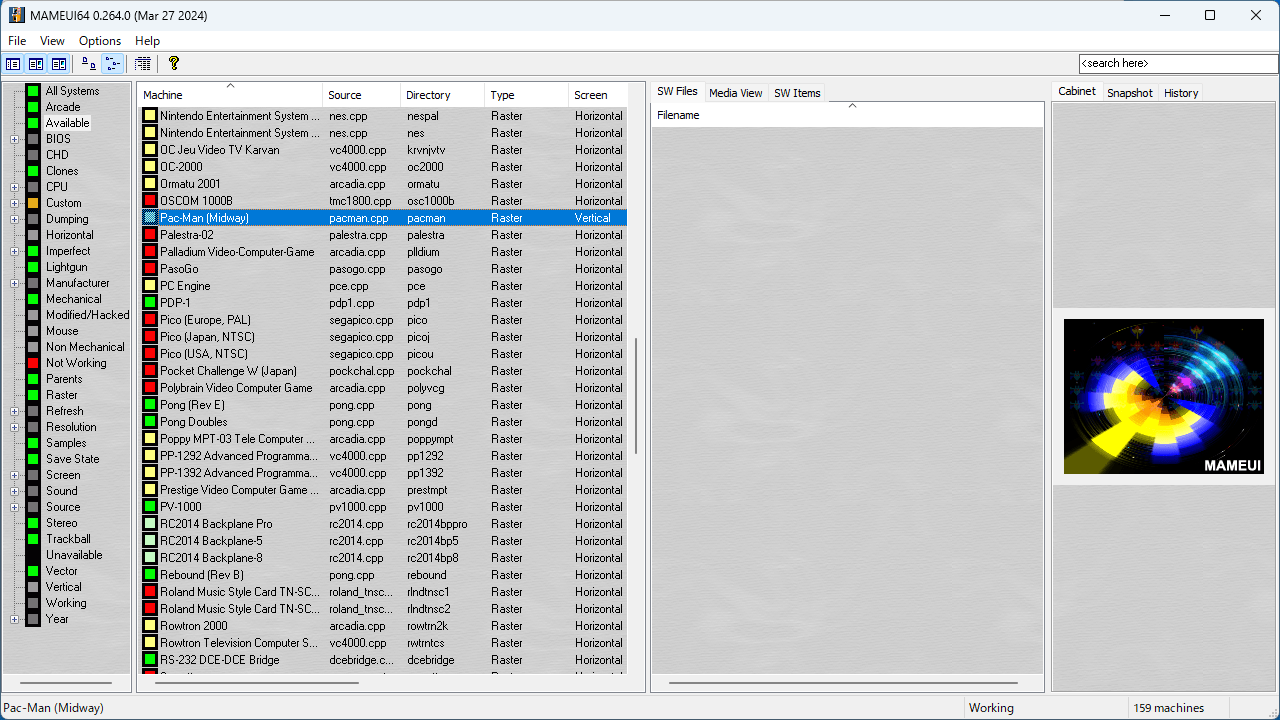
- 「Available」をクリックすると、「ROMs」フォルダに入っているすべての ROM およびそのほかのゲームが表示されます。
- ROM が見つからない場合は、「F5」キーを押して更新します。

- ゲーム名をダブルクリックすると、ゲームが起動します。

2.コントローラーの設定方法
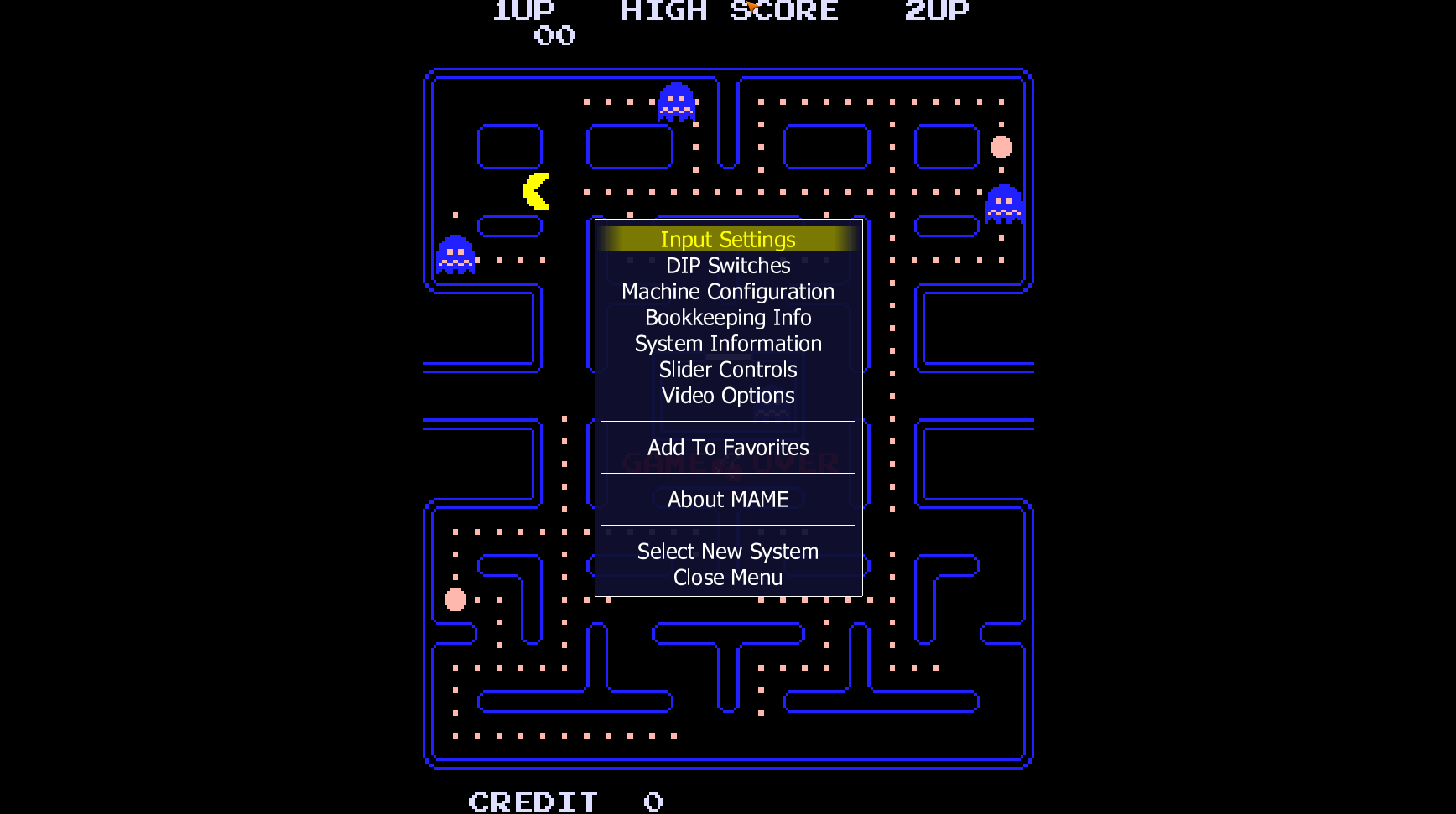
- ゲームを起動した状態で「TAB」キーを押します。
- 「Input Settings」を選択します。
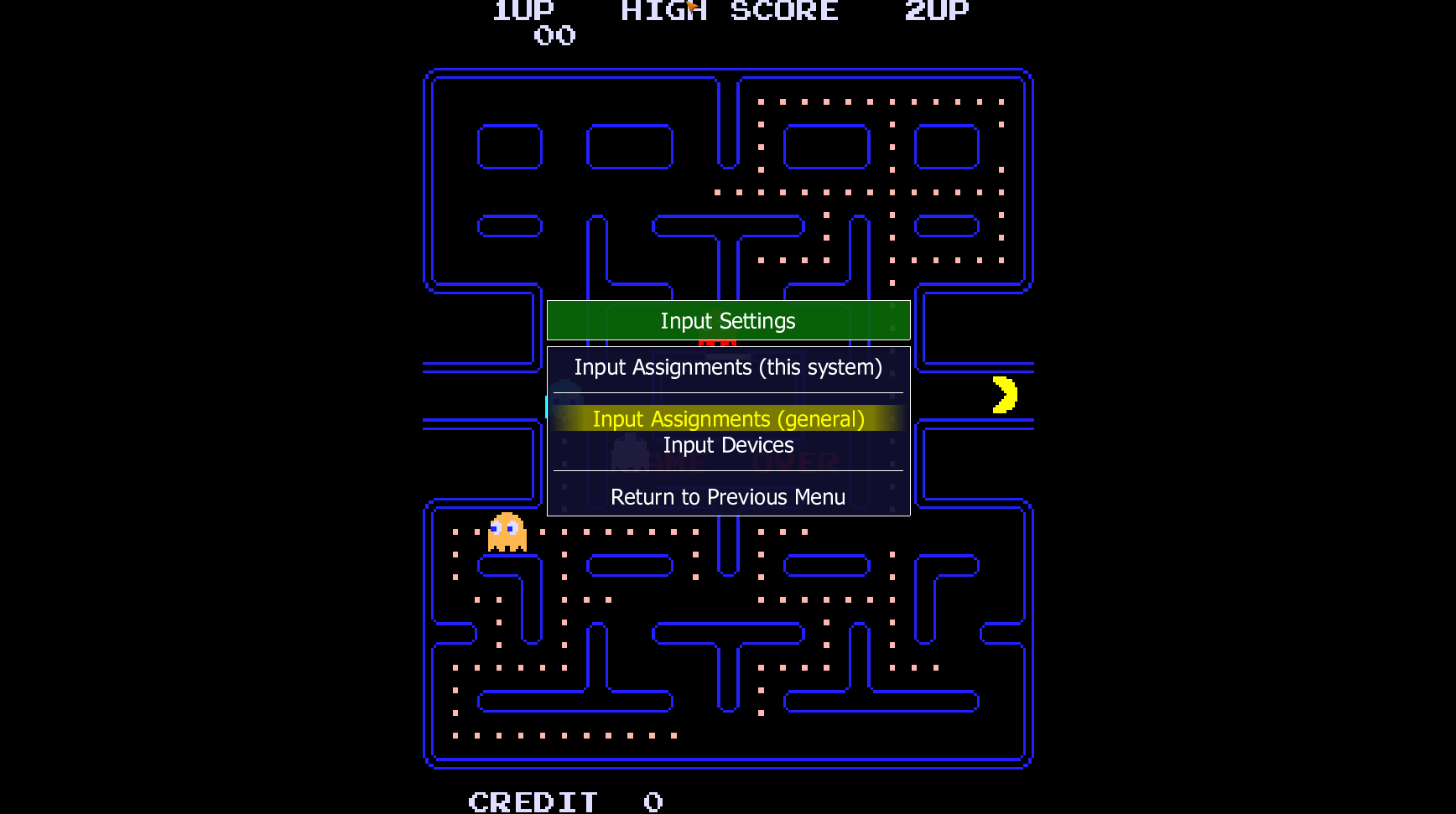
- 「Input Assignments (general)」を選択します。


よくある質問と回答
ライセンスについて。
MAMEUI は、どなたでも無料で使用できます。