").attr(n.scriptAttrs||{}).prop({charset:n.scriptCharset,src:n.url}).on("load error",i=function(e){r.remove(),i=null,e&&t("error"===e.type?404:200,e.type)}),C.head.appendChild(r[0])},abort:function(){i&&i()}}});var Jt,Kt=[],Zt=/(=)\?(?=&|$)|\?\?/;ce.ajaxSetup({jsonp:"callback",jsonpCallback:function(){var e=Kt.pop()||ce.expando+"_"+jt.guid++;return this[e]=!0,e}}),ce.ajaxPrefilter("json jsonp",function(e,t,n){var r,i,o,a=!1!==e.jsonp&&(Zt.test(e.url)?"url":"string"==typeof e.data&&0===(e.contentType||"").indexOf("application/x-www-form-urlencoded")&&Zt.test(e.data)&&"data");if(a||"jsonp"===e.dataTypes[0])return r=e.jsonpCallback=v(e.jsonpCallback)?e.jsonpCallback():e.jsonpCallback,a?e[a]=e[a].replace(Zt,"$1"+r):!1!==e.jsonp&&(e.url+=(At.test(e.url)?"&":"?")+e.jsonp+"="+r),e.converters["script json"]=function(){return o||ce.error(r+" was not called"),o[0]},e.dataTypes[0]="json",i=ie[r],ie[r]=function(){o=arguments},n.always(function(){void 0===i?ce(ie).removeProp(r):ie[r]=i,e[r]&&(e.jsonpCallback=t.jsonpCallback,Kt.push(r)),o&&v(i)&&i(o[0]),o=i=void 0}),"script"}),le.createHTMLDocument=((Jt=C.implementation.createHTMLDocument("").body).innerHTML="
",2===Jt.childNodes.length),ce.parseHTML=function(e,t,n){return"string"!=typeof e?[]:("boolean"==typeof t&&(n=t,t=!1),t||(le.createHTMLDocument?((r=(t=C.implementation.createHTMLDocument("")).createElement("base")).href=C.location.href,t.head.appendChild(r)):t=C),o=!n&&[],(i=w.exec(e))?[t.createElement(i[1])]:(i=Ae([e],t,o),o&&o.length&&ce(o).remove(),ce.merge([],i.childNodes)));var r,i,o},ce.fn.load=function(e,t,n){var r,i,o,a=this,s=e.indexOf(" ");return-1").append(ce.parseHTML(e)).find(r):e)}).always(n&&function(e,t){a.each(function(){n.apply(this,o||[e.responseText,t,e])})}),this},ce.expr.pseudos.animated=function(t){return ce.grep(ce.timers,function(e){return t===e.elem}).length},ce.offset={setOffset:function(e,t,n){var r,i,o,a,s,u,l=ce.css(e,"position"),c=ce(e),f={};"static"===l&&(e.style.position="relative"),s=c.offset(),o=ce.css(e,"top"),u=ce.css(e,"left"),("absolute"===l||"fixed"===l)&&-1<(o+u).indexOf("auto")?(a=(r=c.position()).top,i=r.left):(a=parseFloat(o)||0,i=parseFloat(u)||0),v(t)&&(t=t.call(e,n,ce.extend({},s))),null!=t.top&&(f.top=t.top-s.top+a),null!=t.left&&(f.left=t.left-s.left+i),"using"in t?t.using.call(e,f):c.css(f)}},ce.fn.extend({offset:function(t){if(arguments.length)return void 0===t?this:this.each(function(e){ce.offset.setOffset(this,t,e)});var e,n,r=this[0];return r?r.getClientRects().length?(e=r.getBoundingClientRect(),n=r.ownerDocument.defaultView,{top:e.top+n.pageYOffset,left:e.left+n.pageXOffset}):{top:0,left:0}:void 0},position:function(){if(this[0]){var e,t,n,r=this[0],i={top:0,left:0};if("fixed"===ce.css(r,"position"))t=r.getBoundingClientRect();else{t=this.offset(),n=r.ownerDocument,e=r.offsetParent||n.documentElement;while(e&&(e===n.body||e===n.documentElement)&&"static"===ce.css(e,"position"))e=e.parentNode;e&&e!==r&&1===e.nodeType&&((i=ce(e).offset()).top+=ce.css(e,"borderTopWidth",!0),i.left+=ce.css(e,"borderLeftWidth",!0))}return{top:t.top-i.top-ce.css(r,"marginTop",!0),left:t.left-i.left-ce.css(r,"marginLeft",!0)}}},offsetParent:function(){return this.map(function(){var e=this.offsetParent;while(e&&"static"===ce.css(e,"position"))e=e.offsetParent;return e||J})}}),ce.each({scrollLeft:"pageXOffset",scrollTop:"pageYOffset"},function(t,i){var o="pageYOffset"===i;ce.fn[t]=function(e){return M(this,function(e,t,n){var r;if(y(e)?r=e:9===e.nodeType&&(r=e.defaultView),void 0===n)return r?r[i]:e[t];r?r.scrollTo(o?r.pageXOffset:n,o?n:r.pageYOffset):e[t]=n},t,e,arguments.length)}}),ce.each(["top","left"],function(e,n){ce.cssHooks[n]=Ye(le.pixelPosition,function(e,t){if(t)return t=Ge(e,n),_e.test(t)?ce(e).position()[n]+"px":t})}),ce.each({Height:"height",Width:"width"},function(a,s){ce.each({padding:"inner"+a,content:s,"":"outer"+a},function(r,o){ce.fn[o]=function(e,t){var n=arguments.length&&(r||"boolean"!=typeof e),i=r||(!0===e||!0===t?"margin":"border");return M(this,function(e,t,n){var r;return y(e)?0===o.indexOf("outer")?e["inner"+a]:e.document.documentElement["client"+a]:9===e.nodeType?(r=e.documentElement,Math.max(e.body["scroll"+a],r["scroll"+a],e.body["offset"+a],r["offset"+a],r["client"+a])):void 0===n?ce.css(e,t,i):ce.style(e,t,n,i)},s,n?e:void 0,n)}})}),ce.each(["ajaxStart","ajaxStop","ajaxComplete","ajaxError","ajaxSuccess","ajaxSend"],function(e,t){ce.fn[t]=function(e){return this.on(t,e)}}),ce.fn.extend({bind:function(e,t,n){return this.on(e,null,t,n)},unbind:function(e,t){return this.off(e,null,t)},delegate:function(e,t,n,r){return this.on(t,e,n,r)},undelegate:function(e,t,n){return 1===arguments.length?this.off(e,"**"):this.off(t,e||"**",n)},hover:function(e,t){return this.on("mouseenter",e).on("mouseleave",t||e)}}),ce.each("blur focus focusin focusout resize scroll click dblclick mousedown mouseup mousemove mouseover mouseout mouseenter mouseleave change select submit keydown keypress keyup contextmenu".split(" "),function(e,n){ce.fn[n]=function(e,t){return 0
TunnelBear 4.20.0.0
インターネットそのほか
2021/03/12 11:442026/04/25 08:06
説明 機能 仕様 ダウンロード 画像 使い方
さまざまなデバイスで利用できる高速な VPN サービス
Web をより安全に閲覧することができる VPN ソフト。お住まいの国でブロックされているウェブサイト、サービス、アプリにアクセスすることができます。Windows および Mac、または Chrome・Firefox・Opera ブラウザ で使用できます。
TunnelBear の概要
TunnelBear は、インターネット接続を暗号化して、オンラインアクティビティを任意のネットワークでプライベートに保ちます。
TunnelBear の機能
TunnelBear で利用できる主な機能の一覧です。
機能
概要
メイン機能
VPN 接続
機能詳細
・AES256 ビット暗号化
・VigilantBear:再接続している間にユーザーを保護する機能
・GhostBear:ブロックされにくくする機能
かんたんに VPN 接続を利用できます
TunnelBear は、すべてのデバイスで使用することができる仮想プライベートネットワーク(VPN)アプリケーションです。
TunnelBear VPN を使用すると、安全でない Wi-Fi 使用時にパスワードやデータが盗まれないように保護したり、特定の地域でのみ利用できるブロックされている Web サイトやアプリを利用したり、オンラインの追跡からユーザーを保護することができます。
さまざまなデバイスで利用できる VPN アプリ
TunnelBear は、日本を含めた 26 カ国にサーバーを持つ VPN サービスです。利用するにはアカウントが必要で、無料で 500 MB の転送量を利用できます。
機能
お住まいの国でブロックされているウェブサイト、サービス、アプリにアクセスする
ブラウジングと物理的な場所をハッカー、ISP、サードパーティから秘密にする
オンラインの仕事、買い物、銀行を安心して利用できます
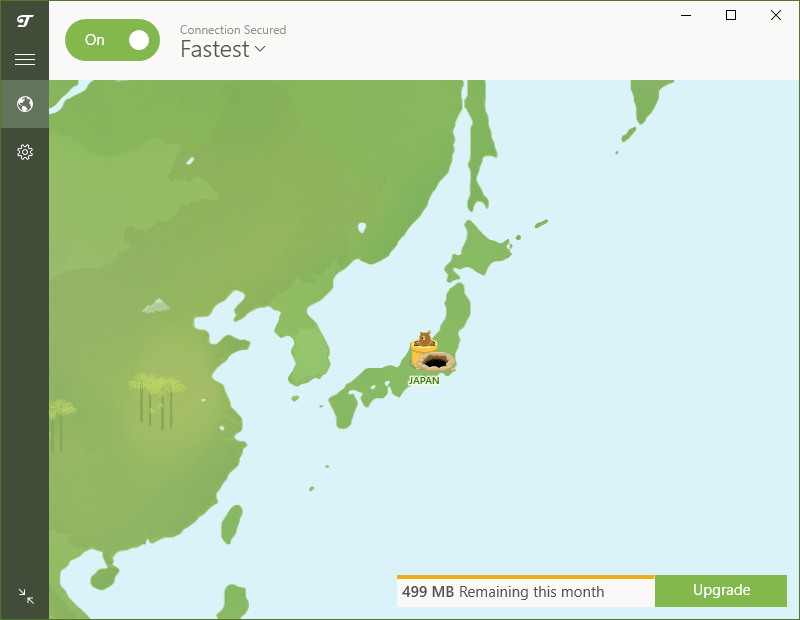
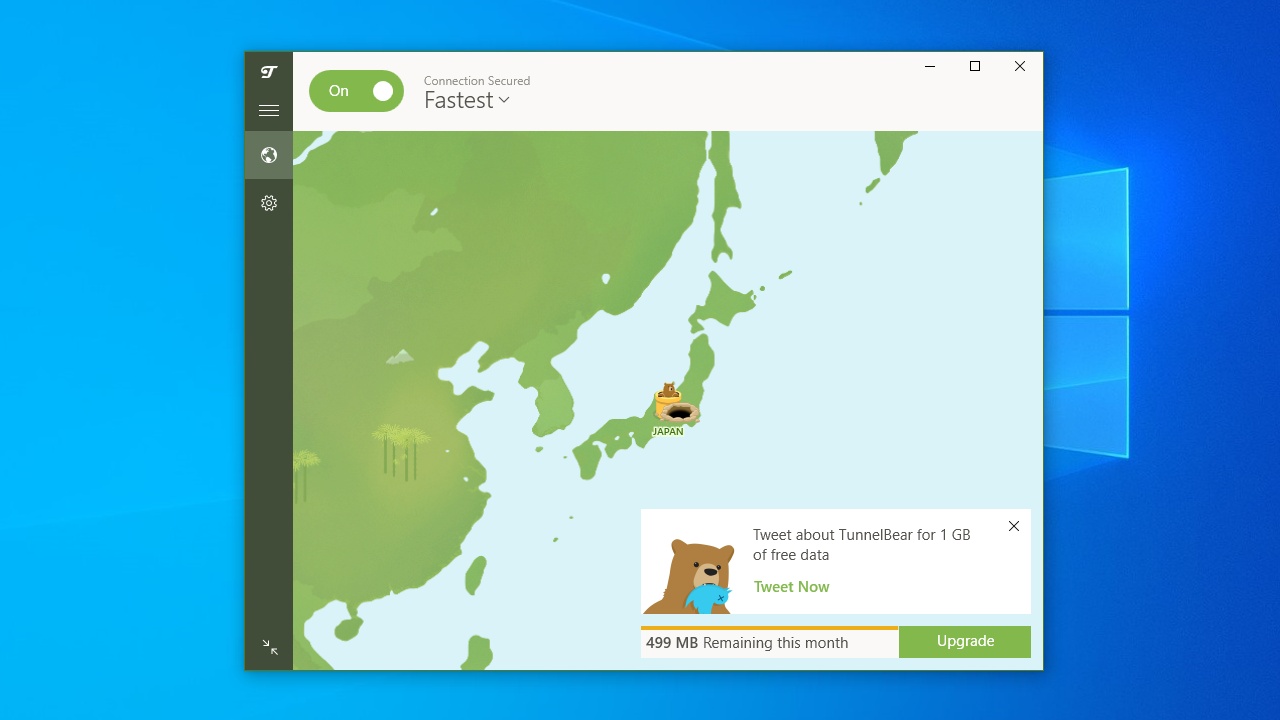
シンプルなインターフェースで接続を視覚化
再接続される間は、セキュリティで保護されていないすべてのトラフィックをブロックします(VigilantBear)
デフォルトで強力な AES256 ビット暗号化を使用します
VPN で暗号化されたデータを政府、企業、ISP が検出しにくくしてブロックを回避(GhostBear)
信頼できるネットワークのリストに基づいて、TunnelBear を自動的に接続または切断
無料版で制限されている機能:
価格: 無料
動作環境: Windows 7|8|8.1|10・Mac
使用言語: 英語ほか
最終更新日:
3週間前 (2026/04/25)
ダウンロード数: 1312
使い方
インストール
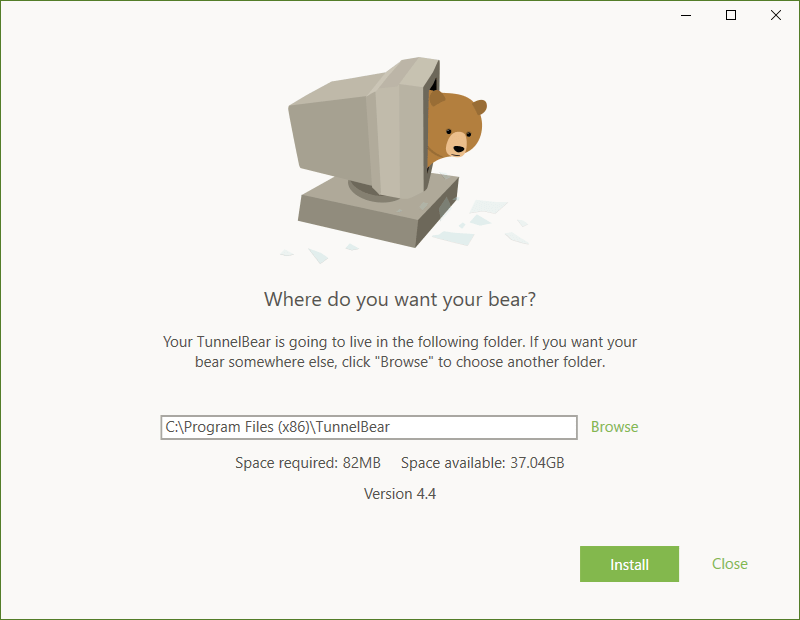
1.インストール方法(Windows)
インストーラを実行したら、インストール先を指定して[Install]ボタンをクリックします。
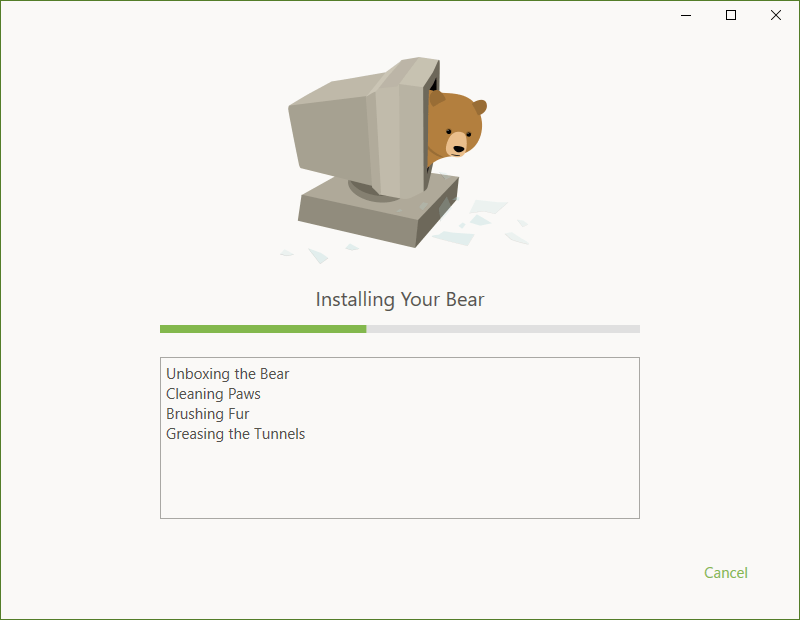
インストールが開始します。インストールが完了すると自動的にウィンドウが閉じます。
2.アカウントの作成/ログイン
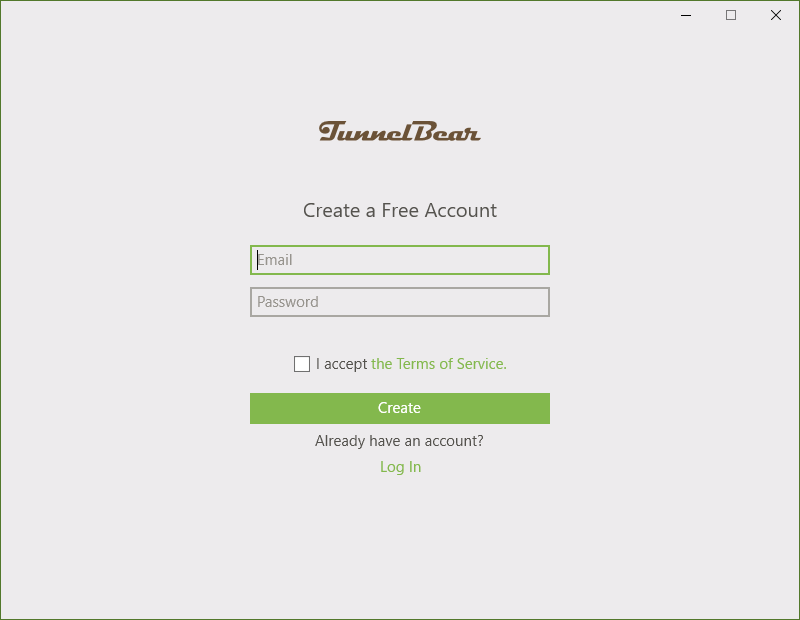
TunnelBear を起動すると、アカウントの作成およびログインの画面が表示されます。
アカウントを作成する場合は、メールアドレスとパスワードを入力して[Create ]ボタンをクリックします。
既にアカウントを持っている場合は「Log In 」をクリックします。
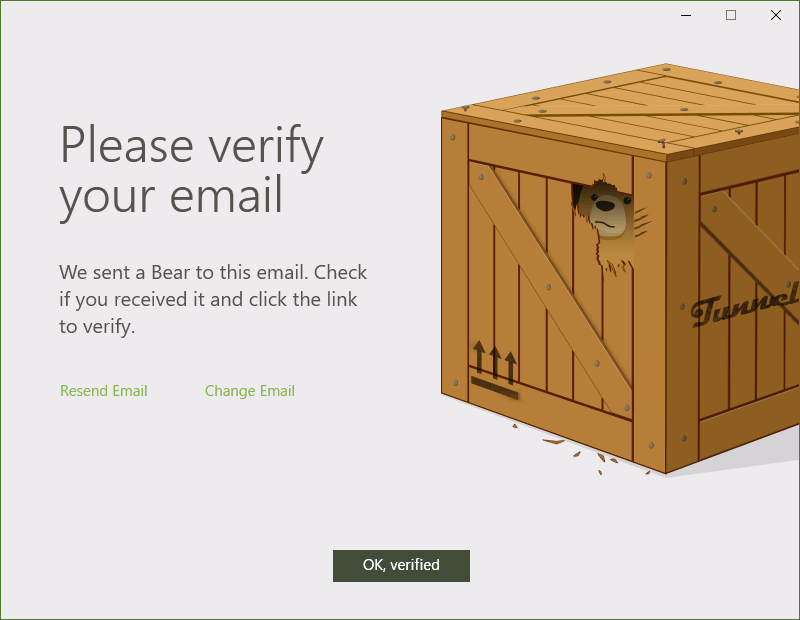
アカウントを作成すると、メールアドレスの確認画面が表示されます。
先程記入したメールアドレス宛に届いたメール内のリンクをクリックし、[OK, Verified]ボタンをクリックします。
基本的な使い方
1.基本的な使い方
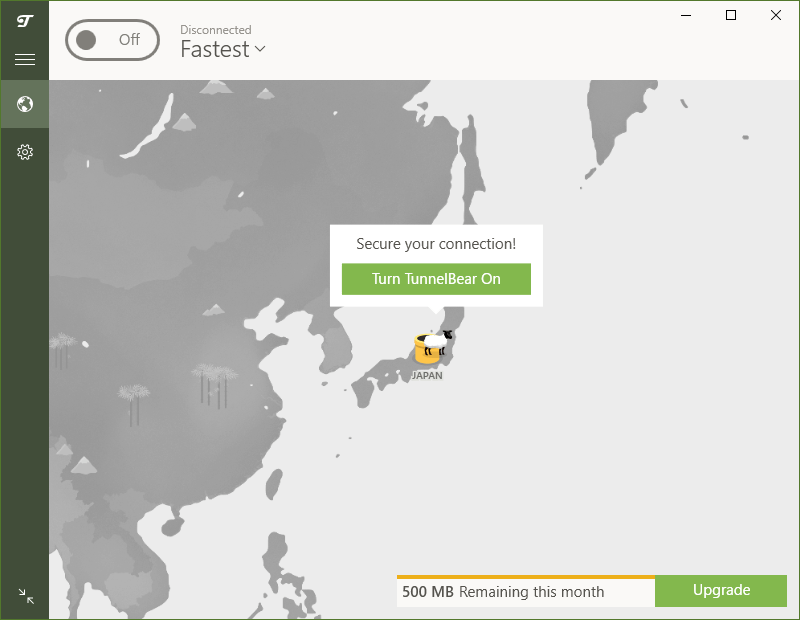
左上のスイッチをオンにするか、[Turn TunnelBear On ]をクリックすると VPN 接続が有効になります。
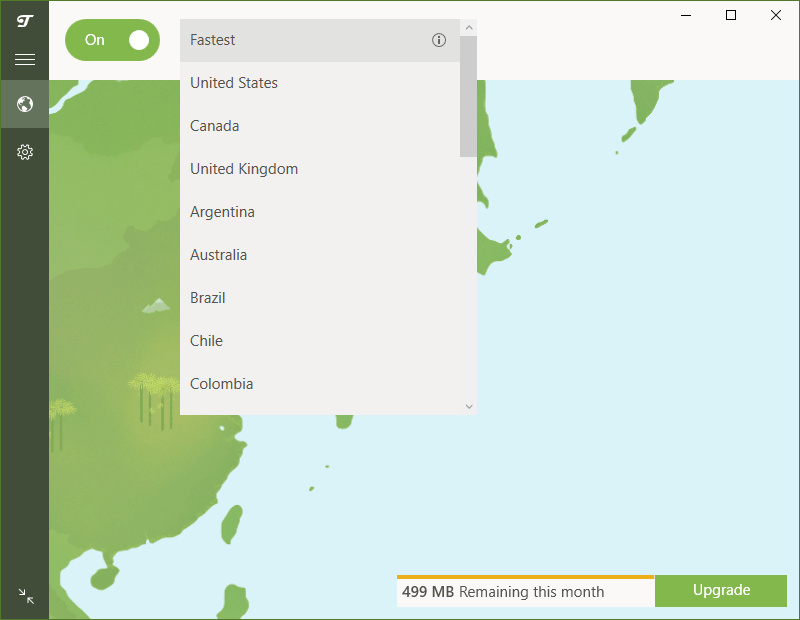
ドロップダウンリストから、接続するサーバを選択できます。
設定
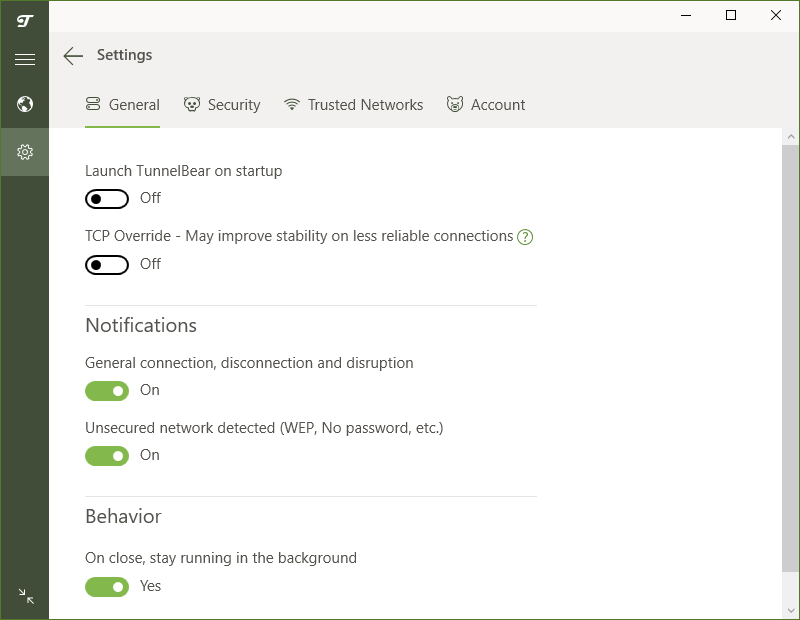
歯車のボタンをクリックすると、設定画面を開くことができます。
1.General
・Launch TunnelBear on startup :Windows 起動時に TunnelBear を起動する
・TCP Override – May improve stability on less reliable connections :TCP オーバーライドを有効にする。信頼性の低い接続での安定性が向上する可能性があります
Notifications :通知の設定
・General connection, disconnection and disruption :一般的な接続、切断、中断時に通知を表示する
・Unsecured network detected (WEP, No password, etc.) :セキュリティで保護されていないネットワークが検出された場合に通知を表示する
Behavior:
・On close, stay running in the background :閉じた時に、バックグラウンドで起動したままにする
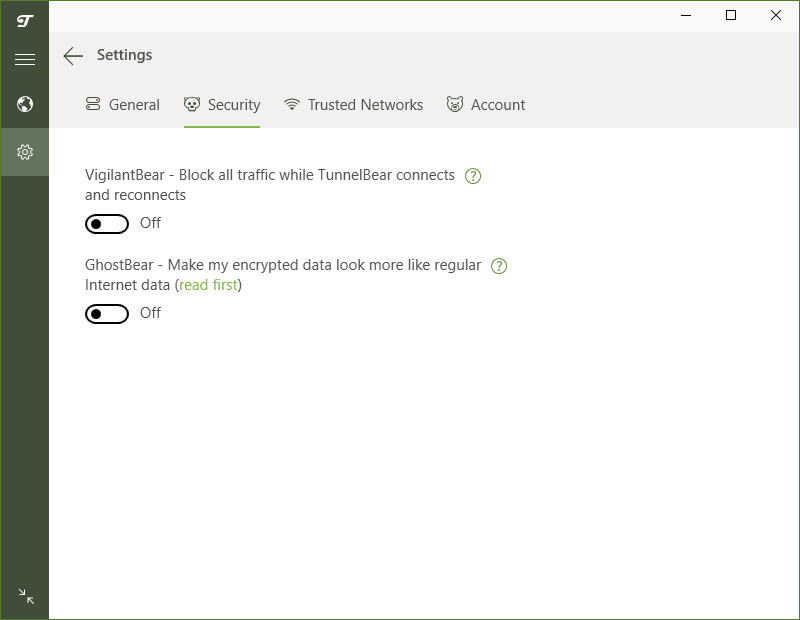
2.Security
・VigilantBear – Block all traffic while TunnelBear connects ? and reconnects :TunnelBear が再接続している間、現在地とデータを非公開に保つ
・GhostBear – Make my encrypted data look more like regular Internet data (read first) :暗号化されたデータを政府、企業、ISP が検出しにくくなり、ブロックが困難になります
3.Trusted Networks
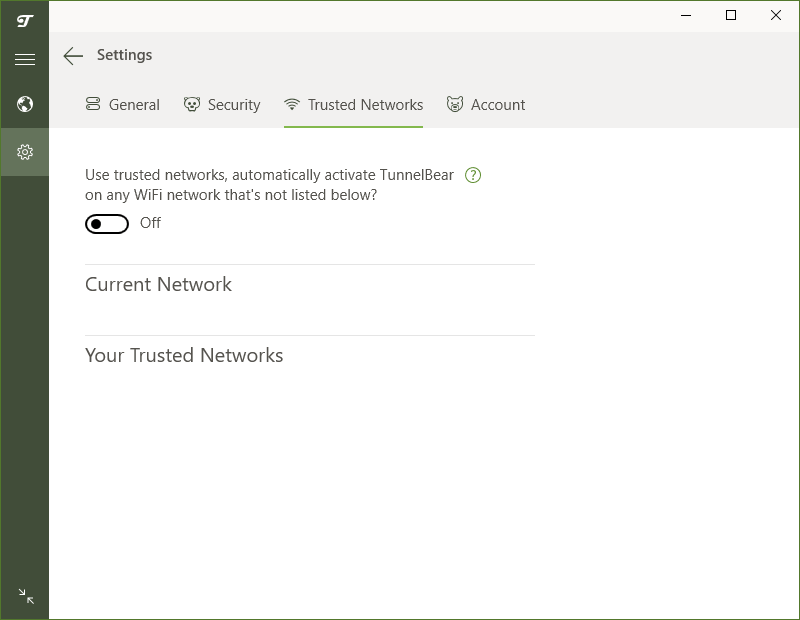
・Use trusted networks, automatically activate TunnelBear ? on any WiFi network that’s not listed below? :信頼できるネットワークを使用し、TunnelBear を自動的に接続する
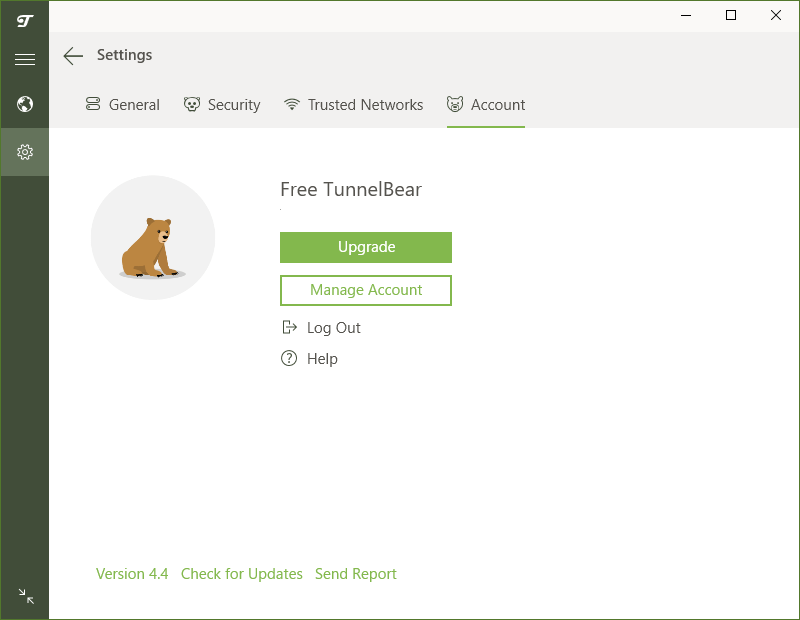
4.Account
「Account 」では、アカウントの確認ができます。
よくある質問と回答
ライセンスについて。
ユーザーレビュー
レビューはまだありません、 最初のレビューを投稿してください。コメントは任意です。