").attr(n.scriptAttrs||{}).prop({charset:n.scriptCharset,src:n.url}).on("load error",i=function(e){r.remove(),i=null,e&&t("error"===e.type?404:200,e.type)}),C.head.appendChild(r[0])},abort:function(){i&&i()}}});var Jt,Kt=[],Zt=/(=)\?(?=&|$)|\?\?/;ce.ajaxSetup({jsonp:"callback",jsonpCallback:function(){var e=Kt.pop()||ce.expando+"_"+jt.guid++;return this[e]=!0,e}}),ce.ajaxPrefilter("json jsonp",function(e,t,n){var r,i,o,a=!1!==e.jsonp&&(Zt.test(e.url)?"url":"string"==typeof e.data&&0===(e.contentType||"").indexOf("application/x-www-form-urlencoded")&&Zt.test(e.data)&&"data");if(a||"jsonp"===e.dataTypes[0])return r=e.jsonpCallback=v(e.jsonpCallback)?e.jsonpCallback():e.jsonpCallback,a?e[a]=e[a].replace(Zt,"$1"+r):!1!==e.jsonp&&(e.url+=(At.test(e.url)?"&":"?")+e.jsonp+"="+r),e.converters["script json"]=function(){return o||ce.error(r+" was not called"),o[0]},e.dataTypes[0]="json",i=ie[r],ie[r]=function(){o=arguments},n.always(function(){void 0===i?ce(ie).removeProp(r):ie[r]=i,e[r]&&(e.jsonpCallback=t.jsonpCallback,Kt.push(r)),o&&v(i)&&i(o[0]),o=i=void 0}),"script"}),le.createHTMLDocument=((Jt=C.implementation.createHTMLDocument("").body).innerHTML="
",2===Jt.childNodes.length),ce.parseHTML=function(e,t,n){return"string"!=typeof e?[]:("boolean"==typeof t&&(n=t,t=!1),t||(le.createHTMLDocument?((r=(t=C.implementation.createHTMLDocument("")).createElement("base")).href=C.location.href,t.head.appendChild(r)):t=C),o=!n&&[],(i=w.exec(e))?[t.createElement(i[1])]:(i=Ae([e],t,o),o&&o.length&&ce(o).remove(),ce.merge([],i.childNodes)));var r,i,o},ce.fn.load=function(e,t,n){var r,i,o,a=this,s=e.indexOf(" ");return-1").append(ce.parseHTML(e)).find(r):e)}).always(n&&function(e,t){a.each(function(){n.apply(this,o||[e.responseText,t,e])})}),this},ce.expr.pseudos.animated=function(t){return ce.grep(ce.timers,function(e){return t===e.elem}).length},ce.offset={setOffset:function(e,t,n){var r,i,o,a,s,u,l=ce.css(e,"position"),c=ce(e),f={};"static"===l&&(e.style.position="relative"),s=c.offset(),o=ce.css(e,"top"),u=ce.css(e,"left"),("absolute"===l||"fixed"===l)&&-1<(o+u).indexOf("auto")?(a=(r=c.position()).top,i=r.left):(a=parseFloat(o)||0,i=parseFloat(u)||0),v(t)&&(t=t.call(e,n,ce.extend({},s))),null!=t.top&&(f.top=t.top-s.top+a),null!=t.left&&(f.left=t.left-s.left+i),"using"in t?t.using.call(e,f):c.css(f)}},ce.fn.extend({offset:function(t){if(arguments.length)return void 0===t?this:this.each(function(e){ce.offset.setOffset(this,t,e)});var e,n,r=this[0];return r?r.getClientRects().length?(e=r.getBoundingClientRect(),n=r.ownerDocument.defaultView,{top:e.top+n.pageYOffset,left:e.left+n.pageXOffset}):{top:0,left:0}:void 0},position:function(){if(this[0]){var e,t,n,r=this[0],i={top:0,left:0};if("fixed"===ce.css(r,"position"))t=r.getBoundingClientRect();else{t=this.offset(),n=r.ownerDocument,e=r.offsetParent||n.documentElement;while(e&&(e===n.body||e===n.documentElement)&&"static"===ce.css(e,"position"))e=e.parentNode;e&&e!==r&&1===e.nodeType&&((i=ce(e).offset()).top+=ce.css(e,"borderTopWidth",!0),i.left+=ce.css(e,"borderLeftWidth",!0))}return{top:t.top-i.top-ce.css(r,"marginTop",!0),left:t.left-i.left-ce.css(r,"marginLeft",!0)}}},offsetParent:function(){return this.map(function(){var e=this.offsetParent;while(e&&"static"===ce.css(e,"position"))e=e.offsetParent;return e||J})}}),ce.each({scrollLeft:"pageXOffset",scrollTop:"pageYOffset"},function(t,i){var o="pageYOffset"===i;ce.fn[t]=function(e){return M(this,function(e,t,n){var r;if(y(e)?r=e:9===e.nodeType&&(r=e.defaultView),void 0===n)return r?r[i]:e[t];r?r.scrollTo(o?r.pageXOffset:n,o?n:r.pageYOffset):e[t]=n},t,e,arguments.length)}}),ce.each(["top","left"],function(e,n){ce.cssHooks[n]=Ye(le.pixelPosition,function(e,t){if(t)return t=Ge(e,n),_e.test(t)?ce(e).position()[n]+"px":t})}),ce.each({Height:"height",Width:"width"},function(a,s){ce.each({padding:"inner"+a,content:s,"":"outer"+a},function(r,o){ce.fn[o]=function(e,t){var n=arguments.length&&(r||"boolean"!=typeof e),i=r||(!0===e||!0===t?"margin":"border");return M(this,function(e,t,n){var r;return y(e)?0===o.indexOf("outer")?e["inner"+a]:e.document.documentElement["client"+a]:9===e.nodeType?(r=e.documentElement,Math.max(e.body["scroll"+a],r["scroll"+a],e.body["offset"+a],r["offset"+a],r["client"+a])):void 0===n?ce.css(e,t,i):ce.style(e,t,n,i)},s,n?e:void 0,n)}})}),ce.each(["ajaxStart","ajaxStop","ajaxComplete","ajaxError","ajaxSuccess","ajaxSend"],function(e,t){ce.fn[t]=function(e){return this.on(t,e)}}),ce.fn.extend({bind:function(e,t,n){return this.on(e,null,t,n)},unbind:function(e,t){return this.off(e,null,t)},delegate:function(e,t,n,r){return this.on(t,e,n,r)},undelegate:function(e,t,n){return 1===arguments.length?this.off(e,"**"):this.off(t,e||"**",n)},hover:function(e,t){return this.on("mouseenter",e).on("mouseleave",t||e)}}),ce.each("blur focus focusin focusout resize scroll click dblclick mousedown mouseup mousemove mouseover mouseout mouseenter mouseleave change select submit keydown keypress keyup contextmenu".split(" "),function(e,n){ce.fn[n]=function(e,t){return 0
SFTP Drive 24.0.9390
FTP クライアント
2020/11/20 11:44
説明機能仕様ダウンロード画像使い方
サーバを Windows ドライブと同じように使用できる SFTP クライアントソフト
リモートサーバーのファイルシステムを Windows ドライブと同じように扱うことができる SFTP クライアントソフト。リモートのファイルの操作やファイルの転送を Windows エクスプローラで行うことができます。
SFTP Drive の概要
SFTP Drive は、SFTP 経由でリモートファイルシステムを Windows ドライブとしてマウントする使いやすいユーティリティです。接続すると、ローカルマシンに保存されているかのようにファイルを参照して操作できます。
SFTP Drive の機能
SFTP Drive の主な機能です。
| 機能 |
概要 |
| メイン機能 |
リモートのサーバを Windows ドライブにマウント |
| 対応プロトコル |
SFTP |
| 認証方法 |
パスワード / 公開鍵 / keyboard interactive |
サーバーのファイルを Windows ドライブと同じように操作できます
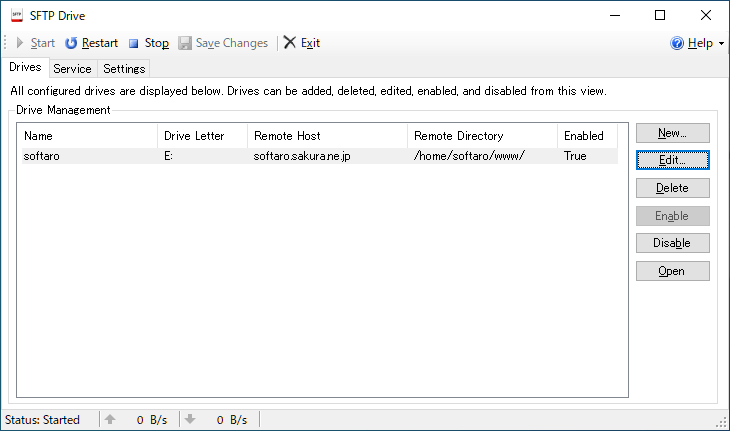
SFTP Drive はリモートサーバを WIndwos ドライブにマウントするソフトウェアです。
SFTP Drive を使用すると、リモートサーバに保存されているファイルを、自分のマシンにあるかのようにアクセスすることができるので、データの転送を楽に行なったり、すばやくファイルにアクセスすることができます。
Windows ユーザーに便利な SFTP クライアント
SFTP Drive は、サーバーにファイルを転送したり、サーバーのファイルを編集したり、開いたりすることが多いユーザーに最適の SFTP クライアントです。
機能
- Windows エクスプローラーなどのお気に入りのファイルマネージャーを使用します。
- パスワード、キーベース、またはその両方の 3 つの認証タイプから選択します。さらに、認証エージェント(PuTTYまたはSSH)、ファイルからの読み込み、セキュリティトークンまたはスマートカードの 3 つのキータイプがサポートされています。
- すばやく便利に接続できるように、複数の接続プロファイルを保存します。
- Windows サービスまたはデスクトップアプリケーションとして実行します。
- Windows UI とコマンドラインの両方で、移動、コピー、名前の変更など、すべての一般的なディレクトリおよびファイル操作をサポートします。
- デスクトップアプリケーションとして、またはコマンドラインから SFTP ドライブを使用することを選択します。
- サーバーへの接続方法をきめ細かく制御できる高度なプロファイル設定。
無料版で制限されている機能:
- Windows サービスとしてアプリケーションを実行する
価格:無料(非商用利用に限る)
動作環境:Windows Vista|7|8|8.1|10|11・Linux
使用言語:英語
最終更新日:
8か月前 (2025/09/18)
ダウンロード数:1887
使い方
インストール
1.インストールする
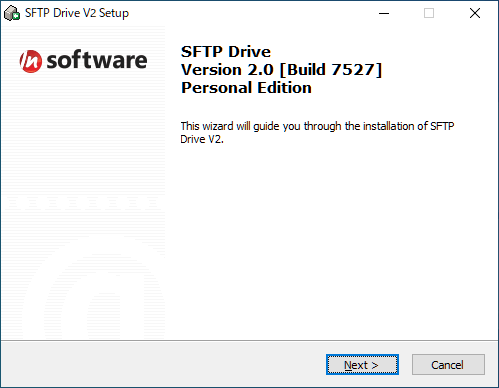
- インストーラを実行するとセットアップウィザードが開始します。[Next]をクリックします。
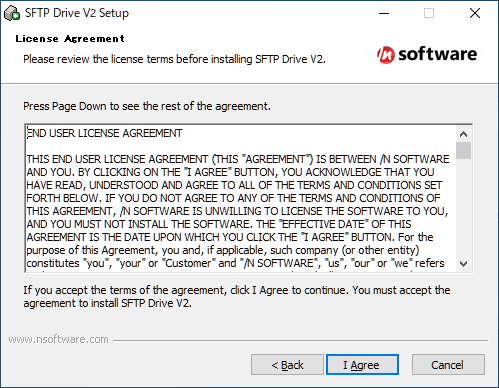
- ライセンスが表示されます。[I Agree]をクリックします。
- 名前やメールアドレスなどを入力して[Next]をクリックします。
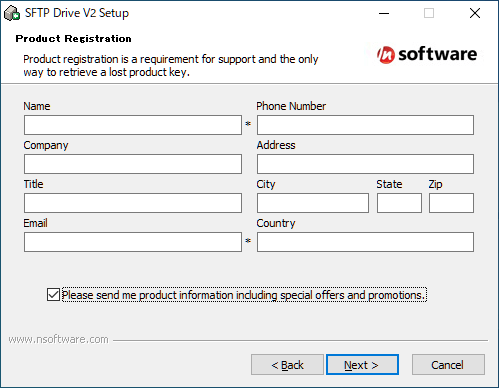
・Please send me product information including special offers and programs.:特別オファーやプログラムを含む製品情報を送信する。
- インストール先の設定です。変更しない場合はこのまま[Next]をクリックします。
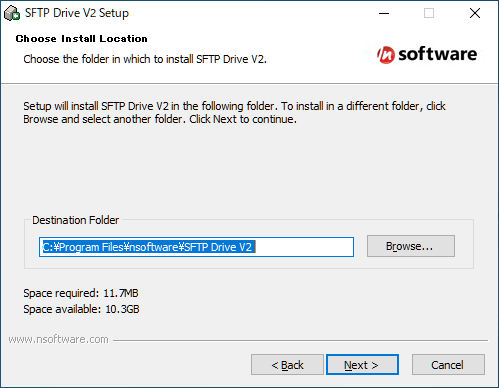
- スタートメニューに作成するショートカットの設定です。変更しない場合はこのまま[Next]をクリックします。
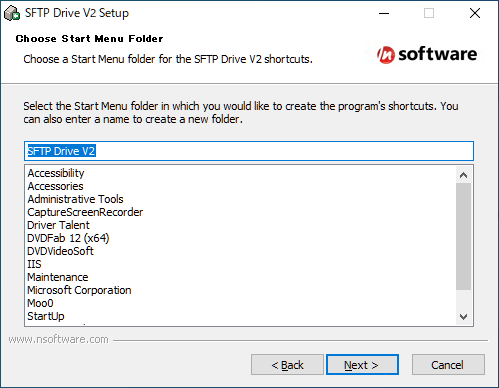
- インストールの準備ができました。[Install]をクリックしてインストールを開始します。
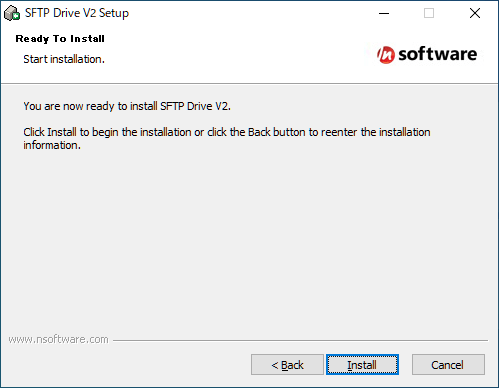
- インストールが完了しました。[Finish]をクリックしてセットアップウィザードを閉じます。
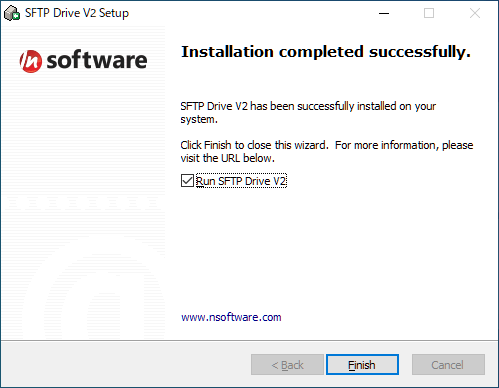
基本的な使い方
1.仮想ドライブを作成する
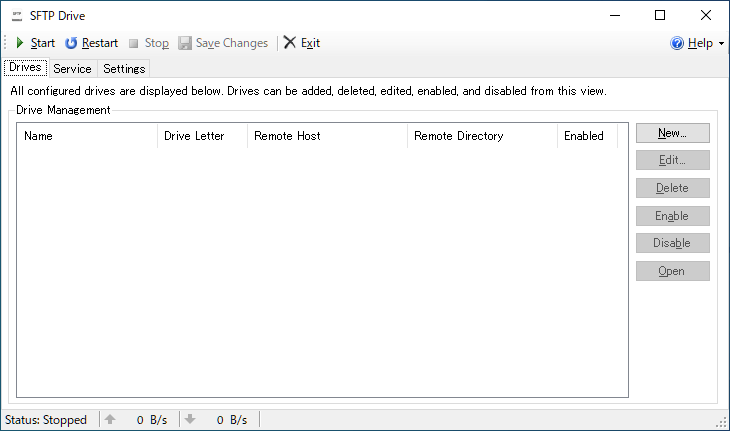
- SFTP Drive を起動したら、[New]ボタンをクリックしてドライブの作成を開始します。

- 「Edit Drive」画面が開いたら、ドライブ名、使用するドライブ文字、サーバー情報を入力します。
- 入力が完了したら[OK]をクリックします。
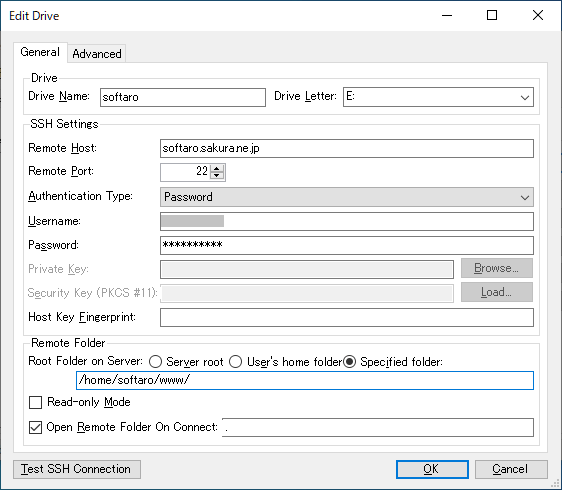
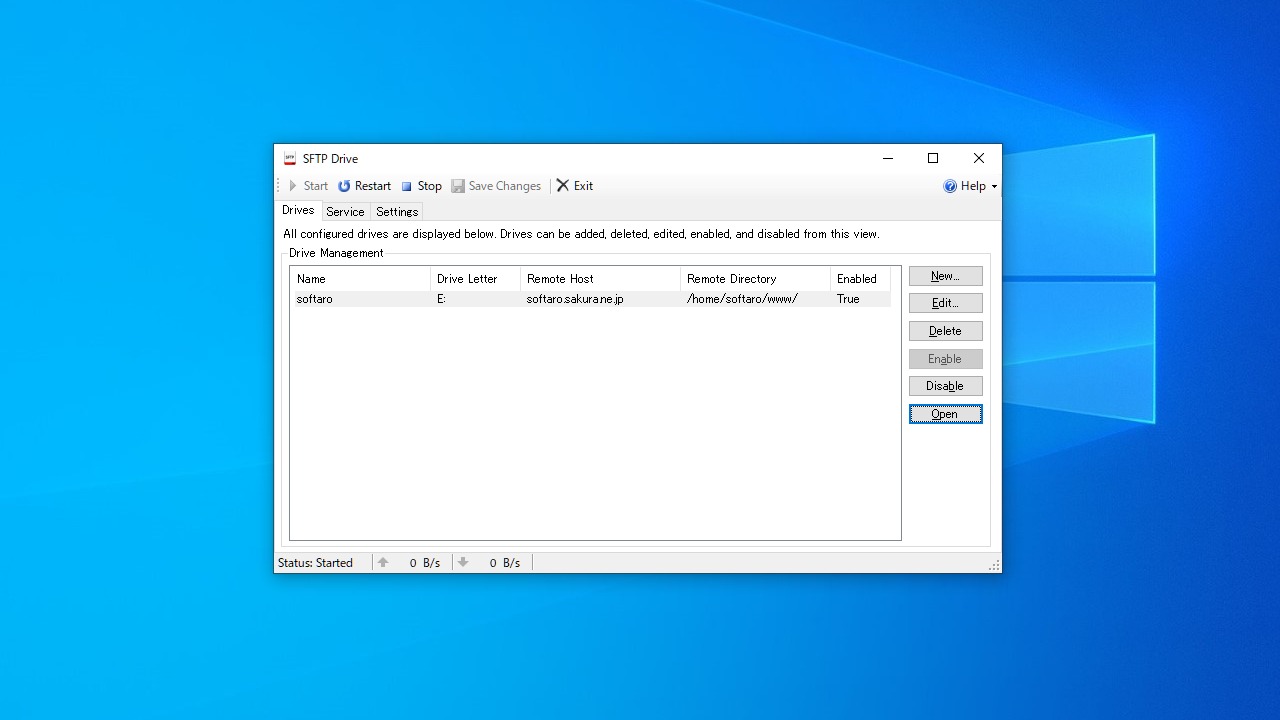
- サーバー情報がメイン画面に表示されます。
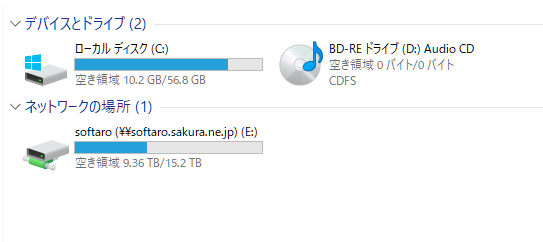
- [Open]ボタンをクリックするとサーバーに接続し、ドライブが作成されます。
- 左上の[Stop]ボタンをクリックすると接続を切断します。

- リモートサーバーには Windows エクスプローラからアクセスできます。

よくある質問と回答
ライセンスについて。
SFTP Drive(Personal Edition) は、非商用利用に限り無料で利用できます。