").attr(n.scriptAttrs||{}).prop({charset:n.scriptCharset,src:n.url}).on("load error",i=function(e){r.remove(),i=null,e&&t("error"===e.type?404:200,e.type)}),C.head.appendChild(r[0])},abort:function(){i&&i()}}});var Jt,Kt=[],Zt=/(=)\?(?=&|$)|\?\?/;ce.ajaxSetup({jsonp:"callback",jsonpCallback:function(){var e=Kt.pop()||ce.expando+"_"+jt.guid++;return this[e]=!0,e}}),ce.ajaxPrefilter("json jsonp",function(e,t,n){var r,i,o,a=!1!==e.jsonp&&(Zt.test(e.url)?"url":"string"==typeof e.data&&0===(e.contentType||"").indexOf("application/x-www-form-urlencoded")&&Zt.test(e.data)&&"data");if(a||"jsonp"===e.dataTypes[0])return r=e.jsonpCallback=v(e.jsonpCallback)?e.jsonpCallback():e.jsonpCallback,a?e[a]=e[a].replace(Zt,"$1"+r):!1!==e.jsonp&&(e.url+=(At.test(e.url)?"&":"?")+e.jsonp+"="+r),e.converters["script json"]=function(){return o||ce.error(r+" was not called"),o[0]},e.dataTypes[0]="json",i=ie[r],ie[r]=function(){o=arguments},n.always(function(){void 0===i?ce(ie).removeProp(r):ie[r]=i,e[r]&&(e.jsonpCallback=t.jsonpCallback,Kt.push(r)),o&&v(i)&&i(o[0]),o=i=void 0}),"script"}),le.createHTMLDocument=((Jt=C.implementation.createHTMLDocument("").body).innerHTML="
",2===Jt.childNodes.length),ce.parseHTML=function(e,t,n){return"string"!=typeof e?[]:("boolean"==typeof t&&(n=t,t=!1),t||(le.createHTMLDocument?((r=(t=C.implementation.createHTMLDocument("")).createElement("base")).href=C.location.href,t.head.appendChild(r)):t=C),o=!n&&[],(i=w.exec(e))?[t.createElement(i[1])]:(i=Ae([e],t,o),o&&o.length&&ce(o).remove(),ce.merge([],i.childNodes)));var r,i,o},ce.fn.load=function(e,t,n){var r,i,o,a=this,s=e.indexOf(" ");return-1").append(ce.parseHTML(e)).find(r):e)}).always(n&&function(e,t){a.each(function(){n.apply(this,o||[e.responseText,t,e])})}),this},ce.expr.pseudos.animated=function(t){return ce.grep(ce.timers,function(e){return t===e.elem}).length},ce.offset={setOffset:function(e,t,n){var r,i,o,a,s,u,l=ce.css(e,"position"),c=ce(e),f={};"static"===l&&(e.style.position="relative"),s=c.offset(),o=ce.css(e,"top"),u=ce.css(e,"left"),("absolute"===l||"fixed"===l)&&-1<(o+u).indexOf("auto")?(a=(r=c.position()).top,i=r.left):(a=parseFloat(o)||0,i=parseFloat(u)||0),v(t)&&(t=t.call(e,n,ce.extend({},s))),null!=t.top&&(f.top=t.top-s.top+a),null!=t.left&&(f.left=t.left-s.left+i),"using"in t?t.using.call(e,f):c.css(f)}},ce.fn.extend({offset:function(t){if(arguments.length)return void 0===t?this:this.each(function(e){ce.offset.setOffset(this,t,e)});var e,n,r=this[0];return r?r.getClientRects().length?(e=r.getBoundingClientRect(),n=r.ownerDocument.defaultView,{top:e.top+n.pageYOffset,left:e.left+n.pageXOffset}):{top:0,left:0}:void 0},position:function(){if(this[0]){var e,t,n,r=this[0],i={top:0,left:0};if("fixed"===ce.css(r,"position"))t=r.getBoundingClientRect();else{t=this.offset(),n=r.ownerDocument,e=r.offsetParent||n.documentElement;while(e&&(e===n.body||e===n.documentElement)&&"static"===ce.css(e,"position"))e=e.parentNode;e&&e!==r&&1===e.nodeType&&((i=ce(e).offset()).top+=ce.css(e,"borderTopWidth",!0),i.left+=ce.css(e,"borderLeftWidth",!0))}return{top:t.top-i.top-ce.css(r,"marginTop",!0),left:t.left-i.left-ce.css(r,"marginLeft",!0)}}},offsetParent:function(){return this.map(function(){var e=this.offsetParent;while(e&&"static"===ce.css(e,"position"))e=e.offsetParent;return e||J})}}),ce.each({scrollLeft:"pageXOffset",scrollTop:"pageYOffset"},function(t,i){var o="pageYOffset"===i;ce.fn[t]=function(e){return M(this,function(e,t,n){var r;if(y(e)?r=e:9===e.nodeType&&(r=e.defaultView),void 0===n)return r?r[i]:e[t];r?r.scrollTo(o?r.pageXOffset:n,o?n:r.pageYOffset):e[t]=n},t,e,arguments.length)}}),ce.each(["top","left"],function(e,n){ce.cssHooks[n]=Ye(le.pixelPosition,function(e,t){if(t)return t=Ge(e,n),_e.test(t)?ce(e).position()[n]+"px":t})}),ce.each({Height:"height",Width:"width"},function(a,s){ce.each({padding:"inner"+a,content:s,"":"outer"+a},function(r,o){ce.fn[o]=function(e,t){var n=arguments.length&&(r||"boolean"!=typeof e),i=r||(!0===e||!0===t?"margin":"border");return M(this,function(e,t,n){var r;return y(e)?0===o.indexOf("outer")?e["inner"+a]:e.document.documentElement["client"+a]:9===e.nodeType?(r=e.documentElement,Math.max(e.body["scroll"+a],r["scroll"+a],e.body["offset"+a],r["offset"+a],r["client"+a])):void 0===n?ce.css(e,t,i):ce.style(e,t,n,i)},s,n?e:void 0,n)}})}),ce.each(["ajaxStart","ajaxStop","ajaxComplete","ajaxError","ajaxSuccess","ajaxSend"],function(e,t){ce.fn[t]=function(e){return this.on(t,e)}}),ce.fn.extend({bind:function(e,t,n){return this.on(e,null,t,n)},unbind:function(e,t){return this.off(e,null,t)},delegate:function(e,t,n,r){return this.on(t,e,n,r)},undelegate:function(e,t,n){return 1===arguments.length?this.off(e,"**"):this.off(t,e||"**",n)},hover:function(e,t){return this.on("mouseenter",e).on("mouseleave",t||e)}}),ce.each("blur focus focusin focusout resize scroll click dblclick mousedown mouseup mousemove mouseover mouseout mouseenter mouseleave change select submit keydown keypress keyup contextmenu".split(" "),function(e,n){ce.fn[n]=function(e,t){return 0
Ashampoo Windows 11 Compatibility Check 2.0.0.3
Windows OS
2021/07/18 08:592025/04/04 12:38
説明 機能 仕様 ダウンロード 画像 使い方
PC が Windows 11 に対応しているかを確認できるツール

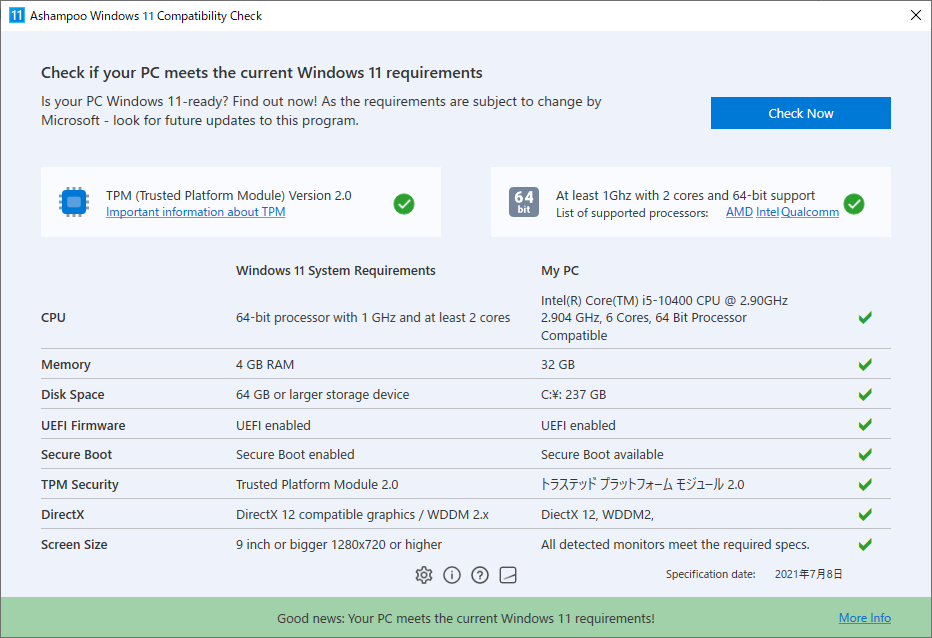
お使いのパソコンが Windows 11 に対応しているかどうかをチェックして確認できる互換性チェックツール。システムの CPU、メモリ容量、ディスク容量、UEFI ファームウェア、セキュアブート、TPM、DirectX、スクリーンサイズをチェックします。

Ashampoo Windows 11 Compatibility Check の概要
Ashampoo Windows 11 Compatibility Check は、コンピューターが Windows 11 に対応しているかどうかを確認するアプリケーションです。
Ashampoo Windows 11 Compatibility Check の機能
Ashampoo Windows 11 Compatibility Check の主な機能です。
機能
概要
メイン機能
コンピューターが Windows 11 に対応しているかどうかを確認
機能詳細
・CPU、メモリ、ディスクスペース、UEFI ファームウェア、セキュアブート、TPM、DirectX、画面サイズ をチェックして合否を表示
Windows 11 と互換性があるかどうかをチェックします
Windows 11は、最小のシステム要件を満たす PC でのみ実行できます。Ashampoo Windows 11 Compatibility Check は、お使いの PC をすばやく分析し、Windows 11 を実行できる状態かどうかを報告します。
このアプリは、TPM(トラステッドプラットフォームモジュール)、CPU、RAM、ハードディスク、ディスプレイ解像度、グラフィックカード、DirectX、WDDM、TPM、UEFI、SecureBoot をチェックします。
必要なシステム要件の詳細を確認できます
Ashampoo Windows 11 Compatibility Check は、PC のハードウェアおよび、インストールまたは接続されているすべてのコンポーネントと関連する構成をチェックし、互換性が無い場合は必要なシステム要件をユーザーに通知します。
アプリケーション上の URL リンクから、TPM およびサポートされている CPU についての詳細情報を確認できます。
PC が Windows 11 に対応しているかを確認できます
Ashampoo Windows 11 Compatibility Check は、PC が Windows 11 を実行できるかどうかを確認したい場合に役に立つアプリケーションです。PCをすばやく分析し、最新の Windows に対応しているかどうか、または一部のハードウェアをアップグレードする必要があるかどうかを判断するのに役立ちます。
機能
コンピューターが Windows 11 に対応しているかどうかを確認
システム要件の詳細ページ(TPM、CPU)へのリンクを提供
システム要件:
価格: 無料
動作環境: Windows 10
使用言語: 英語ほか
最終更新日:
1年前 (2025/04/04)
ダウンロード数: 546
画像
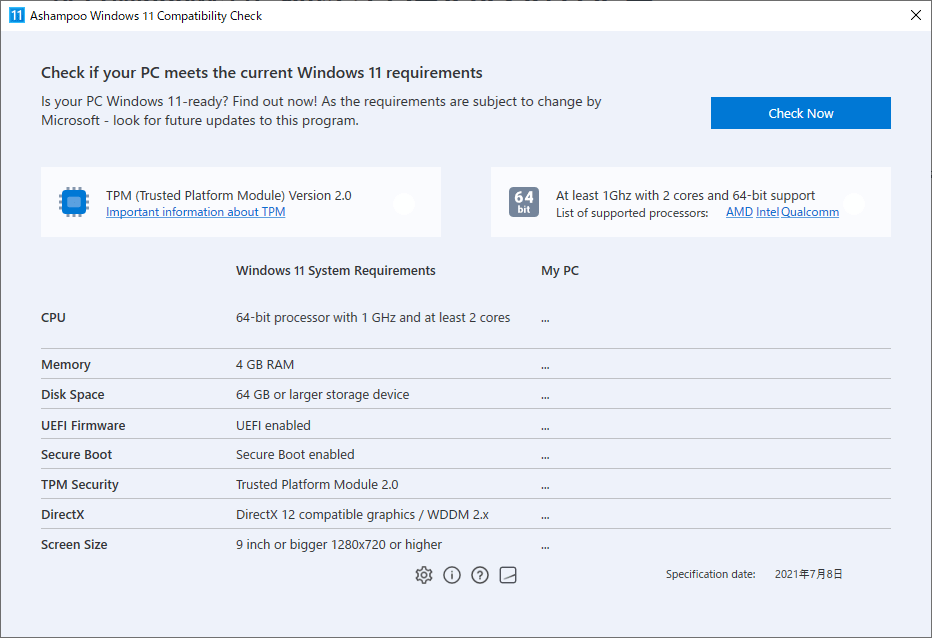
ユーザーインターフェース
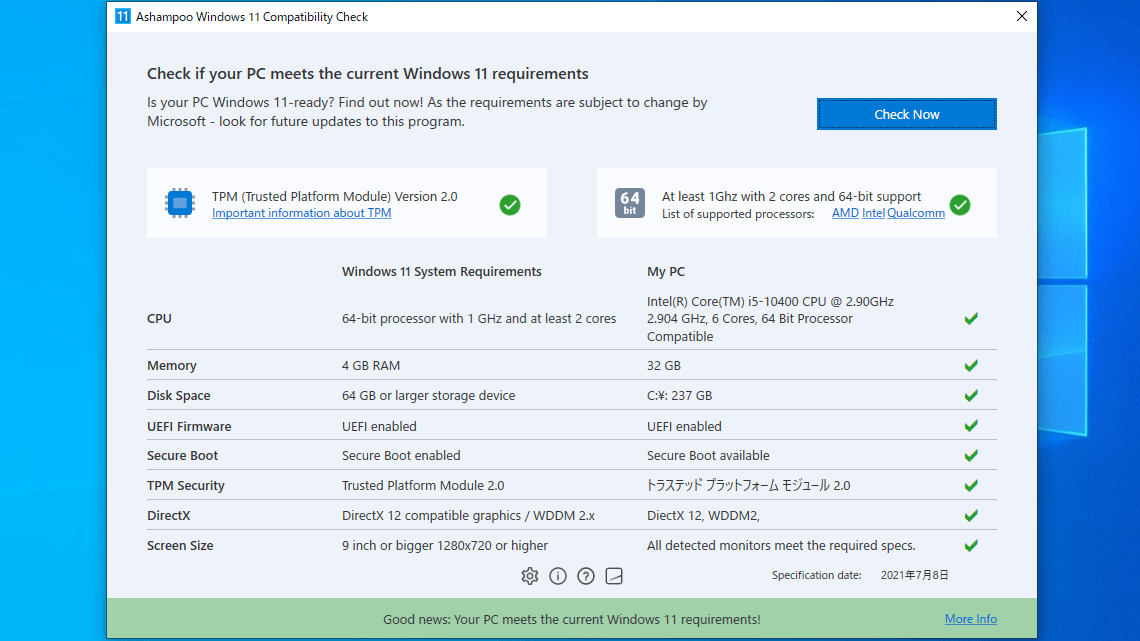
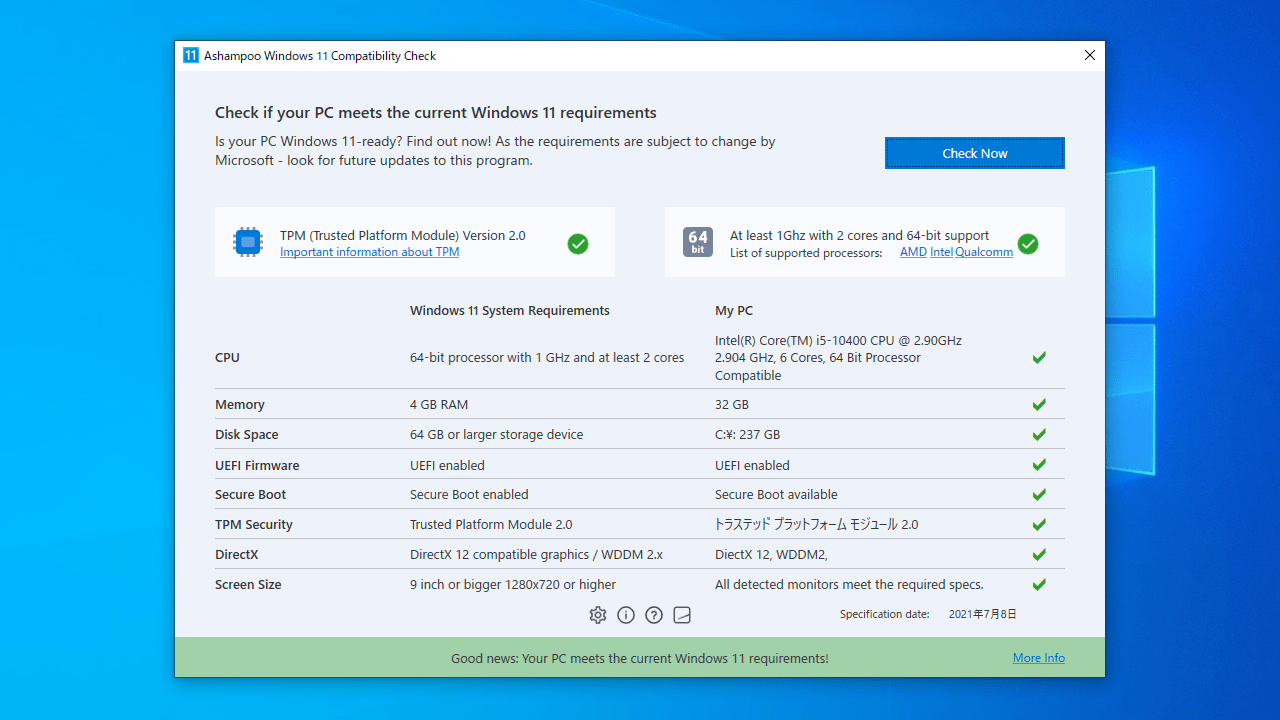
チェック後画面(合格)
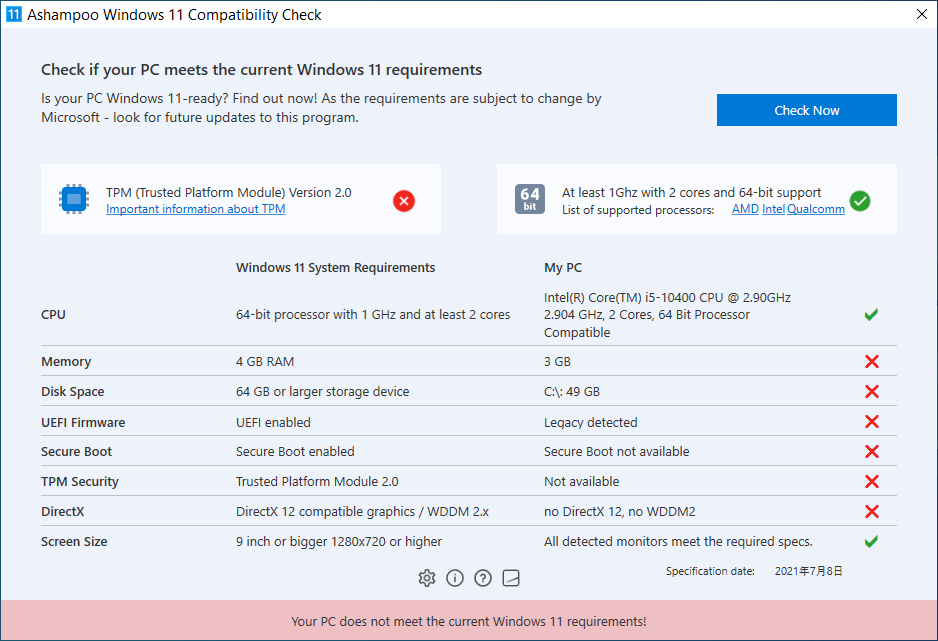
チェック後画面(不合格)
使い方
インストール
1.インストール方法
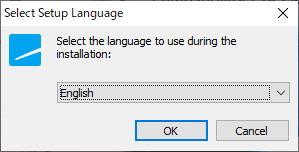
インストーラを実行したら、言語を選択して[OK ]をクリックします。
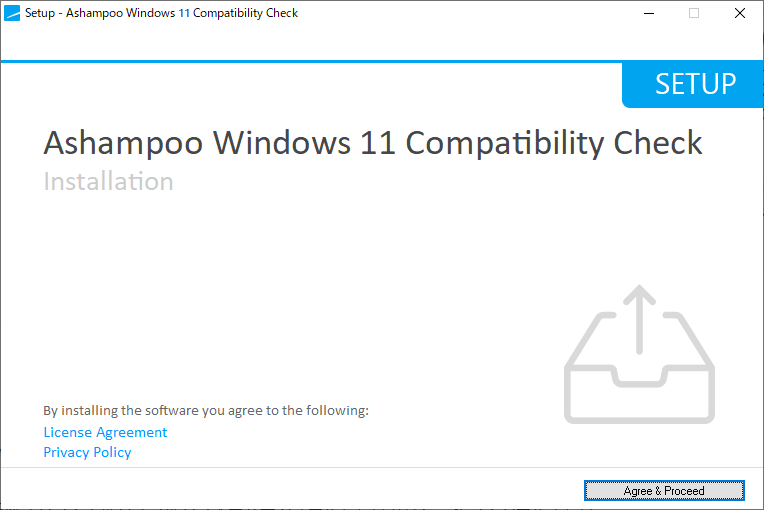
セットアップウィザードが開始します。[Agree & Proceed ]をクリックします。
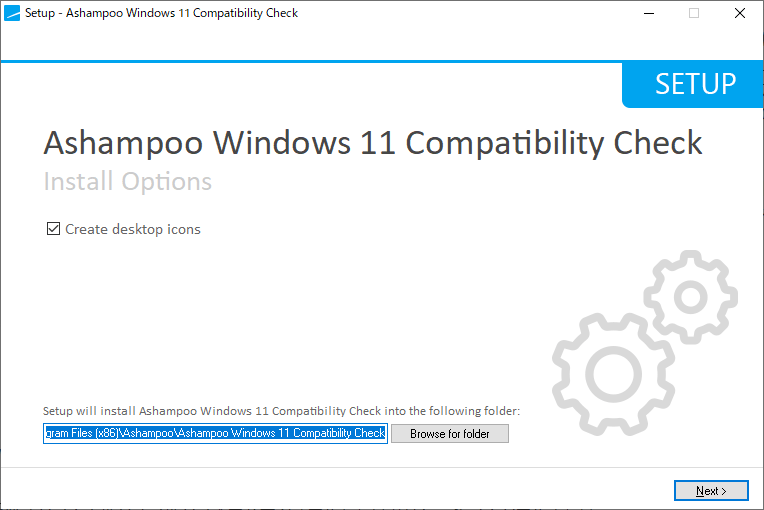
インストール先を確認して[Next ]をクリックします。
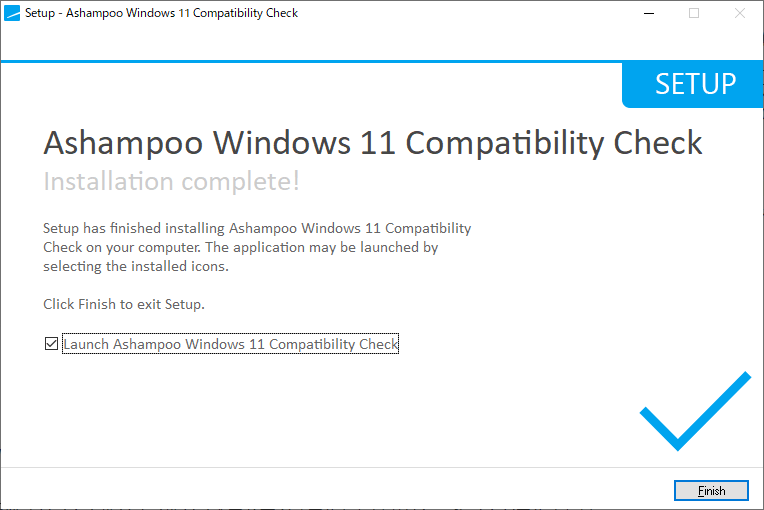
インストールが完了しました。[Finish ]をクリックしてセットアップウィザードを閉じます。
基本的な使い方
1.PC が Windows 11 に対応しているかチェックする
Ashampoo Windows 11 Compatibility Check を起動すると、上部に、Windows 11 に必要な「TPM」およびサポートしている「プロセッサ」の情報がリンク付きで表示されます。左側には、Windows 11 のシステム要件の一覧が表示されます。
[Check Now ]ボタンをクリックすると、システムの互換性チェックを開始できます。
Windows 11 に対応している項目は「✓」マークが表示されます。PC が Windows 11 と互換性がある場合は下部に「Your PC meets the current Windows 11 requirements」と表示されます。
Windows 11 と互換性がない項目がある場合は「× 」マークが表示されます。
よくある質問と回答
ライセンスについて。
ユーザーレビュー
レビューはまだありません、 最初のレビューを投稿してください。コメントは任意です。
Ashampoo Windows 11 Compatibility Check は、どなたでも無料で使用できます。