").attr(n.scriptAttrs||{}).prop({charset:n.scriptCharset,src:n.url}).on("load error",i=function(e){r.remove(),i=null,e&&t("error"===e.type?404:200,e.type)}),C.head.appendChild(r[0])},abort:function(){i&&i()}}});var Jt,Kt=[],Zt=/(=)\?(?=&|$)|\?\?/;ce.ajaxSetup({jsonp:"callback",jsonpCallback:function(){var e=Kt.pop()||ce.expando+"_"+jt.guid++;return this[e]=!0,e}}),ce.ajaxPrefilter("json jsonp",function(e,t,n){var r,i,o,a=!1!==e.jsonp&&(Zt.test(e.url)?"url":"string"==typeof e.data&&0===(e.contentType||"").indexOf("application/x-www-form-urlencoded")&&Zt.test(e.data)&&"data");if(a||"jsonp"===e.dataTypes[0])return r=e.jsonpCallback=v(e.jsonpCallback)?e.jsonpCallback():e.jsonpCallback,a?e[a]=e[a].replace(Zt,"$1"+r):!1!==e.jsonp&&(e.url+=(At.test(e.url)?"&":"?")+e.jsonp+"="+r),e.converters["script json"]=function(){return o||ce.error(r+" was not called"),o[0]},e.dataTypes[0]="json",i=ie[r],ie[r]=function(){o=arguments},n.always(function(){void 0===i?ce(ie).removeProp(r):ie[r]=i,e[r]&&(e.jsonpCallback=t.jsonpCallback,Kt.push(r)),o&&v(i)&&i(o[0]),o=i=void 0}),"script"}),le.createHTMLDocument=((Jt=C.implementation.createHTMLDocument("").body).innerHTML="
",2===Jt.childNodes.length),ce.parseHTML=function(e,t,n){return"string"!=typeof e?[]:("boolean"==typeof t&&(n=t,t=!1),t||(le.createHTMLDocument?((r=(t=C.implementation.createHTMLDocument("")).createElement("base")).href=C.location.href,t.head.appendChild(r)):t=C),o=!n&&[],(i=w.exec(e))?[t.createElement(i[1])]:(i=Ae([e],t,o),o&&o.length&&ce(o).remove(),ce.merge([],i.childNodes)));var r,i,o},ce.fn.load=function(e,t,n){var r,i,o,a=this,s=e.indexOf(" ");return-1").append(ce.parseHTML(e)).find(r):e)}).always(n&&function(e,t){a.each(function(){n.apply(this,o||[e.responseText,t,e])})}),this},ce.expr.pseudos.animated=function(t){return ce.grep(ce.timers,function(e){return t===e.elem}).length},ce.offset={setOffset:function(e,t,n){var r,i,o,a,s,u,l=ce.css(e,"position"),c=ce(e),f={};"static"===l&&(e.style.position="relative"),s=c.offset(),o=ce.css(e,"top"),u=ce.css(e,"left"),("absolute"===l||"fixed"===l)&&-1<(o+u).indexOf("auto")?(a=(r=c.position()).top,i=r.left):(a=parseFloat(o)||0,i=parseFloat(u)||0),v(t)&&(t=t.call(e,n,ce.extend({},s))),null!=t.top&&(f.top=t.top-s.top+a),null!=t.left&&(f.left=t.left-s.left+i),"using"in t?t.using.call(e,f):c.css(f)}},ce.fn.extend({offset:function(t){if(arguments.length)return void 0===t?this:this.each(function(e){ce.offset.setOffset(this,t,e)});var e,n,r=this[0];return r?r.getClientRects().length?(e=r.getBoundingClientRect(),n=r.ownerDocument.defaultView,{top:e.top+n.pageYOffset,left:e.left+n.pageXOffset}):{top:0,left:0}:void 0},position:function(){if(this[0]){var e,t,n,r=this[0],i={top:0,left:0};if("fixed"===ce.css(r,"position"))t=r.getBoundingClientRect();else{t=this.offset(),n=r.ownerDocument,e=r.offsetParent||n.documentElement;while(e&&(e===n.body||e===n.documentElement)&&"static"===ce.css(e,"position"))e=e.parentNode;e&&e!==r&&1===e.nodeType&&((i=ce(e).offset()).top+=ce.css(e,"borderTopWidth",!0),i.left+=ce.css(e,"borderLeftWidth",!0))}return{top:t.top-i.top-ce.css(r,"marginTop",!0),left:t.left-i.left-ce.css(r,"marginLeft",!0)}}},offsetParent:function(){return this.map(function(){var e=this.offsetParent;while(e&&"static"===ce.css(e,"position"))e=e.offsetParent;return e||J})}}),ce.each({scrollLeft:"pageXOffset",scrollTop:"pageYOffset"},function(t,i){var o="pageYOffset"===i;ce.fn[t]=function(e){return M(this,function(e,t,n){var r;if(y(e)?r=e:9===e.nodeType&&(r=e.defaultView),void 0===n)return r?r[i]:e[t];r?r.scrollTo(o?r.pageXOffset:n,o?n:r.pageYOffset):e[t]=n},t,e,arguments.length)}}),ce.each(["top","left"],function(e,n){ce.cssHooks[n]=Ye(le.pixelPosition,function(e,t){if(t)return t=Ge(e,n),_e.test(t)?ce(e).position()[n]+"px":t})}),ce.each({Height:"height",Width:"width"},function(a,s){ce.each({padding:"inner"+a,content:s,"":"outer"+a},function(r,o){ce.fn[o]=function(e,t){var n=arguments.length&&(r||"boolean"!=typeof e),i=r||(!0===e||!0===t?"margin":"border");return M(this,function(e,t,n){var r;return y(e)?0===o.indexOf("outer")?e["inner"+a]:e.document.documentElement["client"+a]:9===e.nodeType?(r=e.documentElement,Math.max(e.body["scroll"+a],r["scroll"+a],e.body["offset"+a],r["offset"+a],r["client"+a])):void 0===n?ce.css(e,t,i):ce.style(e,t,n,i)},s,n?e:void 0,n)}})}),ce.each(["ajaxStart","ajaxStop","ajaxComplete","ajaxError","ajaxSuccess","ajaxSend"],function(e,t){ce.fn[t]=function(e){return this.on(t,e)}}),ce.fn.extend({bind:function(e,t,n){return this.on(e,null,t,n)},unbind:function(e,t){return this.off(e,null,t)},delegate:function(e,t,n,r){return this.on(t,e,n,r)},undelegate:function(e,t,n){return 1===arguments.length?this.off(e,"**"):this.off(t,e||"**",n)},hover:function(e,t){return this.on("mouseenter",e).on("mouseleave",t||e)}}),ce.each("blur focus focusin focusout resize scroll click dblclick mousedown mouseup mousemove mouseover mouseout mouseenter mouseleave change select submit keydown keypress keyup contextmenu".split(" "),function(e,n){ce.fn[n]=function(e,t){return 0
Fotera 1.0
画像編集
2026/05/17 11:03
説明 機能 仕様 ダウンロード 画像 使い方
RAW 画像を含む一般的な形式の画像ファイルに対応している写真編集ソフト

高速かつクリーンで、非破壊的な画像編集を求めるユーザー向けに設計された、Windows 向けの無料の写真編集ソフト。RAW 画像を含む一般的な形式の画像ファイルを編集できます。

Fotera の概要
Fotera は、Windows 向けの無料の写真編集ソフトウェアです。
Fotera の機能
Fotera の主な機能です。
機能
概要
メイン機能
写真編集ソフト
機能詳細
・RAW 画像を含む一般的な形式の画像ファイルを編集できます。
非破壊的な写真編集ソフト
Fotera は、高速かつクリーンで、非破壊的な画像編集を求めるユーザー向けに設計された、Windows 向けの無料の写真編集ソフトです。
Fotera を使用すると、RAW 画像を含む一般的な形式の画像に対して、露出、コントラスト、彩度、カラーカーブ、レベル、トリミング、回転、レンズ補正、RAW 設定などのさまざ調整を行うことができます。
さまざまな編集ツールが含まれています
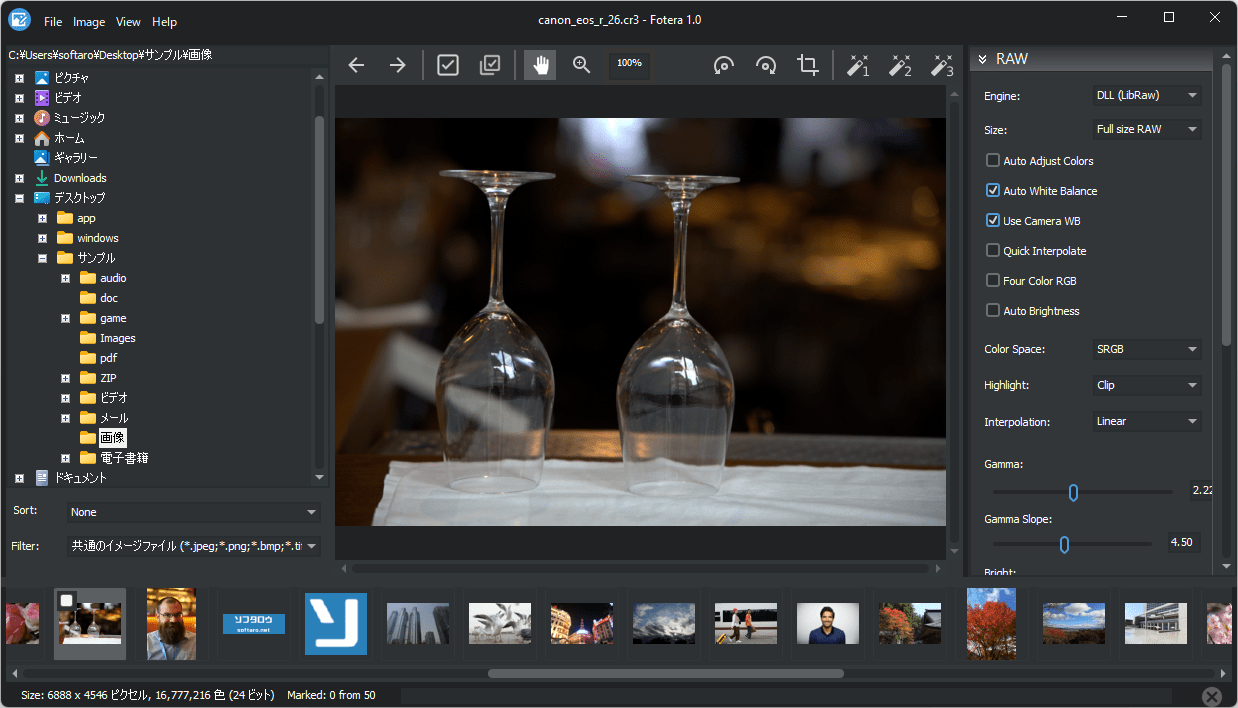
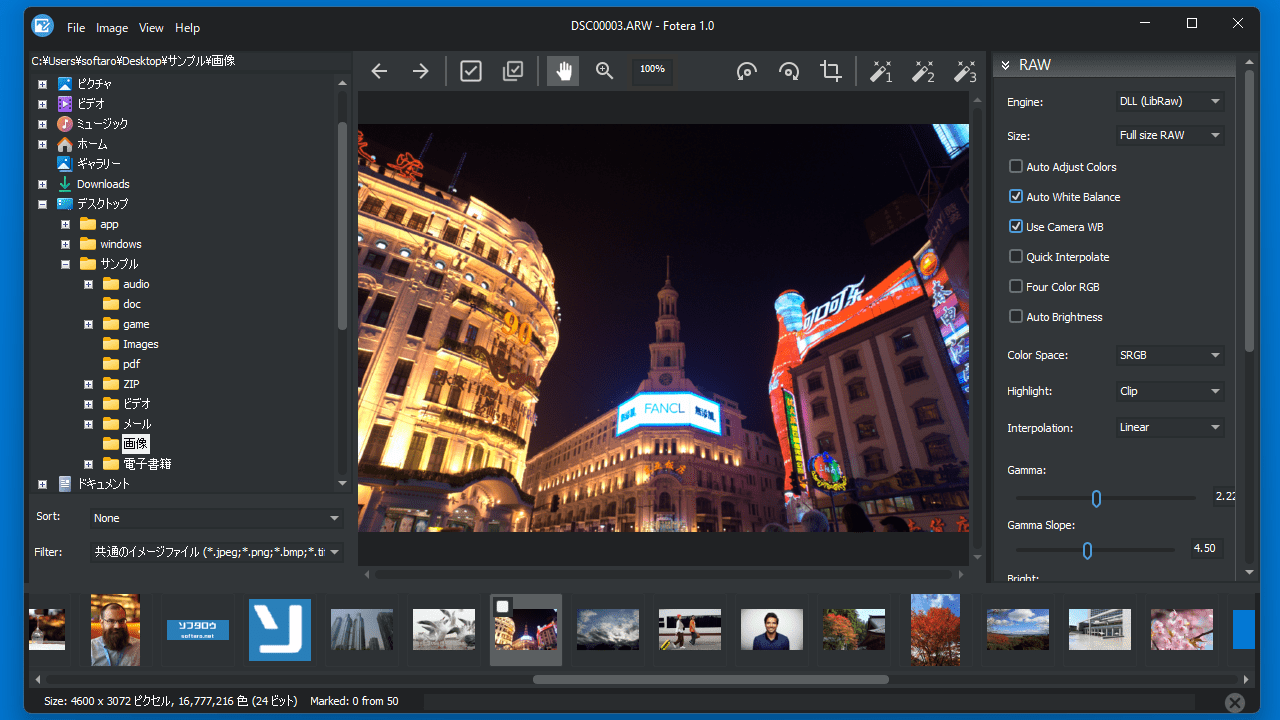
Fotera には、露出調整、コントラスト補正、ハイライトの復元、中間調のコントロール、シャドウの調整、ガンマ補正、ホワイトバランスの自動補正、レベルなどの、画像の明るさとダイナミックレンジを改善するための必須の編集ツールが含まれています。
Fotera は、温度と色合い、彩度、RGB カラーバランス、色相、彩度、輝度の調整、色の置換ツール、カラーカーブなどの色補正機能を提供します。
オリジナルの画像を変更せずに画像を編集できます
Fotera は、オリジナルの画像を変更せずに、画像にさまざまな編集を加えることができる Windows 向けの写真編集ソフトです。このソフトには多くのカメラ RAW フォーマットに対応した写真編集オプションが搭載されており、RAW エンジンオプション、RAW プレビューサイズ、カラースペース、ガンマ、ハイライト処理、補間、明るさ、自動ホワイトバランス、カメラホワイトバランス、自動色調整などがあります。
機能
非破壊的な写真編集 ― オリジナル画像は一切変更されません
フォルダベースのサムネイル表示機能付き写真ブラウザ
露出、コントラスト、ハイライト、シャドウ、ガンマ、レベル
色温度、色合い、彩度、色相、輝度
RGB カラーバランスとカラーカーブ
色の置き換えとチャンネルごとの調整
多くのカメラフォーマットに対応した RAW 写真のサポート
トリミング、回転、レンズ歪み補正
セピア効果と自動補正プリセット
選択した写真の一括エクスポート
価格: 無料
動作環境: Windows 10|11
使用言語: 英語ほか
最終更新日:
44分前 (2026/05/17)
ダウンロード数: 1
画像
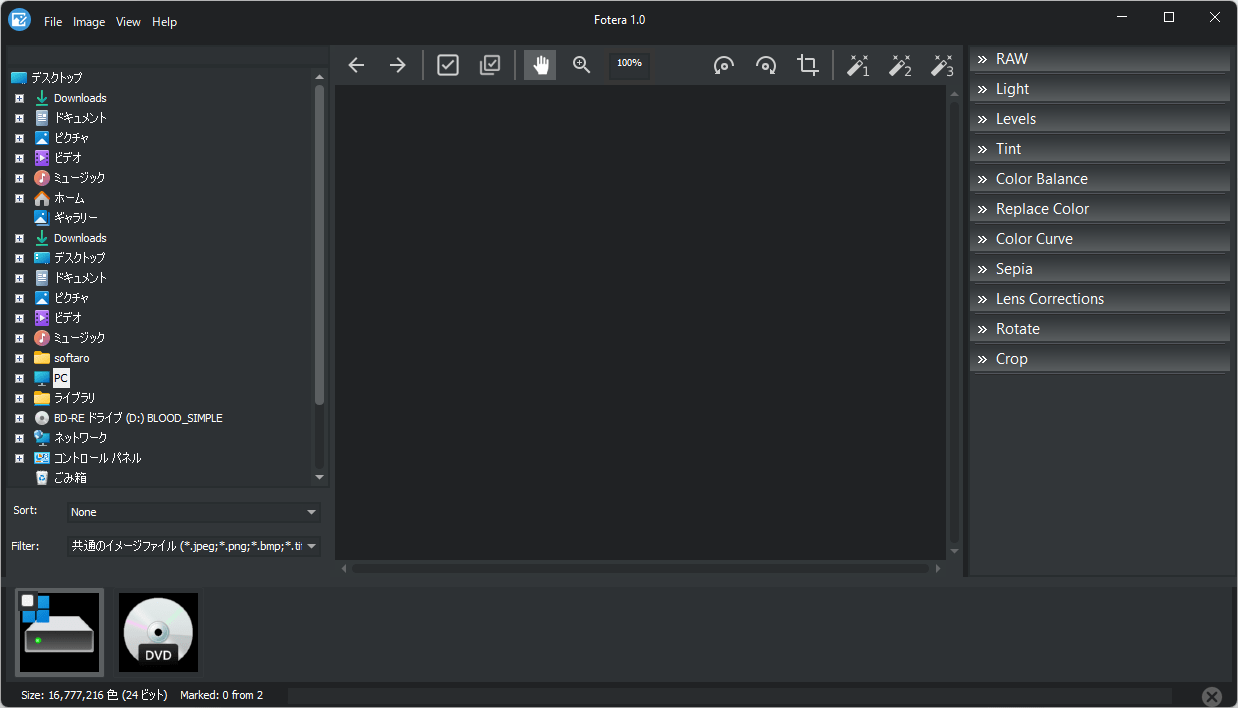
ユーザーインターフェース
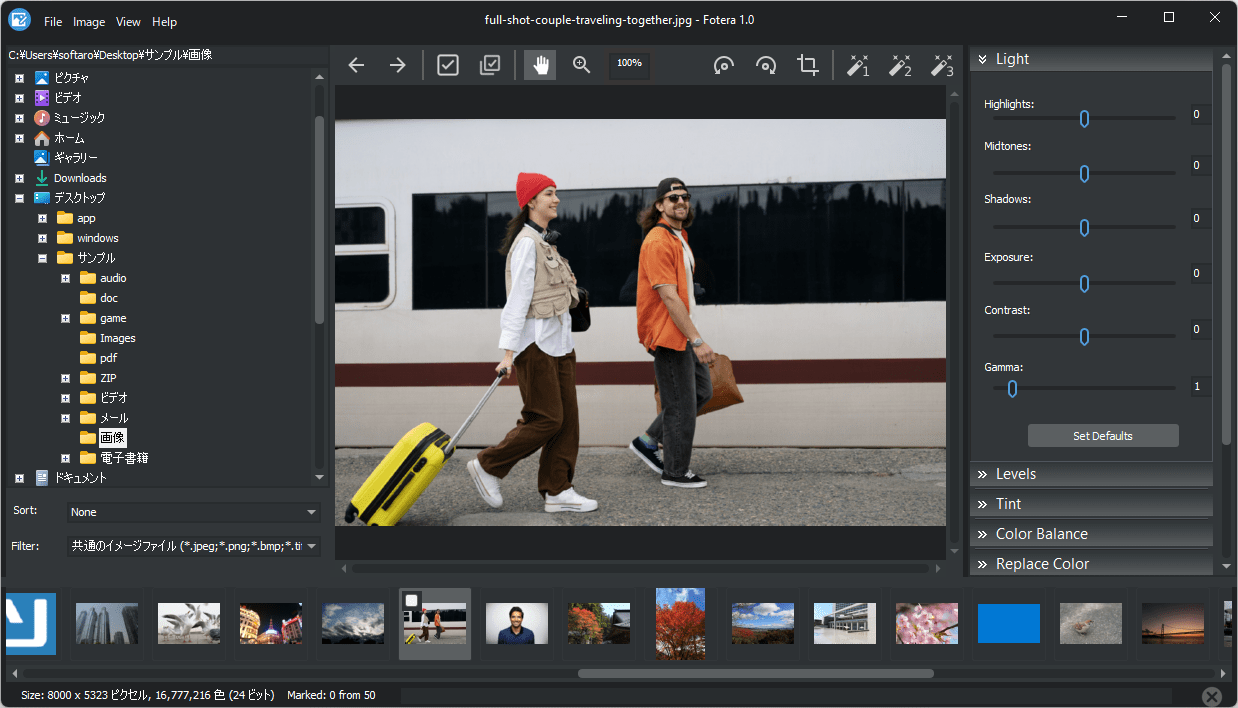
画像の表示
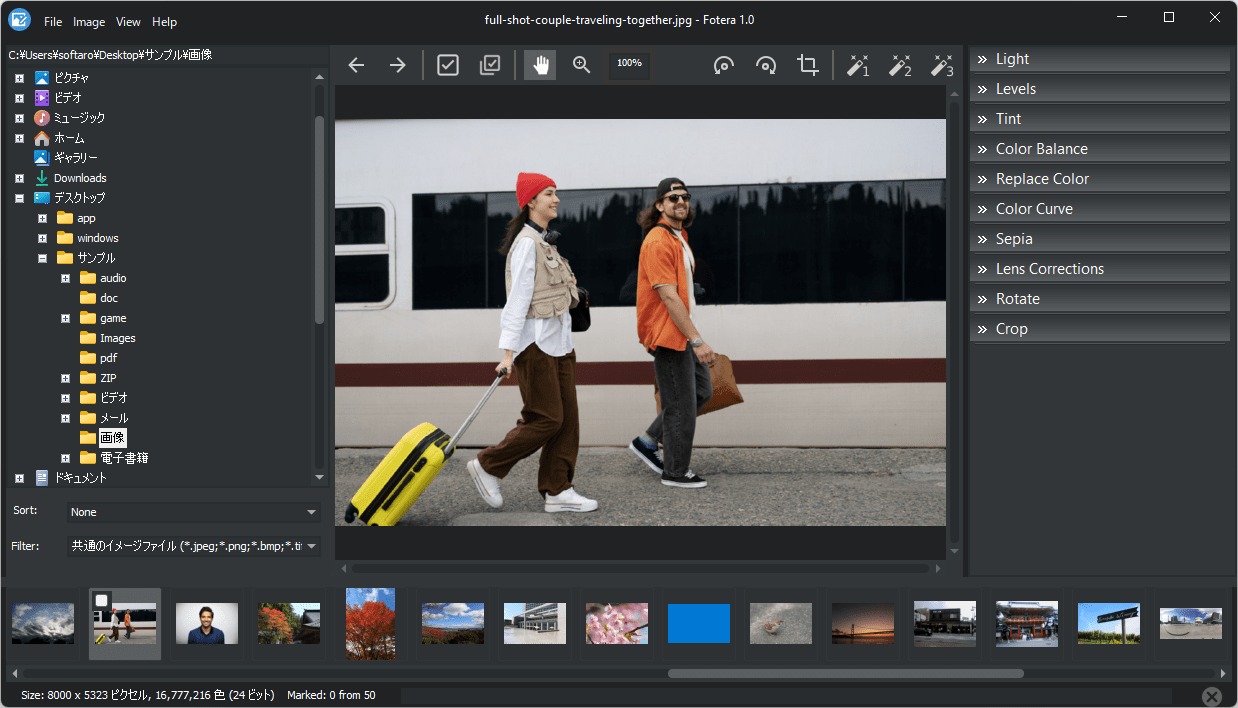
編集画面
編集画面(RAW)
使い方
インストール
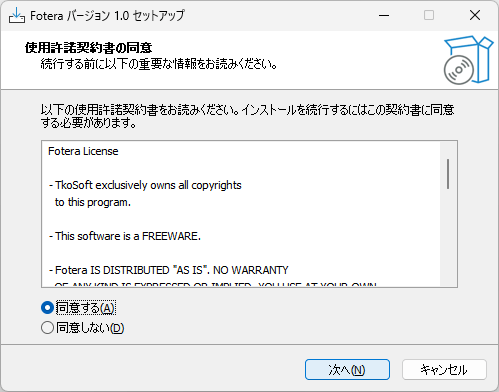
1.インストール方法
ライセンスが表示されます。「同意する 」を選択して[次へ ]をクリックします。
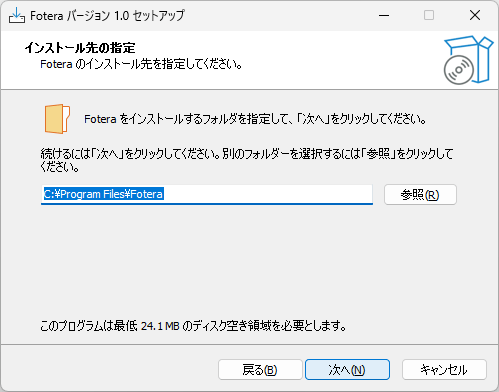
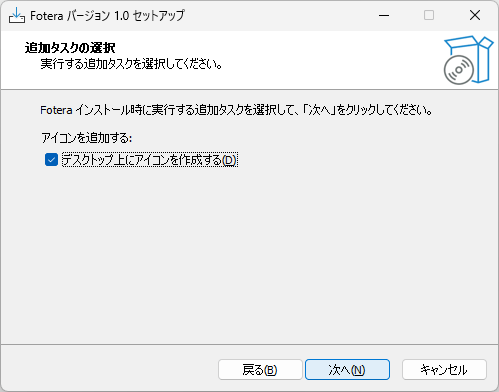
インストール先を確認して[次へ ]をクリックします。
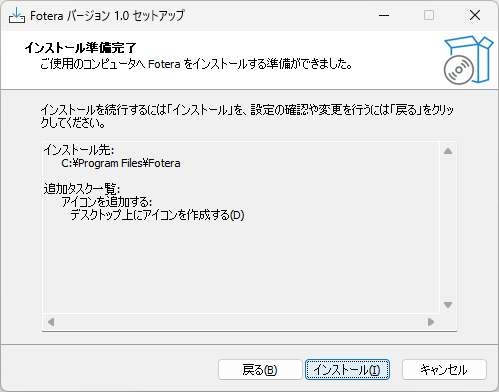
[インストール ]をクリックしてインストールを開始します。
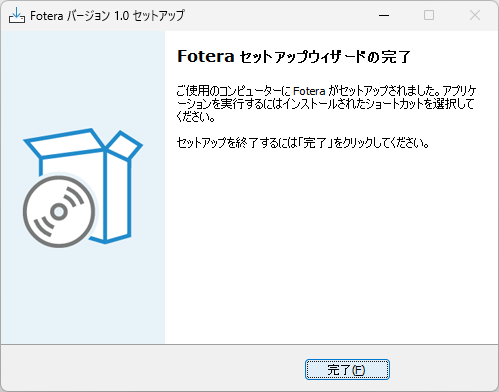
[完了 ]をクリックしてセットアップウィザードを閉じます。
基本的な使い方
1. 基本的な使い方
左側のディレクトリツリーから、写真があるフォルダを選択します。
下部にサムネイル画像が一覧表示されます。
画像をクリックすると、画像が表示されます。
よくある質問と回答
ライセンスについて。
ユーザーレビュー
レビューはまだありません、 最初のレビューを投稿してください。コメントは任意です。