").attr(n.scriptAttrs||{}).prop({charset:n.scriptCharset,src:n.url}).on("load error",i=function(e){r.remove(),i=null,e&&t("error"===e.type?404:200,e.type)}),C.head.appendChild(r[0])},abort:function(){i&&i()}}});var Jt,Kt=[],Zt=/(=)\?(?=&|$)|\?\?/;ce.ajaxSetup({jsonp:"callback",jsonpCallback:function(){var e=Kt.pop()||ce.expando+"_"+jt.guid++;return this[e]=!0,e}}),ce.ajaxPrefilter("json jsonp",function(e,t,n){var r,i,o,a=!1!==e.jsonp&&(Zt.test(e.url)?"url":"string"==typeof e.data&&0===(e.contentType||"").indexOf("application/x-www-form-urlencoded")&&Zt.test(e.data)&&"data");if(a||"jsonp"===e.dataTypes[0])return r=e.jsonpCallback=v(e.jsonpCallback)?e.jsonpCallback():e.jsonpCallback,a?e[a]=e[a].replace(Zt,"$1"+r):!1!==e.jsonp&&(e.url+=(At.test(e.url)?"&":"?")+e.jsonp+"="+r),e.converters["script json"]=function(){return o||ce.error(r+" was not called"),o[0]},e.dataTypes[0]="json",i=ie[r],ie[r]=function(){o=arguments},n.always(function(){void 0===i?ce(ie).removeProp(r):ie[r]=i,e[r]&&(e.jsonpCallback=t.jsonpCallback,Kt.push(r)),o&&v(i)&&i(o[0]),o=i=void 0}),"script"}),le.createHTMLDocument=((Jt=C.implementation.createHTMLDocument("").body).innerHTML="
",2===Jt.childNodes.length),ce.parseHTML=function(e,t,n){return"string"!=typeof e?[]:("boolean"==typeof t&&(n=t,t=!1),t||(le.createHTMLDocument?((r=(t=C.implementation.createHTMLDocument("")).createElement("base")).href=C.location.href,t.head.appendChild(r)):t=C),o=!n&&[],(i=w.exec(e))?[t.createElement(i[1])]:(i=Ae([e],t,o),o&&o.length&&ce(o).remove(),ce.merge([],i.childNodes)));var r,i,o},ce.fn.load=function(e,t,n){var r,i,o,a=this,s=e.indexOf(" ");return-1").append(ce.parseHTML(e)).find(r):e)}).always(n&&function(e,t){a.each(function(){n.apply(this,o||[e.responseText,t,e])})}),this},ce.expr.pseudos.animated=function(t){return ce.grep(ce.timers,function(e){return t===e.elem}).length},ce.offset={setOffset:function(e,t,n){var r,i,o,a,s,u,l=ce.css(e,"position"),c=ce(e),f={};"static"===l&&(e.style.position="relative"),s=c.offset(),o=ce.css(e,"top"),u=ce.css(e,"left"),("absolute"===l||"fixed"===l)&&-1<(o+u).indexOf("auto")?(a=(r=c.position()).top,i=r.left):(a=parseFloat(o)||0,i=parseFloat(u)||0),v(t)&&(t=t.call(e,n,ce.extend({},s))),null!=t.top&&(f.top=t.top-s.top+a),null!=t.left&&(f.left=t.left-s.left+i),"using"in t?t.using.call(e,f):c.css(f)}},ce.fn.extend({offset:function(t){if(arguments.length)return void 0===t?this:this.each(function(e){ce.offset.setOffset(this,t,e)});var e,n,r=this[0];return r?r.getClientRects().length?(e=r.getBoundingClientRect(),n=r.ownerDocument.defaultView,{top:e.top+n.pageYOffset,left:e.left+n.pageXOffset}):{top:0,left:0}:void 0},position:function(){if(this[0]){var e,t,n,r=this[0],i={top:0,left:0};if("fixed"===ce.css(r,"position"))t=r.getBoundingClientRect();else{t=this.offset(),n=r.ownerDocument,e=r.offsetParent||n.documentElement;while(e&&(e===n.body||e===n.documentElement)&&"static"===ce.css(e,"position"))e=e.parentNode;e&&e!==r&&1===e.nodeType&&((i=ce(e).offset()).top+=ce.css(e,"borderTopWidth",!0),i.left+=ce.css(e,"borderLeftWidth",!0))}return{top:t.top-i.top-ce.css(r,"marginTop",!0),left:t.left-i.left-ce.css(r,"marginLeft",!0)}}},offsetParent:function(){return this.map(function(){var e=this.offsetParent;while(e&&"static"===ce.css(e,"position"))e=e.offsetParent;return e||J})}}),ce.each({scrollLeft:"pageXOffset",scrollTop:"pageYOffset"},function(t,i){var o="pageYOffset"===i;ce.fn[t]=function(e){return M(this,function(e,t,n){var r;if(y(e)?r=e:9===e.nodeType&&(r=e.defaultView),void 0===n)return r?r[i]:e[t];r?r.scrollTo(o?r.pageXOffset:n,o?n:r.pageYOffset):e[t]=n},t,e,arguments.length)}}),ce.each(["top","left"],function(e,n){ce.cssHooks[n]=Ye(le.pixelPosition,function(e,t){if(t)return t=Ge(e,n),_e.test(t)?ce(e).position()[n]+"px":t})}),ce.each({Height:"height",Width:"width"},function(a,s){ce.each({padding:"inner"+a,content:s,"":"outer"+a},function(r,o){ce.fn[o]=function(e,t){var n=arguments.length&&(r||"boolean"!=typeof e),i=r||(!0===e||!0===t?"margin":"border");return M(this,function(e,t,n){var r;return y(e)?0===o.indexOf("outer")?e["inner"+a]:e.document.documentElement["client"+a]:9===e.nodeType?(r=e.documentElement,Math.max(e.body["scroll"+a],r["scroll"+a],e.body["offset"+a],r["offset"+a],r["client"+a])):void 0===n?ce.css(e,t,i):ce.style(e,t,n,i)},s,n?e:void 0,n)}})}),ce.each(["ajaxStart","ajaxStop","ajaxComplete","ajaxError","ajaxSuccess","ajaxSend"],function(e,t){ce.fn[t]=function(e){return this.on(t,e)}}),ce.fn.extend({bind:function(e,t,n){return this.on(e,null,t,n)},unbind:function(e,t){return this.off(e,null,t)},delegate:function(e,t,n,r){return this.on(t,e,n,r)},undelegate:function(e,t,n){return 1===arguments.length?this.off(e,"**"):this.off(t,e||"**",n)},hover:function(e,t){return this.on("mouseenter",e).on("mouseleave",t||e)}}),ce.each("blur focus focusin focusout resize scroll click dblclick mousedown mouseup mousemove mouseover mouseout mouseenter mouseleave change select submit keydown keypress keyup contextmenu".split(" "),function(e,n){ce.fn[n]=function(e,t){return 0
QuickDiag 8.28.22.1
システム情報
2021/03/24 13:33
説明機能仕様ダウンロード画像使い方
PC や OS を構成するシステム情報を収集して表示するツール

Windows PC やオペレーションシステムを構成するソフトウェアおよびハードウェアコンポーネントに関する詳細なレポートを作成することができるシステム情報診断/表示アプリ。テキストファイルのシステム情報レポートを作成できます。
QuickDiag の概要
QuickDiag は、ハードウェアおよびソフトウェアコンポーネントに関する詳細なレポートを収集して表示するアプリケーションです。
QuickDiag の機能
QuickDiag で利用可能な主な機能の一覧です。
| 機能 |
概要 |
| メイン機能 |
システム情報の表示 |
| 機能詳細 |
サウンドデバイス/ビデオデバイス/コーデック/メモリ/SID ユーザー/ドライブ/Windows update/ブラウザ/セキュリティ/実行中のプロセス/エクスプローラ、Winlogon、svchost のモジュール/ZeroAccess Check/スタートアッププログラム/タスクリスト/INI ファイル/レジストリ(ポリシー、Winlogon、ファイルの関連付け、AppcompatFlags、Windows、セキュリティセンター、セーフブート、Winsock)/Hosts ファイル/Ping 結果/プロキシ/ブラウザツールバー/ブラウザ拡張機能/SearchScopes/BHO/DNS/アプリケーション/ソフトウェア/ファイアウォール/ロードされているドライバ/ロードされているモジュール … などの情報を表示 |
システムの診断レポートを生成します
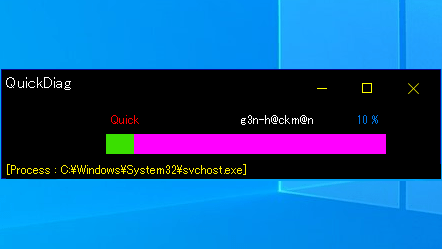
QuickDiag は、コンピュータに関するシステムの情報を収集したり、診断を行うアプリケーションです。PC を構成するソフトウェアやドライバ、OS の設定などを知りたい場合に役に立つでしょう。
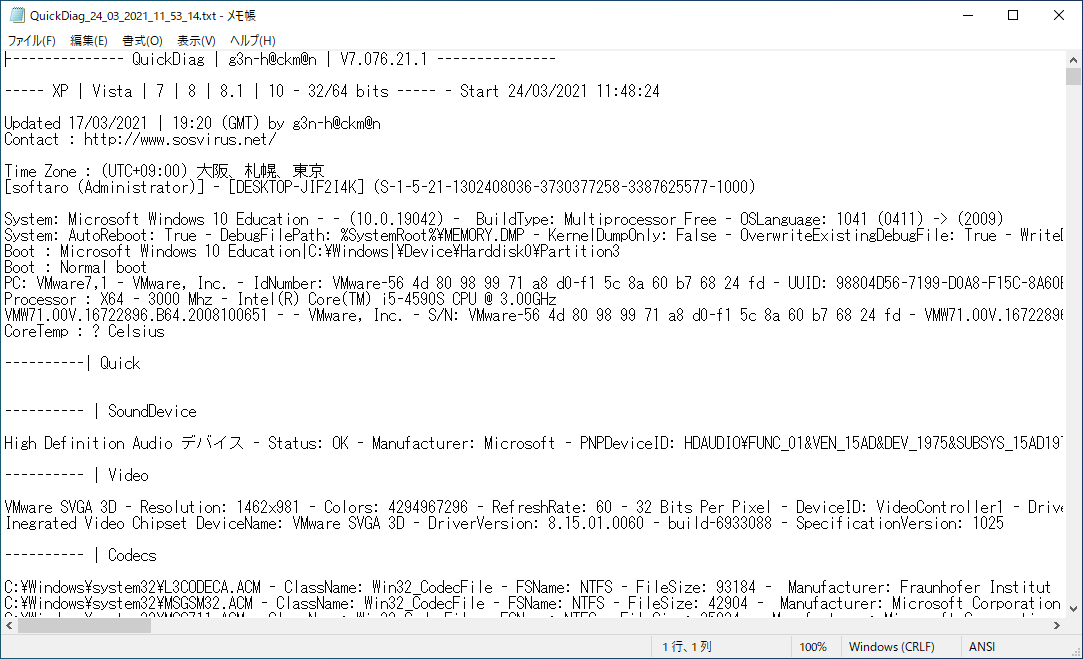
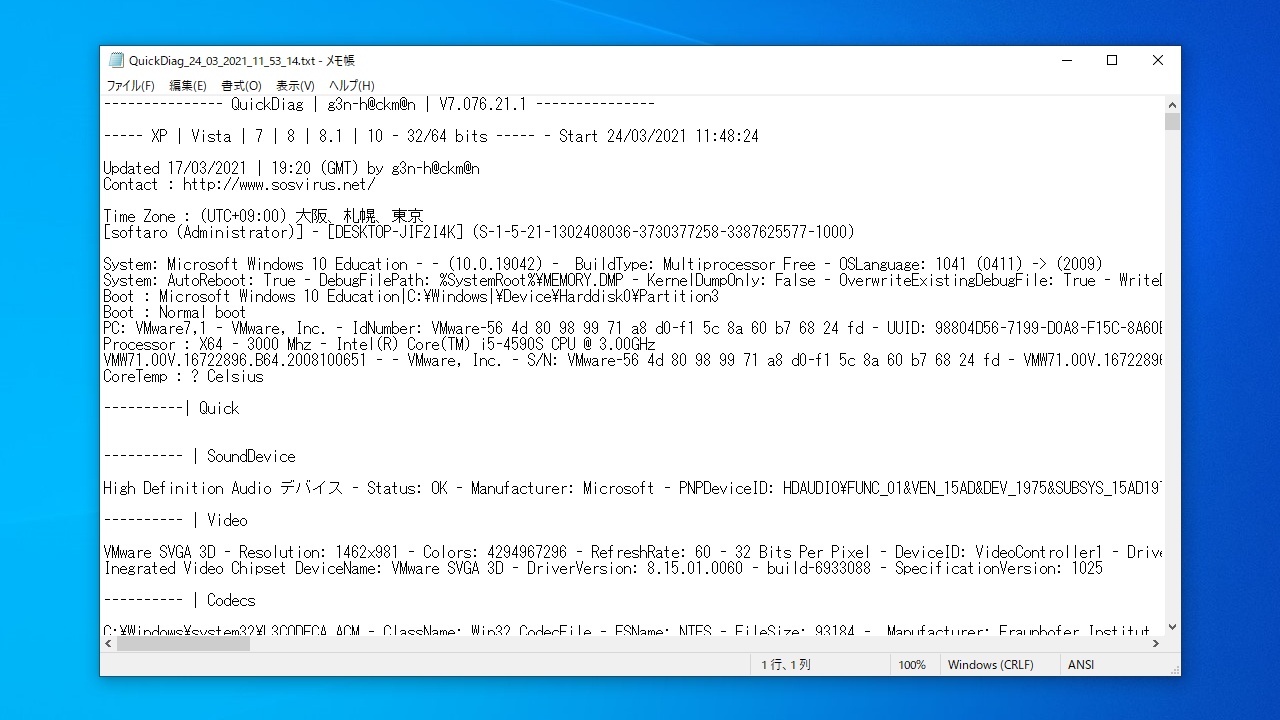
QuickDiag を実行するとコンピュータがスキャンされ、上のテーブルに書かれている内容の詳細情報を含んだテキストファイルが生成されます。
さまざまなシステム情報を収集して表示します
QuickDiag は、OS やハードウェアなどの基本的な情報から高度なデータに至るまでのさまざまなデータの収集をカバーするシステムスキャンツールです。PC に関する情報を取得したい場合に役に立ちます。
機能
- PC を構成するソフトウェアおよびハードウェアコンポーネントに関する詳細なレポートを作成
価格:無料
動作環境:Windows XP|Vista|7|8|8.1|10|11
使用言語:英語
最終更新日:
4年前 (2022/01/30)
ダウンロード数:527
使い方
インストール
1.インストール方法
QuickDiag はインストール不要で使用できます。
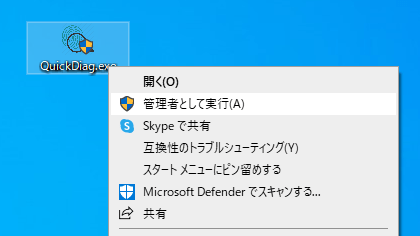
- 「QuickDiag.exe」を右クリックし、「管理者として実行」をクリックして実行してください。

基本的な使い方
1.基本的な使い方
- 「QuickDiag.exe」を右クリックし、「管理者として実行」をクリックして実行します。

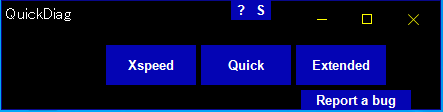
- QuickDiag が起動します。[Quick]ボタンをクリックします。


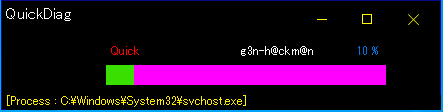
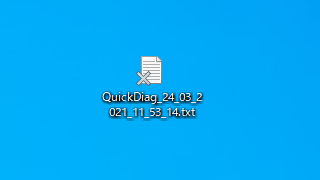
- システム情報の収集が完了すると、テキストファイルが生成されます。

- テキストファイルを開くと、システム情報を知ることができます。

よくある質問と回答
ライセンスについて。
QuickDiag は、どなたでも無料で利用できます。