").attr(n.scriptAttrs||{}).prop({charset:n.scriptCharset,src:n.url}).on("load error",i=function(e){r.remove(),i=null,e&&t("error"===e.type?404:200,e.type)}),C.head.appendChild(r[0])},abort:function(){i&&i()}}});var Jt,Kt=[],Zt=/(=)\?(?=&|$)|\?\?/;ce.ajaxSetup({jsonp:"callback",jsonpCallback:function(){var e=Kt.pop()||ce.expando+"_"+jt.guid++;return this[e]=!0,e}}),ce.ajaxPrefilter("json jsonp",function(e,t,n){var r,i,o,a=!1!==e.jsonp&&(Zt.test(e.url)?"url":"string"==typeof e.data&&0===(e.contentType||"").indexOf("application/x-www-form-urlencoded")&&Zt.test(e.data)&&"data");if(a||"jsonp"===e.dataTypes[0])return r=e.jsonpCallback=v(e.jsonpCallback)?e.jsonpCallback():e.jsonpCallback,a?e[a]=e[a].replace(Zt,"$1"+r):!1!==e.jsonp&&(e.url+=(At.test(e.url)?"&":"?")+e.jsonp+"="+r),e.converters["script json"]=function(){return o||ce.error(r+" was not called"),o[0]},e.dataTypes[0]="json",i=ie[r],ie[r]=function(){o=arguments},n.always(function(){void 0===i?ce(ie).removeProp(r):ie[r]=i,e[r]&&(e.jsonpCallback=t.jsonpCallback,Kt.push(r)),o&&v(i)&&i(o[0]),o=i=void 0}),"script"}),le.createHTMLDocument=((Jt=C.implementation.createHTMLDocument("").body).innerHTML="
",2===Jt.childNodes.length),ce.parseHTML=function(e,t,n){return"string"!=typeof e?[]:("boolean"==typeof t&&(n=t,t=!1),t||(le.createHTMLDocument?((r=(t=C.implementation.createHTMLDocument("")).createElement("base")).href=C.location.href,t.head.appendChild(r)):t=C),o=!n&&[],(i=w.exec(e))?[t.createElement(i[1])]:(i=Ae([e],t,o),o&&o.length&&ce(o).remove(),ce.merge([],i.childNodes)));var r,i,o},ce.fn.load=function(e,t,n){var r,i,o,a=this,s=e.indexOf(" ");return-1").append(ce.parseHTML(e)).find(r):e)}).always(n&&function(e,t){a.each(function(){n.apply(this,o||[e.responseText,t,e])})}),this},ce.expr.pseudos.animated=function(t){return ce.grep(ce.timers,function(e){return t===e.elem}).length},ce.offset={setOffset:function(e,t,n){var r,i,o,a,s,u,l=ce.css(e,"position"),c=ce(e),f={};"static"===l&&(e.style.position="relative"),s=c.offset(),o=ce.css(e,"top"),u=ce.css(e,"left"),("absolute"===l||"fixed"===l)&&-1<(o+u).indexOf("auto")?(a=(r=c.position()).top,i=r.left):(a=parseFloat(o)||0,i=parseFloat(u)||0),v(t)&&(t=t.call(e,n,ce.extend({},s))),null!=t.top&&(f.top=t.top-s.top+a),null!=t.left&&(f.left=t.left-s.left+i),"using"in t?t.using.call(e,f):c.css(f)}},ce.fn.extend({offset:function(t){if(arguments.length)return void 0===t?this:this.each(function(e){ce.offset.setOffset(this,t,e)});var e,n,r=this[0];return r?r.getClientRects().length?(e=r.getBoundingClientRect(),n=r.ownerDocument.defaultView,{top:e.top+n.pageYOffset,left:e.left+n.pageXOffset}):{top:0,left:0}:void 0},position:function(){if(this[0]){var e,t,n,r=this[0],i={top:0,left:0};if("fixed"===ce.css(r,"position"))t=r.getBoundingClientRect();else{t=this.offset(),n=r.ownerDocument,e=r.offsetParent||n.documentElement;while(e&&(e===n.body||e===n.documentElement)&&"static"===ce.css(e,"position"))e=e.parentNode;e&&e!==r&&1===e.nodeType&&((i=ce(e).offset()).top+=ce.css(e,"borderTopWidth",!0),i.left+=ce.css(e,"borderLeftWidth",!0))}return{top:t.top-i.top-ce.css(r,"marginTop",!0),left:t.left-i.left-ce.css(r,"marginLeft",!0)}}},offsetParent:function(){return this.map(function(){var e=this.offsetParent;while(e&&"static"===ce.css(e,"position"))e=e.offsetParent;return e||J})}}),ce.each({scrollLeft:"pageXOffset",scrollTop:"pageYOffset"},function(t,i){var o="pageYOffset"===i;ce.fn[t]=function(e){return M(this,function(e,t,n){var r;if(y(e)?r=e:9===e.nodeType&&(r=e.defaultView),void 0===n)return r?r[i]:e[t];r?r.scrollTo(o?r.pageXOffset:n,o?n:r.pageYOffset):e[t]=n},t,e,arguments.length)}}),ce.each(["top","left"],function(e,n){ce.cssHooks[n]=Ye(le.pixelPosition,function(e,t){if(t)return t=Ge(e,n),_e.test(t)?ce(e).position()[n]+"px":t})}),ce.each({Height:"height",Width:"width"},function(a,s){ce.each({padding:"inner"+a,content:s,"":"outer"+a},function(r,o){ce.fn[o]=function(e,t){var n=arguments.length&&(r||"boolean"!=typeof e),i=r||(!0===e||!0===t?"margin":"border");return M(this,function(e,t,n){var r;return y(e)?0===o.indexOf("outer")?e["inner"+a]:e.document.documentElement["client"+a]:9===e.nodeType?(r=e.documentElement,Math.max(e.body["scroll"+a],r["scroll"+a],e.body["offset"+a],r["offset"+a],r["client"+a])):void 0===n?ce.css(e,t,i):ce.style(e,t,n,i)},s,n?e:void 0,n)}})}),ce.each(["ajaxStart","ajaxStop","ajaxComplete","ajaxError","ajaxSuccess","ajaxSend"],function(e,t){ce.fn[t]=function(e){return this.on(t,e)}}),ce.fn.extend({bind:function(e,t,n){return this.on(e,null,t,n)},unbind:function(e,t){return this.off(e,null,t)},delegate:function(e,t,n,r){return this.on(t,e,n,r)},undelegate:function(e,t,n){return 1===arguments.length?this.off(e,"**"):this.off(t,e||"**",n)},hover:function(e,t){return this.on("mouseenter",e).on("mouseleave",t||e)}}),ce.each("blur focus focusin focusout resize scroll click dblclick mousedown mouseup mousemove mouseover mouseout mouseenter mouseleave change select submit keydown keypress keyup contextmenu".split(" "),function(e,n){ce.fn[n]=function(e,t){return 0
OnlyR 2.1.0.5
オーディオそのほか
2021/09/25 15:132025/12/21 09:04
説明 機能 仕様 ダウンロード 画像 使い方
Windows の録音デバイスの音声を MP3 に録音するアプリ
Windows の録音デバイス(マイク、ライン入力、ミキサーなど)の音声を録音するシンプルなアプリケーション。デバイスのオーディオを録音して MP3 ファイルに保存します。
OnlyR の概要
OnlyR は、かんたんに使用できるシンプルな Windows オーディオレコーダーです。
OnlyR の機能
OnlyR の主な機能です。
機能
概要
メイン機能
Windows オーディオレコーダー
機能詳細
録音デバイスのオーディオを MP3 ファイルに録音
シンプルなオーディオ録音アプリ
OnlyR は、Windows の録音デバイスの音声/オーディオを MP3 ファイルに録音して保存することができるシンプルなオーディオレコーダーです。
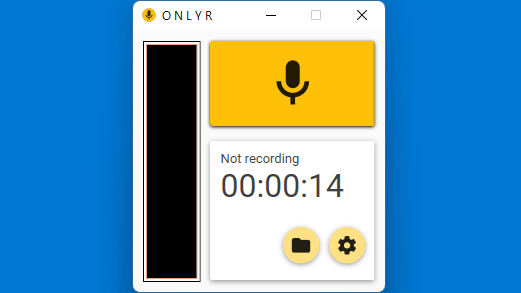
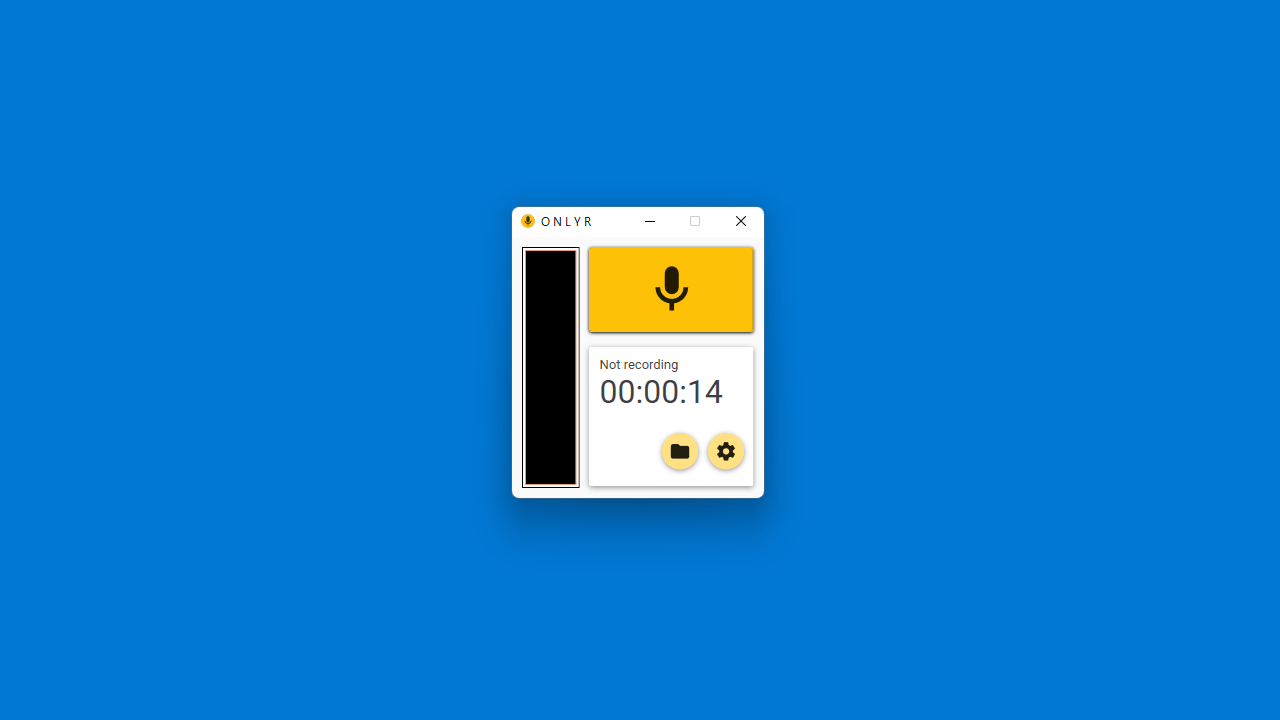
開始/停止ボタンとボリュームメーターを備えたシンプルなユーザーインターフェースで、録音ファイルを日付に従ったフォルダ階層に保存します。
録音オプションなど
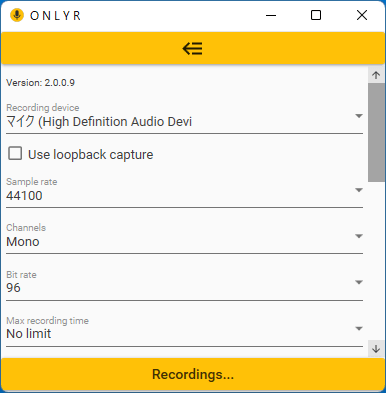
OnlyR では、マイク、ライン入力、ミキサーなどの Windows にインストールされている録音デバイスのオーディオを録音できます。
録音するオーディオ品質(サンプルレート、チャンネル)を自由に調整可能で、オーディオにフェードアウト効果を追加したり、アプリ起動時に録音を開始するように設定したり、ウィンドウを閉じた特に録音を開始するように設定できます。
使いやすいオーディオ録音アプリ
OnlyR は、シンプルなオーディオ録音アプリです。会議やウェビナーなどの音声を録音したり、マイクなどの外部デバイスの音声を録音したい場合に役に立ちます。
機能
Windows オーディオレコーダー
録音デバイスのオーディオを MP3 ファイルに録音
オプション:フェードアウト、起動時/閉じた時に録音を開始、起動時に最小化
システム要件:
価格: 無料
動作環境: Windows 7|8|8.1|10|11
使用言語: 英語ほか
最終更新日:
4か月前 (2025/12/21)
ダウンロード数: 1121
画像
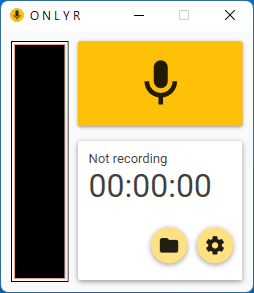
ユーザーインターフェース
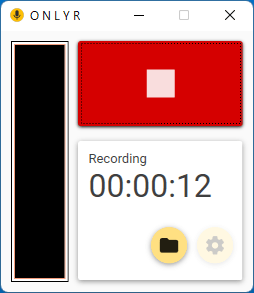
録音中画面
設定(1)
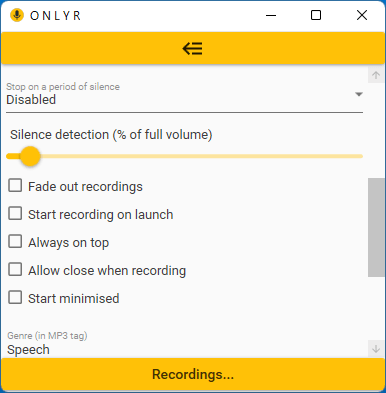
設定(2)
使い方
インストール
1.インストール方法
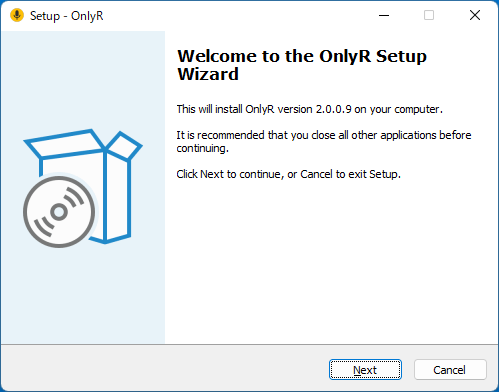
インストーラを実行するとセットアップウィザードが開始します。[Next ]をクリックします。
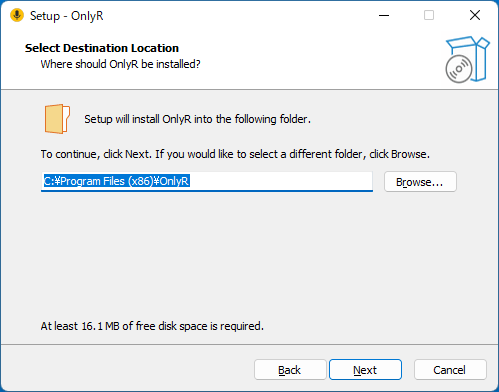
インストール先を確認して[Next ]をクリックします。
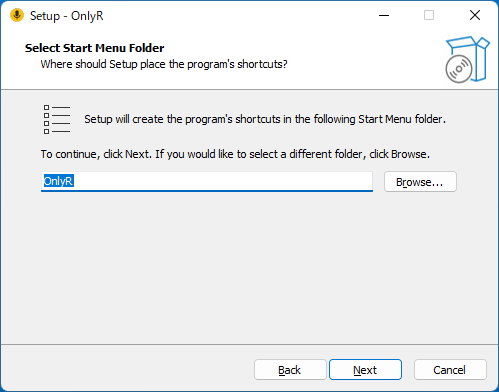
スタートメニューに作成するショートカットの設定を確認して[Next ]をクリックします。
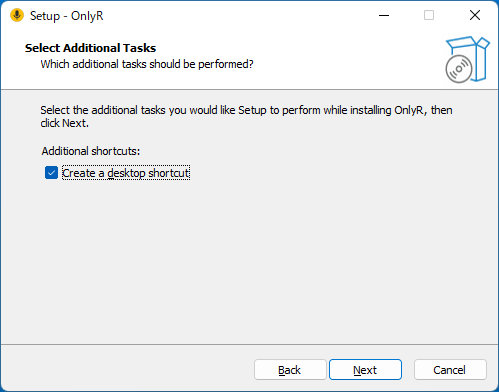
追加のタスクを設定して[Next ]をクリックします。
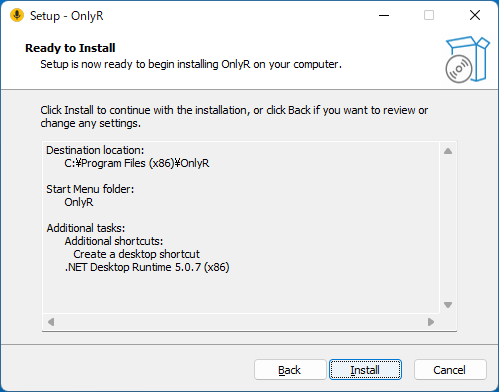
インストールの準備ができました。[Install ]をクリックしてインストールを開始します。
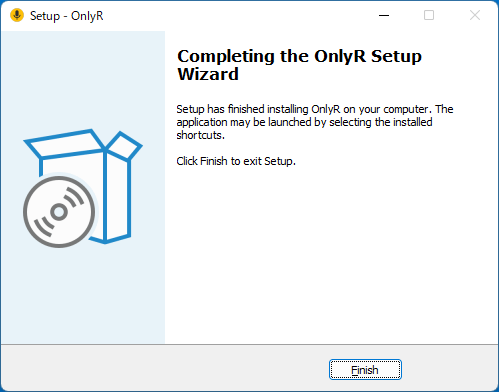
インストールが完了しました。[Finish ]をクリックしてセットアップウィザードを閉じます。
基本的な使い方
1.基本的な使い方
黄色のボタンをクリックすると録音を開始します。
録音デバイスの選択や保存先、オーディオ品質の設定をするには「歯車 」のボタンをクリックします。
2.設定
「設定 」では、録音するデバイスの選択、オーディオエンコードの設定(サンプルレート、チャンネル)、録音時間、無音検出、ファイルの保存先などを設定できます。
・Fade out recordings :フェードアウトを有効にする
・Start recording on launch :起動時に録音を開始する
・Always on top :ウィンドウを常に前面に表示する
・Allow close when recording :閉じたときに録音を開始する
・Start minimised :起動時に最小化する
よくある質問と回答
ライセンスについて。
ユーザーレビュー
レビューはまだありません、 最初のレビューを投稿してください。コメントは任意です。
OnlyR は、どなたでも無料で使用できます。