").attr(n.scriptAttrs||{}).prop({charset:n.scriptCharset,src:n.url}).on("load error",i=function(e){r.remove(),i=null,e&&t("error"===e.type?404:200,e.type)}),C.head.appendChild(r[0])},abort:function(){i&&i()}}});var Jt,Kt=[],Zt=/(=)\?(?=&|$)|\?\?/;ce.ajaxSetup({jsonp:"callback",jsonpCallback:function(){var e=Kt.pop()||ce.expando+"_"+jt.guid++;return this[e]=!0,e}}),ce.ajaxPrefilter("json jsonp",function(e,t,n){var r,i,o,a=!1!==e.jsonp&&(Zt.test(e.url)?"url":"string"==typeof e.data&&0===(e.contentType||"").indexOf("application/x-www-form-urlencoded")&&Zt.test(e.data)&&"data");if(a||"jsonp"===e.dataTypes[0])return r=e.jsonpCallback=v(e.jsonpCallback)?e.jsonpCallback():e.jsonpCallback,a?e[a]=e[a].replace(Zt,"$1"+r):!1!==e.jsonp&&(e.url+=(At.test(e.url)?"&":"?")+e.jsonp+"="+r),e.converters["script json"]=function(){return o||ce.error(r+" was not called"),o[0]},e.dataTypes[0]="json",i=ie[r],ie[r]=function(){o=arguments},n.always(function(){void 0===i?ce(ie).removeProp(r):ie[r]=i,e[r]&&(e.jsonpCallback=t.jsonpCallback,Kt.push(r)),o&&v(i)&&i(o[0]),o=i=void 0}),"script"}),le.createHTMLDocument=((Jt=C.implementation.createHTMLDocument("").body).innerHTML="
",2===Jt.childNodes.length),ce.parseHTML=function(e,t,n){return"string"!=typeof e?[]:("boolean"==typeof t&&(n=t,t=!1),t||(le.createHTMLDocument?((r=(t=C.implementation.createHTMLDocument("")).createElement("base")).href=C.location.href,t.head.appendChild(r)):t=C),o=!n&&[],(i=w.exec(e))?[t.createElement(i[1])]:(i=Ae([e],t,o),o&&o.length&&ce(o).remove(),ce.merge([],i.childNodes)));var r,i,o},ce.fn.load=function(e,t,n){var r,i,o,a=this,s=e.indexOf(" ");return-1").append(ce.parseHTML(e)).find(r):e)}).always(n&&function(e,t){a.each(function(){n.apply(this,o||[e.responseText,t,e])})}),this},ce.expr.pseudos.animated=function(t){return ce.grep(ce.timers,function(e){return t===e.elem}).length},ce.offset={setOffset:function(e,t,n){var r,i,o,a,s,u,l=ce.css(e,"position"),c=ce(e),f={};"static"===l&&(e.style.position="relative"),s=c.offset(),o=ce.css(e,"top"),u=ce.css(e,"left"),("absolute"===l||"fixed"===l)&&-1<(o+u).indexOf("auto")?(a=(r=c.position()).top,i=r.left):(a=parseFloat(o)||0,i=parseFloat(u)||0),v(t)&&(t=t.call(e,n,ce.extend({},s))),null!=t.top&&(f.top=t.top-s.top+a),null!=t.left&&(f.left=t.left-s.left+i),"using"in t?t.using.call(e,f):c.css(f)}},ce.fn.extend({offset:function(t){if(arguments.length)return void 0===t?this:this.each(function(e){ce.offset.setOffset(this,t,e)});var e,n,r=this[0];return r?r.getClientRects().length?(e=r.getBoundingClientRect(),n=r.ownerDocument.defaultView,{top:e.top+n.pageYOffset,left:e.left+n.pageXOffset}):{top:0,left:0}:void 0},position:function(){if(this[0]){var e,t,n,r=this[0],i={top:0,left:0};if("fixed"===ce.css(r,"position"))t=r.getBoundingClientRect();else{t=this.offset(),n=r.ownerDocument,e=r.offsetParent||n.documentElement;while(e&&(e===n.body||e===n.documentElement)&&"static"===ce.css(e,"position"))e=e.parentNode;e&&e!==r&&1===e.nodeType&&((i=ce(e).offset()).top+=ce.css(e,"borderTopWidth",!0),i.left+=ce.css(e,"borderLeftWidth",!0))}return{top:t.top-i.top-ce.css(r,"marginTop",!0),left:t.left-i.left-ce.css(r,"marginLeft",!0)}}},offsetParent:function(){return this.map(function(){var e=this.offsetParent;while(e&&"static"===ce.css(e,"position"))e=e.offsetParent;return e||J})}}),ce.each({scrollLeft:"pageXOffset",scrollTop:"pageYOffset"},function(t,i){var o="pageYOffset"===i;ce.fn[t]=function(e){return M(this,function(e,t,n){var r;if(y(e)?r=e:9===e.nodeType&&(r=e.defaultView),void 0===n)return r?r[i]:e[t];r?r.scrollTo(o?r.pageXOffset:n,o?n:r.pageYOffset):e[t]=n},t,e,arguments.length)}}),ce.each(["top","left"],function(e,n){ce.cssHooks[n]=Ye(le.pixelPosition,function(e,t){if(t)return t=Ge(e,n),_e.test(t)?ce(e).position()[n]+"px":t})}),ce.each({Height:"height",Width:"width"},function(a,s){ce.each({padding:"inner"+a,content:s,"":"outer"+a},function(r,o){ce.fn[o]=function(e,t){var n=arguments.length&&(r||"boolean"!=typeof e),i=r||(!0===e||!0===t?"margin":"border");return M(this,function(e,t,n){var r;return y(e)?0===o.indexOf("outer")?e["inner"+a]:e.document.documentElement["client"+a]:9===e.nodeType?(r=e.documentElement,Math.max(e.body["scroll"+a],r["scroll"+a],e.body["offset"+a],r["offset"+a],r["client"+a])):void 0===n?ce.css(e,t,i):ce.style(e,t,n,i)},s,n?e:void 0,n)}})}),ce.each(["ajaxStart","ajaxStop","ajaxComplete","ajaxError","ajaxSuccess","ajaxSend"],function(e,t){ce.fn[t]=function(e){return this.on(t,e)}}),ce.fn.extend({bind:function(e,t,n){return this.on(e,null,t,n)},unbind:function(e,t){return this.off(e,null,t)},delegate:function(e,t,n,r){return this.on(t,e,n,r)},undelegate:function(e,t,n){return 1===arguments.length?this.off(e,"**"):this.off(t,e||"**",n)},hover:function(e,t){return this.on("mouseenter",e).on("mouseleave",t||e)}}),ce.each("blur focus focusin focusout resize scroll click dblclick mousedown mouseup mousemove mouseover mouseout mouseenter mouseleave change select submit keydown keypress keyup contextmenu".split(" "),function(e,n){ce.fn[n]=function(e,t){return 0
ClickCharts 6.86
オフィスそのほか
2021/03/26 14:49
説明機能仕様ダウンロード画像使い方
フローチャートなどを作成できるフリーソフト
無料で使用できる Windows・Mac・Android 向けのフローチャート作成ソフト。UML、ER、データフロー、組織図、ベン図、ブロック図、ブレインストーミング、マインドマップ、電気回路図などをかんたんに作成できます。
ClickCharts の概要
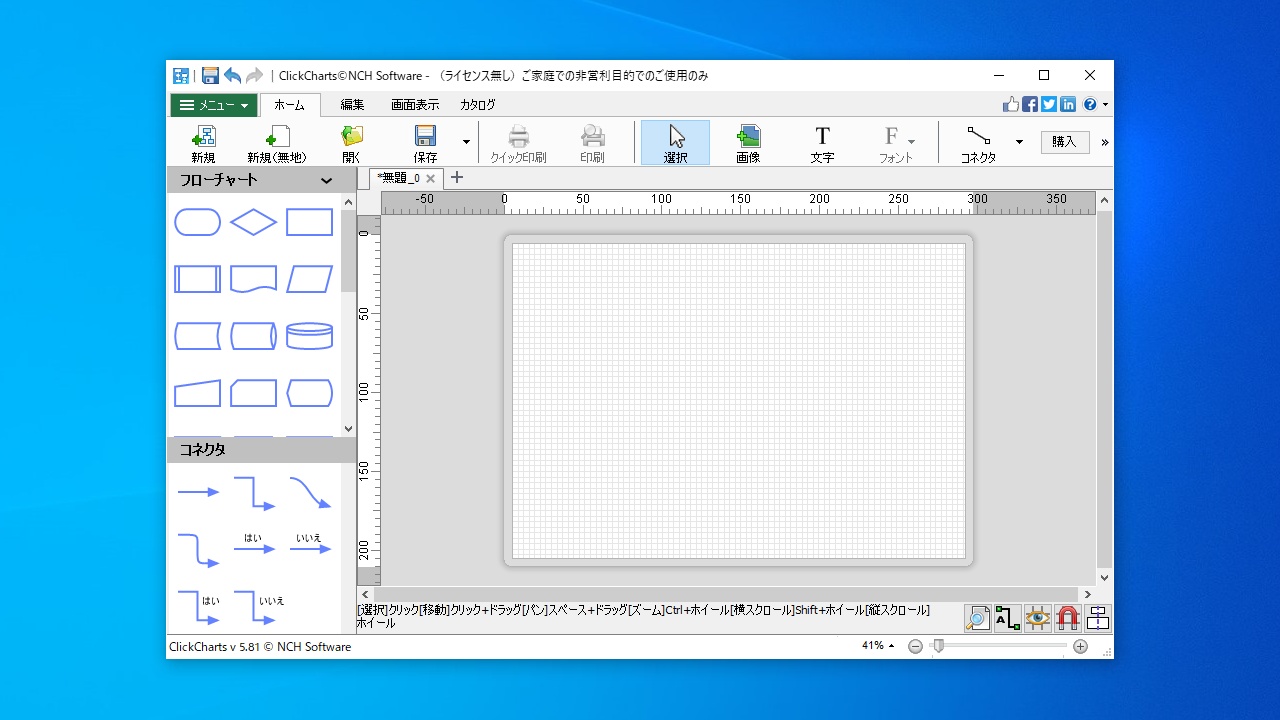
ClickCharts は、作業フロー図や組織図、マインドマップや人物相関図などのさまざまなダイアグラムを簡単に、また美しく作ることができるソフトウェアです。
ClickCharts の機能
ClickCharts で利用できる主な機能の一覧です。
| 機能 |
概要 |
| メイン機能 |
フローチャートなどを作成 |
| 機能詳細 |
・フローチャート/UML/ER/データフロー/組織図/ベン図/ブロック図/ブレインストーミング/マインドマップ/BPMN ダイアグラム/家系図・人物相関図/電気回路/特性要因/ネットワーク/VSM を作成可能 |
| 出力フォーマット |
CCD, PDF, PSD, TGA, GIF, JP2, JPG/JPEG, BMP, PCX, PNN, PNG, RAS, TIF/TIFF, EMF/WMF, WEMP, SVG |
かんたんにフローチャートなどを作成できます
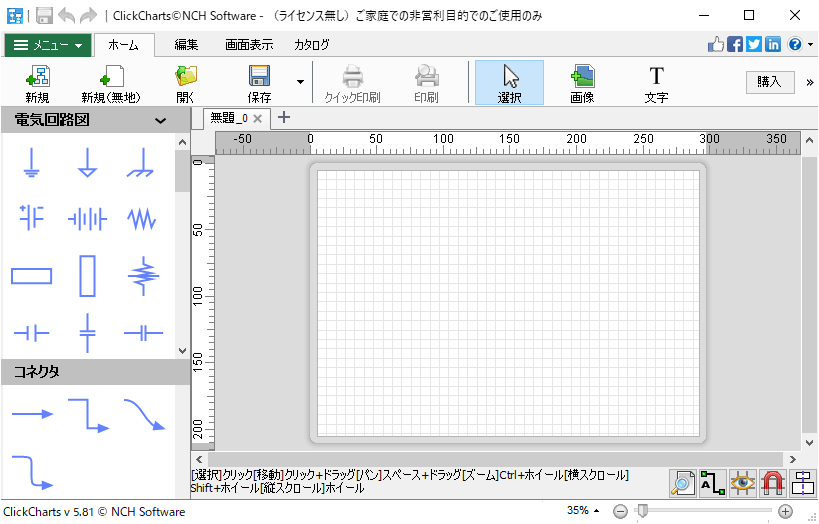
ClickCharts は、データや情報をよりわかりやすく整理するために最適なツールです。テンプレートやアイコン、図形、またさまざまなクリエイティブツールを使って、思い通りのフローチャートやダイアグラムを簡単に作成することができます。
作成したチャートは、JPG / PNG / GIF などの画像ファイルなどにエクスポートすることができます。
使いやすいチャート作成ツール
ClickCharts は、さまざまなチャートや図、マインドマップなどを作成して、それらを画像や PDF などの形式で保存できる便利なアプリケーションです。特に、エンジニアやプログラマ、研究者、教員、管理職などの職業の人に役に立つでしょう。
機能
- テンプレートを使って素早くチャートを作成
- 多彩な記号や線、コネクタを搭載
- UML(統一モデリング言語)図を簡単に作成
- 線や色を自由自在にカスタマイズ
- コピー貼り付けや「元に戻る」機能などでより簡単に素早くチャートを編集
- 大きなチャートを印刷する際に繋ぎ目が正確に合うシームレス機能付き
- 複数のフローチャートを一度に開いて編集
- デザインを細部までコントロールし、より美しく正確なチャートを作成
- 作成したチャートを jpg / gif / png などの画像ファイルとしてエクスポート
価格:無料
動作環境:Windows 7|8|8.1|10・Mac・Android
使用言語:日本語ほか
最終更新日:
4年前 (2022/09/27)
ダウンロード数:994
使い方
インストール
1.インストール方法
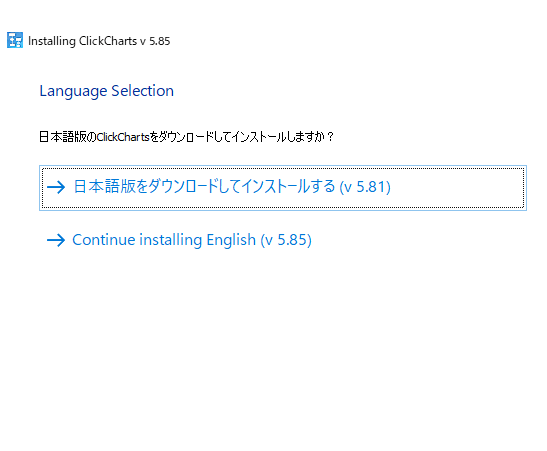
- インストーラを実行すると、インストールする言語の選択画面が表示されます。日本語版を使用する場合は「日本語版をダウンロードしてインストールする」をクリックします。
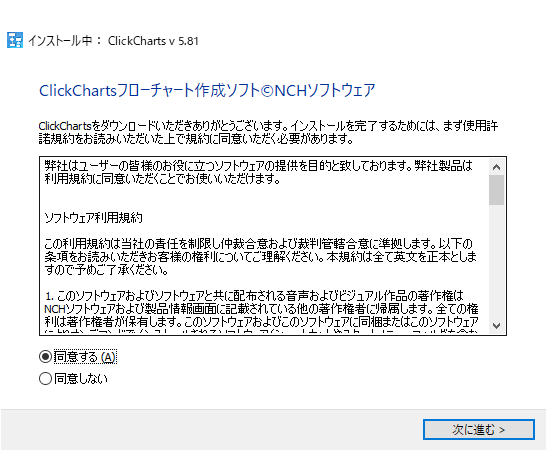
- ライセンスが表示されます。「同意する」を選択して[次に進む]をクリックするとインストールが開始します。
基本的な使い方
1.基本的な使い方
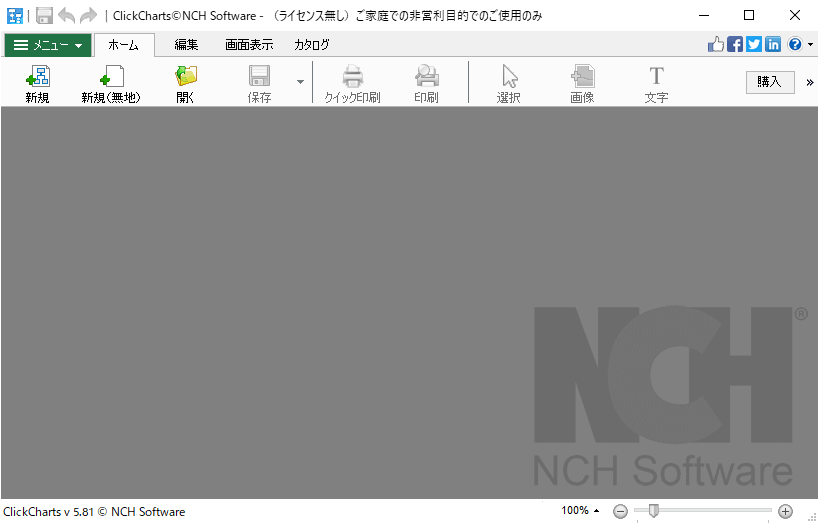
- 新しくフローチャートなどを作成する場合は、ツールバーの「新規」ボタンをクリックします。

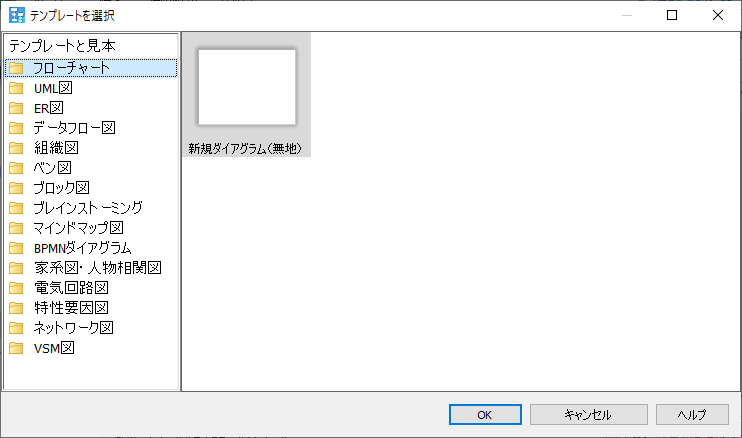
- テンプレートの選択ウィンドウが開くので、作成したいドキュメントのテンプレートを選択します。


よくある質問と回答
ライセンスについて。