").attr(n.scriptAttrs||{}).prop({charset:n.scriptCharset,src:n.url}).on("load error",i=function(e){r.remove(),i=null,e&&t("error"===e.type?404:200,e.type)}),C.head.appendChild(r[0])},abort:function(){i&&i()}}});var Jt,Kt=[],Zt=/(=)\?(?=&|$)|\?\?/;ce.ajaxSetup({jsonp:"callback",jsonpCallback:function(){var e=Kt.pop()||ce.expando+"_"+jt.guid++;return this[e]=!0,e}}),ce.ajaxPrefilter("json jsonp",function(e,t,n){var r,i,o,a=!1!==e.jsonp&&(Zt.test(e.url)?"url":"string"==typeof e.data&&0===(e.contentType||"").indexOf("application/x-www-form-urlencoded")&&Zt.test(e.data)&&"data");if(a||"jsonp"===e.dataTypes[0])return r=e.jsonpCallback=v(e.jsonpCallback)?e.jsonpCallback():e.jsonpCallback,a?e[a]=e[a].replace(Zt,"$1"+r):!1!==e.jsonp&&(e.url+=(At.test(e.url)?"&":"?")+e.jsonp+"="+r),e.converters["script json"]=function(){return o||ce.error(r+" was not called"),o[0]},e.dataTypes[0]="json",i=ie[r],ie[r]=function(){o=arguments},n.always(function(){void 0===i?ce(ie).removeProp(r):ie[r]=i,e[r]&&(e.jsonpCallback=t.jsonpCallback,Kt.push(r)),o&&v(i)&&i(o[0]),o=i=void 0}),"script"}),le.createHTMLDocument=((Jt=C.implementation.createHTMLDocument("").body).innerHTML="
",2===Jt.childNodes.length),ce.parseHTML=function(e,t,n){return"string"!=typeof e?[]:("boolean"==typeof t&&(n=t,t=!1),t||(le.createHTMLDocument?((r=(t=C.implementation.createHTMLDocument("")).createElement("base")).href=C.location.href,t.head.appendChild(r)):t=C),o=!n&&[],(i=w.exec(e))?[t.createElement(i[1])]:(i=Ae([e],t,o),o&&o.length&&ce(o).remove(),ce.merge([],i.childNodes)));var r,i,o},ce.fn.load=function(e,t,n){var r,i,o,a=this,s=e.indexOf(" ");return-1").append(ce.parseHTML(e)).find(r):e)}).always(n&&function(e,t){a.each(function(){n.apply(this,o||[e.responseText,t,e])})}),this},ce.expr.pseudos.animated=function(t){return ce.grep(ce.timers,function(e){return t===e.elem}).length},ce.offset={setOffset:function(e,t,n){var r,i,o,a,s,u,l=ce.css(e,"position"),c=ce(e),f={};"static"===l&&(e.style.position="relative"),s=c.offset(),o=ce.css(e,"top"),u=ce.css(e,"left"),("absolute"===l||"fixed"===l)&&-1<(o+u).indexOf("auto")?(a=(r=c.position()).top,i=r.left):(a=parseFloat(o)||0,i=parseFloat(u)||0),v(t)&&(t=t.call(e,n,ce.extend({},s))),null!=t.top&&(f.top=t.top-s.top+a),null!=t.left&&(f.left=t.left-s.left+i),"using"in t?t.using.call(e,f):c.css(f)}},ce.fn.extend({offset:function(t){if(arguments.length)return void 0===t?this:this.each(function(e){ce.offset.setOffset(this,t,e)});var e,n,r=this[0];return r?r.getClientRects().length?(e=r.getBoundingClientRect(),n=r.ownerDocument.defaultView,{top:e.top+n.pageYOffset,left:e.left+n.pageXOffset}):{top:0,left:0}:void 0},position:function(){if(this[0]){var e,t,n,r=this[0],i={top:0,left:0};if("fixed"===ce.css(r,"position"))t=r.getBoundingClientRect();else{t=this.offset(),n=r.ownerDocument,e=r.offsetParent||n.documentElement;while(e&&(e===n.body||e===n.documentElement)&&"static"===ce.css(e,"position"))e=e.parentNode;e&&e!==r&&1===e.nodeType&&((i=ce(e).offset()).top+=ce.css(e,"borderTopWidth",!0),i.left+=ce.css(e,"borderLeftWidth",!0))}return{top:t.top-i.top-ce.css(r,"marginTop",!0),left:t.left-i.left-ce.css(r,"marginLeft",!0)}}},offsetParent:function(){return this.map(function(){var e=this.offsetParent;while(e&&"static"===ce.css(e,"position"))e=e.offsetParent;return e||J})}}),ce.each({scrollLeft:"pageXOffset",scrollTop:"pageYOffset"},function(t,i){var o="pageYOffset"===i;ce.fn[t]=function(e){return M(this,function(e,t,n){var r;if(y(e)?r=e:9===e.nodeType&&(r=e.defaultView),void 0===n)return r?r[i]:e[t];r?r.scrollTo(o?r.pageXOffset:n,o?n:r.pageYOffset):e[t]=n},t,e,arguments.length)}}),ce.each(["top","left"],function(e,n){ce.cssHooks[n]=Ye(le.pixelPosition,function(e,t){if(t)return t=Ge(e,n),_e.test(t)?ce(e).position()[n]+"px":t})}),ce.each({Height:"height",Width:"width"},function(a,s){ce.each({padding:"inner"+a,content:s,"":"outer"+a},function(r,o){ce.fn[o]=function(e,t){var n=arguments.length&&(r||"boolean"!=typeof e),i=r||(!0===e||!0===t?"margin":"border");return M(this,function(e,t,n){var r;return y(e)?0===o.indexOf("outer")?e["inner"+a]:e.document.documentElement["client"+a]:9===e.nodeType?(r=e.documentElement,Math.max(e.body["scroll"+a],r["scroll"+a],e.body["offset"+a],r["offset"+a],r["client"+a])):void 0===n?ce.css(e,t,i):ce.style(e,t,n,i)},s,n?e:void 0,n)}})}),ce.each(["ajaxStart","ajaxStop","ajaxComplete","ajaxError","ajaxSuccess","ajaxSend"],function(e,t){ce.fn[t]=function(e){return this.on(t,e)}}),ce.fn.extend({bind:function(e,t,n){return this.on(e,null,t,n)},unbind:function(e,t){return this.off(e,null,t)},delegate:function(e,t,n,r){return this.on(t,e,n,r)},undelegate:function(e,t,n){return 1===arguments.length?this.off(e,"**"):this.off(t,e||"**",n)},hover:function(e,t){return this.on("mouseenter",e).on("mouseleave",t||e)}}),ce.each("blur focus focusin focusout resize scroll click dblclick mousedown mouseup mousemove mouseover mouseout mouseenter mouseleave change select submit keydown keypress keyup contextmenu".split(" "),function(e,n){ce.fn[n]=function(e,t){return 0
Amazon Prime Video for Windows 1.0.170.0
マルチメディアプレーヤー
2024/08/15 14:452024/12/10 14:48
説明 機能 仕様 ダウンロード 画像 使い方
Windows 向けの、Amazon Prime Video デスクトップアプリ

Amazon Prime Video の映画や TV 番組、ドラマなどをダウンロードして、いつでもどこでもオフラインで視聴することができる、Windows 向けのデスクトップアプリケーション。
Amazon Prime Video for Windows の概要
Amazon Prime Video for Windows は、Amazon Prime Video をご覧頂くことができるデスクトップアプリです。
Amazon Prime Video for Windows の機能
Amazon Prime Video for Windows の主な機能です。
機能
概要
メイン機能
Amazon Prime Video デスクトップアプリ
機能詳細
・ビデオをダウンロードして、いつでもどこでもオフラインで視聴できます。
Amazon Prime Video を視聴できます
Amazon Prime Video for Windows は、Amazon Prime Video の映画や TV 番組、ドラマなどをダウンロードして、いつでもどこでもオフラインで視聴することができる、Windows 向けのデスクトップアプリケーションです。
Amazon Prime Video for Windows は、Amazon のストリーミングサービスを Windows デスクトップで扱えるようにしたアプリです。
好みの品質で動画をダウンロードできます
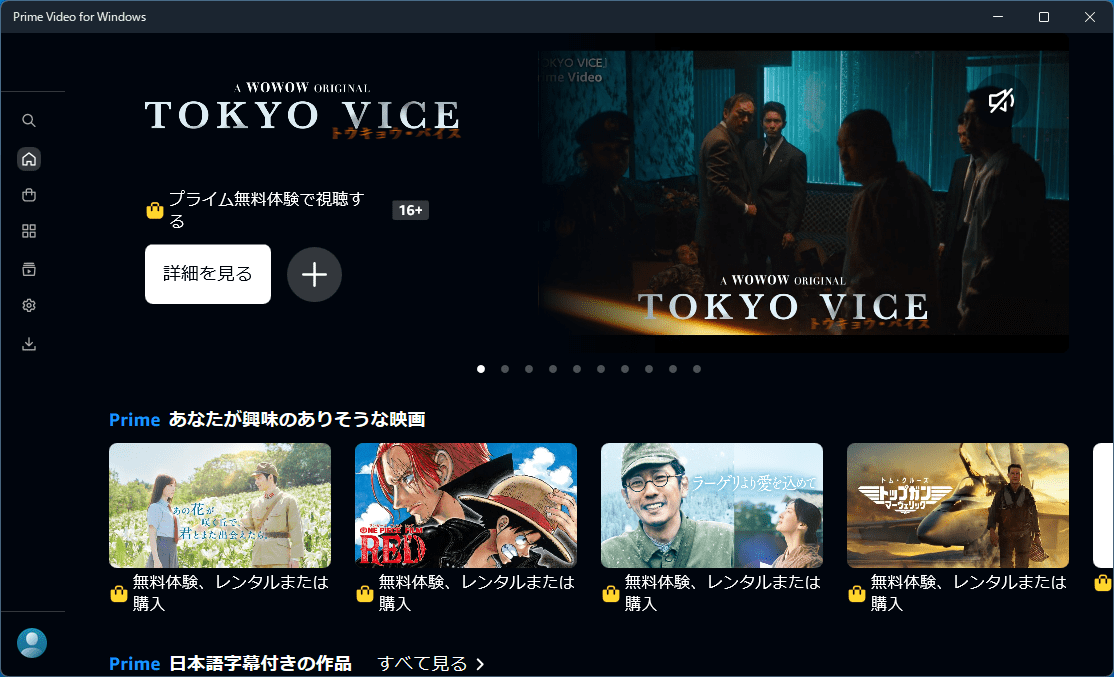
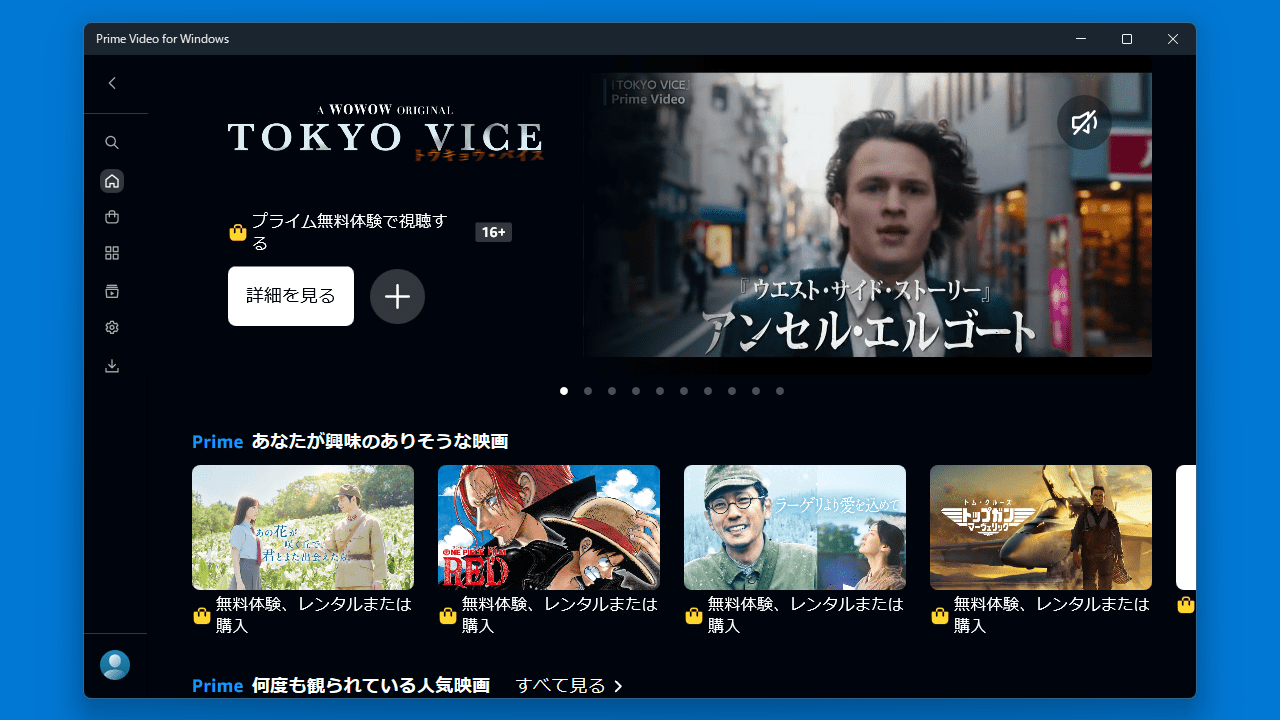
Amazon Prime Video for Windows のモダンなインターフェースは、Amazon Prime Video のオンラインサービスと似ているため、誰でもお気に入りの映画や TV 番組などをかんたんに探して見つけることができます。
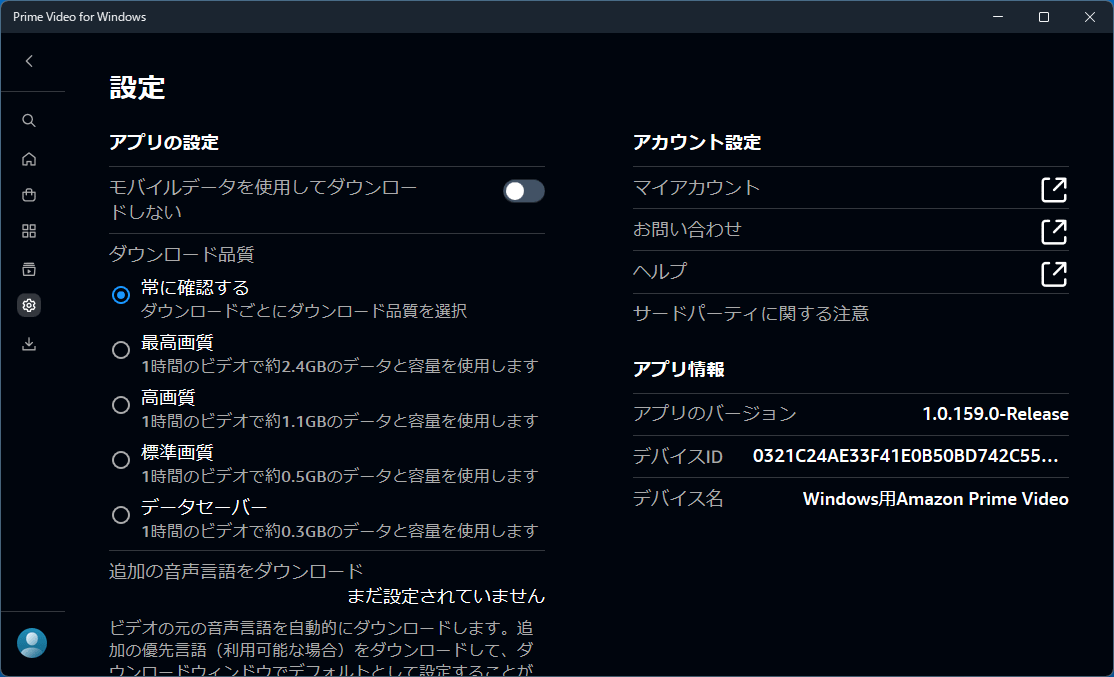
ユーザーの視聴リストは保存され、データ品質、保存場所、ダウンロードコンテンツのサイズなどの設定を自由に調整できます。
使いやすい Windows 向けの Amazon Prime Video アプリ
Amazon Prime Video for Windows は、Amazon Prime Video を Windows PC 上で楽しむことができる、優れたデスクトップアプリケーションです。お気に入りの動画を好みの品質でダウンロードして、オフラインで視聴して楽しむことができるのができるのが特徴です。
機能
ビデオをダウンロードして、いつでもどこでもオフラインで視聴できます。
新作映画、人気のテレビ番組など、何千ものタイトルをレンタルまたは購入できます (一部の国/地域ではご利用いただけません)。
Prime Video Channels では、Prime 会員は HBO、SHOWTIME、STARZ、Cinemax など 150 以上のプレミアム チャンネルや専門チャンネルを購読できます。必要なチャンネルのみをお支払いください。ケーブルは不要で、いつでもキャンセルできます (一部の国/地域ではご利用いただけません)。
X-Ray を使用すると、ストリーミング中にビデオの俳優、曲、トリビアに関する IMDb 情報を表示できます。
価格: 無料
動作環境: Windows 10|11
使用言語: 日本語ほかマルチ言語
最終更新日:
1年前 (2024/12/10)
ダウンロード数:
使い方
インストール
1.インストール方法
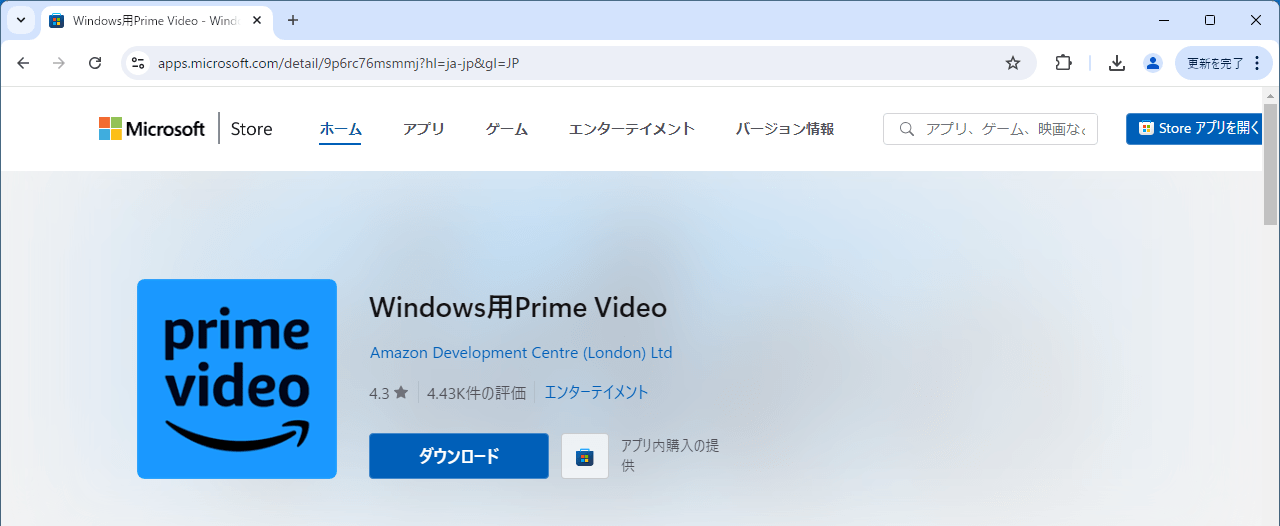
ダウンロード先のページを開いたら、[ダウンロード ]をクリックします。
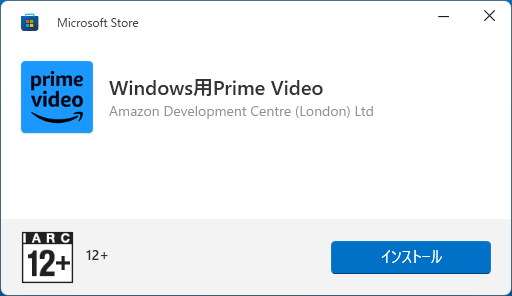
セットアップファイルを実行したら。[インストール ]をクリックします。
基本的な使い方
1.基本的な使い方
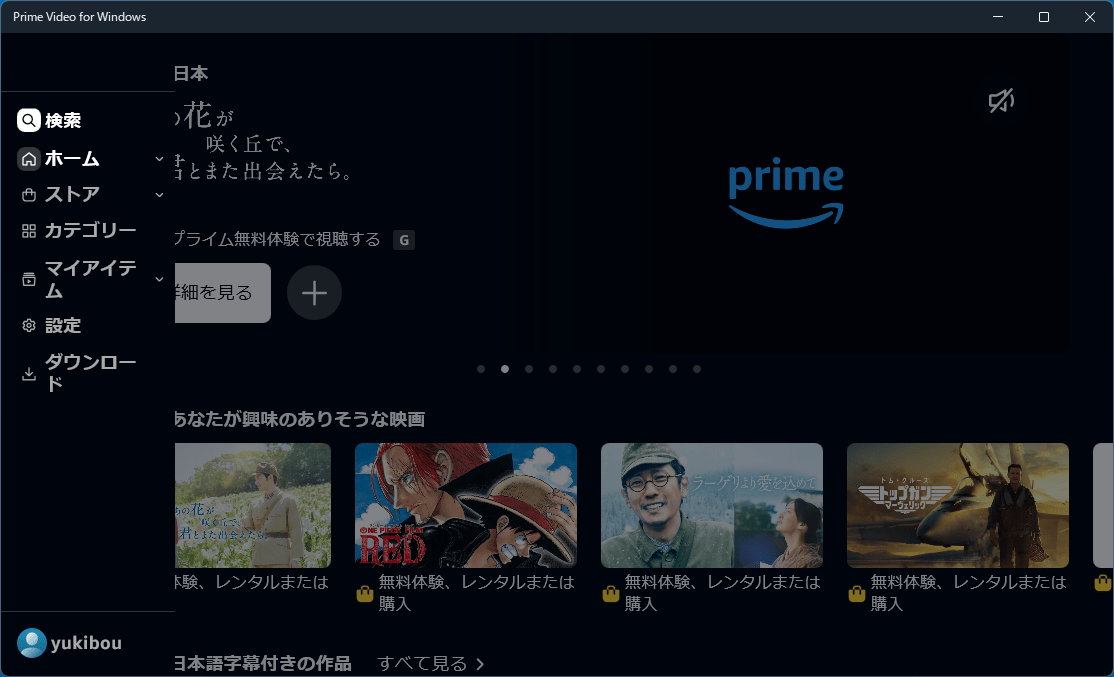
左側のメニューから「設定 」にアクセスすると、ダウンロード先やダウンロード品質などの設定ができます。
よくある質問と回答
ライセンスについて。
ユーザーレビュー
レビューはまだありません、 最初のレビューを投稿してください。コメントは任意です。
Amazon Prime Video for Windows は、どなたでも無料で利用できます。