").attr(n.scriptAttrs||{}).prop({charset:n.scriptCharset,src:n.url}).on("load error",i=function(e){r.remove(),i=null,e&&t("error"===e.type?404:200,e.type)}),C.head.appendChild(r[0])},abort:function(){i&&i()}}});var Jt,Kt=[],Zt=/(=)\?(?=&|$)|\?\?/;ce.ajaxSetup({jsonp:"callback",jsonpCallback:function(){var e=Kt.pop()||ce.expando+"_"+jt.guid++;return this[e]=!0,e}}),ce.ajaxPrefilter("json jsonp",function(e,t,n){var r,i,o,a=!1!==e.jsonp&&(Zt.test(e.url)?"url":"string"==typeof e.data&&0===(e.contentType||"").indexOf("application/x-www-form-urlencoded")&&Zt.test(e.data)&&"data");if(a||"jsonp"===e.dataTypes[0])return r=e.jsonpCallback=v(e.jsonpCallback)?e.jsonpCallback():e.jsonpCallback,a?e[a]=e[a].replace(Zt,"$1"+r):!1!==e.jsonp&&(e.url+=(At.test(e.url)?"&":"?")+e.jsonp+"="+r),e.converters["script json"]=function(){return o||ce.error(r+" was not called"),o[0]},e.dataTypes[0]="json",i=ie[r],ie[r]=function(){o=arguments},n.always(function(){void 0===i?ce(ie).removeProp(r):ie[r]=i,e[r]&&(e.jsonpCallback=t.jsonpCallback,Kt.push(r)),o&&v(i)&&i(o[0]),o=i=void 0}),"script"}),le.createHTMLDocument=((Jt=C.implementation.createHTMLDocument("").body).innerHTML="
",2===Jt.childNodes.length),ce.parseHTML=function(e,t,n){return"string"!=typeof e?[]:("boolean"==typeof t&&(n=t,t=!1),t||(le.createHTMLDocument?((r=(t=C.implementation.createHTMLDocument("")).createElement("base")).href=C.location.href,t.head.appendChild(r)):t=C),o=!n&&[],(i=w.exec(e))?[t.createElement(i[1])]:(i=Ae([e],t,o),o&&o.length&&ce(o).remove(),ce.merge([],i.childNodes)));var r,i,o},ce.fn.load=function(e,t,n){var r,i,o,a=this,s=e.indexOf(" ");return-1").append(ce.parseHTML(e)).find(r):e)}).always(n&&function(e,t){a.each(function(){n.apply(this,o||[e.responseText,t,e])})}),this},ce.expr.pseudos.animated=function(t){return ce.grep(ce.timers,function(e){return t===e.elem}).length},ce.offset={setOffset:function(e,t,n){var r,i,o,a,s,u,l=ce.css(e,"position"),c=ce(e),f={};"static"===l&&(e.style.position="relative"),s=c.offset(),o=ce.css(e,"top"),u=ce.css(e,"left"),("absolute"===l||"fixed"===l)&&-1<(o+u).indexOf("auto")?(a=(r=c.position()).top,i=r.left):(a=parseFloat(o)||0,i=parseFloat(u)||0),v(t)&&(t=t.call(e,n,ce.extend({},s))),null!=t.top&&(f.top=t.top-s.top+a),null!=t.left&&(f.left=t.left-s.left+i),"using"in t?t.using.call(e,f):c.css(f)}},ce.fn.extend({offset:function(t){if(arguments.length)return void 0===t?this:this.each(function(e){ce.offset.setOffset(this,t,e)});var e,n,r=this[0];return r?r.getClientRects().length?(e=r.getBoundingClientRect(),n=r.ownerDocument.defaultView,{top:e.top+n.pageYOffset,left:e.left+n.pageXOffset}):{top:0,left:0}:void 0},position:function(){if(this[0]){var e,t,n,r=this[0],i={top:0,left:0};if("fixed"===ce.css(r,"position"))t=r.getBoundingClientRect();else{t=this.offset(),n=r.ownerDocument,e=r.offsetParent||n.documentElement;while(e&&(e===n.body||e===n.documentElement)&&"static"===ce.css(e,"position"))e=e.parentNode;e&&e!==r&&1===e.nodeType&&((i=ce(e).offset()).top+=ce.css(e,"borderTopWidth",!0),i.left+=ce.css(e,"borderLeftWidth",!0))}return{top:t.top-i.top-ce.css(r,"marginTop",!0),left:t.left-i.left-ce.css(r,"marginLeft",!0)}}},offsetParent:function(){return this.map(function(){var e=this.offsetParent;while(e&&"static"===ce.css(e,"position"))e=e.offsetParent;return e||J})}}),ce.each({scrollLeft:"pageXOffset",scrollTop:"pageYOffset"},function(t,i){var o="pageYOffset"===i;ce.fn[t]=function(e){return M(this,function(e,t,n){var r;if(y(e)?r=e:9===e.nodeType&&(r=e.defaultView),void 0===n)return r?r[i]:e[t];r?r.scrollTo(o?r.pageXOffset:n,o?n:r.pageYOffset):e[t]=n},t,e,arguments.length)}}),ce.each(["top","left"],function(e,n){ce.cssHooks[n]=Ye(le.pixelPosition,function(e,t){if(t)return t=Ge(e,n),_e.test(t)?ce(e).position()[n]+"px":t})}),ce.each({Height:"height",Width:"width"},function(a,s){ce.each({padding:"inner"+a,content:s,"":"outer"+a},function(r,o){ce.fn[o]=function(e,t){var n=arguments.length&&(r||"boolean"!=typeof e),i=r||(!0===e||!0===t?"margin":"border");return M(this,function(e,t,n){var r;return y(e)?0===o.indexOf("outer")?e["inner"+a]:e.document.documentElement["client"+a]:9===e.nodeType?(r=e.documentElement,Math.max(e.body["scroll"+a],r["scroll"+a],e.body["offset"+a],r["offset"+a],r["client"+a])):void 0===n?ce.css(e,t,i):ce.style(e,t,n,i)},s,n?e:void 0,n)}})}),ce.each(["ajaxStart","ajaxStop","ajaxComplete","ajaxError","ajaxSuccess","ajaxSend"],function(e,t){ce.fn[t]=function(e){return this.on(t,e)}}),ce.fn.extend({bind:function(e,t,n){return this.on(e,null,t,n)},unbind:function(e,t){return this.off(e,null,t)},delegate:function(e,t,n,r){return this.on(t,e,n,r)},undelegate:function(e,t,n){return 1===arguments.length?this.off(e,"**"):this.off(t,e||"**",n)},hover:function(e,t){return this.on("mouseenter",e).on("mouseleave",t||e)}}),ce.each("blur focus focusin focusout resize scroll click dblclick mousedown mouseup mousemove mouseover mouseout mouseenter mouseleave change select submit keydown keypress keyup contextmenu".split(" "),function(e,n){ce.fn[n]=function(e,t){return 0
WindowResizer 1.3.4
デスクトップ
2021/12/14 14:38
説明機能仕様ダウンロード画像使い方
ウィンドウ位置とサイズを記憶して復元するツール

さまざまなアプリケーションのウィンドウサイズと位置を保存して、必要なときに復元することができる Windows 向けのフリーソフト。ホットキーを使用してウィンドウ位置を保存および復元できます。

WindowResizer の概要
WindowResizer を使用すると、ホットキーを使用してウィンドウサイズをすばやく保存&復元できます。
WindowResizer の機能
WindowResizer の主な機能です。
| 機能 |
概要 |
| メイン機能 |
ウィンドウの位置の保存と復元 |
| 機能詳細 |
・ウィンドウの位置を保存
・ウィンドウの位置を復元
・開いているすべてのウィンドウ位置を復元 |
ウィンドウの位置を保存して復元できます
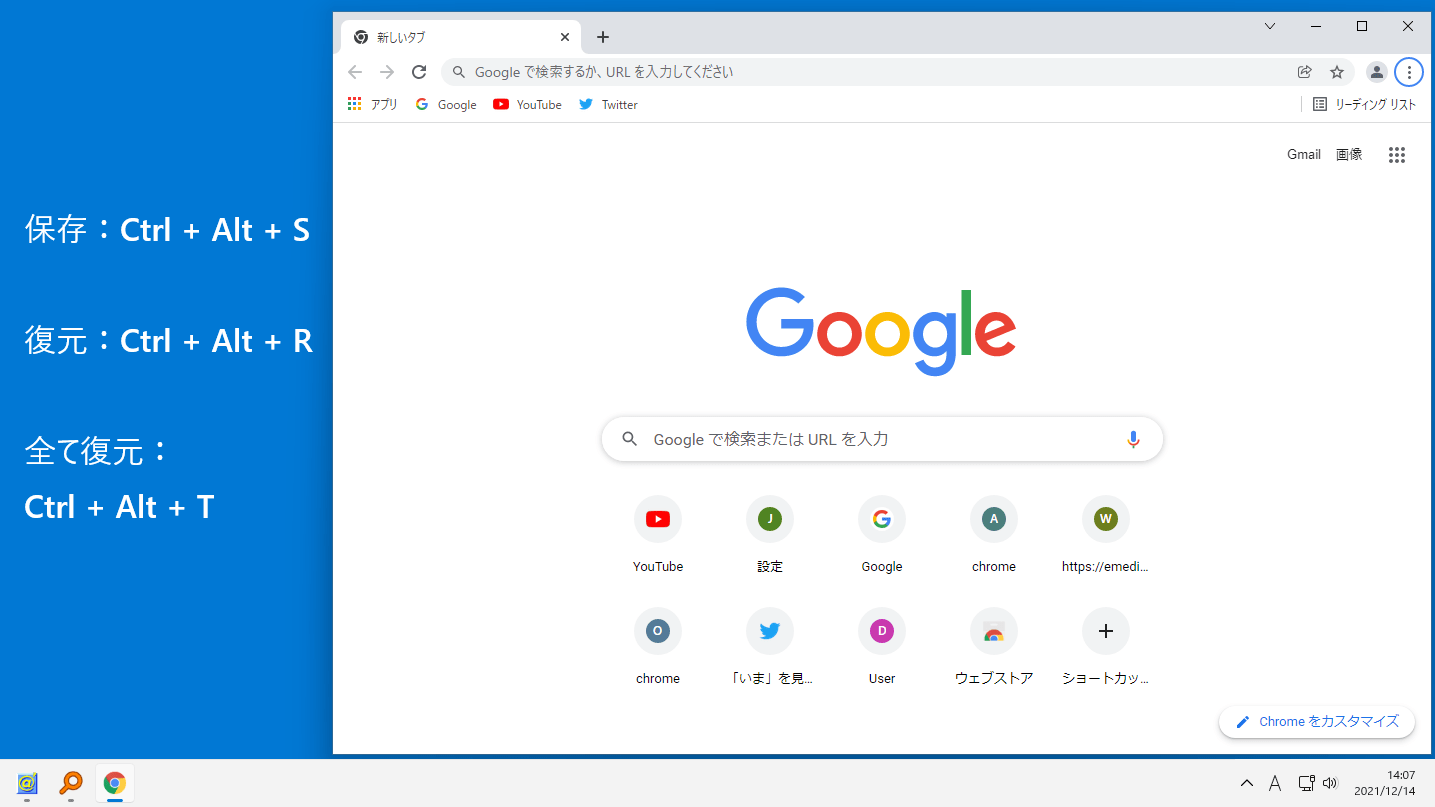
WindowResizer は、さまざまなプロセスのウィンドウ位置を保存および復元することができるアプリケーションです。
Web ブラウザやそのほかのアプリケーションのウィンドウのサイズと位置を記憶し、必要なときにいつでも復元することができます。保存と復元にはホットキー(保存:Ctrl+Alt+S、復元:Ctrl+Alt+R、すべて復元:Ctrl+Alt+T)を使用します。
ホットキーは変更することができます
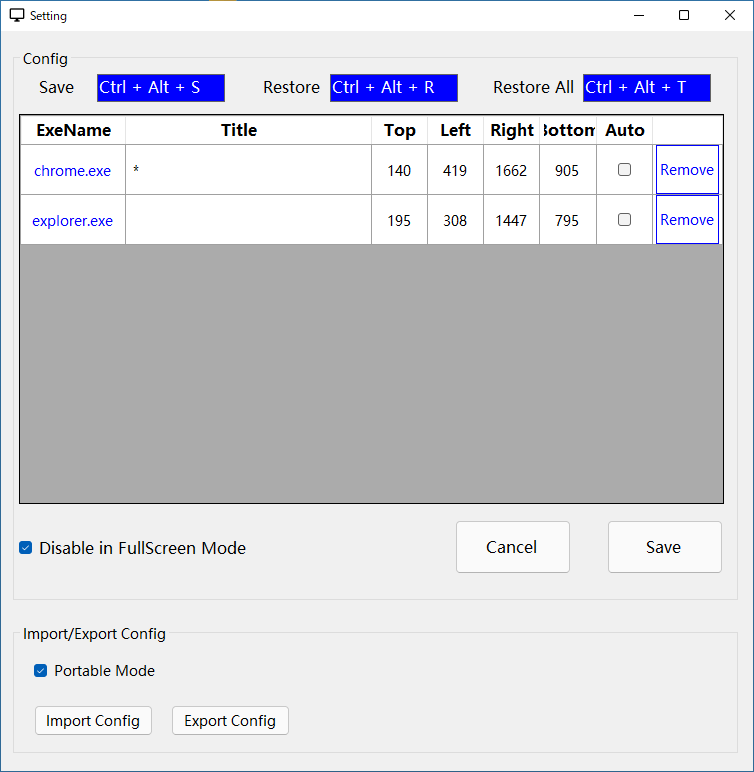
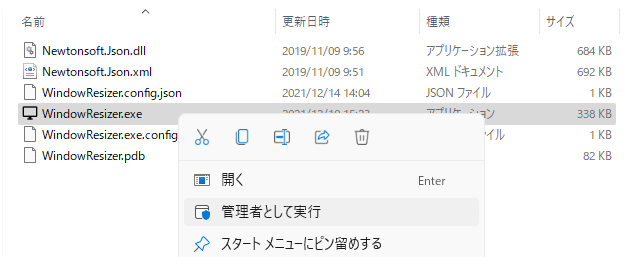
WindowResizer は、インストール不要で使用できるアプリケーションです。プログラムを「管理者として実行」しないと正しく動作しない場合があるので注意してください。
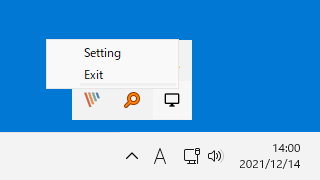
保存されたウィンドウ位置は、トレイアイコンの右クリックメニューからアクセスできる設定画面で確認し、必要ないプロセスは削除したり、ホットキーを変更するなどの管理することができます。
ウィンドウ位置やサイズを調整する手間を節約できます
WindowResizer を使用すると、デスクトップ上のアプリウィンドウのサイズと位置を調整するための時間を節約することができます。PC での作業環境でお気に入りのウィンドウ位置がある場合は、このアプリを使用して保存しておくことをおすすめします。
機能
- ウィンドウの位置を保存
- ウィンドウの位置を復元
- 開いているすべてのウィンドウ位置を復元
価格:無料
動作環境:Windows 7|8|8.1|10|11
使用言語:英語
最終更新日:
2年前 (2023/12/19)
ダウンロード数:1132
使い方
インストール
1.インストール
WindowResizer はインストール不要で使用できます。
- 「WindowResizer.exe」ファイルを管理者として実行すると、アプリケーションを使用できます。

基本的な使い方
1.基本的な使い方
ホットキーで、ウィンドウの位置を保存または復元できます。
- ウィンドウの位置を保存:Ctrl + Alt + S
- ウィンドウの位置を復元:Ctrl + Alt + R
- 開いているすべてのウィンドウ位置を復元:Ctrl + Alt + T

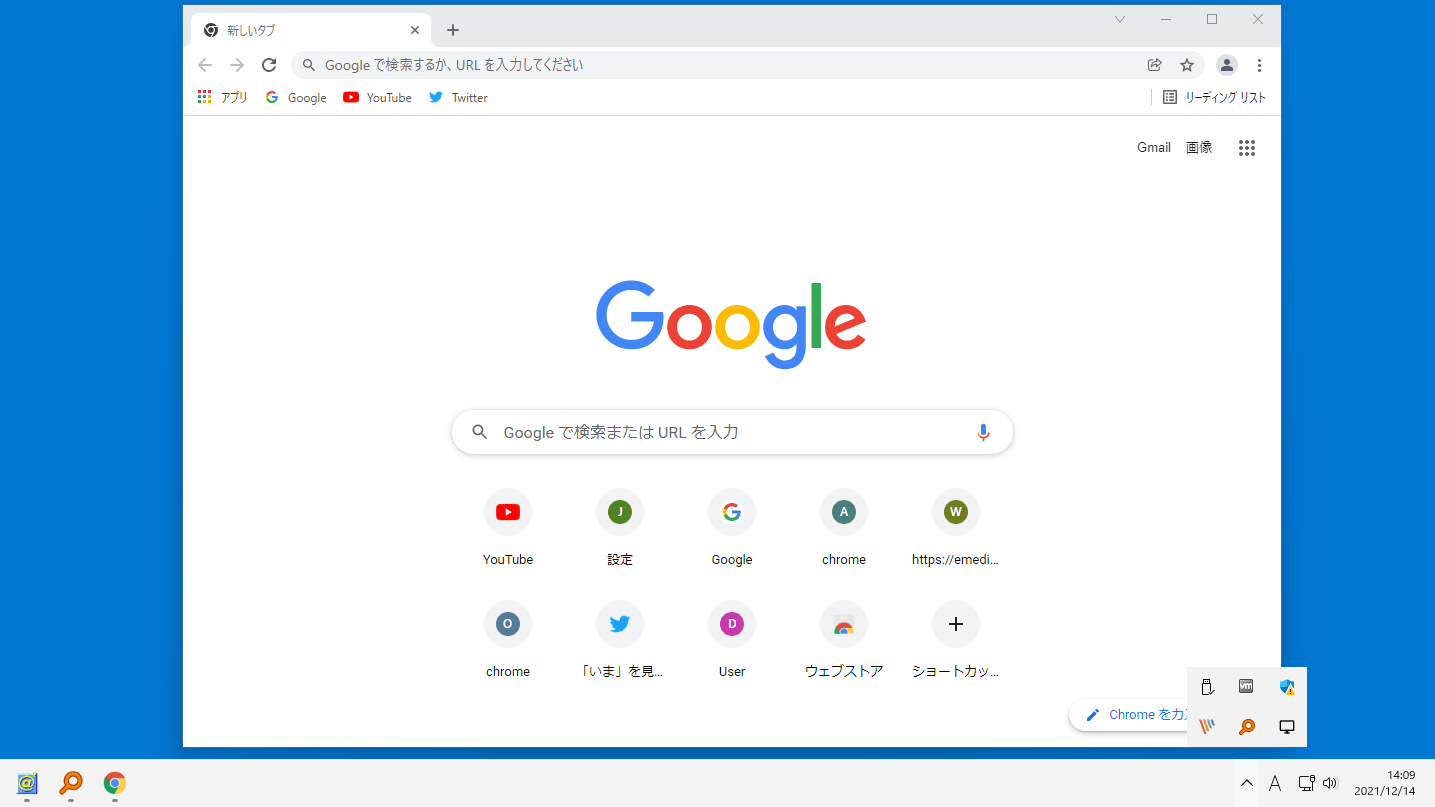
- WindowResizer を起動すると、システムトレイにアイコンが表示されます。
- アイコンの右クリックメニューから「Settings」を選択すると、設定画面が開き、現在の保存されている内容を確認できます。


よくある質問と回答
ライセンスについて。
WindowResizer は、どなたでも無料で利用できます。